
Safari Blocks Third-Party Cookies and Cannot Retrieve User Login Status
Problem Description
In cross-site scenarios, the Apple Safari browser cannot retrieve the BambooCloud IDaaS user login status API (https://{domain_name}/api/v1/config/isLogin), while browsers on Windows and Android systems can retrieve the user's login status.
Problem Analysis
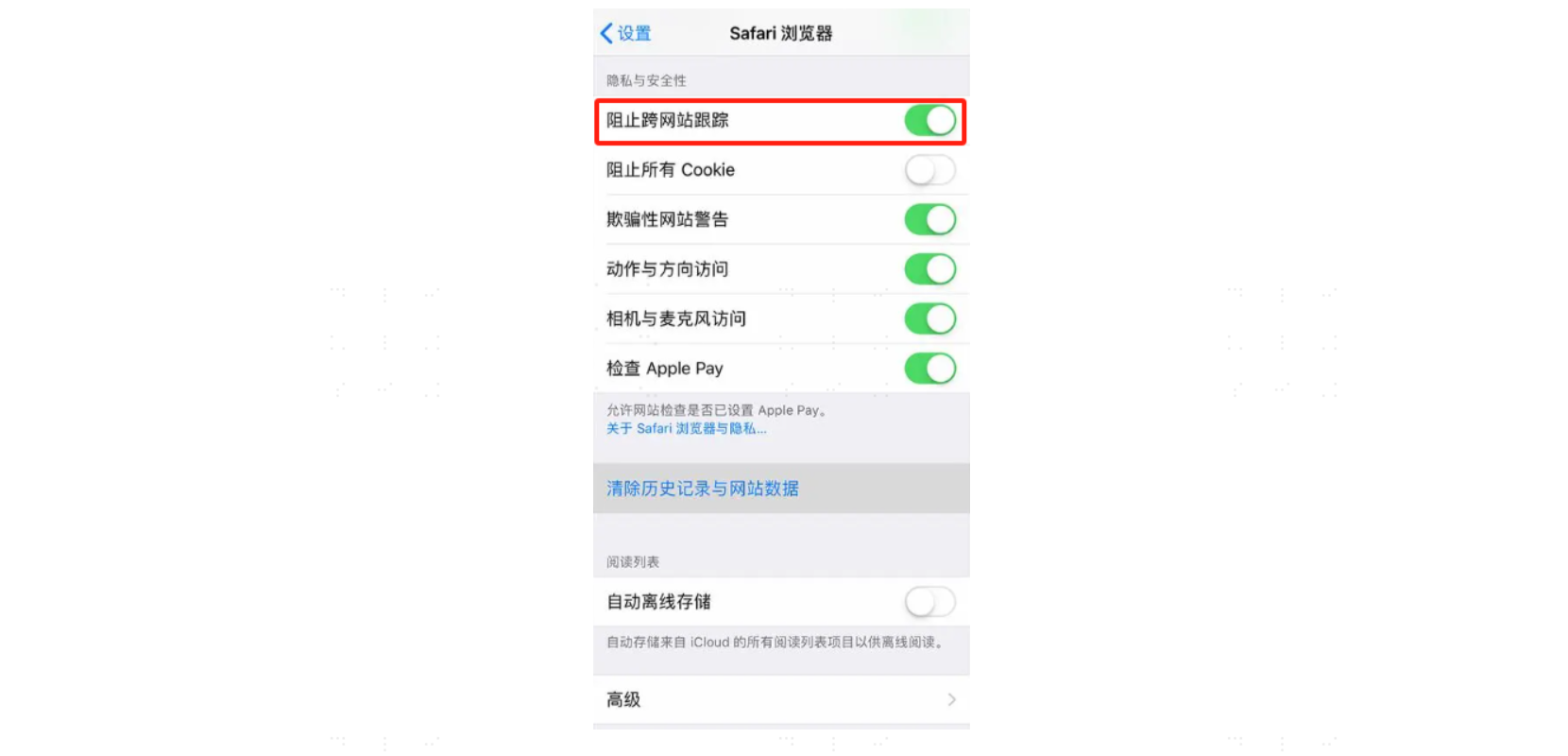
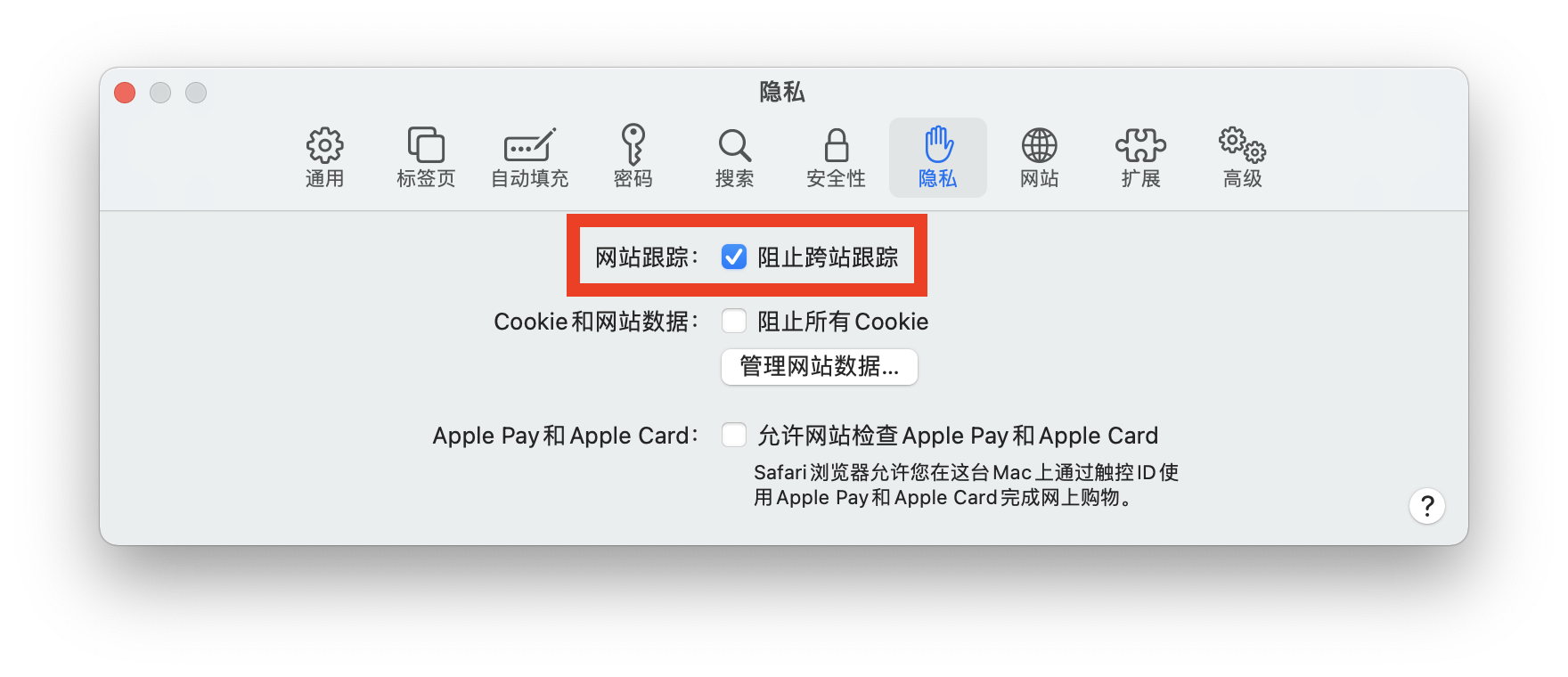
To protect user privacy, major browser vendors are continuously strengthening browser security restrictions. Apple Safari adopts a more conservative Cookie security policy and enables "Prevent Cross-Site Tracking" by default, prohibiting third-party cookies in cross-site scenarios. Other browser vendors will follow suit eventually; it is only a matter of time. This Safari setting does not affect business application systems integrated directly through the unified login page, but it does affect business systems that call IDaaS APIs directly to retrieve user status, because Safari prevents IDaaS SSO cookies from being submitted across sites, causing the user status API to always return not logged in (false).
Solution
From Safari's perspective, any cookies involving third-party sites are blocked. A temporary workaround is to instruct users to manually disable "Prevent Cross-Site Tracking," but this provides a poor user experience. The fundamental solution is to convert third-party cookies into first-party cookies, so that application system requests to BambooCloud IDaaS APIs become same-site API access and do not trigger the browser's third-party cookie blocking rules.
For example, the default domain assigned by IDaaS to an enterprise customer is companyname.bccastle.com, and the application system domain is app.companyname.com. By using IDaaS's custom enterprise domain feature, the default IDaaS domain can be changed to an enterprise-owned domain address such as login.companyname.com.
login.companyname.com    # IDaaS service after enterprise custom domain configuration
app.companyname.com      # Application system domain
⚠️ Browser security policies are constantly evolving; the content described above may no longer apply after some time.
Related Knowledge
When dealing with frontend technology, Same-Origin and Same-Site are commonly encountered terms.
Same Origin
Same Origin = scheme + hostname + portIf any of the protocol, domain, or port of a requested URL differs from that of the current page URL, it is cross-origin. In other words, violating the same-origin policy means cross-origin (cross origin).
Same Site
Cookie validation is more lenient. Cookies only care about the domain, ignoring protocol and port, as long as the eTLD+1 of the two URLs is the same. eTLD stands for effective top-level domain, registered in the Public Suffix List maintained by Mozilla, such as .com, .co, .uk, .github.io, etc. eTLD+1 means effective top-level domain plus second-level domain, such as taobao.com. Examples:
www.taobao.com and www.baidu.com are cross-site. www.a.taobao.com and www.b.taobao.com are same-site. a.github.io and b.github.io are cross-site.
In summary, cross-site means:
- If two URLs have different top-level and second-level domains, they are cross-site (also called third-party). Cross-site always implies cross-origin, but the reverse is not true.
- If they are the same, they are same-site first-party.
Scenario Summary
- Same origin: cookies are automatically read, stored, and sent.
- Cross-origin but same-site: the backend adds CORS response headers to ensure normal cross-origin requests, and the frontend sets
XHR.withCredentials=trueto send cookies normally. - Cross-origin and cross-site (cross-site always implies cross-origin): add
SameSite=None; Secure(); or use an Nginx reverse proxy to turn cross-site requests into same-site requests to resolve cookie cross-site issues.
In addition, other workaround solutions may exist online, but as browser vendors continue to strengthen security restrictions, they may cause unknown compatibility issues. Application developers should weigh the pros and cons carefully before proceeding.