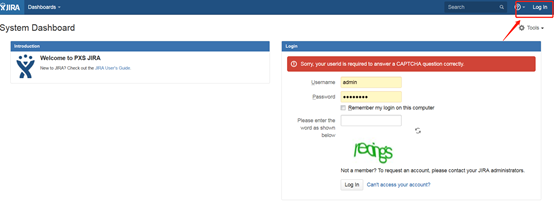
JIRA6免插件单点登录
概述
本文介绍JIRA6如何实现免插件进行SAML认证集成。
7.0以上版本的JIRA和Confluence自带SSO2.0配置,请参考 JIRA & Confluence单点登录配置
SSO插件配置,请参考JIRA & Confluence的SAML插件认证
认证配置
JIRA 配置
将 customauth-jira-6.1.2.jar放到 WEB-INF下的lib包。
将 jira_onelogin.xml 放到bin目录和bin上级目录。
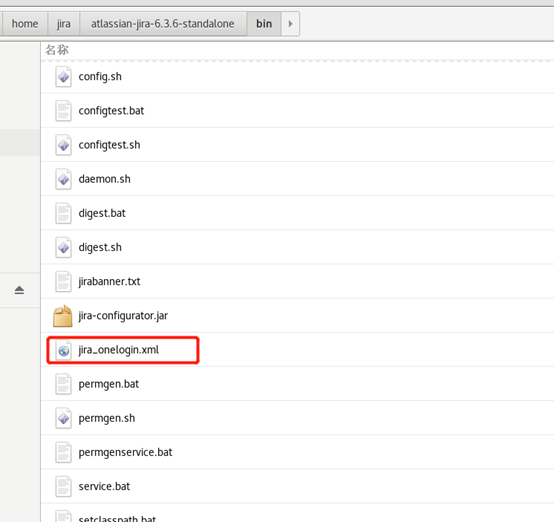
查看xml内容,获取参数信息。
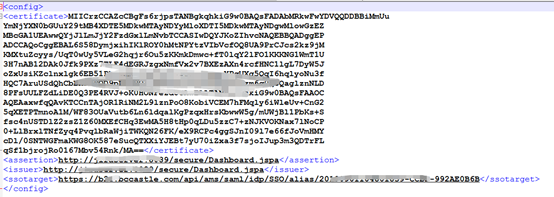
参数配置如下:
参数 参数说明 certificate 竹云IDaaS中IDP证书 assertion(断言消费地址) http://jira地址/secure/Dashboard.jspa
https://jira地址/secure/Dashboard.jspa | | issuer | 同上即可 | | ssotarget | 竹云IDaaS中IDP配置中的SSO URL |
下载竹云IDaaS的IDP元数据请访问 https://{your_domain}/api/v1/saml2/idp/metadata。
修改classes 目录下的seraph-config.xml 文件,新增如下内容:
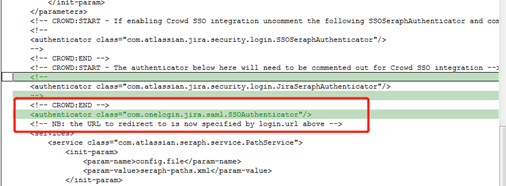 xml
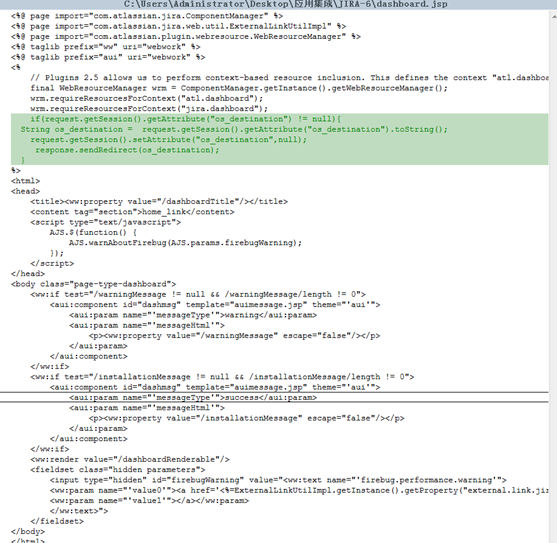
xml<authenticator class="com.onelogin.jira.saml.SSOAuthenticator"/>修改secure\views目录下dashboard.jsp,新增如下内容:
 java
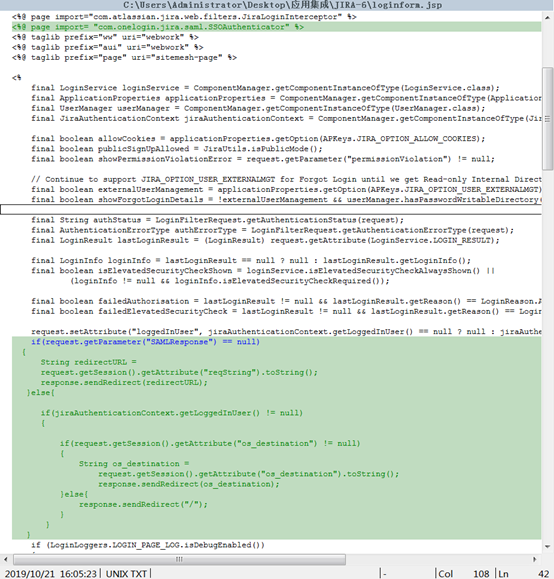
javaif(request.getSession().getAttribute("os_destination") != null){ String os_destination = request.getSession().getAttribute("os_destination").toString(); request.getSession().setAttribute("os_destination",null); response.sendRedirect(os_destination); }修改include 目录下的loginform.jsp,新增如下内容:
 java
java<%@ page import= "com.onelogin.jira.saml.SSOAuthenticator" %> if(request.getParameter("SAMLResponse") == null) { String redirectURL = request.getSession().getAttribute("reqString").toString(); response.sendRedirect(redirectURL); }else{ if(jiraAuthenticationContext.getLoggedInUser() != null) { if(request.getSession().getAttribute("os_destination") != null) { String os_destination = request.getSession().getAttribute("os_destination").toString(); response.sendRedirect(os_destination); }else{ response.sendRedirect("/"); } } }
竹云IDaaS 配置
添加内置应用JIRA。
配置应用参数。
参数 参数说明 SP Entity ID Jira基础访问地址(此地址在jira_onelogin.xml中assertion中获取) ACS URL 基础访问地址(此地址在jira_onelogin.xml中assertion中获取) Audience URI 基础访问地址(此地址在jira_onelogin.xml中assertion中获取) NameID Format 选择 urn:oasis:names:tc:SAML:1.1:nameid-format:unspecified Name ID 账号名 在内置应用中,选择JIRA图标,选择【授权管理】--》添加账号。
此处应用账号名需和JIRA中的Username一致。
登录验证
WARNING
配置saml认证后JIRA的用户名密码登录入口将失效。