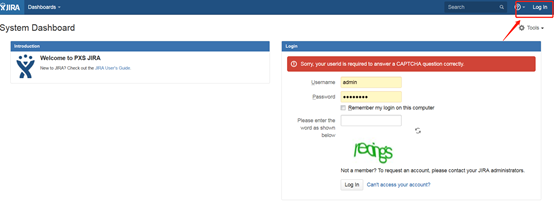
JIRA6 Plugin-Free Single Sign-On
Overview
This article describes how JIRA6 implements SAML authentication integration without plugins.
For JIRA and Confluence versions 7.0 and above, which come with SSO 2.0 configuration, please refer to JIRA & Confluence Single Sign-On Configuration
For SSO plugin configuration, please refer to JIRA & Confluence SAML Plugin Authentication
Authentication Configuration
JIRA Configuration
Put customauth-jira-6.1.2.jar into the lib package under WEB-INF.
Put jira_onelogin.xml into the bin directory and the parent directory of bin.
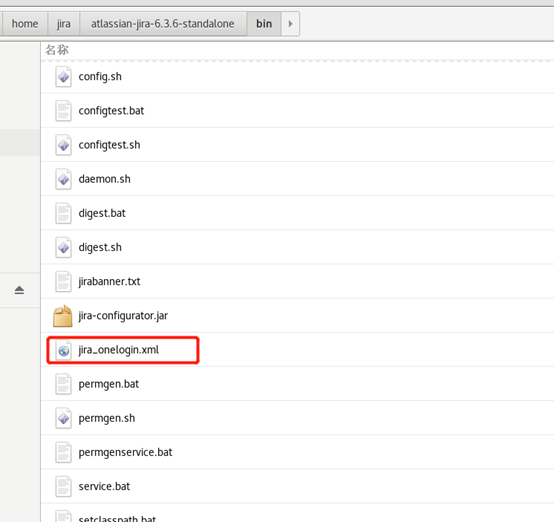
View the XML content to obtain parameter information.
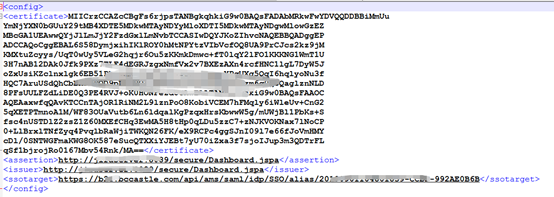
Parameter configuration is as follows:
Parameter Parameter Description certificate IDP certificate in BambooCloud IDaaS assertion (Assertion Consumer Service URL) http://jira-address/secure/Dashboard.jspa
https://jira-address/secure/Dashboard.jspa | | issuer | Same as above | | ssotarget | SSO URL in the IDP configuration of BambooCloud IDaaS |
To download BambooCloud IDaaS IDP metadata, visit
https://{your_domain}/api/v1/saml2/idp/metadata.Modify the
seraph-config.xmlfile in the classes directory and add the following content: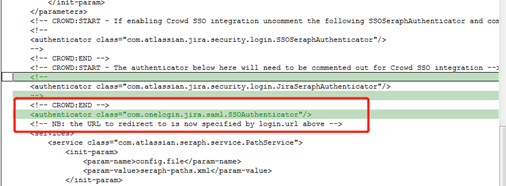 xml
xml<authenticator class="com.onelogin.jira.saml.SSOAuthenticator"/>Modify
dashboard.jspin the secure\views directory and add the following content: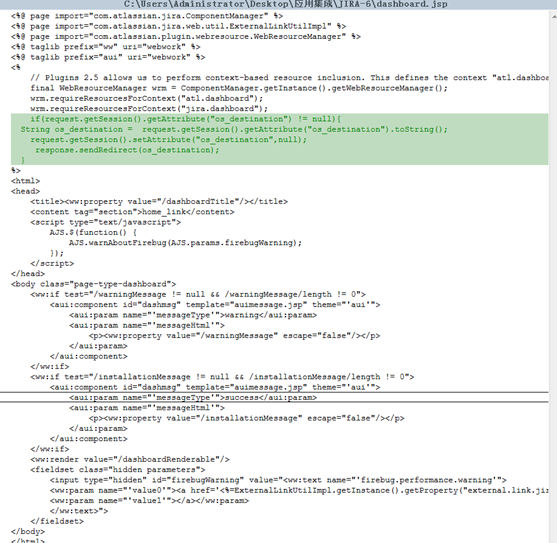 java
javaif(request.getSession().getAttribute("os_destination") != null){ String os_destination = request.getSession().getAttribute("os_destination").toString(); request.getSession().setAttribute("os_destination",null); response.sendRedirect(os_destination); }Modify
loginform.jspin the include directory and add the following content: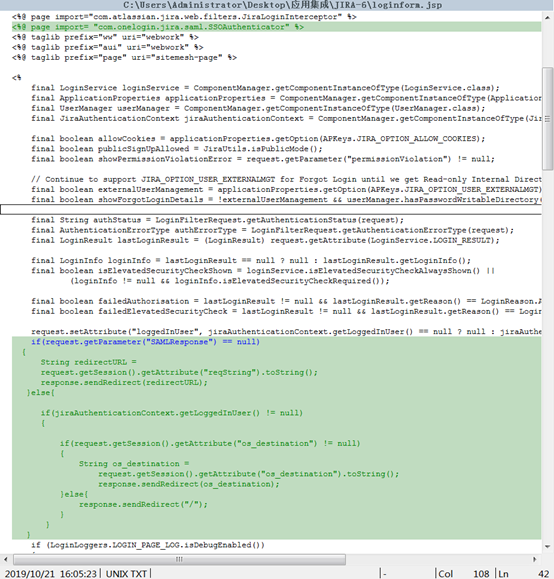 java
java<%@ page import= "com.onelogin.jira.saml.SSOAuthenticator" %> if(request.getParameter("SAMLResponse") == null) { String redirectURL = request.getSession().getAttribute("reqString").toString(); response.sendRedirect(redirectURL); }else{ if(jiraAuthenticationContext.getLoggedInUser() != null) { if(request.getSession().getAttribute("os_destination") != null) { String os_destination = request.getSession().getAttribute("os_destination").toString(); response.sendRedirect(os_destination); }else{ response.sendRedirect("/"); } } }
BambooCloud IDaaS Configuration
Add the built-in application JIRA.
Configure application parameters.
Parameter Parameter Description SP Entity ID Jira base access address (this address is obtained from the assertion in jira_onelogin.xml) ACS URL Base access address (this address is obtained from the assertion in jira_onelogin.xml) Audience URI Base access address (this address is obtained from the assertion in jira_onelogin.xml) NameID Format Select urn:oasis:names:tc:SAML:1.1:nameid-format:unspecifiedName ID Account name In the built-in application, select the JIRA icon, choose Authorization Management --> Add Account.
The application account name here must be consistent with the Username in JIRA.
Login Verification
WARNING
After configuring SAML authentication, the JIRA username and password login entry will become invalid.