WPS Office/Kingsoft Docs OAuth Single Sign-On
Overview
This article describes the OAuth authentication integration configuration between Kingsoft Docs and BambooCloud IDaaS.
Authentication Configuration
WPS Configuration
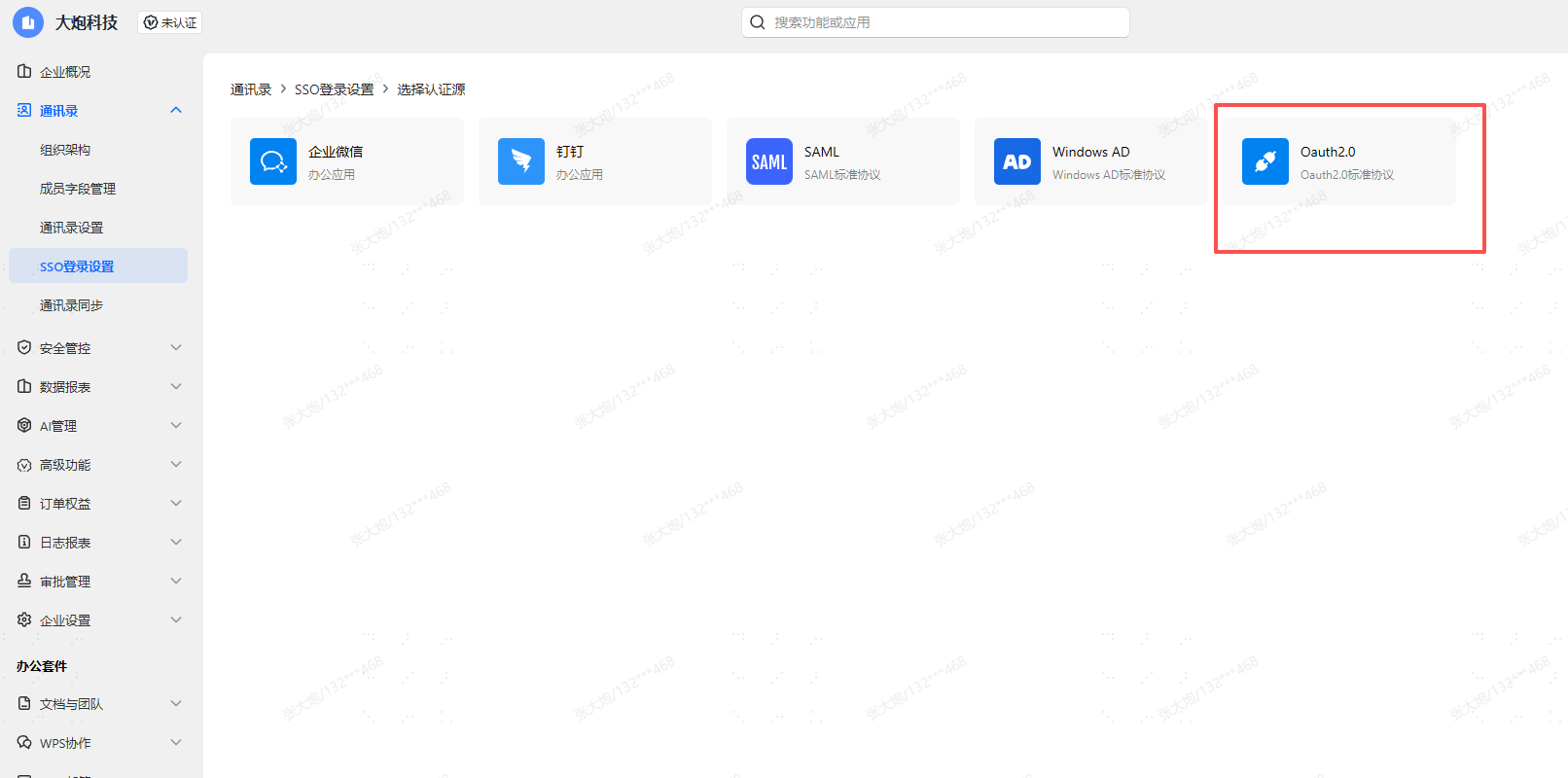
Log in to the WPS Management Backend, select Address Book -> SSO Login Settings, and add an OAuth 2.0 authentication source.
(BambooCloud IDaaS also supports SAML protocol authentication integration with WPS)
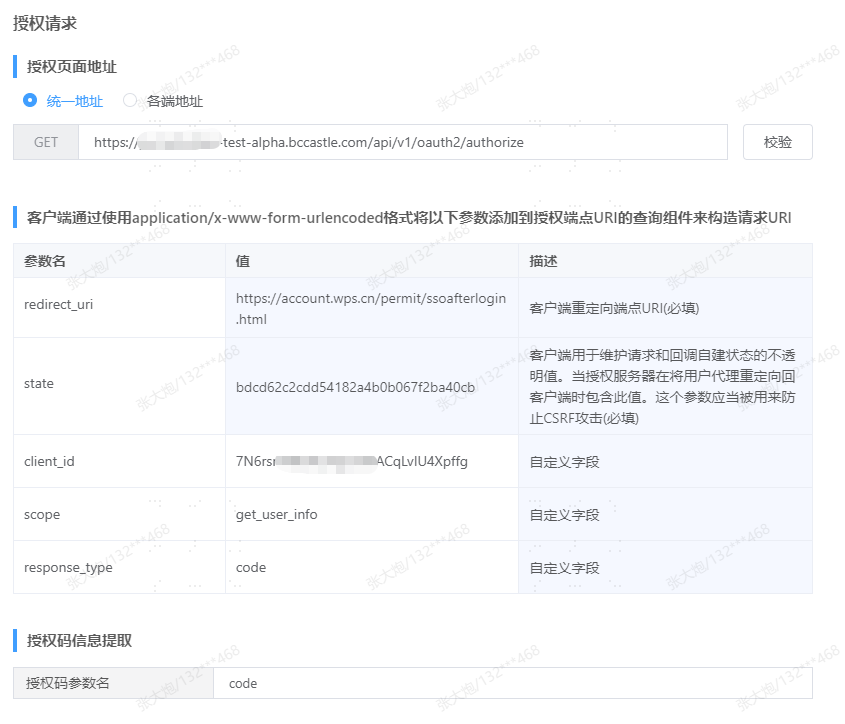
Configure Authorization Request.
TIP
Authorization page address:
https://{your_domain}/api/v1/oauth2/authorizeAuthorization code parameter name: fixed value "code"
Parameter Description redirect_uri Client redirect endpoint URI. WPS default is redirect_url, please change to redirect_uri!!! state An opaque value used by the client to maintain the state between the request and callback client_id BambooCloud IDaaS application client_id scope Fixed value "get_user_info" response_type Fixed value "code" Configure Authorization Token Request.
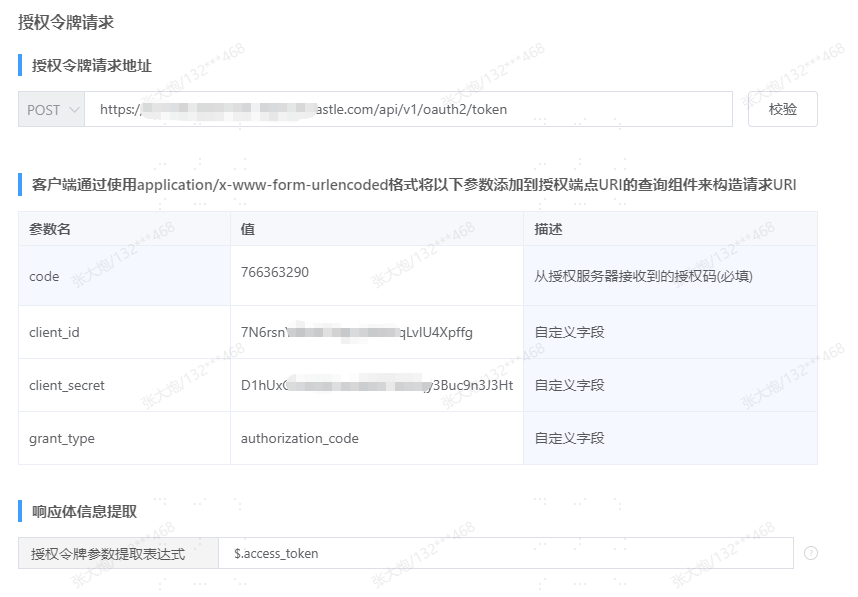
TIP
Authorization token request address:
https://{your_domain}/api/v1/oauth2/tokenAuthorization token parameter extraction expression: fixed value "$.access_token"
Parameter Description code Authorization code client_id BambooCloud IDaaS application client_id client_secret BambooCloud IDaaS application client_secret grant_type Fixed value "authorization_code" response_type Fixed value "code" Configure User Info Request.
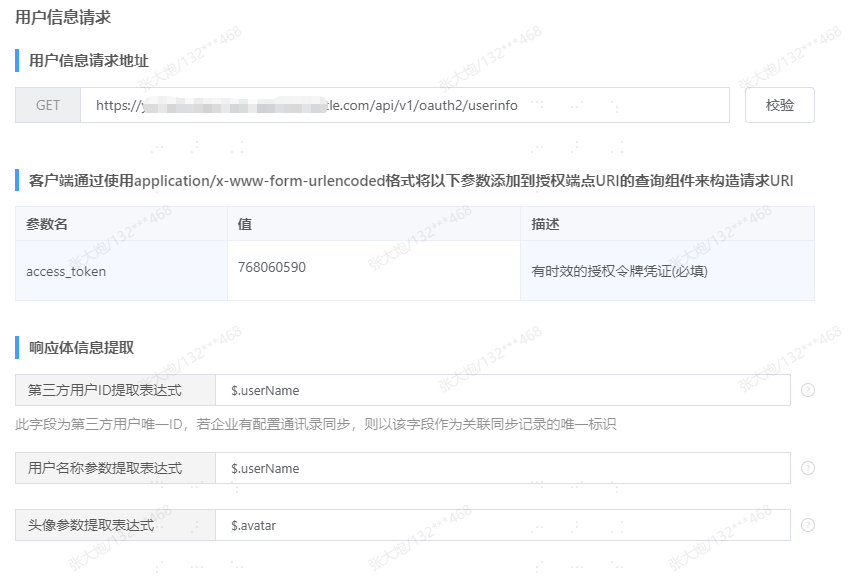
TIP
User info request address:
https://{your_domain}/api/v1/oauth2/userinfoThird-party user ID extraction expression: based on the value of the authentication integration mapping configuration of the application in BambooCloud IDaaS
Parameter Description access_token Time-limited authorization token credential Authentication Configuration, obtain the single sign-on address, and save.
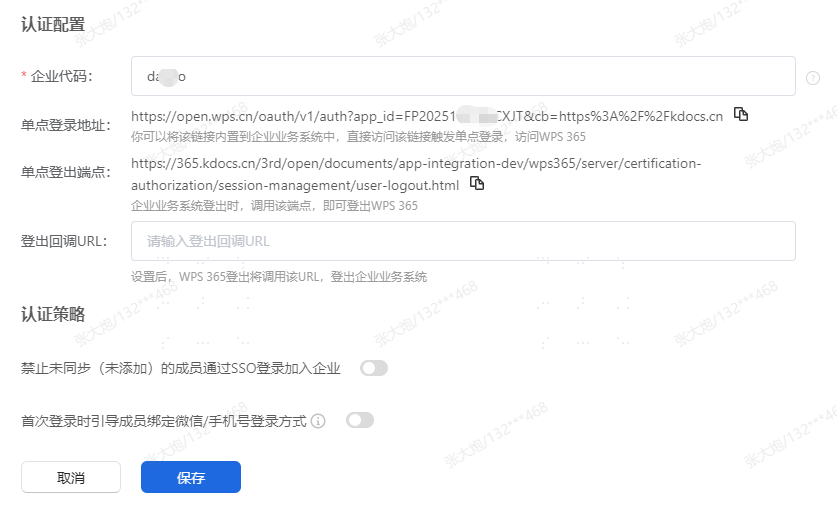
BambooCloud IDaaS Configuration
Log in to the BambooCloud IDaaS Enterprise Center as an administrator. In the Enterprise Center, go to Resources > Applications > Pre-integrated Applications > Add Pre-integrated Application, search for WPS, and select WPS Office.
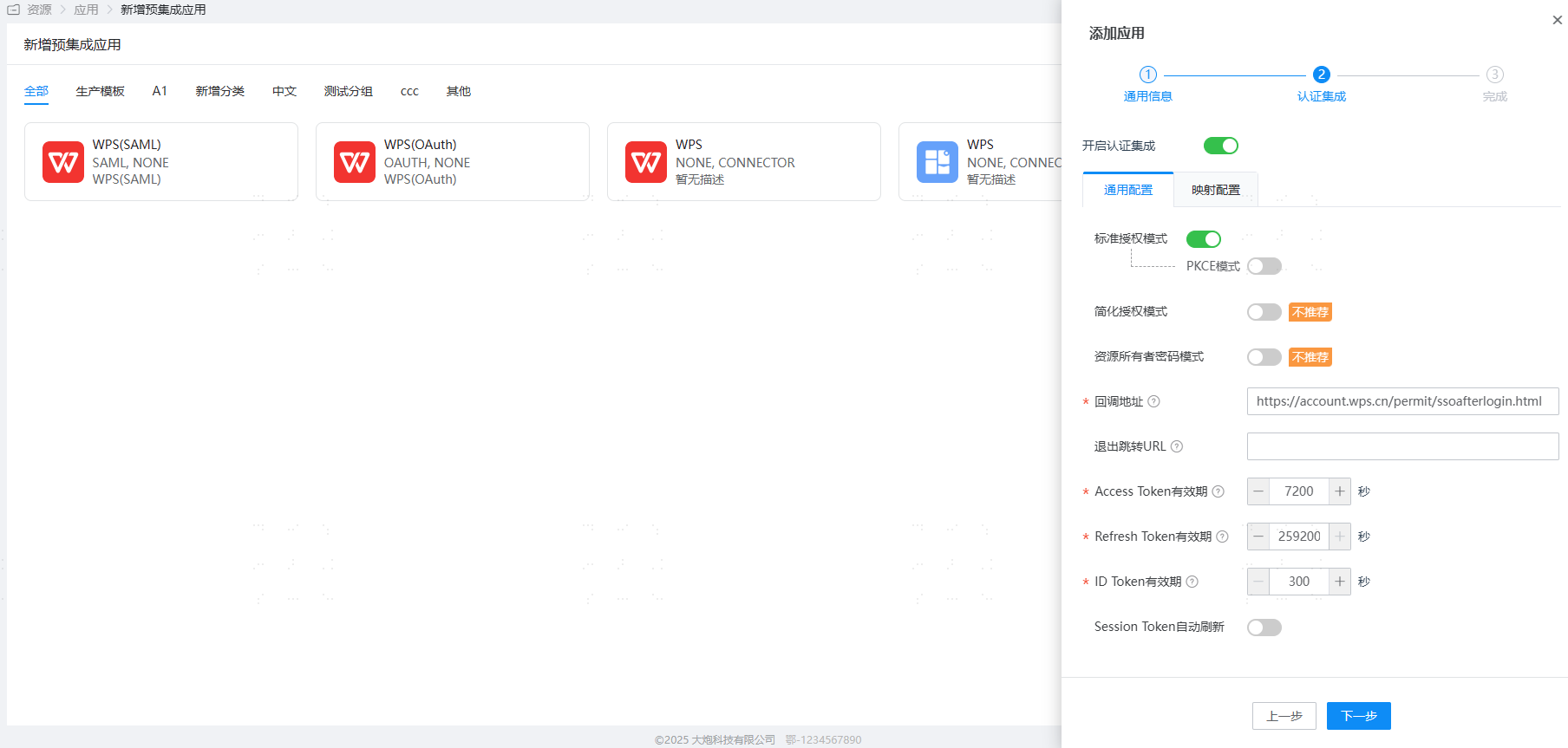
For authentication configuration, fill in the callback address as
https://account.wps.cn/permit/ssoafterlogin.Enter the application details, view the general information, and obtain ClientId and ClientSecret.
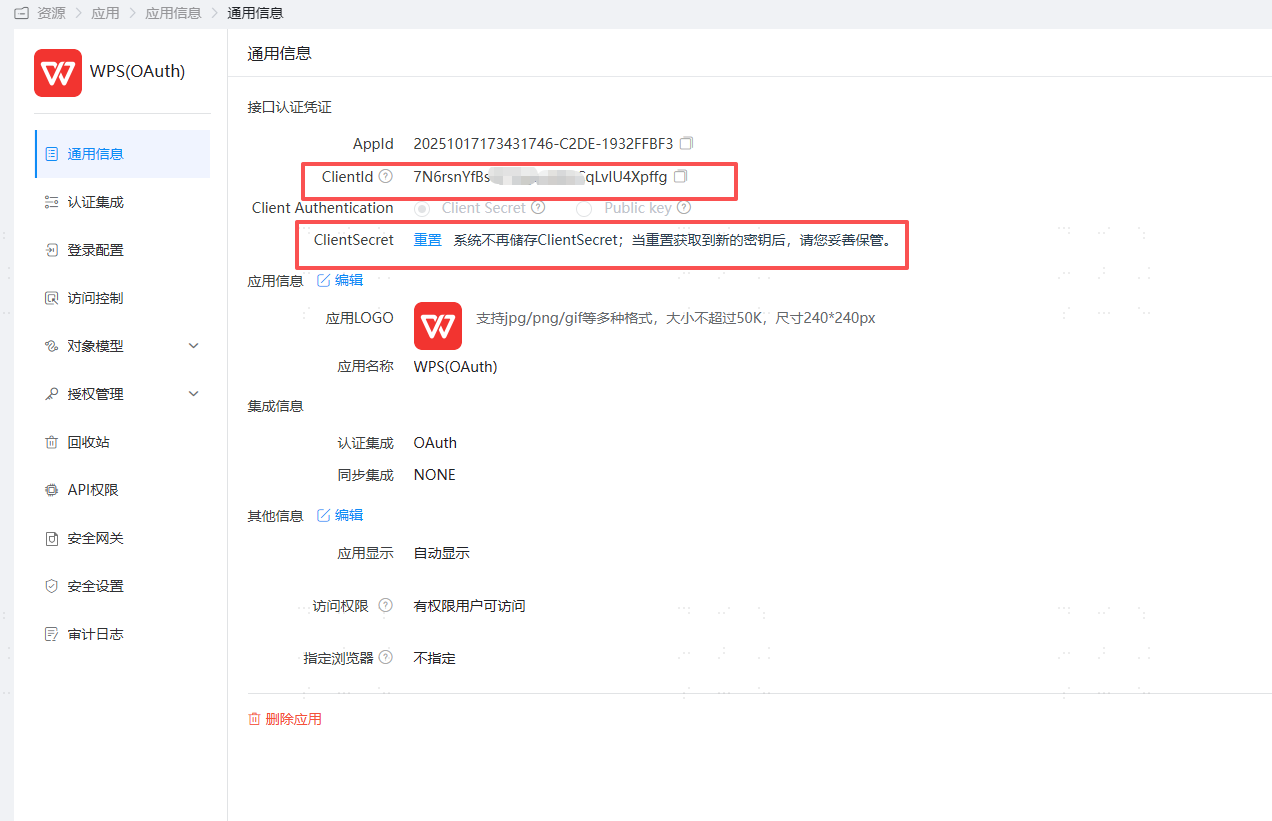
User authorization: Authorization Management > Application Account > Add Account.
Login Verification
Log in to the WPS Personal Center on the web, and select Exclusive Account SSO.
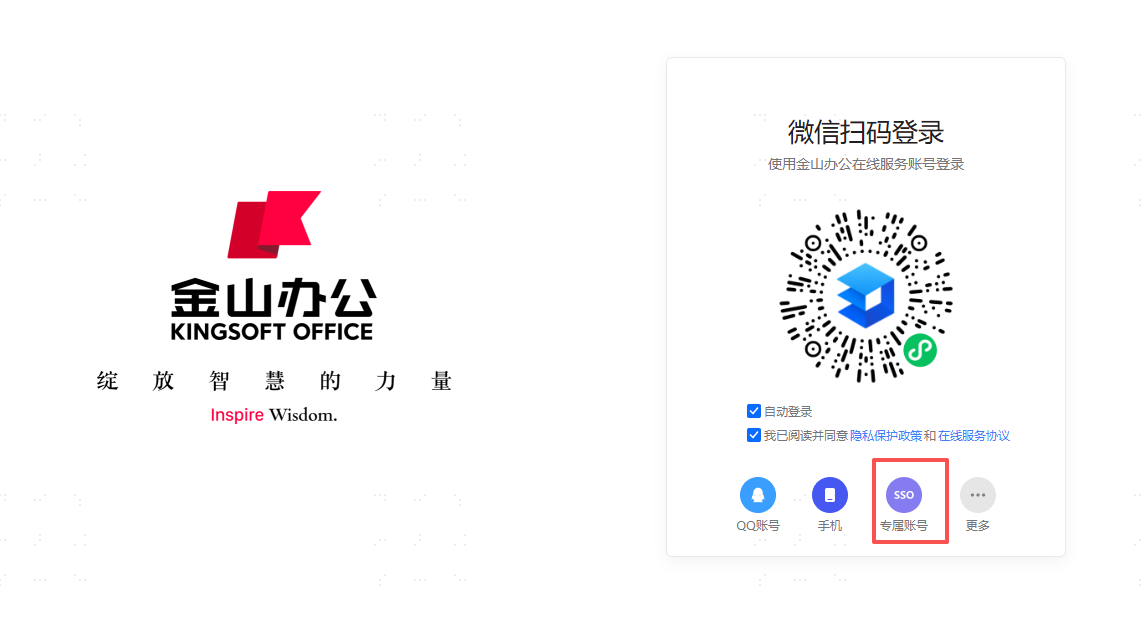
Enter the enterprise code, redirect to the BambooCloud IDaaS login page, enter the authorized user credentials, and enter Kingsoft Docs.