Seafile Single Sign-On
Overview
Starting from CE version 6.2.3, Seafile supports user login through OAuth. Reference document This article describes how to configure OAuth authentication integration between BambooCloud IDaaS and Seafile.
Authentication Configuration
BambooCloud IDaaS Configuration
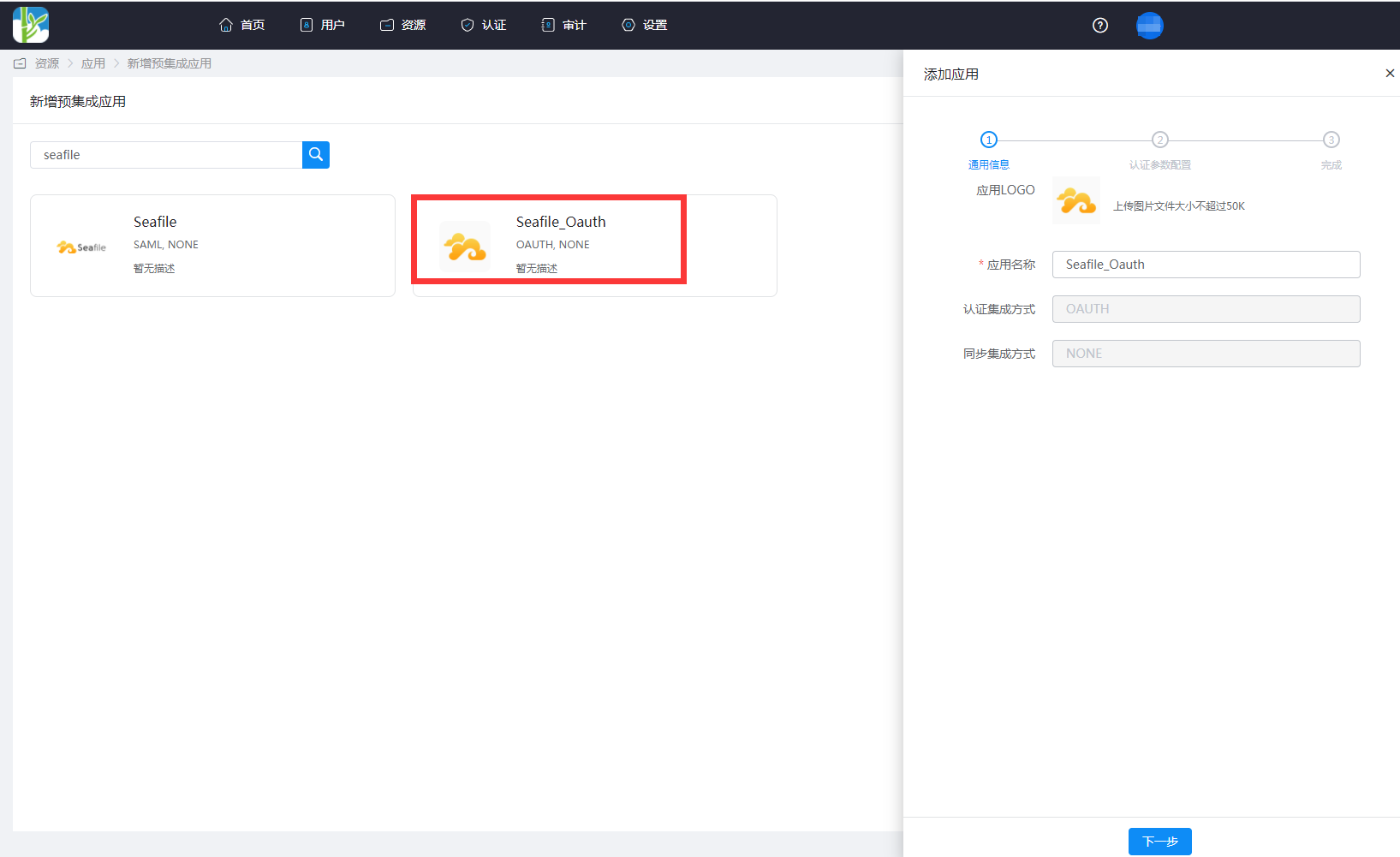
Log in to the Enterprise Center as an administrator. Go to Resources > Applications > Add Pre-integrated Application, and search for Seafile.
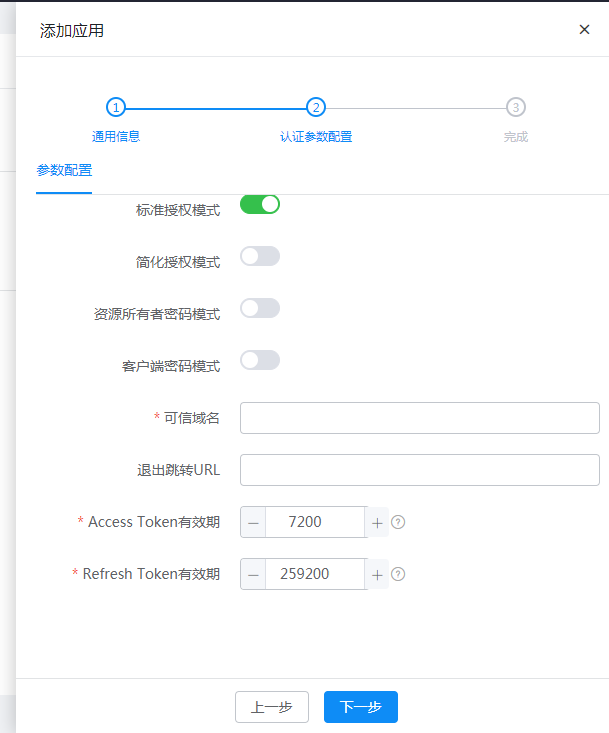
Fill in the trusted domain as Seafile's OAuth callback address:
https://{Seafile-domain-address}/oauth/callback/Add the
accountattribute. For mapping type, select Account Attribute, and for account attribute name, selectaccName.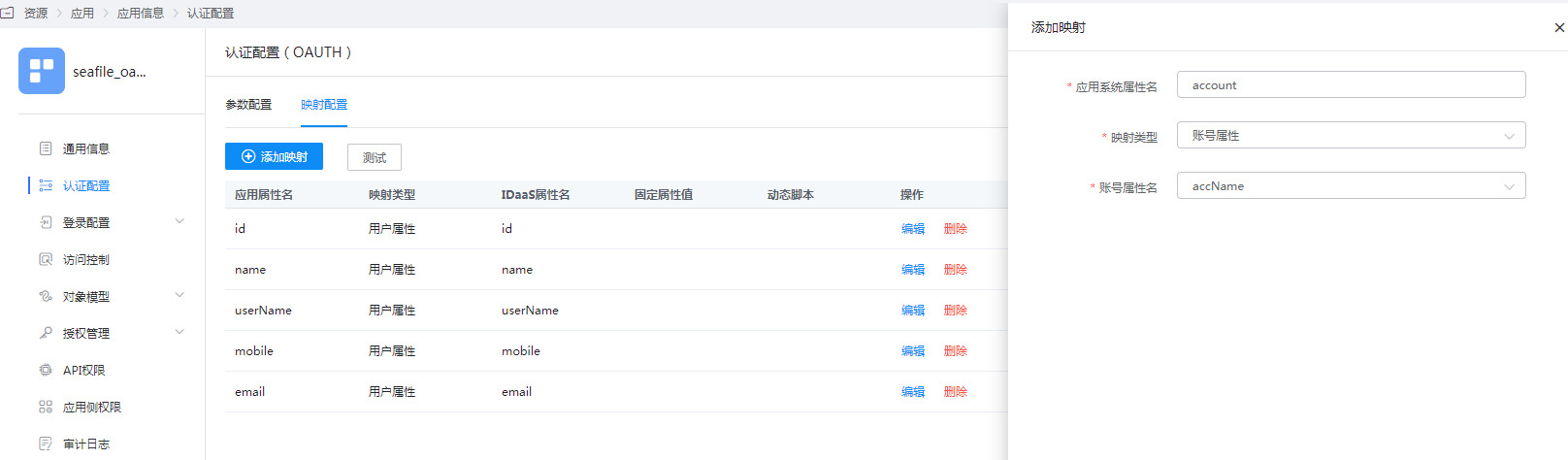
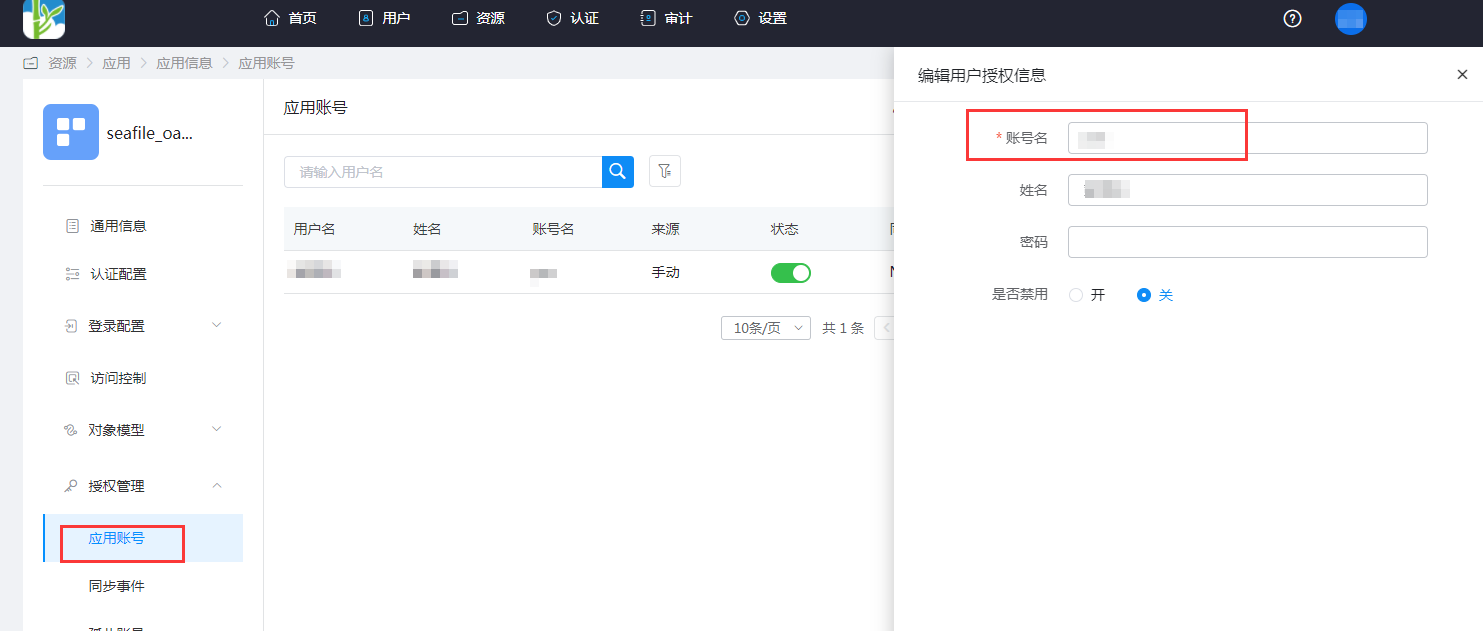
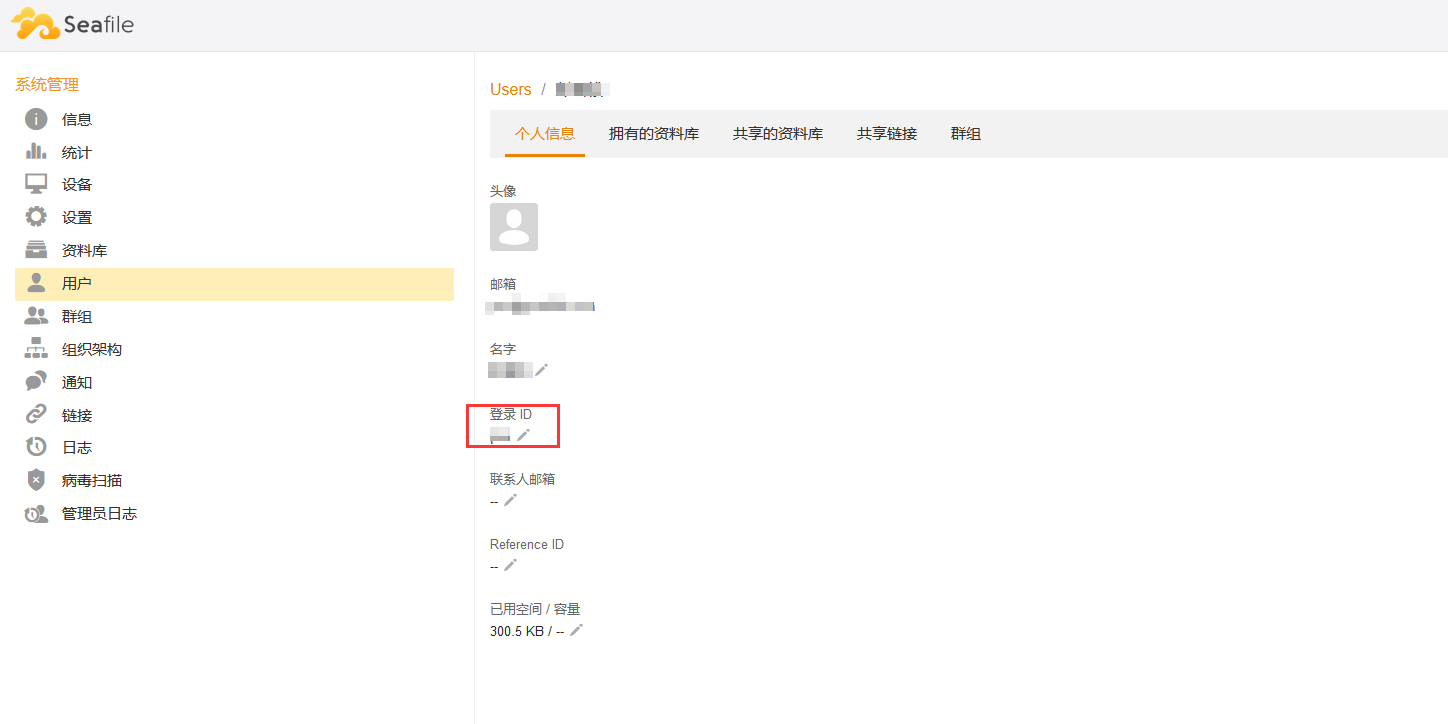
Go to Application Info > Authorization Management > Application Account > Add Account. The account name should be consistent with the login ID in Seafile.
Seafile Configuration
Install the third-party package on the Seafile server.
shellsudo pip install requests_oauthlibModify Seafile's
seahub_settings.pyconfiguration file and restart the Seafile service.pythonENABLE_OAUTH = True # Usually OAuth works through SSL layer. If your server is not parametrized to allow HTTPS, some method will raise an "oauthlib.oauth2.rfc6749.errors.InsecureTransportError". Set this to `True` to avoid this error. OAUTH_ENABLE_INSECURE_TRANSPORT = True # Client id/secret generated by authorization server when you register your client application. OAUTH_CLIENT_ID = "IDaaS application ClientId" OAUTH_CLIENT_SECRET = "IDaaS application ClientSecret" # Callback url when user authentication succeeded. Note, the redirect url you input when you register your client application MUST be exactly the same as this value. OAUTH_REDIRECT_URL = 'https://{seafile-domain}/oauth/callback/' # The following should NOT be changed if you are using Github as OAuth provider. OAUTH_PROVIDER_DOMAIN = '{IDaaS-domain}.bccastle.com' OAUTH_AUTHORIZATION_URL = 'https://{IDaaS-domain}.bccastle.com/api/v1/oauth2/authorize' OAUTH_TOKEN_URL = 'https://{IDaaS-domain}.bccastle.com/api/v1/oauth2/token' OAUTH_USER_INFO_URL = 'https://{IDaaS-domain}.bccastle.com/api/v1/oauth2/get_user_info' OAUTH_SCOPE = ["get_user_info",] OAUTH_ATTRIBUTE_MAP = { "id": (True, "account"), "name": (False, "name"), "email": (False, "email"), }Parameter descriptions are as follows:
Name Description ENABLE_OAUTH True OAUTH_ENABLE_INSECURE_TRANSPORT True OAUTH_CLIENT_ID Application ID, the ClientId in the application information after creating the application on BambooCloud IDaaS OAUTH_CLIENT_SECRET Application secret, the ClientSecret in the application information after creating the application on BambooCloud IDaaS OAUTH_REDIRECT_URL Seafile callback address, https://your-domain.com/oauth/callback/OAUTH_PROVIDER_DOMAIN BambooCloud IDaaS tenant domain OAUTH_AUTHORIZATION_URL BambooCloud IDaaS OAuth 2.0 Authorization Code acquisition interface address OAUTH_TOKEN_URL BambooCloud IDaaS OAuth 2.0 Access Token acquisition interface address OAUTH_USER_INFO_URL BambooCloud IDaaS OAuth 2.0 user information acquisition interface address OAUTH_SCOPE get_user_info OAUTH_ATTRIBUTE_MAP Attribute mapping. id,name, andemailare Seafile user attributes, and the values in parentheses correspond to BambooCloud IDaaS user attributesFor BambooCloud IDaaS OAuth 2.0 interfaces, please refer to BambooCloud IDaaS Application Authentication Integration.
Login Verification
Two login methods are as follows:
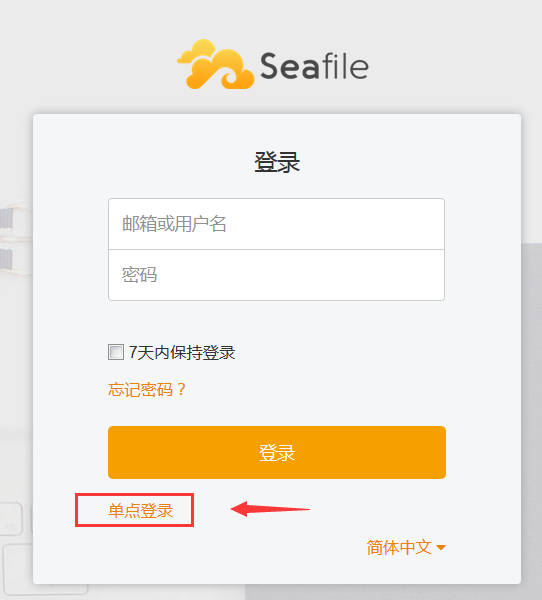
Initiated from the Seafile login page.
Click the application logo in the BambooCloud IDaaS User Center.