Feishu Single Sign-On
Overview
This article describes the authentication configuration between Feishu and BambooCloud IDaaS to achieve BambooCloud IDaaS single sign-on to Feishu. Feishu supports super administrators to configure SAML 2.0-based SSO login, that is, logging in to the Feishu system through a third-party authentication center. Applicable version: Enterprise Edition.
Configuration reference: How Feishu Administrators Configure Single Sign-On.
Authentication Configuration
BambooCloud IDaaS Configuration
Log in to the BambooCloud IDaaS Enterprise Center and add the Feishu Enterprise Edition pre-integrated application.
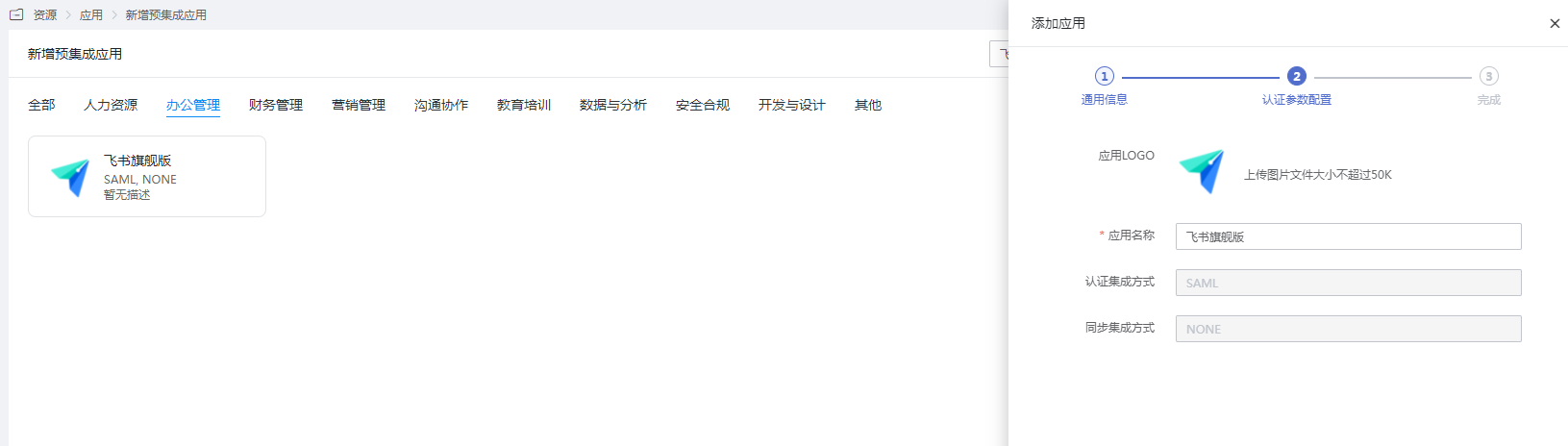
Configure authentication parameters.
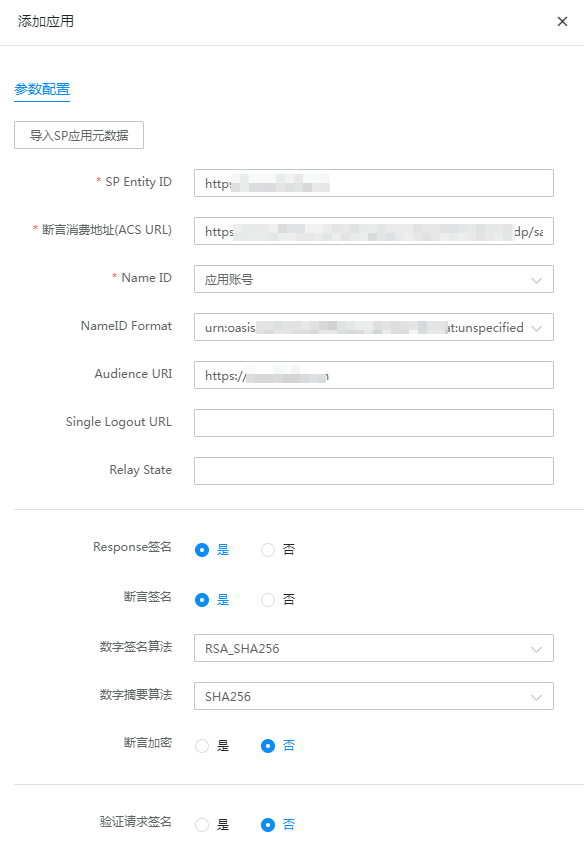
Parameter Description SP Entity ID https://www.feishu.cn Assertion Consumer Service URL (ACS URL) https://www.feishu.cn/suite/passport/authentication/idp/saml/call_back NameID Application Account NameID Format Default Audience URL https://www.feishu.cn Single Logout URL Leave blank Relay State Leave blank Response Signature Yes Assertion Signature Yes Digital Signature Algorithm Default Digital Digest Algorithm Default Assertion Encryption No Verify Request Signature No Enter the application details, Authentication Configuration > Mapping Configuration, and add an email mapping.
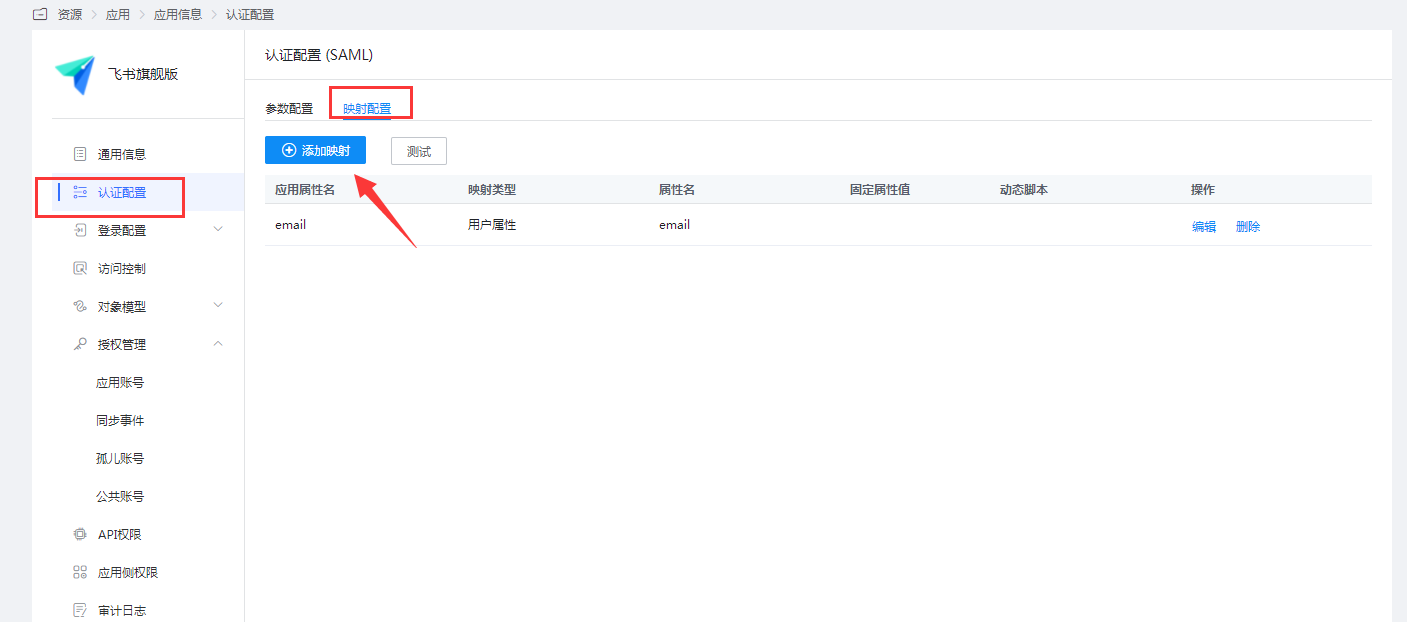
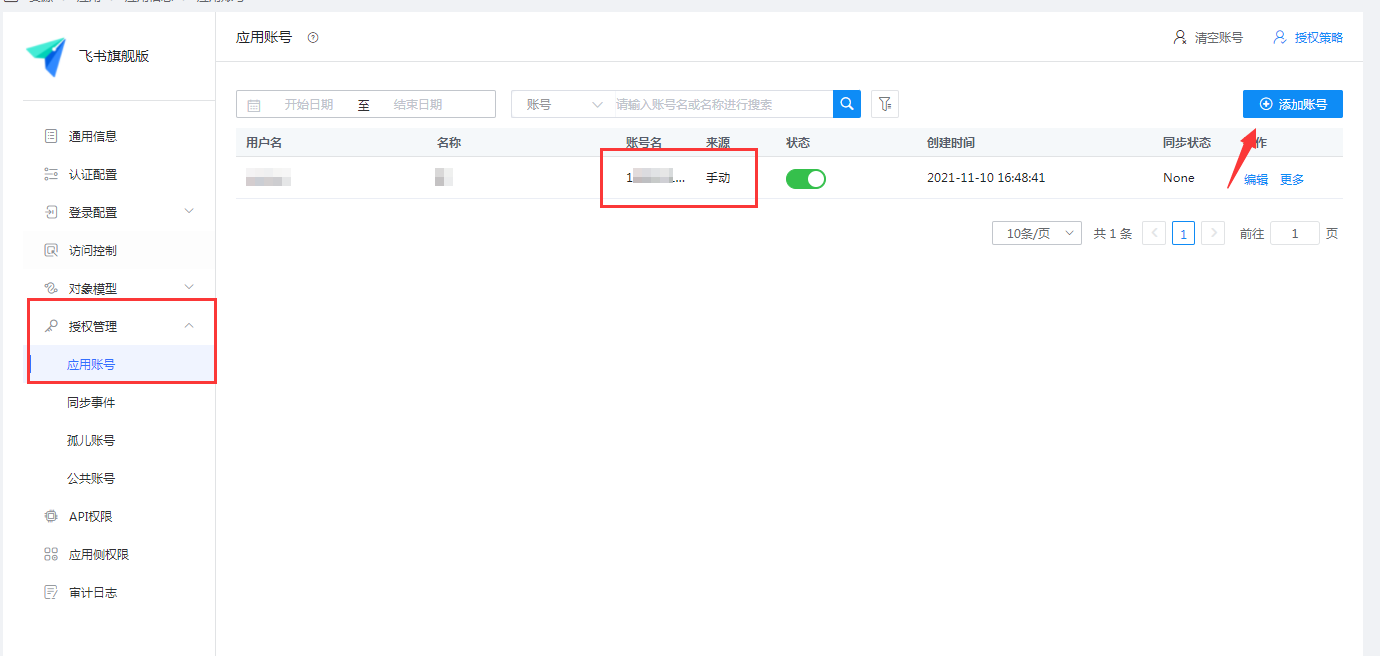
Set the account name to the mobile phone number or email of the user in Feishu.
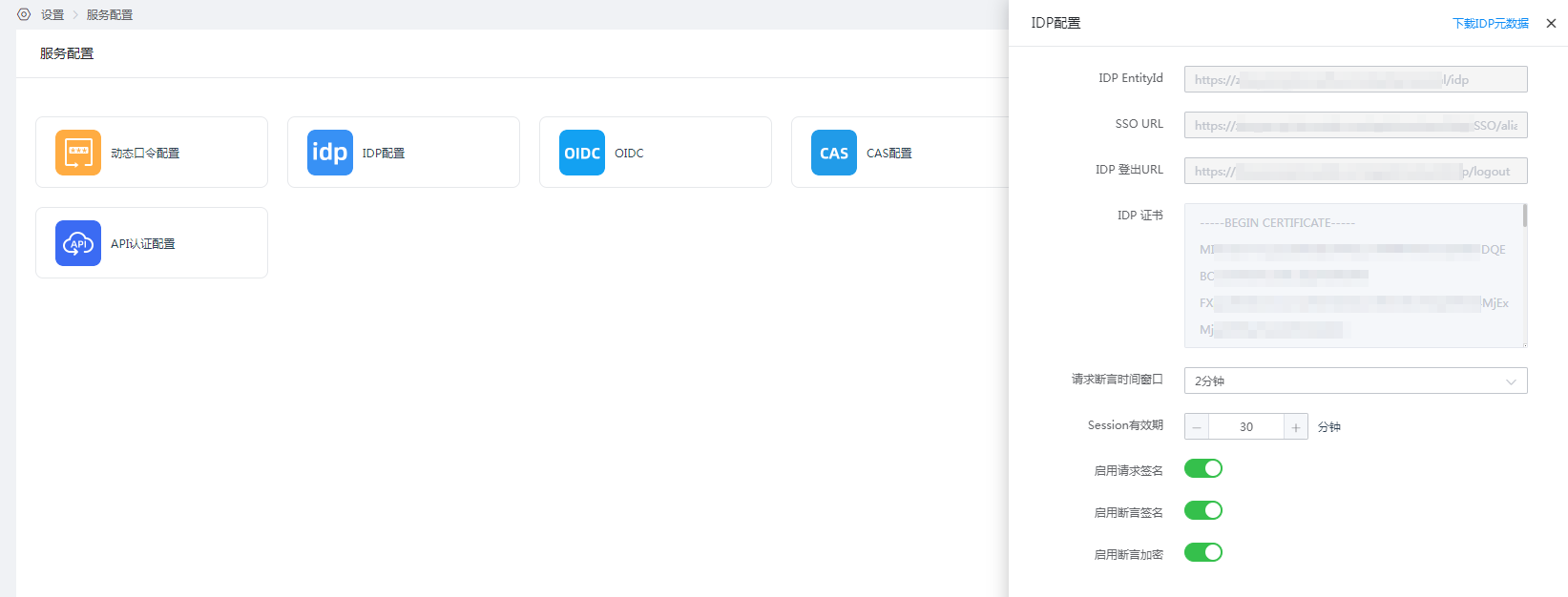
View the IDP configuration at Settings > Service Configuration > IDP Configuration. The IDP configuration parameters below will be used when configuring Feishu SSO account login.
Feishu Configuration
The administrator logs in to the Feishu management backend, Enterprise Settings > SSO Account Login.
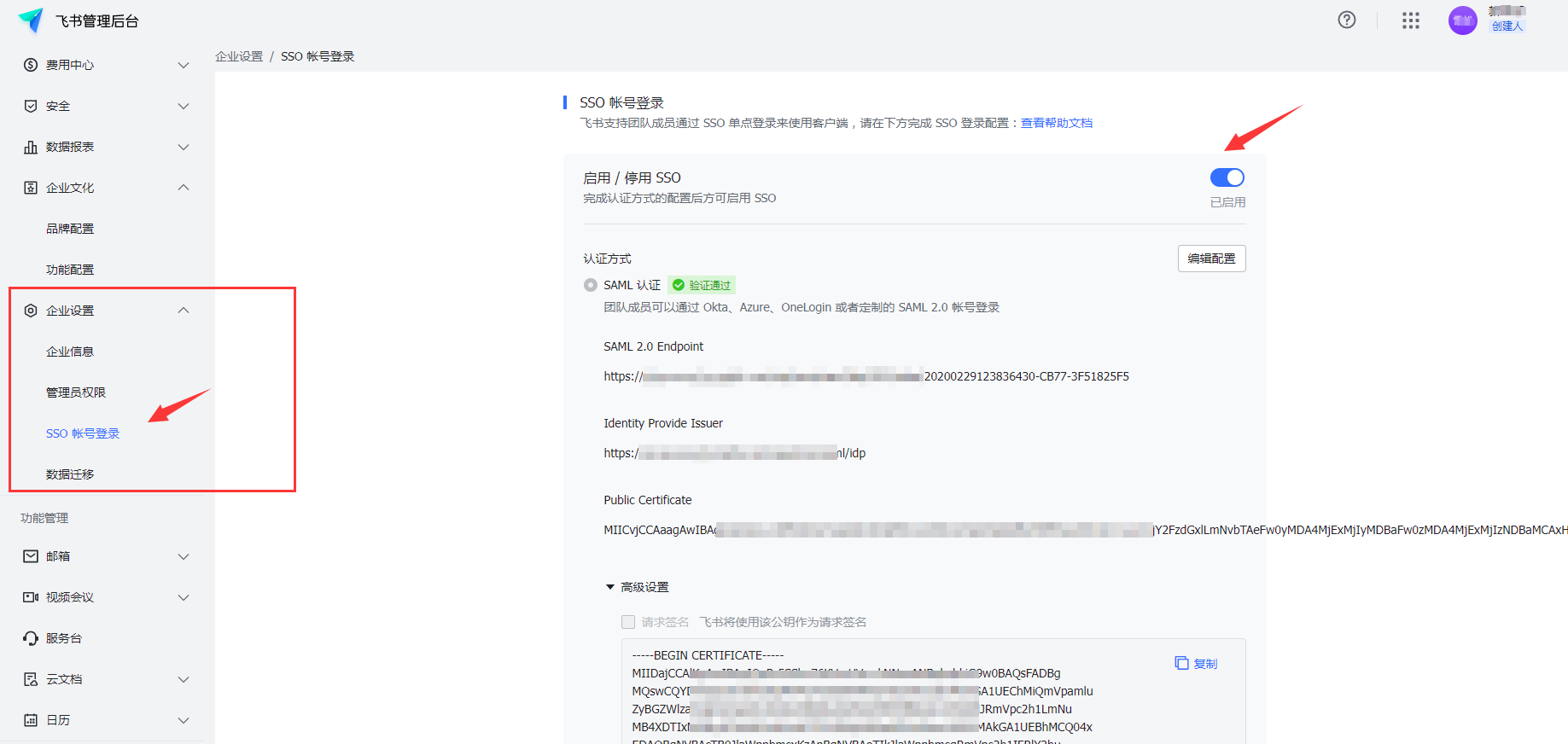
Edit and enable SSO.
TIP
- SAML 2.0 Endpoint: The SSO URL in the IDP configuration
- Identity Provider Issuer: The IDP EntityId in the IDP configuration
- Public Certificate: The IDP certificate (remove the leading
-----BEGIN CERTIFICATE-----and trailing-----END CERTIFICATE-----)
Login Verification
Both PC and mobile terminals can log in.
Open Feishu, click SSO Login, and enter the Feishu enterprise domain name (view it in Feishu Management Backend > Enterprise Settings > Enterprise Information).
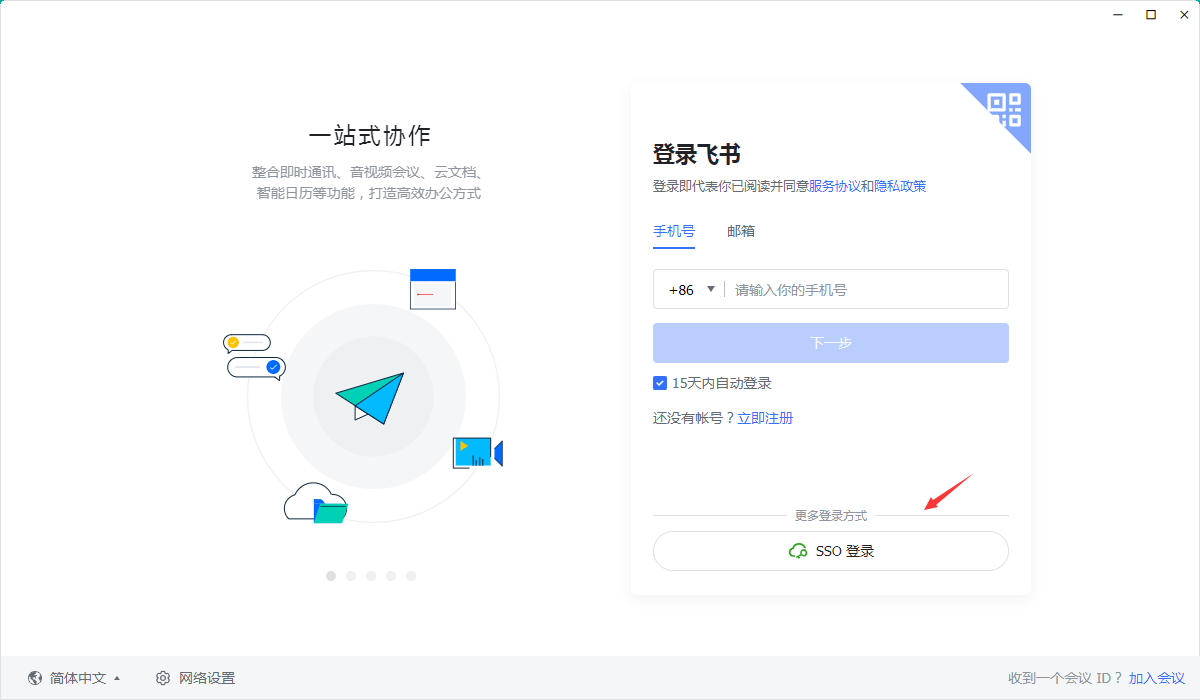
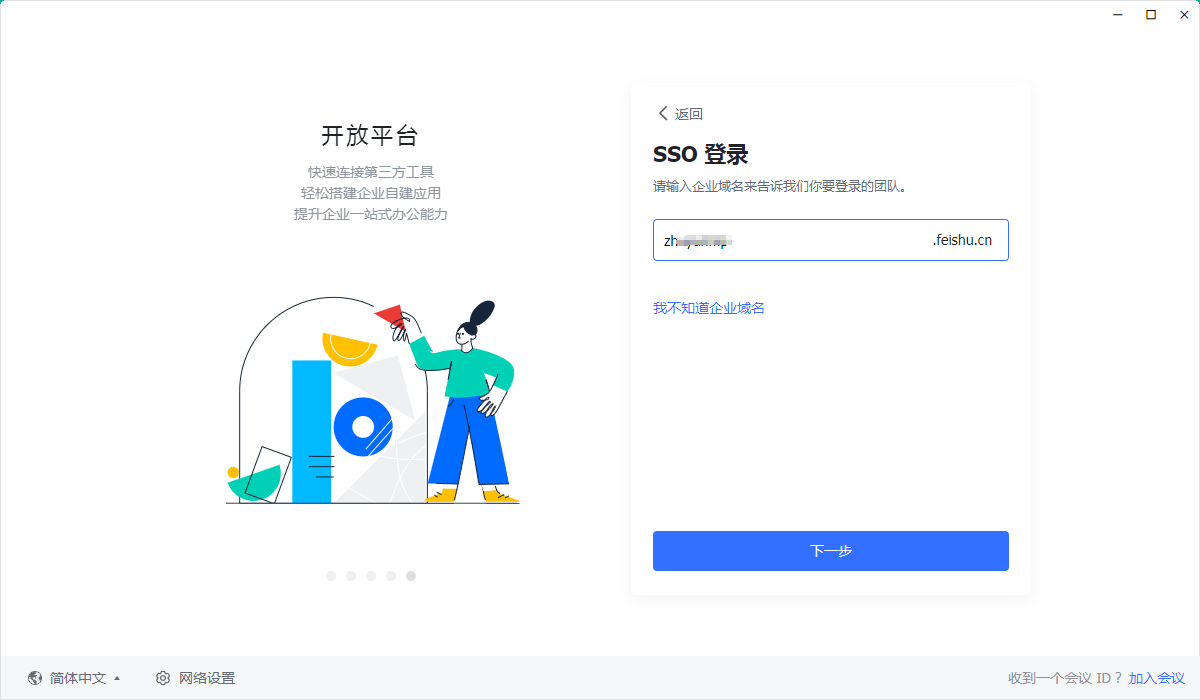
You will be redirected to the BambooCloud IDaaS login page. Enter the authorized account login information to enter Feishu.