
Teambition Single Sign-On
Overview
This article describes the single sign-on configuration process between Teambition and BambooCloud IDaaS based on the SAML protocol.
Authentication Configuration
Teambition Configuration
Log in to the Teambition enterprise management backend as an administrator.
Go to Basic Configuration > Enterprise Identity Authentication.
Configure SAML SSO.
Parameter Description Login Name Custom SSO Address BambooCloud IDaaS IDP SSO URL IDP Public Key BambooCloud IDaaS IDP Certificate SAML Encryption Algorithm SHA-256 Issuer URL BambooCloud IDaaS IDP EntityId IDP SLO Address BambooCloud IDaaS IDP Logout URL To download BambooCloud IDaaS IDP metadata, visit
https://{your_domain}/api/v1/saml2/idp/metadata.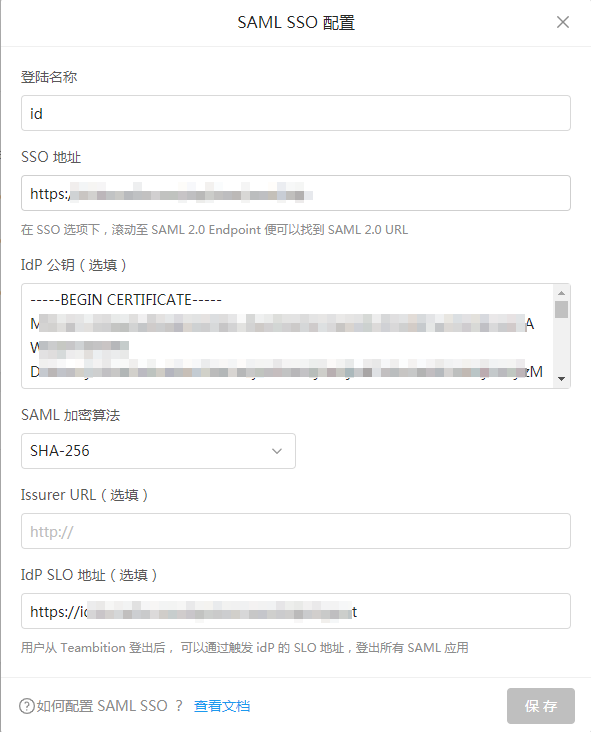
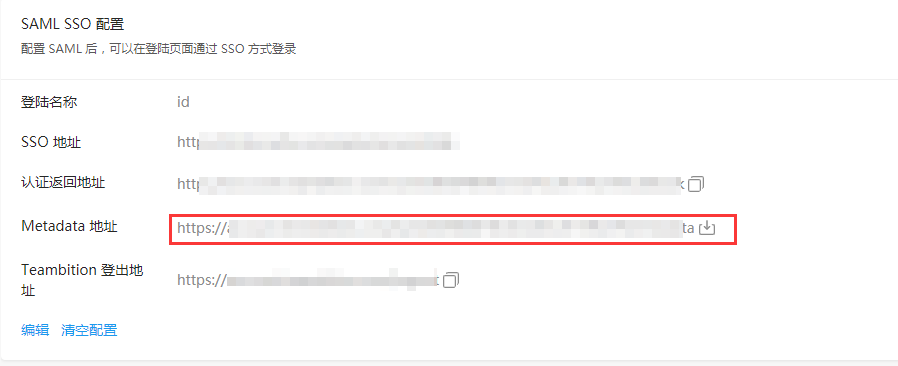
After saving the configuration, download the Teambition metadata.
BambooCloud IDaaS Configuration
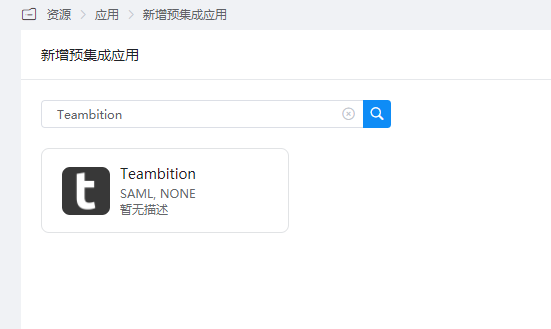
Add the pre-integrated application Teambition.
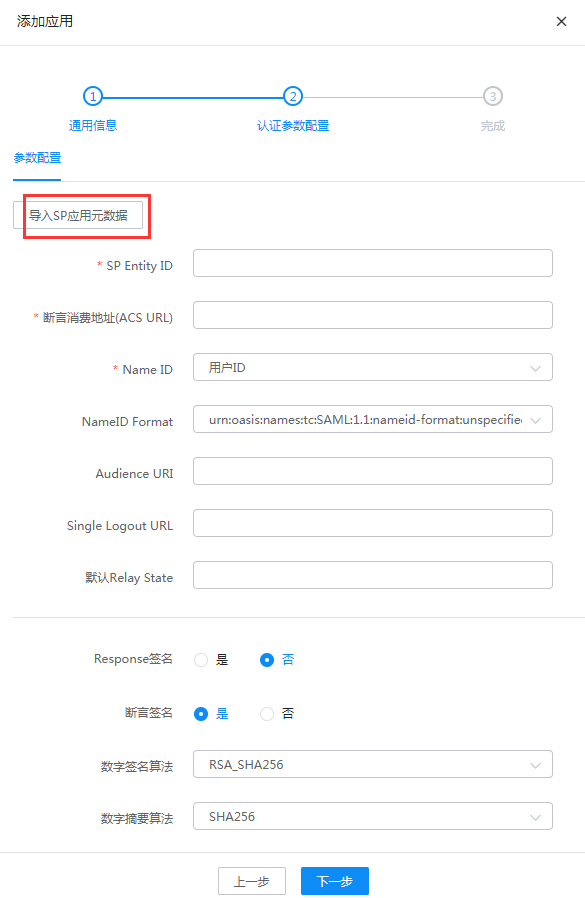
Configure authentication parameters and import the Teambition metadata.
Enter the application details, Authorization Management > Application Account, click the Add Account button, and select the authorized user.
Change the account name to the email or mobile phone number of the user in Teambition.
Login Verification
Log in to the BambooCloud IDaaS User Center and click the Teambition logo to enter Teambition.