
Yunxuetang Xuanxing Cloud Learning 2.0 Platform Single Sign-On
Overview
This article describes the authentication configuration between the Yunxuetang Xuanxing Cloud Learning 2.0 Platform and BambooCloud IDaaS.
Prerequisites
- Have Yunxuetang management personnel account permissions.
- Have administrator permissions in the BambooCloud IDaaS enterprise.
Authentication Configuration
Yunxuetang Xuanxing Cloud Learning 2.0 Platform Configuration
Use the administrator account to log in to Yunxuetang Xuanxing Cloud Learning 2.0.
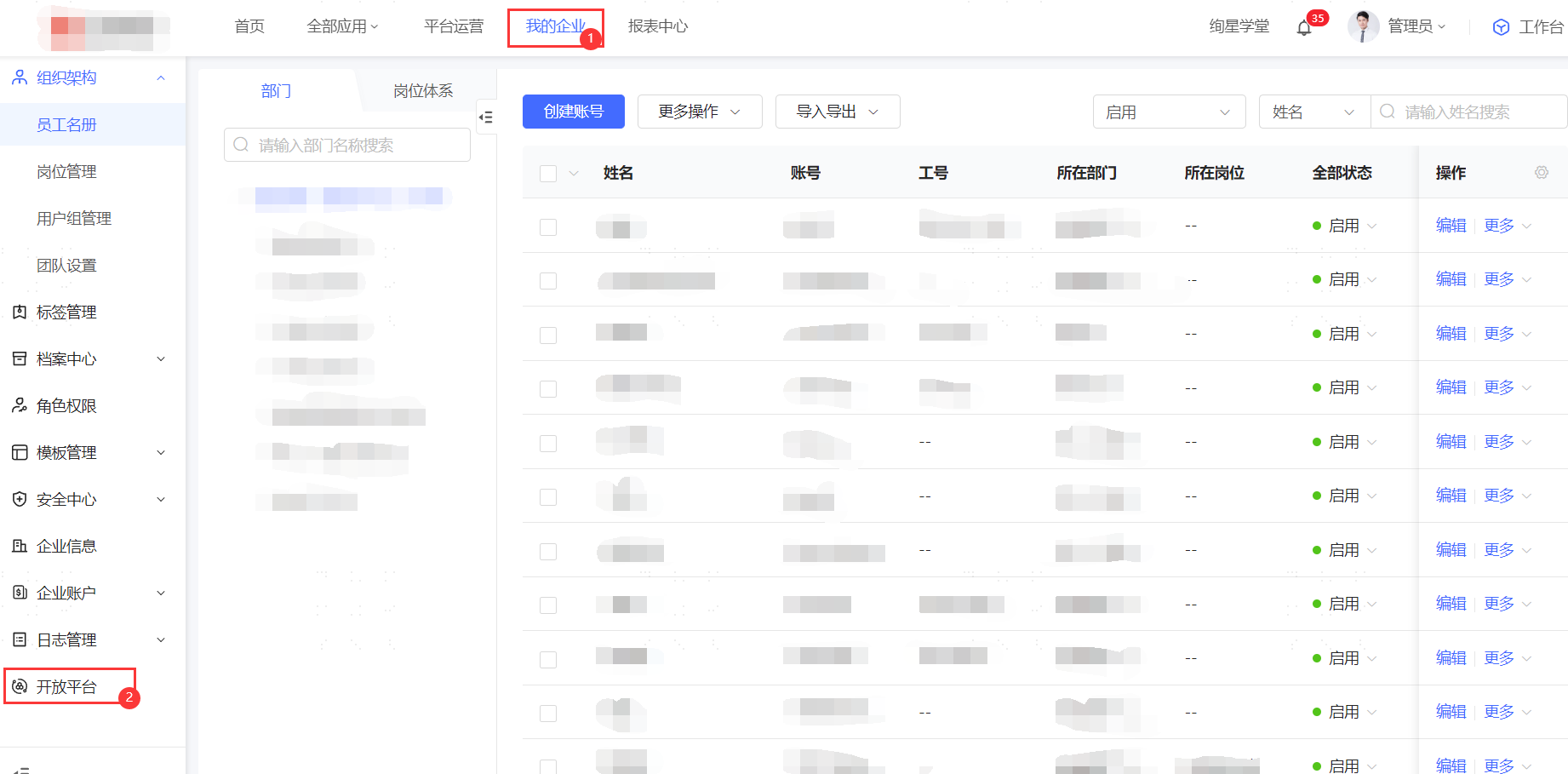
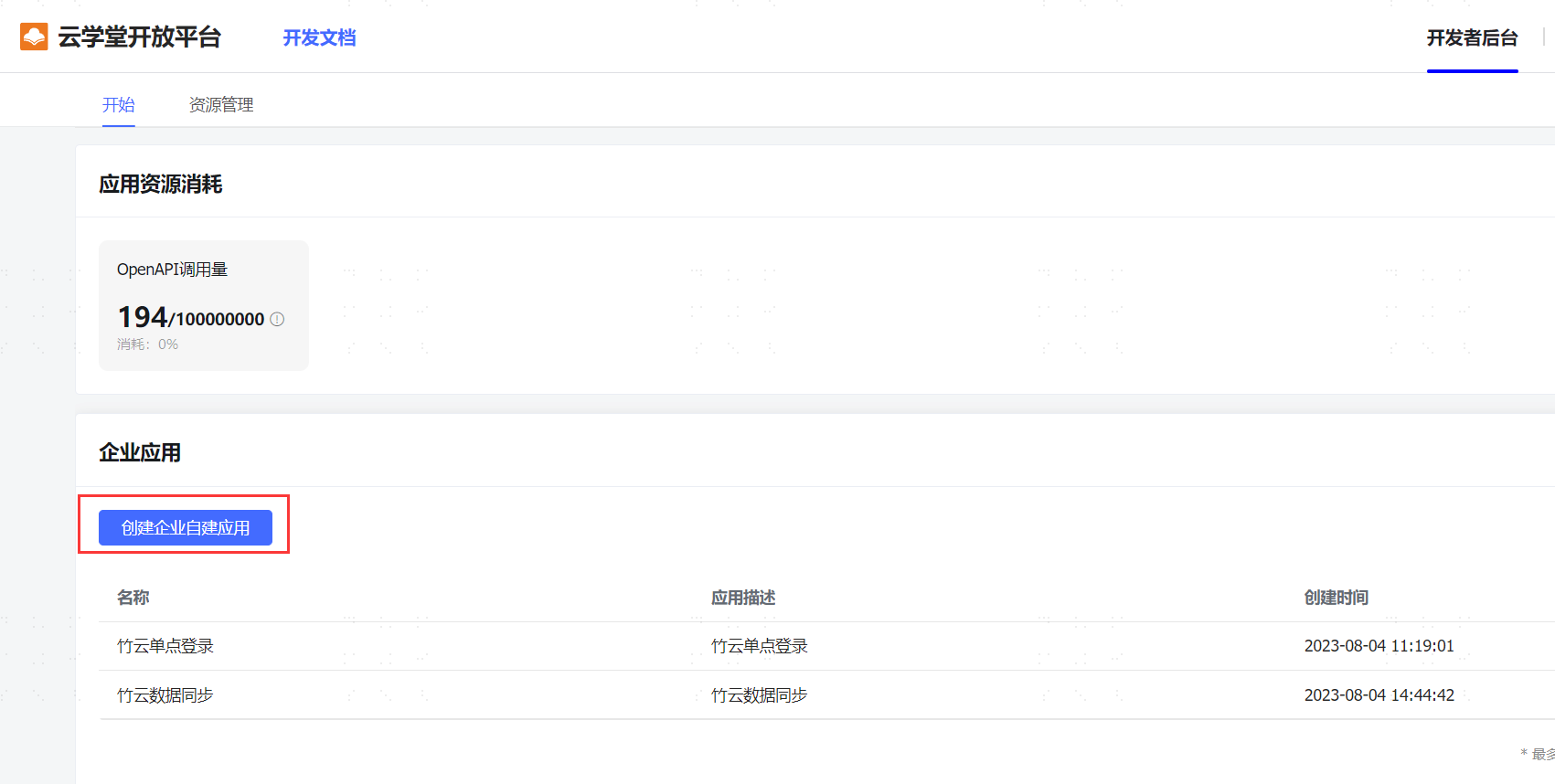
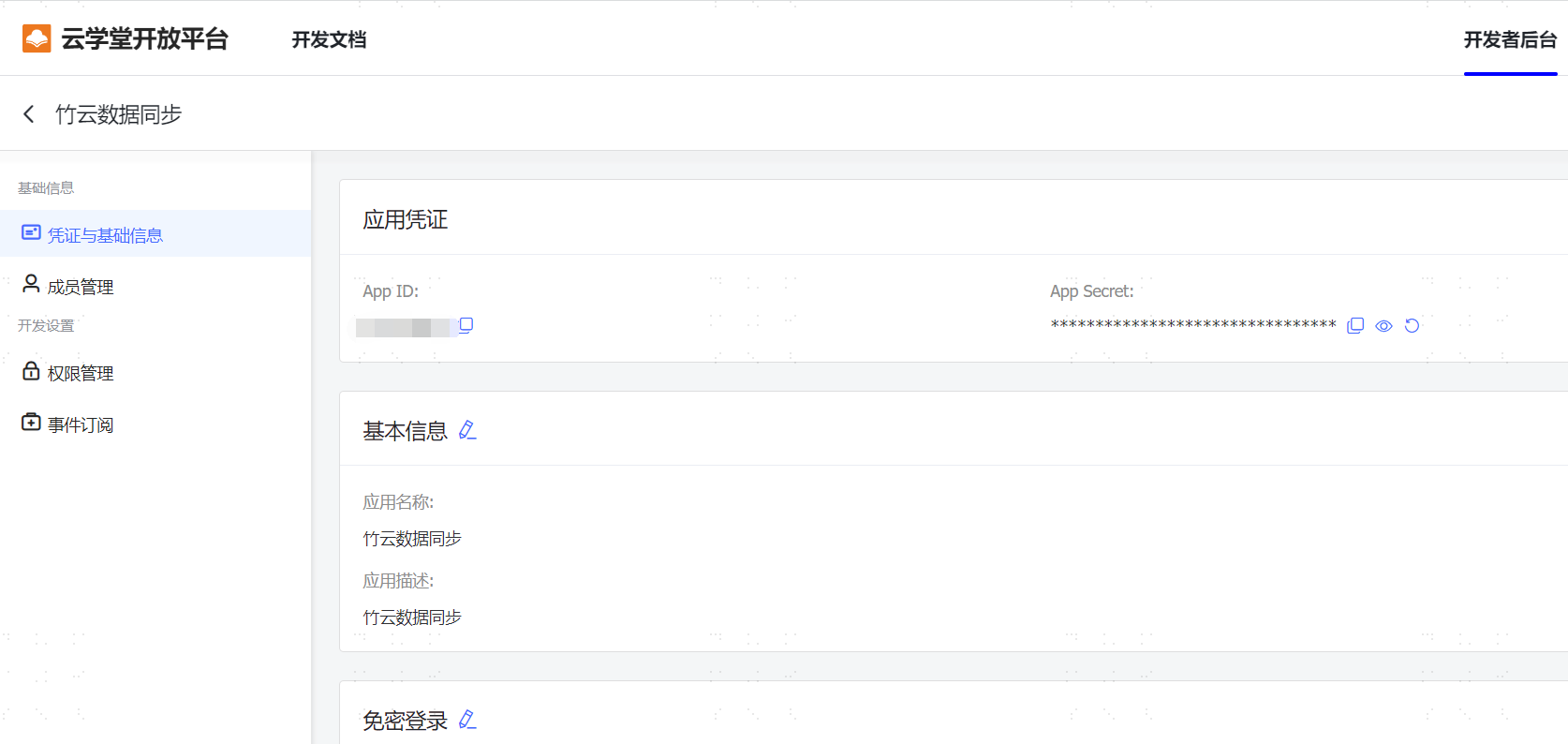
Go to My Enterprise -> Open Platform -> Create Self-Built Application -> Click the created application -> View configuration parameters.
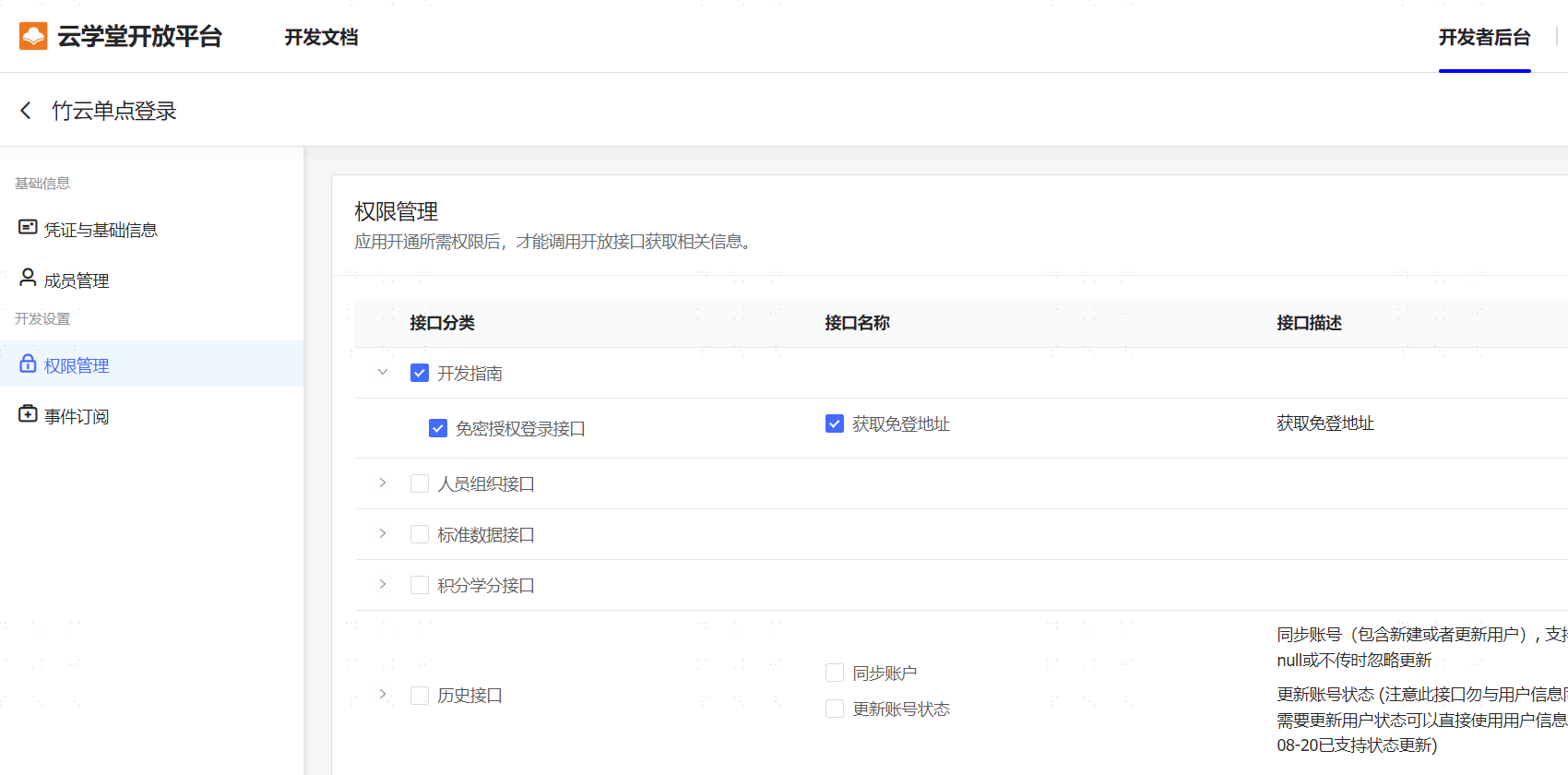
Click Permission Management -> Check Development Guide -> Password-Free Authorization Login to enable the permission.
BambooCloud IDaaS Configuration
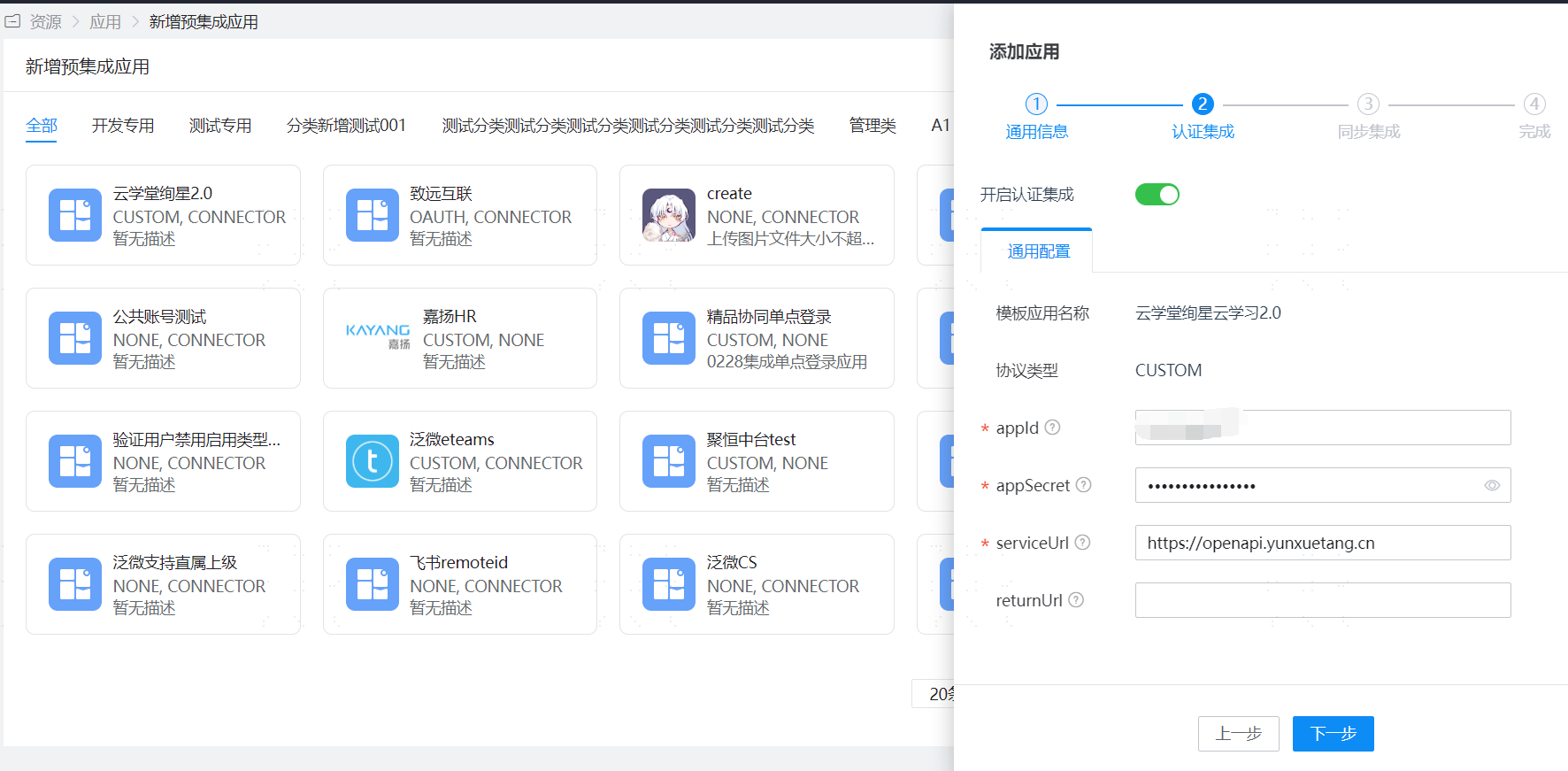
Add the pre-integrated application Yunxuetang Xuanxing Cloud Learning 2.0 in the Enterprise Center, and fill in Yunxuetang's appId and appSecret.
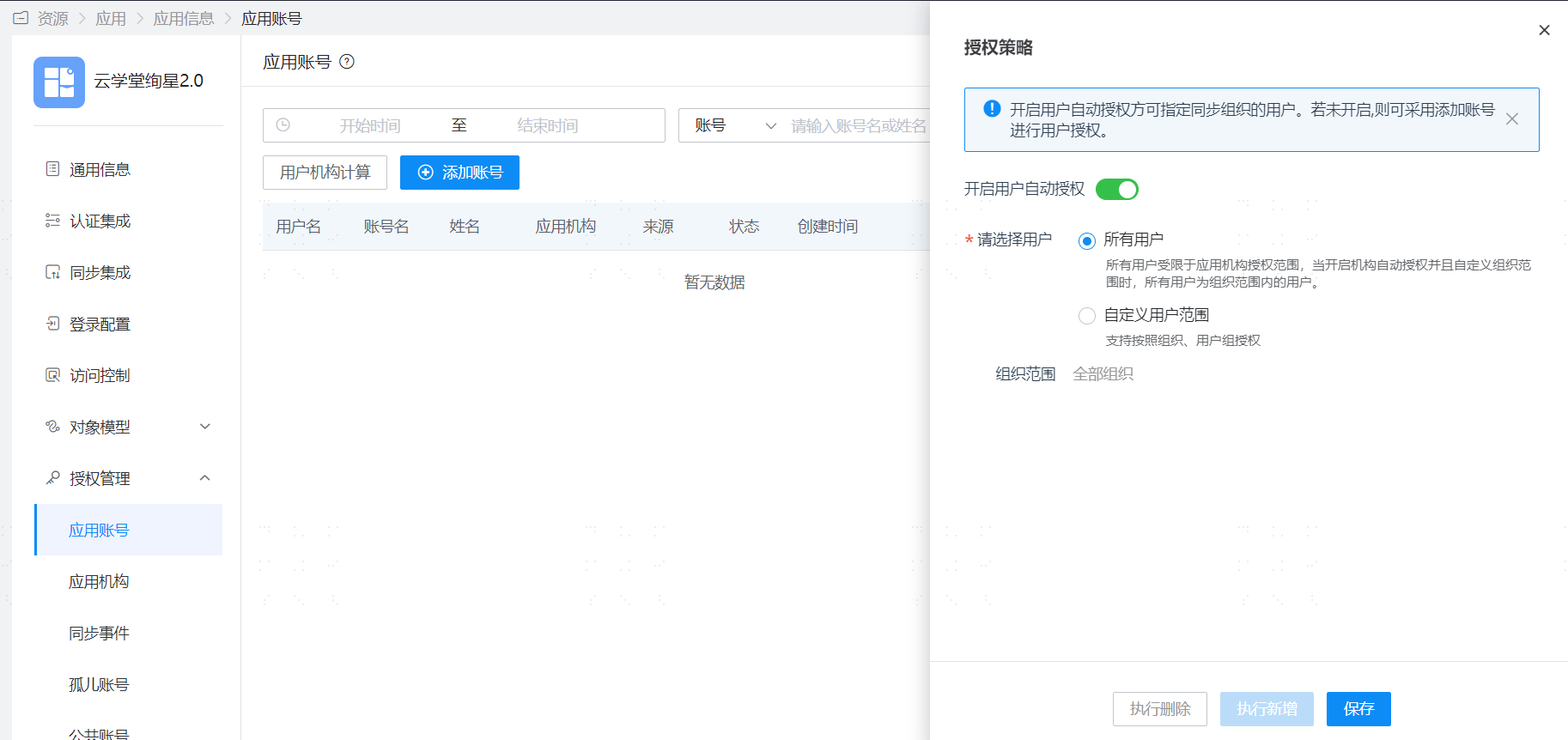
Save the application, enter the application details, authorize application accounts, and set the account name to the account name of the Yunxuetang Xuanxing Cloud Learning 2.0 platform.
Login Verification
Log in to the BambooCloud IDaaS User Center, click the Yunxuetang application logo, and enter the Yunxuetang Xuanxing Cloud Learning 2.0 platform.