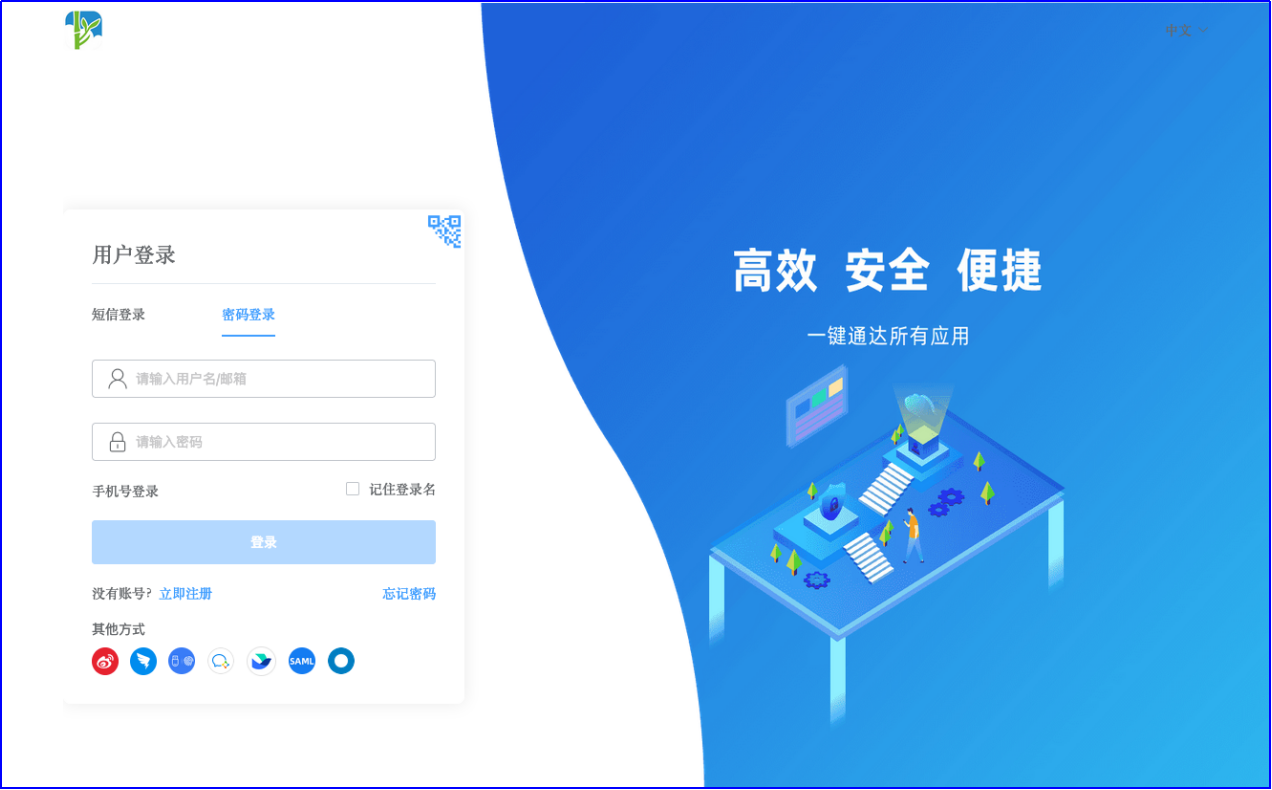
Fanruan BI OAuth2 Single Sign-On
Overview
This article describes the authentication configuration between Fanruan BI and BambooCloud IDaaS to achieve BambooCloud IDaaS single sign-on to Fanruan BI.
Applicable version: FineBI 6.1.
Authentication Configuration
BambooCloud IDaaS Configuration
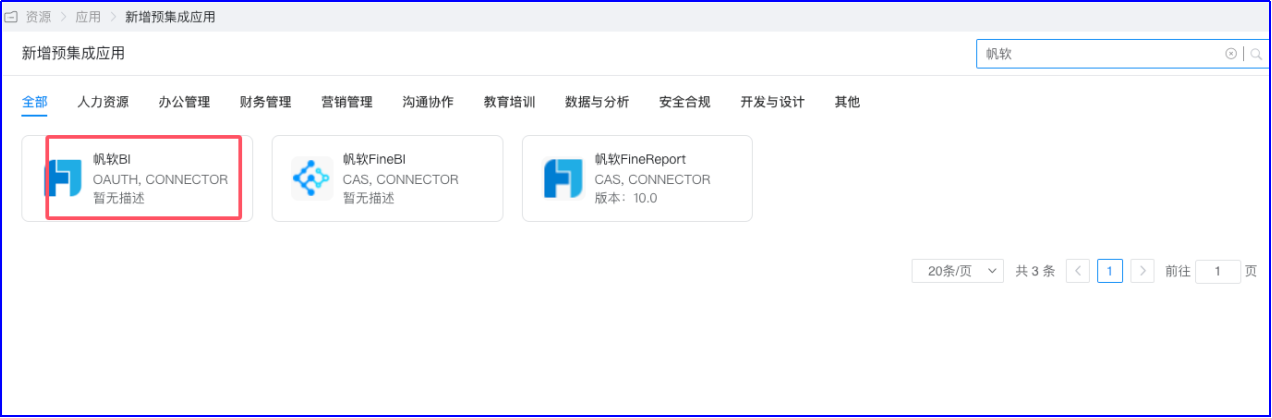
Log in to the BambooCloud IDaaS Enterprise Center and add the Fanruan BI pre-integrated application.
Configure authentication parameters. Fill in the callback address as the BI address
http://biserver.com/webroot/decision.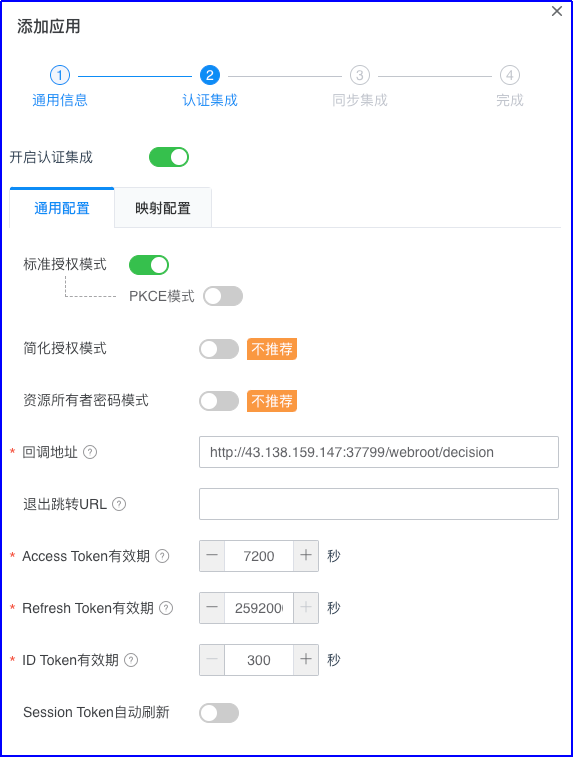
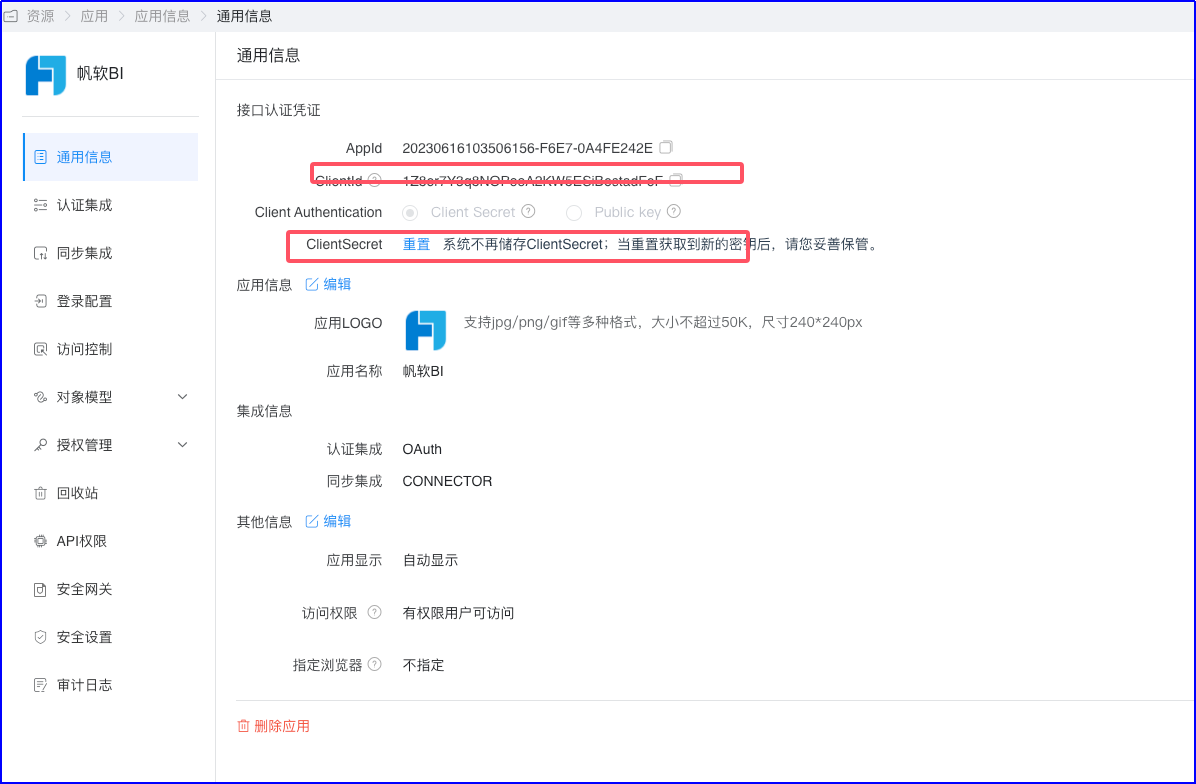
Enter the application details and view the application parameters. Obtain ClientId and ClientSecret.
View the OAuth2 service configuration parameters. Settings > Service Configuration > OIDC The authentication authorization, token acquisition, and UserInfo interfaces will be needed for subsequent Fanruan BI configuration.
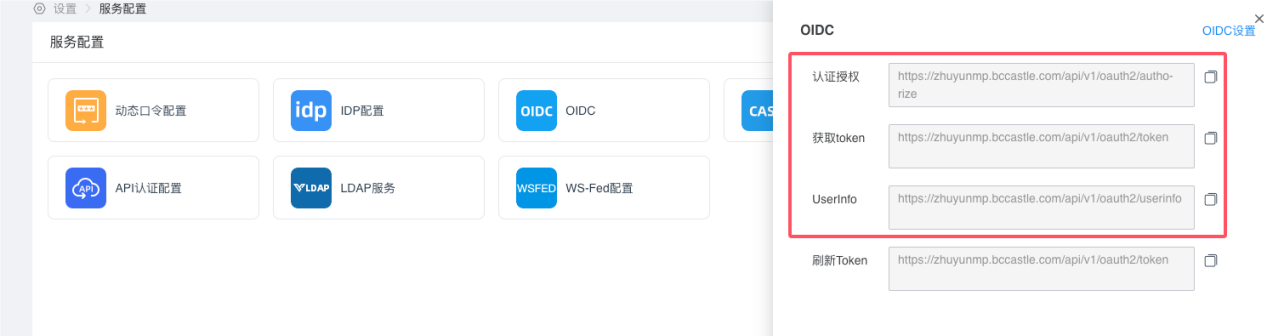
Fanruan Configuration
- Install the plugin
Go to System Management > Plugin Management > App Market, search for the OAuth2 SSO plugin, and click Install. 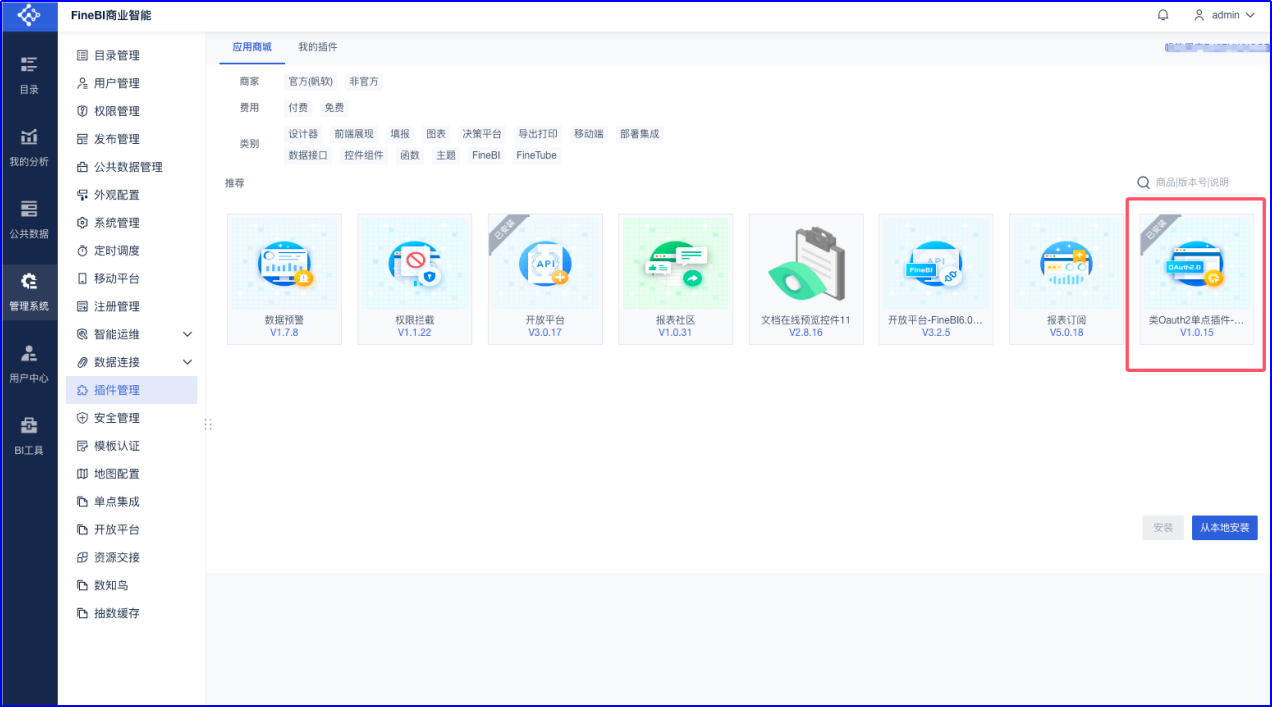
After installation, refresh the page, and the SSO Integration module will appear under the Management System menu.
- Configure single sign-on
Go to Management System > SSO Integration. 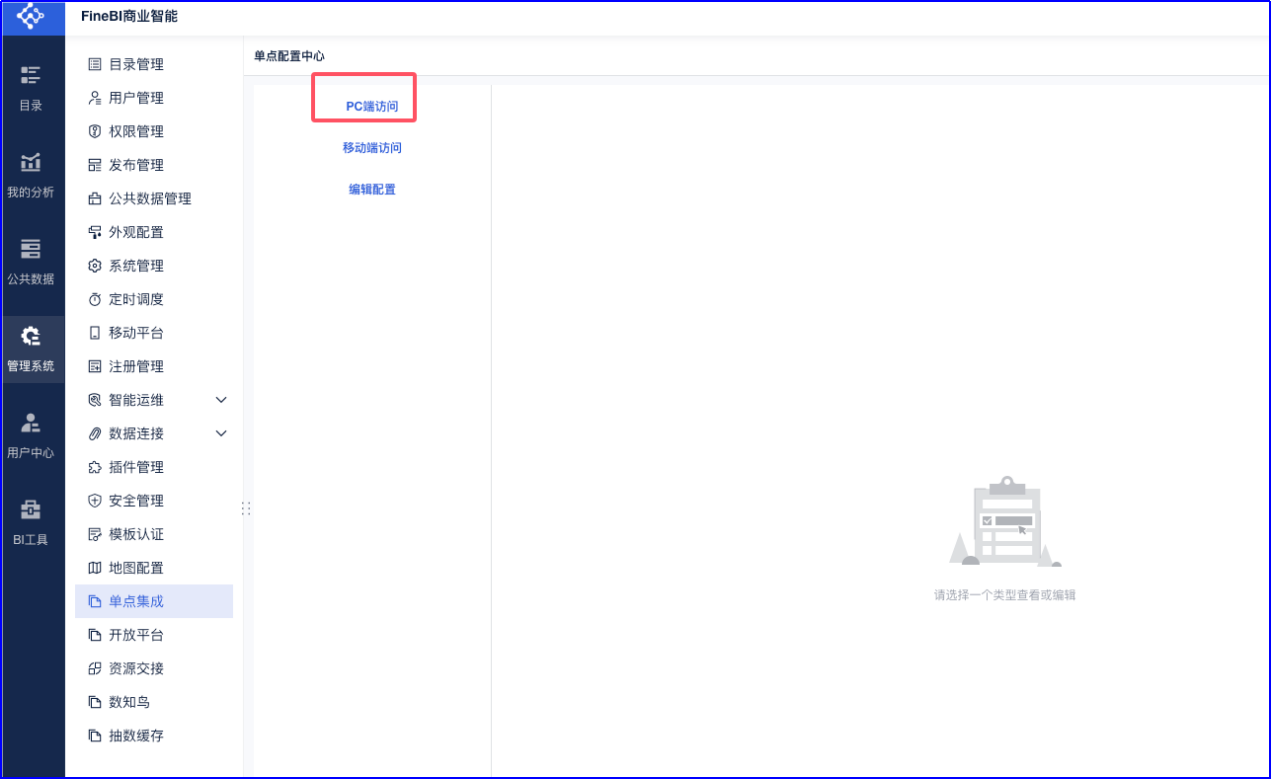
For PC access, click Enable Configuration and select OAuth2 mode. 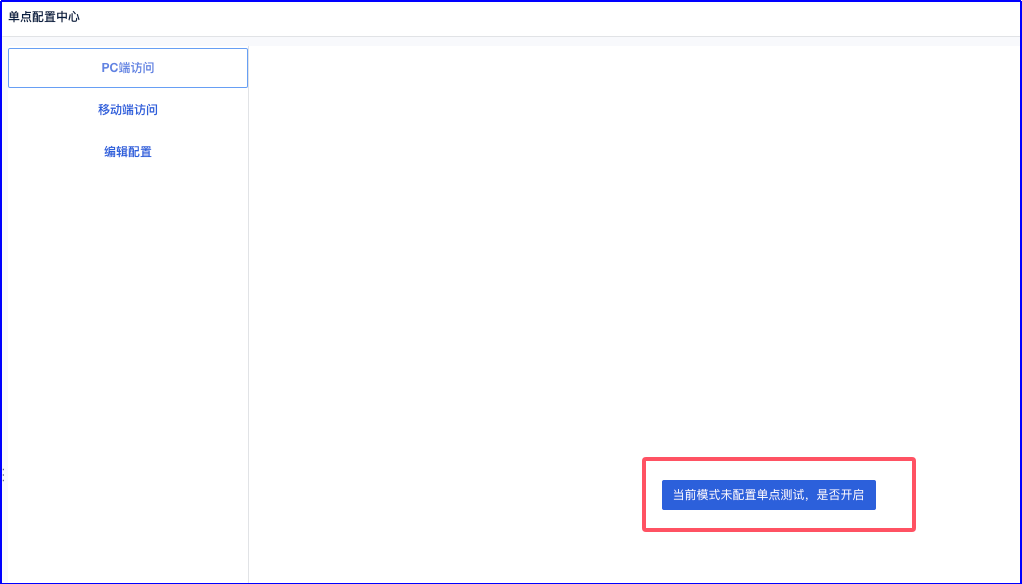
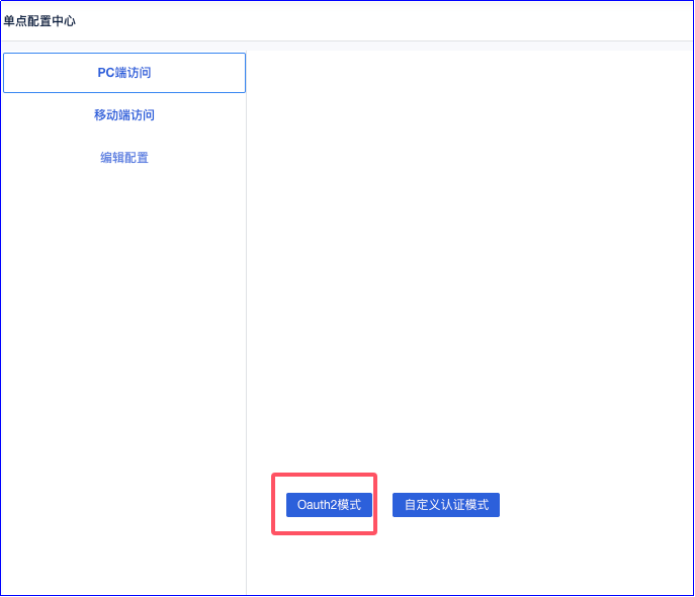
Enable the SSO function. 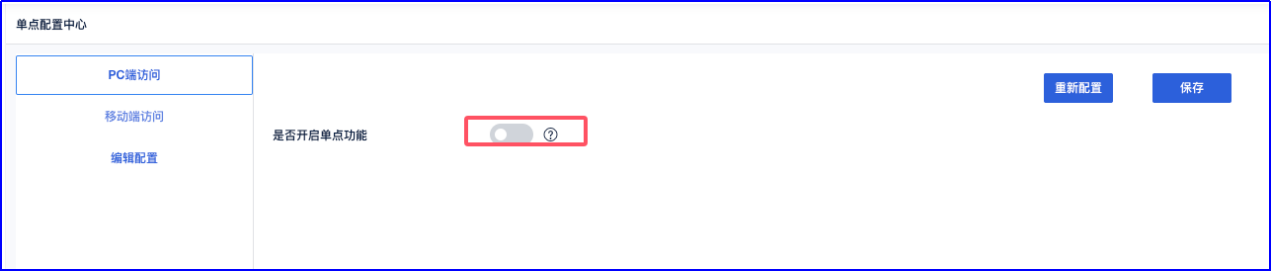
Perform parameter configuration. 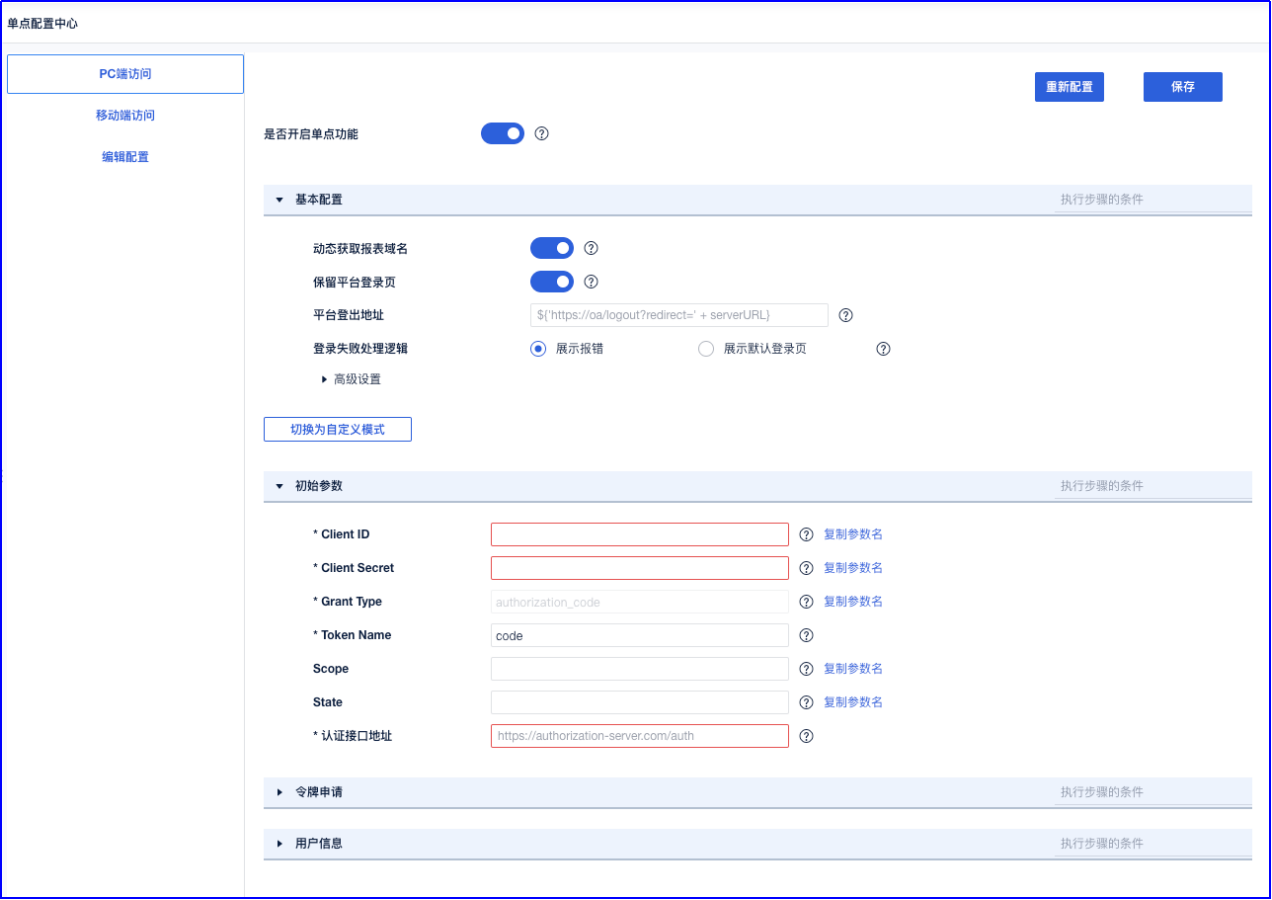
Parameter filling example (SSO plugin configuration example help document: https://help.fanruan.com/finereport/doc-view-5037)
- Basic Configuration
| Parameter Name | Filling Example |
|---|---|
| Dynamically Obtain Report Domain | Enabled |
| Retain Platform Login Page | Enabled |
| Platform Logout Address | https://zhuyunmp.bccastle.com/api/v1/logout?redirect_url=http://biserver.com/webroot/decision |
| Login Failure Handling Logic | Display error |
| Advanced Configuration | Default |
- Initial Parameters
| Parameter Name | Filling Example |
|---|---|
| ClientID | BambooCloud IDaaS application ClientID |
| ClientSecret | BambooCloud IDaaS application ClientSecret |
| Grant Type | authorization_code |
| Token Name | code |
| Scope Name | get_user_info |
| State | |
| Authentication Interface Address | ${"https://zhuyunmp.bccastle.com/api/v1/oauth2/authorize?response_type=code&client_id="+client_id+"&redirect_uri=http://39.102.212.183:37799/webroot/decision"} |
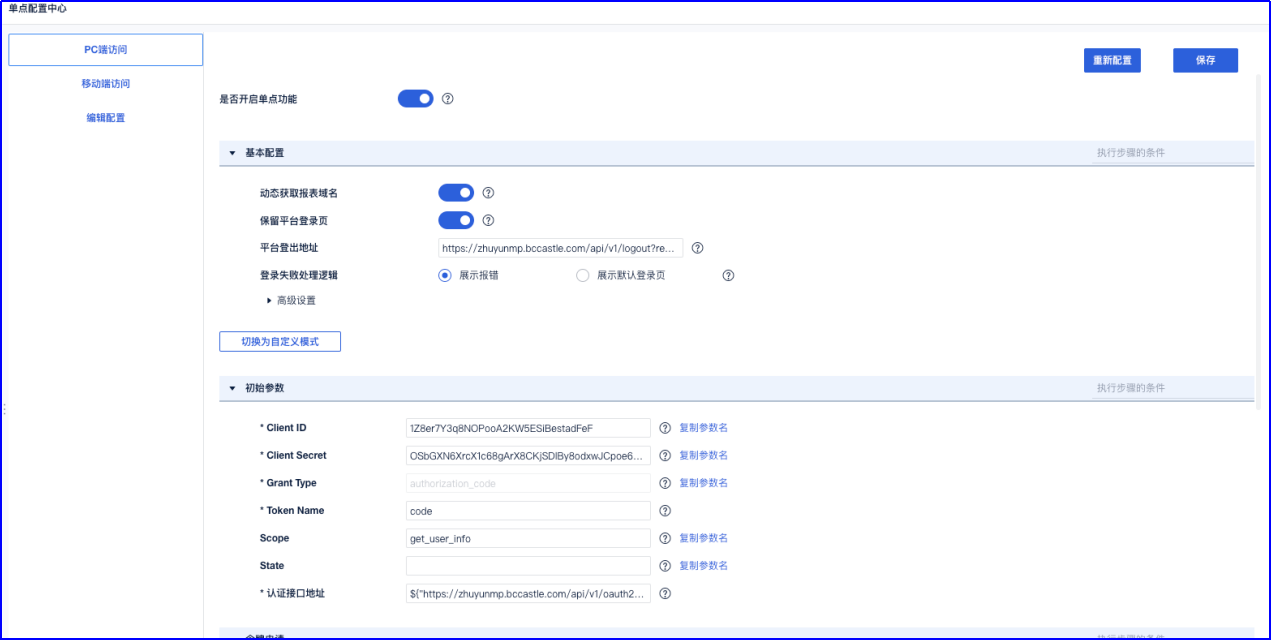
- Token Application Configuration
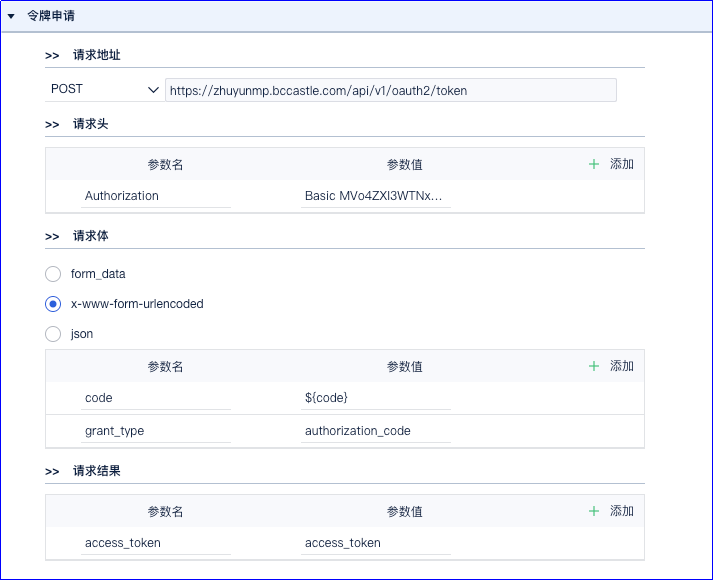
Request address: POST https://zhuyunmp.bccastle.com/api/v1/oauth2/token
Request headers:
| Parameter Name | Parameter Value |
|---|---|
| Authorization | Basic |
MVo4ZXI3WTNxOE5PUG9vQTJLVzVFU2lCZXN0YWRGZUY6T1NiR1hONlhyY1gxYzY4Z0FyWDhDS2pTRGxCeThvZHh3SkNwb2U2OFBMaDRRMTNJM1hsZDJqRGg5SHlwMnJLZA== |
The parameter value format is: base64(client_id:client_secret).
You can use the online tool https://base64.us/ to generate it based on actual parameters. 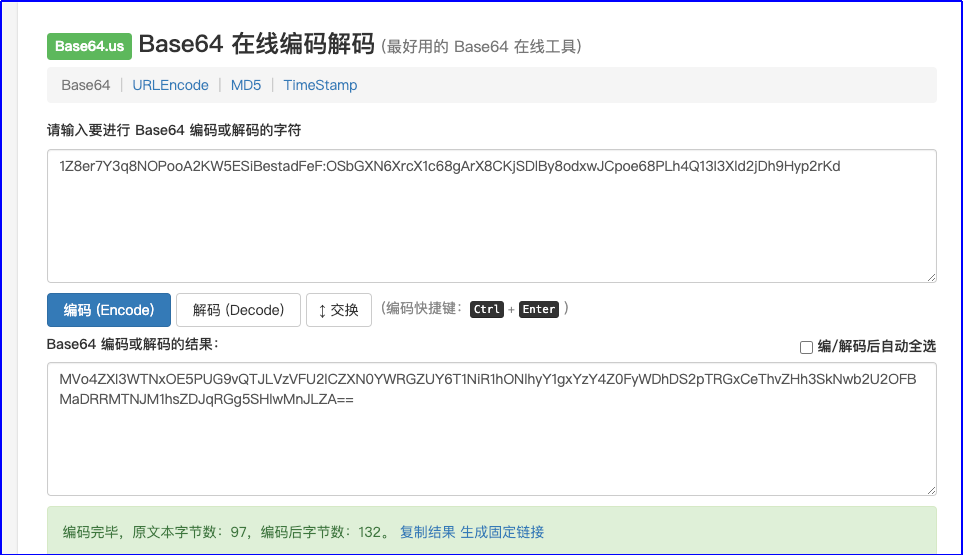
You can also capture it using tools such as Postman. 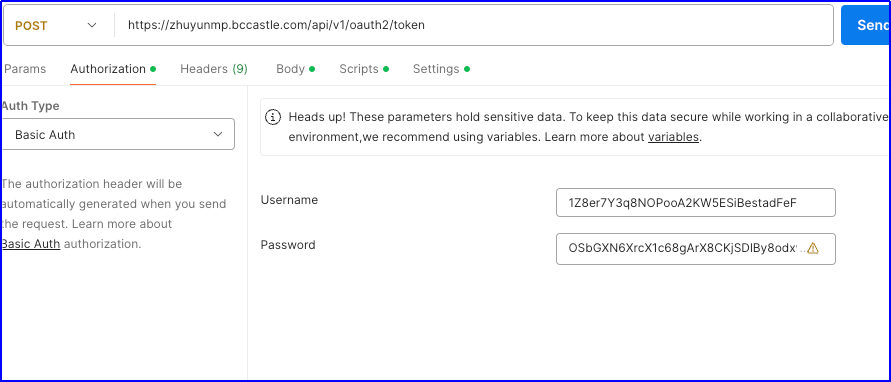

Request body: x-www-form-urlencoded
| Parameter Name | Parameter Value |
|---|---|
| code | ${code} |
| grant_type | authorization_code |
Request result:
| Parameter Name | Parameter Value |
|---|---|
| access_token | access_token |
- User Information Configuration
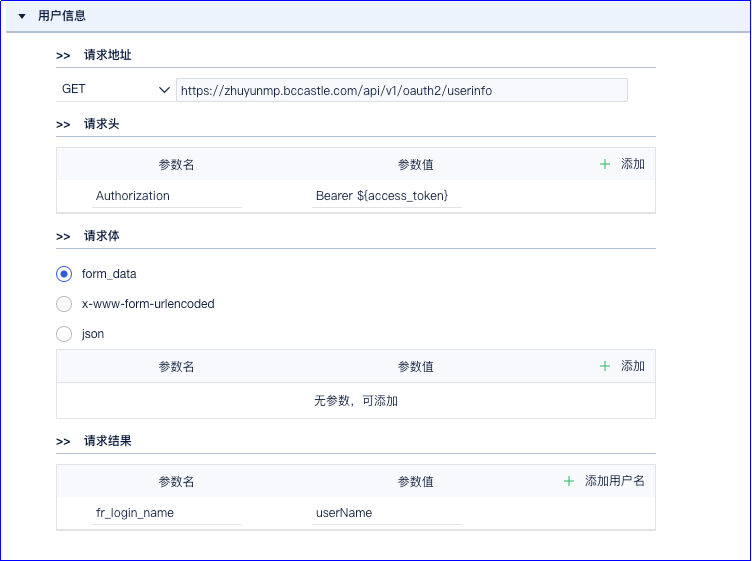
Request address: GET https://zhuyunmp.bccastle.com/api/v1/oauth2/userinfo
Request headers:
| Parameter Name | Parameter Value |
|---|---|
| Authorization | Bearer ${access_token} |
Request body: form_data
Request result:
| Parameter Name | Parameter Value |
|---|---|
| fr_login_name | userName |
Login Verification
Access the Fanruan BI address,
http://biserver.com/webroot/decision.You will be redirected to the BambooCloud IDaaS login page. Enter the authorized account login information to enter BI.