AWS SSO
Overview
This article describes how to log in to the AWS console through BambooCloud IDaaS.
Operation Process

Prerequisites
The administrator has an AWS account.
The administrator has access to the BambooCloud IDaaS Enterprise Center.
Authentication Configuration
AWS Console Configuration
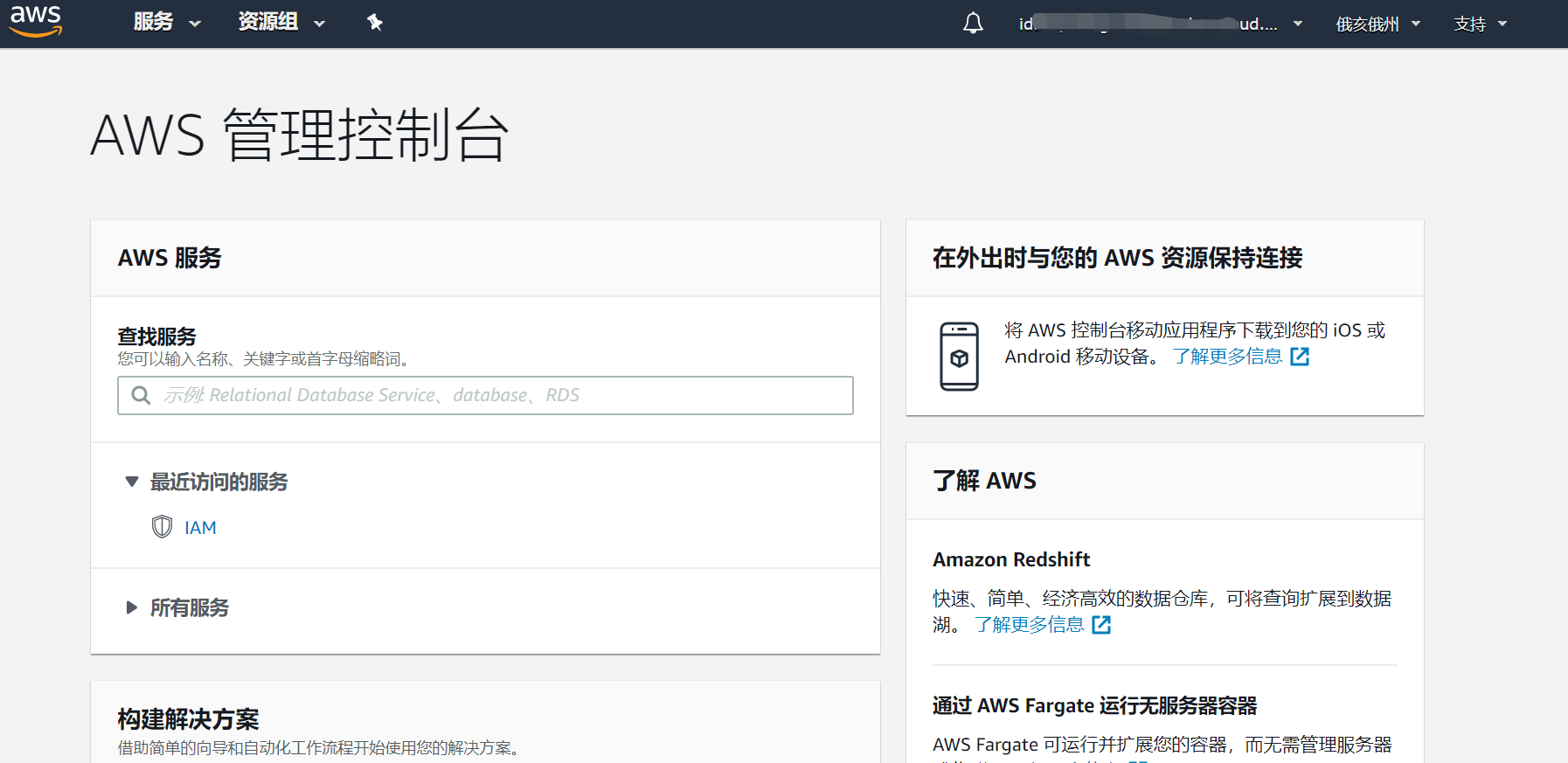
Log in to the AWS console as an administrator, click the Services tab. Under Security, Identity & Compliance, click IAM (Identity and Access Management).
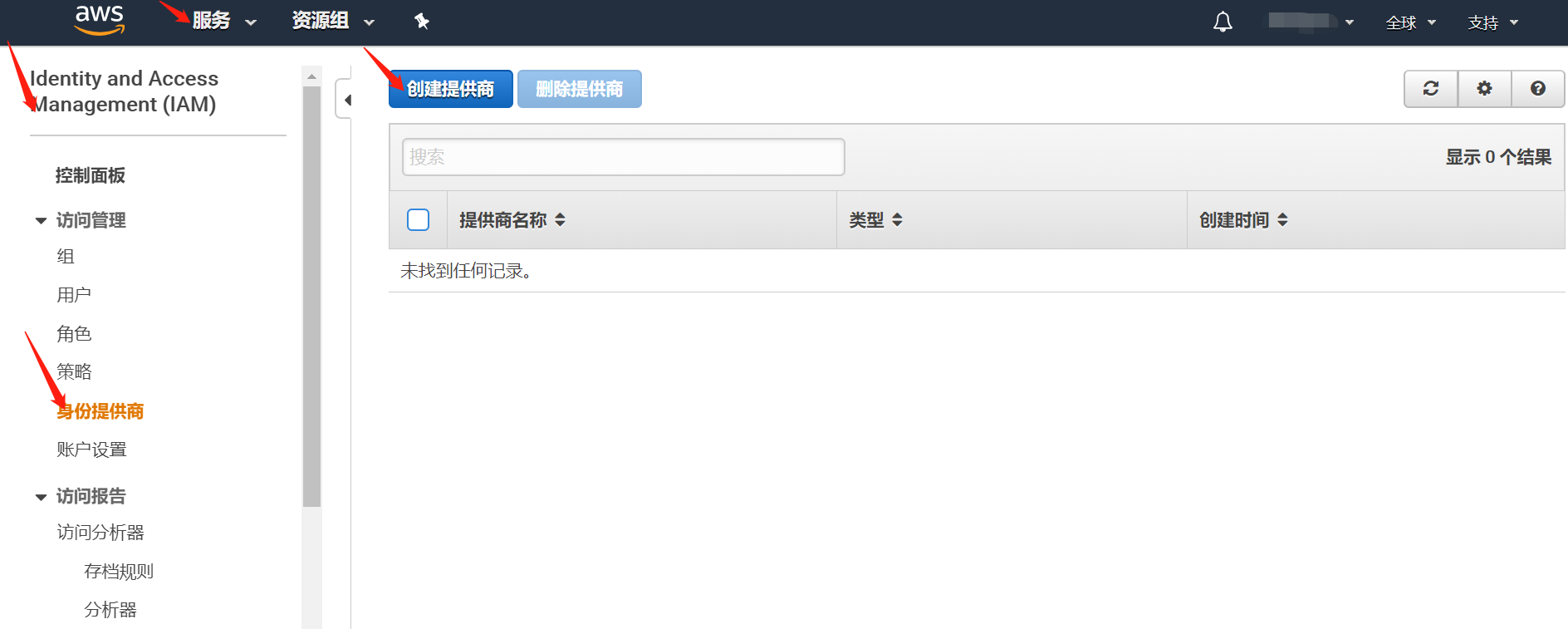
From the left list, click Identity Providers, and then click the Create Provider button on the right.
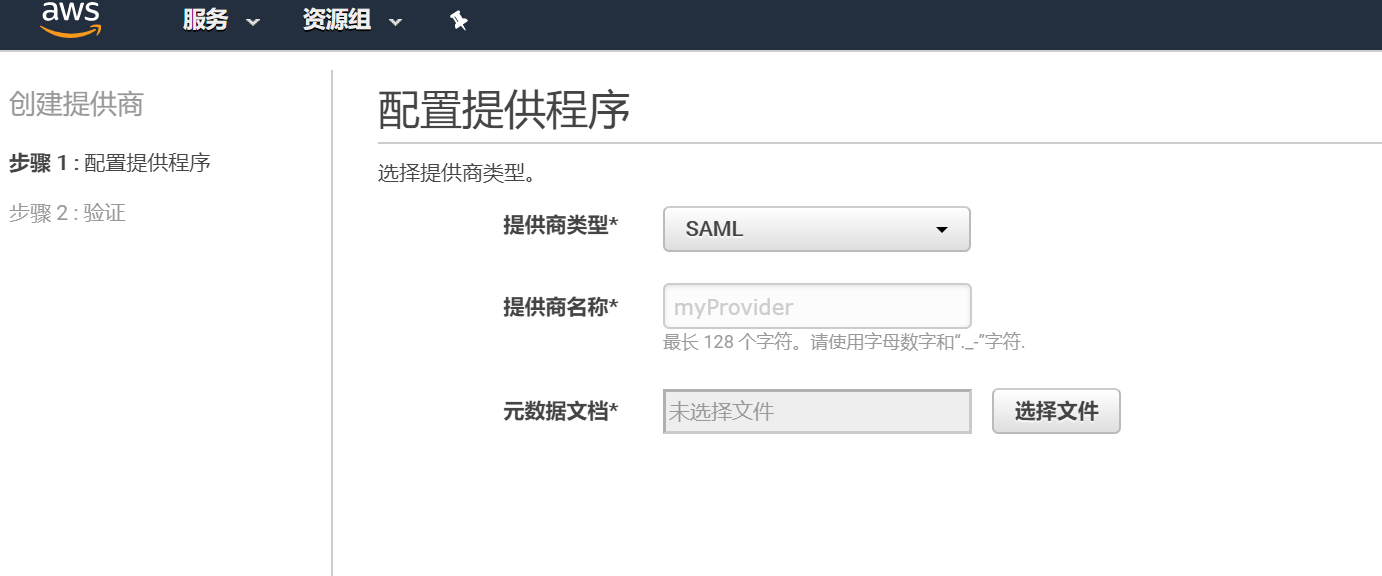
In Configure Provider, select SAML as the provider type from the dropdown, enter the provider name, click the Choose File button, select the downloaded IDP metadata file, and then click Next. To download the BambooCloud IDaaS IDP metadata, visit https://{your_domain}/api/v1/saml2/idp/metadata.
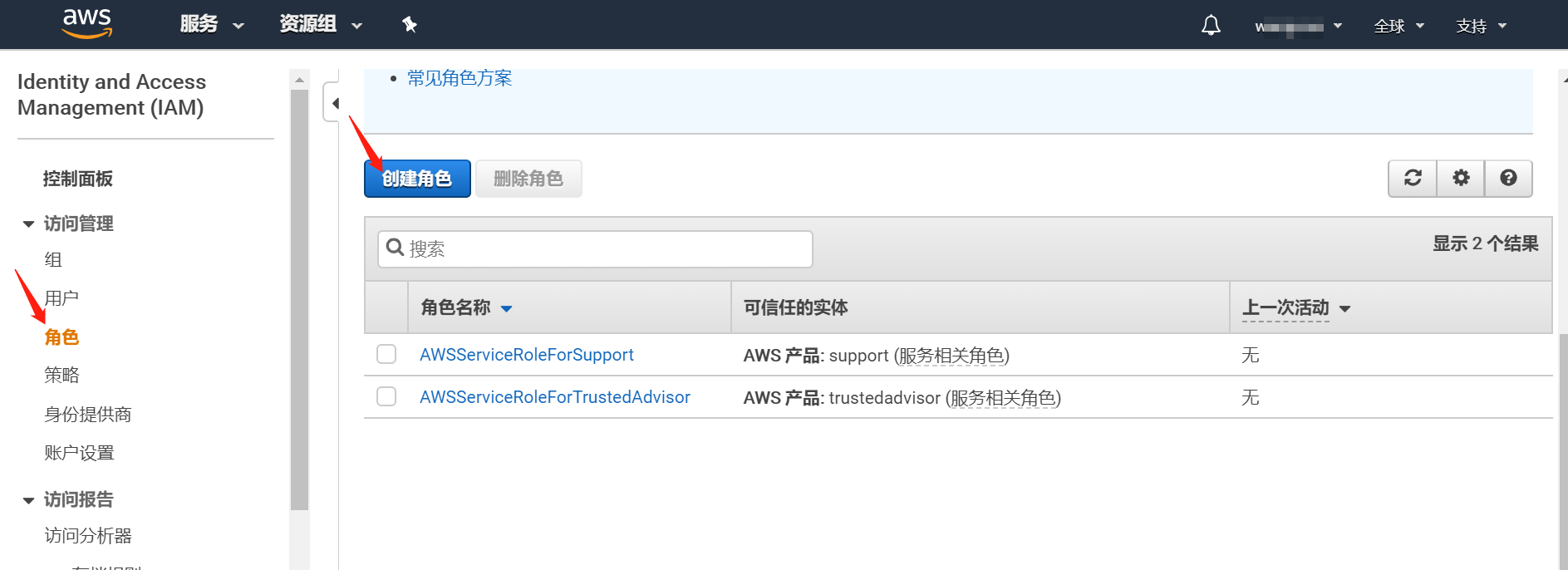
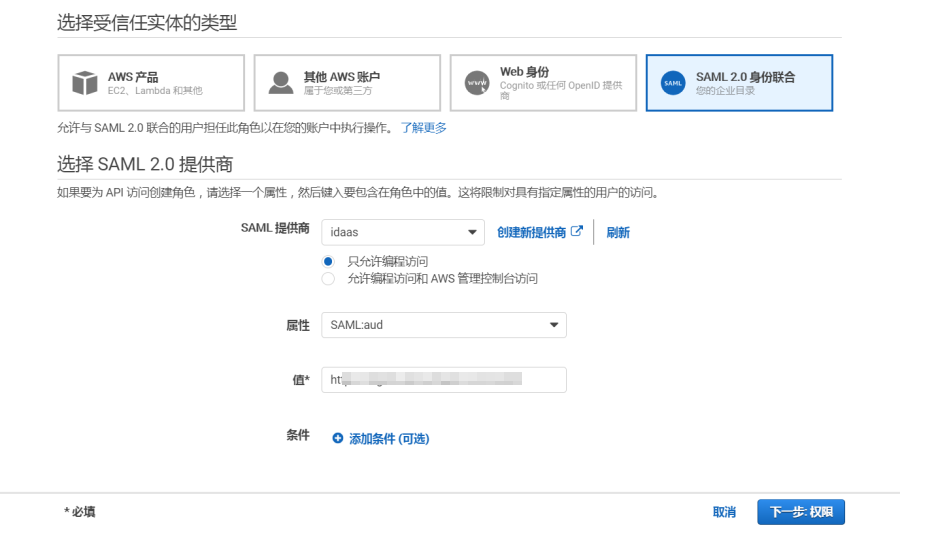
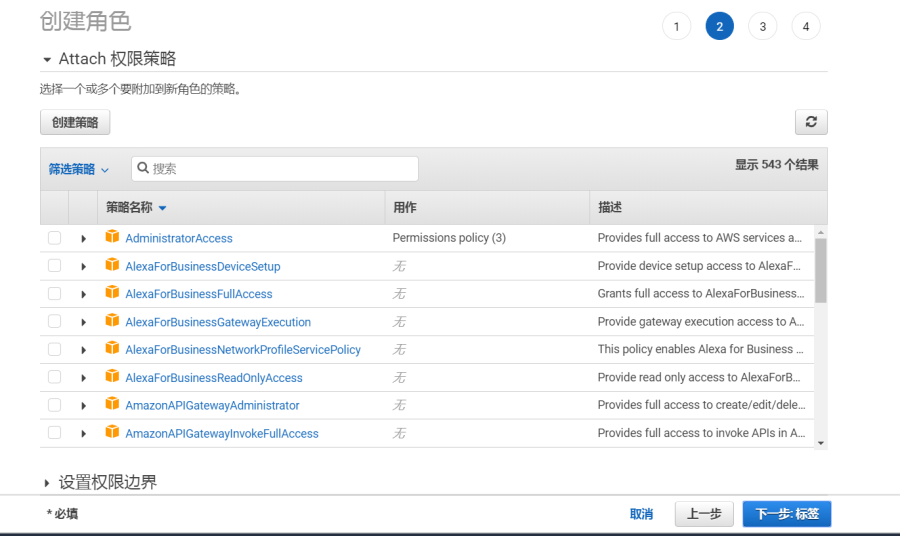
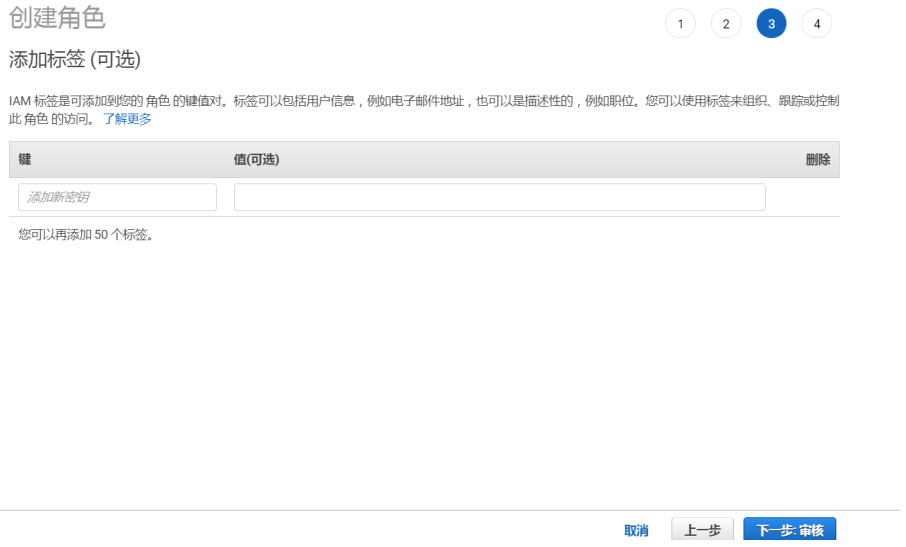
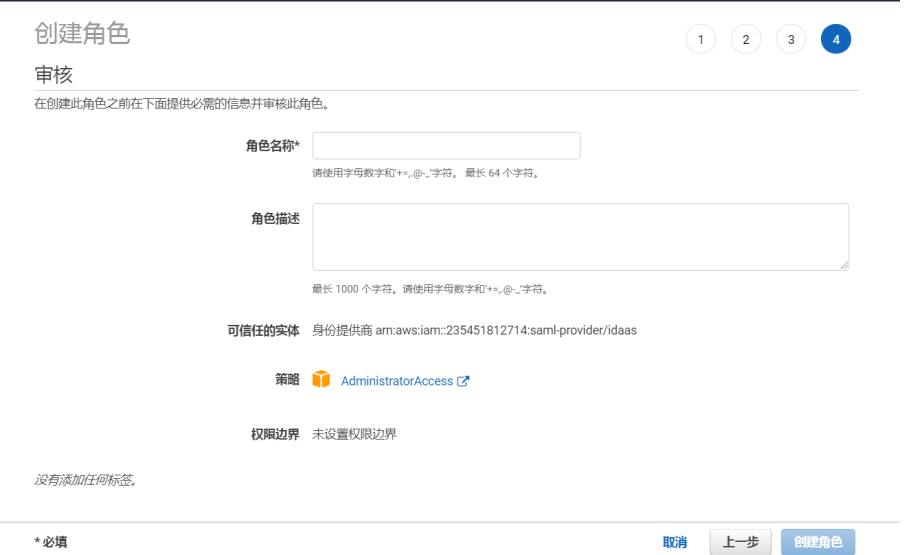
Create a role.
BambooCloud IDaaS Configuration
Log in to the BambooCloud IDaaS Enterprise Center Resources > Applications > Pre-integrated Applications, and add the built-in application AWS.
Configure application authentication parameters.
Save the corresponding AWS metadata XML file according to the following address, import the SP application metadata, and configure authentication parameters.
TIP
AWS metadata addresses:
International version: https://signin.aws.amazon.com/static/saml-metadata.xml
China version: https://signin.amazonaws.cn/static/saml-metadata.xml
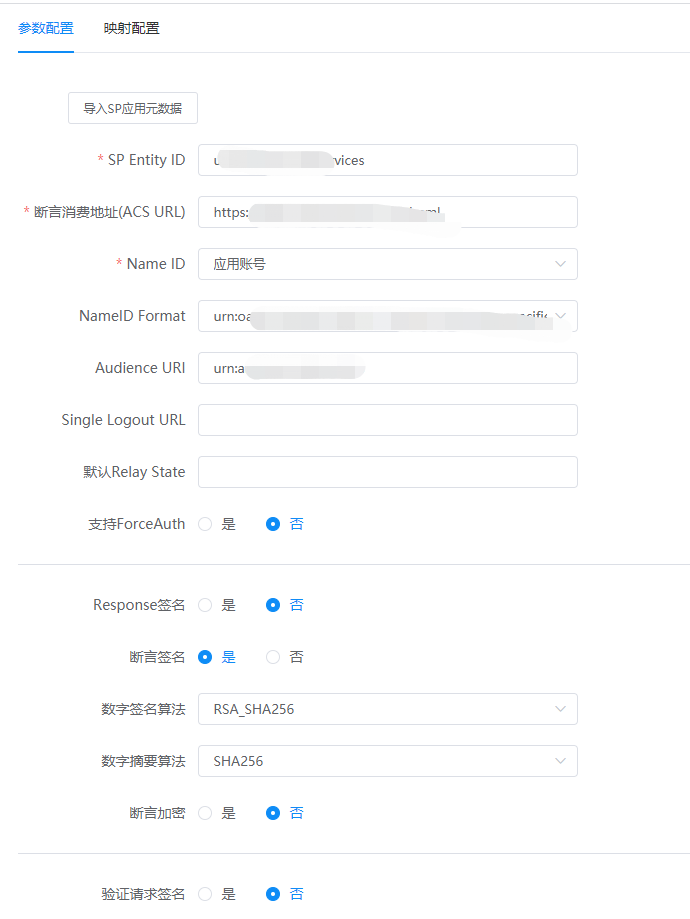
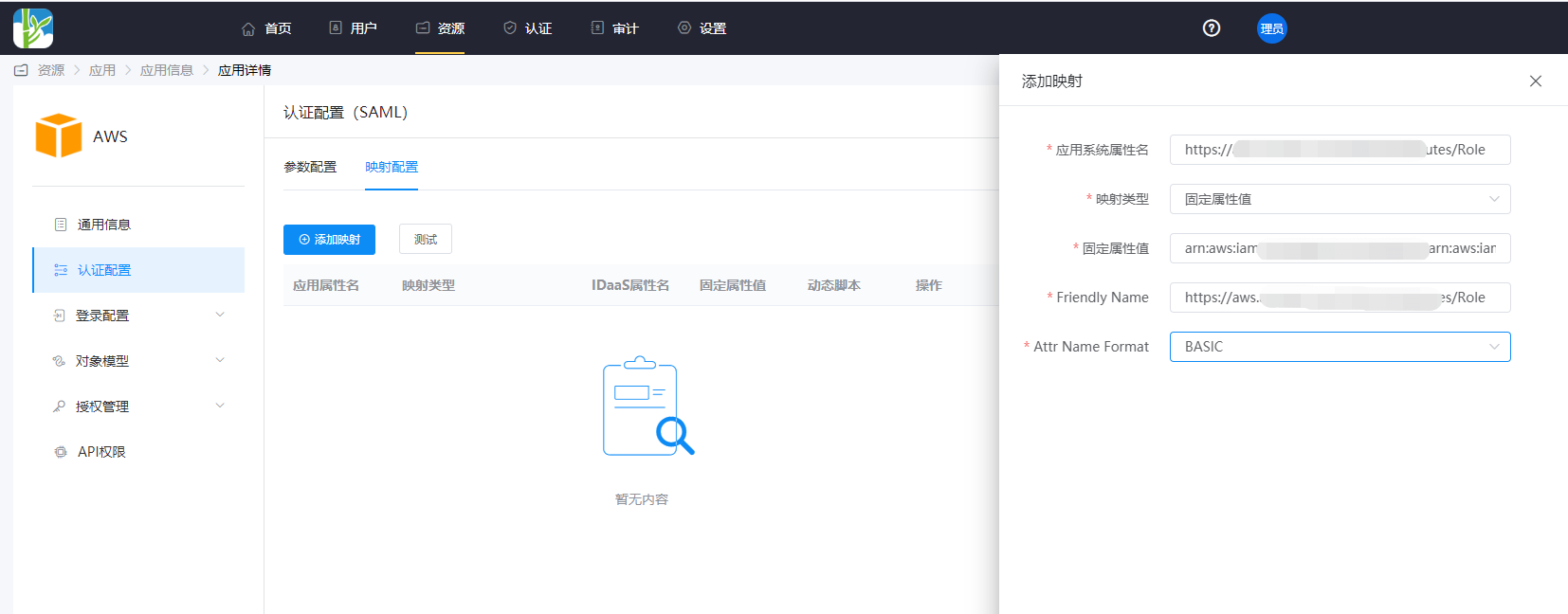
Click the application icon Authentication Configuration > Mapping Configuration > Add Mapping.
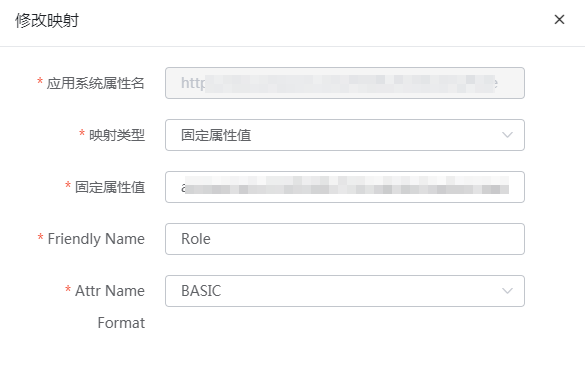
Taking the international version as an example, the following two attributes are required, and the attribute names can be obtained from the AWS metadata.
There are differences in the domain address in the attribute names between the international and China versions.
- https://aws.amazon.com/SAML/Attributes/Role:
arn:aws:iam::AWS Account:role/role name,arn:aws:iam::AWS Account:saml-provider/identity provider name
Obtain this parameter from the AWS role details, separated by an English comma.
- https://aws.amazon.com/SAML/Attributes/RoleSessionName:
- You can select the user email attribute.
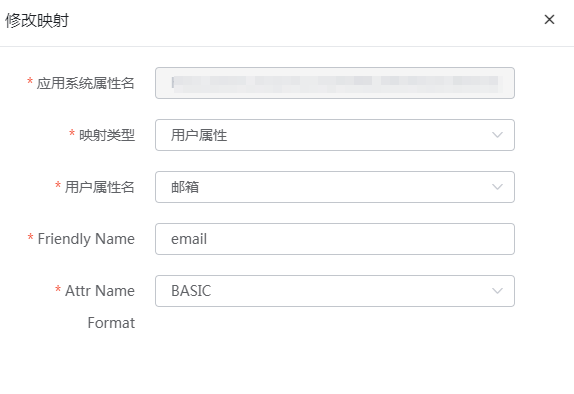
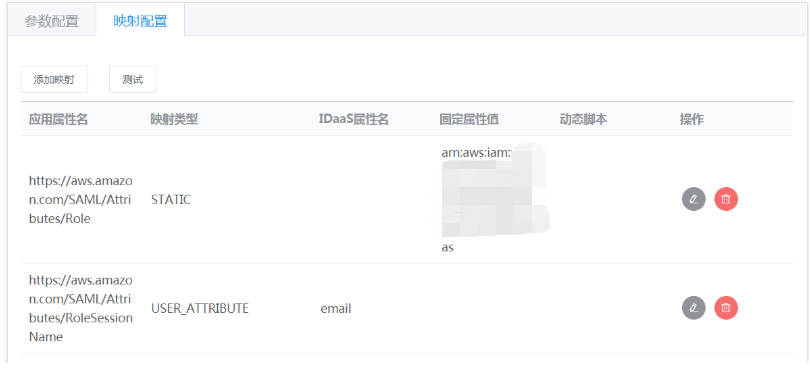
- You can select the user email attribute.
- https://aws.amazon.com/SAML/Attributes/Role:
Switch to the Authorization Management > Application Account tab and add an account.
Login Verification
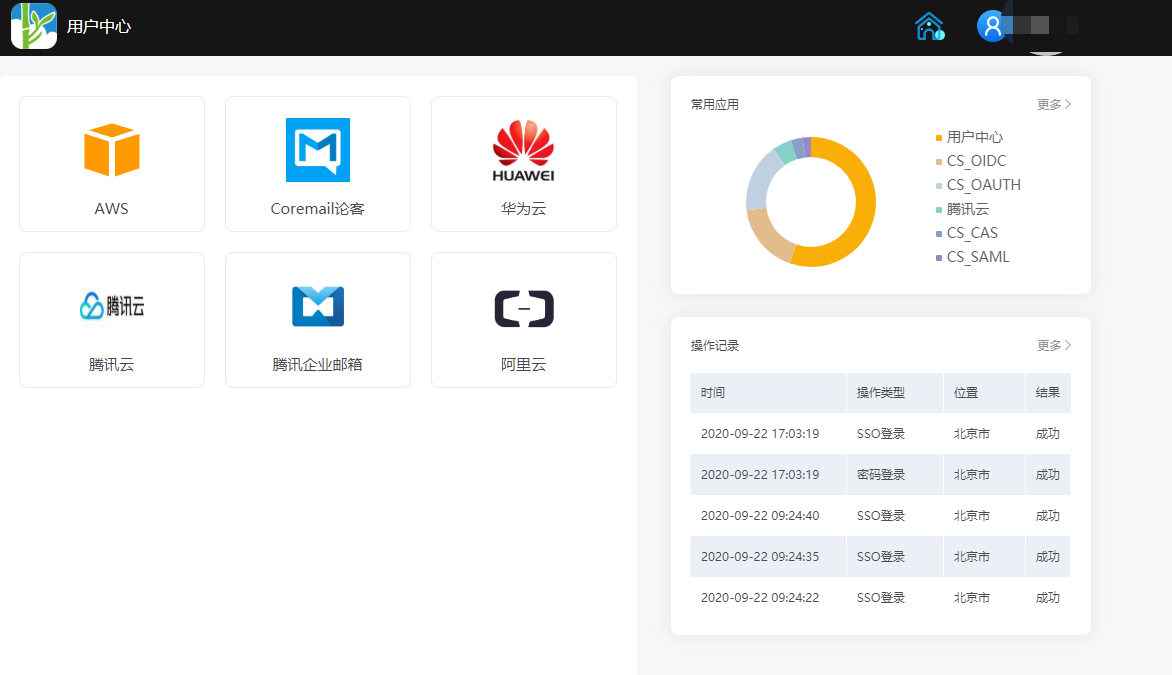
Log in to the BambooCloud IDaaS User Center, click the AWS logo, and single sign-on into the AWS system.