NetEase Enterprise Mail Data Synchronization
Overview
This article describes the synchronization configuration between NetEase Enterprise Mail and BambooCloud IDaaS to synchronize BambooCloud IDaaS organization and user data to NetEase Enterprise Mail.
This application template includes login authentication and account/organization synchronization functions, which can be configured simultaneously or separately. If you only choose one, the required data for the other can be temporarily filled with virtual data.
Prerequisites
- The administrator has a NetEase Enterprise Mail account and has obtained and configured relevant parameters in the NetEase Enterprise Mail backend (such as interface address, public key information, IP whitelist, etc.).
- The administrator has access permissions to the BambooCloud IDaaS Enterprise Center.
NetEase Enterprise Mail Configuration
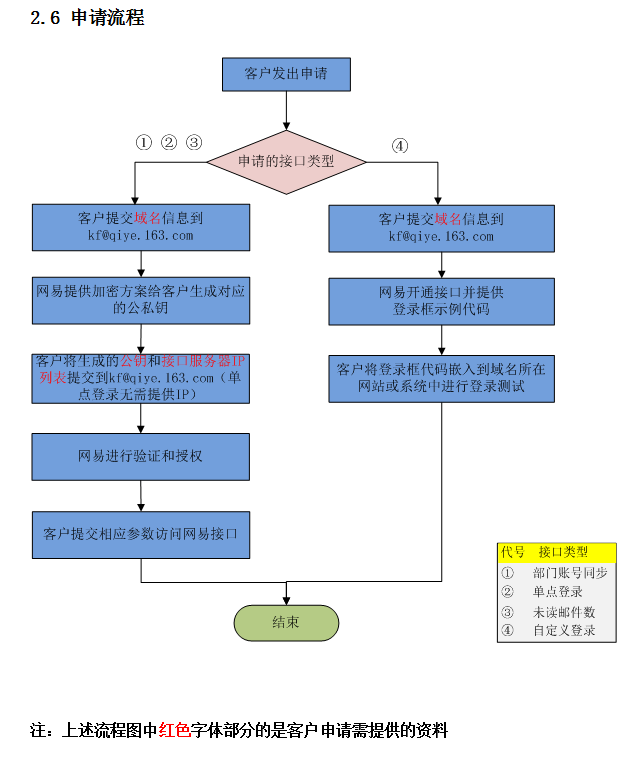
Please contact NetEase Enterprise Mail customer service to provide corresponding information as required.
Apply for the NetEase Enterprise Mail interface integration process.
Synchronization Configuration
Add the pre-integrated application NetEase Enterprise Mail and configure synchronization parameters.
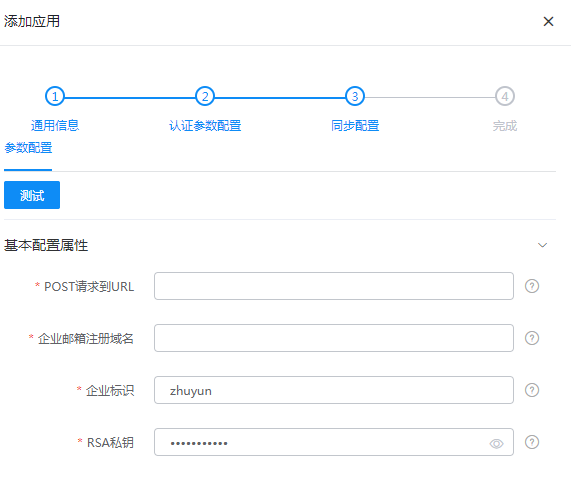
Parameter Parameter Description POST Request URL Fill in the URL obtained from NetEase Enterprise Mail, example: https://apibj.qiye.163.com/qiyeservice/apiEnterprise Mail Registration Domain NetEase Enterprise Mail domain Enterprise Identifier NetEase Enterprise Mail enterprise identifier RSA Private Key The private key provided by NetEase Enterprise Mail, in binary format. Remove newlines and spaces when filling in. Enter the application details, Application Organization > Authorization Policy, enable automatic organization authorization, select the organization scope, click the Save button, and then click Execute Add to synchronize the organization to the enterprise mail.
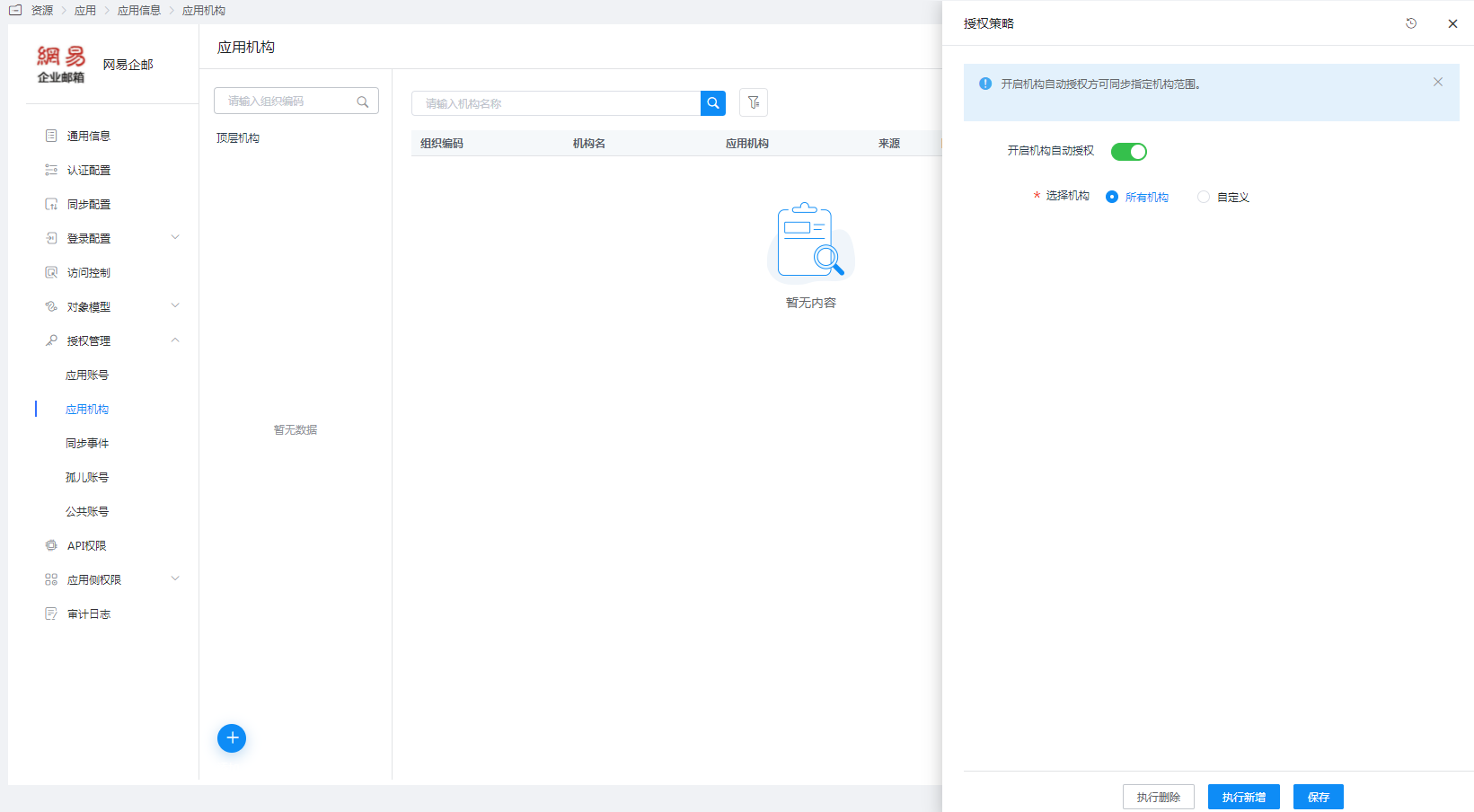
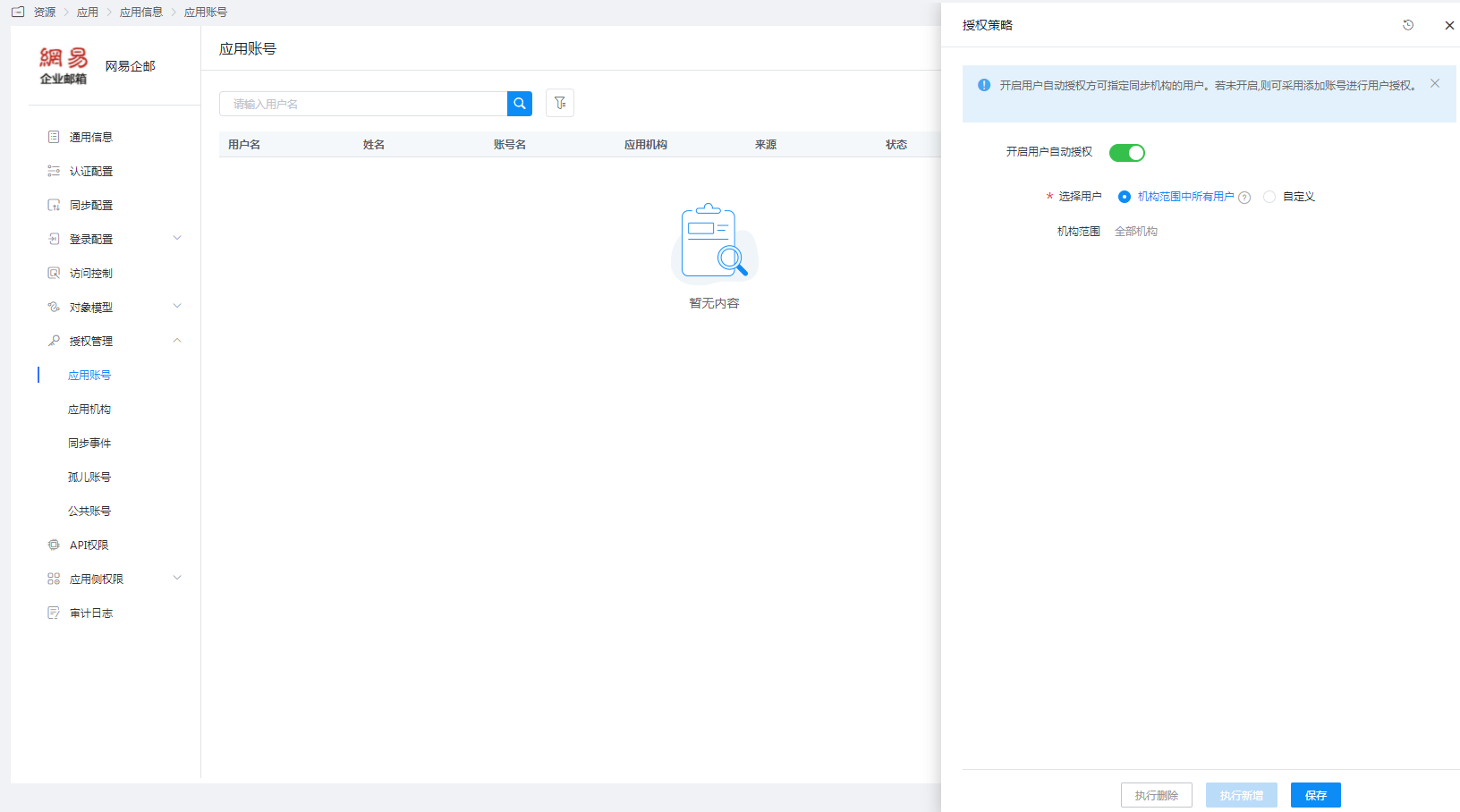
Enter the application details, Application Account > Authorization Policy, enable automatic organization authorization, select the user scope, click the Save button, and then click Execute Add to synchronize users to the enterprise mail.
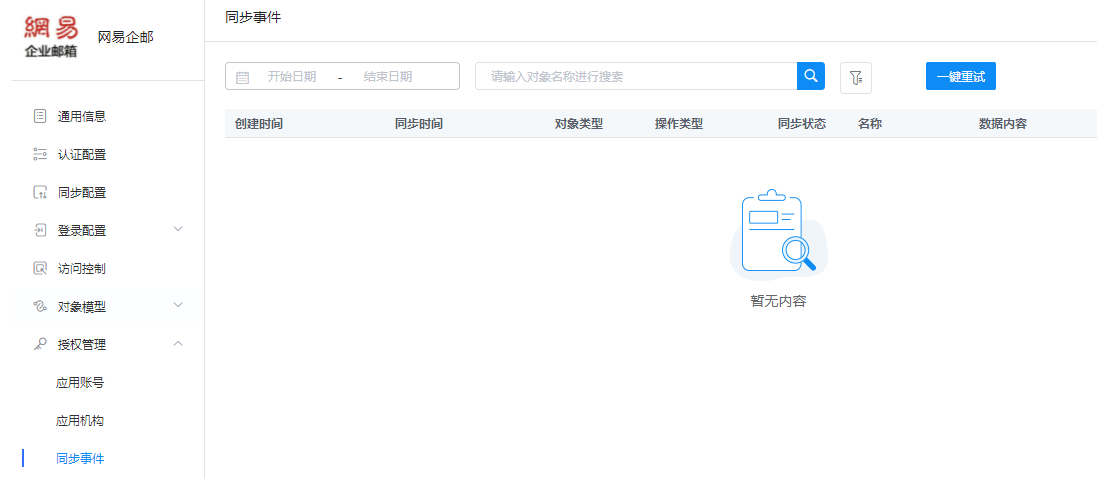
Enter the application details, Synchronization Events, to view synchronization events.