QiZhi Bastion Host Single Sign-On
Overview
This article describes how to configure BambooCloud IDaaS to achieve single sign-on to the QiZhi Bastion Host.
Authentication Configuration
QiZhi Bastion Host Configuration
- Add the BambooCloud IDaaS server egress IP
47.92.171.137to the bastion host interface access whitelist. - After adding the whitelist, restart the bastion host service.
BambooCloud IDaaS Configuration
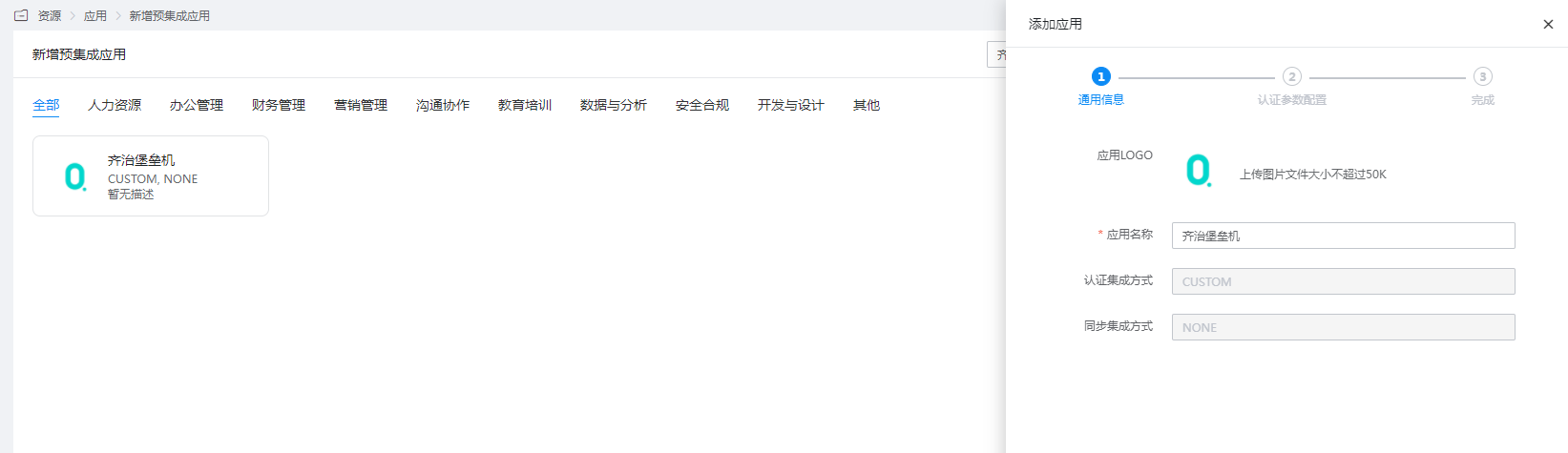
Add the pre-integrated application QiZhi Bastion Host.
Configure authentication parameters.
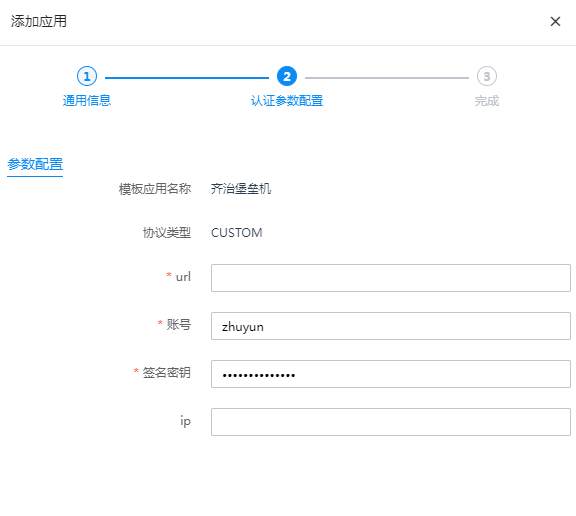
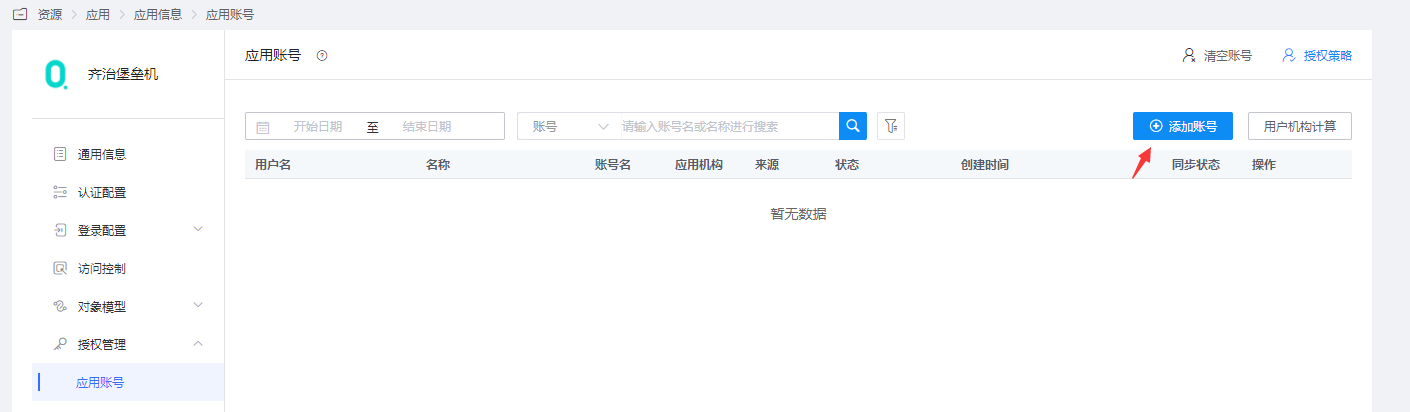
Parameter Description url Required. Bastion host access address, example: https://qizhibaoleiji.com. If there is no domain name, fill in the IP. If there is a port number, bring the port number.Account Required. Account name with administrator permissions. Signature Key Required. Password of the account with administrator permissions. IP If the bastion host has an internal network firewall policy and all external request source IPs are NATed to a unified IP, fill in the NATed IP. Authorization Management > Application Account > Add Account. Enter the application details, Authorization Management > Application Account, add an account, and set the account name to the bastion host username.
Login Verification
Authorized users log in to the User Center, click the QiZhi Bastion Host logo, and perform single sign-on.