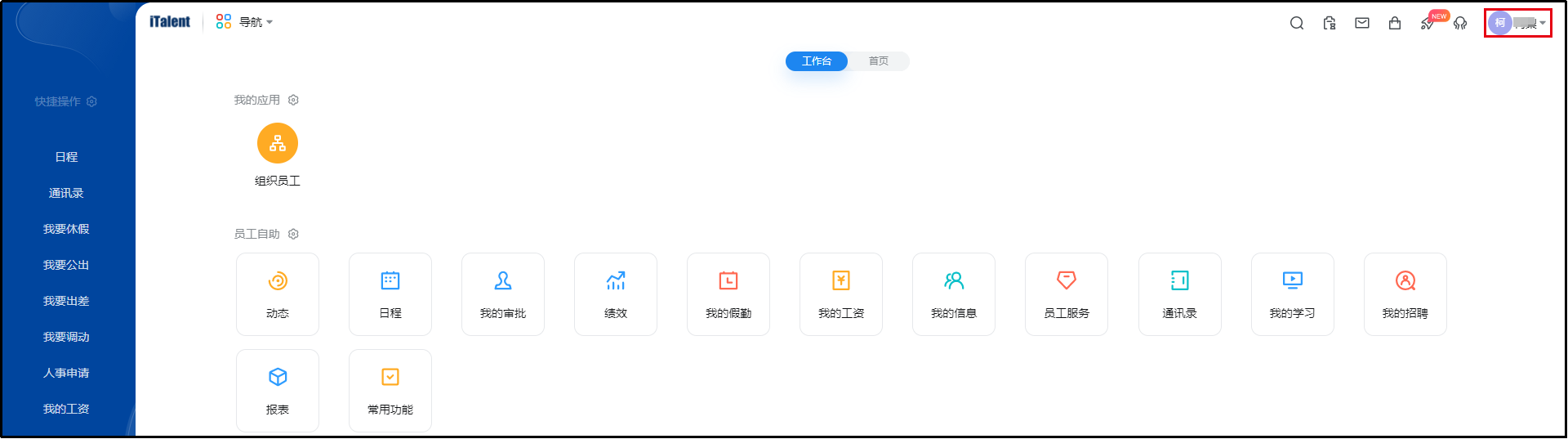
Beisen iTalent Single Sign-On
Overview
This document describes how to implement password-free login from BambooCloud IDaaS to the Beisen HR system. When configuring the Beisen HR application integration in BambooCloud IDaaS, Beisen needs to provide relevant integration parameters, which are described in detail below.
Authentication Configuration
Obtaining Beisen Parameters
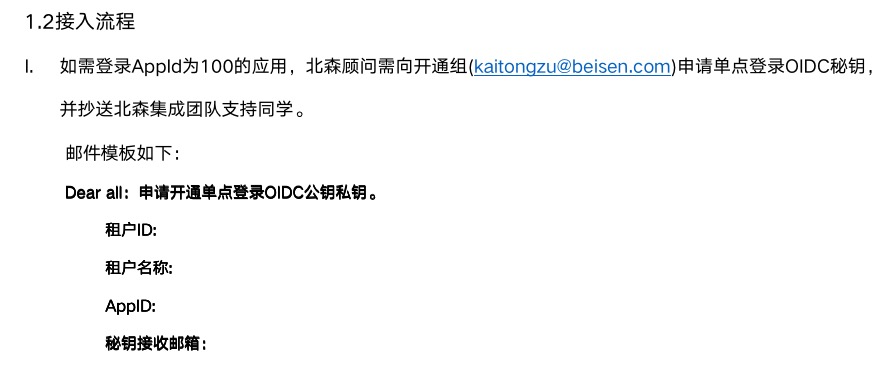
You can also log in to the Beisen Open Platform to create a connector and add interface permissions for obtaining employee login information.
Adding the Beisen Application on BambooCloud IDaaS
Log in to the BambooCloud IDaaS Enterprise Center, open Resources — Applications — click Pre-integrated Applications.
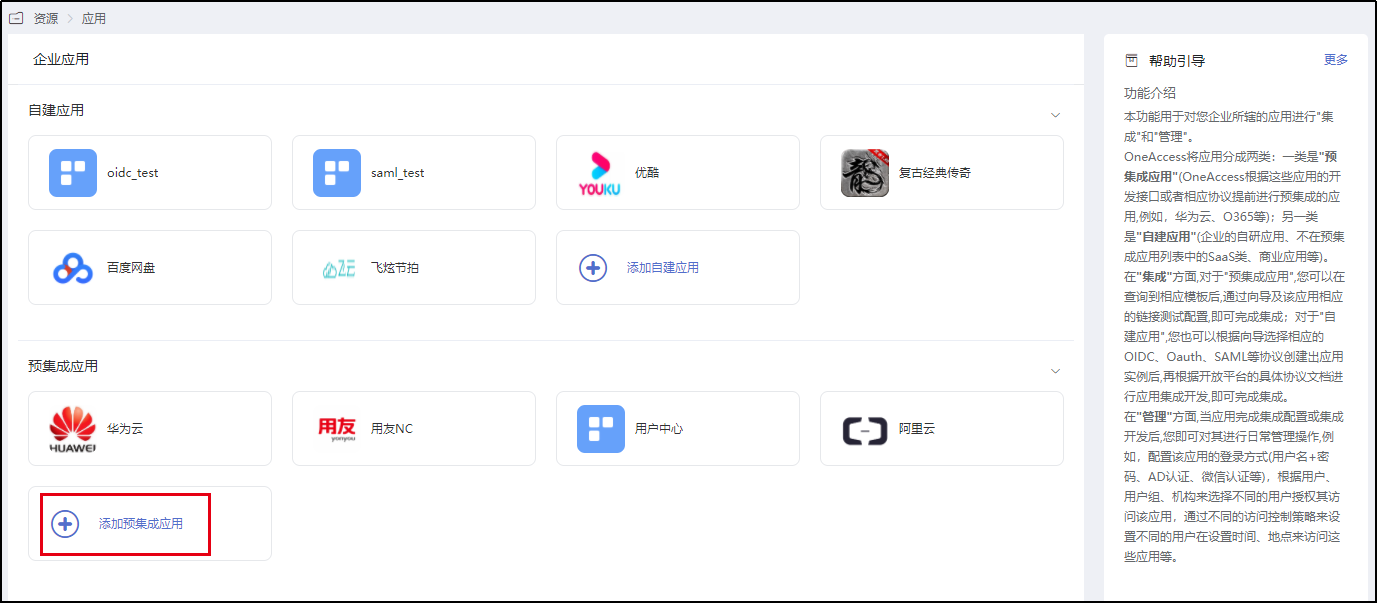
In the pre-integrated applications, find the Beisen HR pre-integrated application by searching for the keyword "Beisen".
Click the application to enter the application configuration interface.
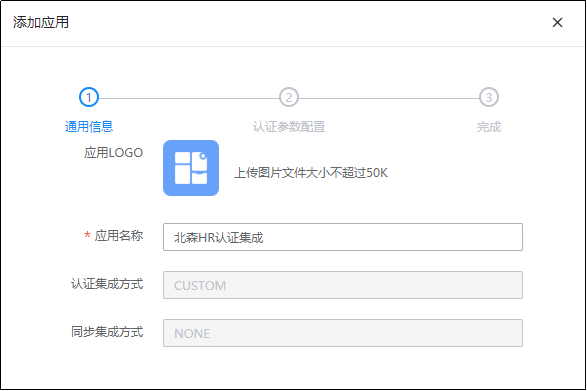
First, configure the General Information. This page allows you to configure the application logo. Other parameter descriptions are as follows:
Parameter Description Application Name Default is "Beisen HR Authentication Integration", can be customized Authentication Integration Method Default is "CUSTOM", cannot be modified Synchronization Integration Method Default is "NONE", cannot be modified Click Next to configure authentication integration parameters.
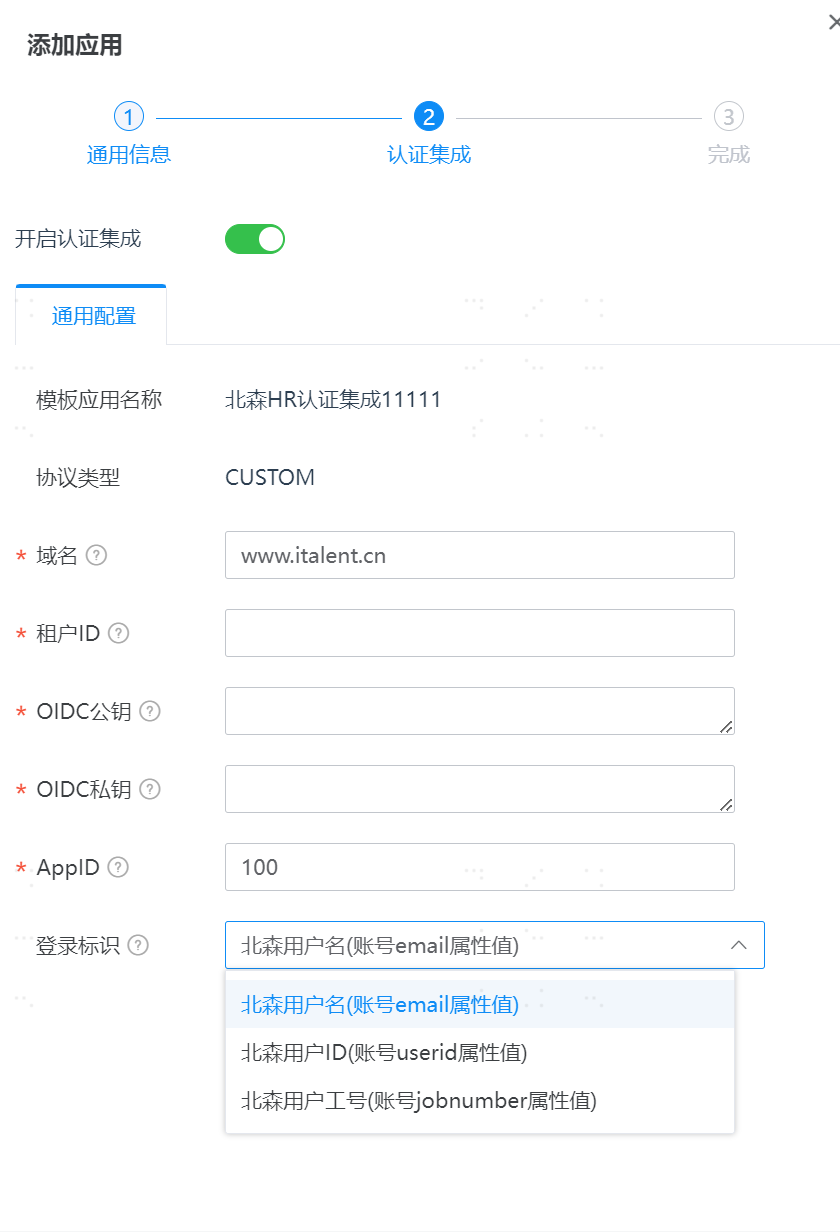
Parameter Description Domain Fill in "www.italent.cn" Tenant ID Provided by the Beisen HR system OIDC Public Key Provided by the Beisen HR system OIDC Private Key Provided by the Beisen HR system AppID Default "100" Login Identifier The unique identifier of the user in Beisen. Optional values: Beisen username, Beisen user ID, Beisen employee number TIP
The public and private key filling format is as follows: ensure there are no spaces at the end of each line.
shell-----BEGIN PUBLIC KEY----- MIIBIjANBgkqhkiG9w0BAQEFAAOCAQ8AMIIBCgKCAQEArUi2aYNO5ooK0Hxy5ieJ g2WuHpkO5dc0eoJsUTpS2YzQ4J5pGNRqF42mzeMT9y64yXYP9xCpUWguw+qHw2ME C3JKYvLqL6YtDG7/2bVN8X/NFBZZKJBIFLv4Haab4s/8zaEPdN5F3YrutMveooEn qivw1HySjJ9z/8aKabI/f4fQz3BCfH4Ri2M5f6r6o25PWmZDZpprO+uMQwc6HL5a T6CKGQsX2nCUlsT3AhTe5tSUNjiNZcjJRX41csgX2rTe/wJJ7JljakHbGezeP9s3 qxwiphjSLJqbzrOckfrbVJGGxRW4KnBQgRQwd4Zk3o0DwaYyyVDAxsXt/pxZeV6C VQIDAQAB -----END PUBLIC KEY-----Click Next to complete the configuration.
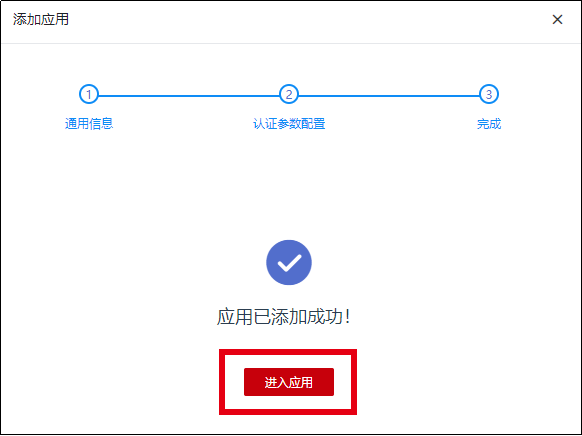
Then click Enter Application to go to the application configuration interface.
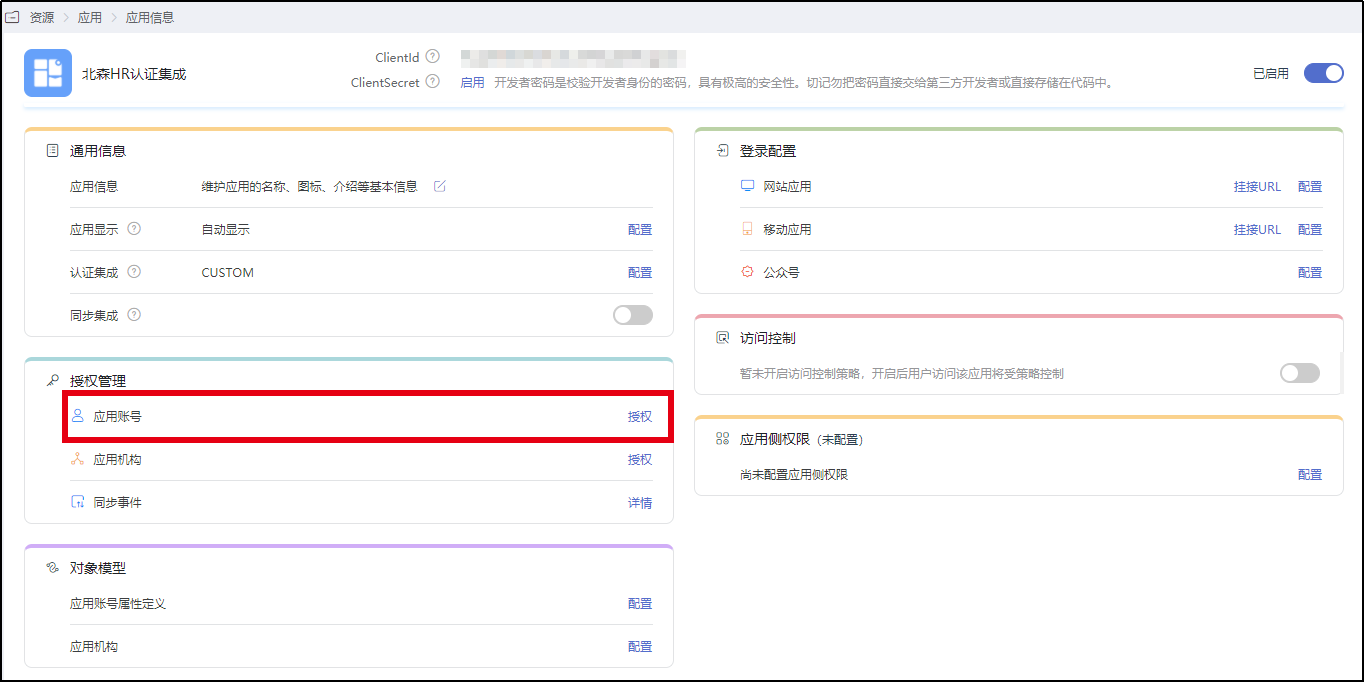
On the application configuration interface, authorize accounts that have permission to access the Beisen HR system.
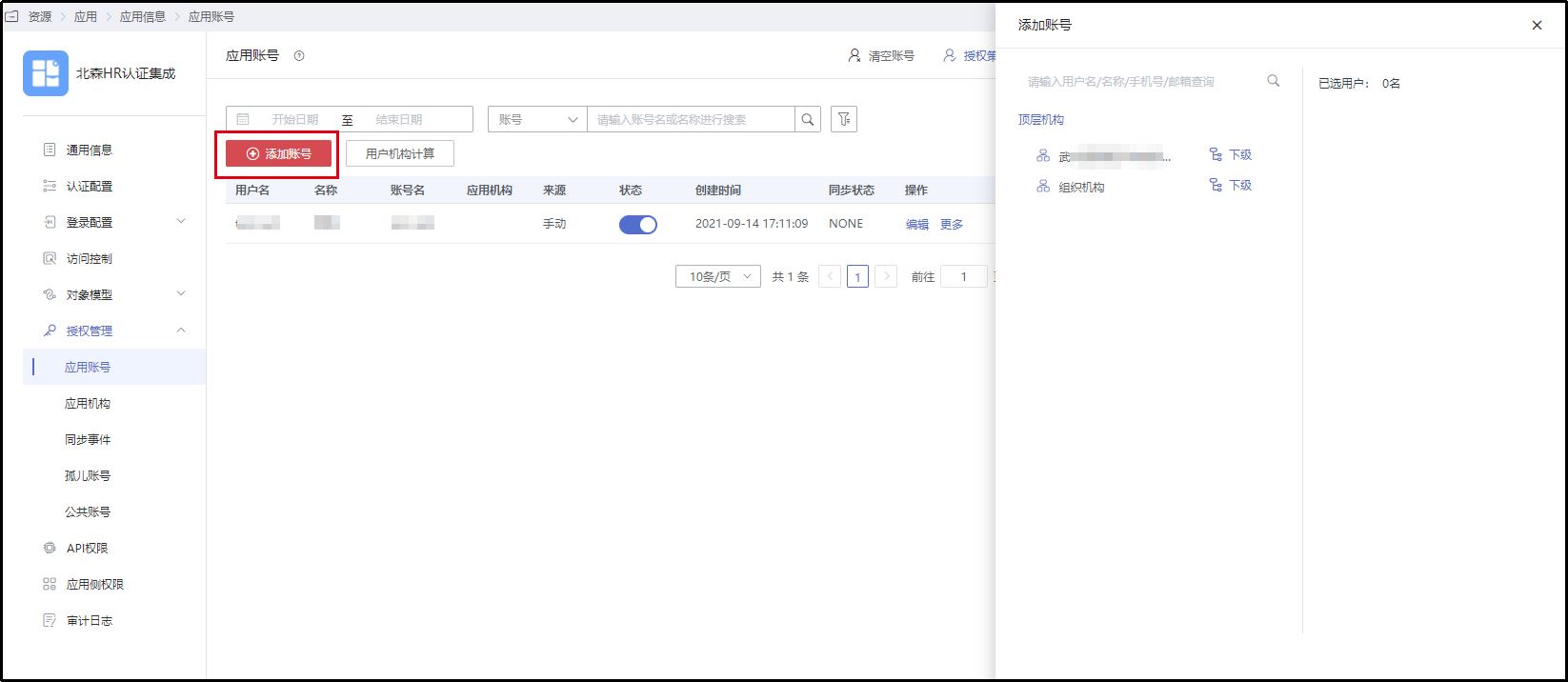
WARNING
Note: When authorizing application accounts in BambooCloud IDaaS, ensure that the person holding the BambooCloud IDaaS account also has a user account in the Beisen HR system. The unique identifier of the user in Beisen can be one of the following: Beisen username, Beisen user ID, or Beisen employee number. These three fields correspond to the account email, employee unique ID (userid), and employee number (jobnumber) respectively.
Login Verification
Use the BambooCloud IDaaS account authorized for the Beisen HR system to log in to the User Center of that tenant. Under this account, you can see the integrated Beisen HR application.
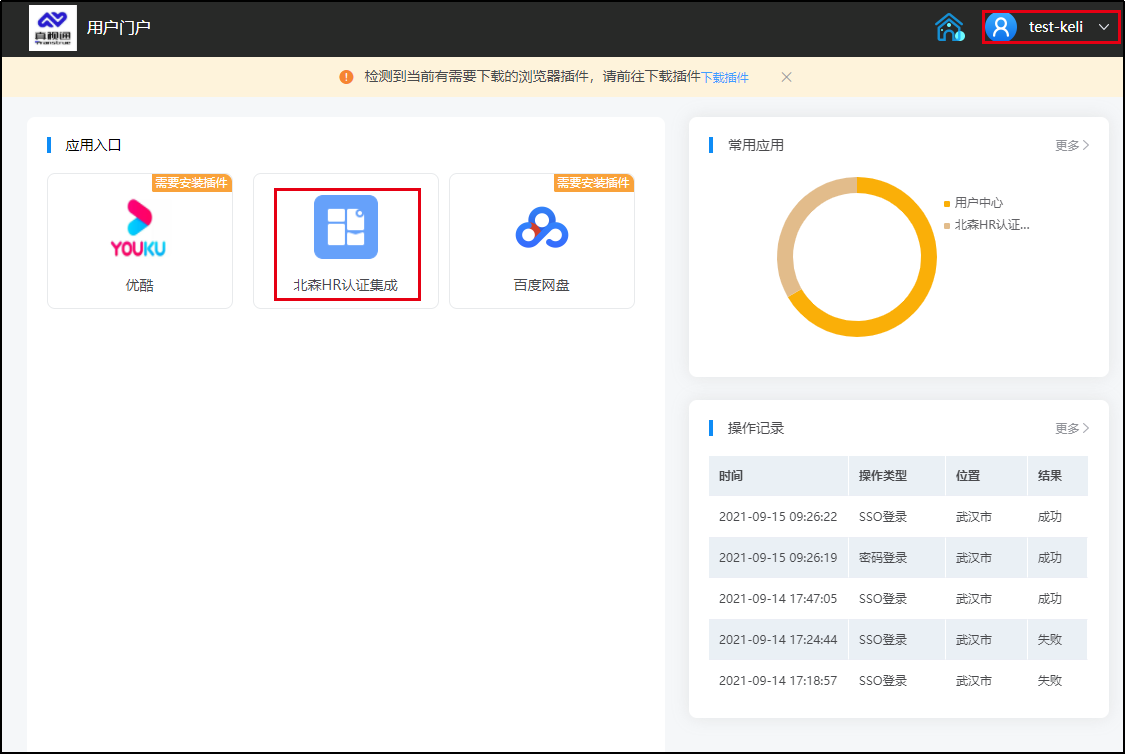
Click "Beisen HR Authentication Integration" to single sign-on into the Beisen HR system and achieve password-free login redirection.