
Baidu AI Cloud SSO
Description
By configuring BambooCloud IDaaS's SAML node and Baidu AI Cloud SP's External Account Access > IAM Role SSO, single sign-on (SSO) from BambooCloud IDaaS to Baidu AI Cloud is achieved in the role identity of Baidu AI Cloud. For Baidu AI Cloud configuration, refer to the documentation.
Authentication Configuration
Baidu AI Cloud Configuration
Log in to the Baidu AI Cloud console.
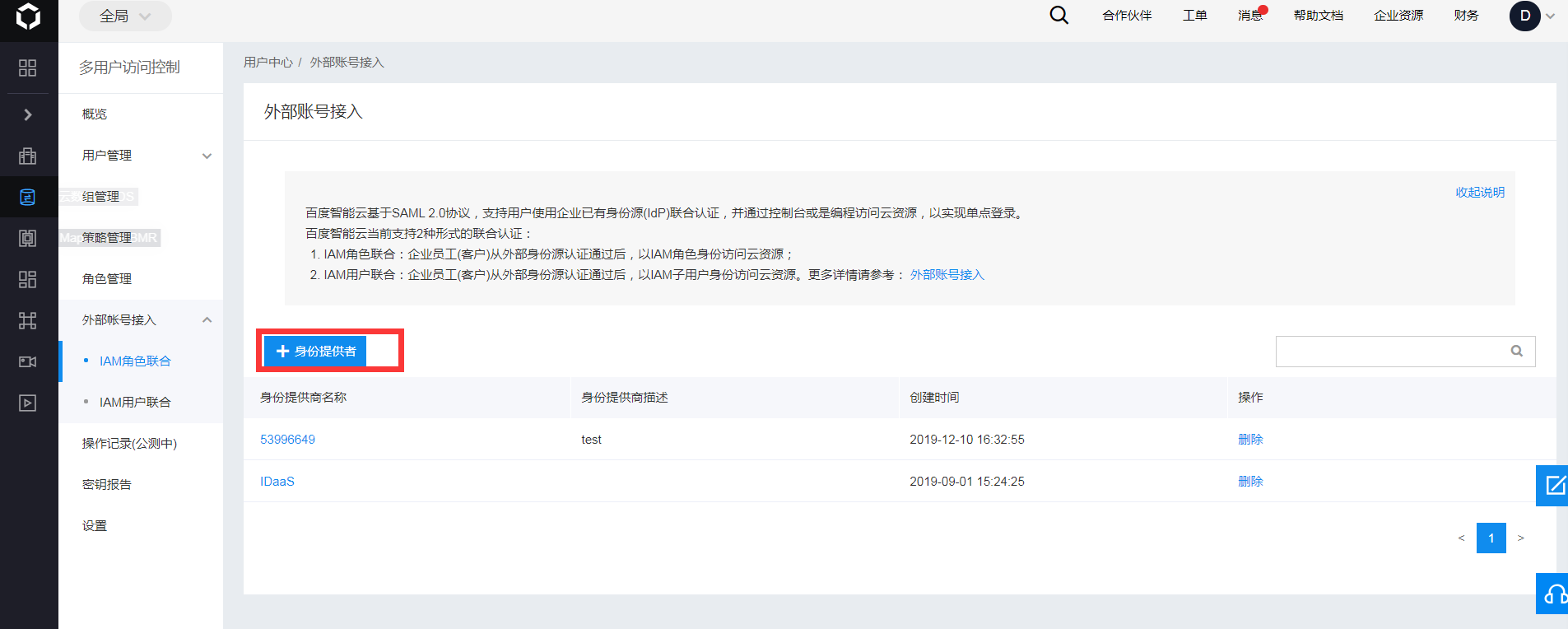
In "Multi-User Access Control", select External Account Access - IAM Role Federation.
Click Identity Provider.
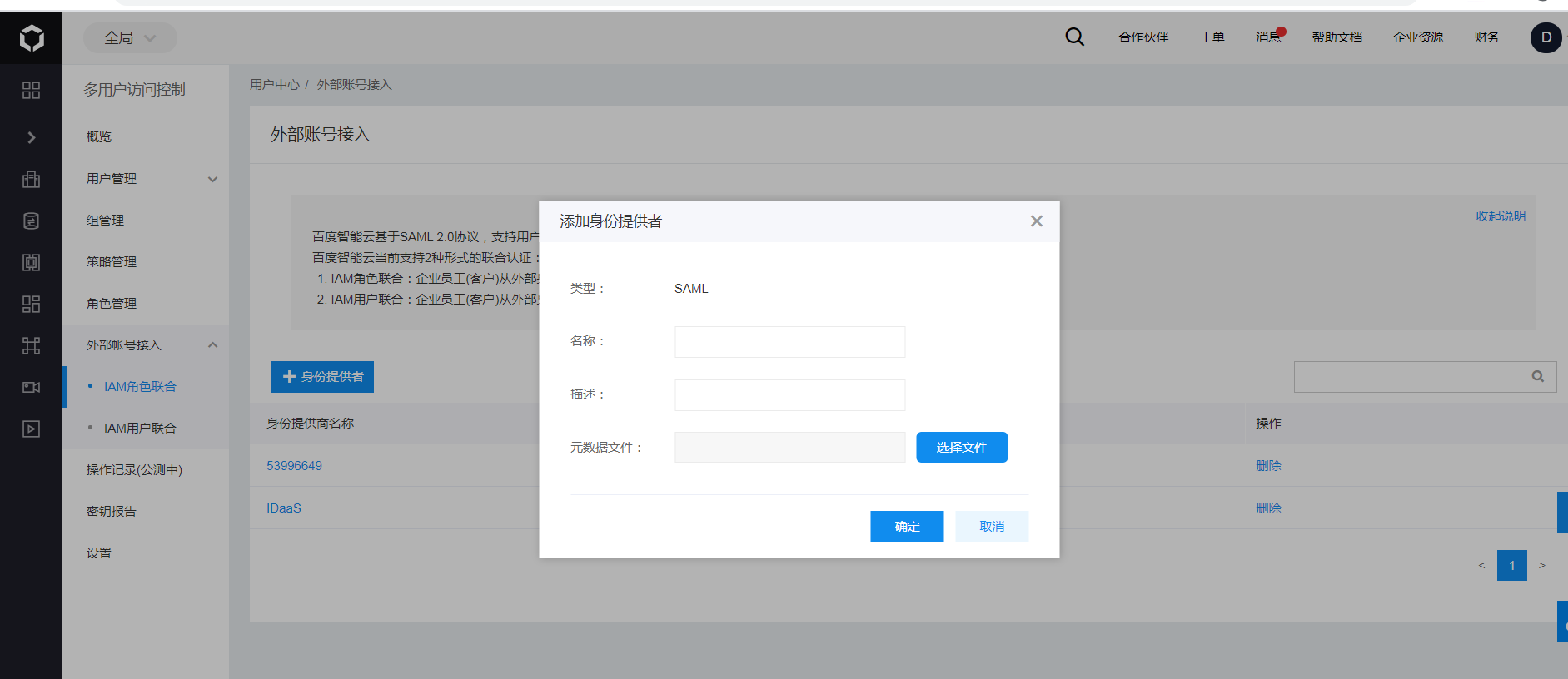
Fill in the name and upload the BambooCloud IDaaS IDP metadata file, then click Confirm. To download the BambooCloud IDaaS IDP metadata, visit https://{your_domain}/api/v1/saml2/idp/metadata.
Configure IAM roles and authorize.
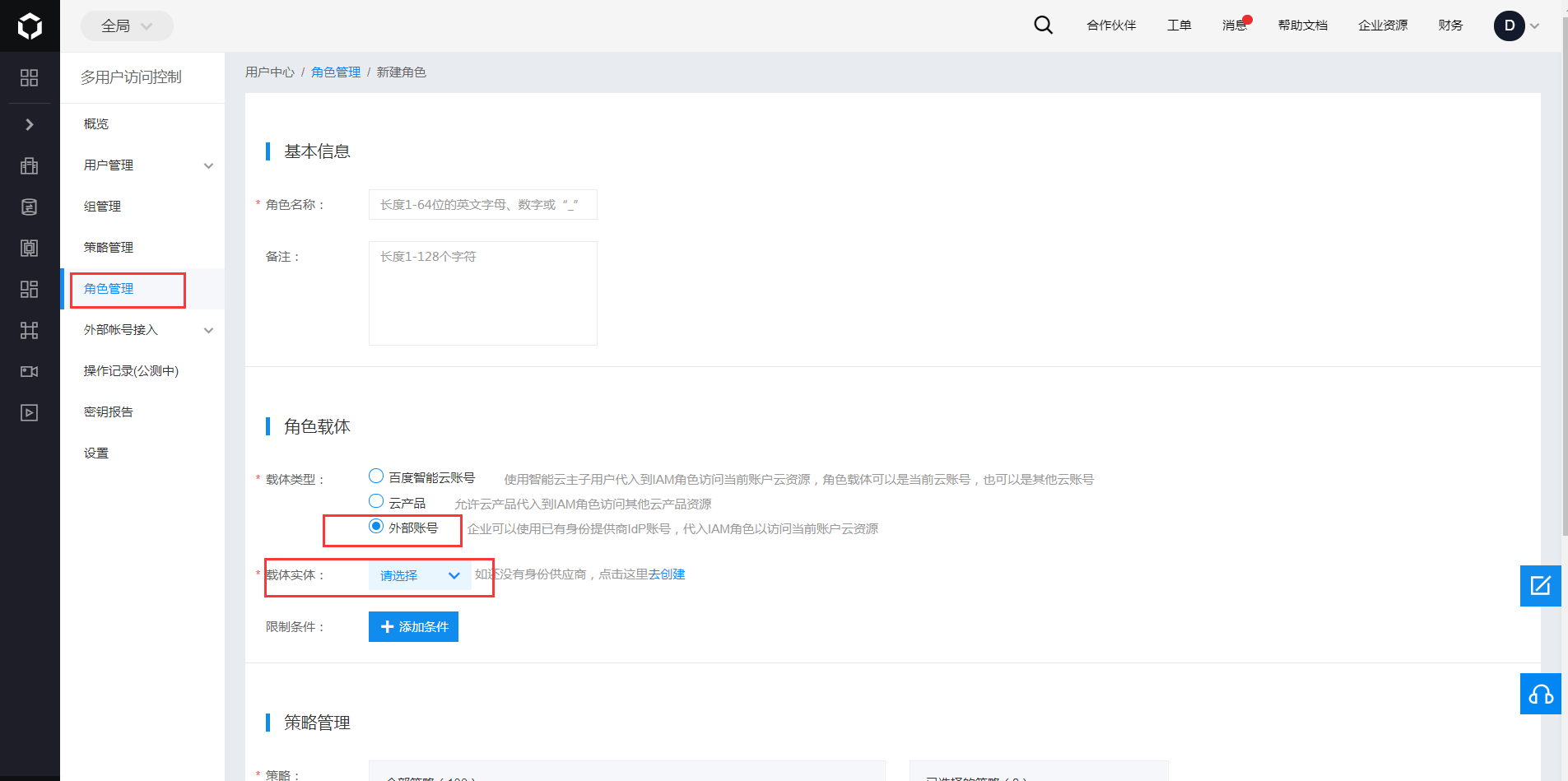
Click Role Management in the left navigation bar to configure the roles available when logging in to Baidu AI Cloud through external identity SSO. Here, the BCC administrator role is used as an example.
Click Create New Role, fill in the role name such as "BCCAdmin", and the description as "BCC Administrator Role".
In the role carrier, select the carrier type as External Account, and select the IDP name added in the previous step as the carrier instance.
You can also set condition restrictions for switching to Baidu AI Cloud for the IdP. Currently, the attribute fields supported by Baidu AI Cloud are: saml:iss, saml:aud, saml:cn, saml:eduPersonAffiliation, eduPersonPrincipalName. The purpose of adding restriction conditions is for more refined permission control. Only under certain matching conditions can SSO to Baidu AI Cloud be performed in the BCCAdmin role.
In Policy Management, grant "BCCFullControlAccessPolicy" to the current role, and click Complete.
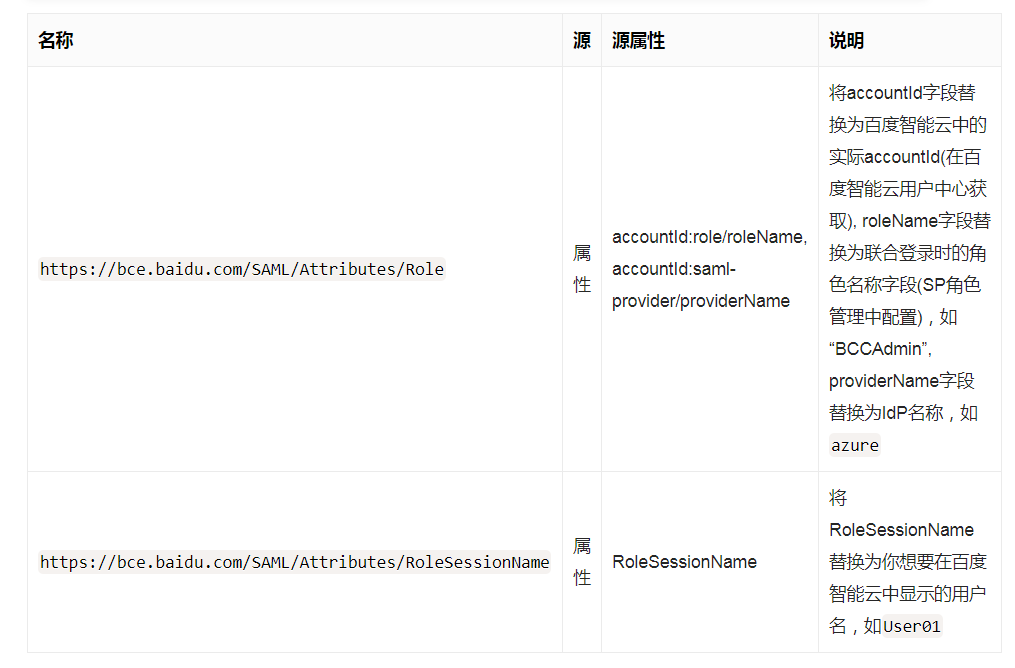
If you need to set different roles for the current IdP, you can continue to configure according to the above steps. When identities in the IdP SSO to Baidu AI Cloud, switching is performed through the roleName field of the https://bce.baidu.com/SAML/Attributes/Role attribute.
BambooCloud IDaaS Configuration
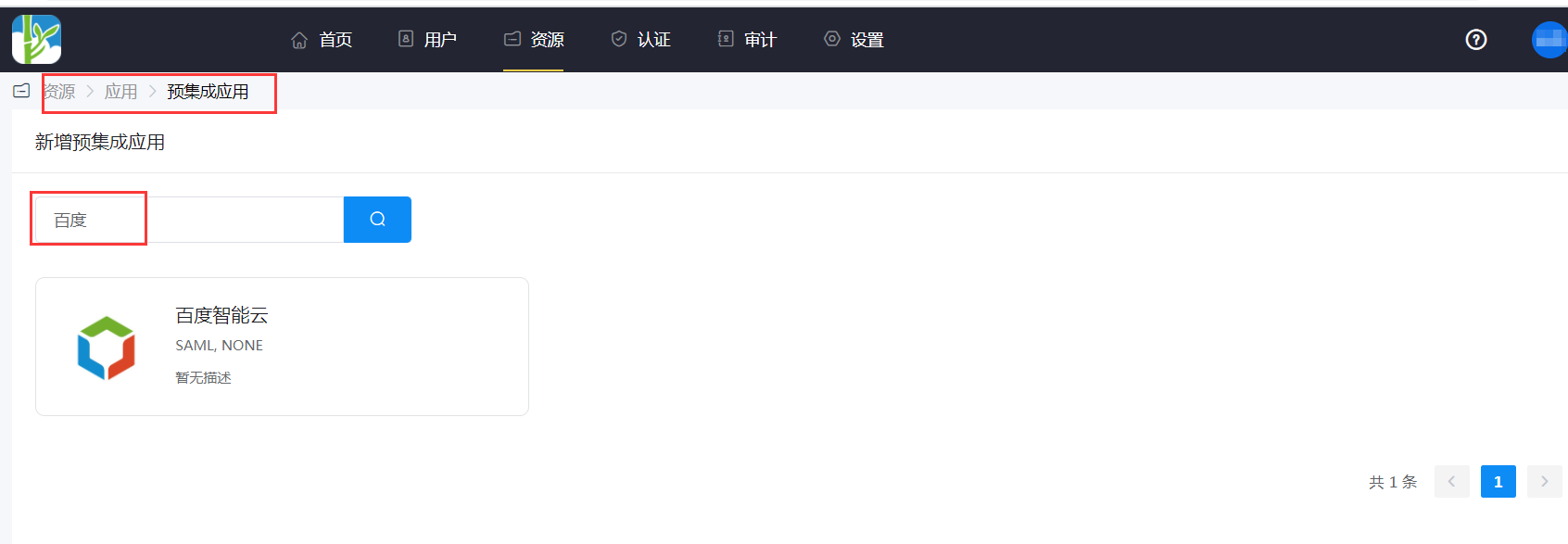
Add the Baidu AI Cloud pre-integrated application.
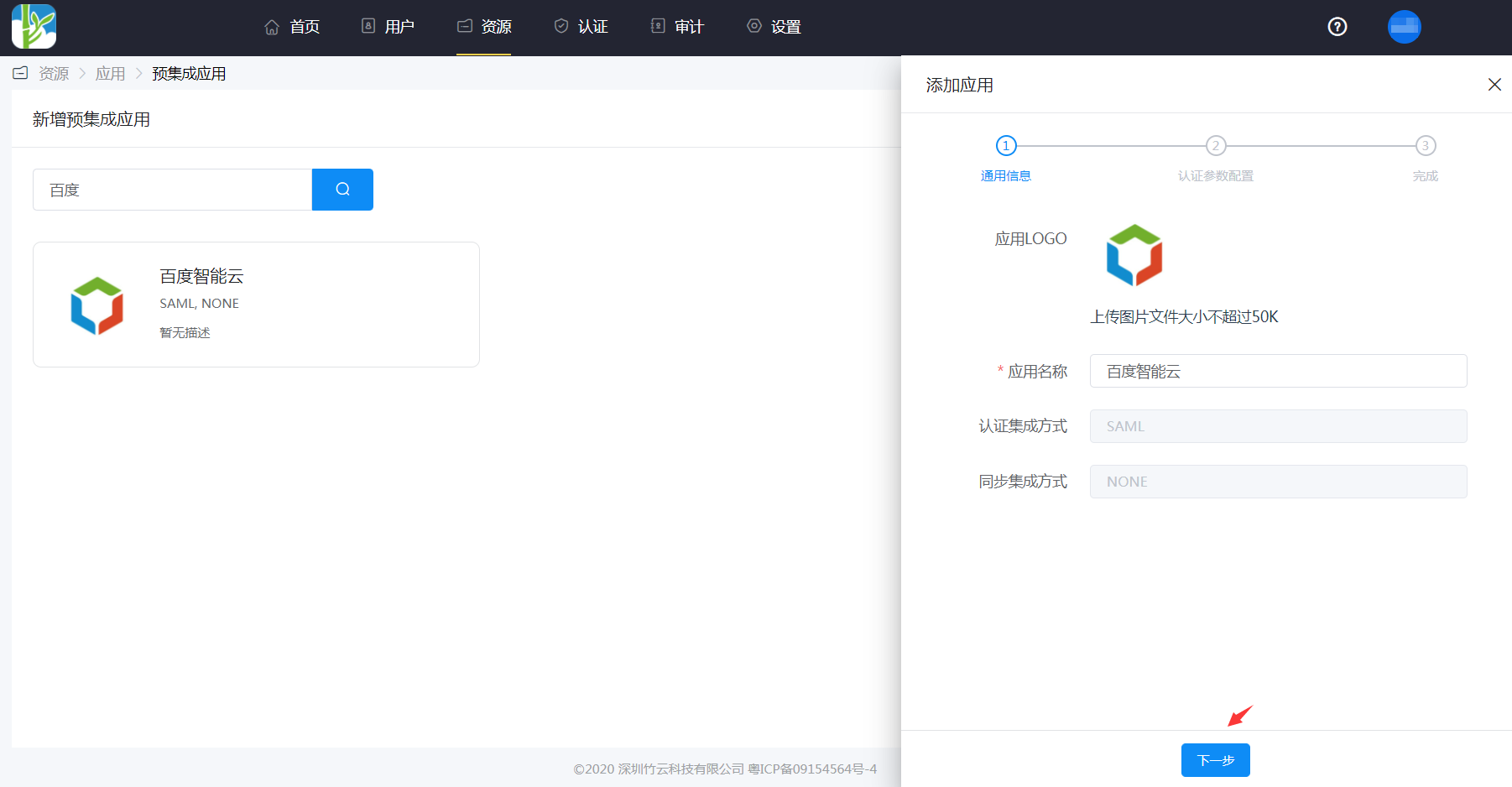
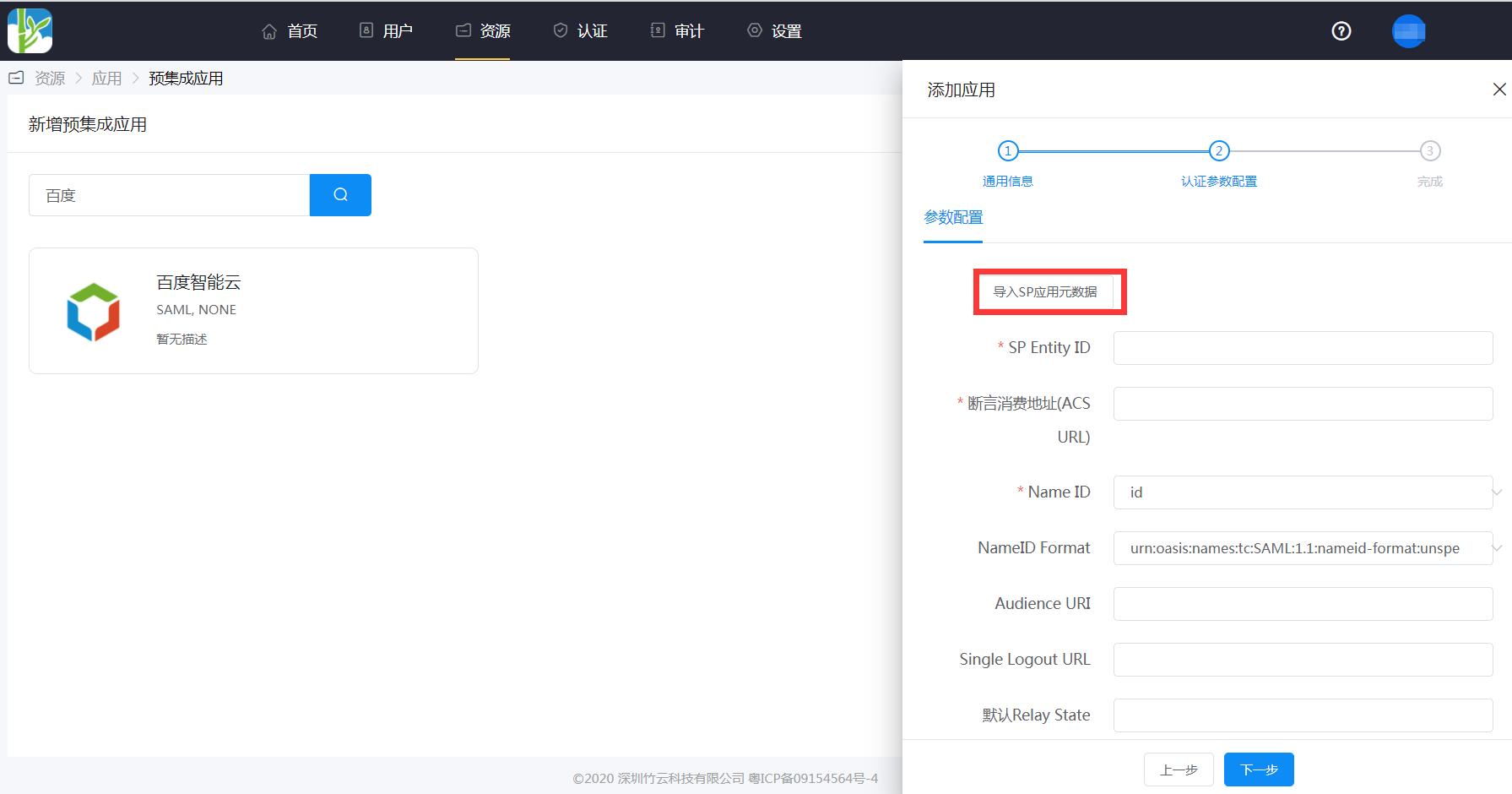
Configure authentication parameters. Save the Baidu AI Cloud metadata address as an sp.xml file.
Import the SP metadata or add it manually.
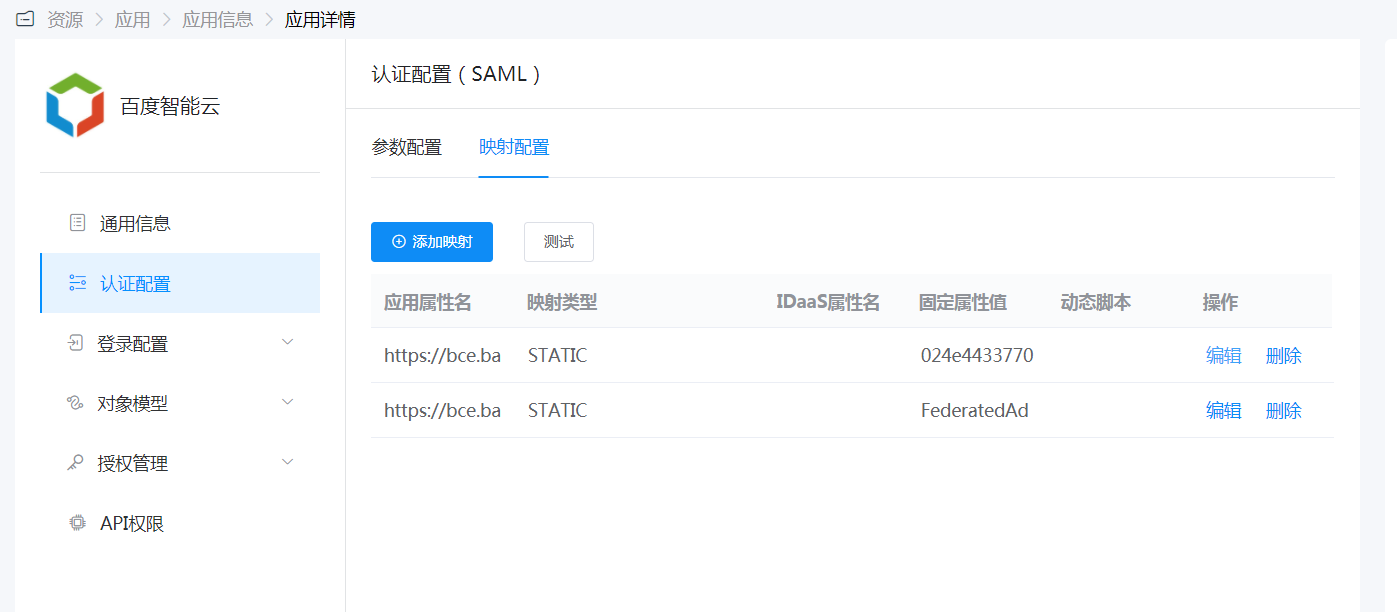
Mapping configuration.
Enter Application Details - Authorization Management - Application Account, click the Add Account button, and select the authorized user.
Login Verification
Authorized users enter the User Center, click the Baidu AI Cloud logo to single sign-on to the Baidu AI Cloud backend.