Fanruan FineReport CAS Single Sign-On
Overview
This article describes the authentication configuration between Fanruan FineReport and BambooCloud IDaaS to achieve BambooCloud IDaaS single sign-on to Fanruan FineReport.
Applicable version: V10.0.
Authentication Configuration
BambooCloud IDaaS Configuration
Log in to the BambooCloud IDaaS Enterprise Center and add the Fanruan FineReport pre-integrated application.
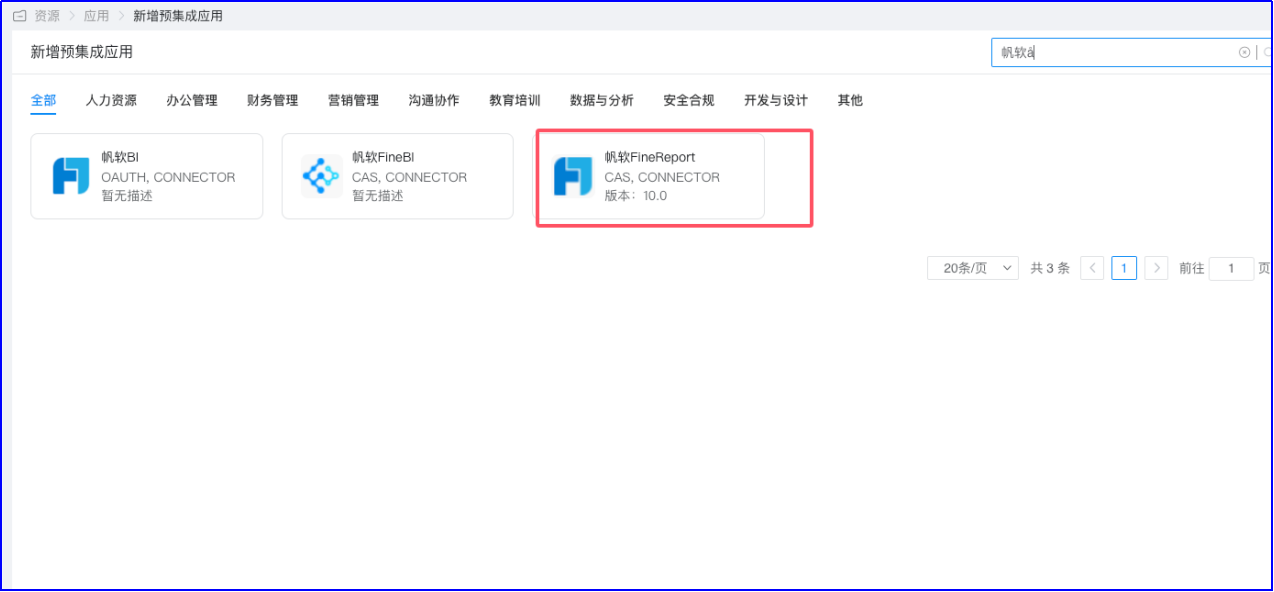
Configure authentication parameters. Fill in the application address as
http://ip:port/projectname/decision.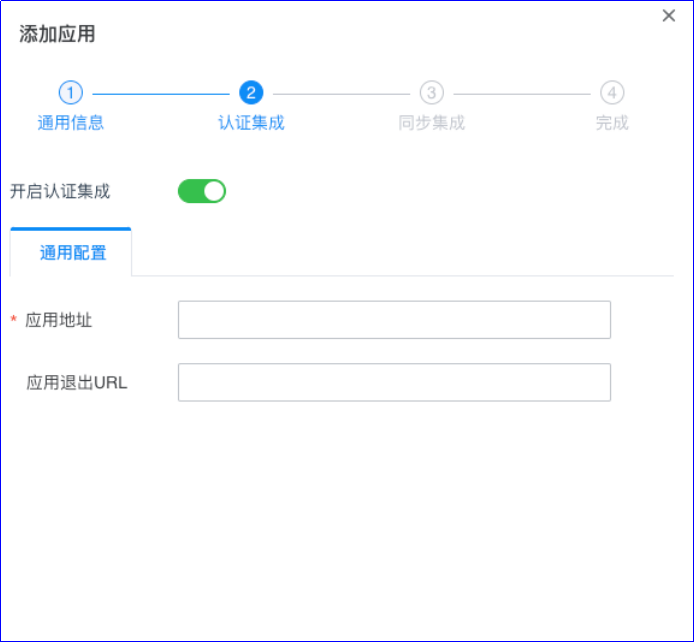
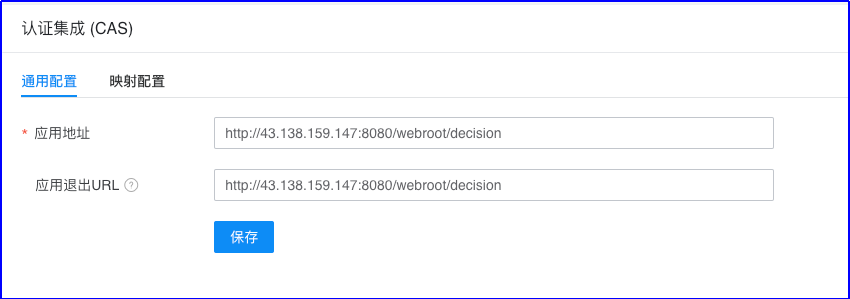
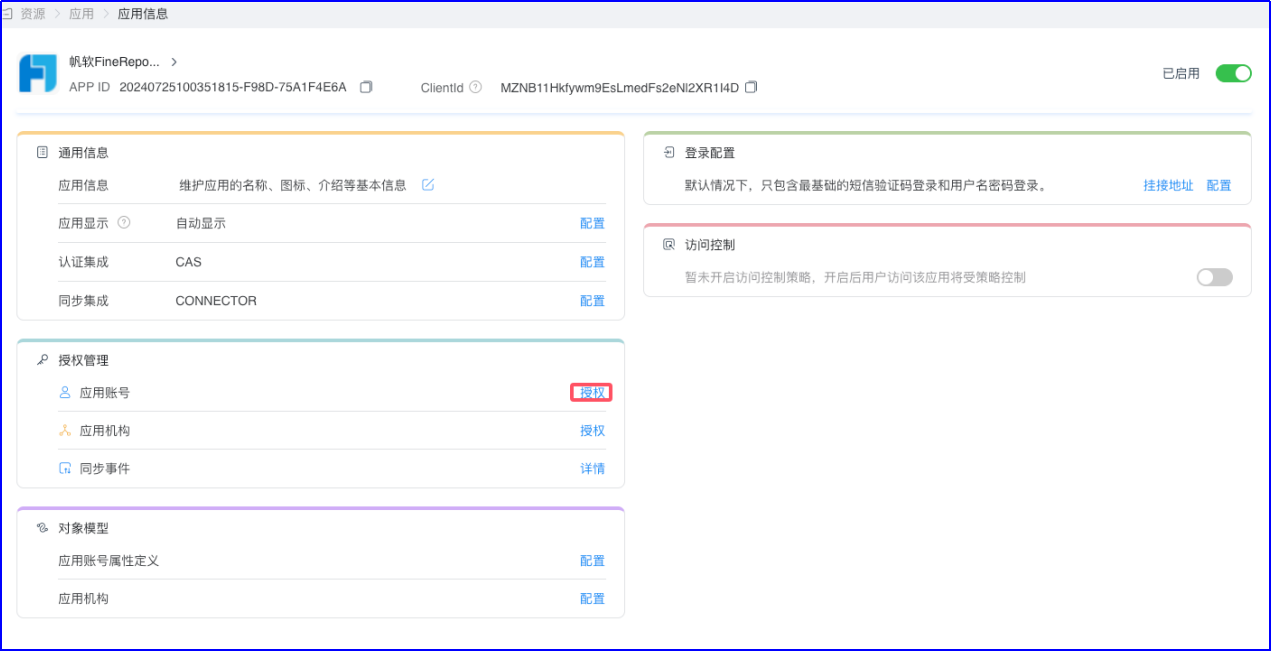
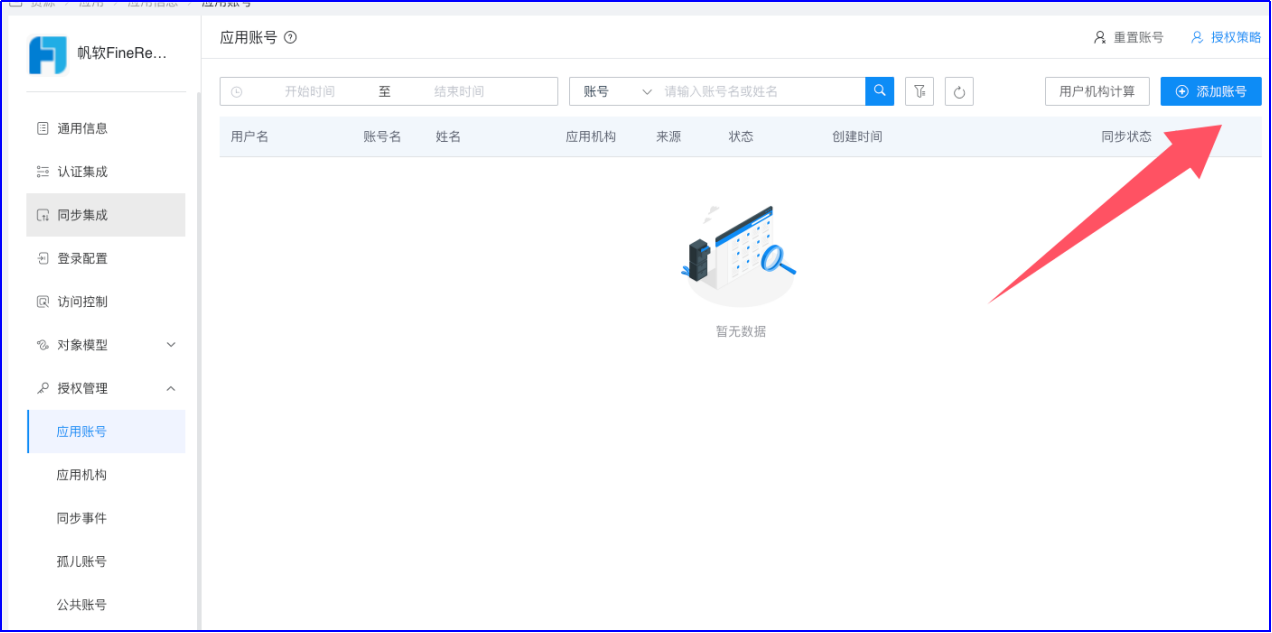
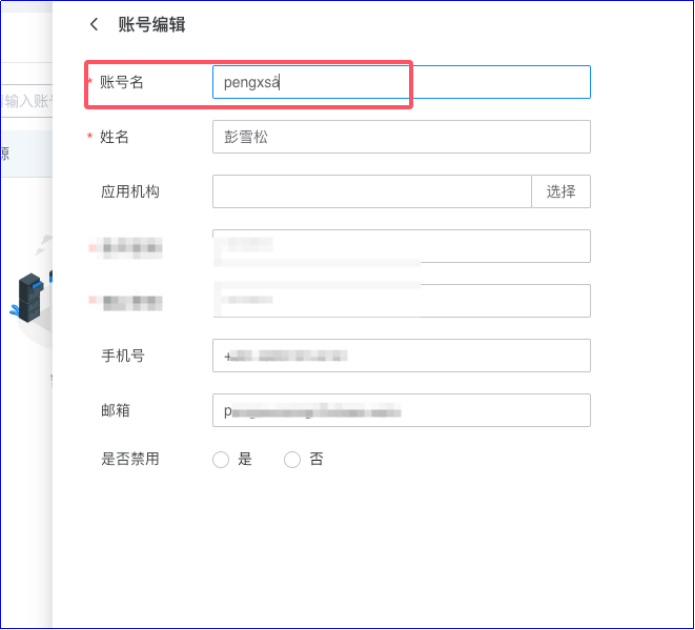
Authorize accounts. Enter the application details, Authorization Management > Application Account to authorize. The account name must be consistent with the username in Report.
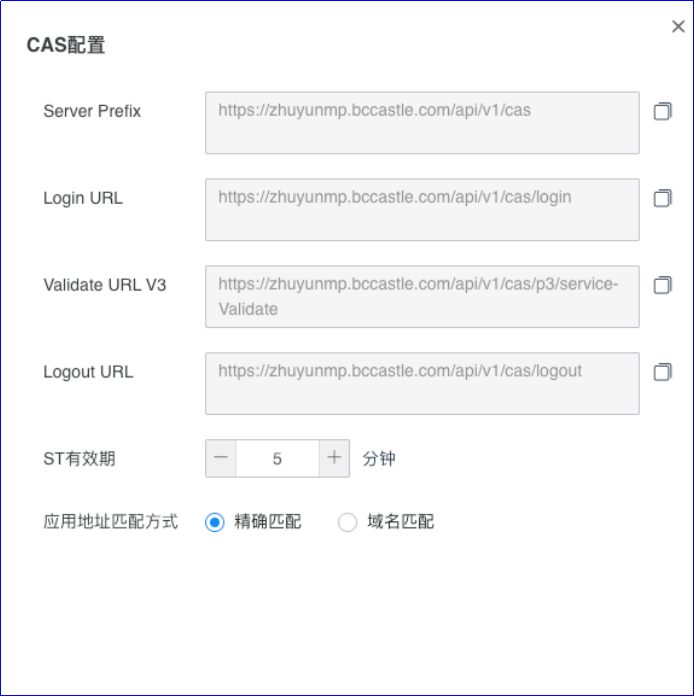
View CAS service configuration. Settings > Service Configuration > CAS Configuration
FineReport Configuration
Install the plugin
Log in to the FineReport backend as an administrator, go to Management System > Plugin Management, search for the CAS plugin, and click Install.
Plugin documentation address: https://help.fanruan.com/finereport/doc-view-4361?source=0&from=plug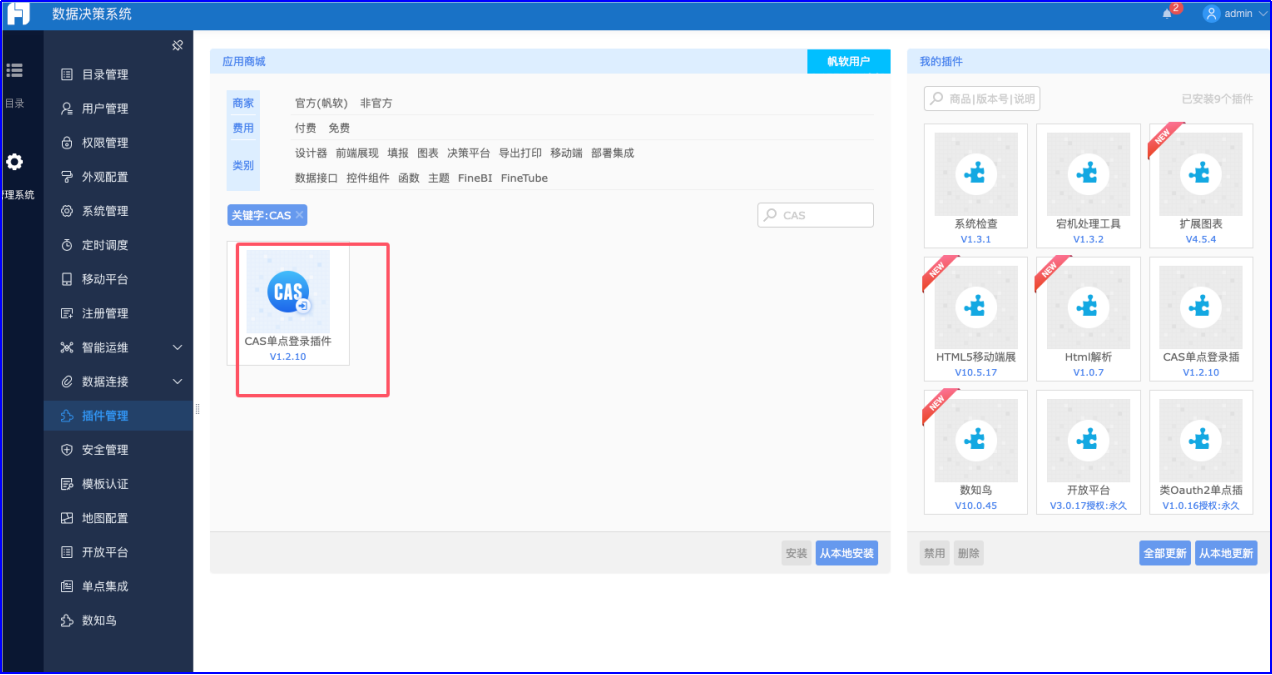
Configure CAS
Go to Management System > System Management > Integrate CAS SSO, and enable CAS single sign-on.
Edit the configuration parameters and save.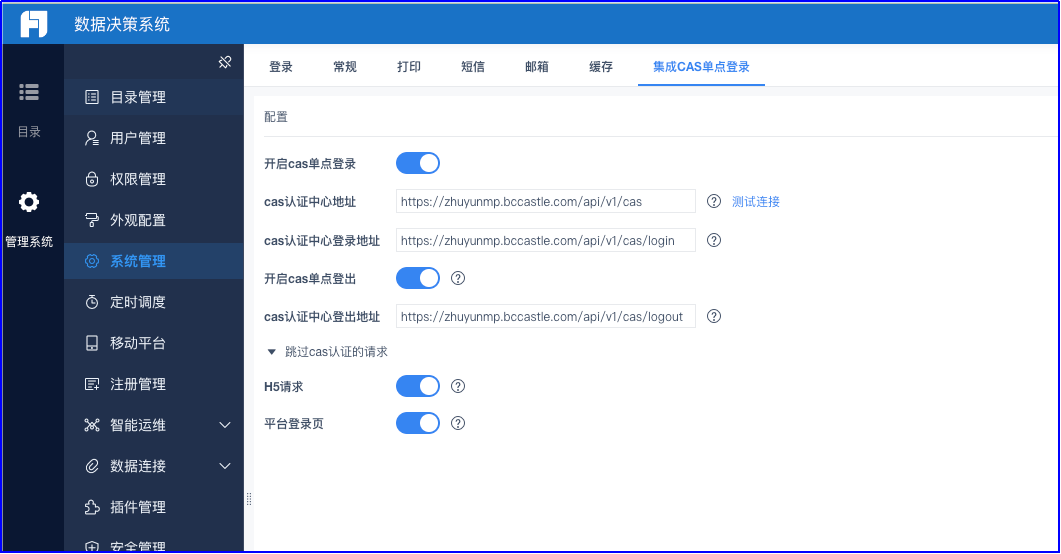
Login Verification
Access the Fanruan Report address,
http://reportserver.com/webroot/decision.You will be redirected to the BambooCloud IDaaS login page. Enter the authorized account login information to enter BI.