
Fanruan Data Synchronization
Overview
This article describes how to synchronize organization and user data from BambooCloud IDaaS to Fanruan, realizing data flow from BambooCloud IDaaS to Fanruan.
Synchronization Configuration
Fanruan Configuration
Log in to the Fanruan Data Decision System.
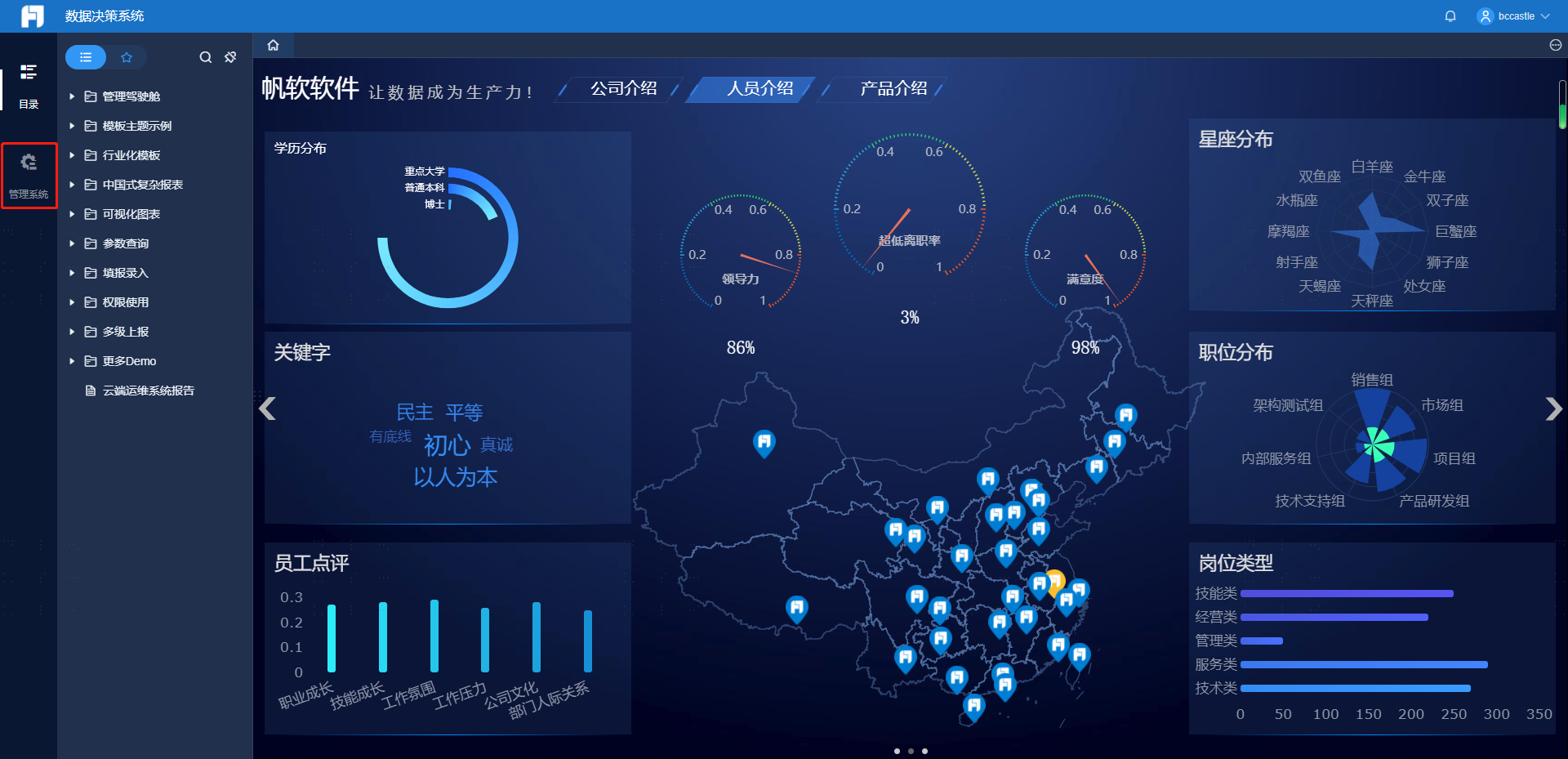
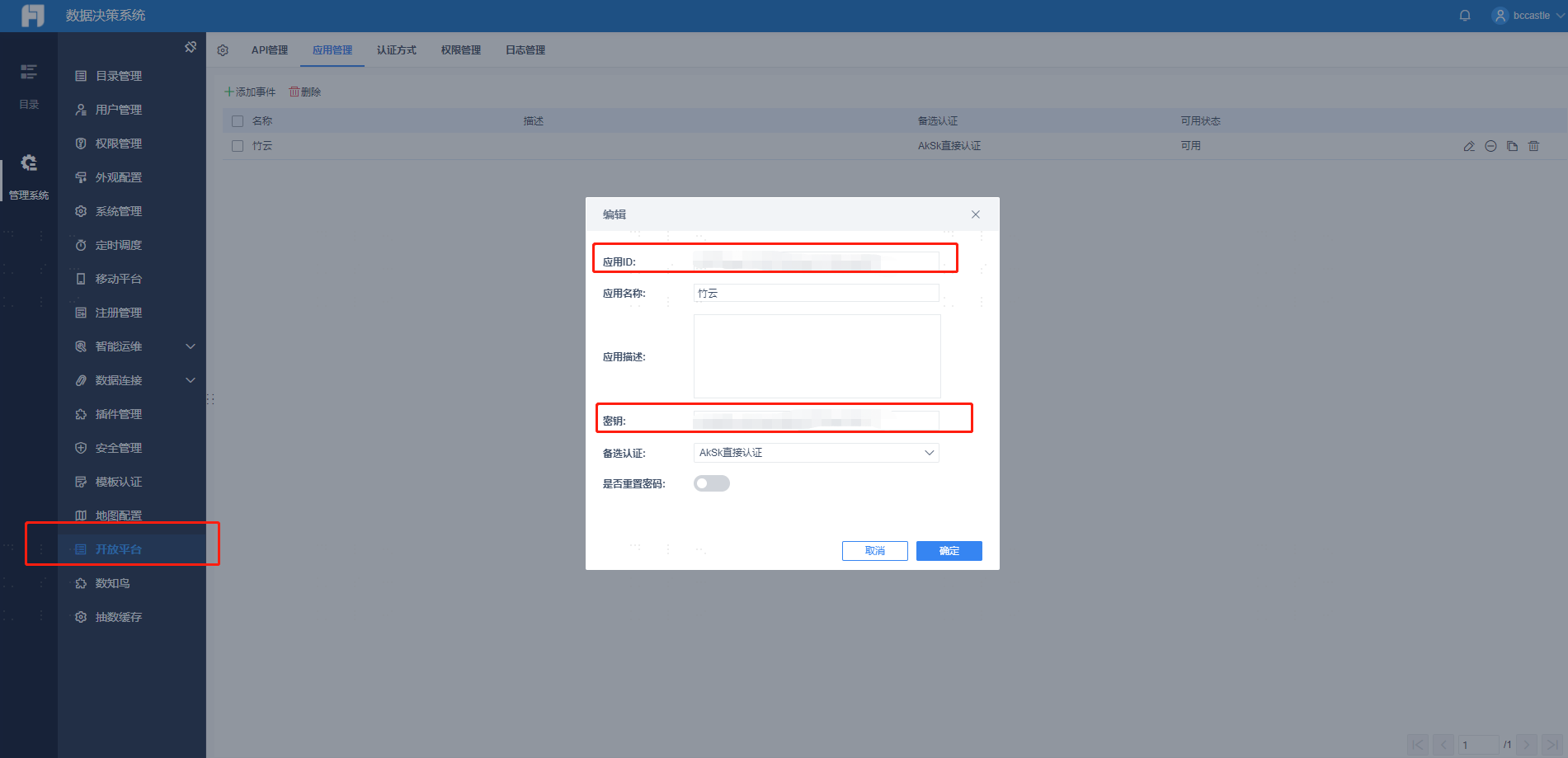
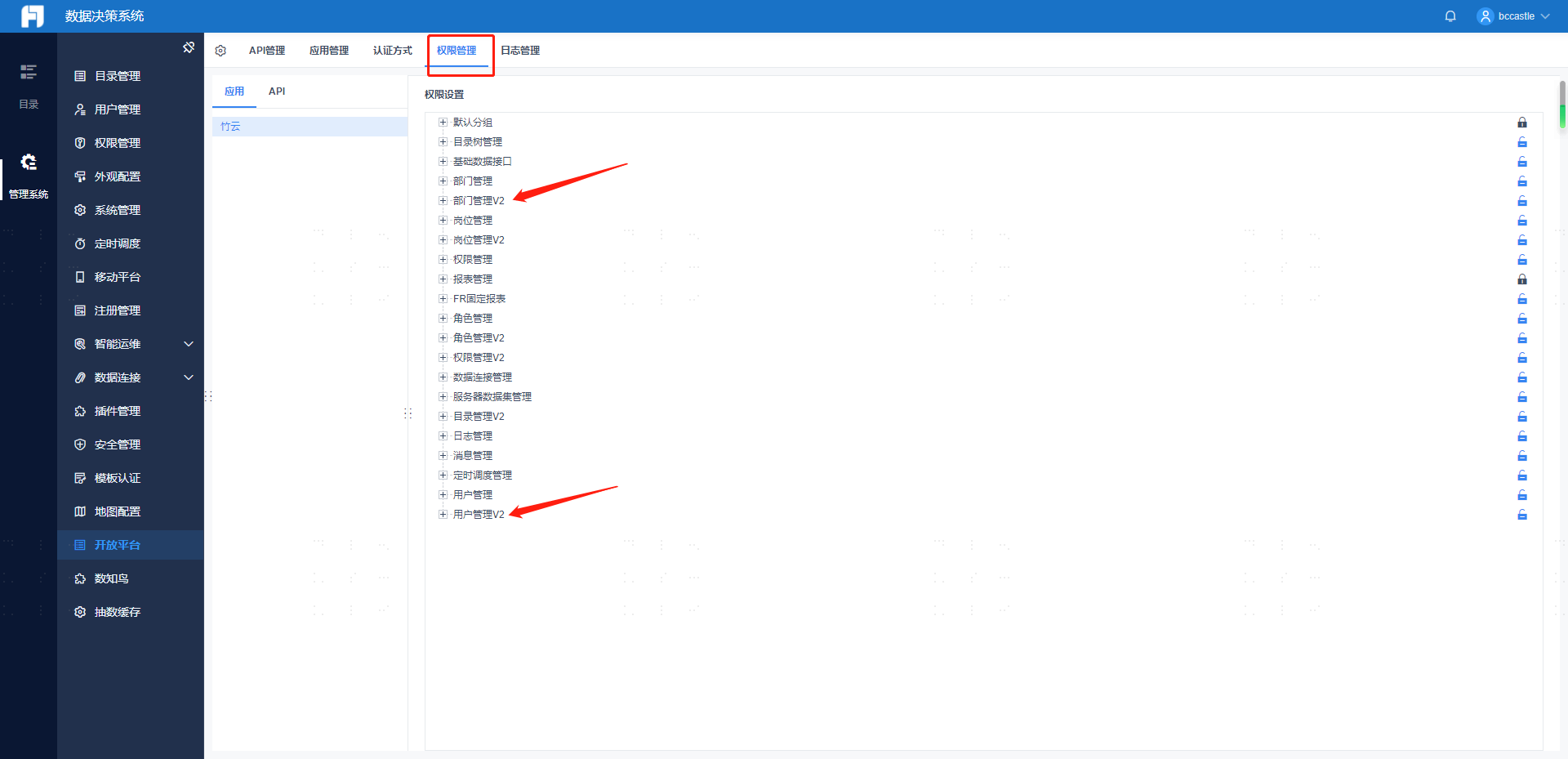
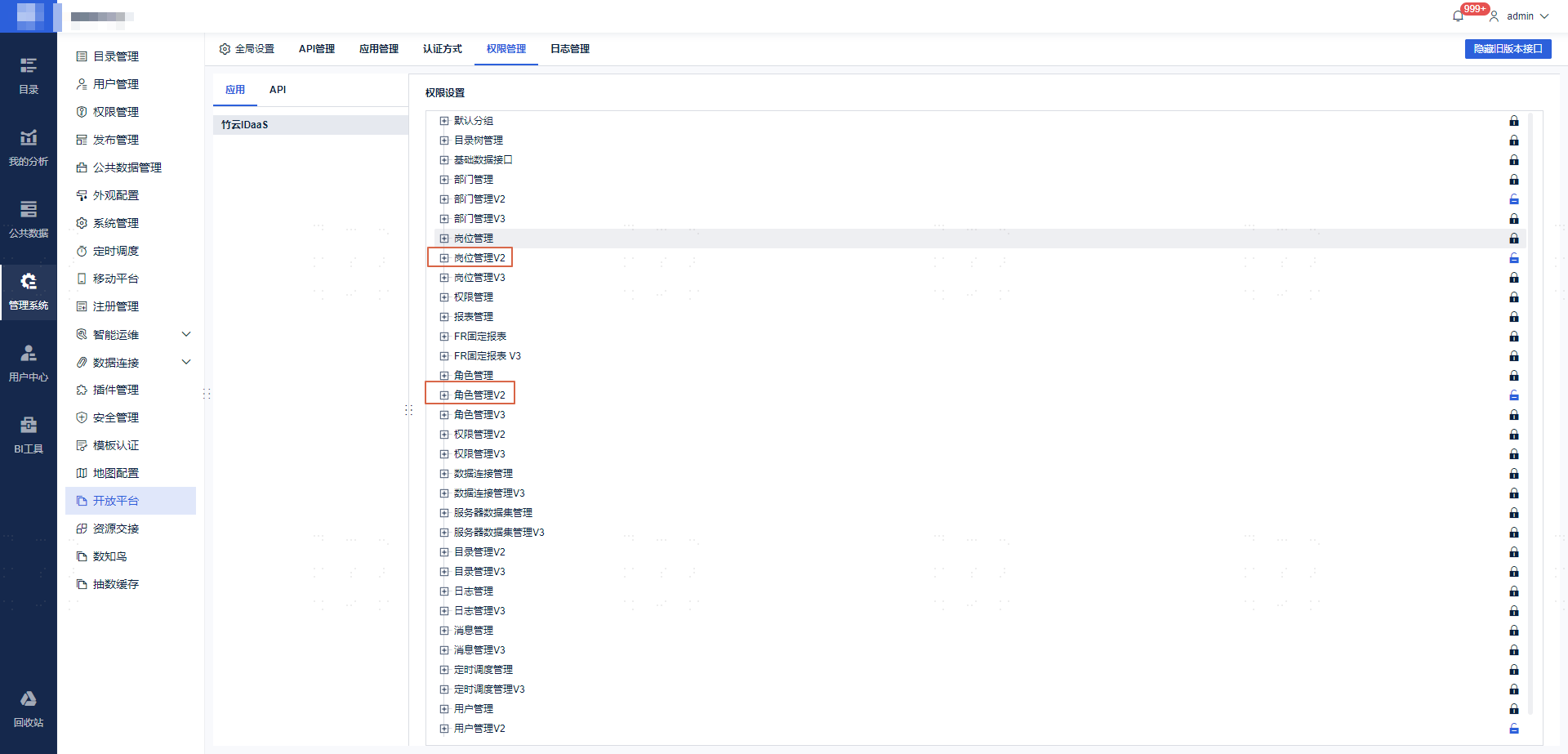
Go to Management System -> Open Platform -> Application Management, select the application, view the application ID and secret, and enable API interface permissions.
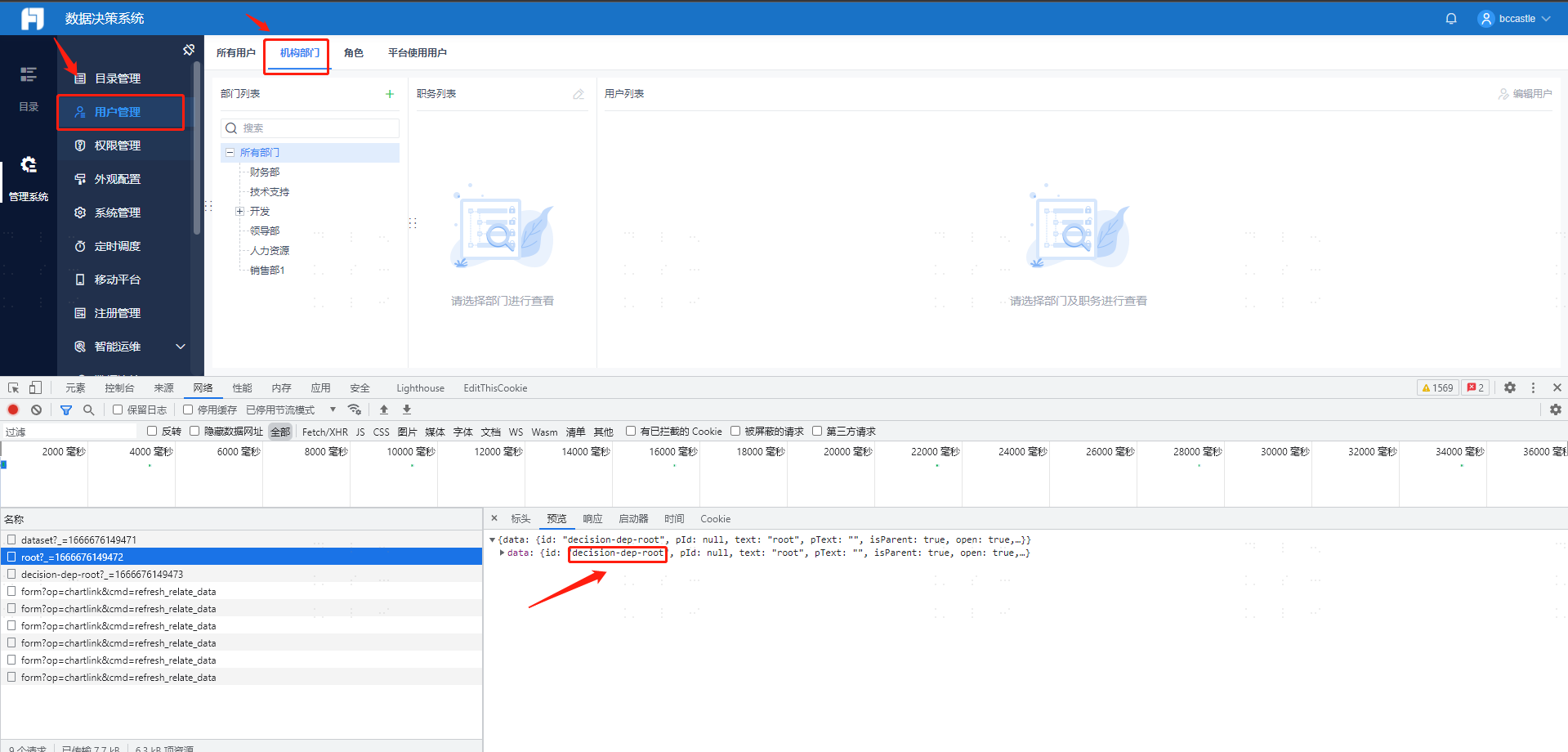
View the root department node ID.
To connect positions or roles, you need to enable the corresponding interface permissions.
BambooCloud IDaaS Configuration
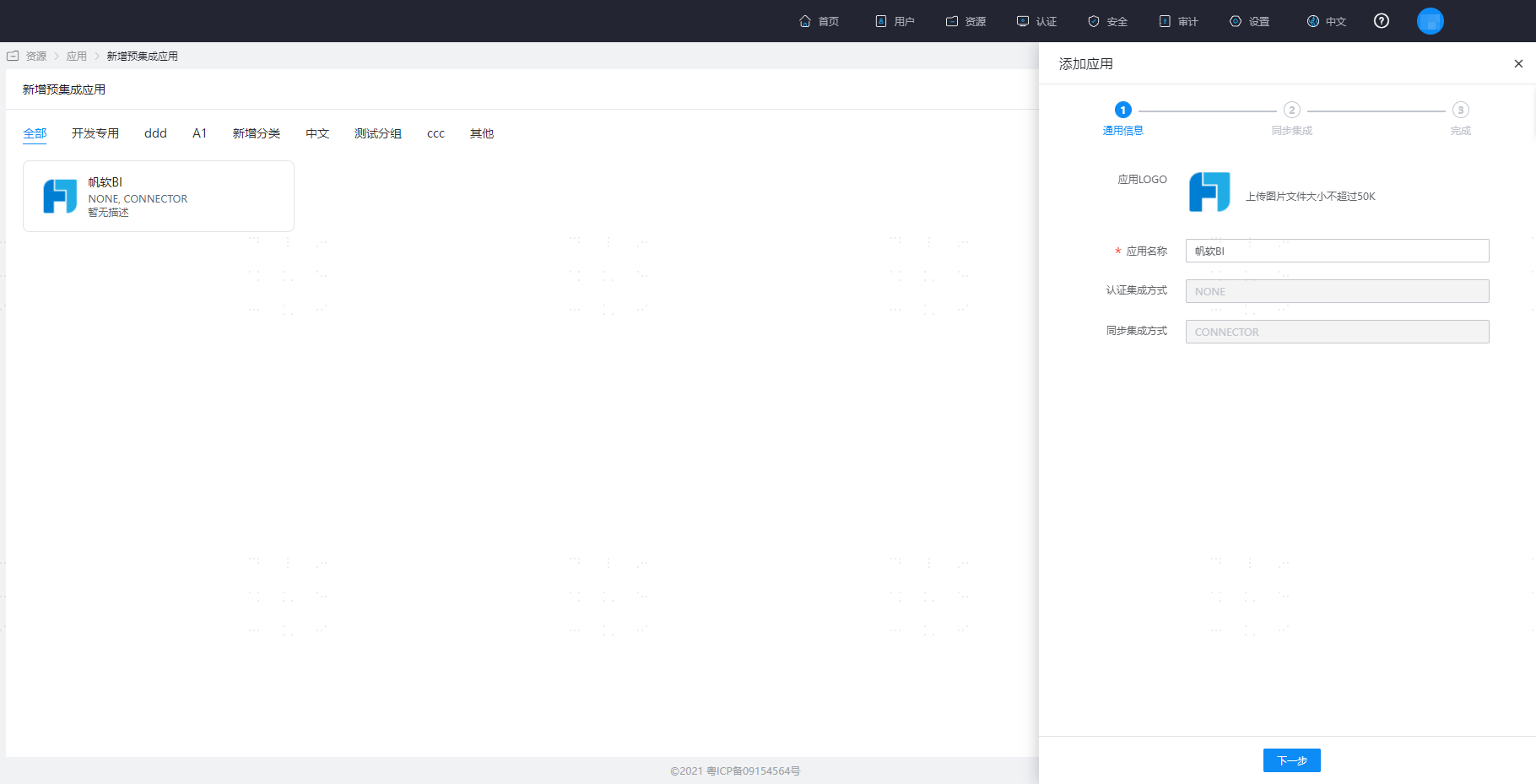
Add the Fanruan pre-integrated application.
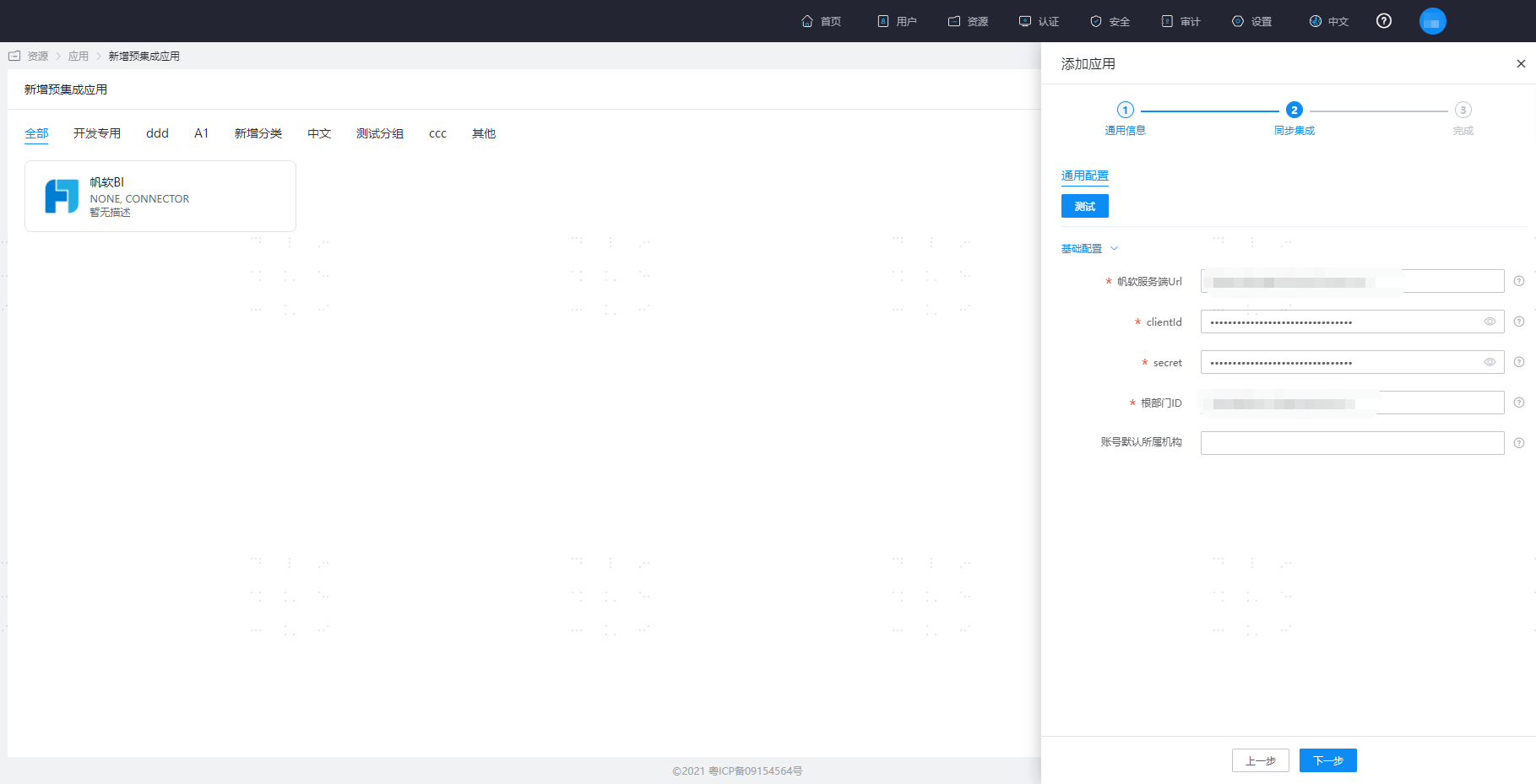
Configure application parameters.
- Fanruan Server URL: The address prefix of the Fanruan application
- clientId: The ID of the Fanruan application
- secret: The secret of the Fanruan application
- Root Department ID: The organization synchronized from BambooCloud IDaaS will be mounted under the specified root department of Fanruan by default
- Default Organization for Accounts: Fill in the remote ID of the Fanruan organization. After configuration, the created accounts will be mounted under this organization by default. At this time, even if the mapping definition configures the mapping of the account's affiliated department, it will not take effect, nor will it trigger the update of the account's affiliated organization attribute.
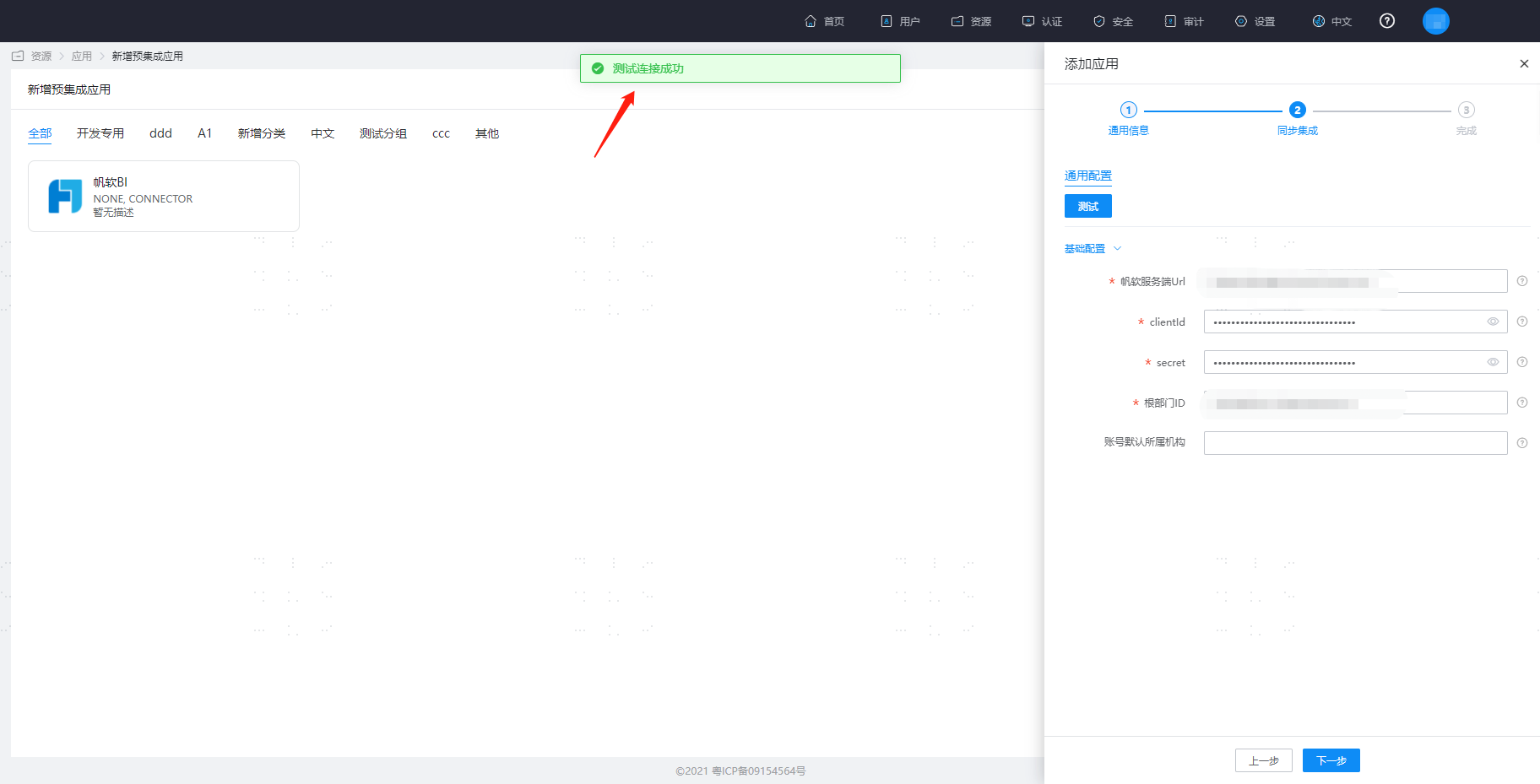
Click Test. After the test is successful, save the application.
Common Issues
When synchronizing users to Fanruan, username, name, and password are required fields. The default attributes of the BambooCloud IDaaS application template are required. When synchronizing positions to Fanruan, both position and organization must be configured as always mapped in order to synchronize positions to Fanruan.
Reference Links
Reference document: Fanruan Open Platform.