Feishu Data Synchronization
Overview
This article describes the synchronization configuration between Feishu and BambooCloud IDaaS to synchronize BambooCloud IDaaS organization and user data to Feishu.
Synchronization Configuration
Feishu Configuration
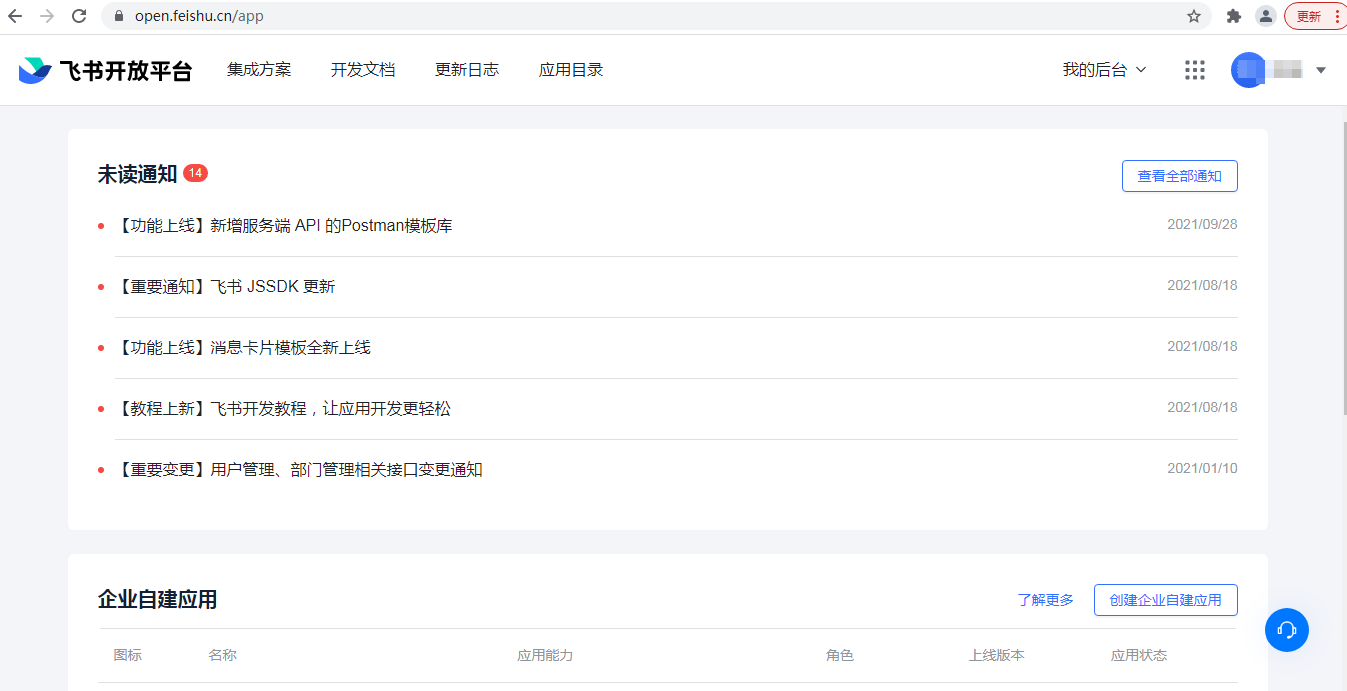
Log in to the Feishu Open Platform --> Developer Backend.
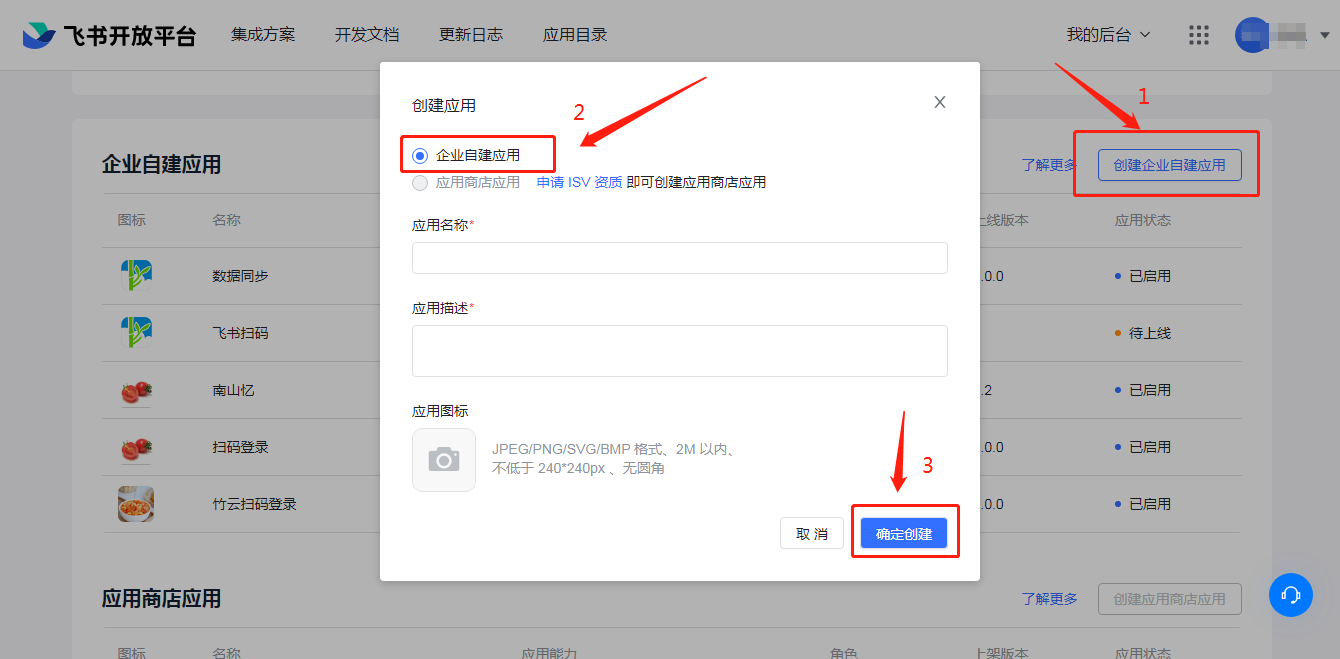
Create an enterprise self-built application.
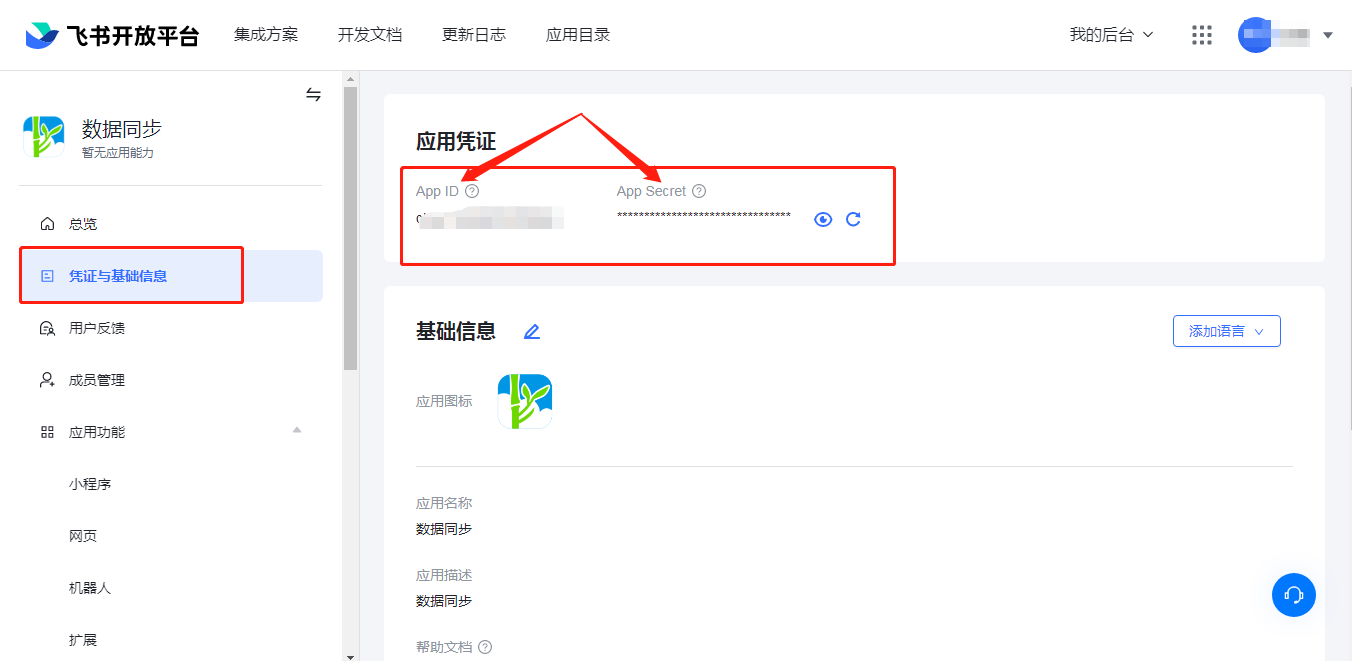
Obtain the application APP ID and APP Secret.
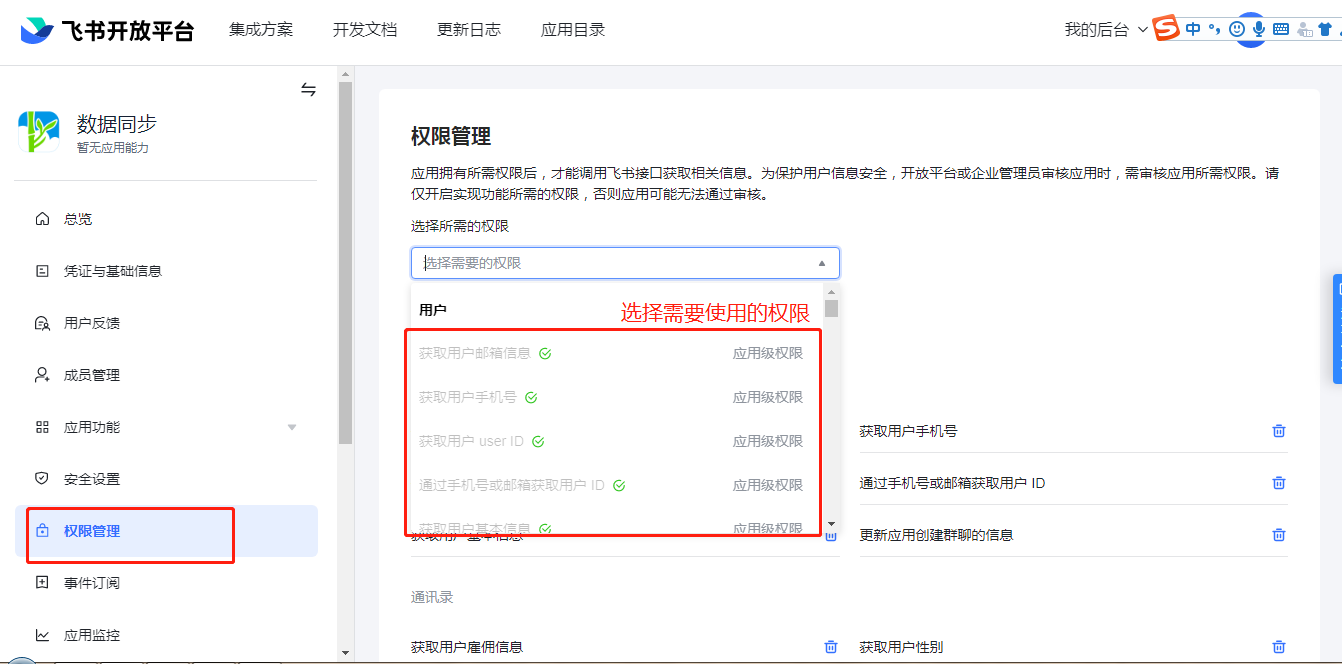
Apply for interface permissions.
Feishu Extended Attributes Configuration
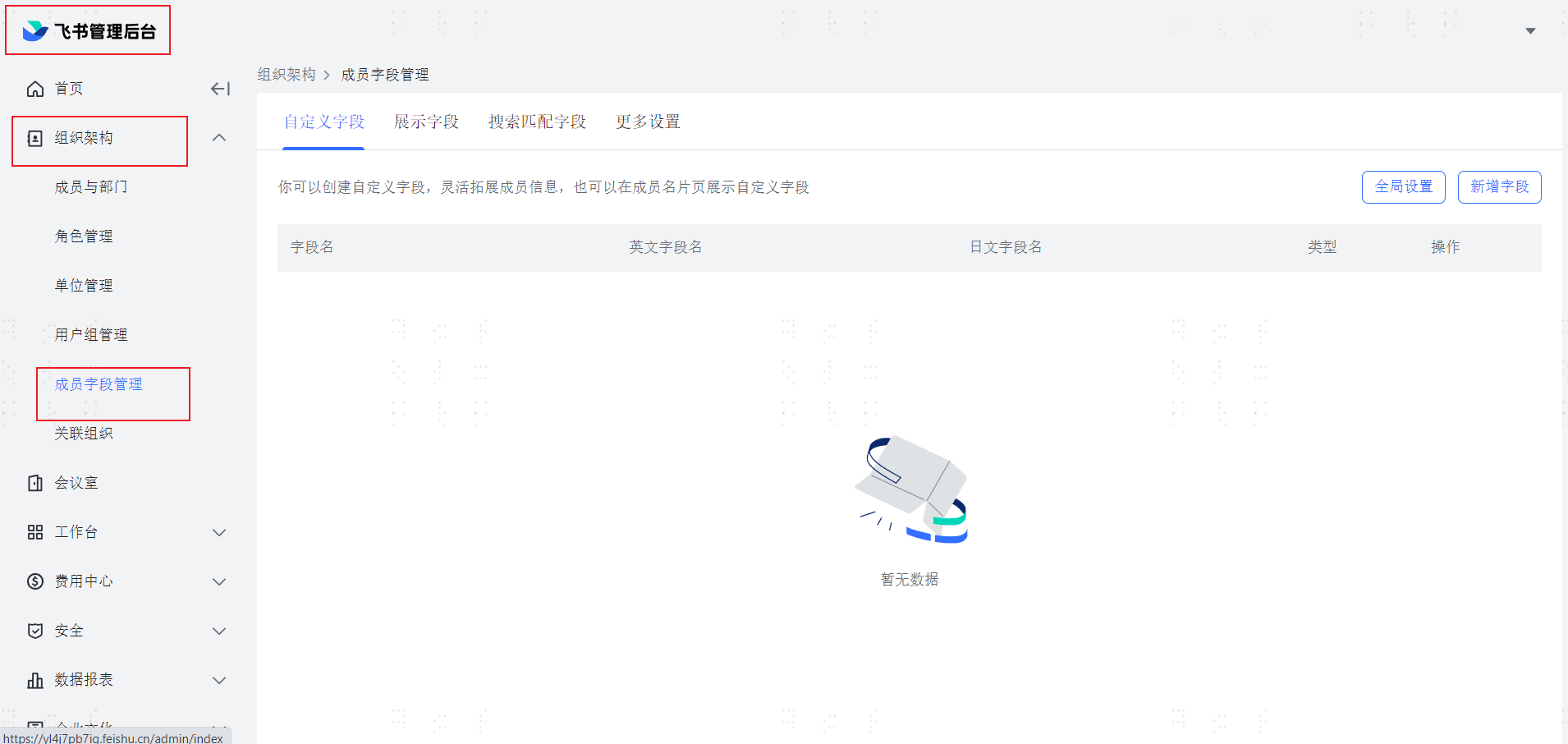
Log in to the Feishu Management Backend. Go to Organization -> Member Field Management.
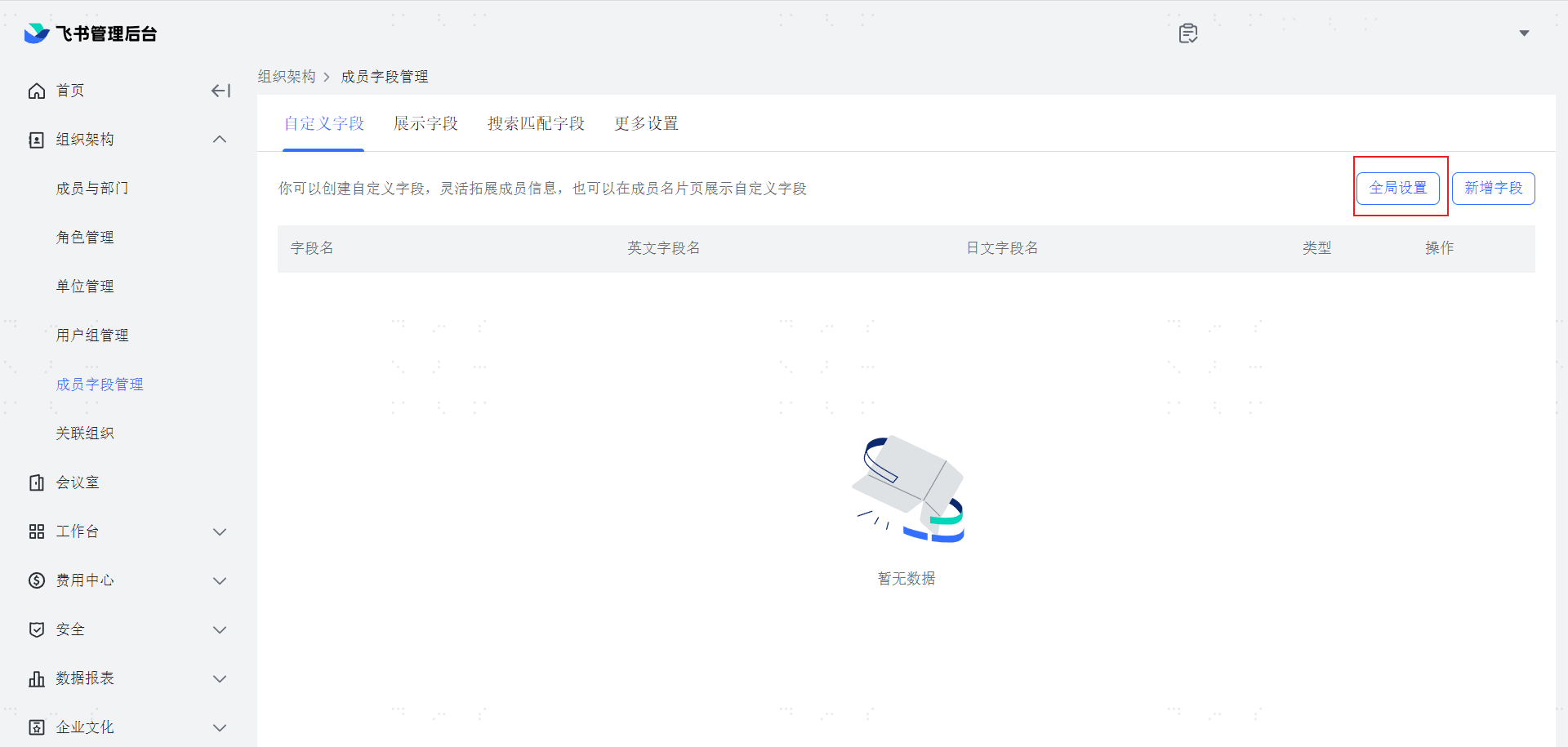
Click Global Settings.
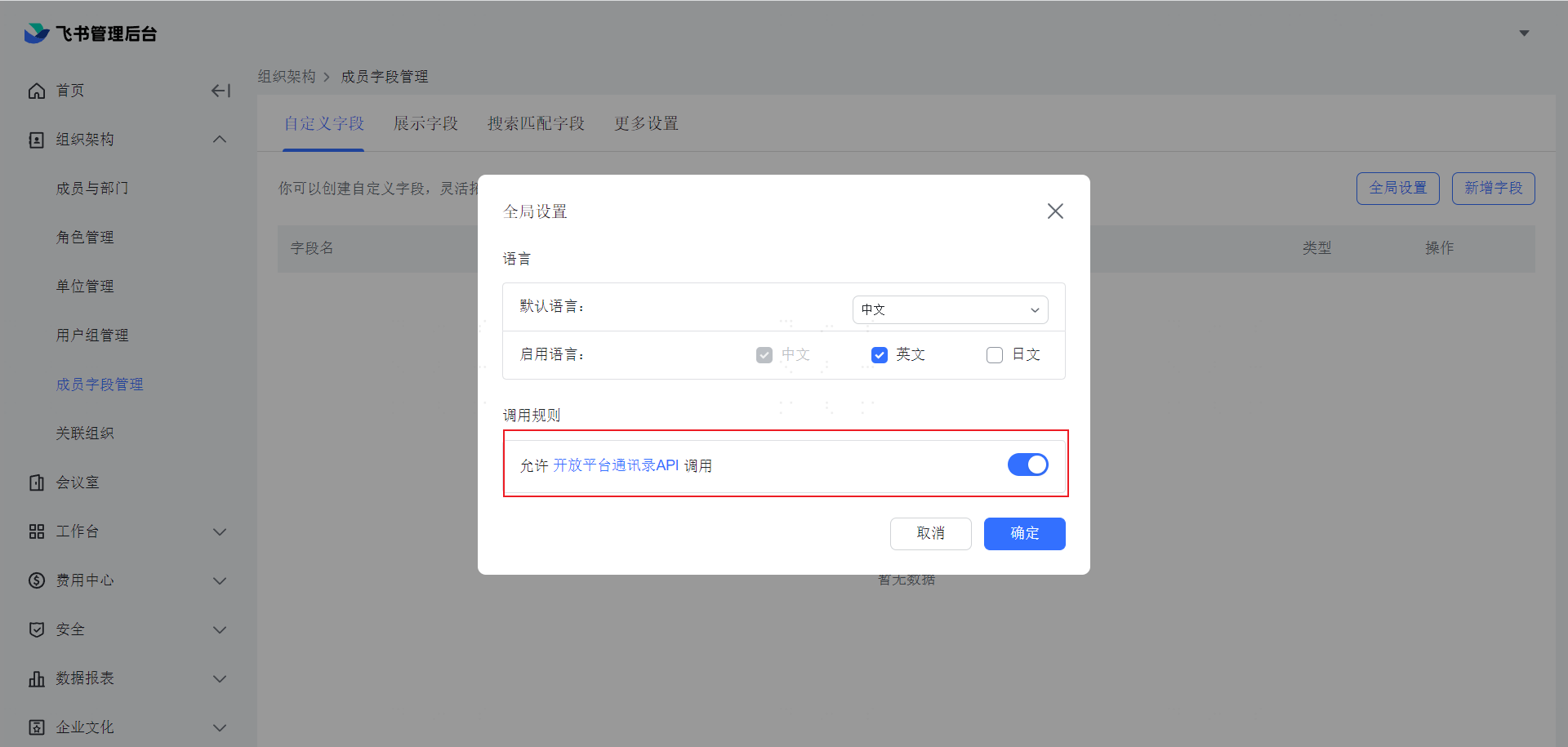
In the pop-up window, enable Allow Open Platform Address Book API Calls, and click OK.
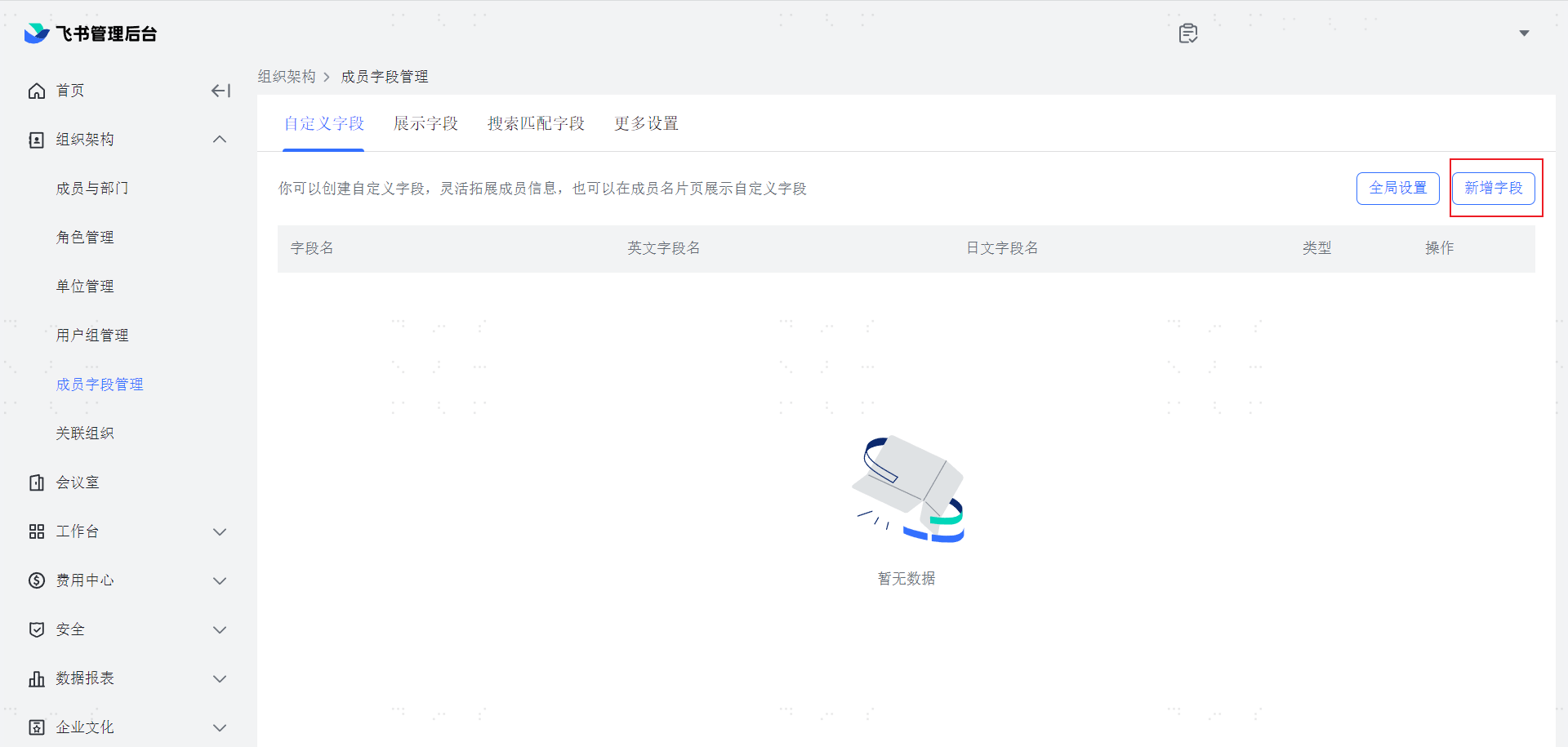
Click Add Field.
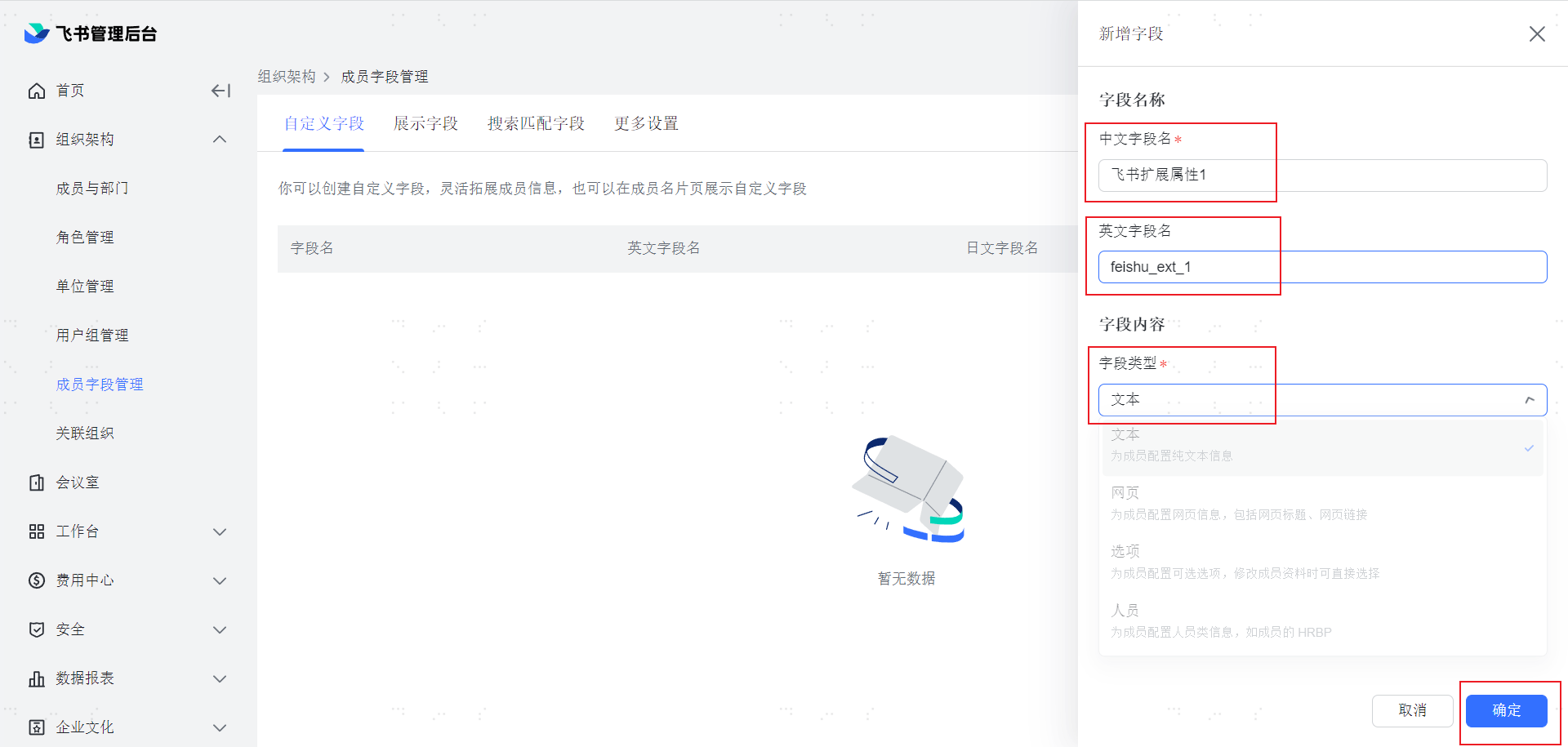
In the pop-up window, enter the Chinese field name and English field name, and select the field type as Text, then click OK.
Note: The Chinese field name corresponds to the display label of the BambooCloud IDaaS application account model attribute. The English field name can be left blank. Currently, BambooCloud IDaaS only supports text-type extended fields.
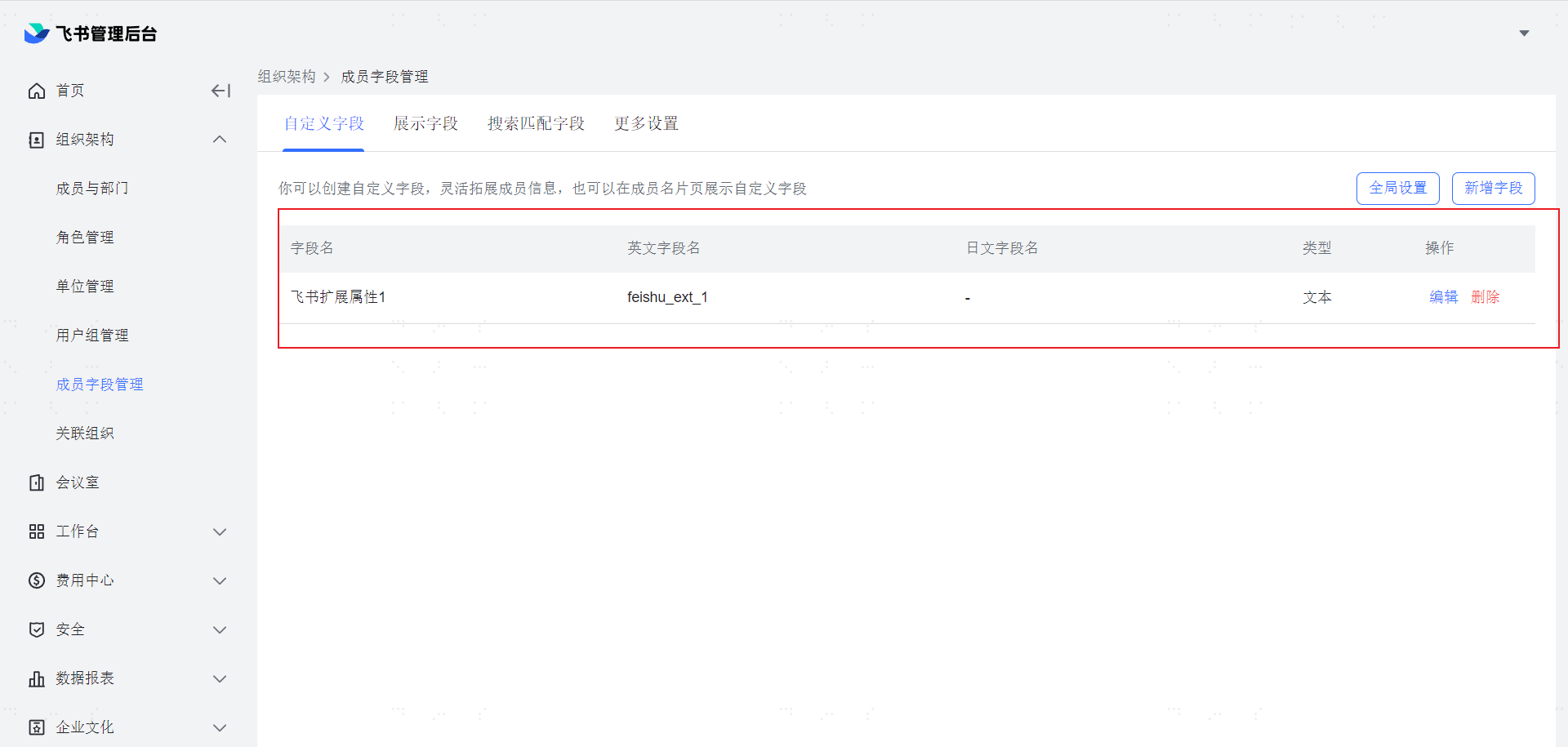
At this point, you can see the newly created extended attribute on the page.
BambooCloud IDaaS Extended Attributes Configuration
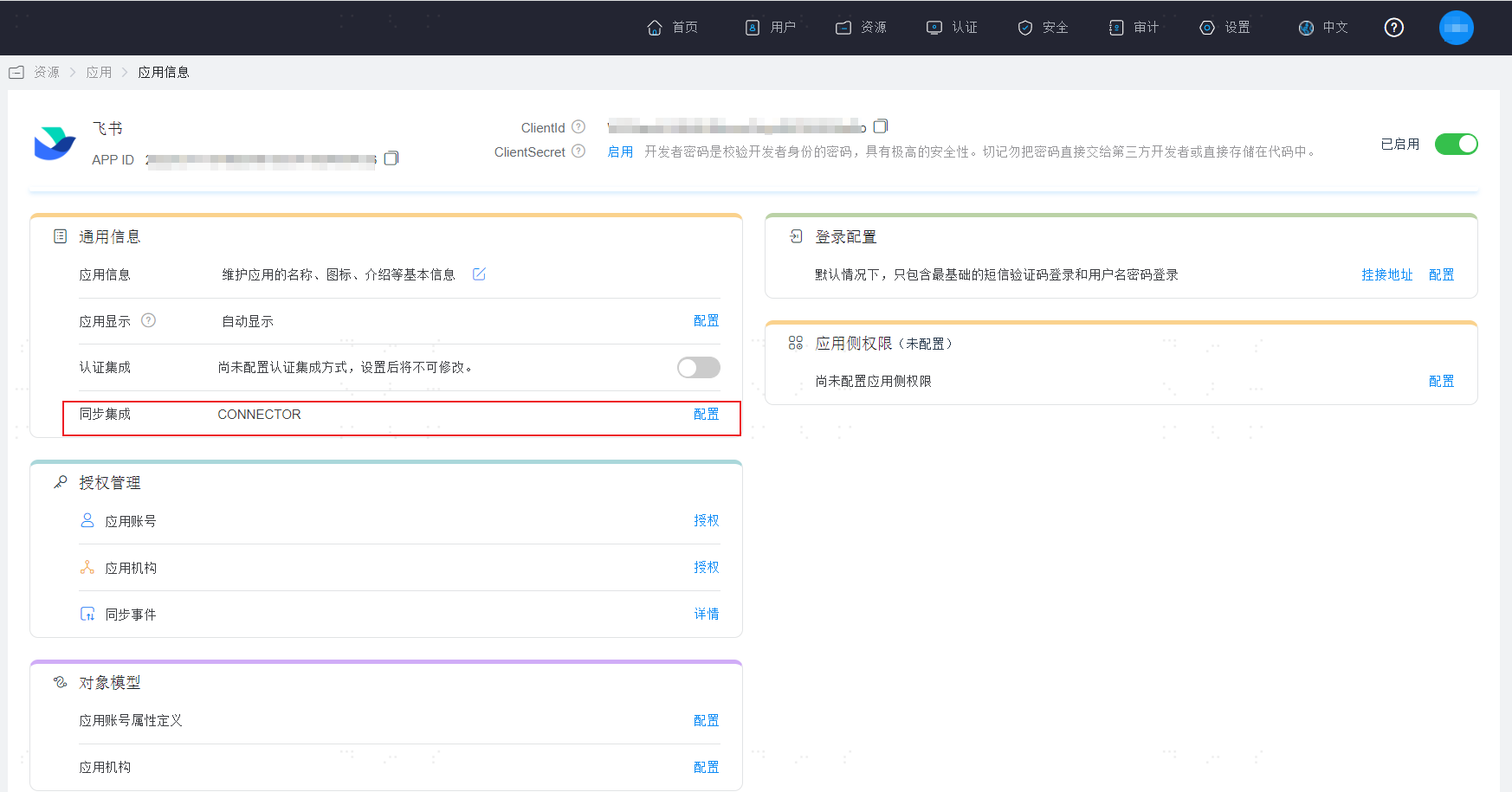
After logging in to the BambooCloud IDaaS Enterprise Center, enter the Feishu application homepage -> click Sync Integration -> Configure.
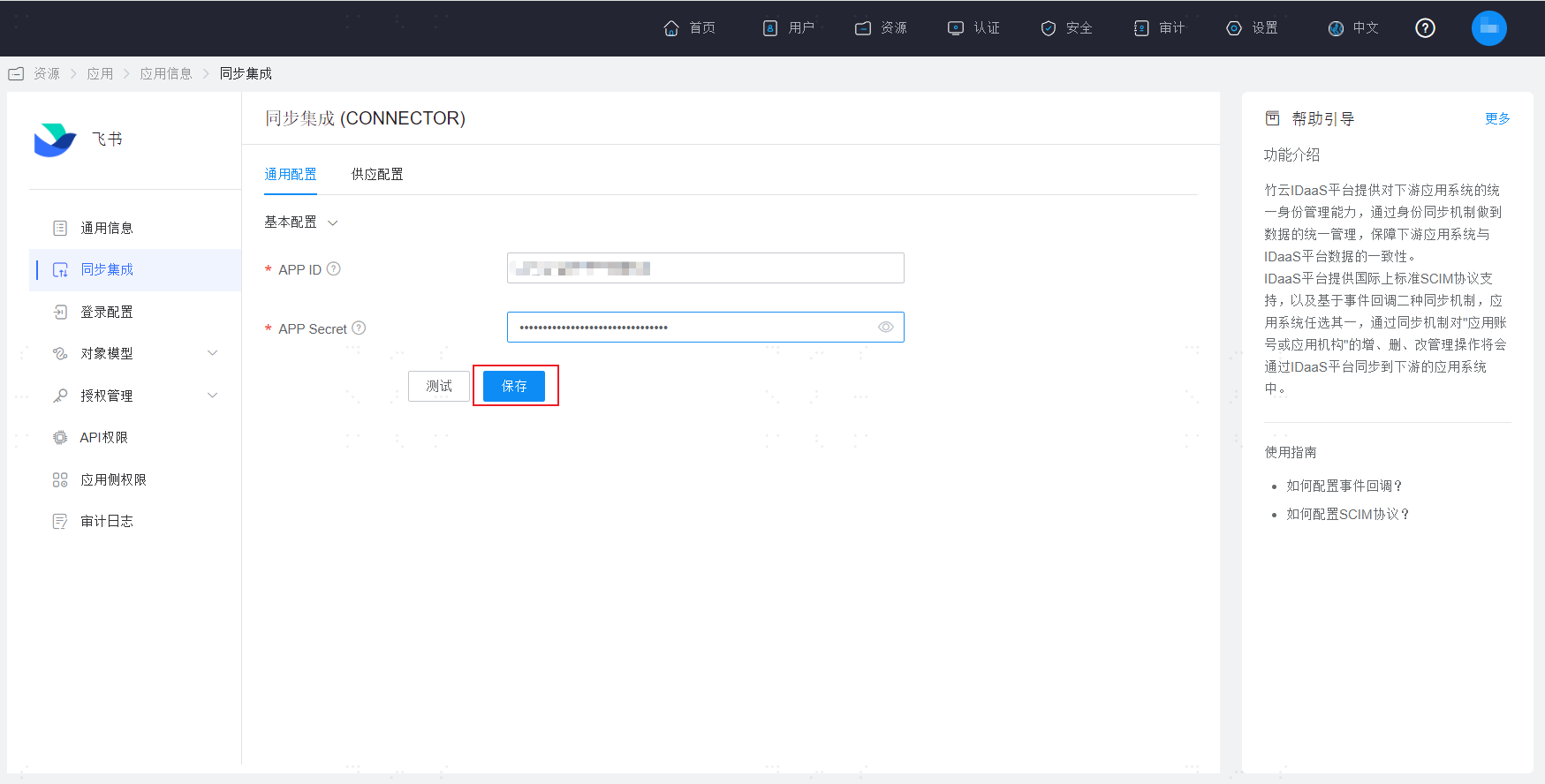
After entering the Feishu synchronization configuration page, click Save and ensure the save is successful.
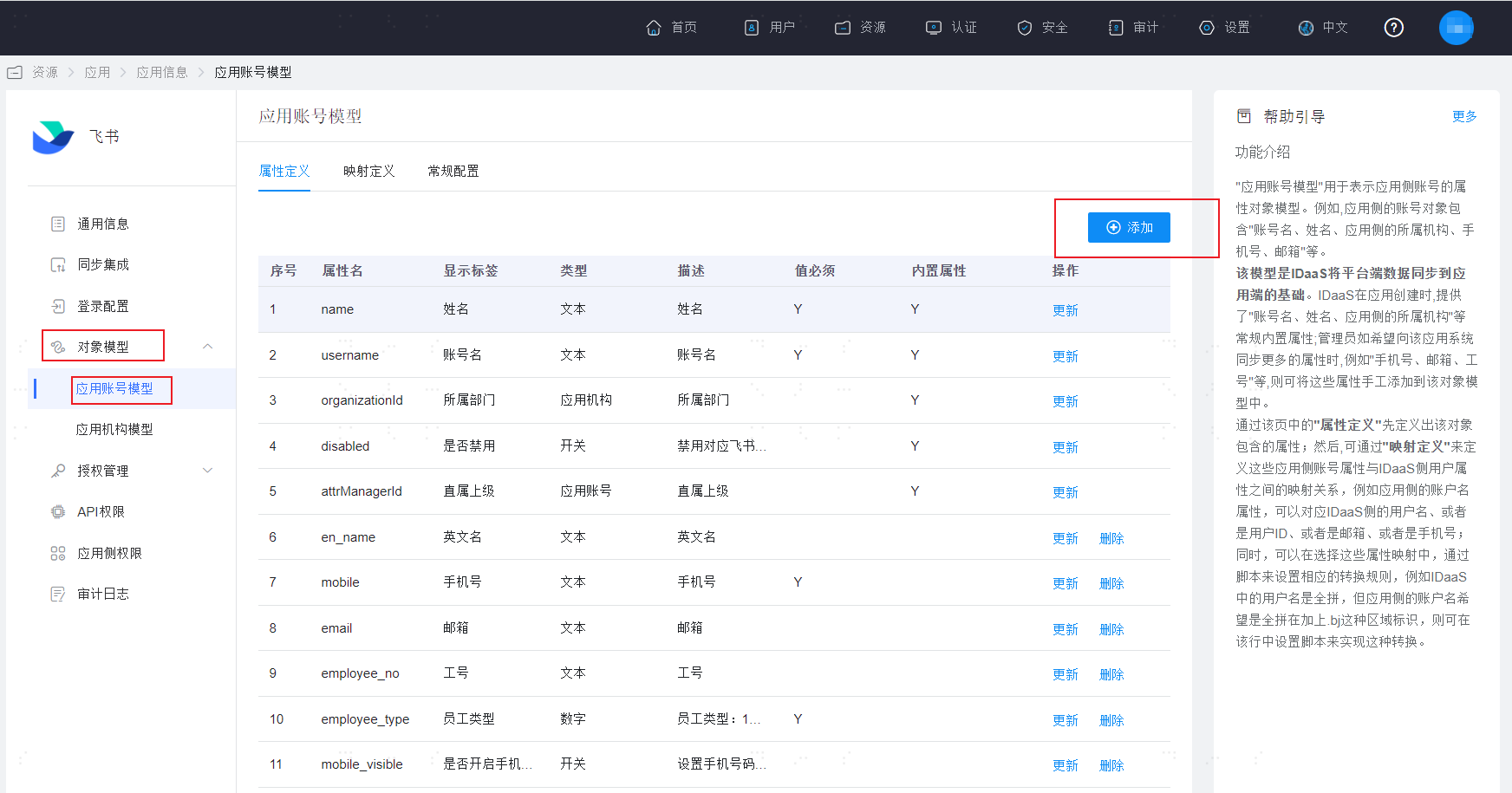
Click Object Model > Application Account Model > Add on the right.
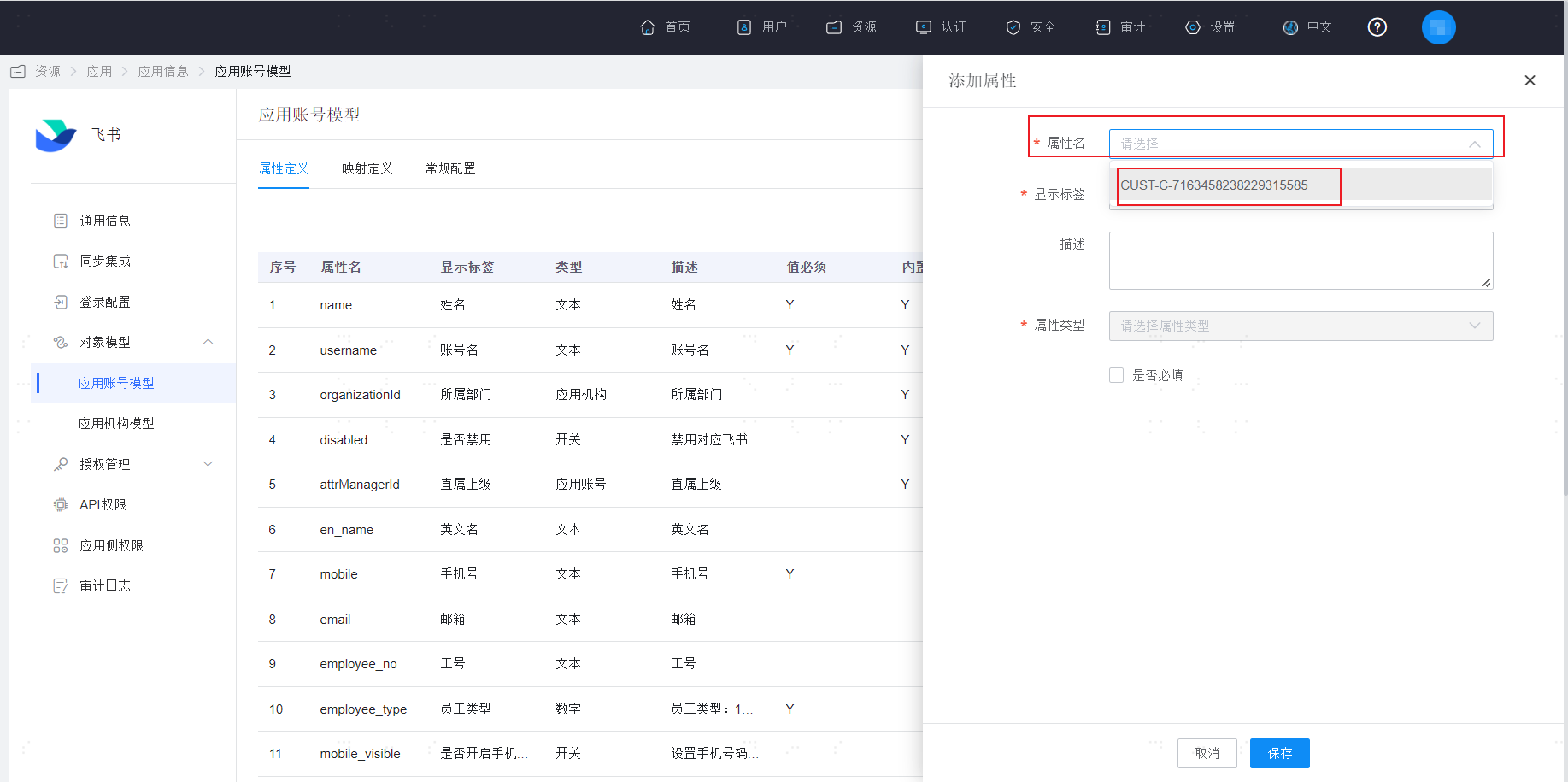
In the pop-up window on the right, you can view the extended attributes configured in Feishu in the Attribute Name dropdown box.
Note: The extended attribute name format here is a fixed prefix "CUST-" + the internal ID corresponding to the Feishu platform extended attribute.
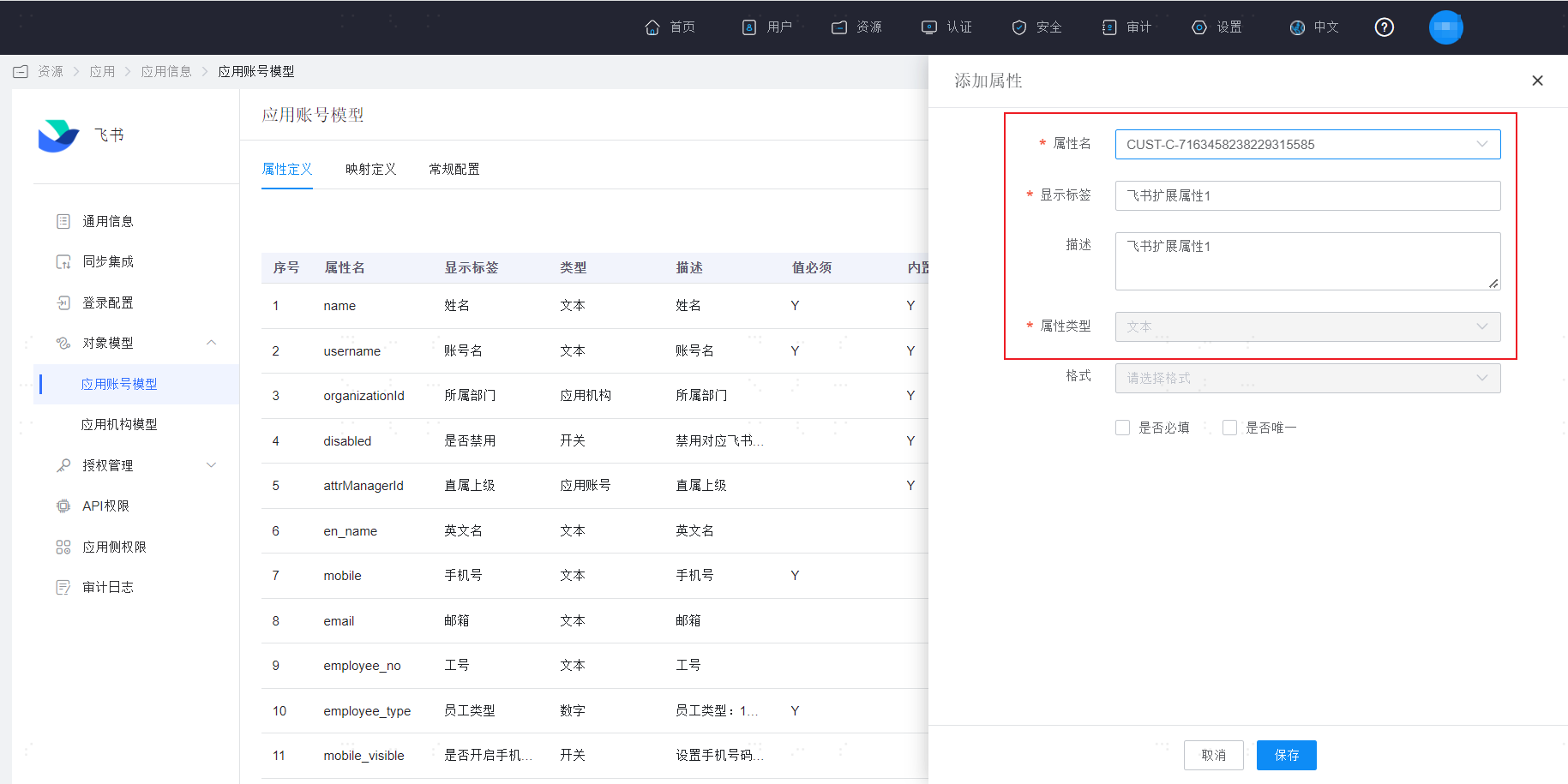
Select this extended attribute. You can view the detailed information of the extended attribute and click Save.
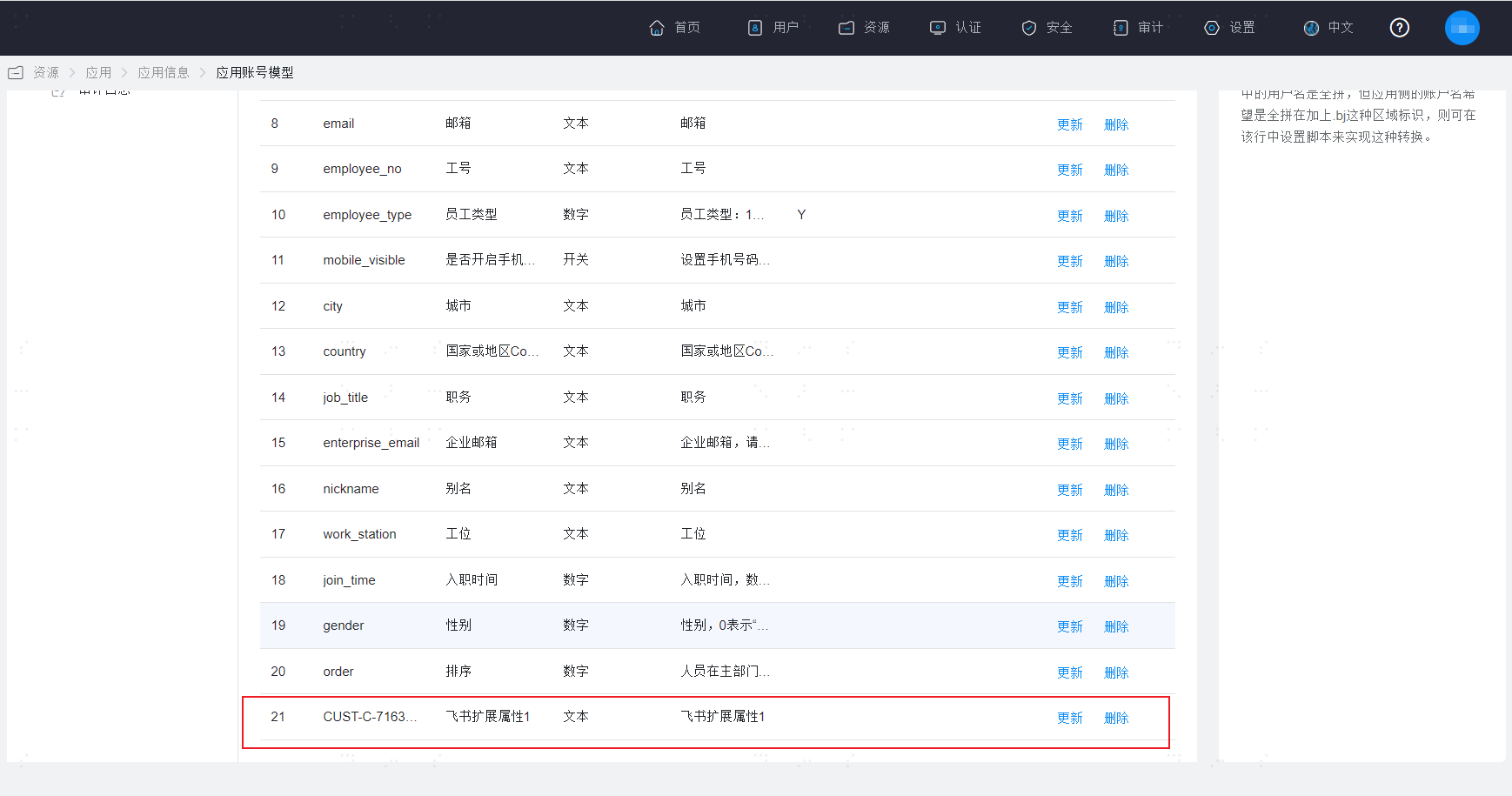
At this point, at the end of the attribute definition page, you can see the newly saved extended attribute. If you need to establish a mapping relationship with system user attributes, please configure it in the mapping definition.
BambooCloud IDaaS Configuration
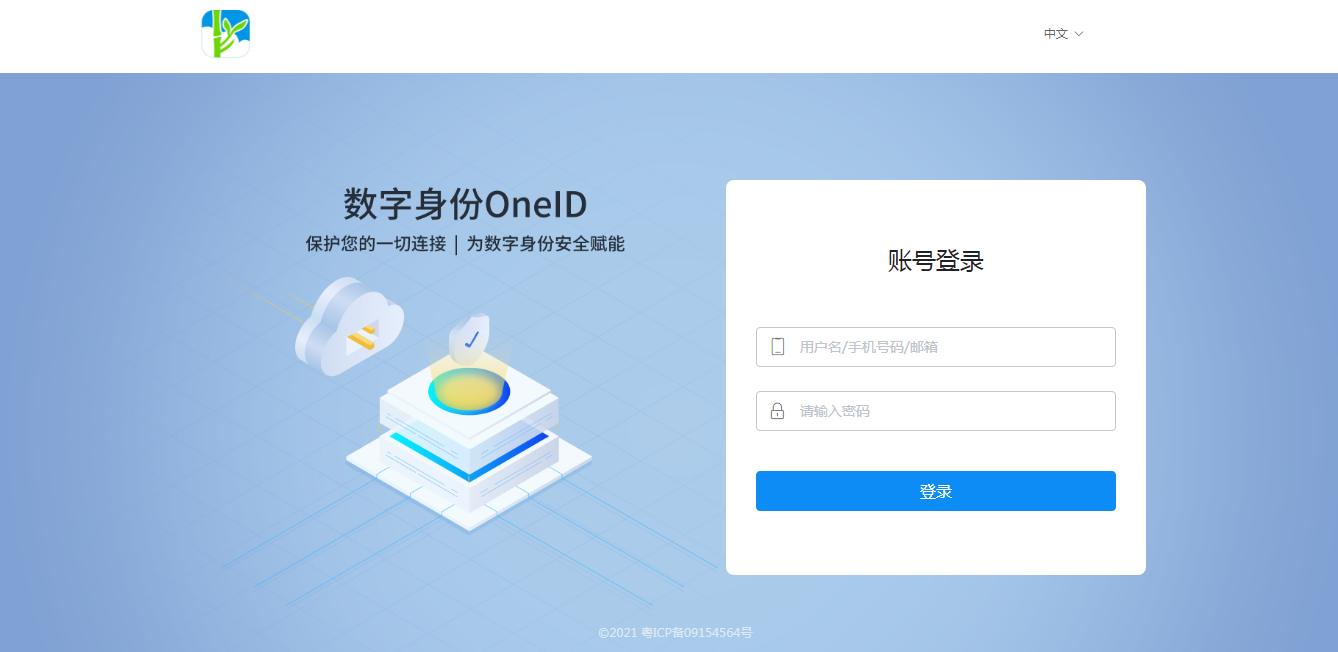
Log in to the BambooCloud IDaaS Enterprise Center.
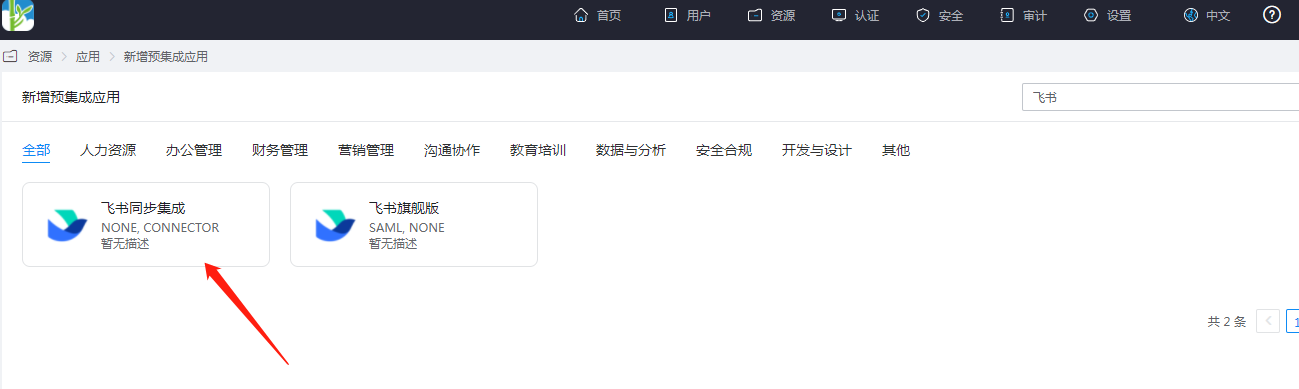
Add the pre-integrated application Feishu Identity Synchronization.
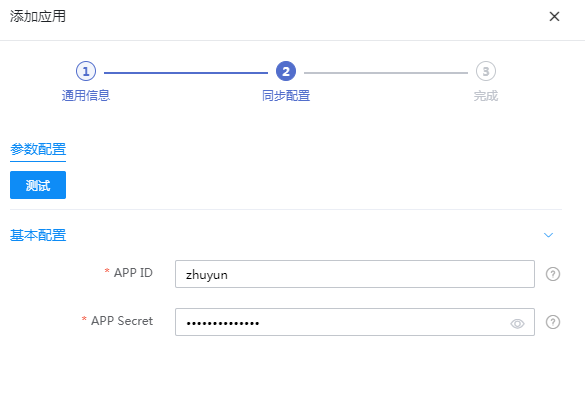
Configure application parameters.
- Application ID: APP ID
- Application Secret: APP Secret
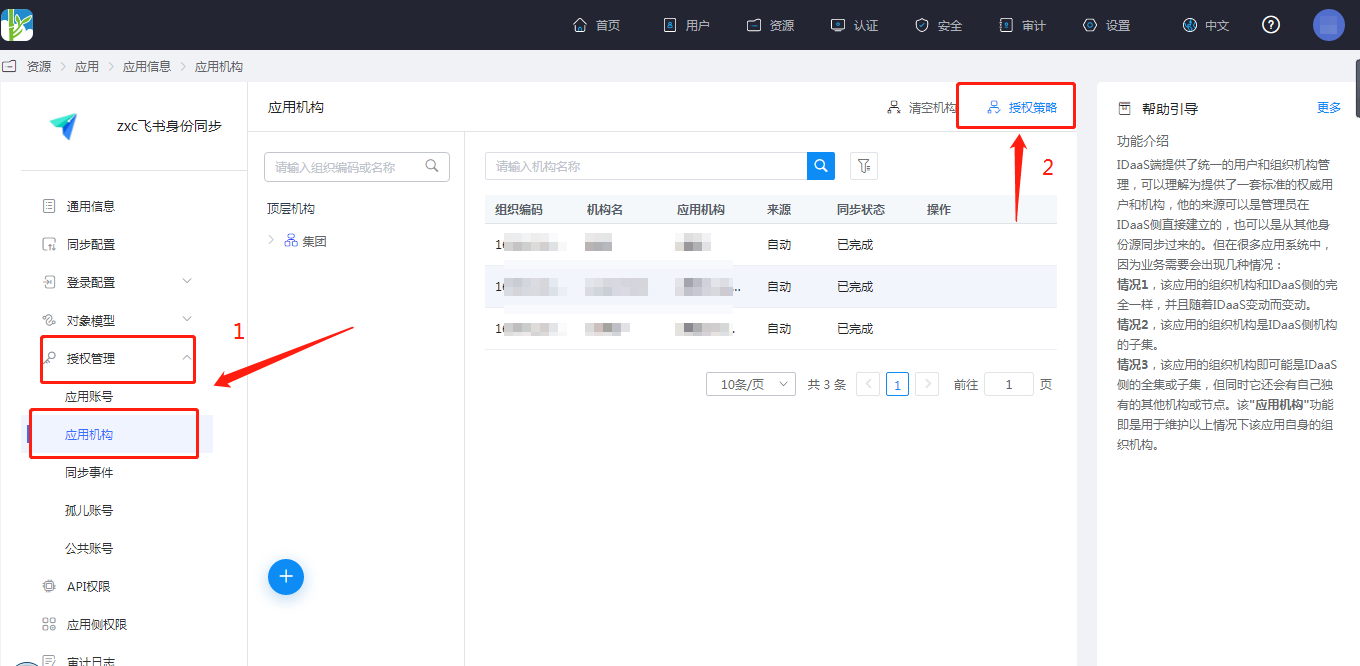
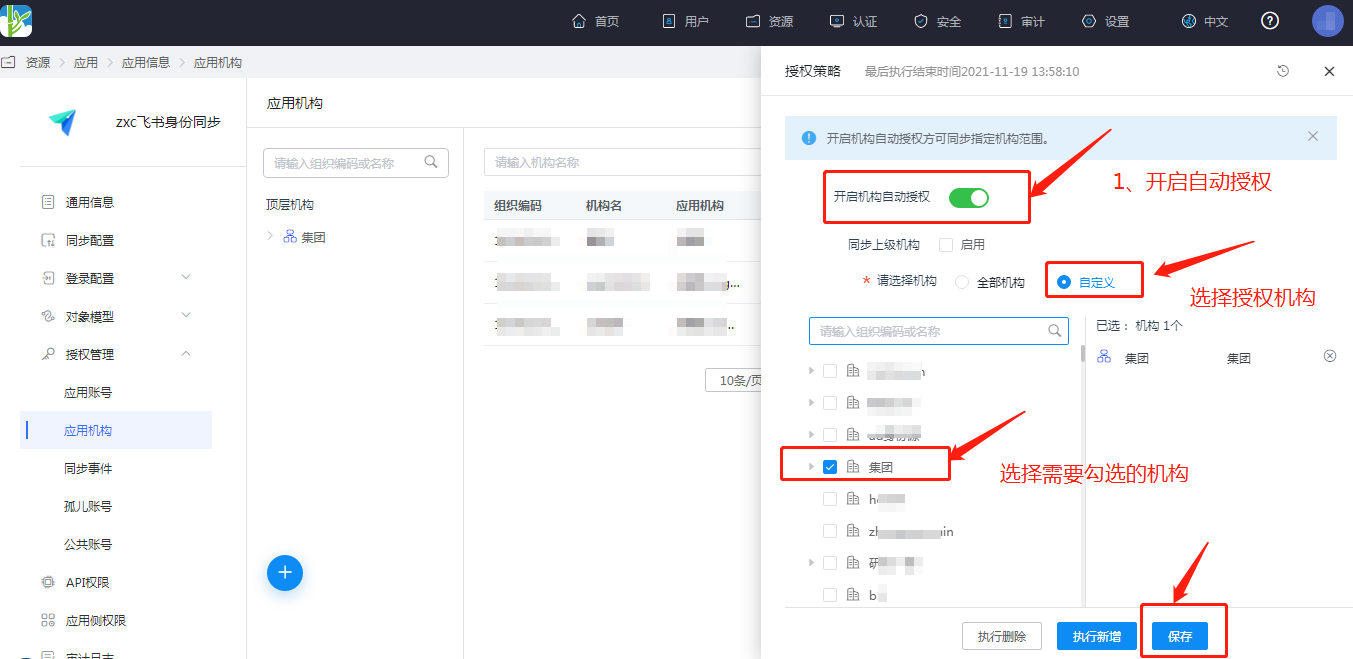
Authorize the application organization. Enter the application details, Application Organization > Authorization Policy, enable automatic organization authorization, select the organization scope, click the Save button, and then click Execute Add.
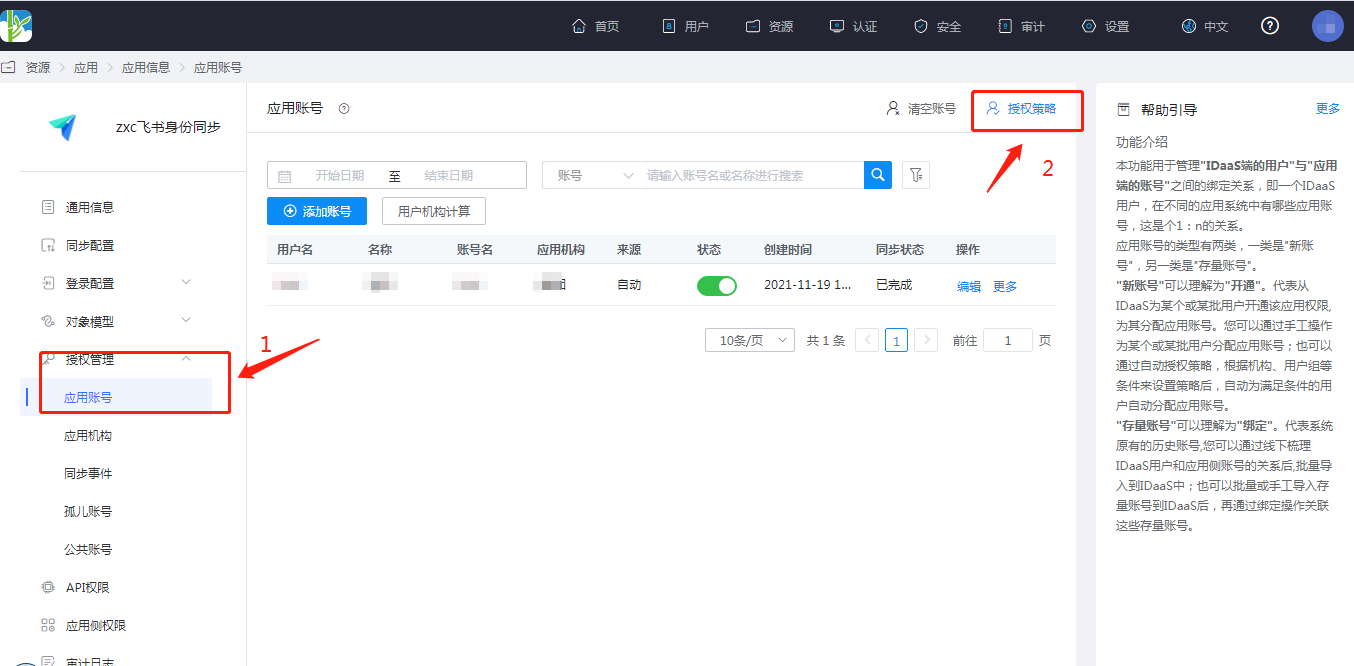
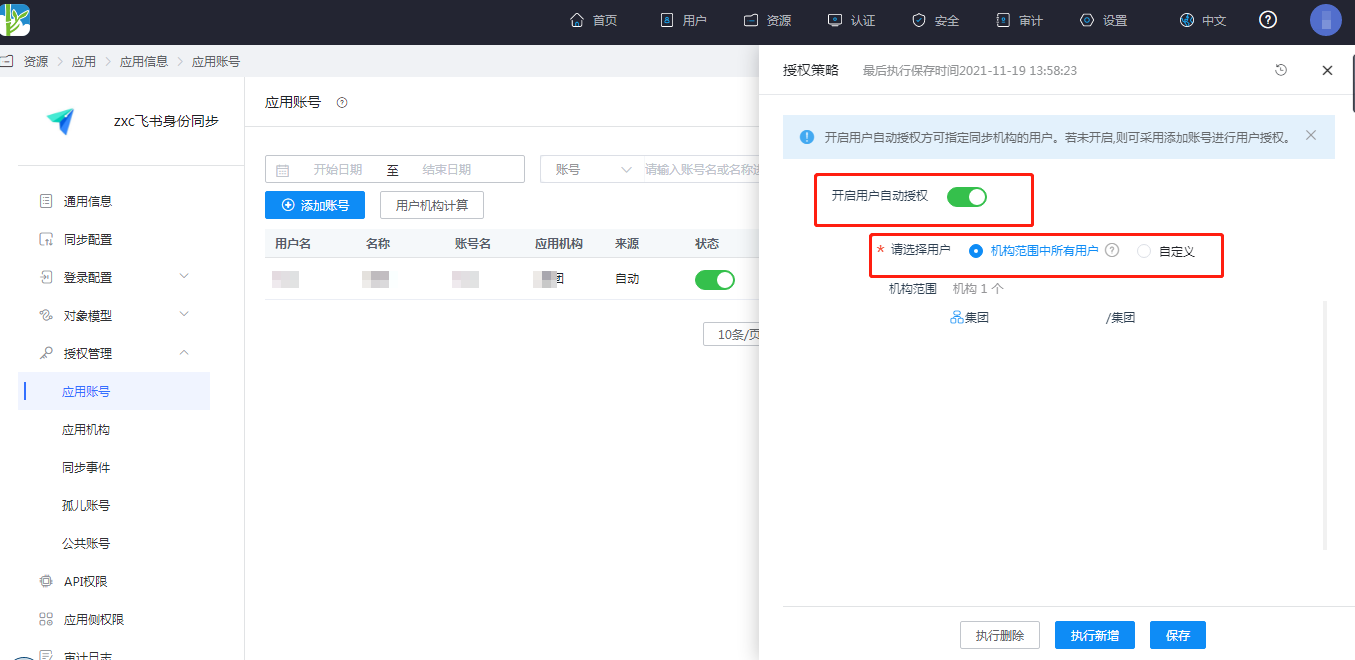
Authorize application accounts. Enter the application details, Application Account > Authorization Policy, enable automatic account authorization, select the user scope, click the Save button, and then click Execute Add.
Enter the application details, Synchronization Events, to view synchronization events.
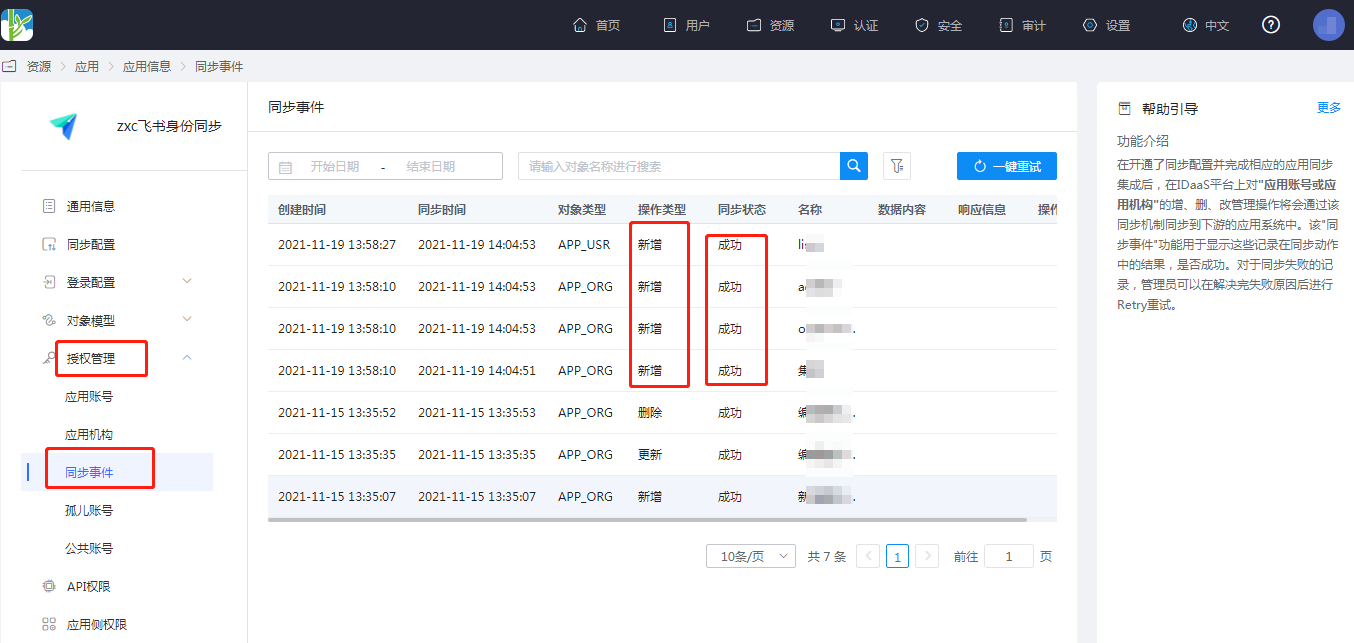
View Synchronization Results
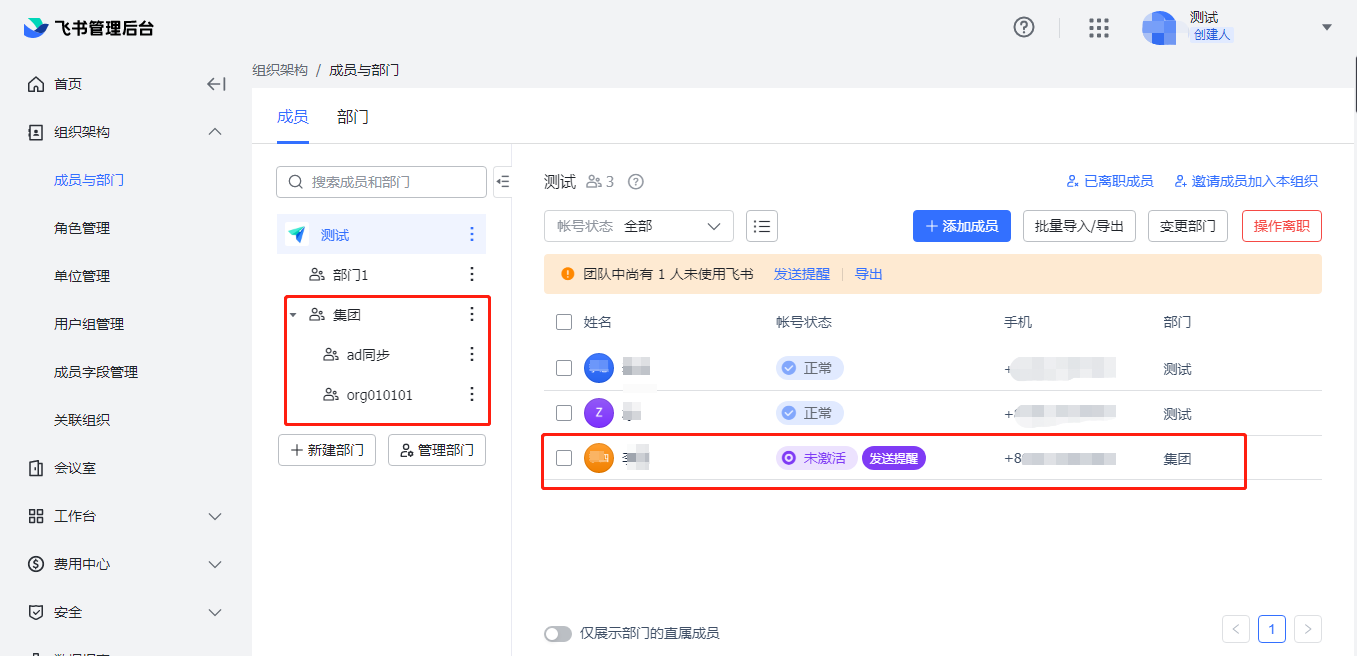
Log in to the Feishu management backend, enter the address book, and view the synchronized organizations and users.