
Xiaoshouyi OAuth Integration
Application Introduction
Neocrm Xiaoshouyi is an enterprise-level CRM service provider integrating new Internet technologies. Based on new Internet technologies such as AI, big data, and IoT, it creates an enterprise-level marketing-service integrated CRM, digitizing and intelligizing the entire process of enterprise-customer interaction, helping enterprises transform into truly customer-centric digital operating organizations and achieve sustainable growth in performance. Xiaoshouyi has been selected as a Gartner SFA Magic Quadrant for 6 consecutive years.
Document Description
This document mainly explains how Xiaoshouyi (client) integrates with BambooCloud IDaaS (server) through the OAuth2 protocol.
In addition to OAuth integration, Xiaoshouyi currently also supports SAML 2.0 integration for single sign-on. If Xiaoshouyi manages both CRM and PRM users internally, after OAuth protocol integration, PRM logout can redirect to the server login interface. If there is no such requirement, it is recommended to use SAML integration, which is relatively simpler to configure.
Prerequisites
- Have a Xiaoshouyi tenant environment
- Have a BambooCloud IDaaS tenant environment
- Have super administrator accounts for the above two environments
Integration Step Overview
- Register an application in BambooCloud IDaaS (authentication protocol select: OAuth)
- Add an authentication connector in Xiaoshouyi. Type: OAuth authentication connector
- Configure according to the relevant parameters provided by the BambooCloud IDaaS registered application
- Match and associate accounts
- Test login verification
Detailed Integration Steps
Register Application in BambooCloud IDaaS
Enter the BambooCloud IDaaS Enterprise Center and add the Xiaoshouyi application
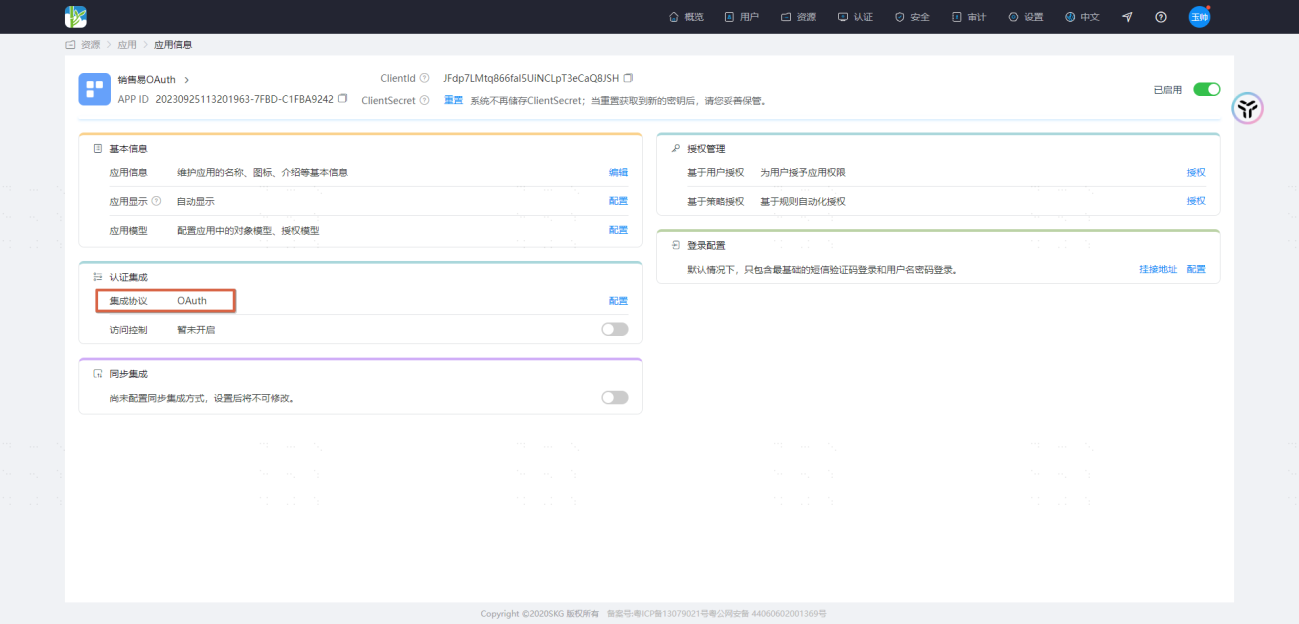
Obtain the ClientId and ClientSecret parameters and record them for later use.
Create Xiaoshouyi Authentication Connector
Enter the Xiaoshouyi backend settings interface.
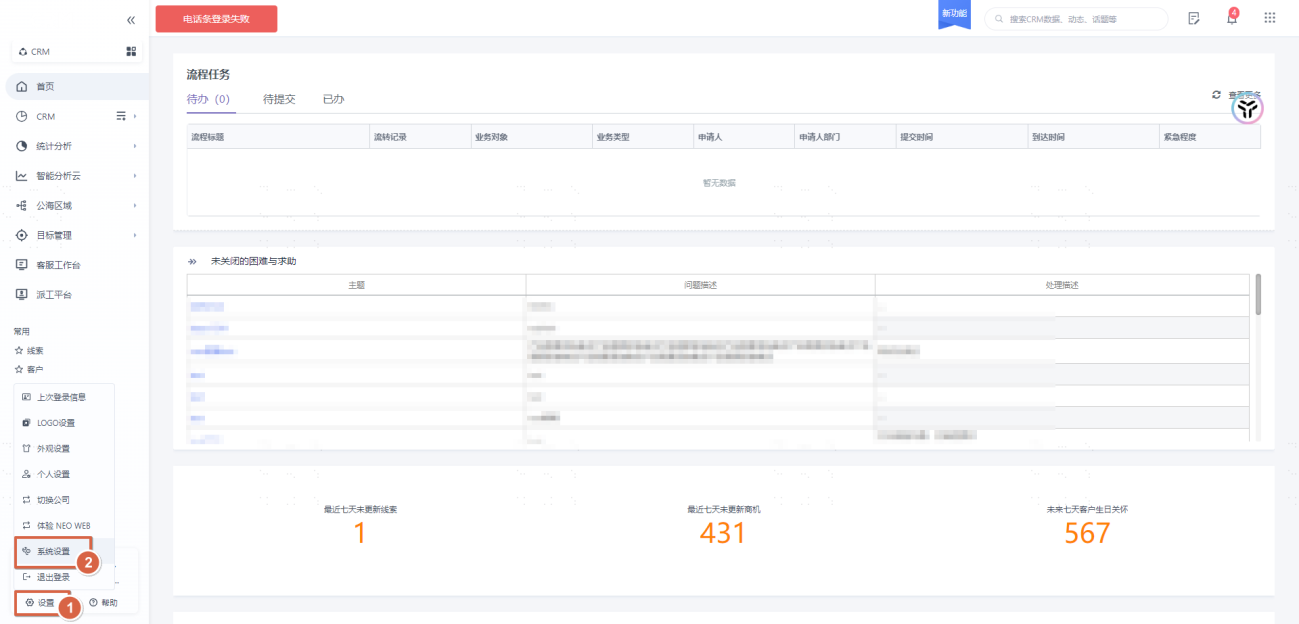
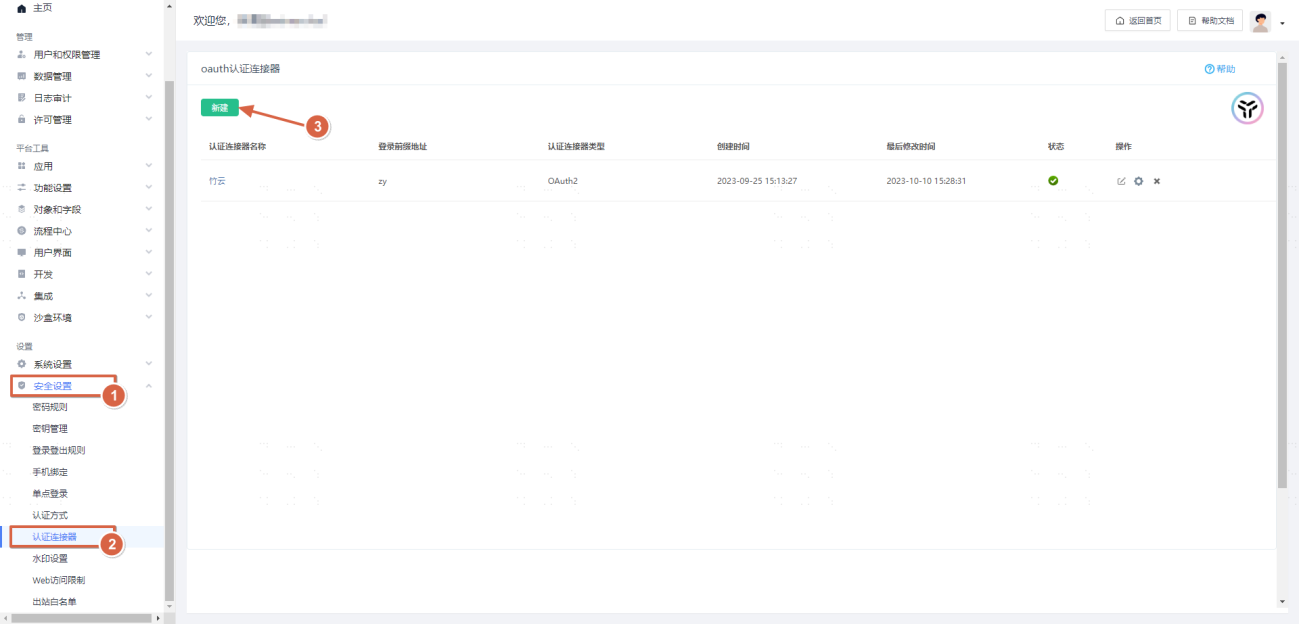
Fill in the ClientId and ClientSecret parameters obtained from BambooCloud IDaaS.
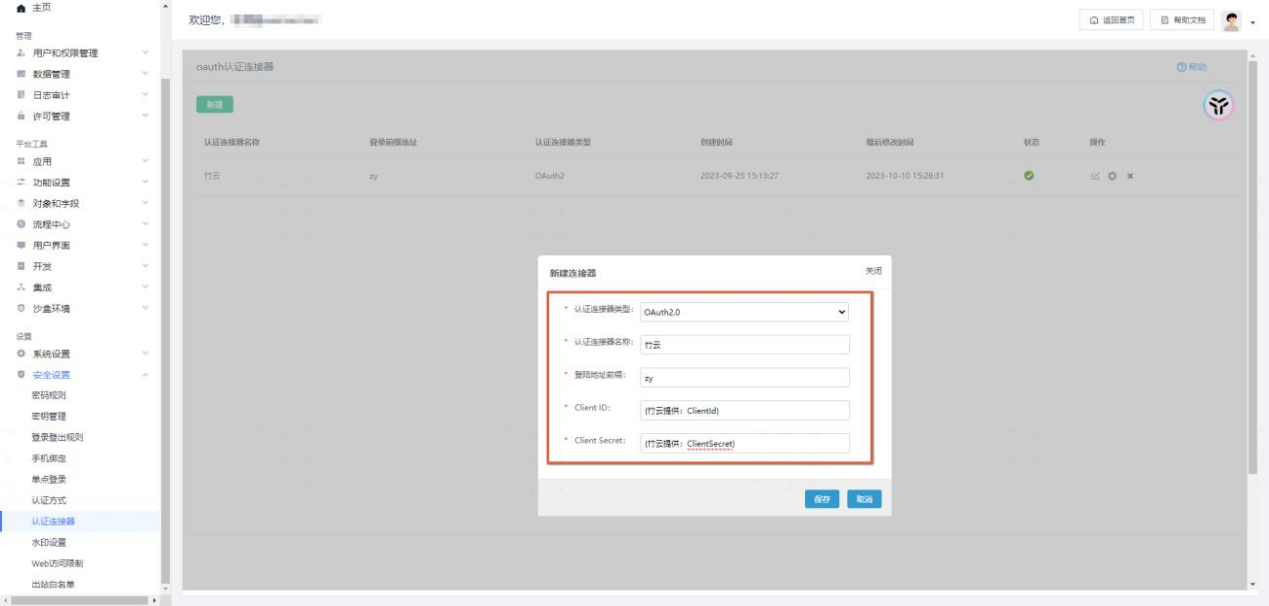
Xiaoshouyi Authentication Connector Configuration
Enter the Xiaoshouyi authentication connector configuration interface. 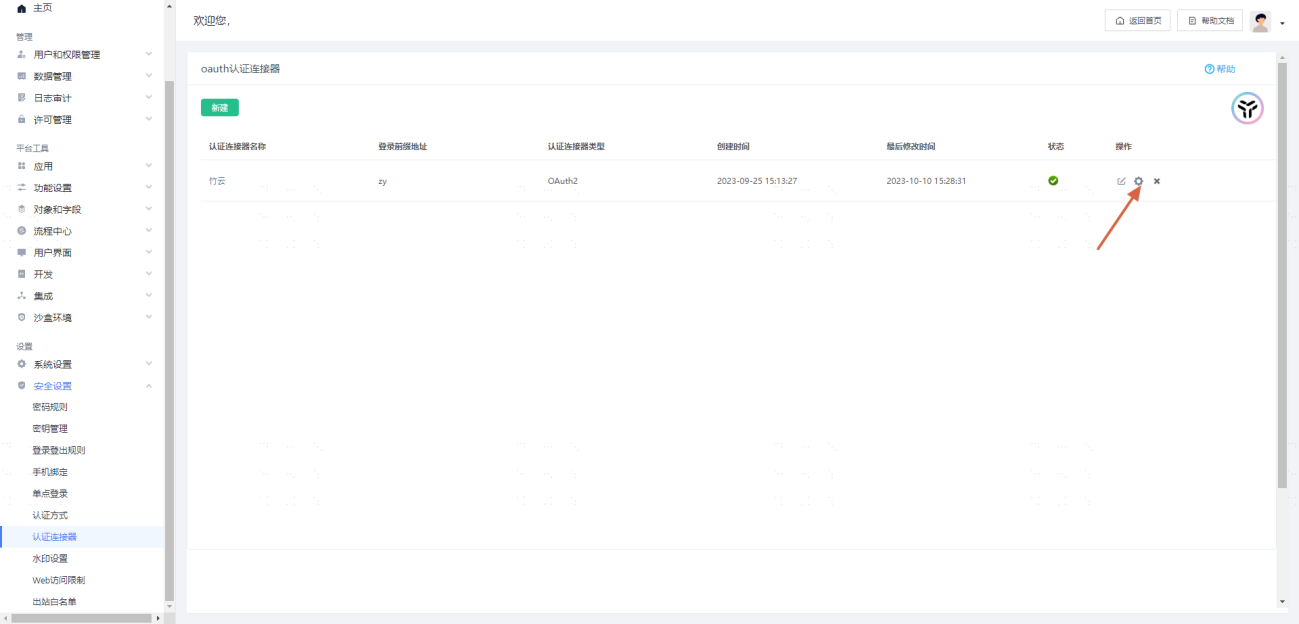
Custom Parameter Configuration
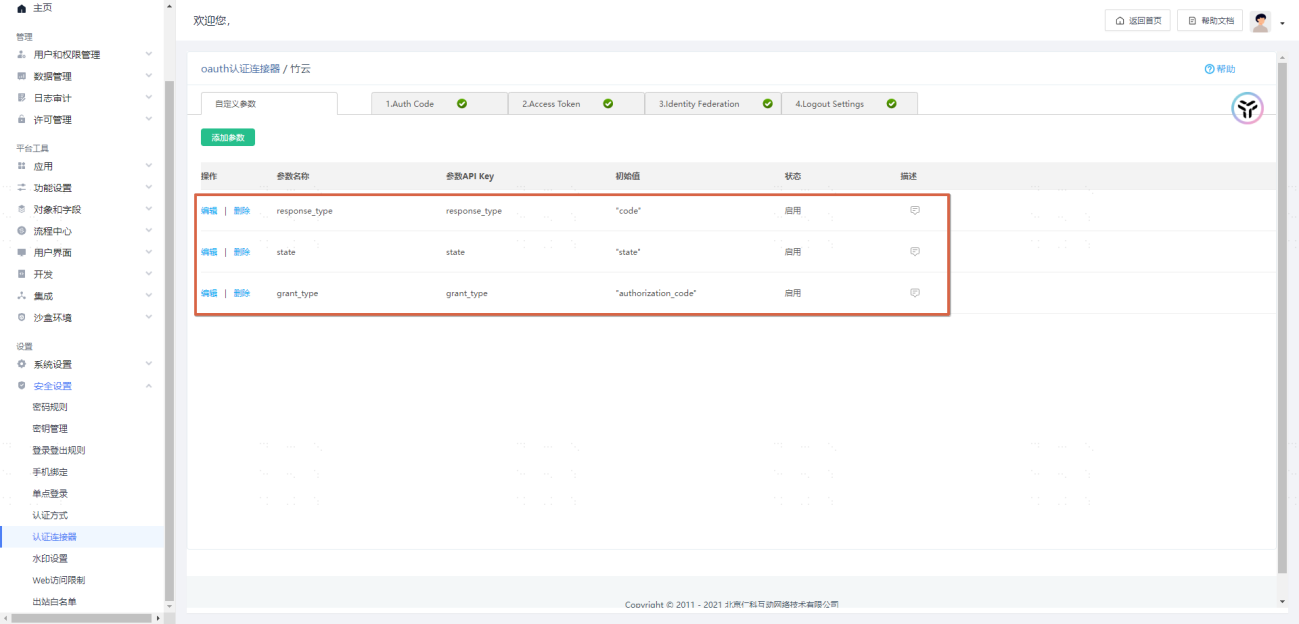
Configure the following parameters:
| Parameter Name | Parameter API Key | Initial Value |
|---|---|---|
| response_type | response_type | "code" |
| state | state | "state" |
| grant_type | grant_type | "authorization_code" |
Example: 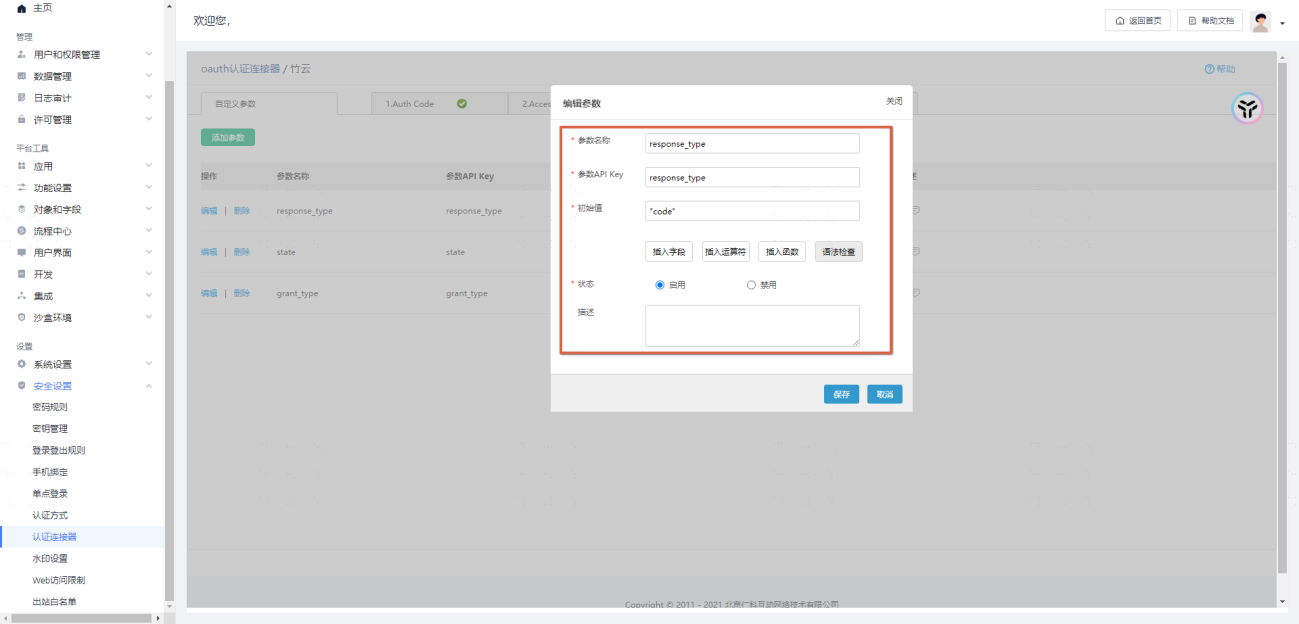
Auth Code Configuration
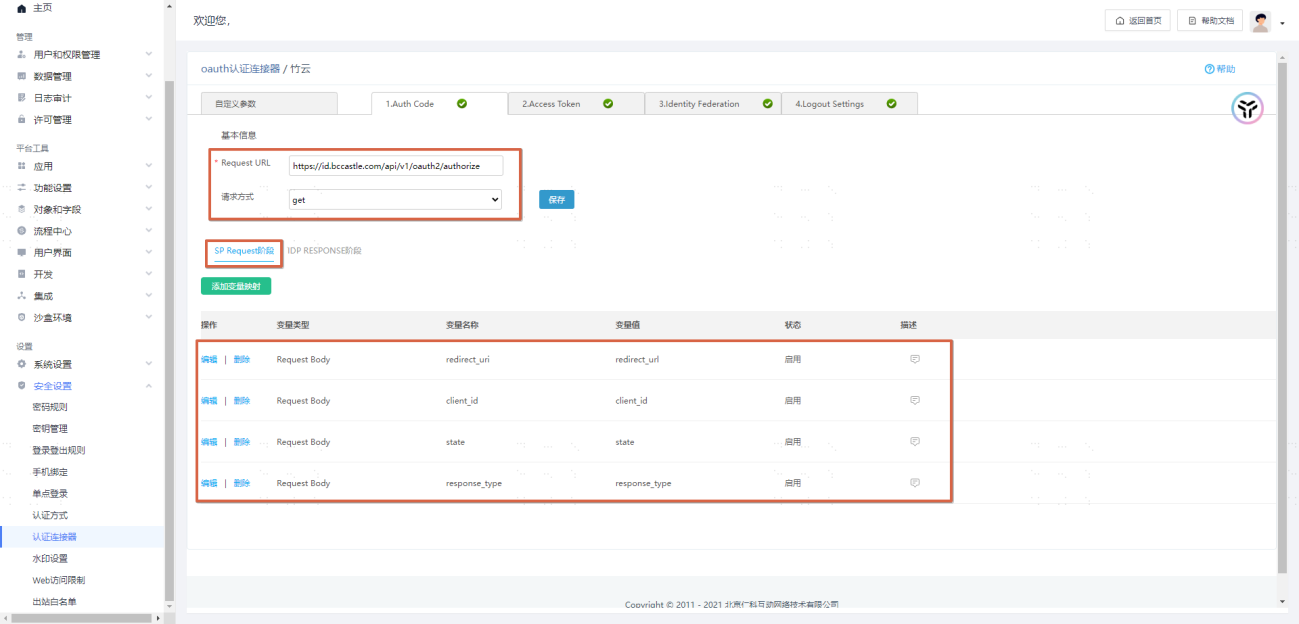
Basic Information
TIP
Request URL: https://{tenant-domain-address, example: domain: xx.xxx.com}/api/v1/oauth2/authorize
Request Method: GET
SP Request Stage Parameter Configuration
| Storage Location | Variable Name | Variable Value (select only) | Variable Value Type |
|---|---|---|---|
| Request Body | redirect_uri | redirect_uri | SP Parameter |
| Request Body | client_id | client_id | IDP Parameter |
| Request Body | state | state | Custom Parameter |
| Request Body | response_type | response_type | Custom Parameter |
Example:
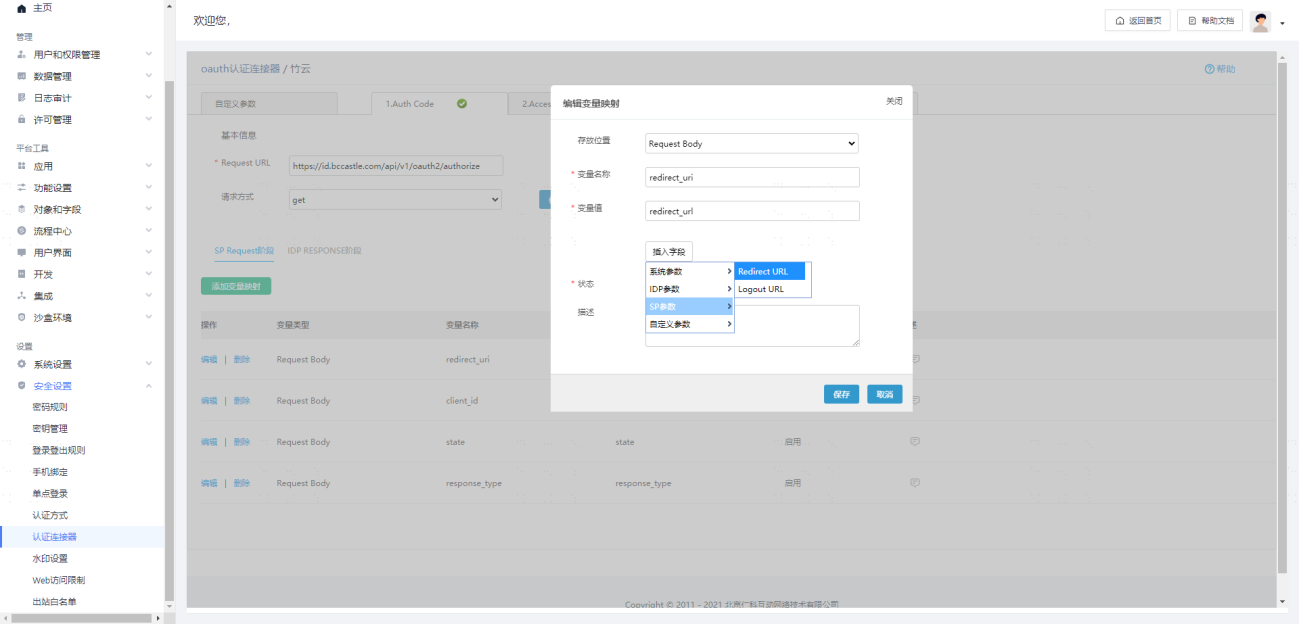
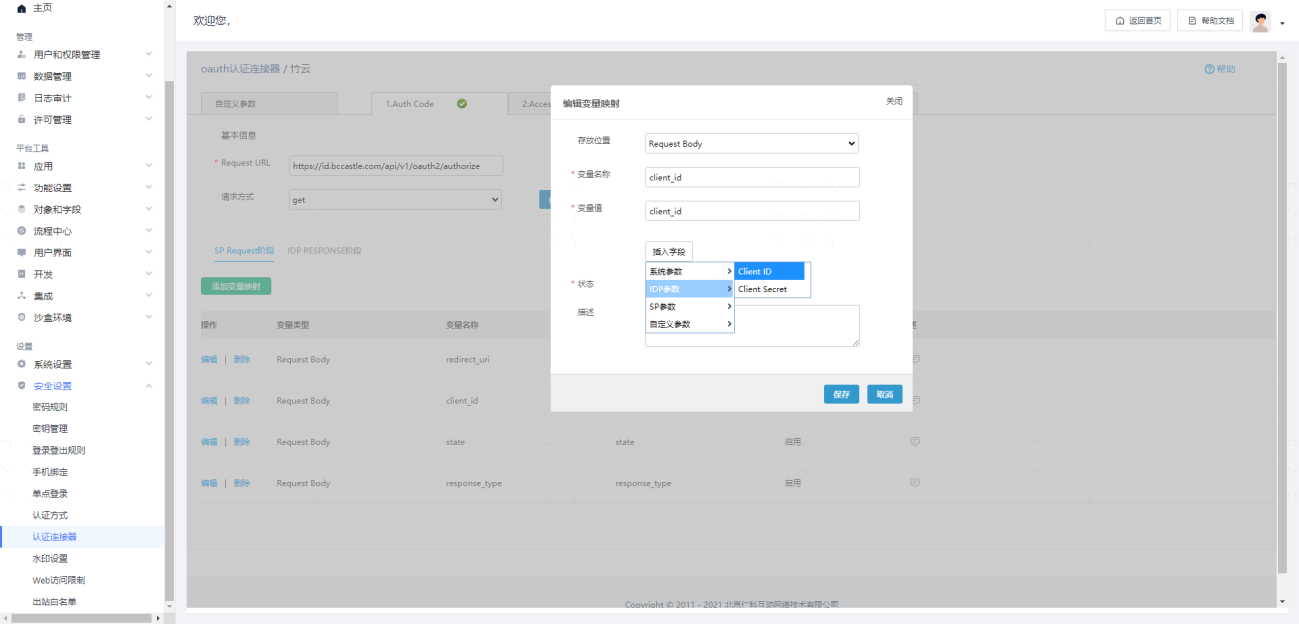
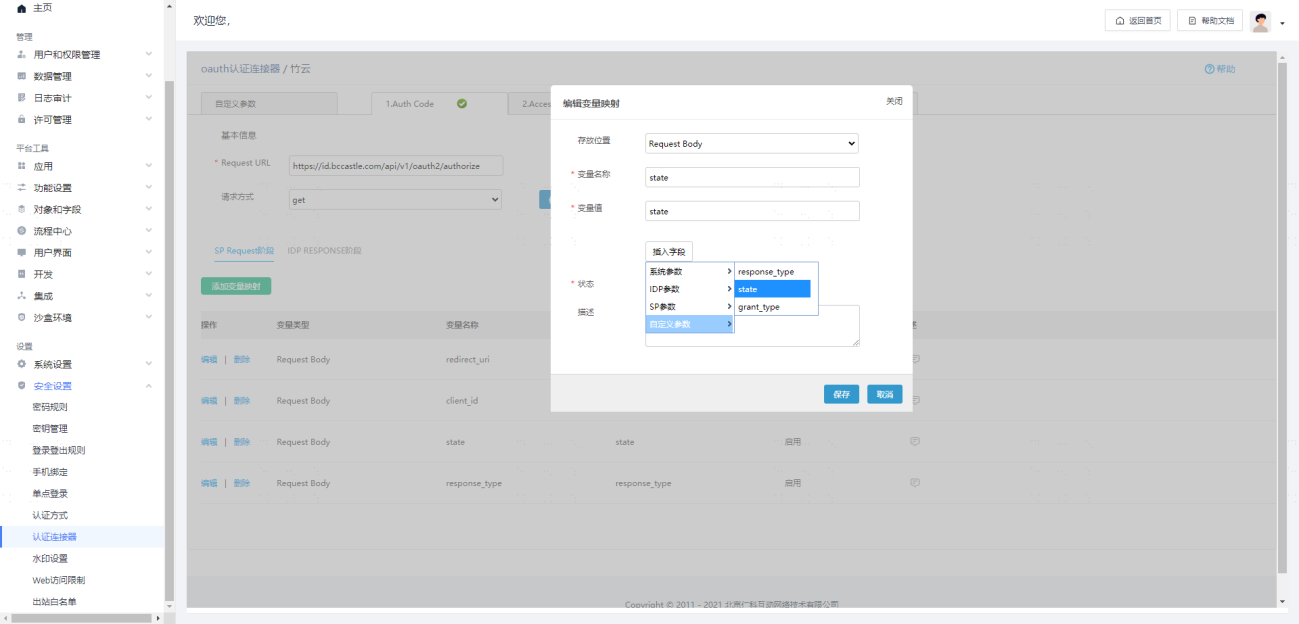
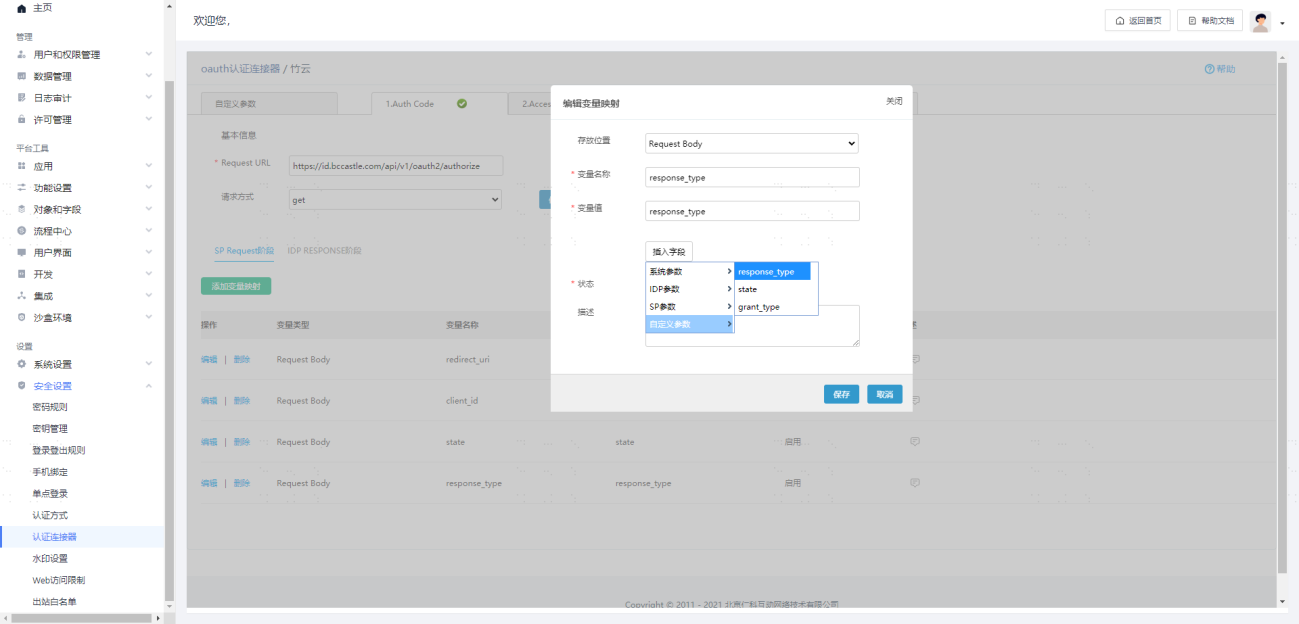
IDP RESPONSE Stage Parameter Configuration
| Parameter Name | Parameter Value Source Variable |
|---|---|
| auth_code | code |
Example: 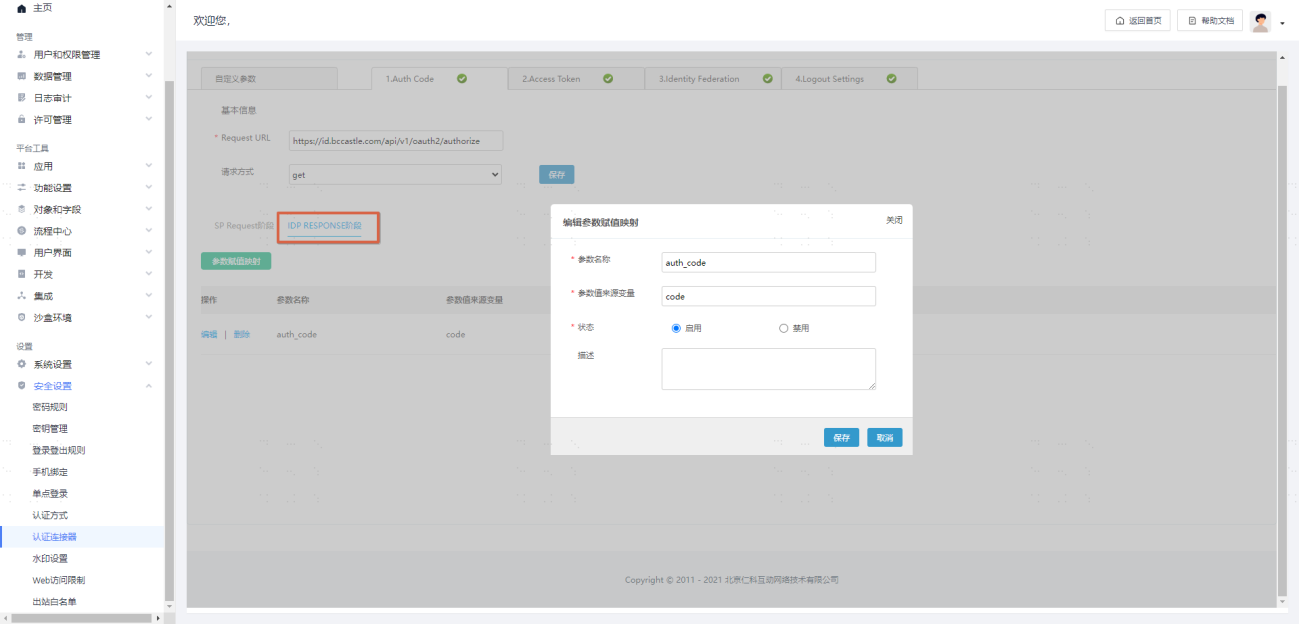
Access Token Configuration
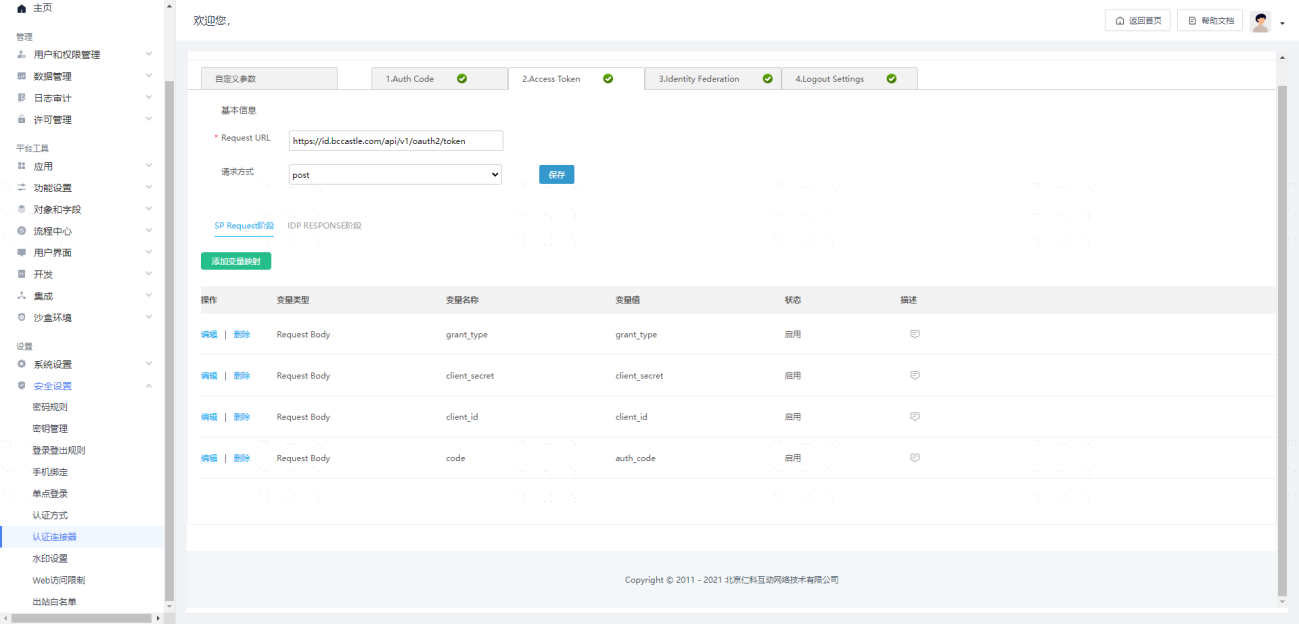
Basic Information
TIP
Request URL: https://{tenant-domain-address, example: domain: xx.xxx.com}/api/v1/oauth2/token
Request Method: POST
SP Request Stage Parameter Configuration
| Storage Location | Parameter Name | Variable Value (select only) | Variable Value Type |
|---|---|---|---|
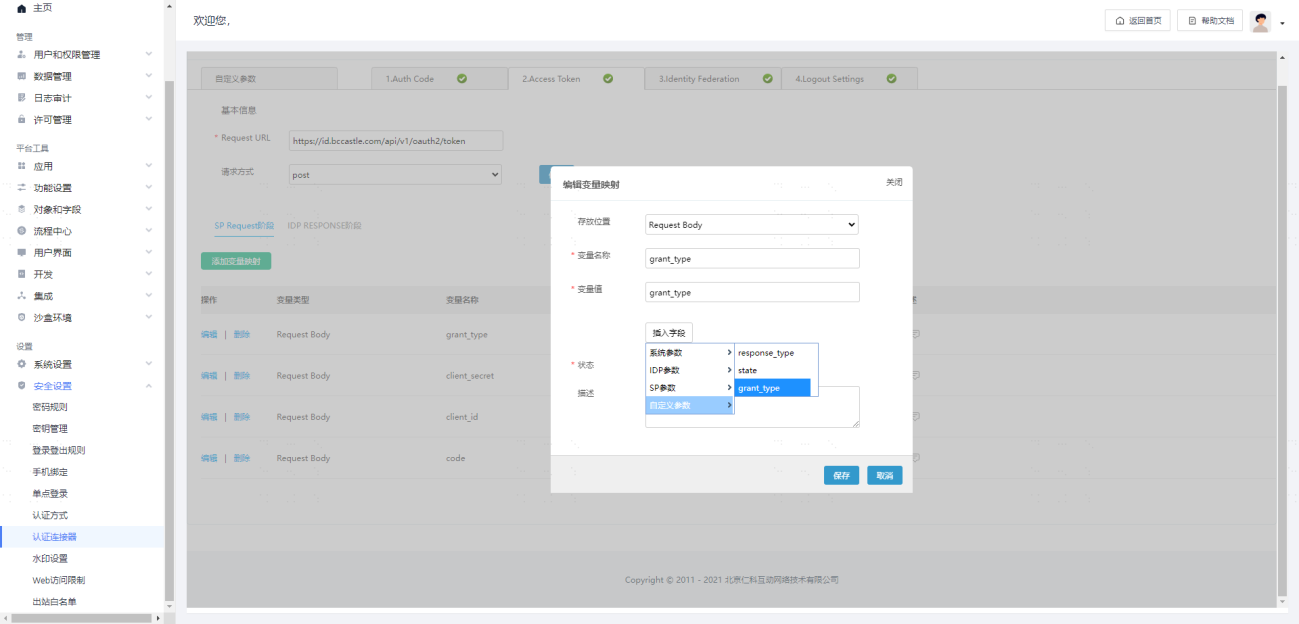
| Request Body | grant_type | grant_type | Custom Parameter |
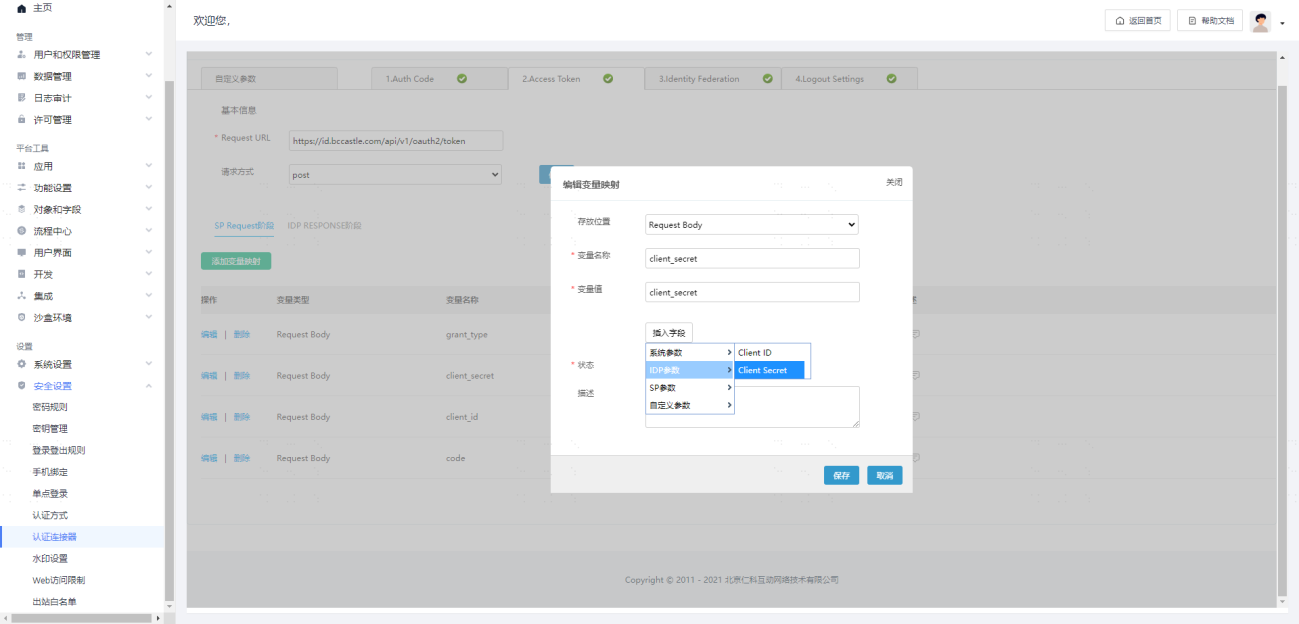
| Request Body | client_secret | client_secret | IDP Parameter |
| Request Body | client_id | client_id | IDP Parameter |
| Request Body | code | auth_code | System Parameter |
Example:
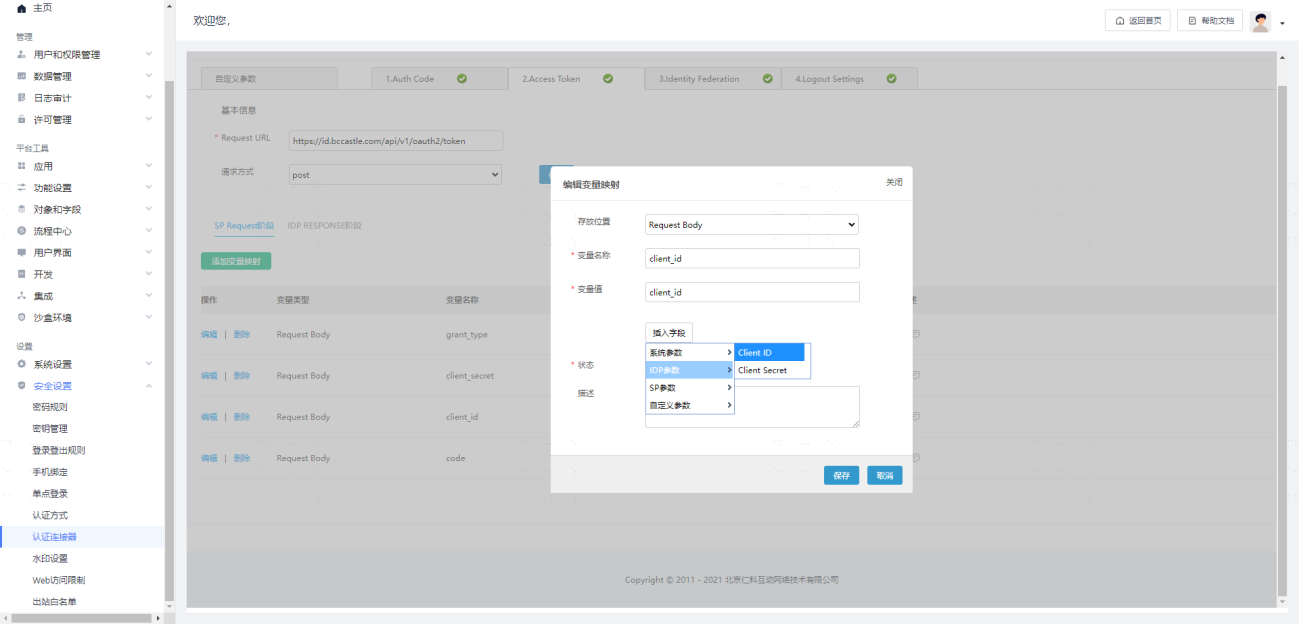
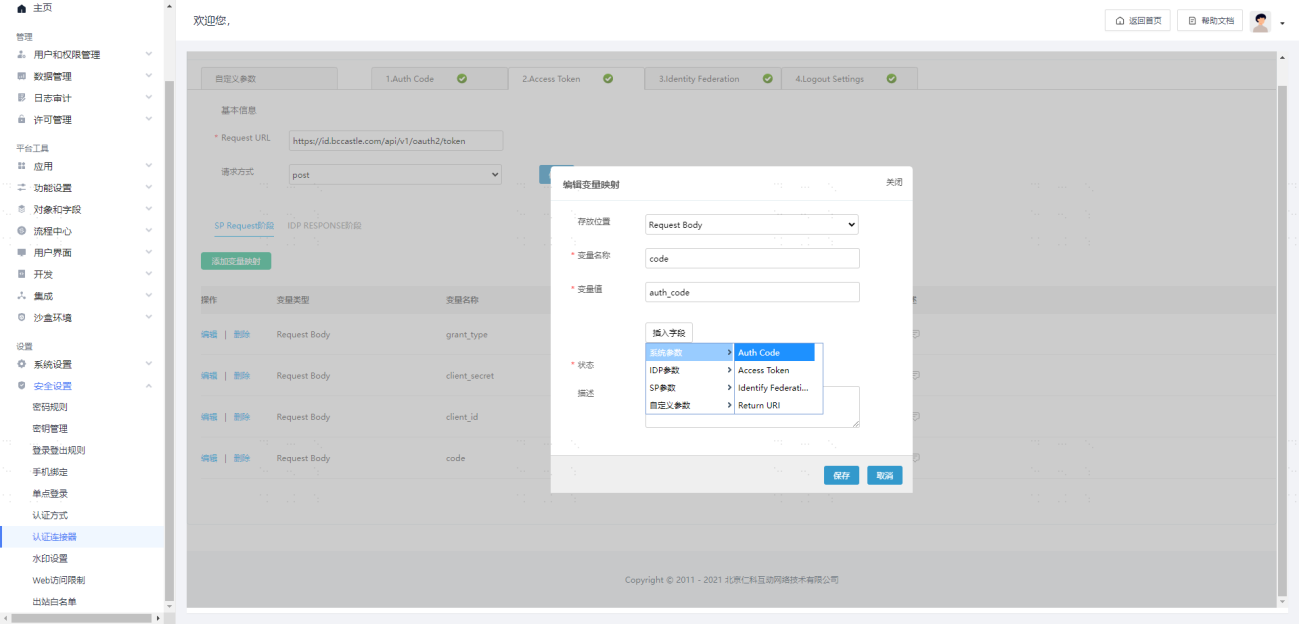
IDP RESPONSE Stage Parameter Configuration
| Parameter Name | Parameter Value Source Variable |
|---|---|
| access_token | access_token |
Example:
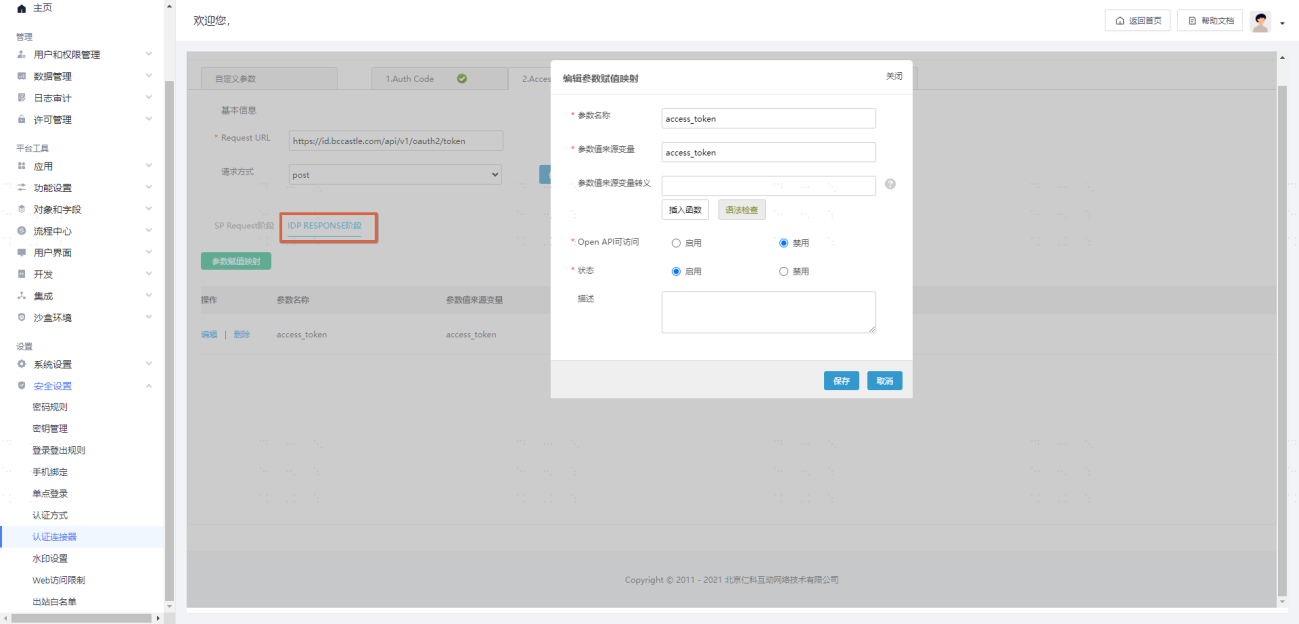
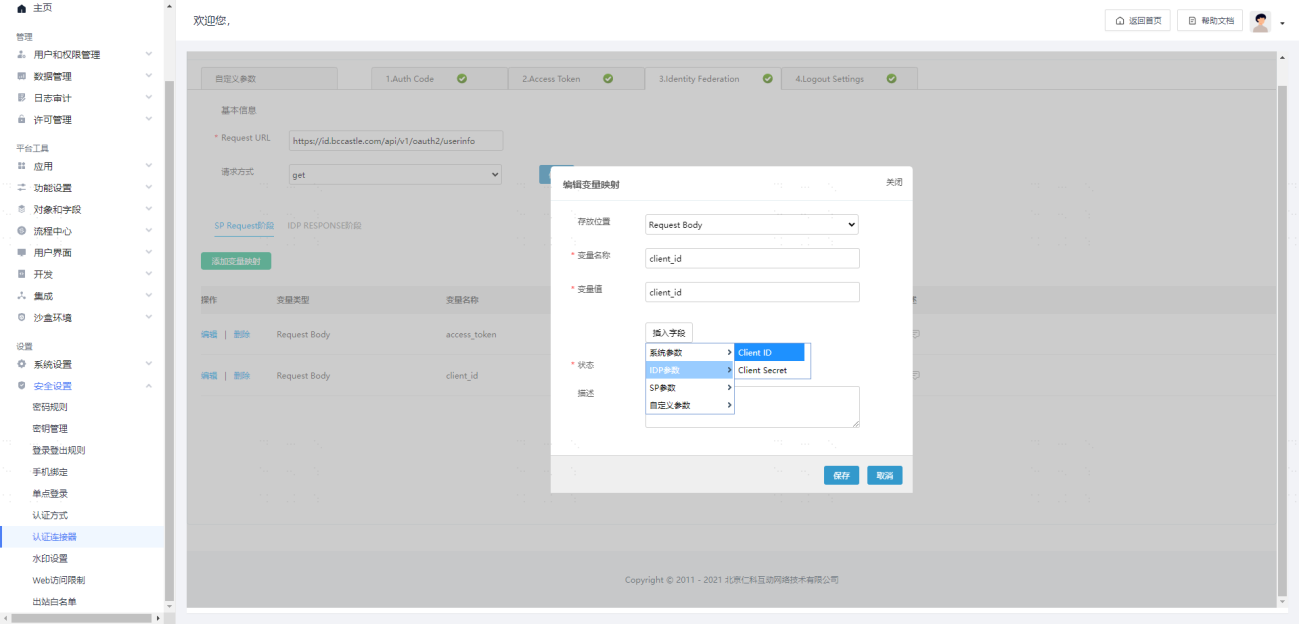
Identity Federation Configuration
Basic Information
TIP
Request URL: https://{tenant-domain-address, example: domain: xx.xxx.com}/api/v1/oauth2/userinfo
Request Method: GET
SP Request Stage Parameter Configuration
| Storage Location | Variable Name | Variable Value (select only) | Variable Value Type |
|---|---|---|---|
| Request Body | access_token | access_token | System Parameter |
| Request Body | client_id | client_id | IDP Parameter |
Example:
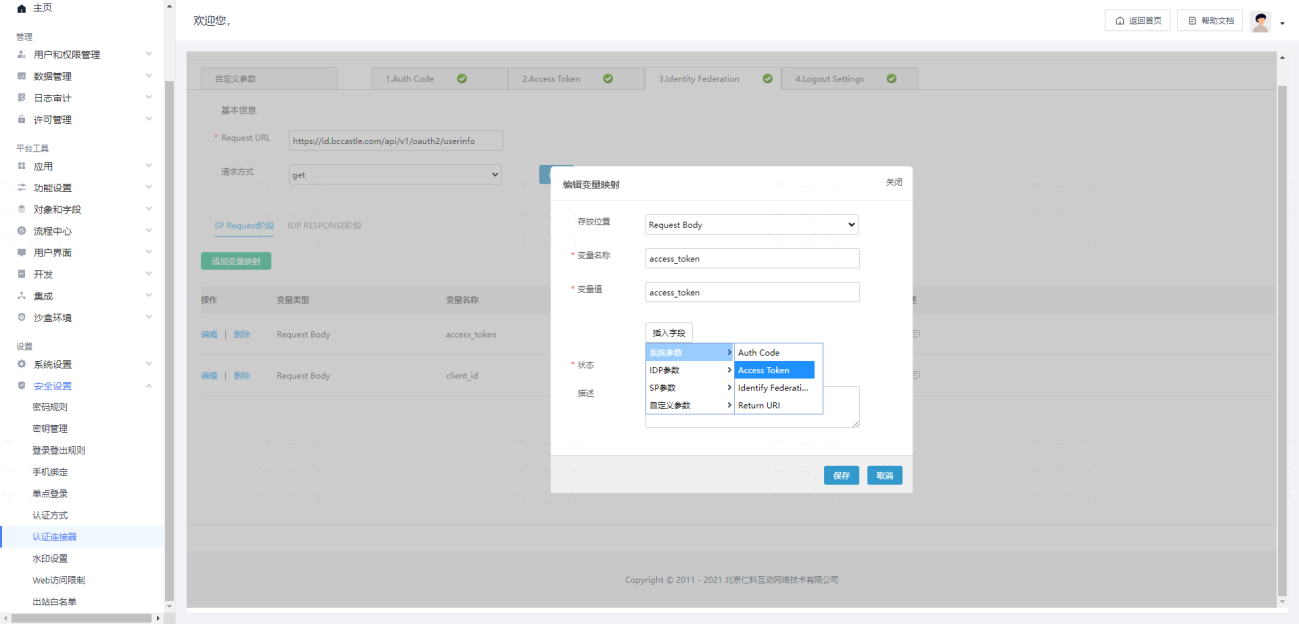
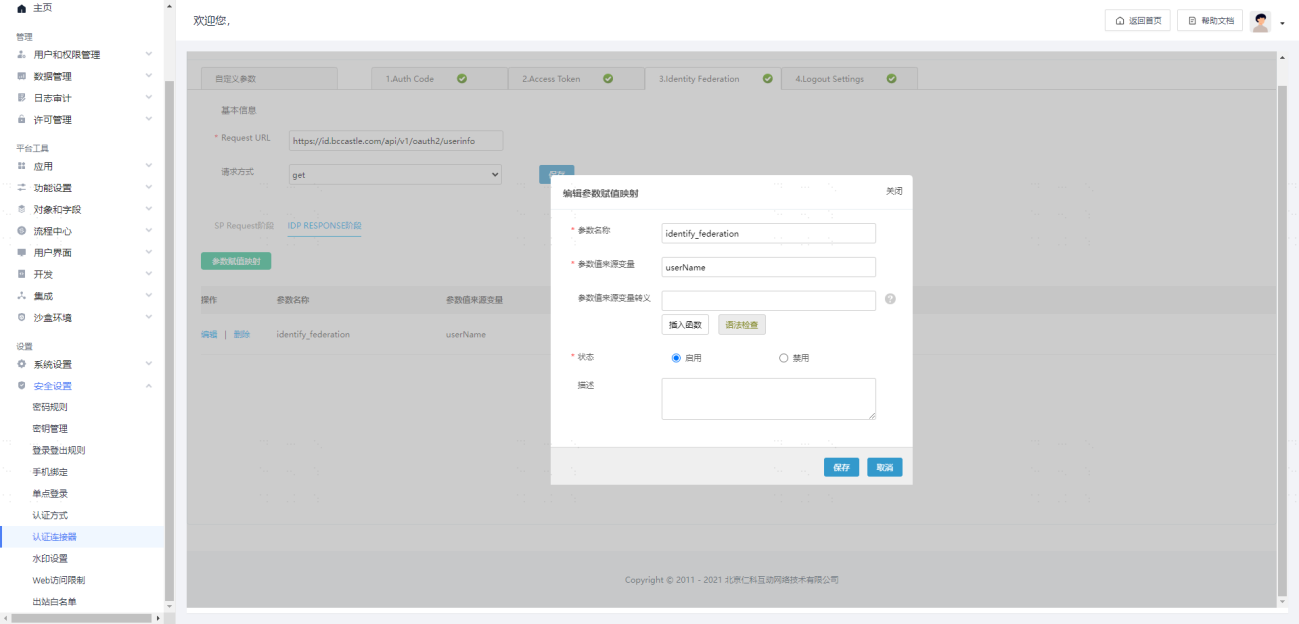
IDP RESPONSE Stage Parameter Configuration
| Parameter Name | Parameter Value Source Variable |
|---|---|
| identify_federation | userName |
Example:
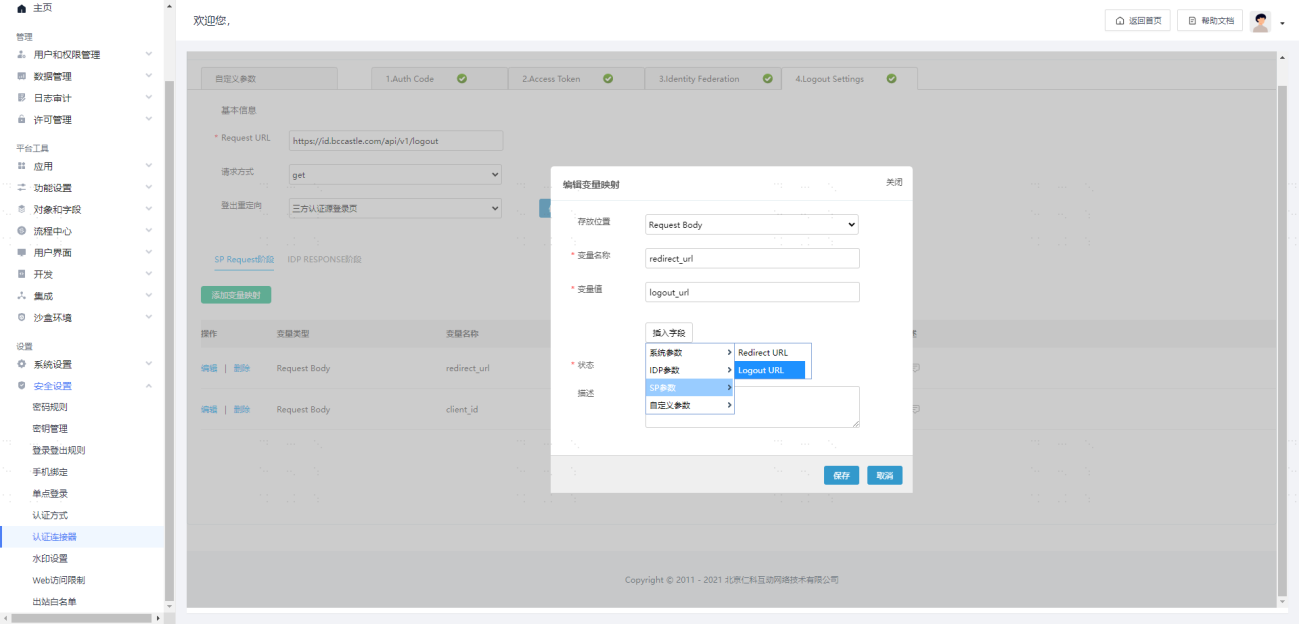
Logout Settings Configuration (Optional)
Basic Information
TIP
Request URL: https://{tenant-domain-address, example: domain: xx.xxx.com}/api/v1/logout
Request Method: GET
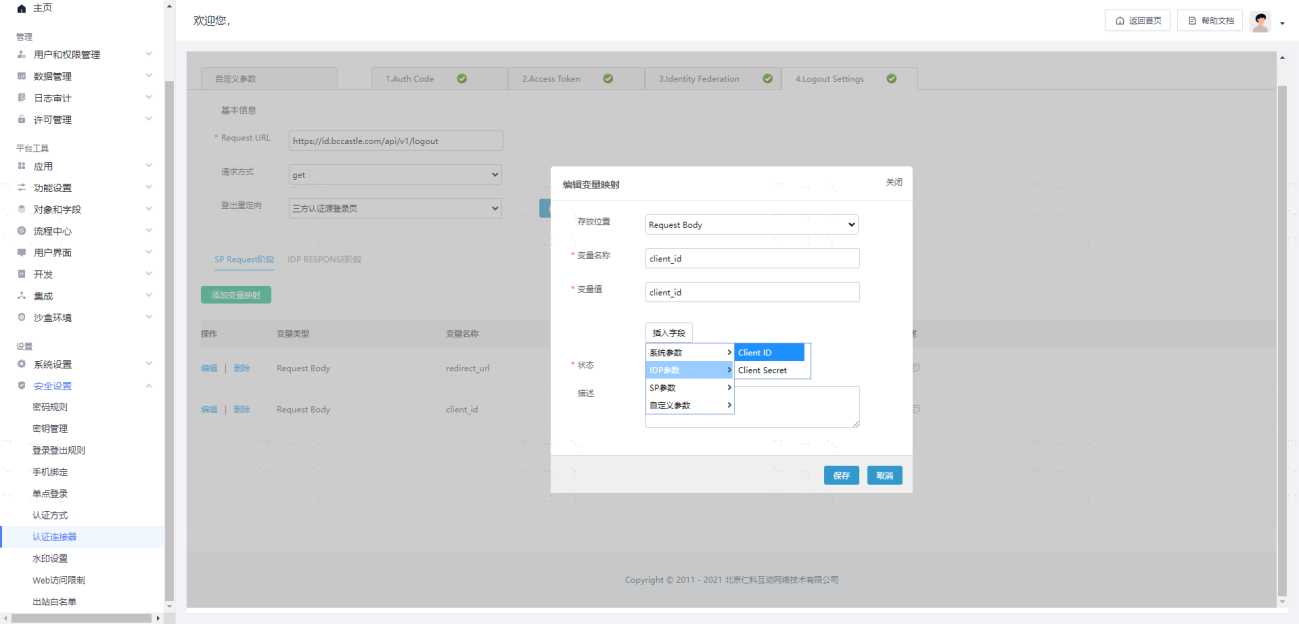
SP Request Stage Parameter Configuration
| Storage Location | Variable Name | Variable Value (select only) | Variable Value Type |
|---|---|---|---|
| Request Body | redirect_url | logout_url | SP Parameter |
| Request Body | client_id | client_id | IDP Parameter |
Example:
Test Verification
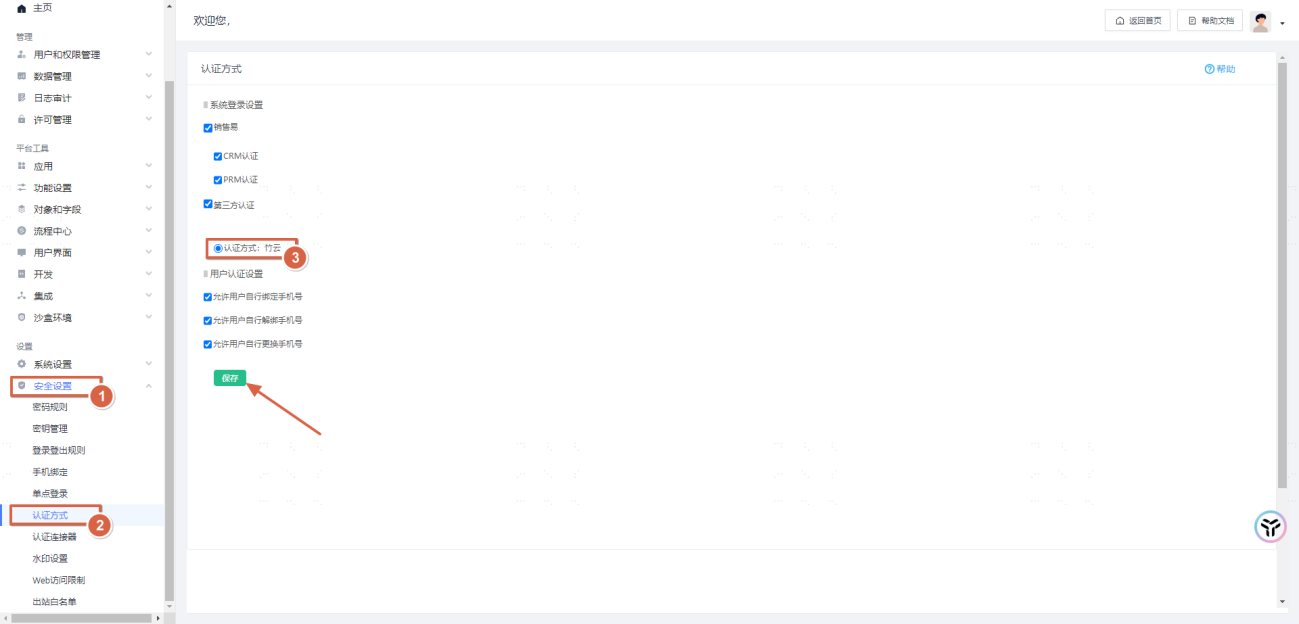
Enable Third-Party Authentication
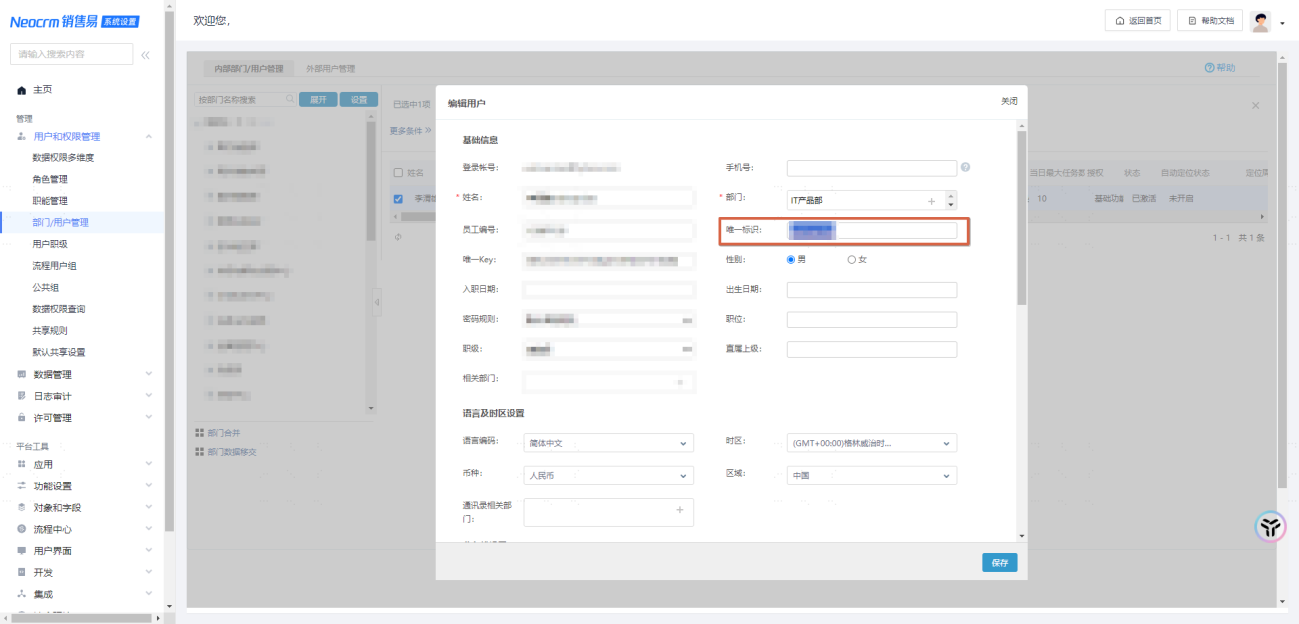
Establish Associated Matching Accounts
When Xiaoshouyi personnel and BambooCloud IDaaS personnel log in through single sign-on, the matching login depends on the [Unique Identifier] attribute field of the Xiaoshouyi personnel and the [Username/Other Unique Attribute] of the BambooCloud user. Therefore, before verification, manually maintain the above fields in Xiaoshouyi.
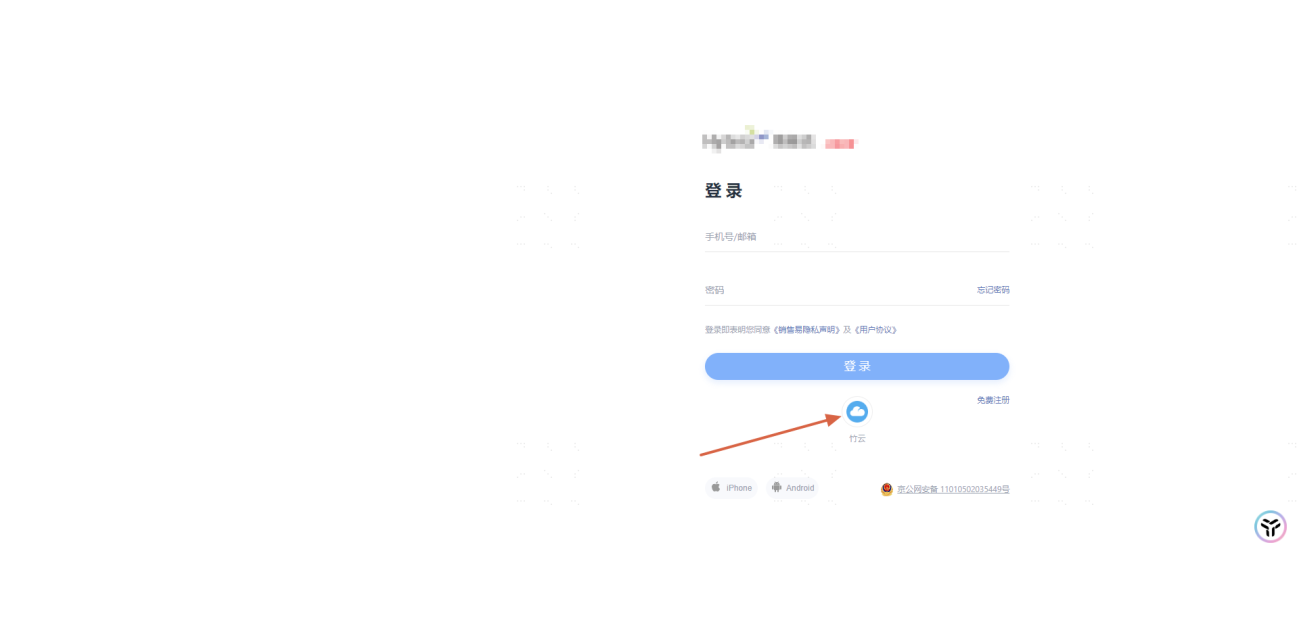
Login Access
Visit the Xiaoshouyi login homepage.
Select the [BambooCloud] method to log in.
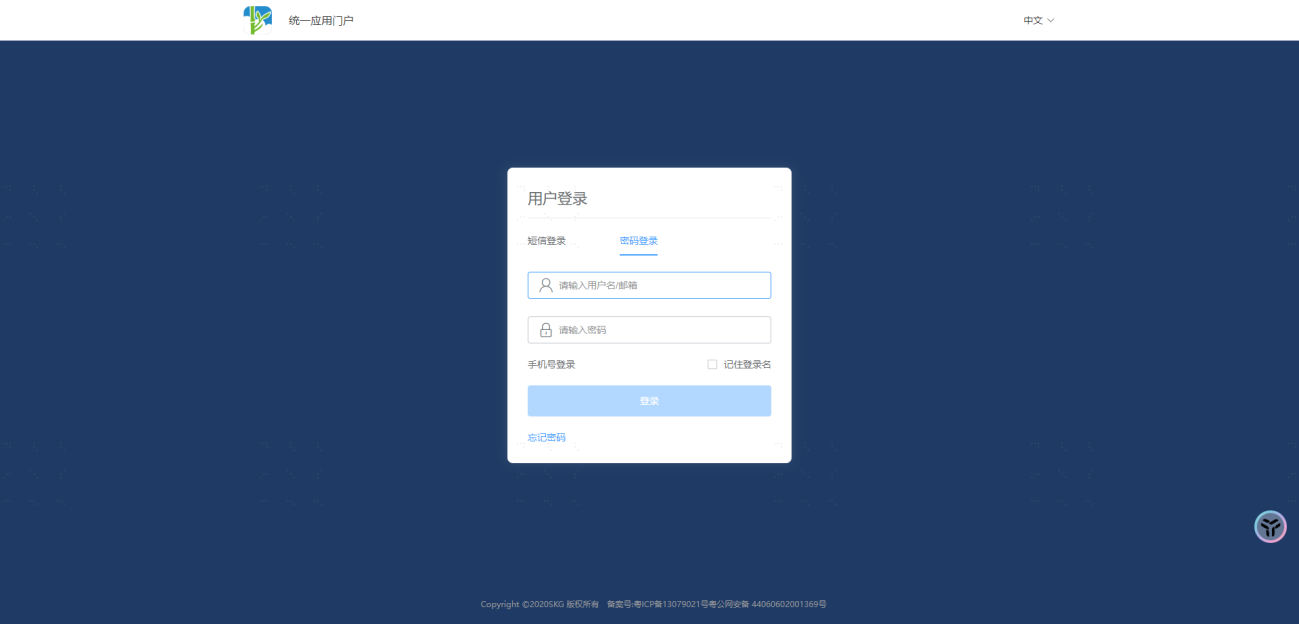
- Enter the BambooCloud account name and password, and click Confirm.
- View the login result.
Appendix
[Xiaoshouyi official OAuth protocol integration description](https://doc.xiaoshouyi.com/?code=8U1tuG0#/proMan/workplaceDetail?url=%2F%2Ftas ks%2F%E9%94%80%E5%94%AE%E6%98%93CRM_PaaS%E5%B9%B3%E5%8F%B0_% E7%B3%BB%E7%BB%9F%E5%8D%95%E7%82%B9%E7%99%BB%E5%BD%95%E9% 85%8D%E7%BD%AE_V2108.01_%E7%BB%91%E5%AE%9A_sp_%E4%B8%8E_idp_%E7 %94%A8%E6%88%B7.html&id=802&dir=output_1654767381620&time=169701647076 0&proId=undefined&checkStat=undefined)