
Jiandaoyun Single Sign-On
Overview
This article describes how to implement BambooCloud IDaaS single sign-on to Jiandaoyun. Reference document
Authentication Configuration
Jiandaoyun System Configuration
Log in to the Jiandaoyun system, enter Account Center >> Account Settings >> Single Sign-On >> Enable.
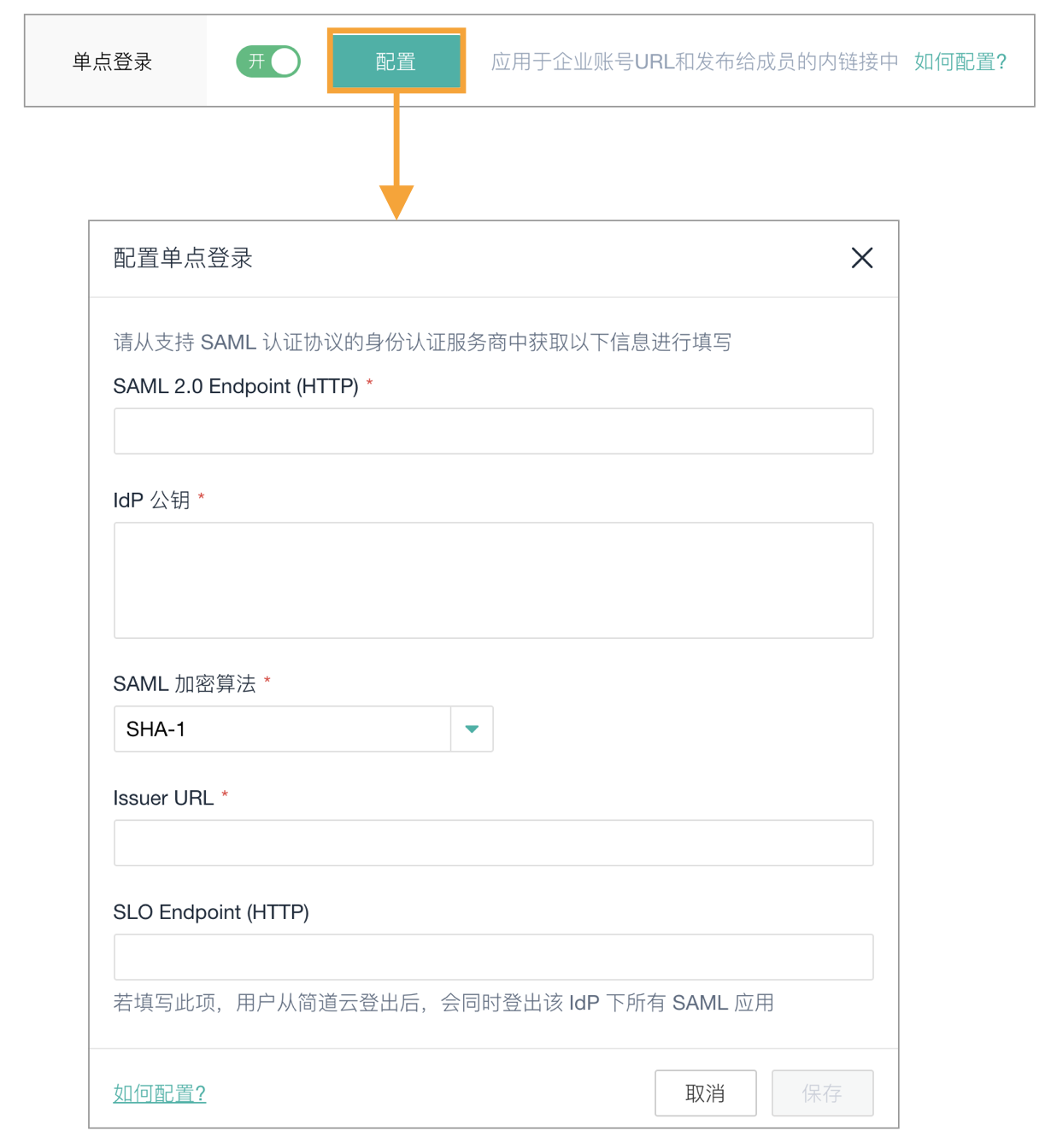
Fill in the parameter information:
Parameter Description SAML 2.0 Endpoint (HTTP) The address requested by Jiandaoyun when sending SAML (required): IDP SSO URL IdP Public Key The public key certificate used by the identity provider for signing (required): IDP certificate SAML Encryption Algorithm SHA-1, SHA-256, SHA-512 (required): SHA-1 Issuer Address The application identifier of the identity provider (required): IDP EntityId SLO Endpoint(HTTP) If filled, when users log out from Jiandaoyun, they will also be logged out of BambooCloud IDaaS (optional) To download BambooCloud IDaaS IDP metadata, visit
https://{your_domain}/api/v1/saml2/idp/metadata.After configuration is complete, save and download the Metadata.
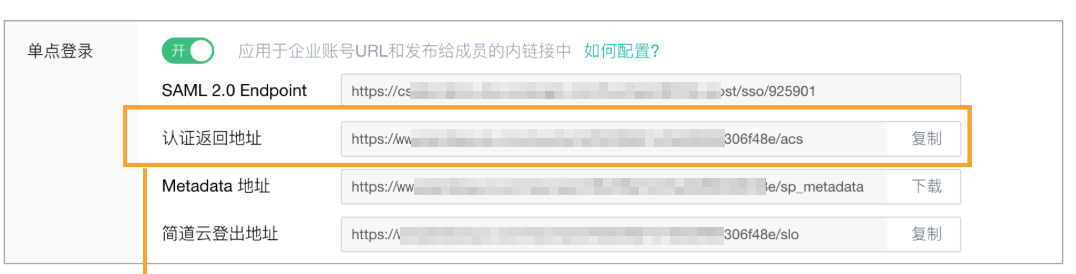

BambooCloud IDaaS Configuration
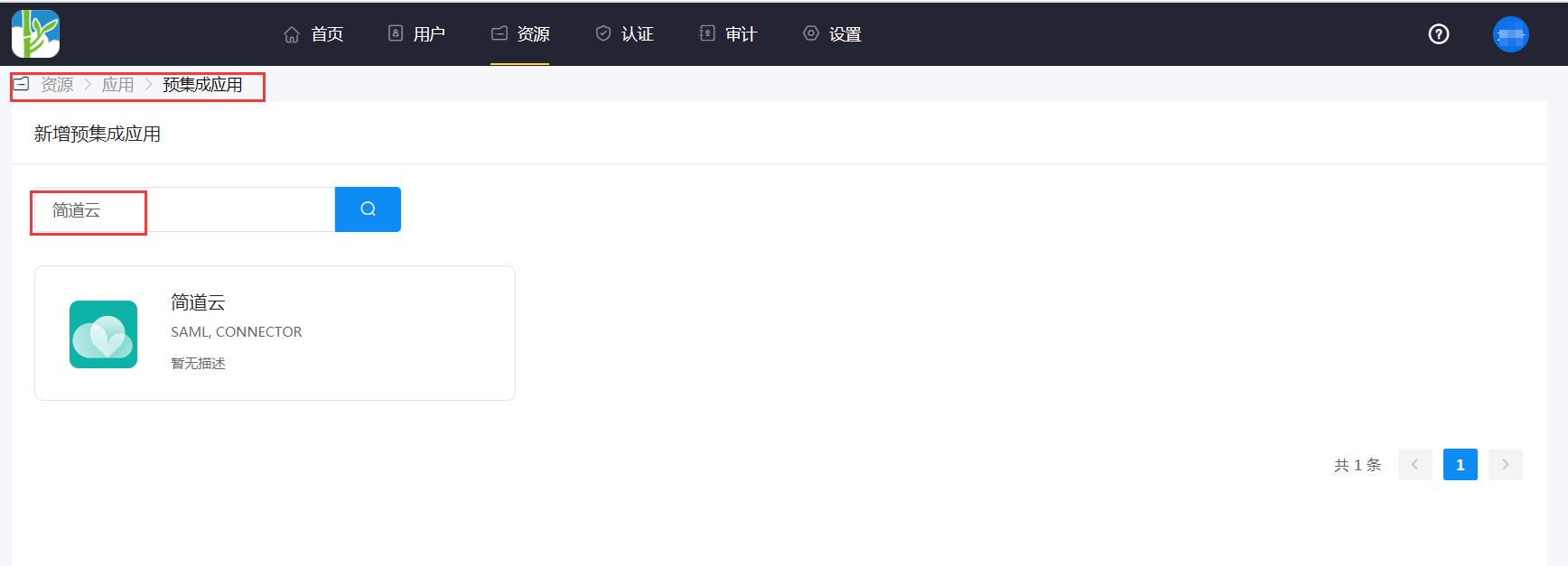
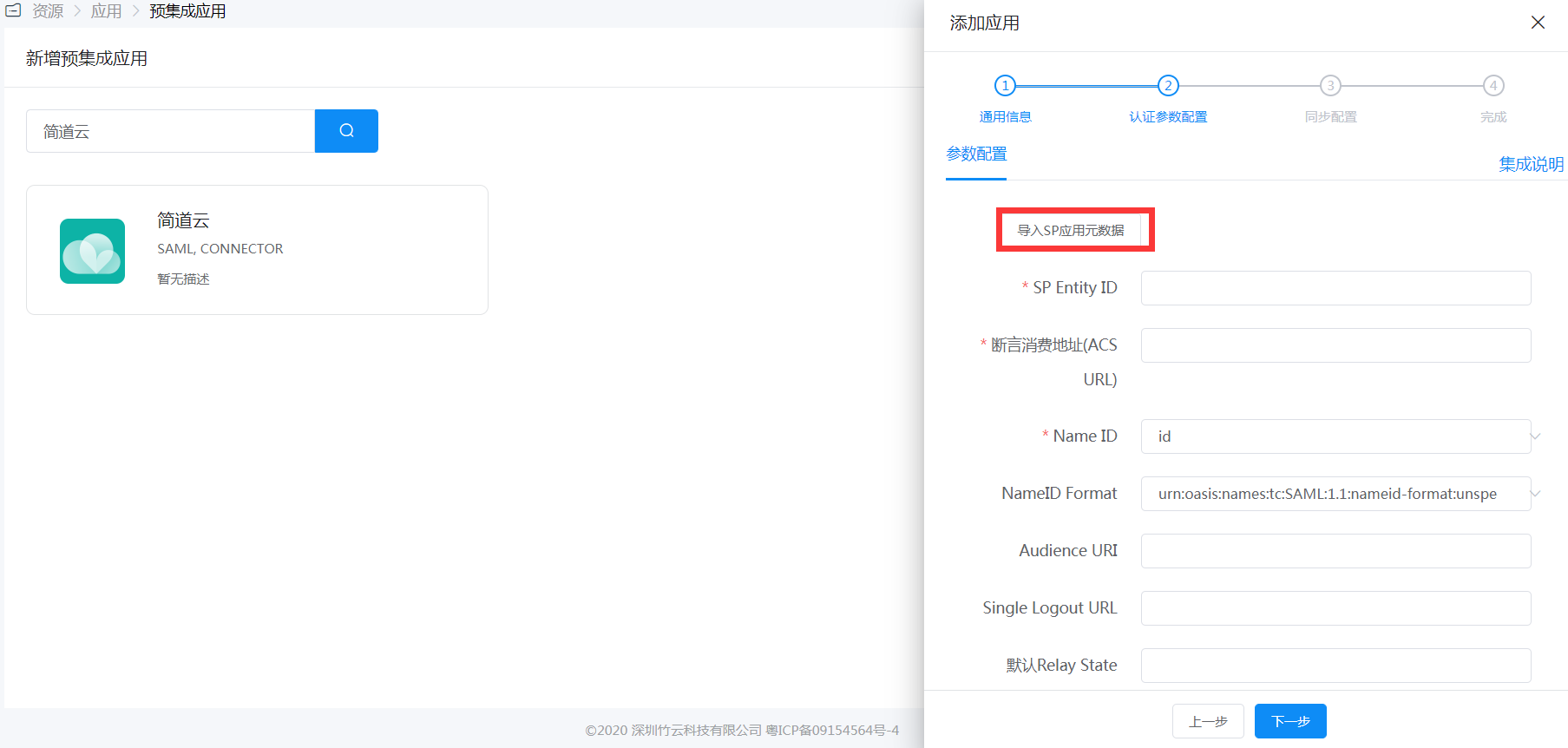
Add the built-in application Jiandaoyun.
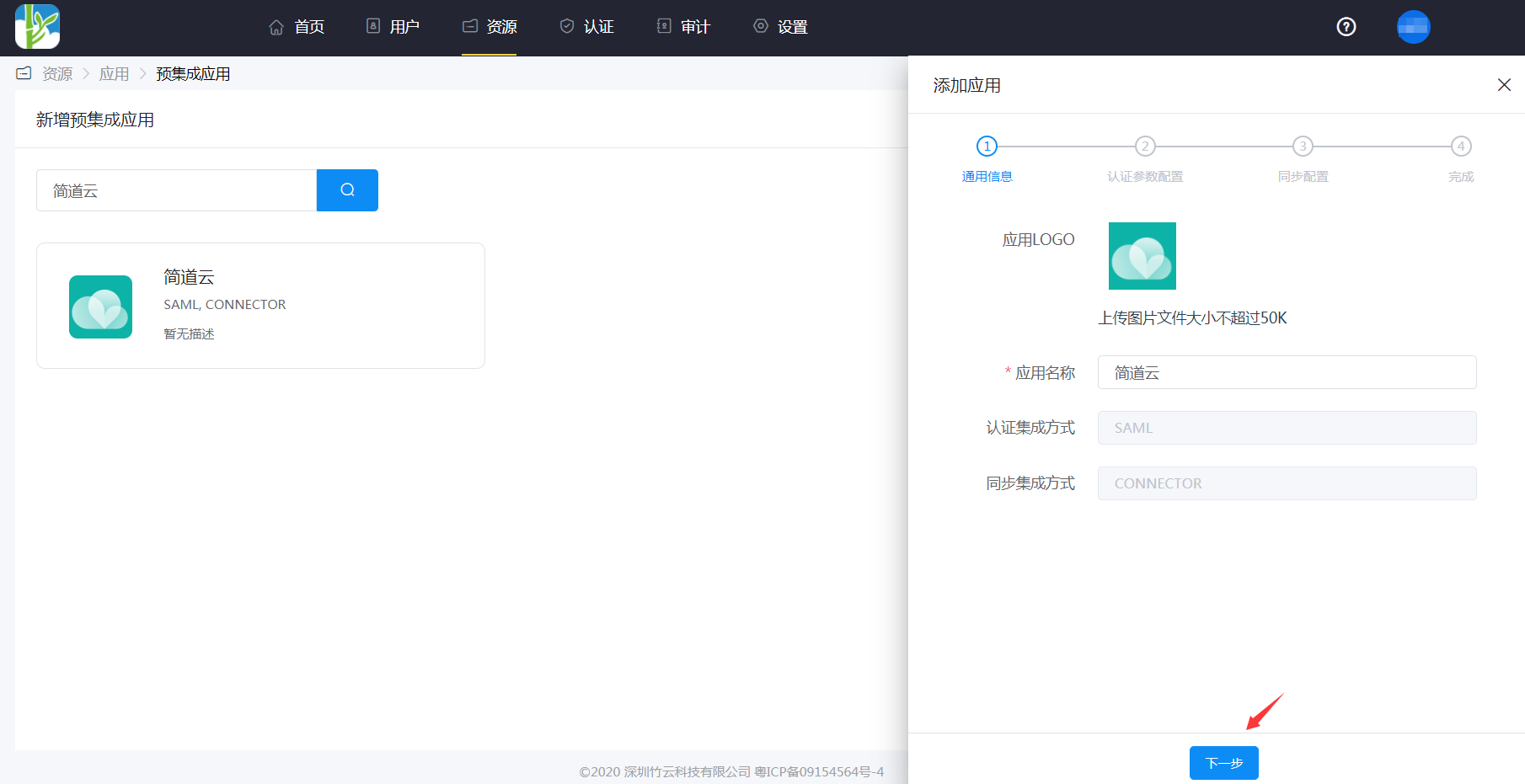
For authentication parameter configuration, you can import the SP metadata or add it manually.
SP Entity ID or Issuer:
https://www.jiandaoyun.com/sso/saml/*****/issAudience URI: Same as above
ACS URL:
https://www.jiandaoyun.com/sso/saml/*****/acsNameID: Email
NameID Format: emailAddress
In the application details, Authentication Configuration > Mapping Configuration, add the
usernameattribute.WARNING
The Attribute segment of the SAMLResponse must contain an attribute named
username, and its value corresponds to the member's number within Jiandaoyun.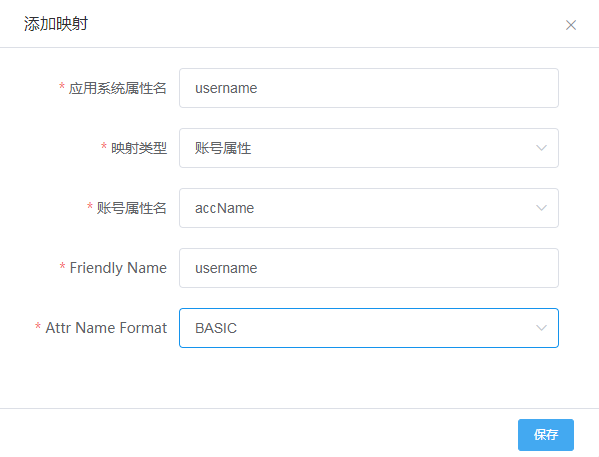
Enter the application details, Authorization Management > Application Account, click the Add Account button, and select the authorized user.
Login Verification
After the Jiandaoyun administrator sets the Custom Login Page in the backend, relevant members can log in to Jiandaoyun directly via SSO on mobile or Web.
- Before logging in, you need to set up the enterprise account URL. Members use the enterprise account URL for single sign-on.
- For the first login, you need to enter the authorized username and password in BambooCloud IDaaS.