DataPavilion DACS SSO
Overview
This article describes the SSO configuration process between the DataPavilion DACS system and BambooCloud IDaaS, realizing unified login of the DataPavilion DACS client and the SSO effect between application systems, bringing users a simpler and more convenient login method and a better user experience.
Prerequisites
- You have DACS system backend management permissions.
- You have access to the BambooCloud IDaaS Enterprise Center.
DACS Configuration
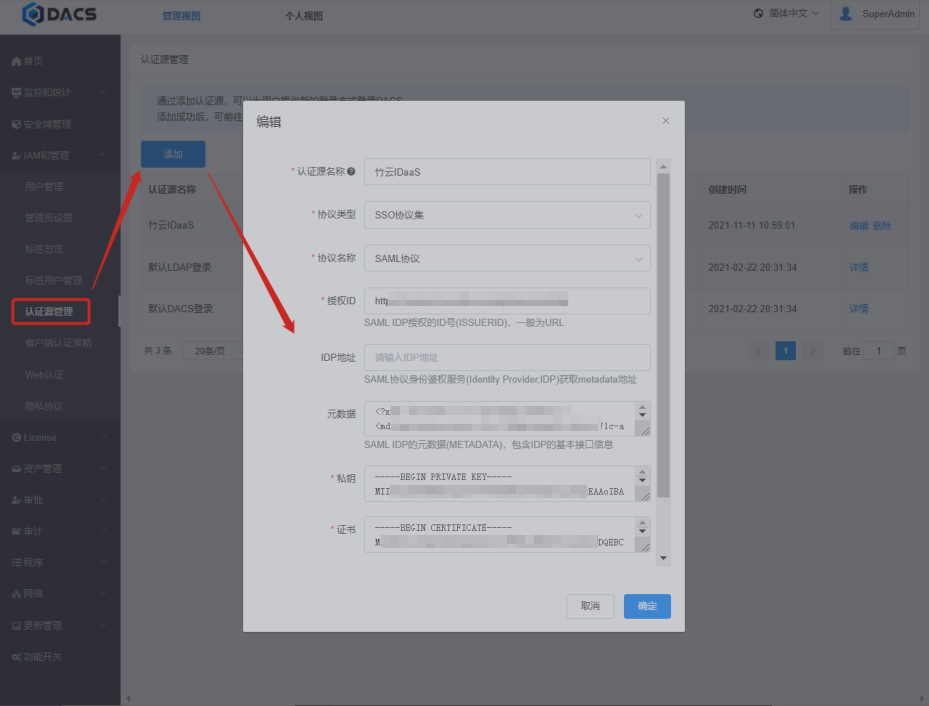
Log in to the DACS management backend, add an authentication source in Authentication Source Management, and import the BambooCloud IDaaS IDP data. To download the BambooCloud IDaaS IDP metadata, visit https://{your_domain}/api/v1/saml2/idp/metadata.
BambooCloud IDaaS Configuration
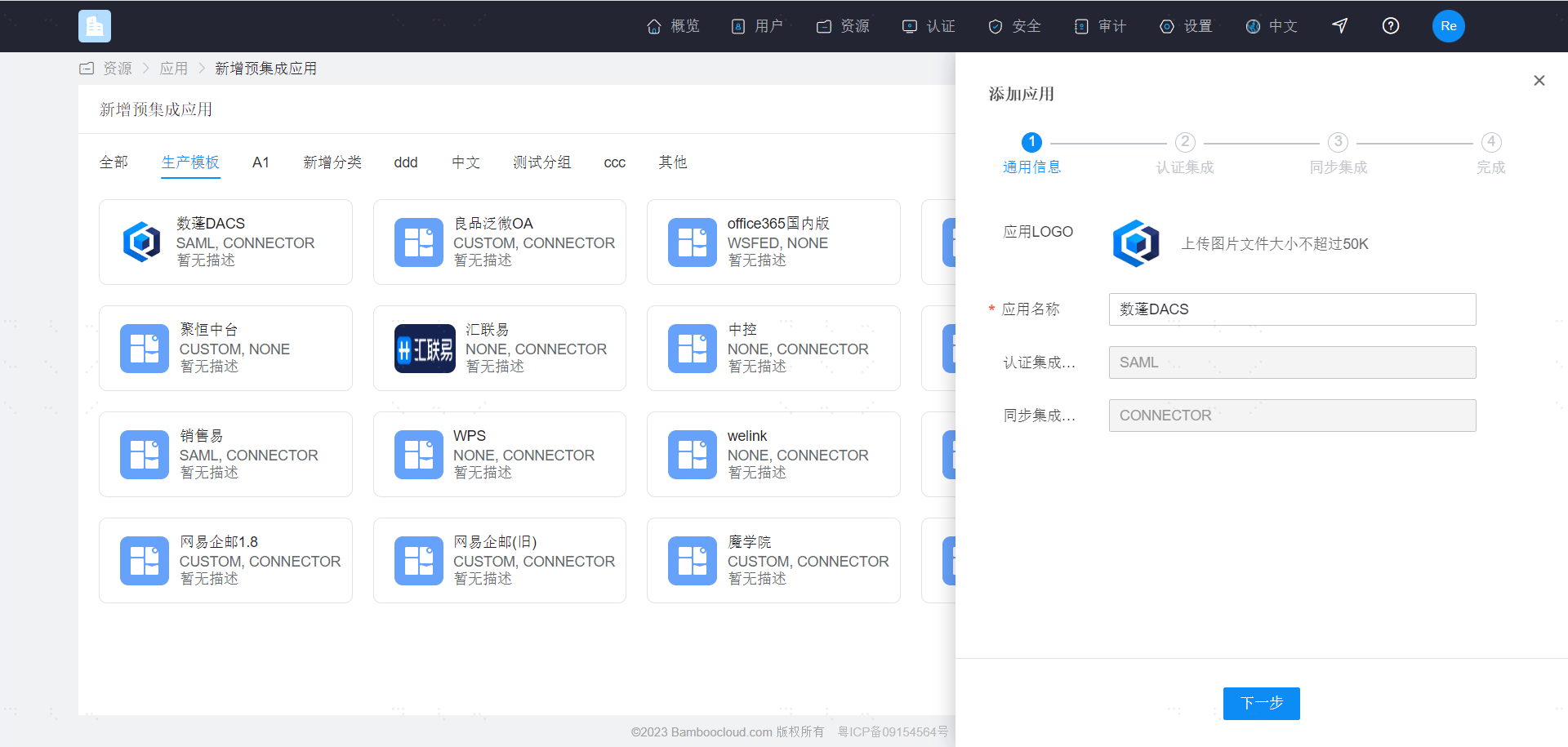
Log in to the Enterprise Center and add the DataPavilion DACS pre-integrated application.
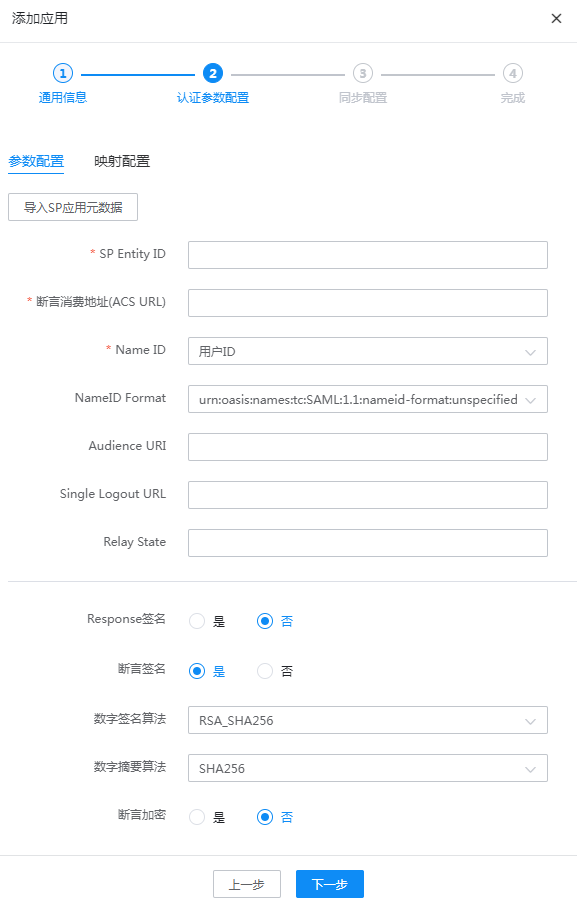
Upload the DACS metadata and configure authentication parameters.
Login Verification
- The user logs in to the DACS client and is redirected to the BambooCloud IDaaS login interface.
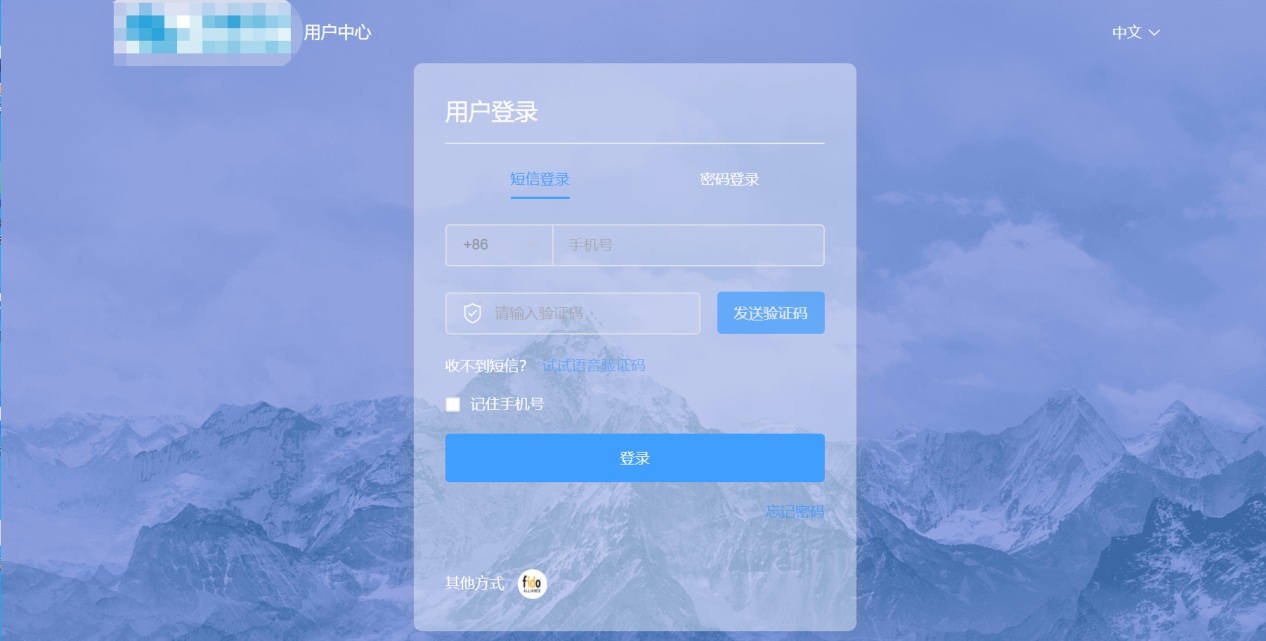
- Enter the BambooCloud IDaaS user login credentials to enter the DACS system.