Yunxuetang Xuanxing Platform Data Synchronization
Overview
This article describes how to synchronize organization and user data from BambooCloud IDaaS to Yunxuetang Xuanxing, realizing data flow from BambooCloud IDaaS to Yunxuetang Xuanxing.
Prerequisites
You have administrator permissions for the BambooCloud IDaaS Enterprise Center platform.
Synchronization Configuration
BambooCloud IDaaS Configuration
Log in to the BambooCloud IDaaS Enterprise Center platform, choose Resources > Applications, add the pre-integrated application Yunxuetang Xuanxing, and configure application parameters. Key parameters are as follows.
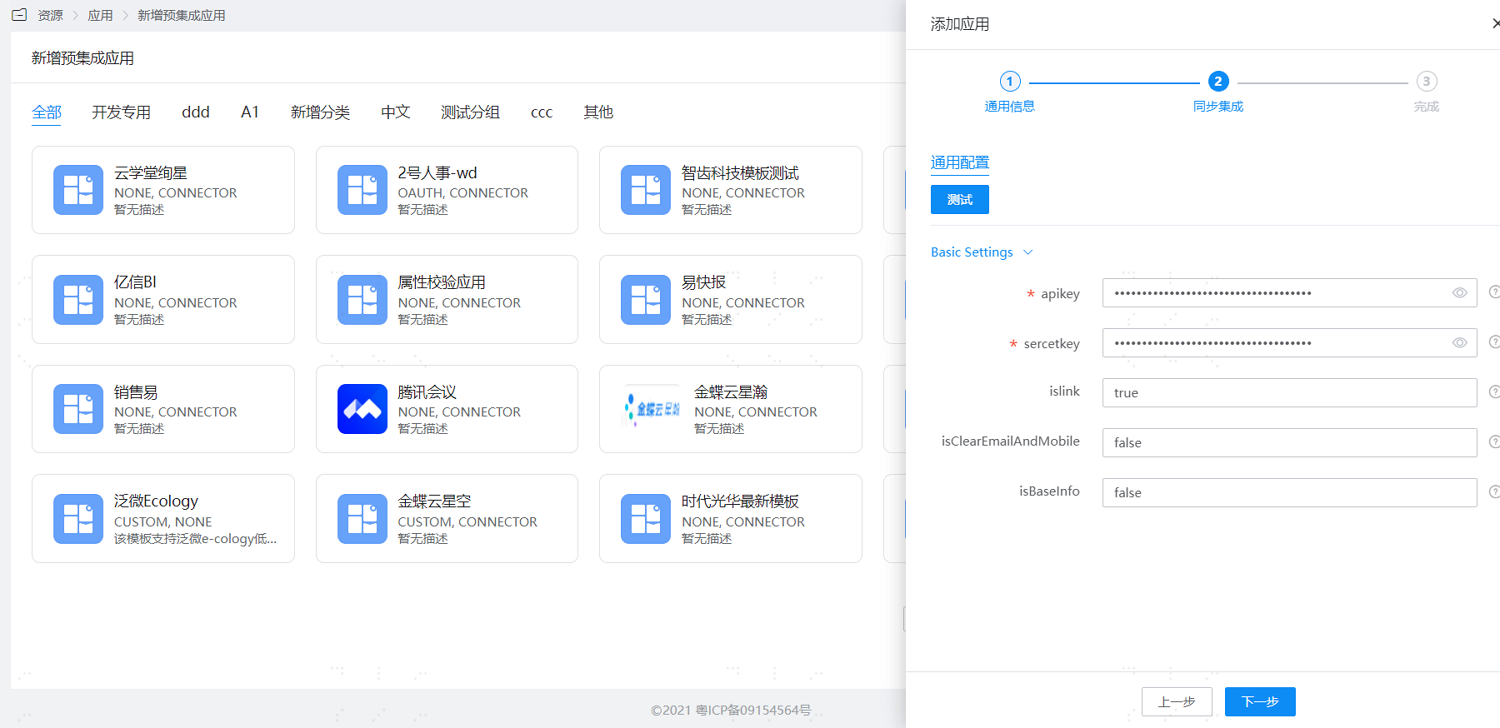
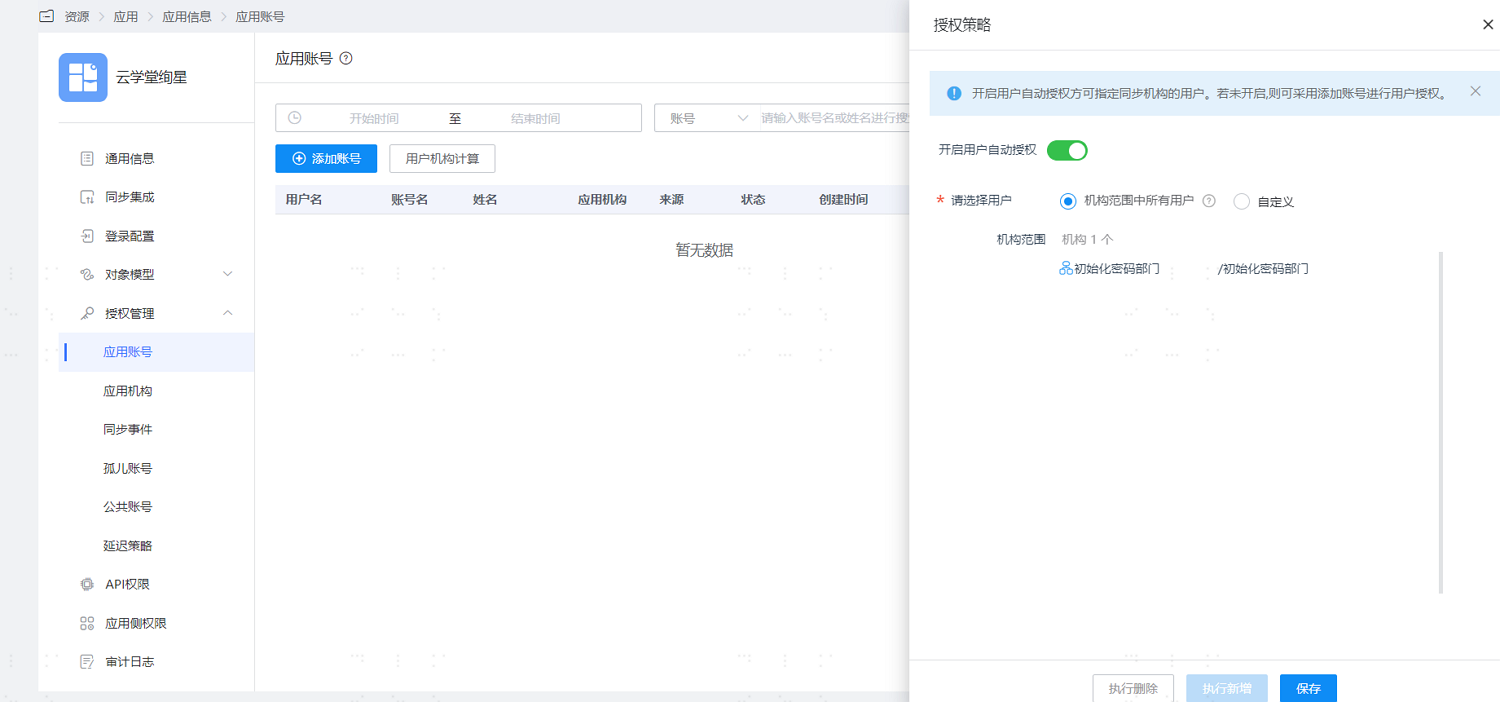
Parameter Description apikey Obtain the enterprise API Key from Yunxuetang sercetkey Obtain the enterprise secret from Yunxuetang islink Whether to synchronize user basic information, default is true isClearEmailAndMobile Whether to clear email and mobile phone, default is false (used when disabling) isBaseInfo Whether to synchronize organization basic information, default is false After configuration is complete, enter the application details, switch to the Authorization Management > Application Account page, click Authorization Policy to enable automatic user authorization, select the user scope, click the Save button, and then click Execute Add.
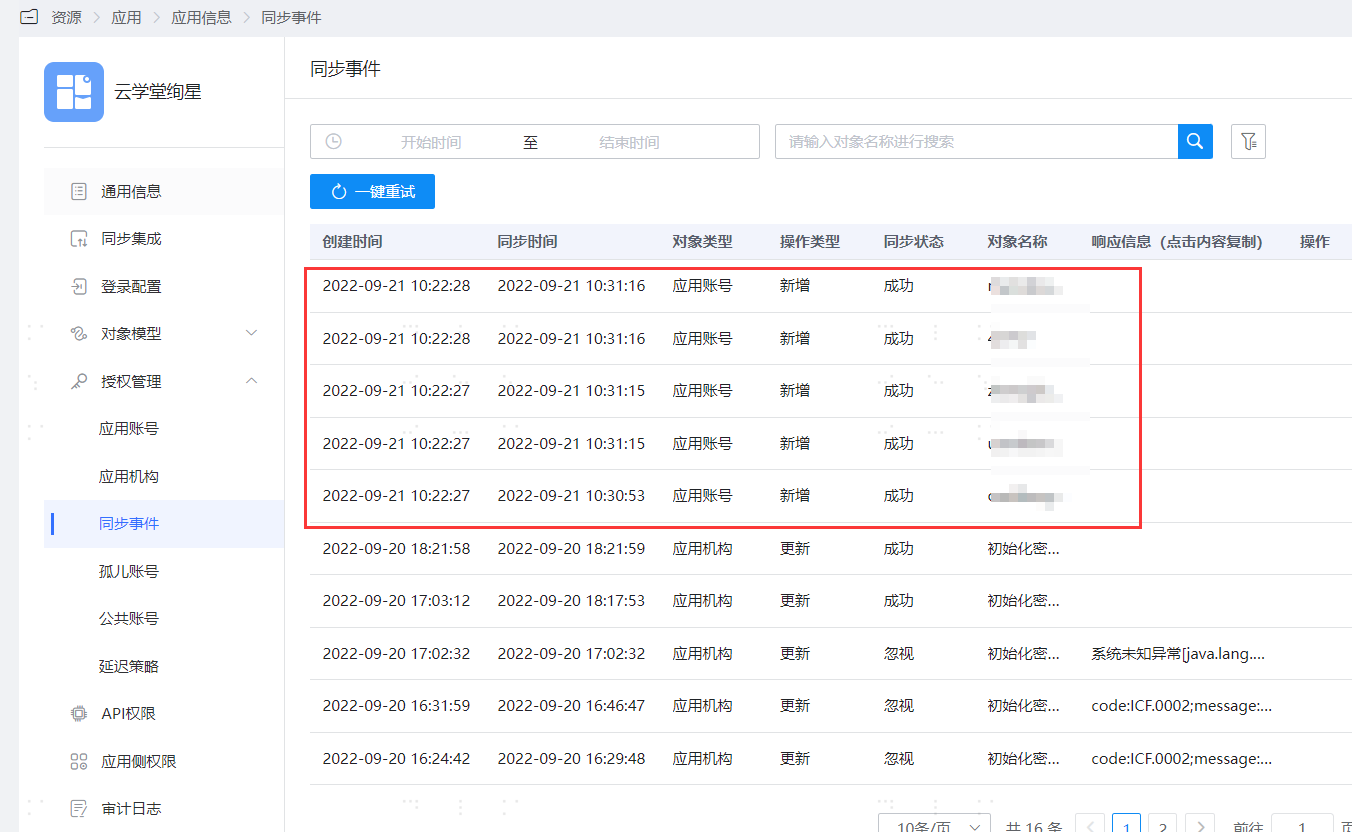
After execution is successful, switch to the Authorization Management > Synchronization Events page to view the corresponding synchronization event results.
TIP
- Similarly, you can enable automatic organization authorization and view the organization synchronization results.
- User deletion synchronization is not supported.
- Synchronization of extension attributes related to WeChat and DingTalk is not currently supported.
View Synchronization Results
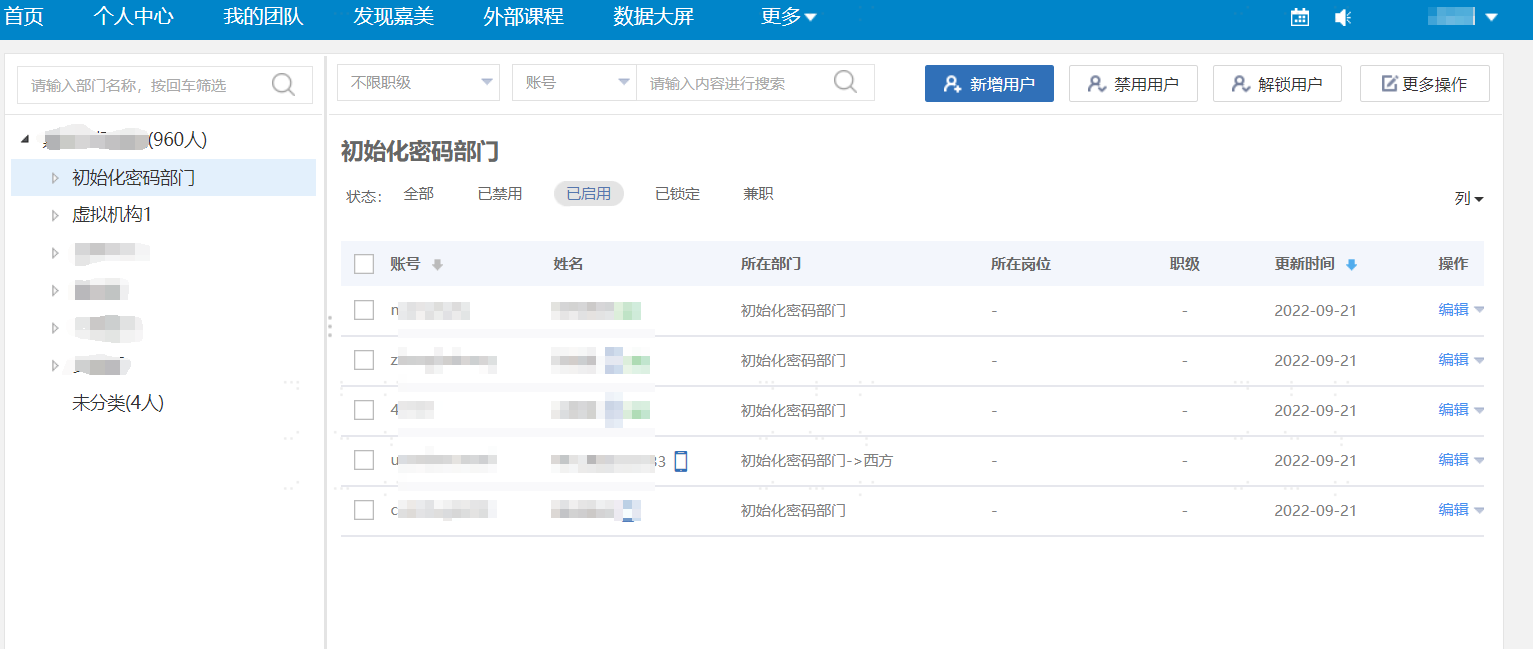
Log in to the Yunxuetang Xuanxing management backend and view the synchronized user information.