
Alibaba Mail Data Synchronization
Overview
This article describes the data synchronization configuration process between Alibaba Mail and BambooCloud IDaaS.
Preparation
Contact Alibaba Mail customer service in advance to purchase or activate the SSO and data synchronization API interfaces.
Send the following application email to alimailservice@alibaba-inc.com.
Company email domain: http://xxx.xxx.xxxx/
Company name: xxxxxx
Application environment domain: http://xxx.xxx.xxxx/
Egress IP: 47.92.171.137 (This IP is the IDaaS service egress IP and is required.)
Interfaces to access: Account and organization structure synchronization
Single sign-on: requires appCode, appSecret
Synchronization interface: requires accessCode, accessTarget, accessPassword
Obtain the API key and SSO key.
Synchronization Configuration
WARNING
For parameter issues during configuration, which mailbox attributes to synchronize to Alibaba Mail, and the mapping between BambooCloud IDaaS user attributes and Alibaba Mail user attributes, please consult BambooCloud IDaaS delivery personnel.
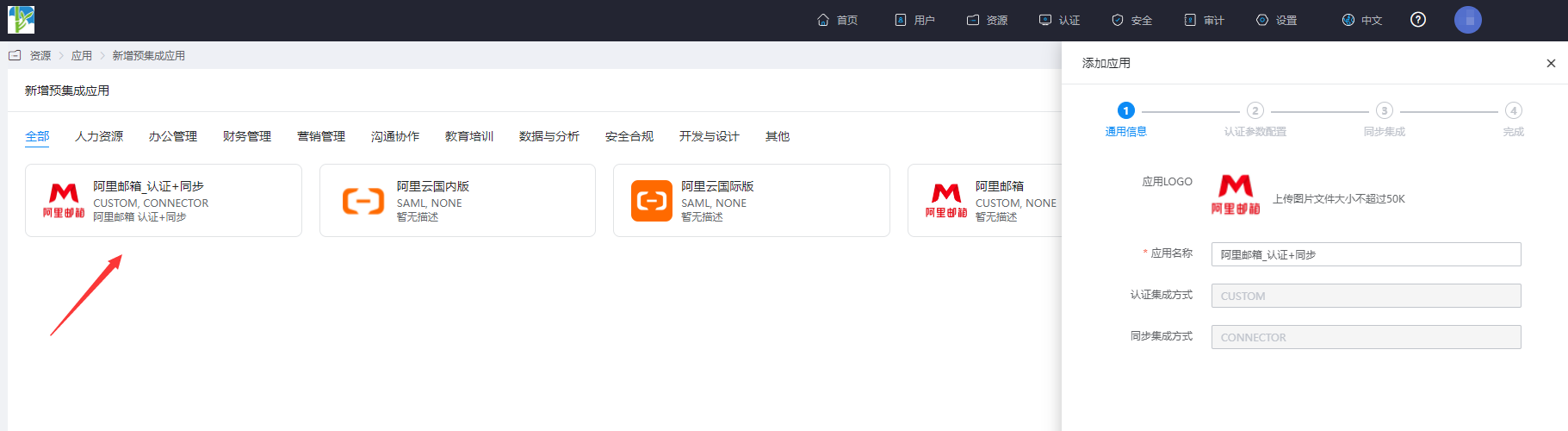
The administrator logs in to the BambooCloud IDaaS Enterprise Center, goes to Resources > Applications, adds a new pre-integrated application, and adds the Alibaba Mail pre-integrated application.
Configure synchronization parameters.
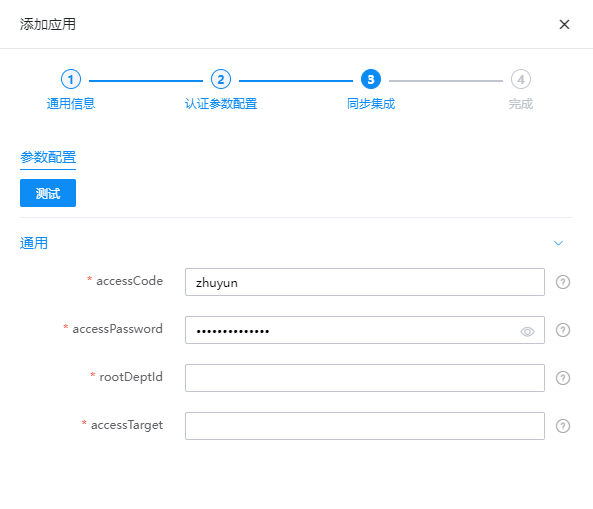
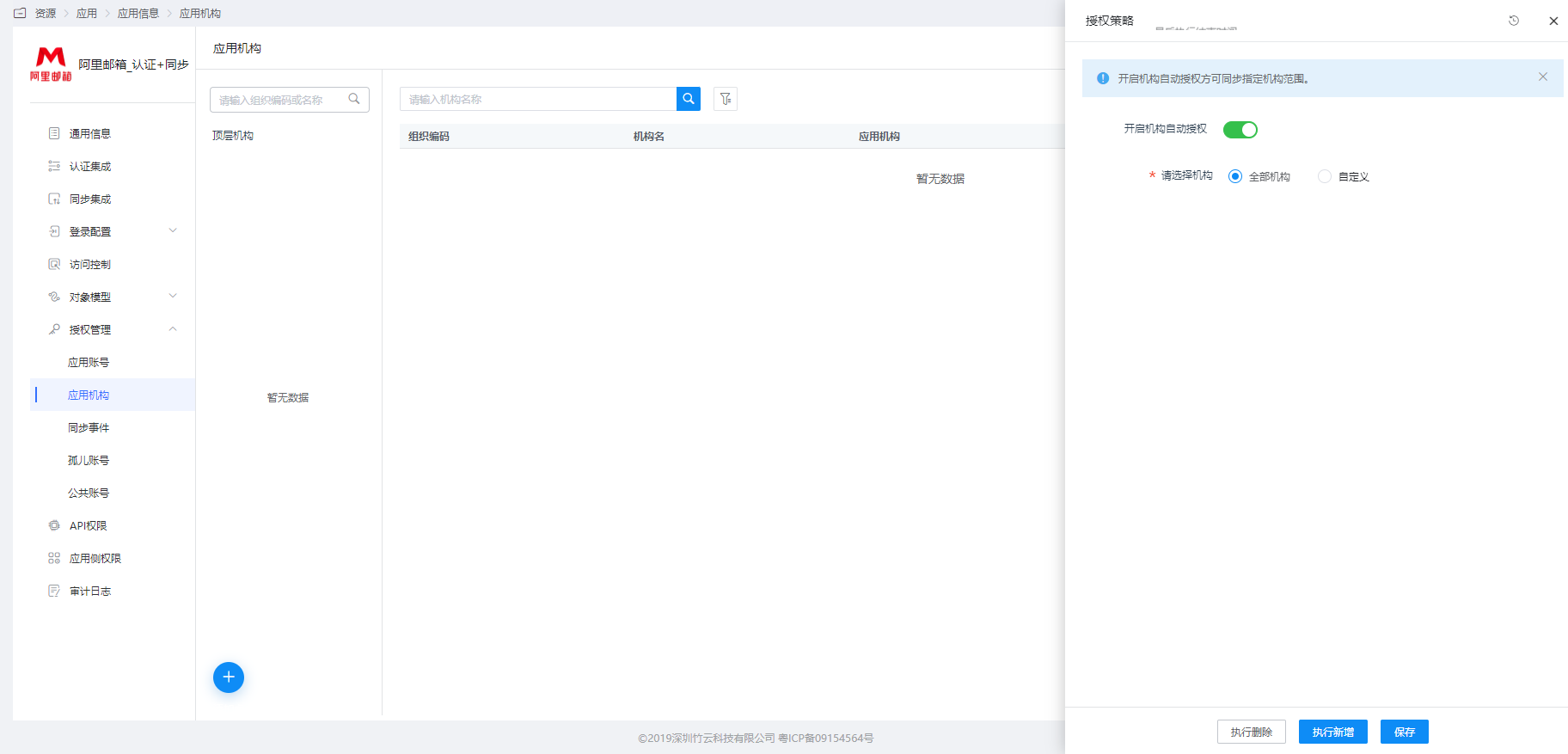
Parameter Description accessCode Alibaba Mail API accessCode accessPassword Alibaba Mail API accessPassword rootDeptId The department ID in Alibaba Mail. The administrator logs in to the Alibaba Mail backend and obtains it through the web developer mode. BambooCloud IDaaS delivery can assist. accessTarget Mailbox domain name, such as bamboocloud.com Enter Application Details > Application Organization > Authorization Policy, enable automatic organization authorization, select the organization scope, click the Save button, and then click Execute Add.
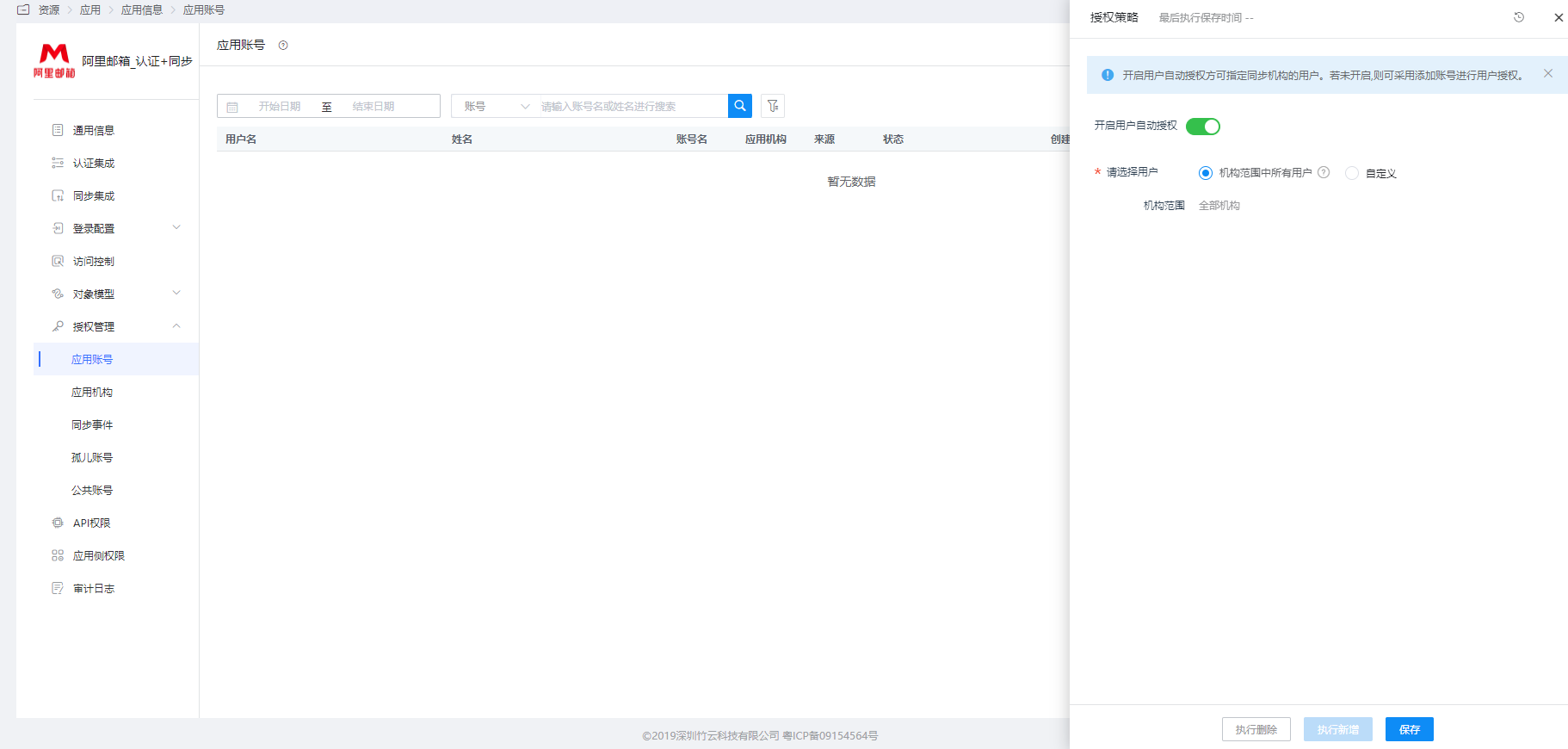
Enter Application Details > Application Account > Authorization Policy, enable automatic organization authorization, select the user scope, click the Save button, and then click Execute Add.
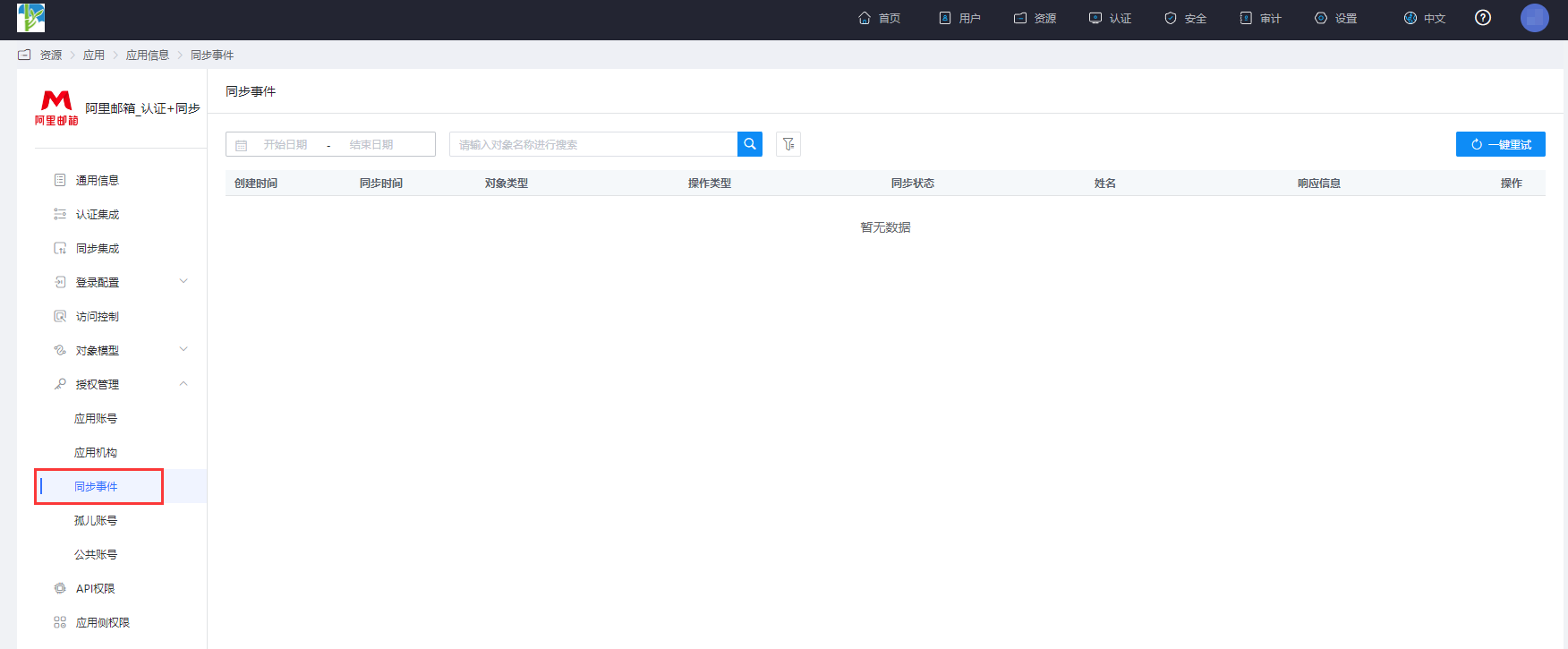
Enter Application Details > Synchronization Events to view synchronization events.
Synchronization Result Verification
The Alibaba Mail administrator logs in to the mailbox backend to view the synchronization results.