Kibana Single Sign-On
Overview
Elasticsearch supports single sign-on to Kibana through the SAML protocol. This article describes how BambooCloud IDaaS configures locally deployed Elasticsearch based on the SAML protocol to achieve single sign-on to Kibana.
Elastic official configuration document
Integration Conditions
To implement SAML authentication, the Elastic Stack product needs to have the xpack plugin installed. Versions after 5.0 have this plugin as a paid product.
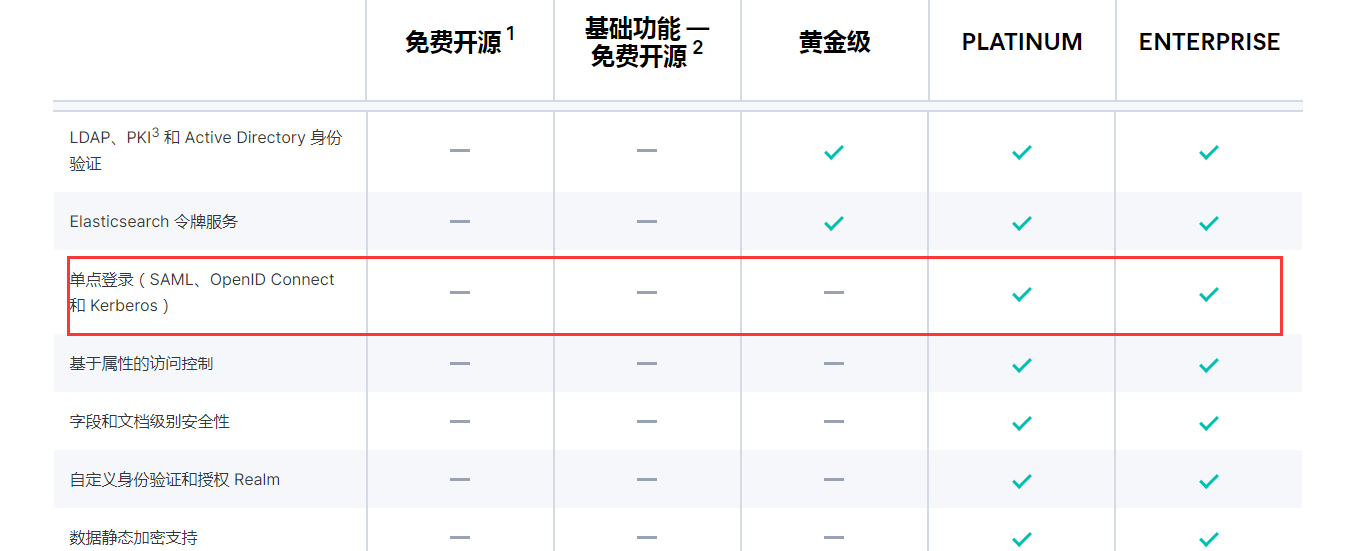
Enable xpack.security.enabled: true in the Elasticsearch.yml file of Elasticsearch.
Authentication Configuration
BambooCloud IDaaS Configuration
Add the pre-integrated application Kibana.
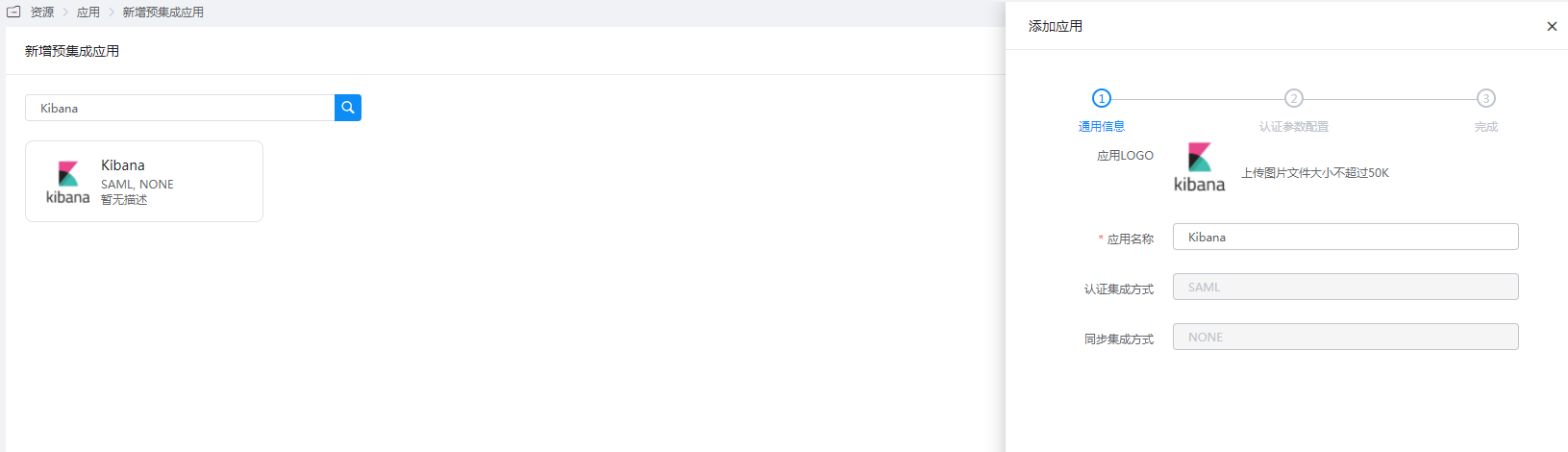
Configure authentication parameters.
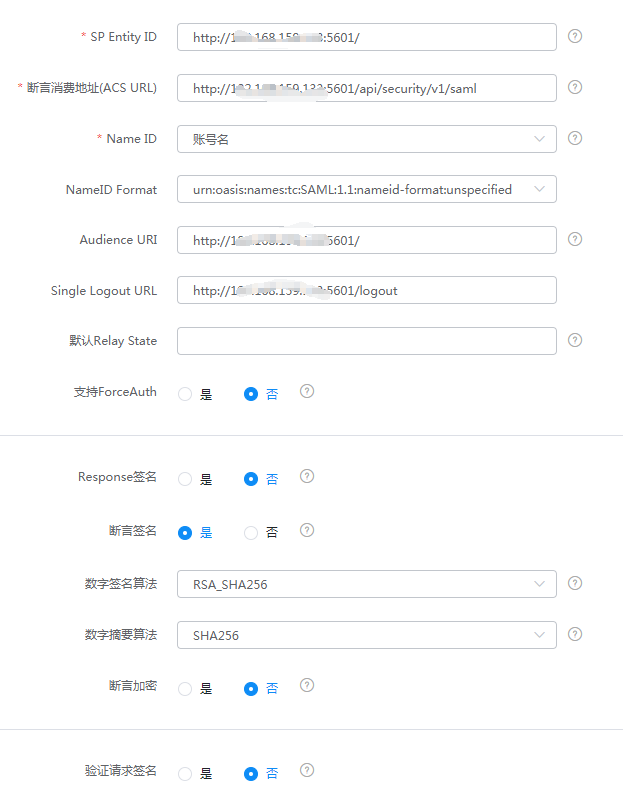
Parameter Description SP Entity ID The unique identifier of the Kibana instance. The basic URL of the Kibana instance is used as the entity ID. Assertion Consumer Service URL Used to receive authentication messages from the IdP. This ACS endpoint only supports SAML HTTP-POST binding and is usually configured as {kibana-url}/api/security/v1/saml, where{kibana-url}is the Kibana base URL.NameID Account name NameID Format Default Audience URI Same as SP Entity ID Single Logout URL {kibana-url}/logoutTIP
Regarding the Assertion Consumer Service URL, when using
/api/security/v1/samlin Elasticsearch 7.10, the Kibana log will produce a warning: "The/api/security/v1/samlURL is deprecated and will stop working in the next major version, please use/api/security/saml/callbackURL instead." This indicates that lower versions are gradually deprecating/api/security/v1/saml, and version 8.0 will no longer support it. It is recommended to use/api/security/saml/callbackinstead.Mapping configuration - add mappings.
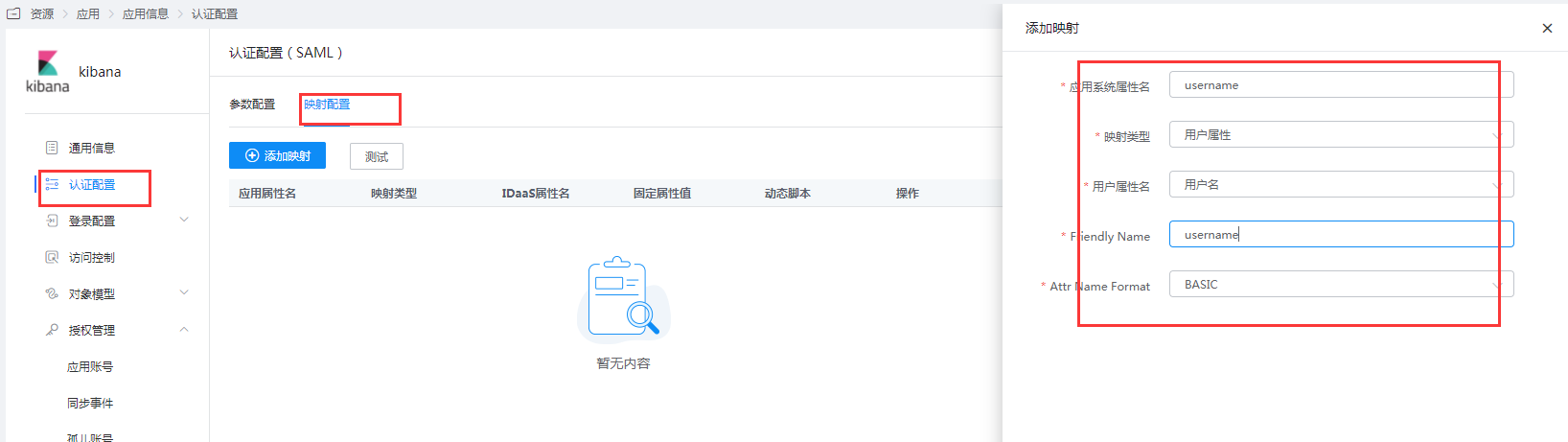
Enter the application details, Authorization Management > Application Account, click the Add Account button, and select the authorized user.
Kibana and Elasticsearch Configuration
Log in to the Kibana console, select Management - Stack Management. On the Stack Management page, select Security - Roles, create a role with a custom name such as
saml, and add Elasticsearch and Kibana privileges.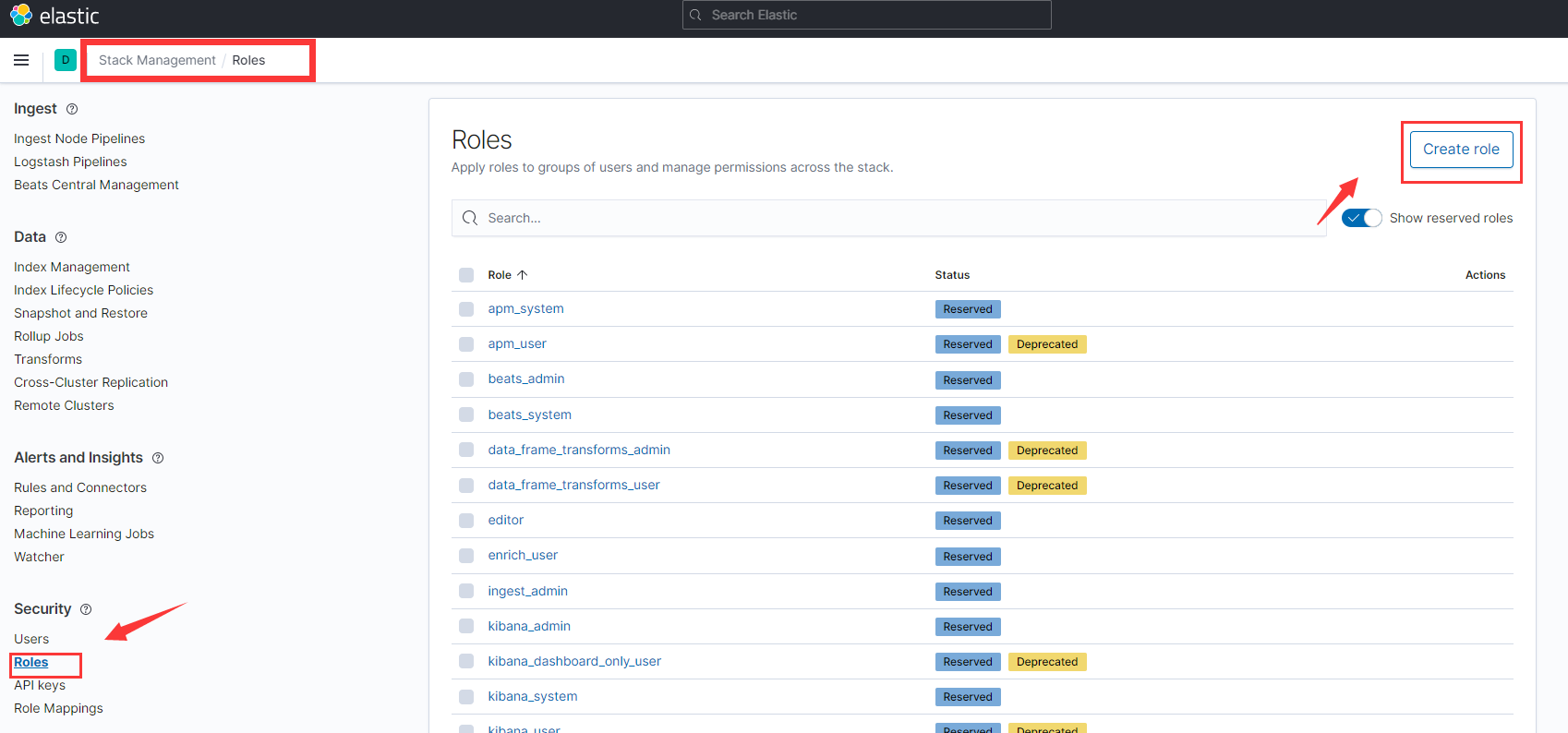
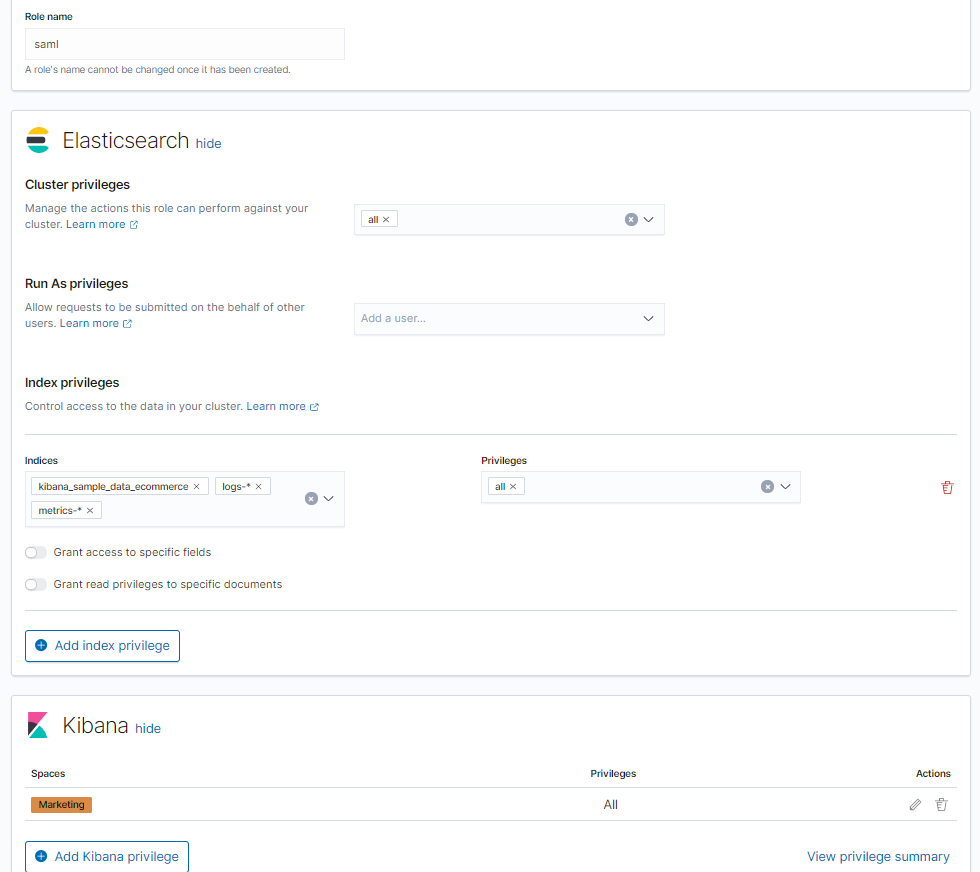
Map the created custom role with BambooCloud IDaaS SAML. Select Management - Dev Tools, and execute the following sample code under the Console tab.
 json
jsonPUT /_security/role_mapping/zhuyunidaas { "roles": [ "saml" ], "enabled": true, "rules": { "field": { "realm.name": "saml1" } } }For other advanced configurations, please refer to the official document Configuring role mappings.
Configure the YML configuration files of Elasticsearch and Kibana. Download the BambooCloud IDaaS IDP metadata
IDPMetadata.xmlfile, upload it to theconfig/samlpath of Elasticsearch. To download BambooCloud IDaaS IDP metadata, visithttps://{your_domain}/api/v1/saml2/idp/metadata.Elasticsearch.yml configuration example:
ymlxpack.security.authc.token.enabled: true xpack.security.authc.realms.saml.saml1: order: 2 idp.metadata.path: saml/IDPMetadata.xml idp.entity_id: "https://BambooCloudIDaaS-domain.bccastle.com/api/ams/saml/idp" sp.entity_id: "{kibana-url}" ## For version 8.0, it is recommended to use {kibana-url}/api/security/saml/callback instead sp.acs: "{kibana-url}/api/security/v1/saml" sp.logout: "{kibana-url}/logout" attributes.principal: "nameid" attributes.groups: "roles"Kibana.yml configuration example is as follows. For more configuration information, please refer to Configuring Kibana:
ymlxpack.security.authc.selector.enabled: true ## Login help address xpack.security.loginHelp: "**Help** info with a [link](...)" xpack.security.authc.providers: basic.basic1: order: 0 icon: "logoElasticsearch" hint: "Typically for administrators" saml.saml1: order: 1 realm: saml1 description: "Log in with SSO" ## Logo address icon: "https://my-company.xyz/saml-logo.svg"After modifying the configuration, restart Elasticsearch and Kibana.
Login Verification
Access the Kibana console and click Log in with SSO.
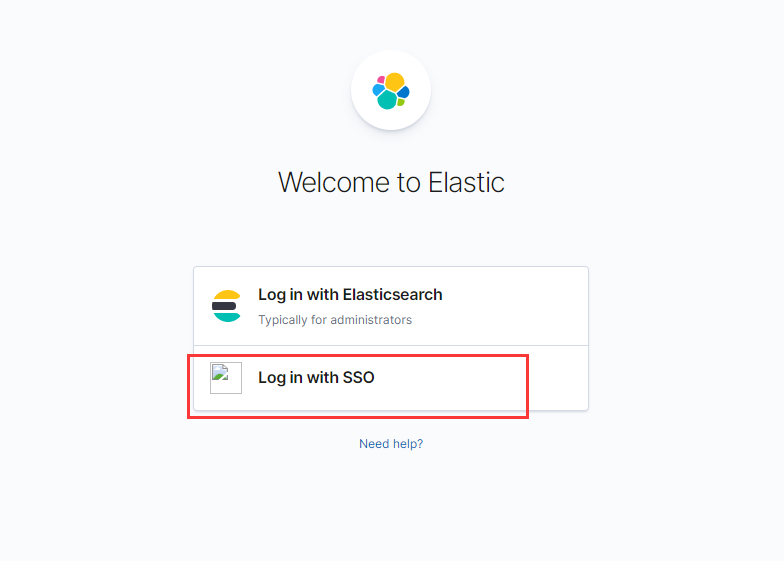
You will be redirected to the BambooCloud IDaaS authentication page.
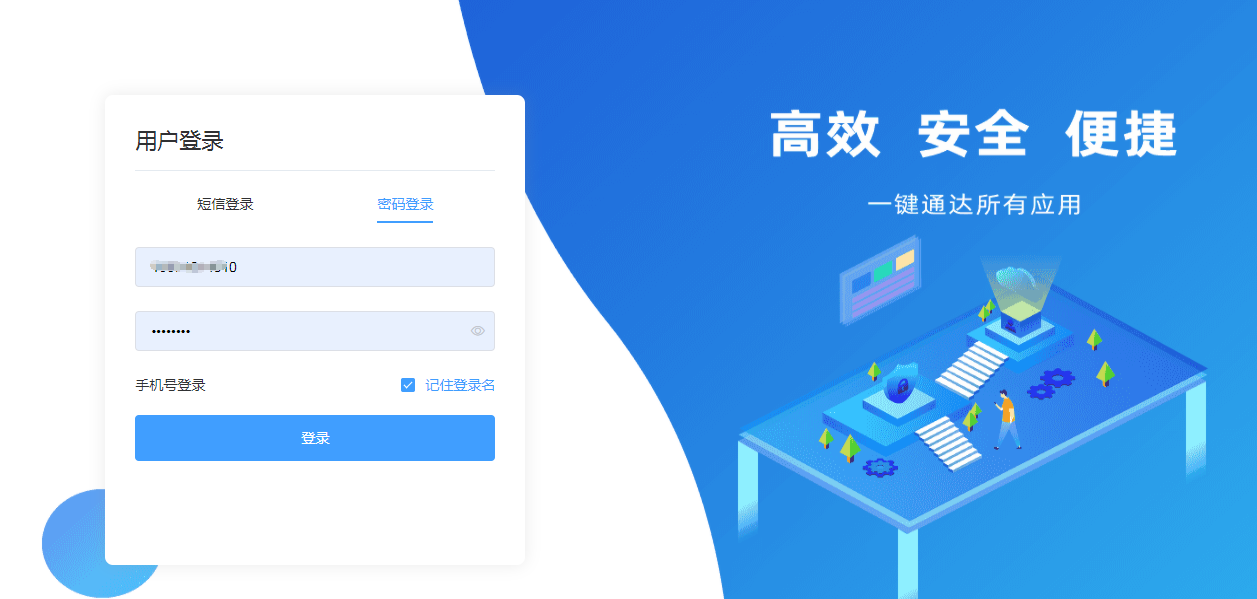
After entering the username and password, enter the Kibana console.