Tencent Enterprise Mail Single Sign-On
Overview
This article describes the authentication configuration between Tencent Enterprise Mail and BambooCloud IDaaS to achieve BambooCloud IDaaS single sign-on to Tencent Enterprise Mail.
Prerequisites
- You have Tencent Enterprise Mail administrator account information and can obtain relevant parameters in the Tencent Enterprise Mail backend (such as CorpID, CorpSecret).
- You have administrator permissions in the BambooCloud IDaaS enterprise.
Authentication Configuration
Tencent Enterprise Mail Backend Configuration
Log in to the Tencent Enterprise Mail Management Backend, click Management Tools > App Interconnection > App API in the navigation bar, and in the App Center, click Single Sign-On to obtain the Secret (CorpSecret) parameter.
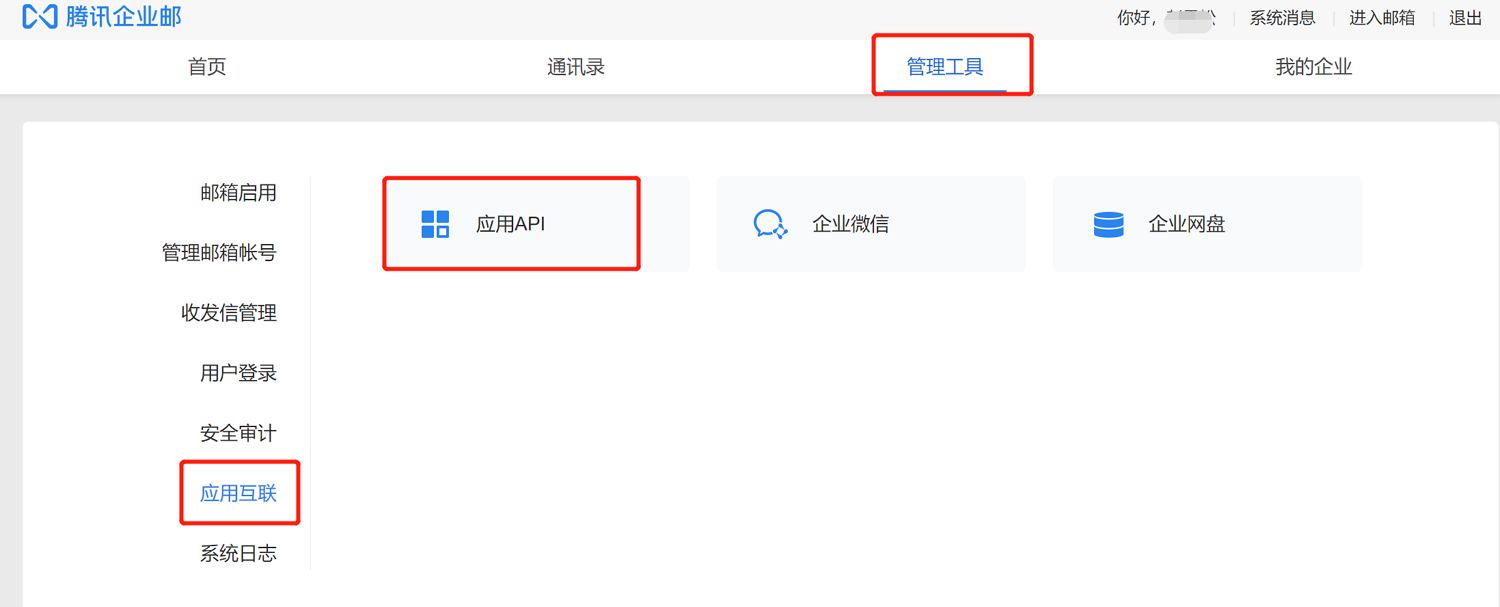
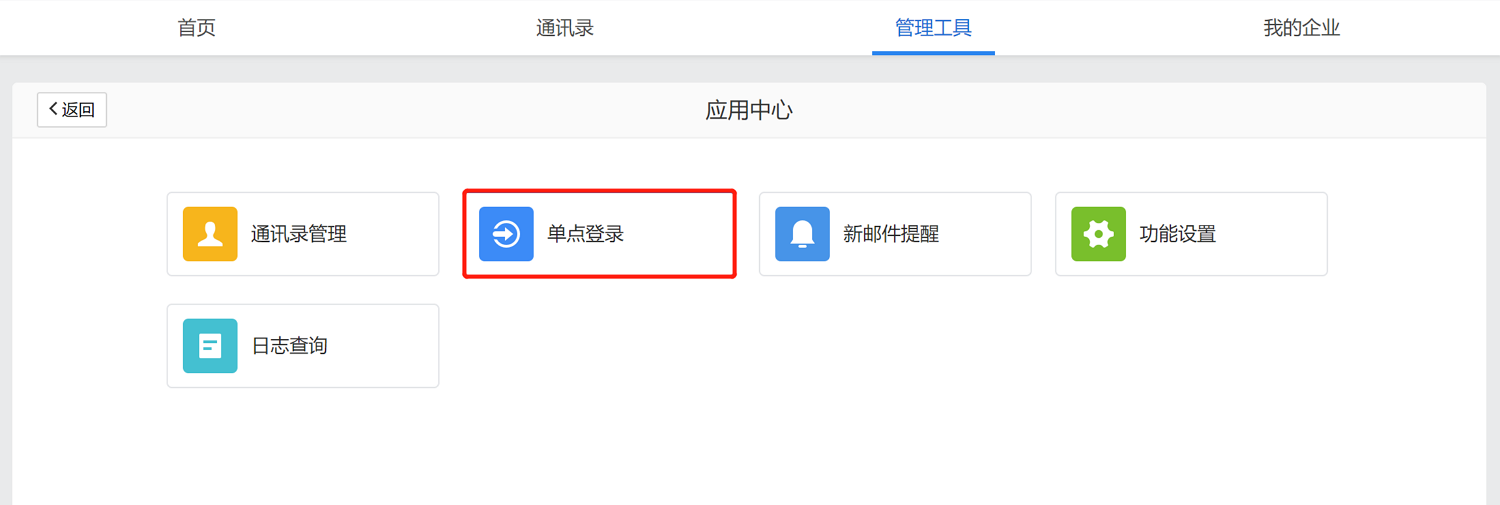
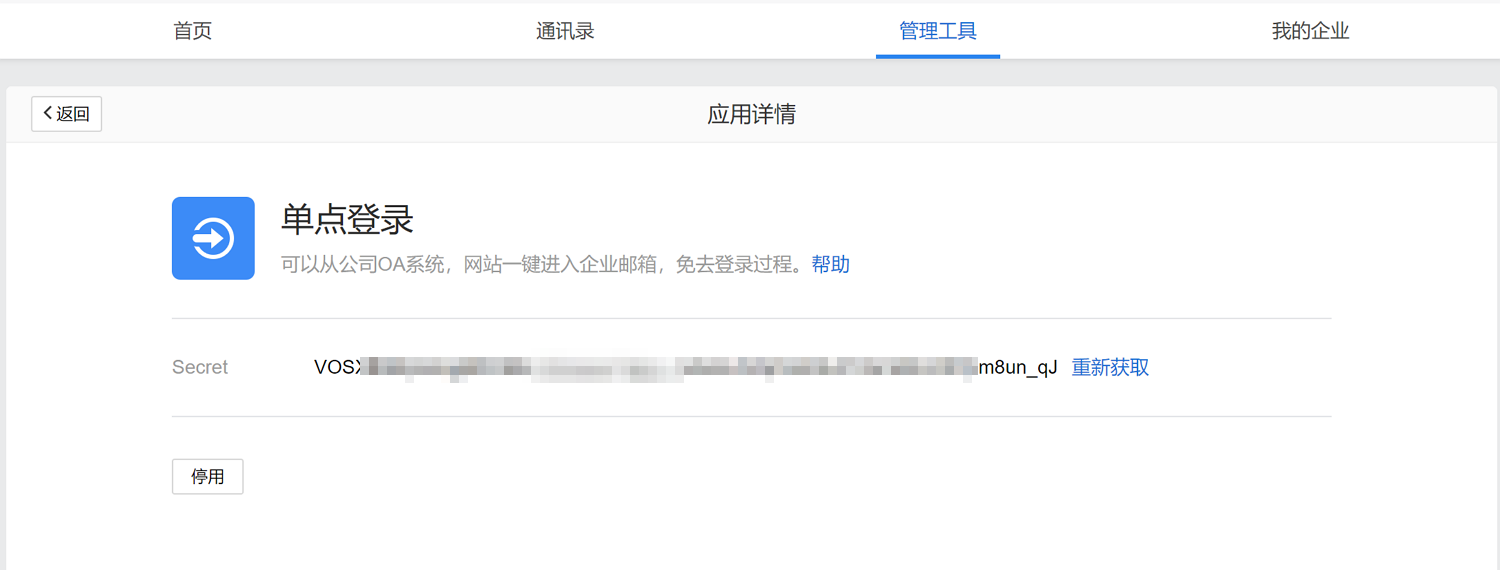
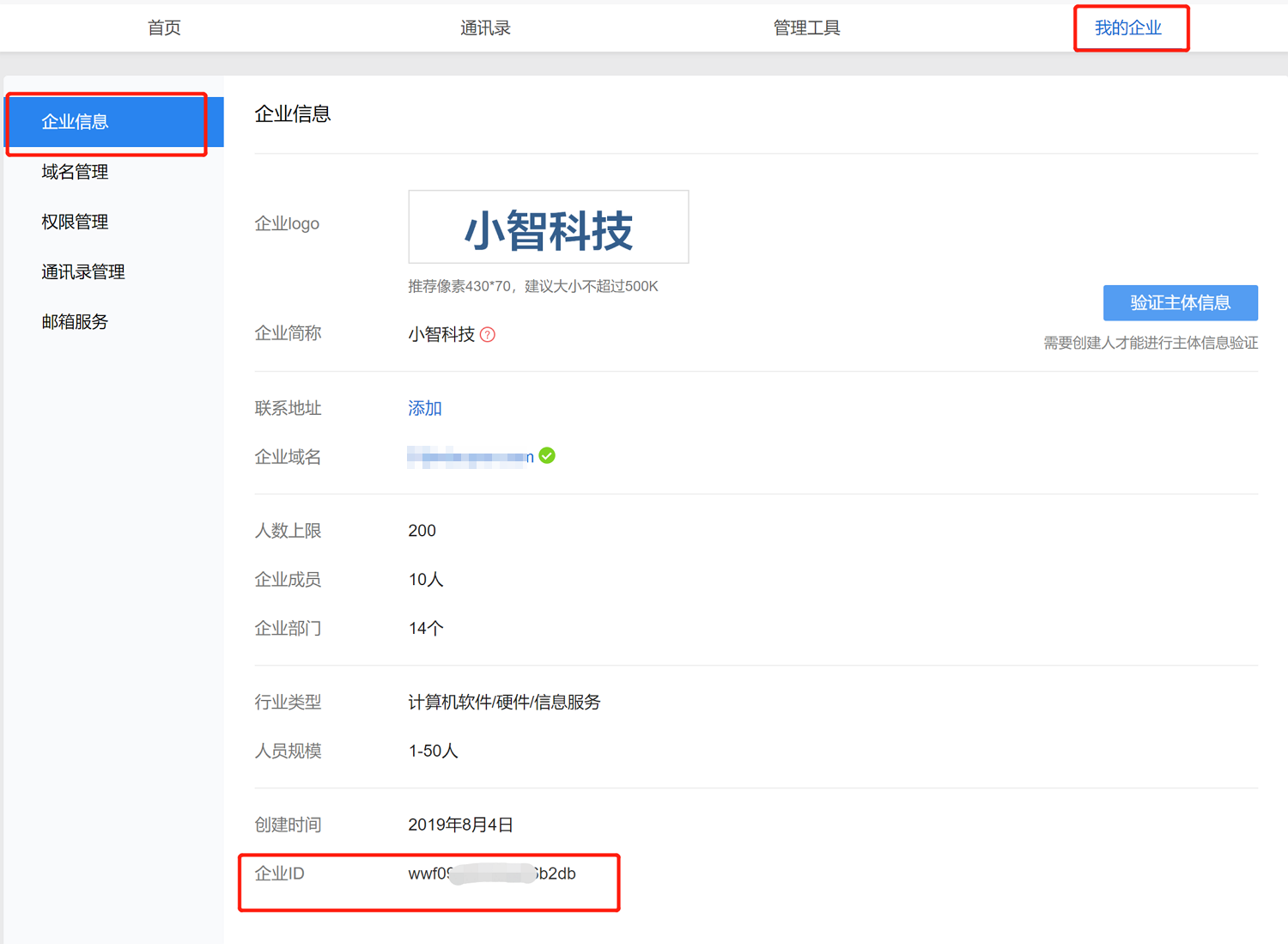
Select My Enterprise to obtain the Enterprise ID (CorpID) parameter.
BambooCloud IDaaS Configuration
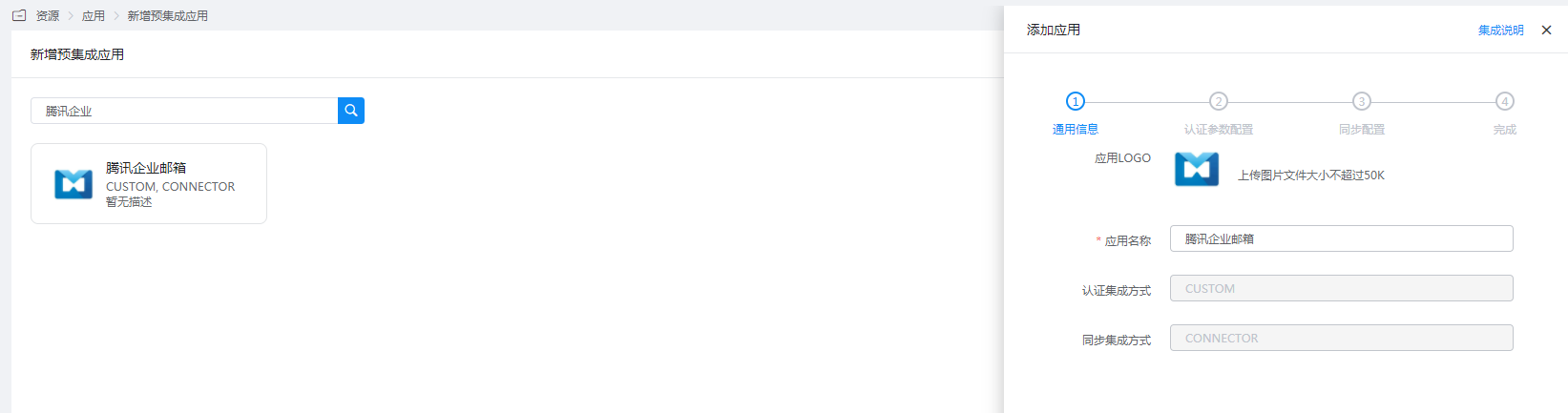
Add the pre-integrated application Tencent Enterprise Mail.
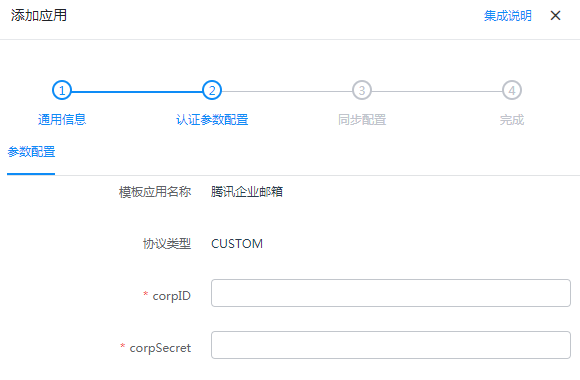
Configure authentication parameters.
- corpID: Enterprise ID of Tencent Enterprise Mail
- corpSecret: Single sign-on Secret of Tencent Enterprise Mail
Login Verification
Log in to the BambooCloud IDaaS User Center, click the Tencent Enterprise Mail logo, and single sign-on into Tencent Enterprise Mail.