
Fanwei e-cology SSO
Overview
This article describes the OAuth-based SSO configuration process between Fanwei e-cology 9.0+ and BambooCloud IDaaS.
Authentication Configuration
BambooCloud IDaaS Configuration
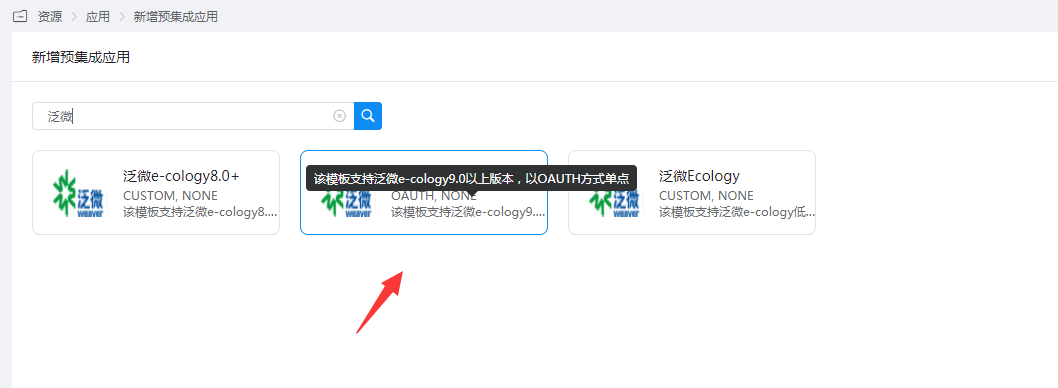
Add the pre-integrated application Fanwei e-cology 9.0+.
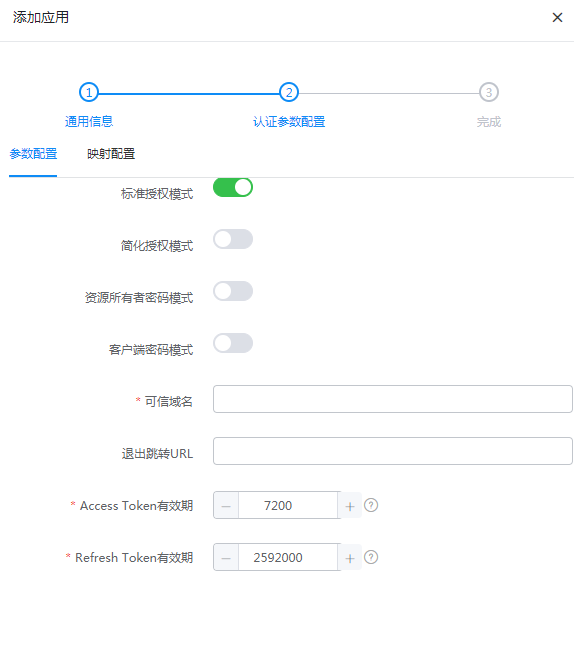
Configure authentication parameters.
Fill in the trusted domain name with the OA access address, such as: https://oa.xxx.com
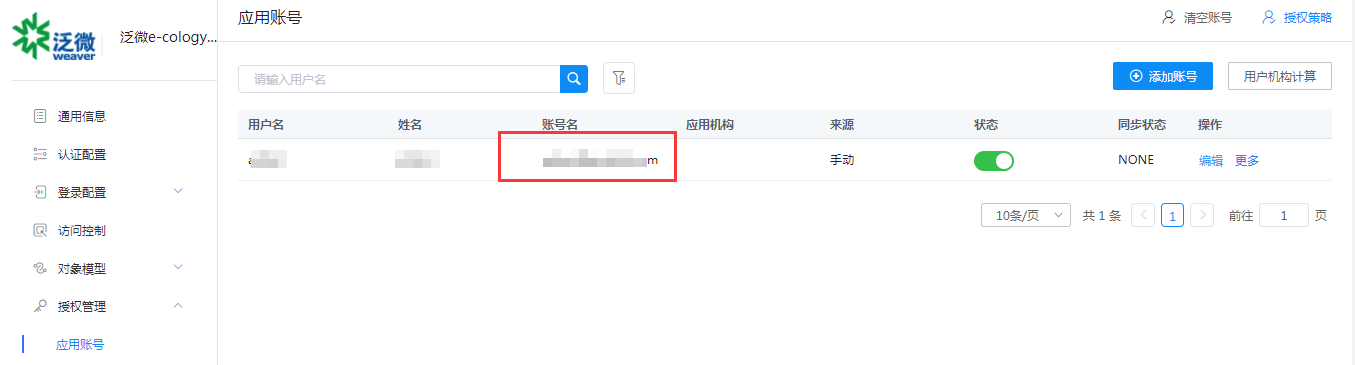
Enter Application Details > Authorization Management > Application Account, click Add Account, select the authorized user, and edit the application account to the user email in ecology.
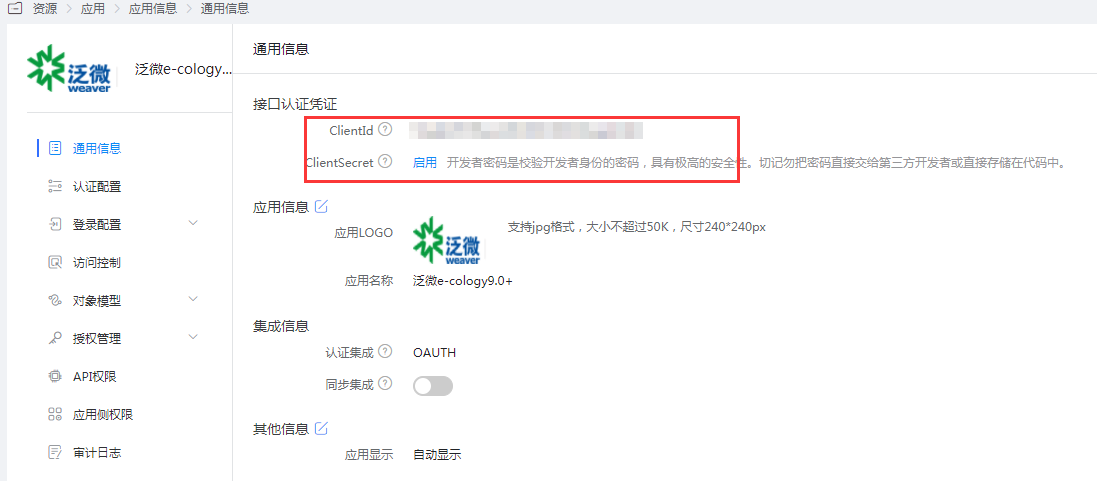
Obtain the application's ClientId and ClientSecret.
Fanwei Ecology Configuration
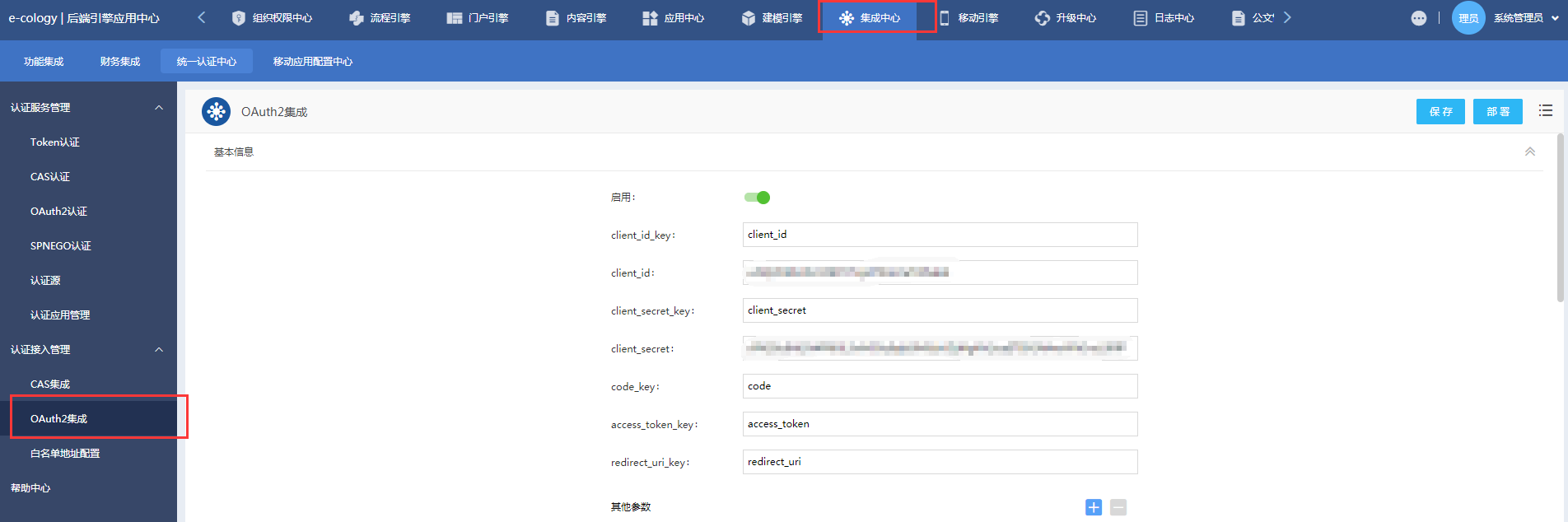
The administrator logs in to the Ecology backend engine application center - Integration Center - Unified Authentication Center - Authentication Access Management, and enables OAuth2 integration.
Edit the integration parameters.
- Basic Information:
- client_id_key: client_id
- client_id: Application ClientId in BambooCloud IDaaS
- client_secret_key: client_secret
- client_secret: Application ClientSecret in BambooCloud IDaaS
- code_key: code
- access_token_key: access_token
- redirect_uri_key: redirect_uri
- Basic Information:
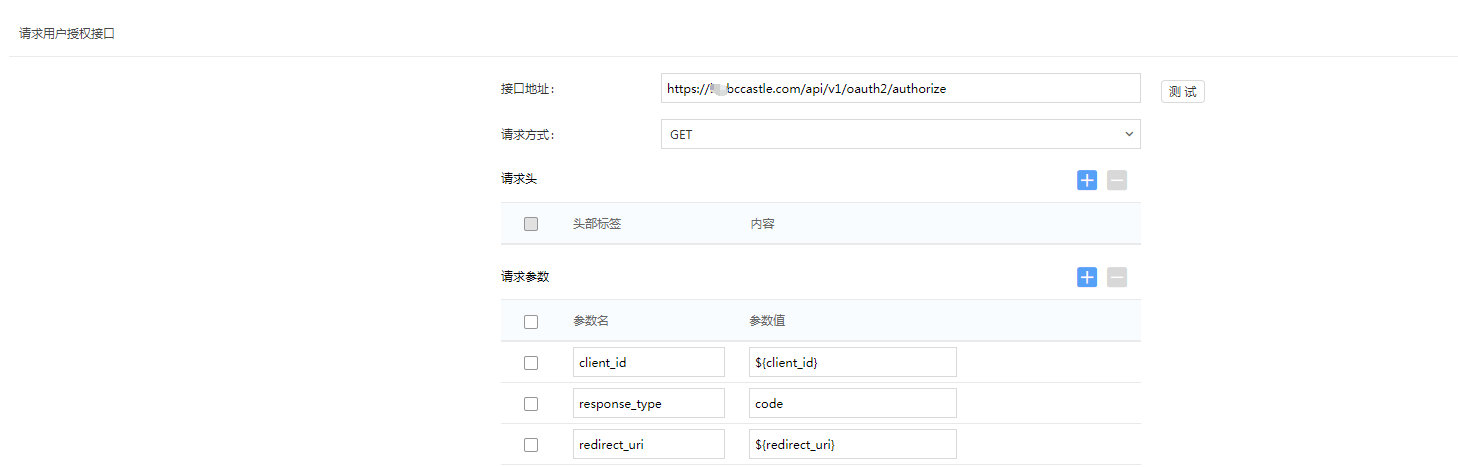
Request user authorization interface:
- Interface address: https://BambooCloud IDaaS tenant domain.bccastle.com/api/v1/oauth2/authorize
- Request method: GET
- Request parameters:
- client_id: $
- response_type: code
- redirect_uri: $
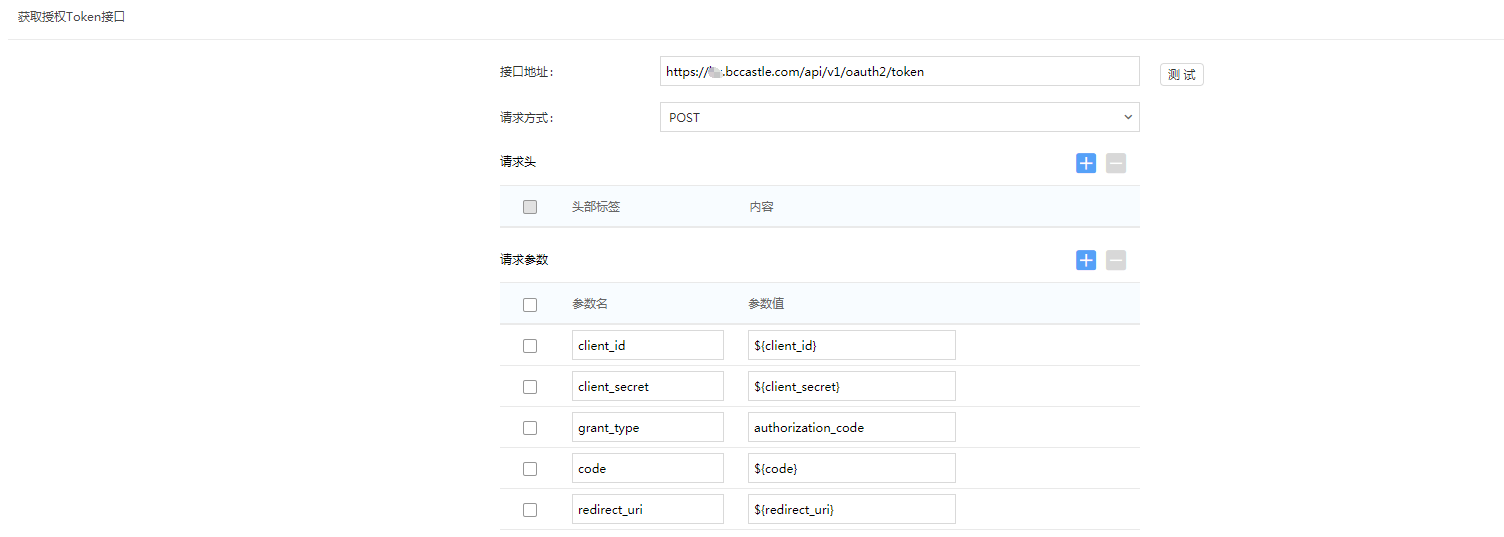
Obtain authorization token interface:
- Interface address: https://BambooCloud IDaaS tenant domain.bccastle.com/api/v1/oauth2/token
- Request method: POST
- Request parameters:
- client_id: $
- client_secret: $
- grant_type: authorization_code
- code: $
- redirect_uri: $
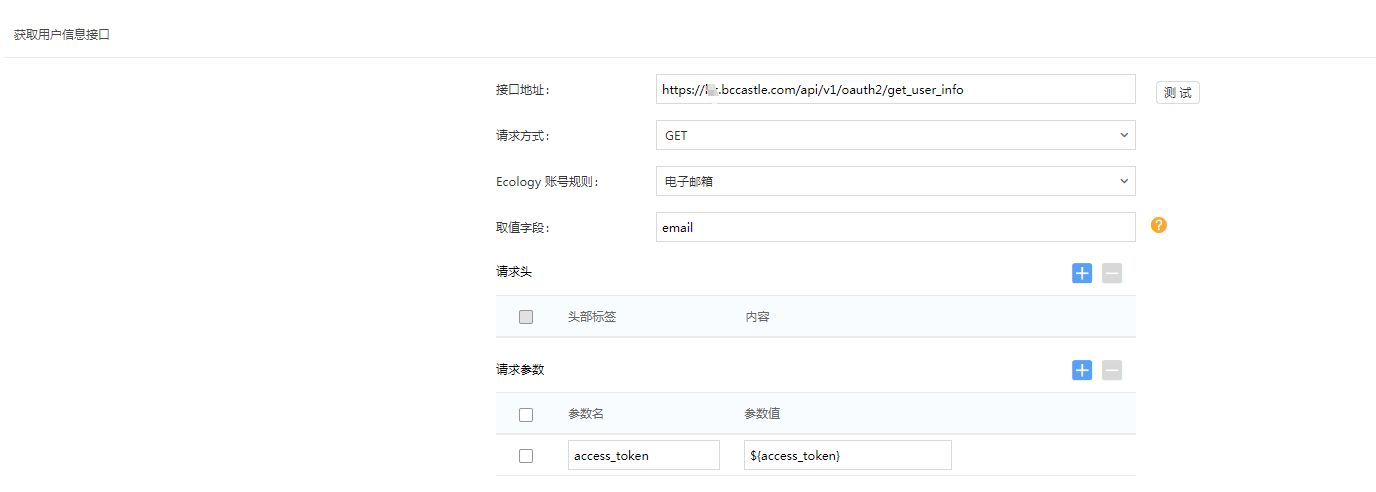
Obtain user information interface:
- Interface address: https://BambooCloud IDaaS tenant domain.bccastle.com/api/v1/oauth2/get_user_info
- Request method: GET
- Ecology account rule: Email
- Value field: email
- Request parameter: access_token: $
Unified logout interface:
Enable
Interface address: https://BambooCloud IDaaS tenant domain.bccastle.com/api/ams/logout?redirectToUrl=https://oa.xxx.com/
Request method: GET
Authentication method: Enable PC authentication
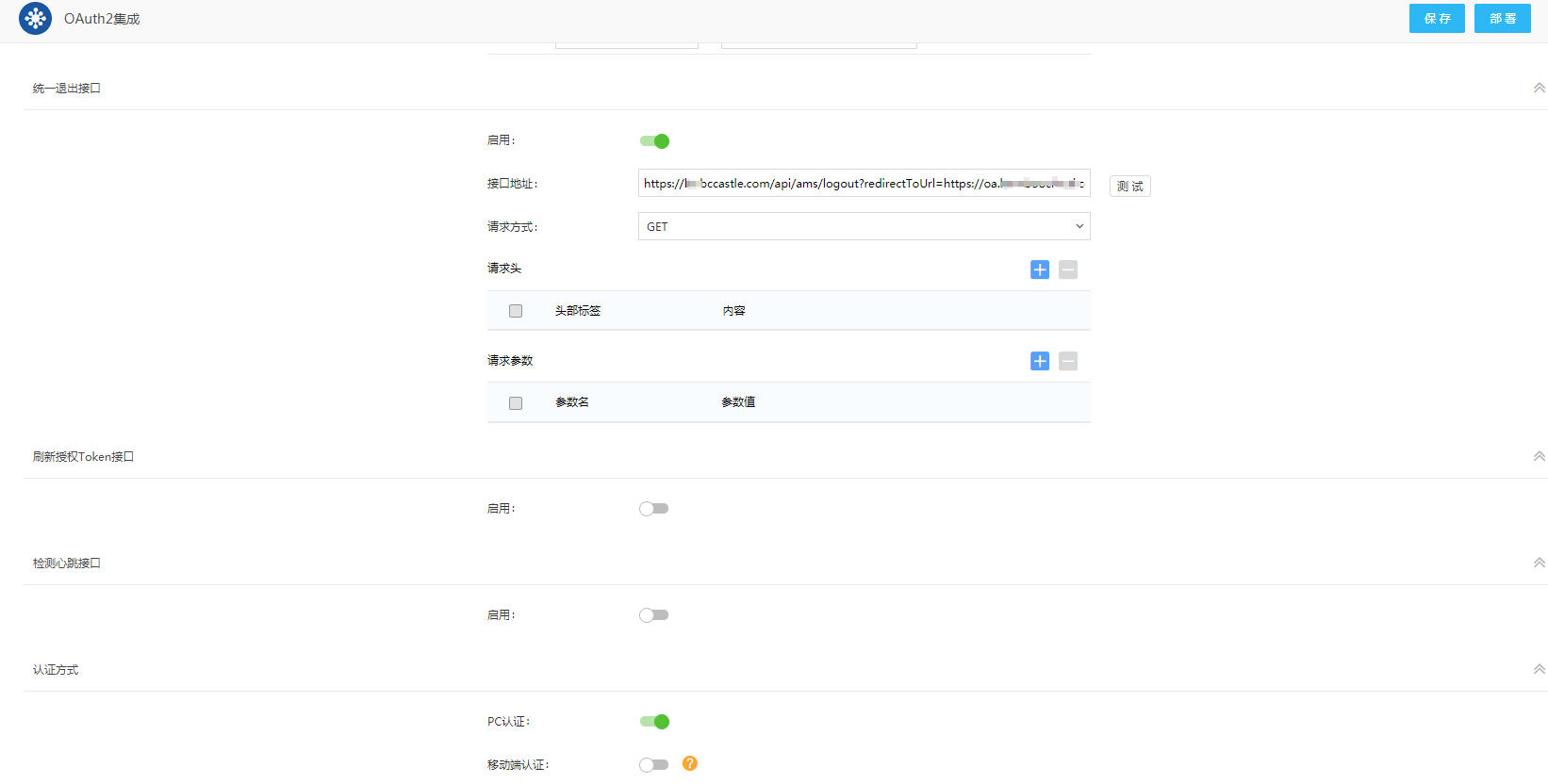
OAuth2 integration enabling/disabling requires clicking "Deploy" to take effect; after enabling, click "Deploy" only for the first time, and other modifications only need to be "Saved".
Login Verification
After Ecology is integrated with BambooCloud IDaaS, there are 2 access methods:
Visit the OA address https://oa.xxx.com/, jump to the BambooCloud IDaaS authentication interface, enter the username and password, and enter OA.
The user clicks the Ecology icon in the BambooCloud IDaaS User Center to single sign-on to OA.