Alibaba Cloud Console and BambooCloud IDaaS Authentication Integration (Role-Based)
Overview
This article describes how to log in to the Alibaba Cloud console through BambooCloud IDaaS (based on Alibaba Cloud console roles).
Reference document: SAML Configuration of Alibaba Cloud SP for Role SSO
Operation Process

Prerequisites
The administrator has an Alibaba Cloud account.
The administrator has access to the BambooCloud IDaaS Enterprise Center.
Authentication Configuration
Alibaba Cloud System Configuration
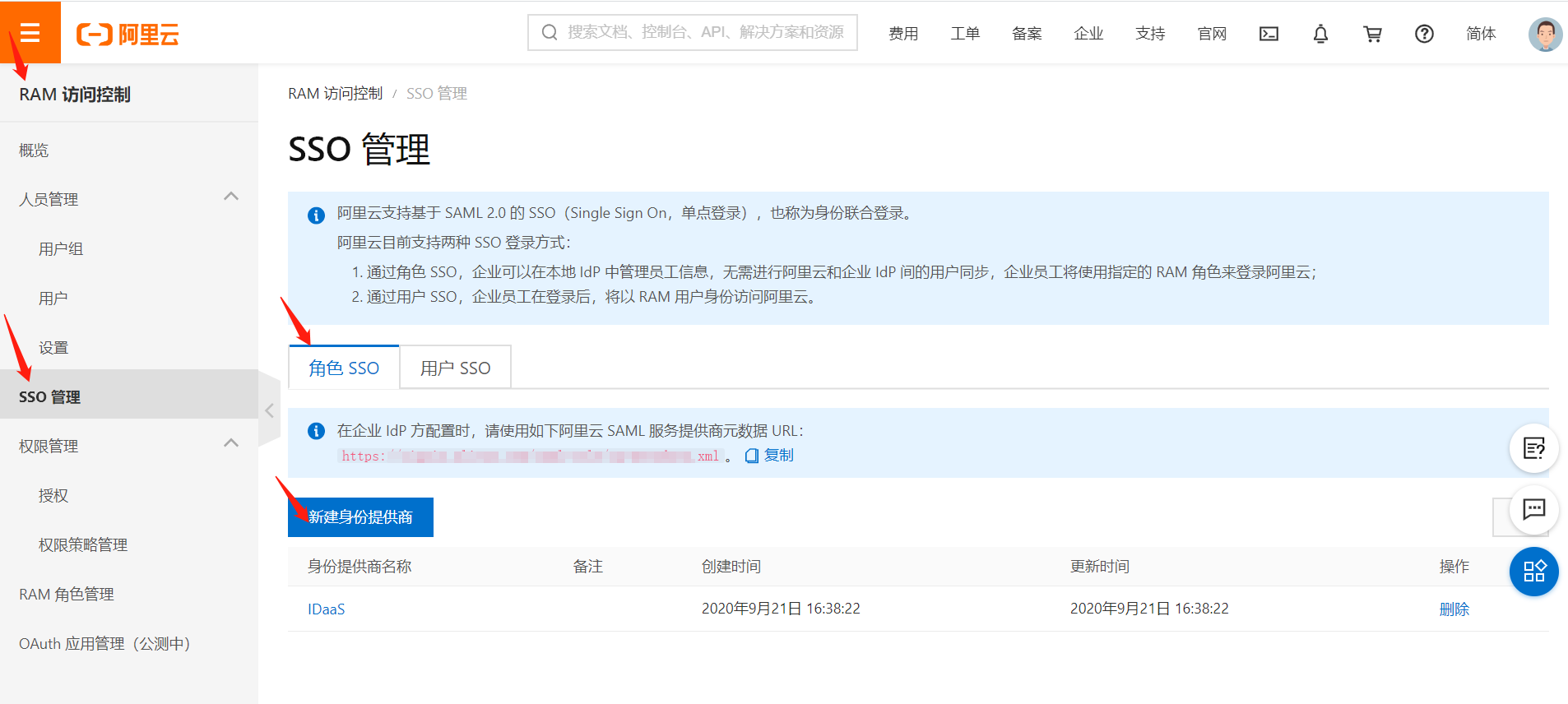
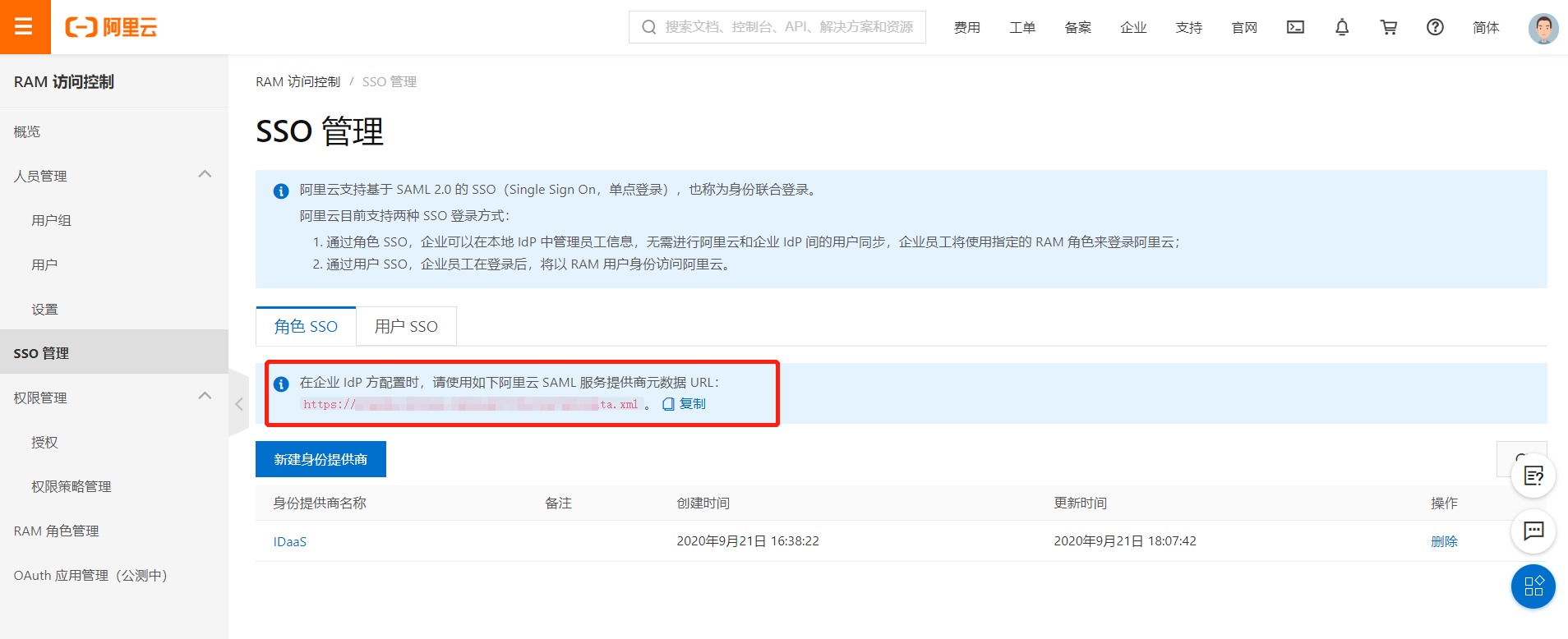
- Log in to the Alibaba Cloud Console as an administrator, go to RAM Access Control > SSO Management, and create an identity provider.
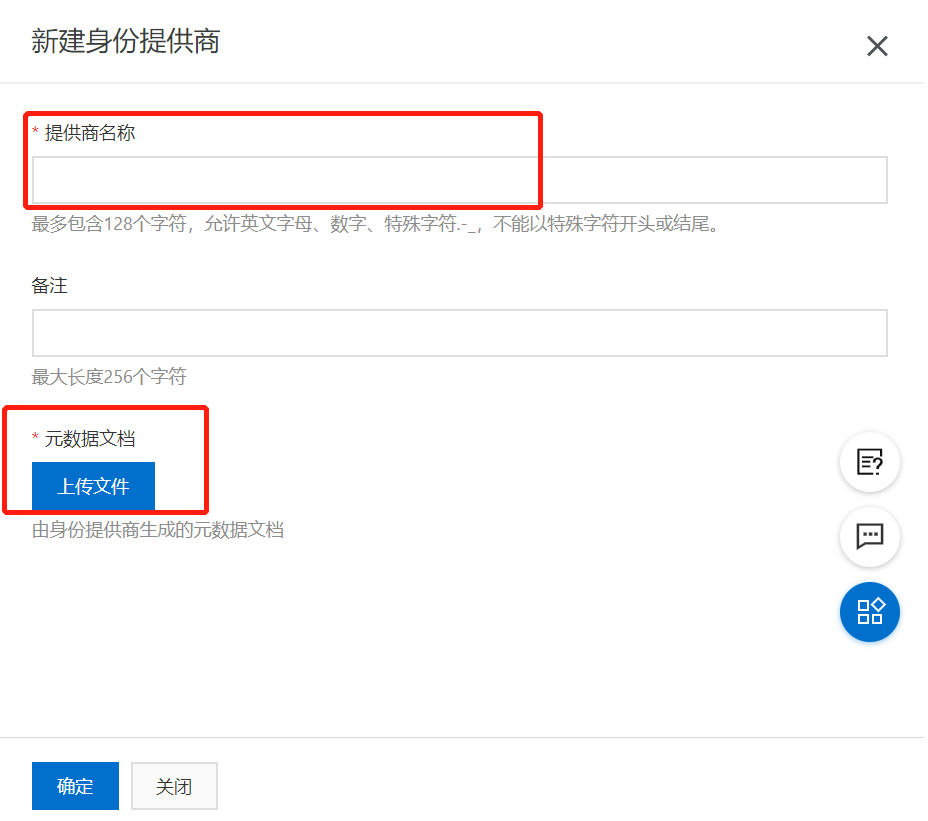
- Edit the provider name, upload the metadata document, and upload the IDP metadata provided by IDaaS (saved as an XML file). To download the BambooCloud IDaaS IDP metadata, visit https://{your_domain}/api/v1/saml2/idp/metadata.
- After configuration is complete, open the SAML service provider metadata URL to view Alibaba Cloud's metadata.
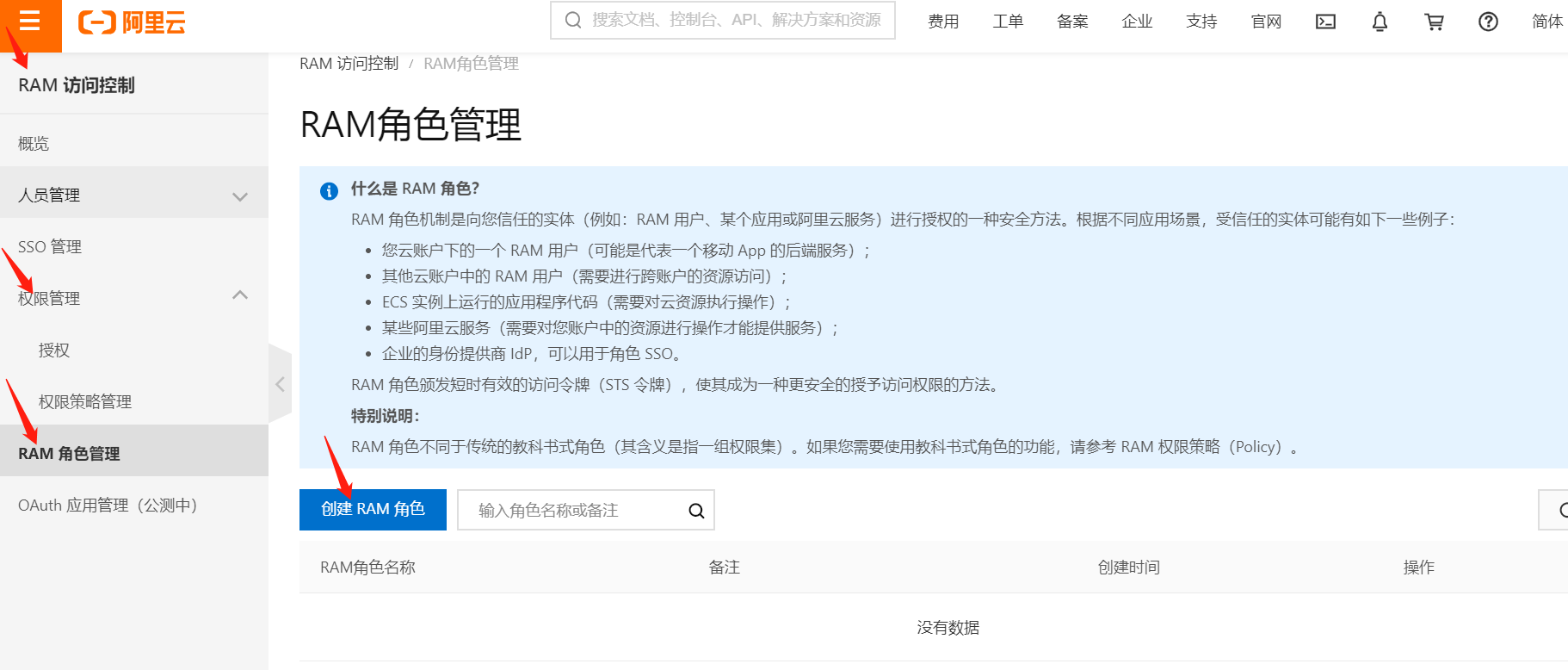
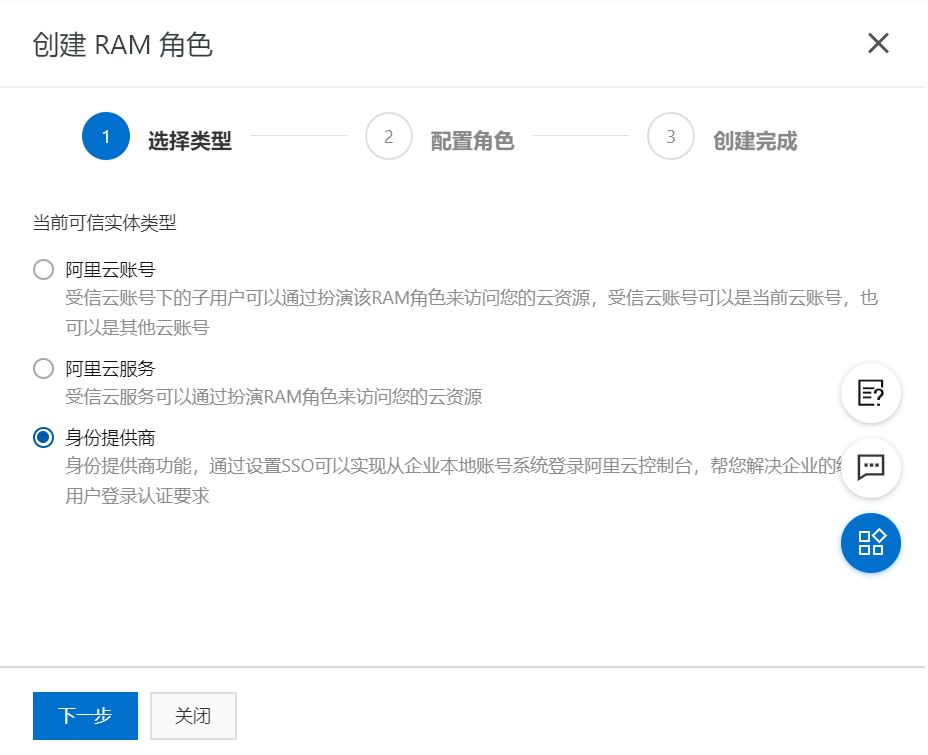
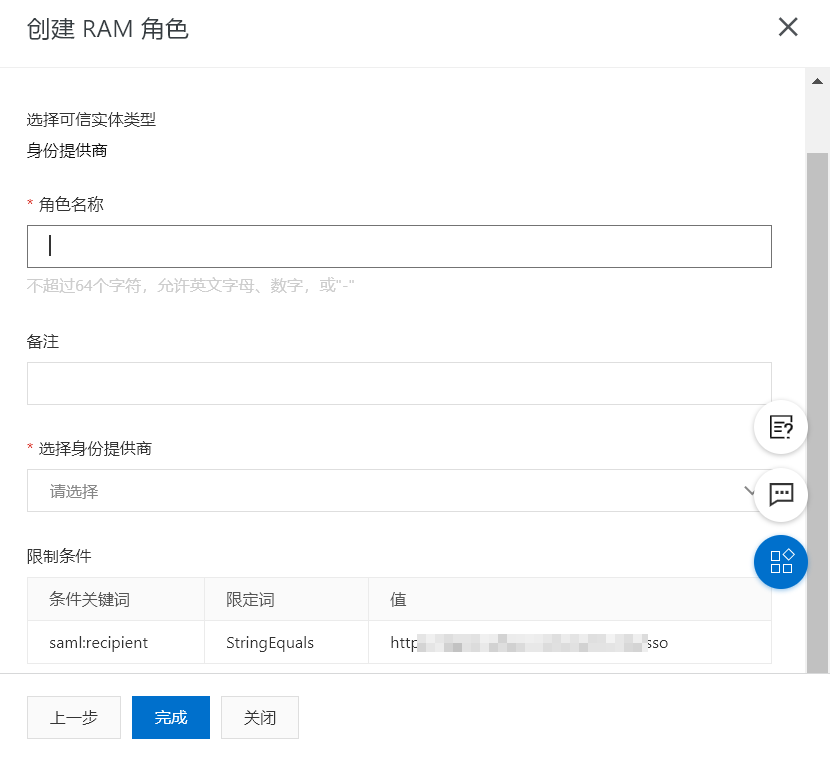
- Create a RAM role.
BambooCloud IDaaS Configuration
Log in to the BambooCloud IDaaS Enterprise Center Resources > Applications > Pre-integrated Applications, and search for Alibaba Cloud.
Configure authentication parameters according to the Alibaba Cloud metadata.
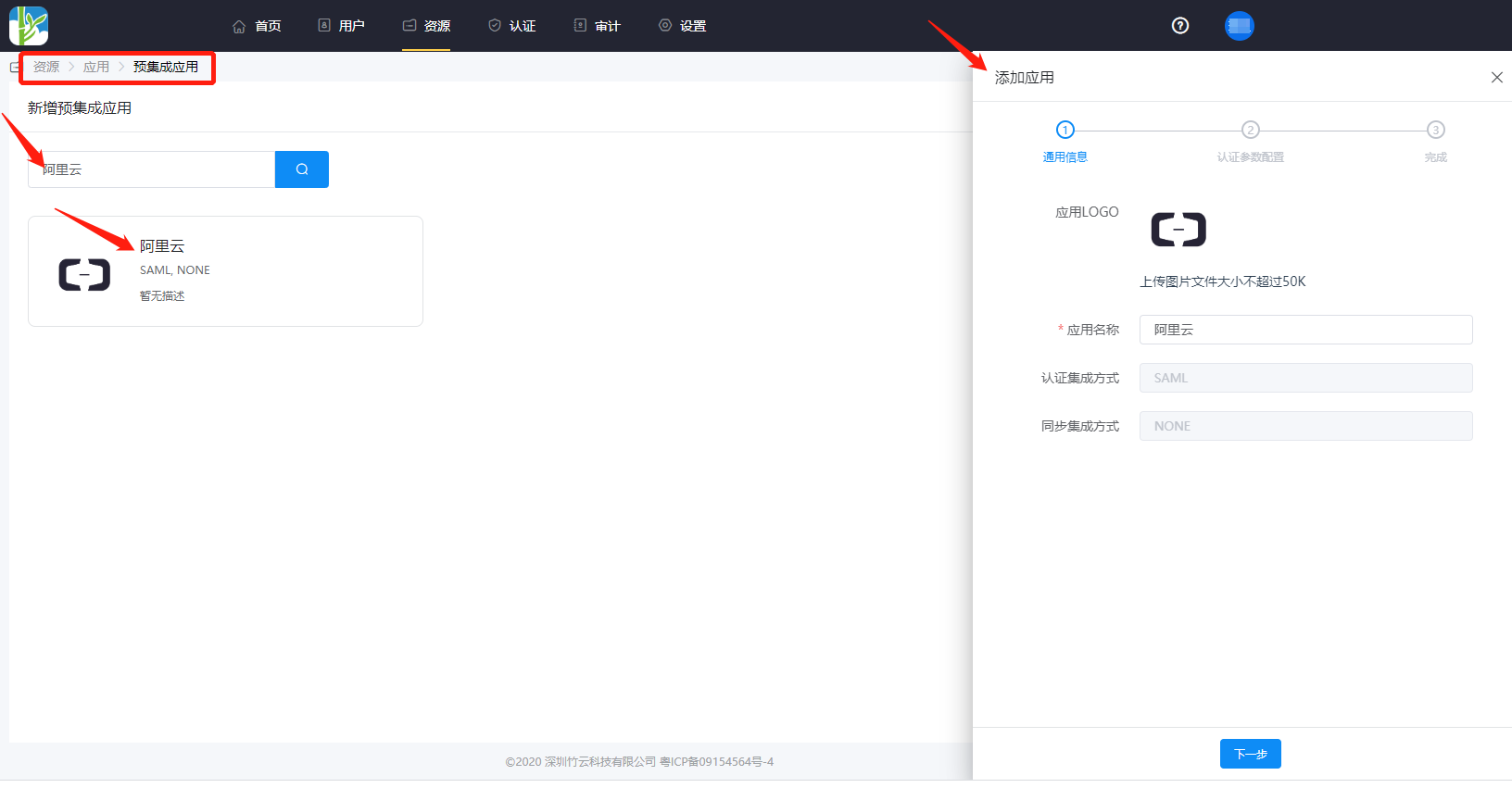
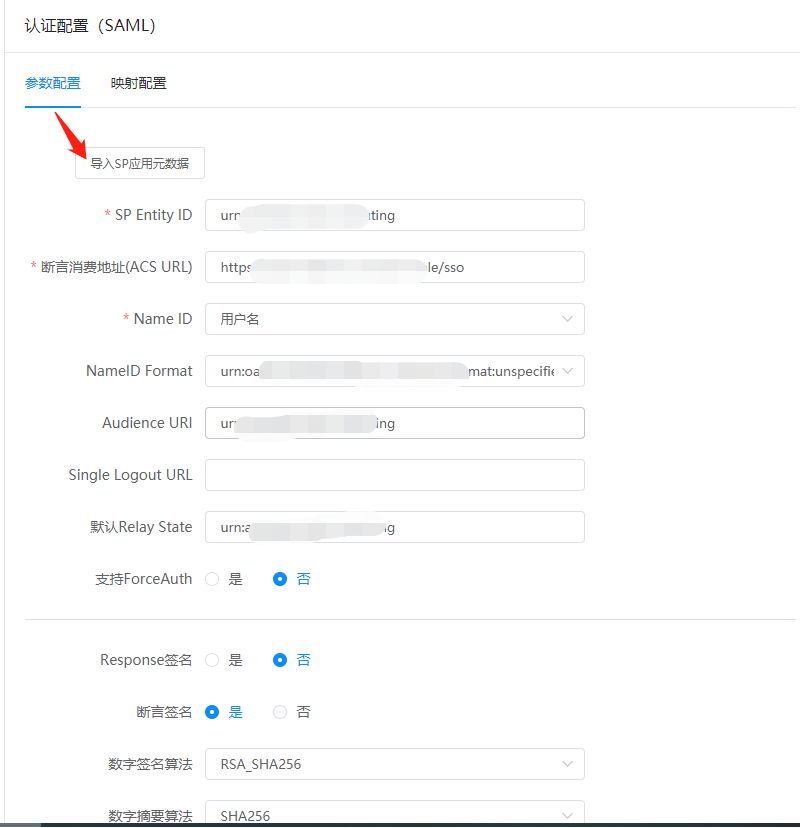
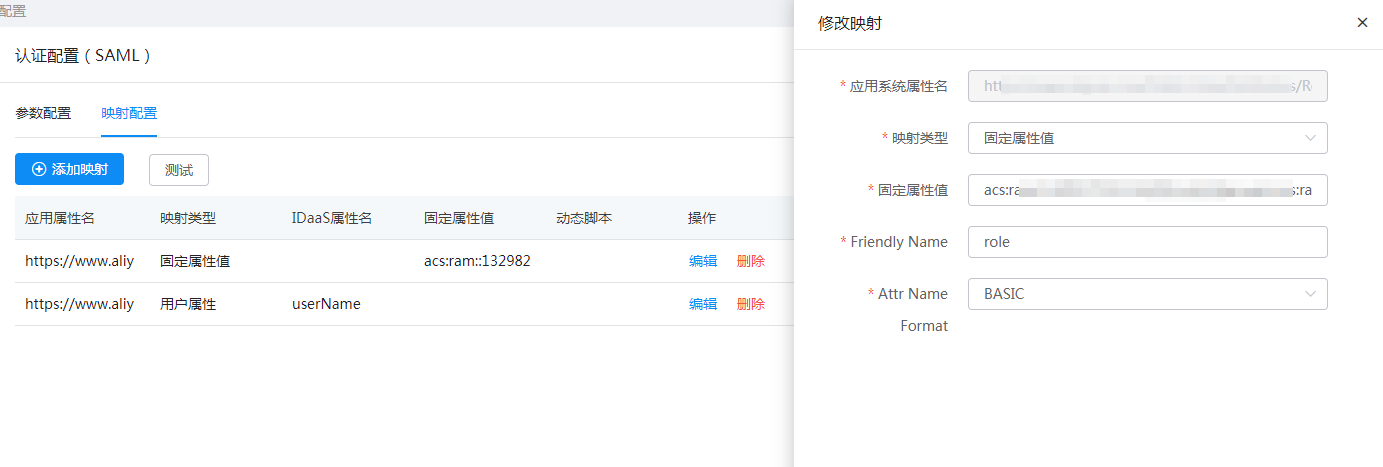
Click the application icon Authentication Configuration > Mapping Configuration > Add Mapping.
In the AttributeStatement element of the SAML assertion, the following Attribute elements required by Alibaba Cloud must be included:
Attribute element with Name attribute value https://www.aliyun.com/SAML-Role/Attributes/Role
- Composed of the role ARN and identity provider ARN, separated by an English comma (,). These two ARNs can be obtained from the Alibaba Cloud console: Role ARN: On the RAM Role Management page, click the RAM role name, and the corresponding ARN can be viewed on the Basic Information page. Identity Provider ARN: On the SSO Management page, under the Role SSO tab, click the identity provider name, and the ARN can be viewed on the Identity Provider Information page.
Attribute element with Name attribute value https://www.aliyun.com/SAML-Role/Attributes/RoleSessionName
- This element is required and can only have one. The value of the AttributeValue element it contains will be used as part of the login user information displayed on the console and in operation audit logs. If multiple users use the same role, please ensure that the RoleSessionName value can uniquely identify users to distinguish different users, such as employee ID, email address, etc. Requirement for the AttributeValue element value: length not less than 2 characters and not more than 32 characters, only English letters, numbers, and the following special characters: -_.@=,+.
Switch to the Authorization Management > Application Account tab and add an account.
Login Verification
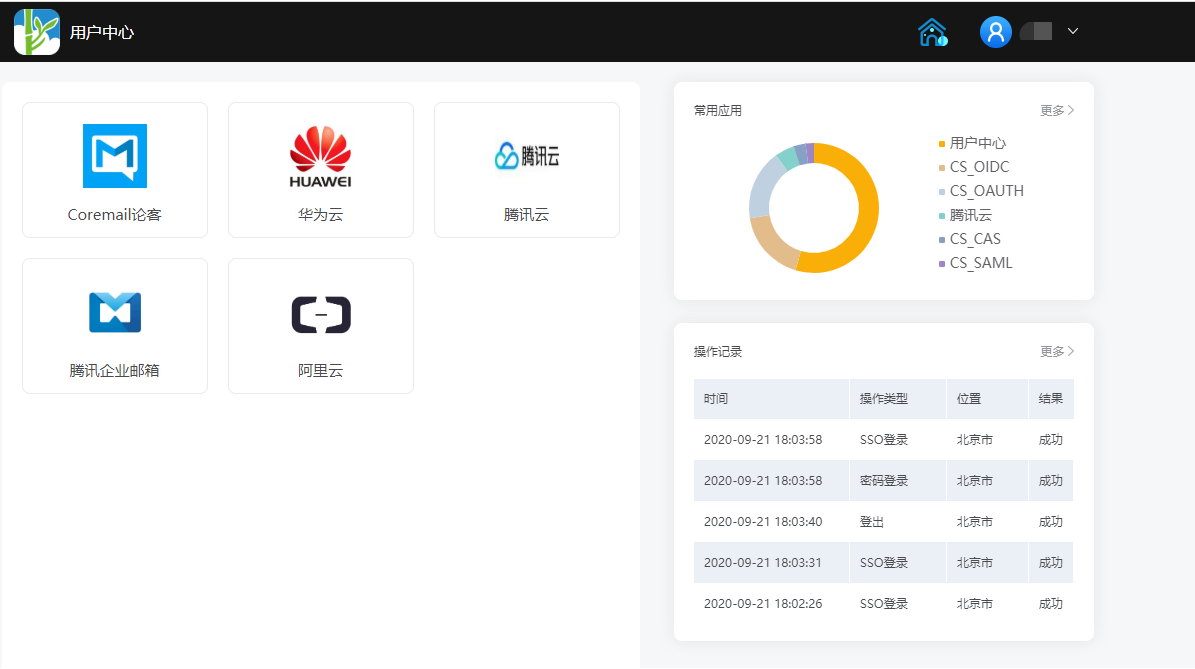
Authorized users log in to the BambooCloud IDaaS User Center, click the Alibaba Cloud logo, and single sign-on into the Alibaba Cloud system.