
Zhichi Technology Data Synchronization
Overview
This article describes how to synchronize organization and user data from BambooCloud IDaaS to Zhichi Technology, realizing data flow from BambooCloud IDaaS to Zhichi Technology.
Prerequisites
- Your enterprise application has been connected to the Zhichi Technology platform.
- You have administrator permissions for the BambooCloud IDaaS Enterprise Center platform.
Synchronization Configuration
BambooCloud IDaaS Configuration
Log in to the BambooCloud IDaaS Enterprise Center platform, choose Resources > Applications, and add the pre-integrated application Zhichi Technology System.
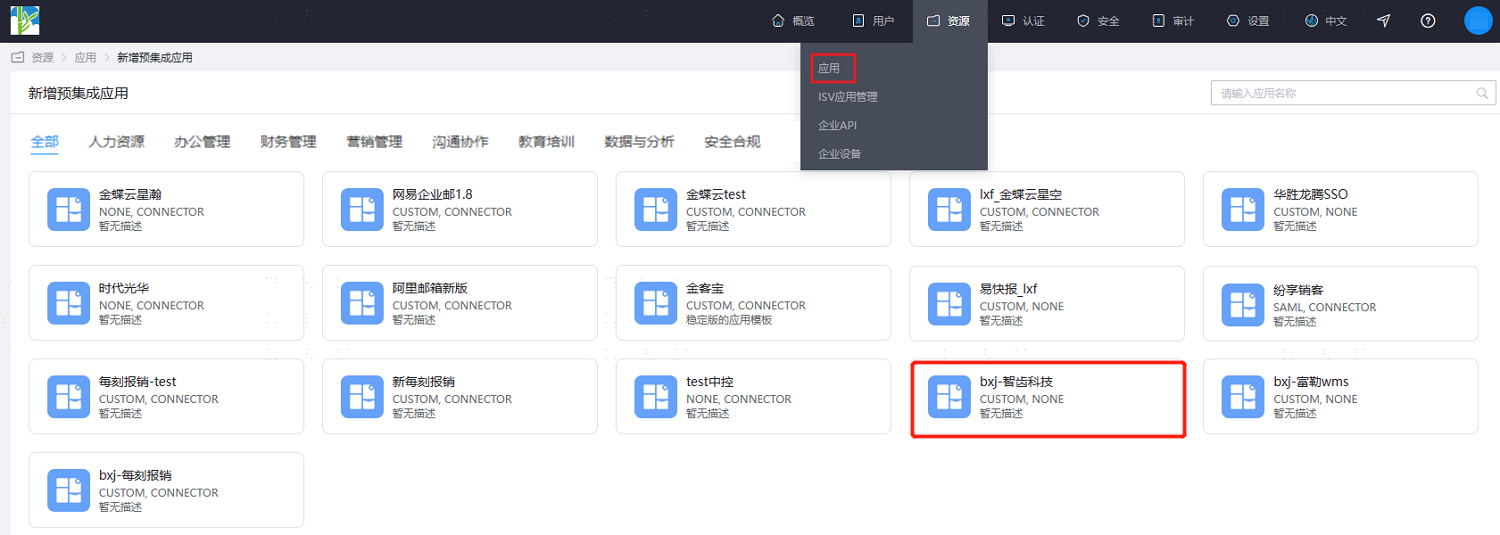
Configure application parameters. Key parameters are as follows.
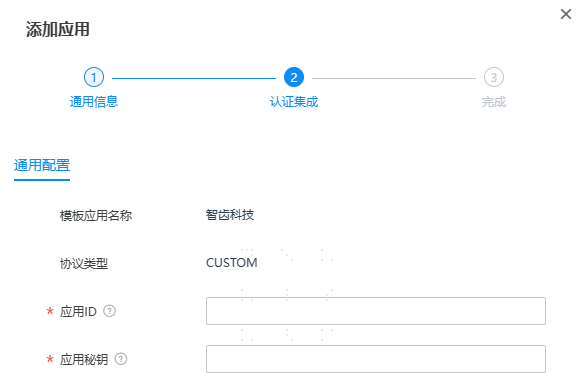
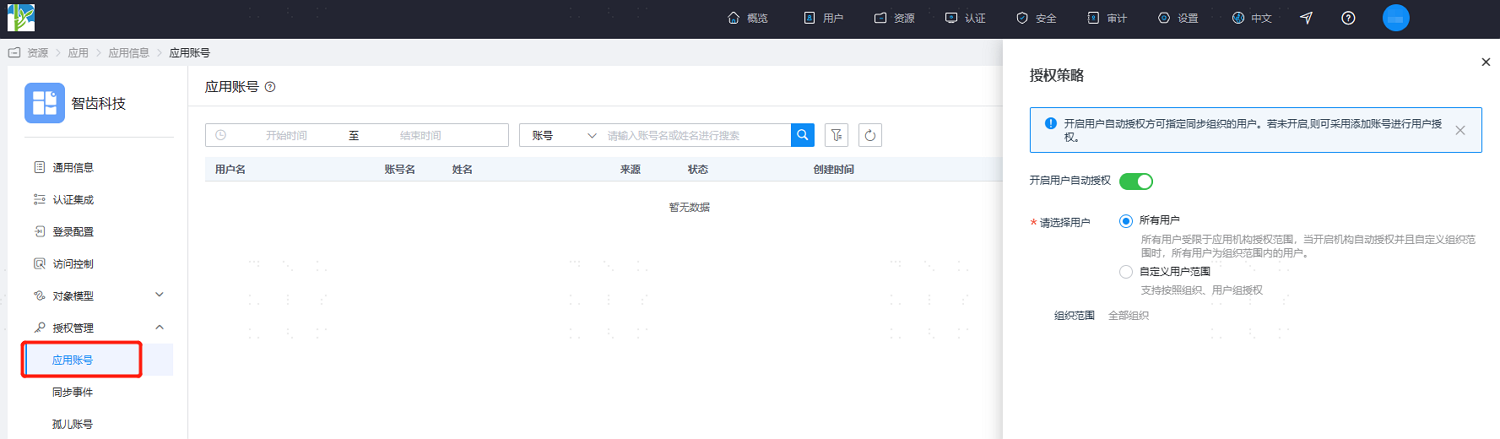
Parameter Description Application ID Fill in the enterprise application ID in Zhichi Technology, obtained by contacting Zhichi after-sales personnel Application Secret Fill in the enterprise application secret in Zhichi Technology, obtained by contacting Zhichi after-sales personnel After configuration is complete, enter the application details, switch to the Authorization Management > Application Account page, click Authorization Policy to enable automatic user authorization, select the user scope, click the Save button, and then click Execute Add.
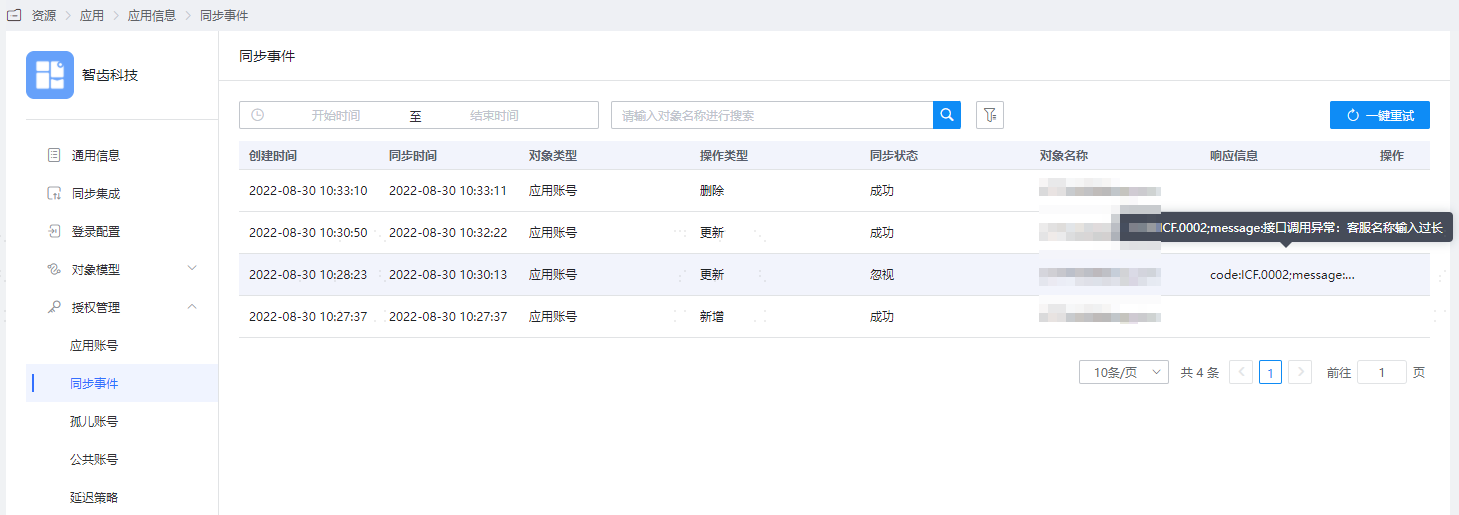
After execution is successful, switch to the Authorization Management > Synchronization Events page to view the corresponding synchronization event results.
TIP
Organization data synchronization is not currently supported.
View Synchronization Results
Log in to the Zhichi Technology management backend and view the synchronized user information.