
2haohr SSO
Overview
This article describes the OAuth-based SSO configuration process between 2haohr and BambooCloud IDaaS.
Prerequisites
- You have administrator permissions for the BambooCloud IDaaS Enterprise Center platform.
- Your enterprise has been connected to 2haohr.
Authentication Configuration
BambooCloud IDaaS Configuration
Log in to the BambooCloud IDaaS Enterprise Center platform, choose Resources > Applications, and add the pre-integrated application 2haohr. Key parameters for the authentication integration general configuration are as follows. It is recommended to keep the mapping configuration default or configure it according to actual needs.
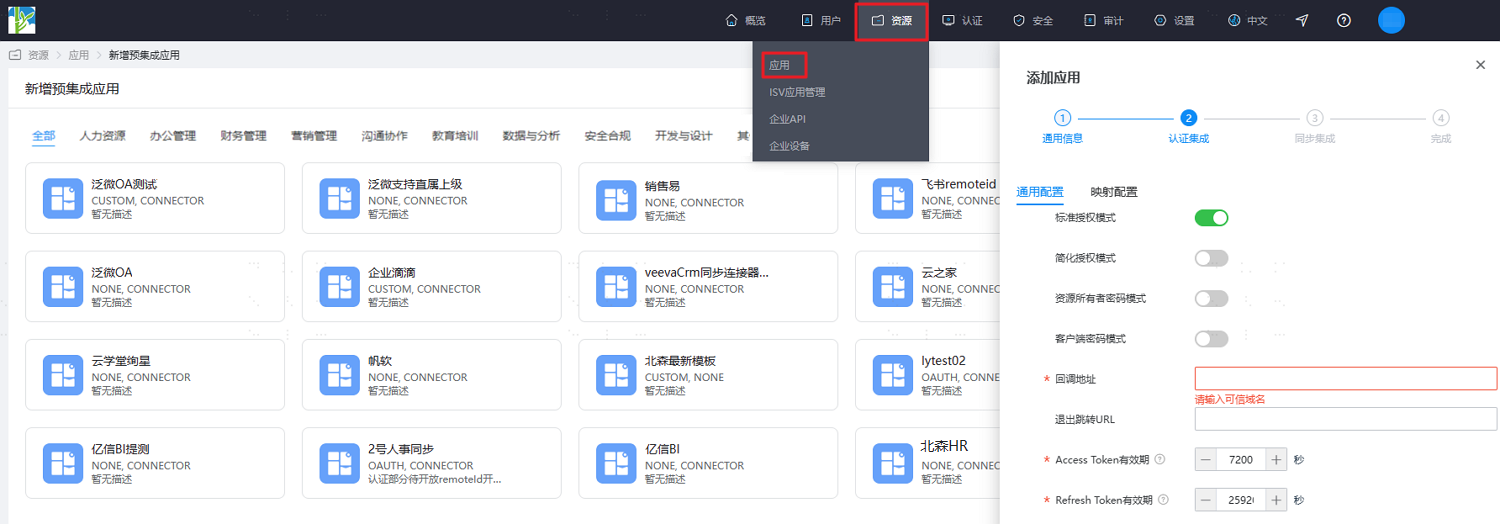
Parameter Description Authorization Code Mode Select the authorization mode of the OAuth protocol. Options include standard authorization mode, implicit authorization mode, resource owner password mode, and client password mode. For details, refer to OAuth Protocol. Callback Address Fill in the trusted domain name, which is the access address of 2haohr. Logout Redirect URL Fill in the redirect URL after logging out of 2haohr. After configuration is complete, click Next to enter the sync integration page. Refer to the relevant content in 2haohr Data Synchronization to fill in.
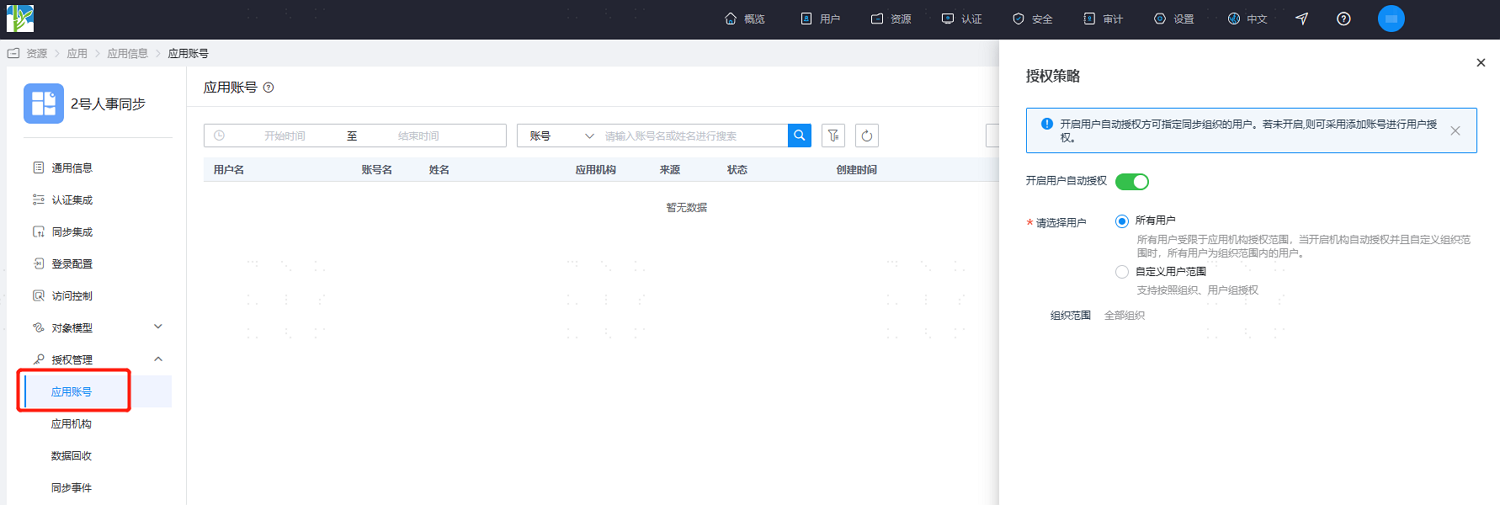
After the application configuration is complete, enter the application details, switch to the Authorization Management > Application Account page, click Add Account to authorize users as application accounts, or click Authorization Policy to enable automatic user authorization, select the user scope, click the Save button, and then click Execute Add.
Login Verification
Authorized users log in to the User Center, click the 2haohr icon, and single sign-on into the 2haohr system.