Fanwei e-cology Data Synchronization
Overview
This article describes the OAuth-based data synchronization configuration process between Fanwei e-cology 9.0+ and BambooCloud IDaaS.
Synchronization Configuration
BambooCloud IDaaS Configuration
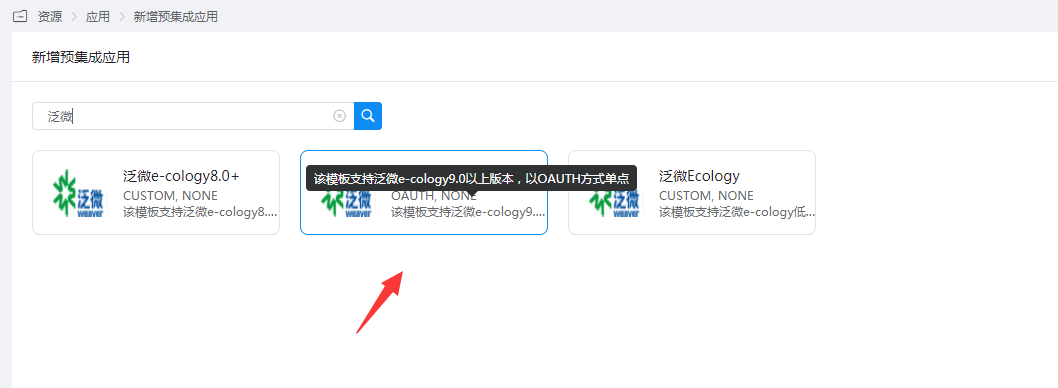
Add the pre-integrated application Fanwei e-cology 9.0+.
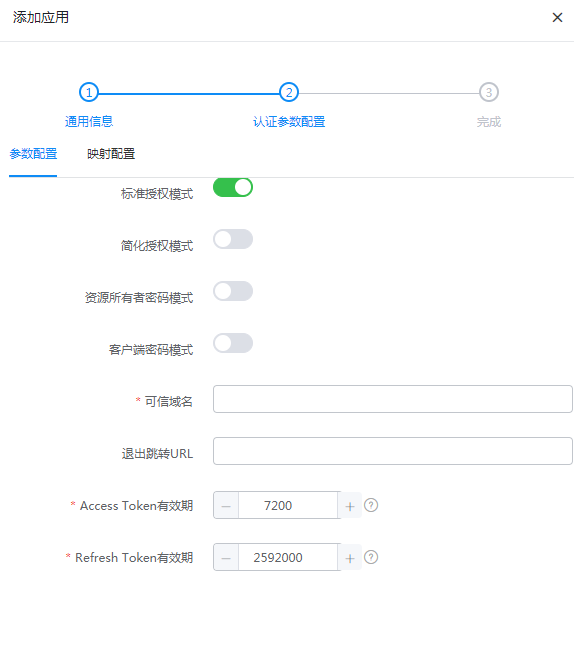
Configure authentication parameters.
Fill in the trusted domain name with the OA access address, such as: https://oa.xxx.com
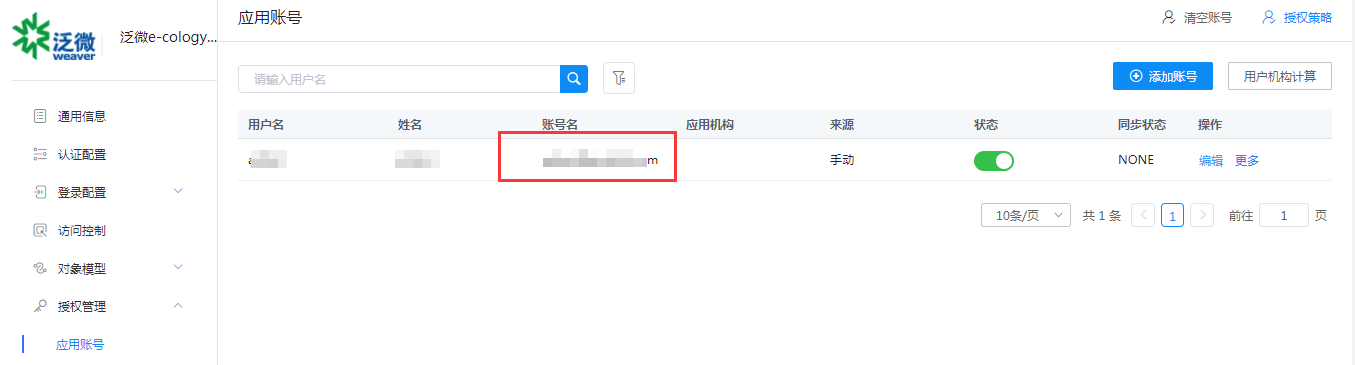
Enter Application Details > Authorization Management > Application Account, click Add Account, select the authorized user, and edit the application account to the user email in ecology.
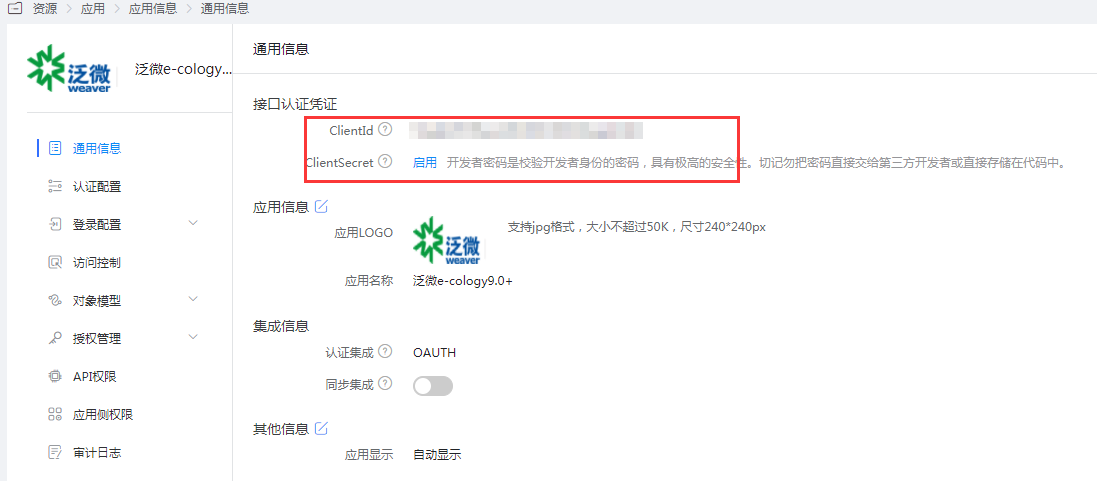
Obtain the application's ClientId and ClientSecret.
Fanwei Ecology Configuration
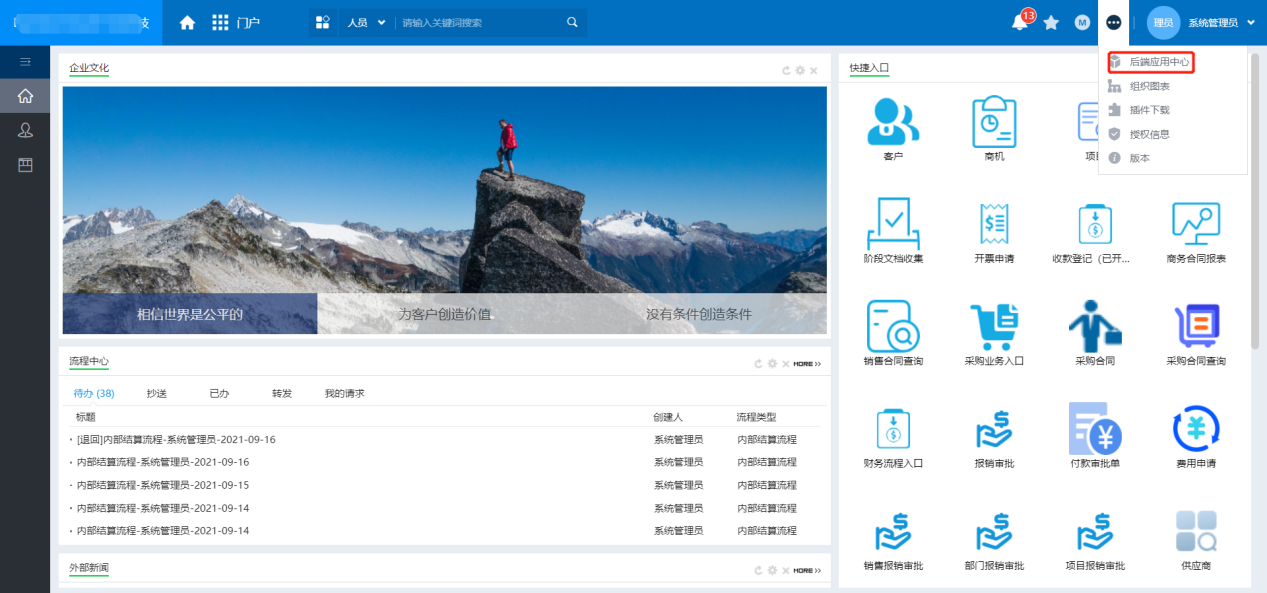
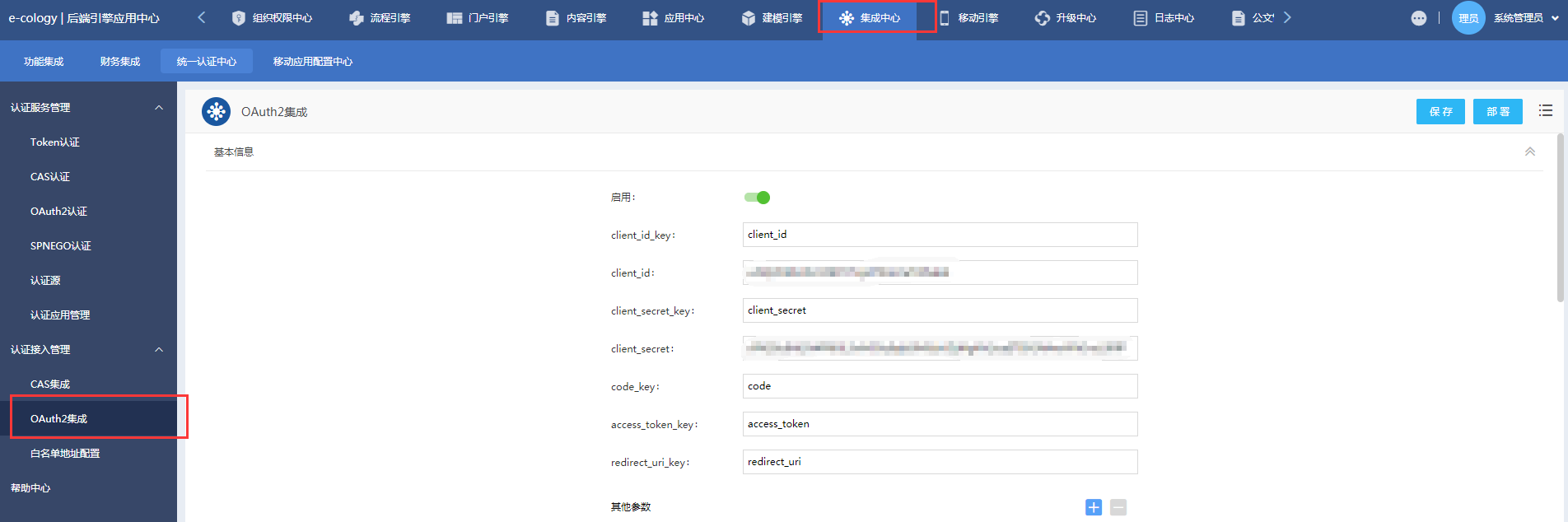
The administrator logs in to the Ecology backend engine application center - Integration Center - Unified Authentication Center - Authentication Access Management, and enables OAuth2 integration.
Edit the integration parameters.
- Basic Information:
- client_id_key: client_id
- client_id: Application ClientId in BambooCloud IDaaS
- client_secret_key: client_secret
- client_secret: Application ClientSecret in BambooCloud IDaaS
- code_key: code
- access_token_key: access_token
- redirect_uri_key: redirect_uri
- Basic Information:
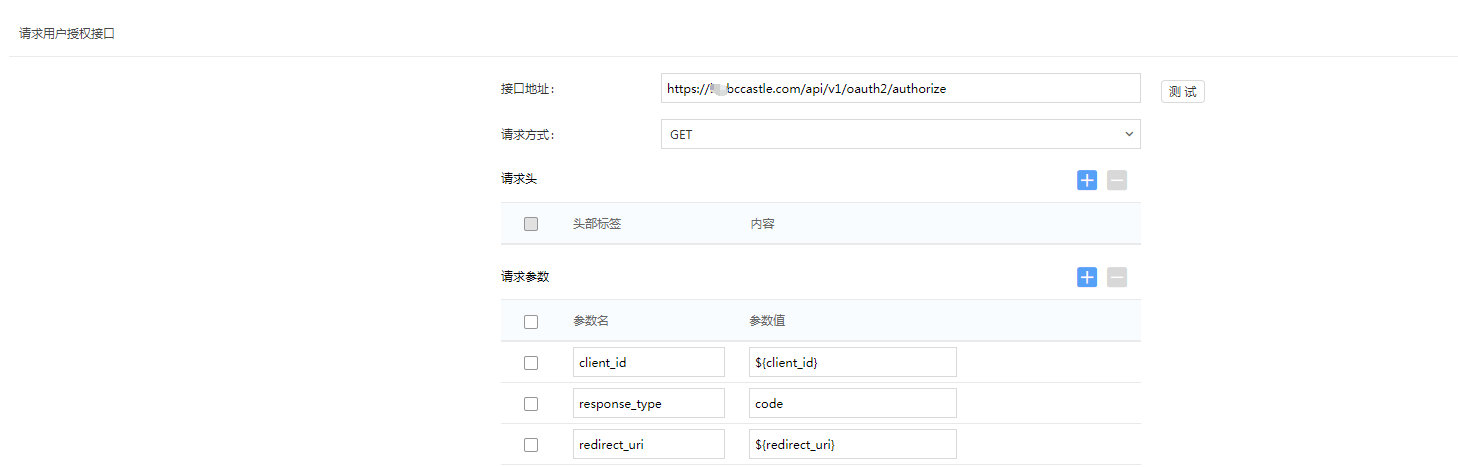
Request user authorization interface:
- Interface address: https://BambooCloud IDaaS tenant domain.bccastle.com/api/v1/oauth2/authorize
- Request method: GET
- Request parameters:
- client_id: $
- response_type: code
- redirect_uri: $
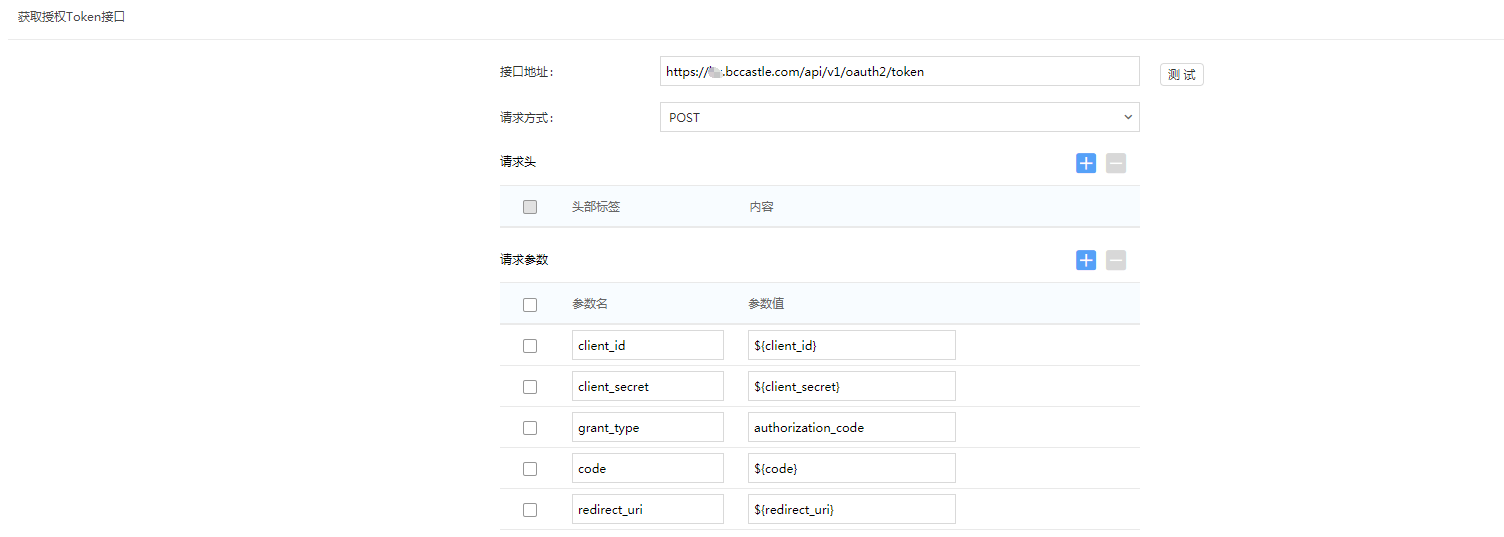
Obtain authorization token interface:
- Interface address: https://BambooCloud IDaaS tenant domain.bccastle.com/api/v1/oauth2/token
- Request method: POST
- Request parameters:
- client_id: $
- client_secret: $
- grant_type: authorization_code
- code: $
- redirect_uri: $
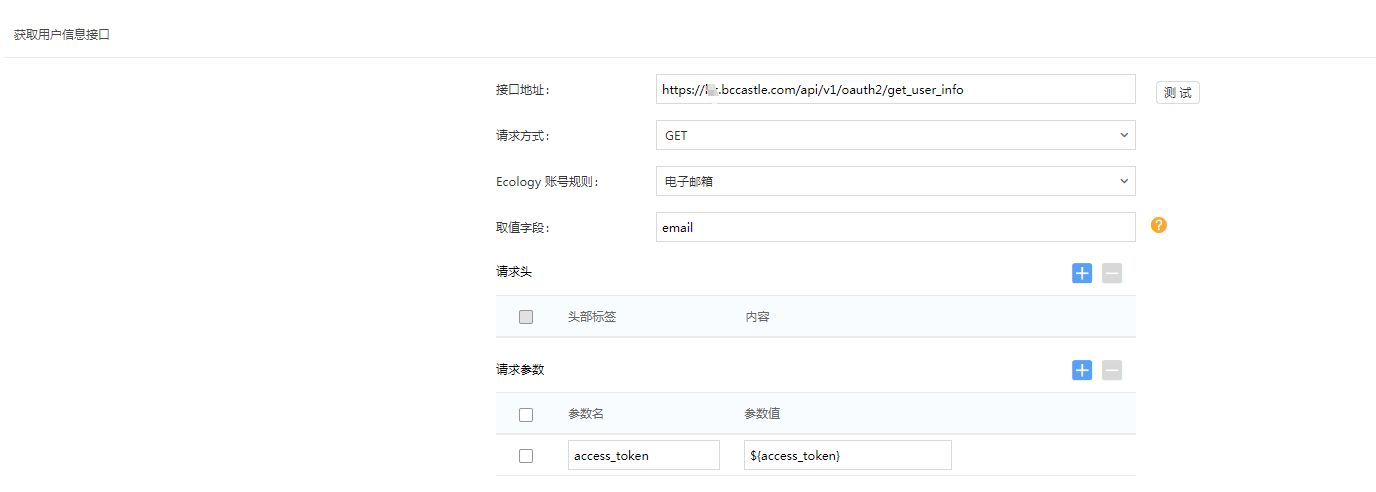
Obtain user information interface:
- Interface address: https://BambooCloud IDaaS tenant domain.bccastle.com/api/v1/oauth2/get_user_info
- Request method: GET
- Ecology account rule: Email
- Value field: email
- Request parameter: access_token: $
Unified logout interface:
Enable
Interface address: https://BambooCloud IDaaS tenant domain.bccastle.com/api/ams/logout?redirectToUrl=https://oa.xxx.com/
Request method: GET
Authentication method: Enable PC authentication
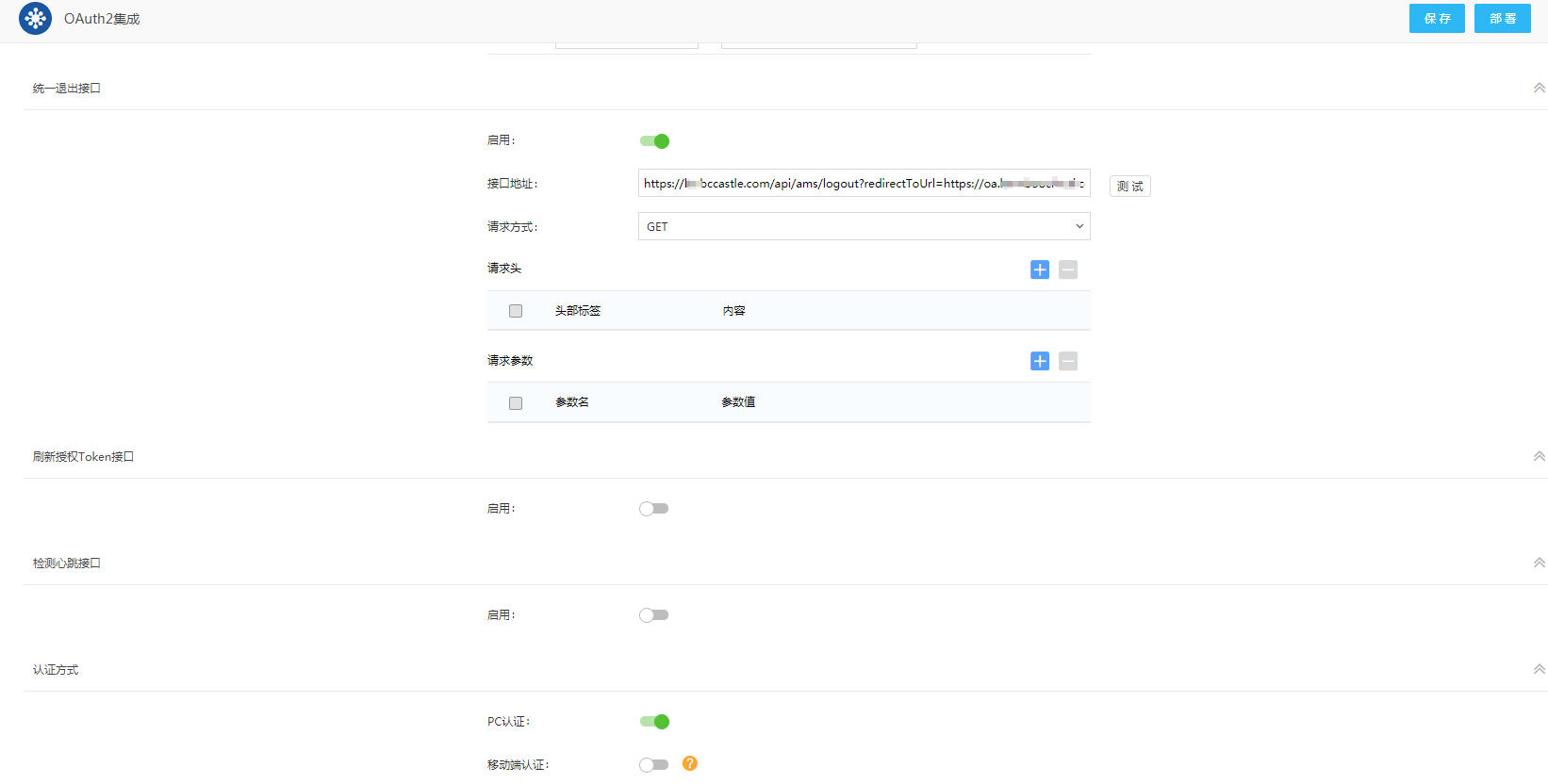
OAuth2 integration enabling/disabling requires clicking "Deploy" to take effect; after enabling, click "Deploy" only for the first time, and other modifications only need to be "Saved".
Configure Synchronization Parameters
Configure synchronization parameters.
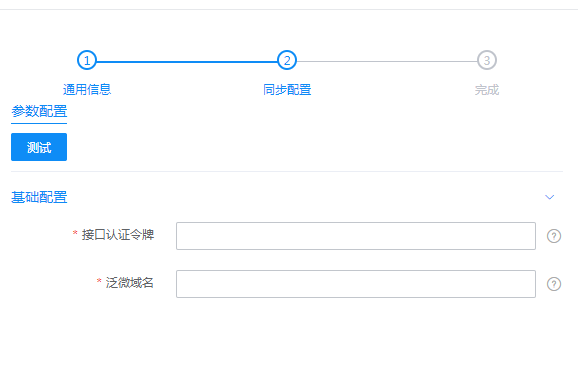
Parameter Description Interface Authentication Token Fanwei open interface call token. You can set the authentication method and view authentication parameters by visiting the OA address: /hrm/websevice/hrm_webservice_config.jsp. Currently, BambooCloud IDaaS uses the token+MD5 method. Fanwei Domain Name Fanwei OA domain name, for example: http://bcfwoa.test.com/ Enter Application Details > Synchronization Configuration. In the general configuration, you can set the processing logic for synchronized data.
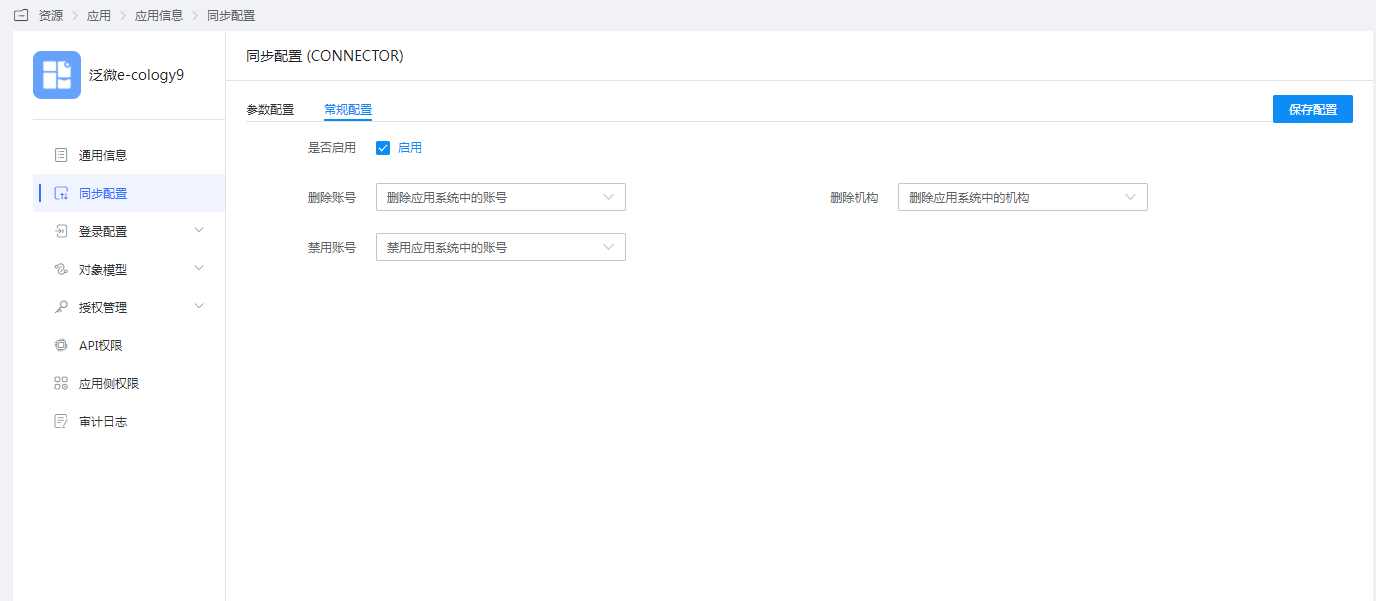
The object model saves the system's default attribute parameters. If you need to synchronize other user attributes, select "Object Model — Application Account Model — Attribute Definition" on the left, click "Add", and add attributes.
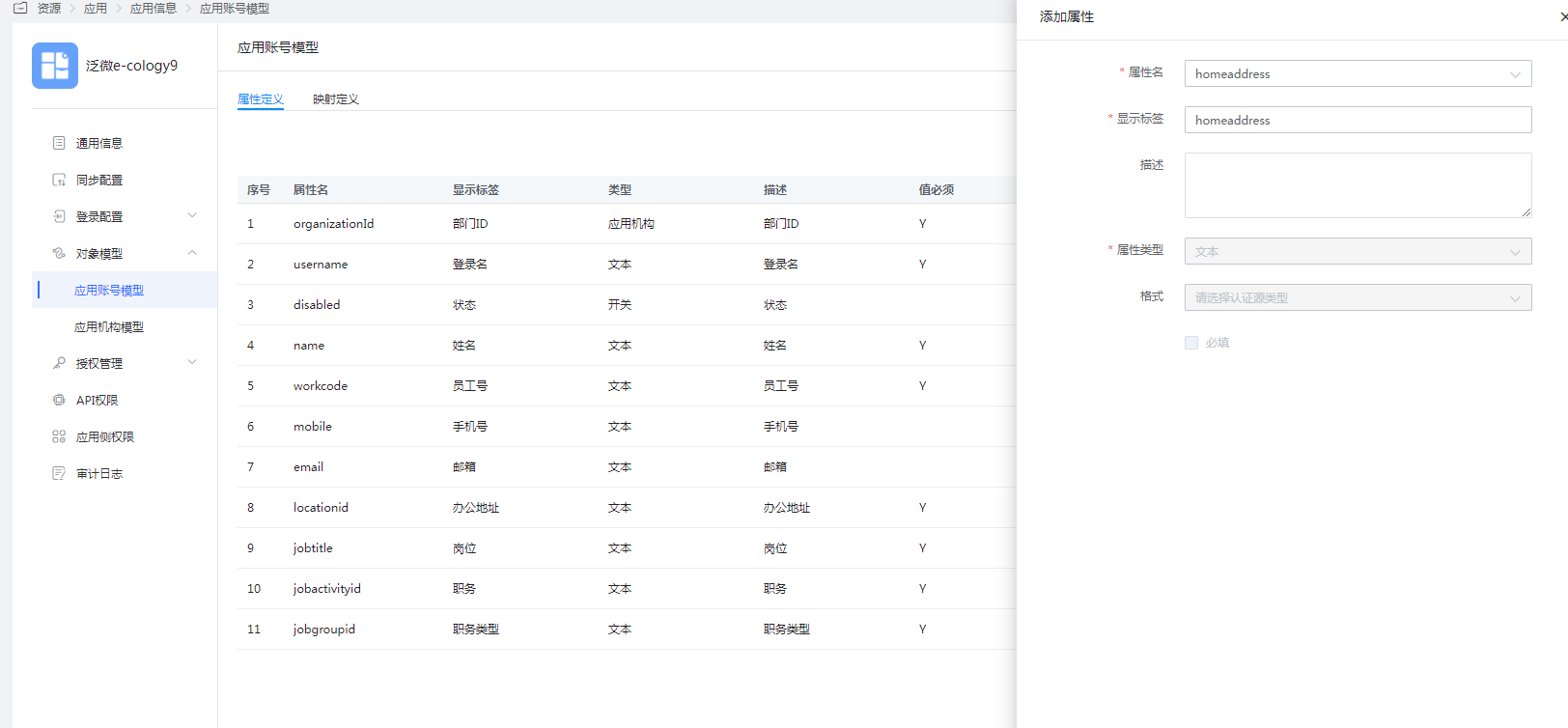
Parameter Description Attribute Name The account attribute of the application system, which can be selected from the dropdown menu, such as homeaddress. Display Label Required, customizable. Description Optional, customizable. Attribute Type Different attribute names correspond to different attribute types, determined by the application system attributes, and cannot be modified. Format The system default cannot be modified. Required The system default is not checked. Switch to the Mapping Definition tab, click "Edit", and configure attribute mapping.
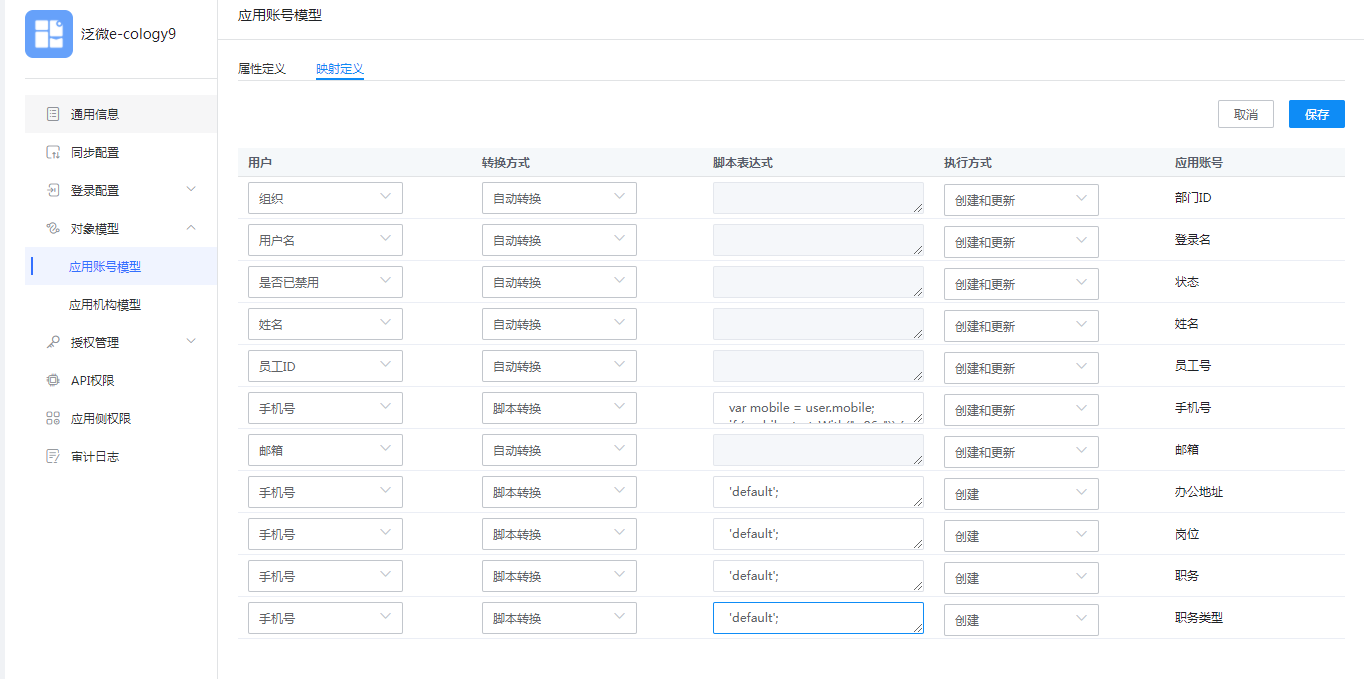
Parameter Description User The attribute mapped from BambooCloud IDaaS to the application, such as mobile number. Transformation Method The mapping method between BambooCloud IDaaS and application attributes. Script Expression Activated when the transformation method selects script transformation. For mapping scripts, refer to: How to Develop Mapping Scripts. Execution Method The method used by BambooCloud IDaaS when synchronizing user data to the target application. Application Account The account attribute of the application. If you need to synchronize other organization attributes, select "Object Model — Application Organization Model — Attribute Definition" on the left, click "Add", and add attributes.
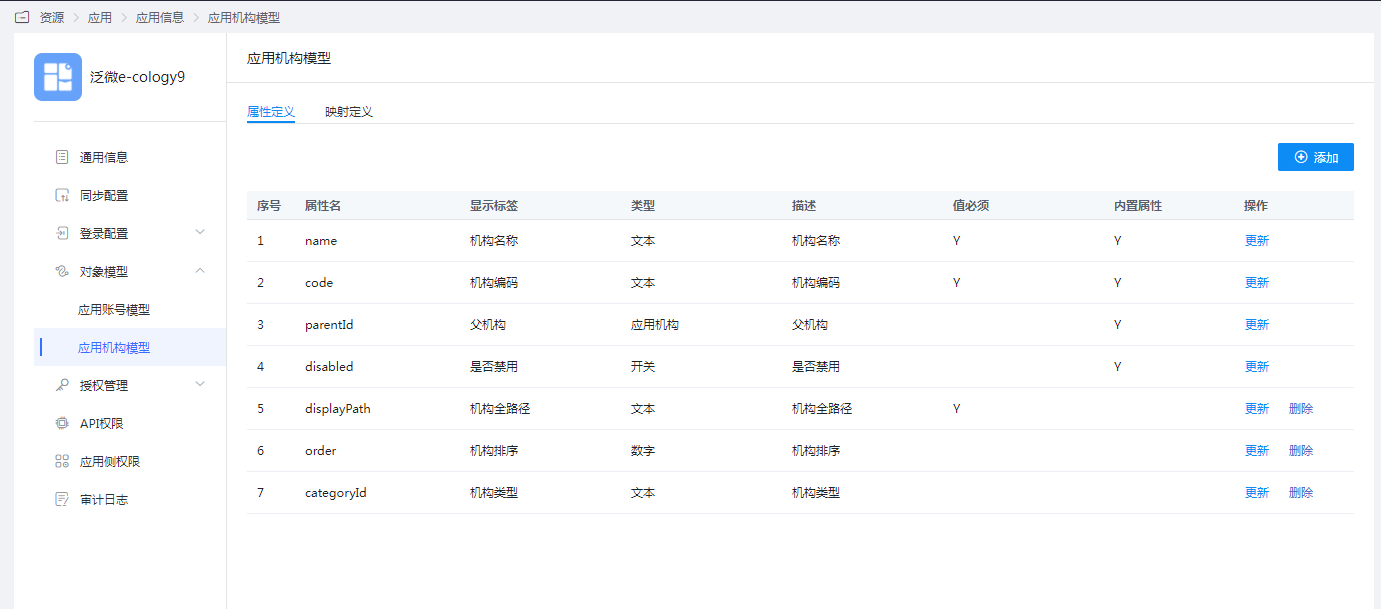
Parameter Description Attribute Name The organization attribute of the application system, which can be selected from the dropdown menu. Display Label Required, customizable. Description Optional, customizable. Attribute Type Different attribute names correspond to different attribute types, determined by the application system attributes, and cannot be modified. Format The system default cannot be modified. Required The system default is not checked and cannot be modified. Switch to the Mapping Definition tab, click "Edit", and configure attribute mapping.
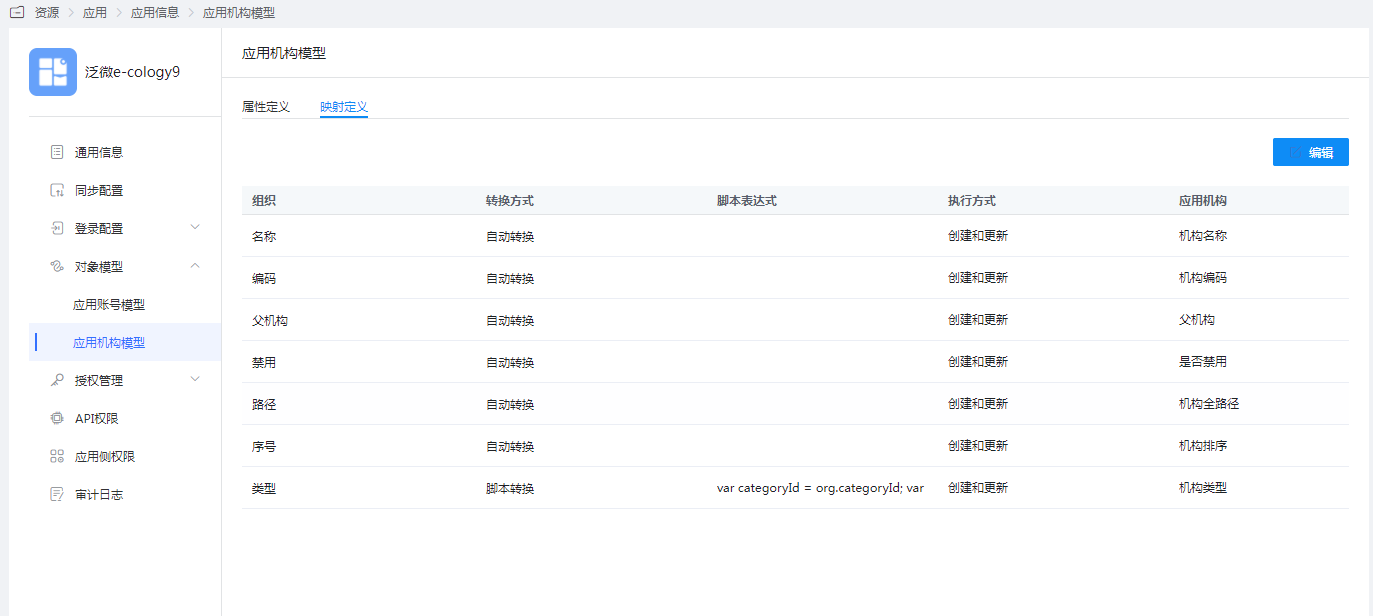
Parameter Description Organization The organization attribute mapped from BambooCloud IDaaS to the application. Transformation Method The mapping method between BambooCloud IDaaS and application attributes. Script Expression Activated when the transformation method selects script transformation. For mapping scripts, refer to: How to Develop Mapping Scripts. Execution Method The method used by BambooCloud IDaaS when synchronizing organization data to the target application.
Verify Synchronized Data
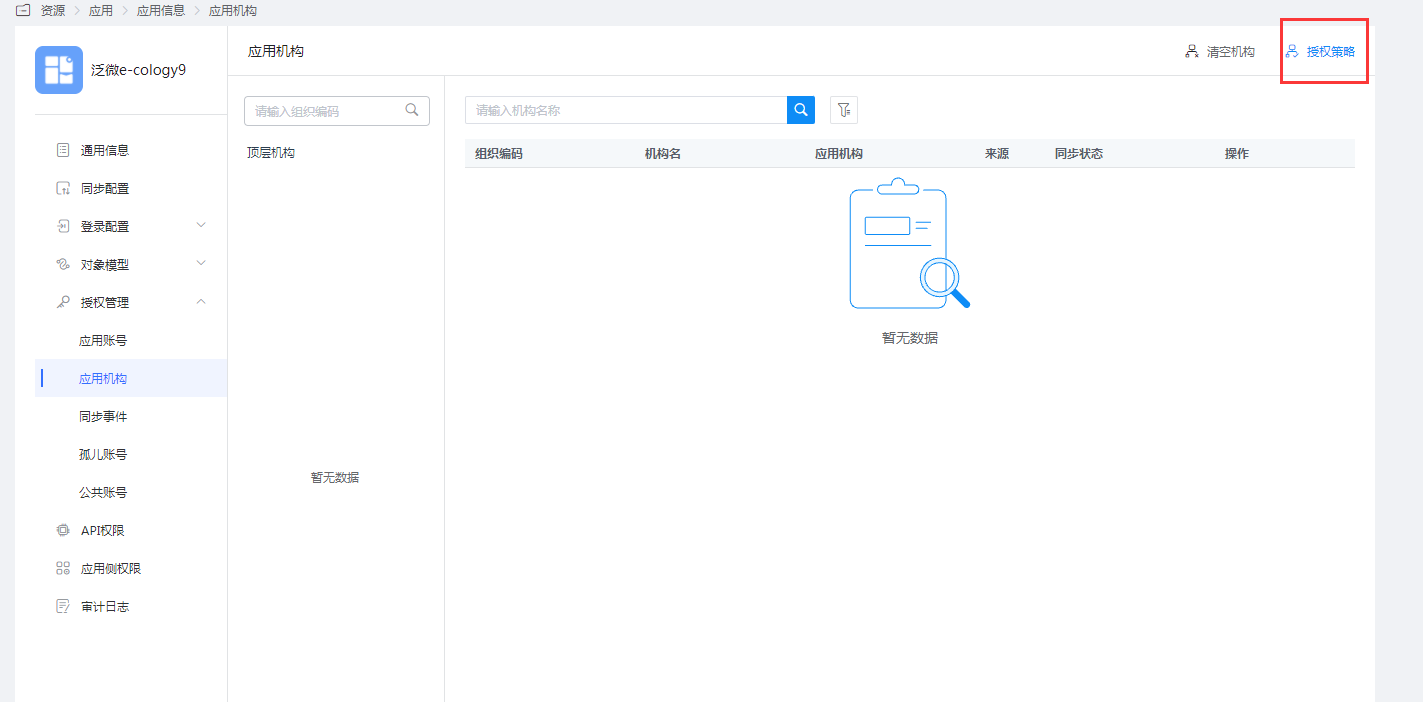
Enter "Application Organization - Authorization Policy", enable automatic organization authorization, select the organization scope, click the Save button, and then click Execute Add to see the synchronized organizations.
TIP
Synchronization rule description:
- Sub-departments are allowed under departments.
- Departments cannot be directly hung under the root organization on the Fanwei side. Therefore, when creating an organization in Users > Organization and Users, select the organization type as Company, and then add sub-organizations as departments under the created organization.
- Except for the department ID, all other attributes are allowed to be modified.
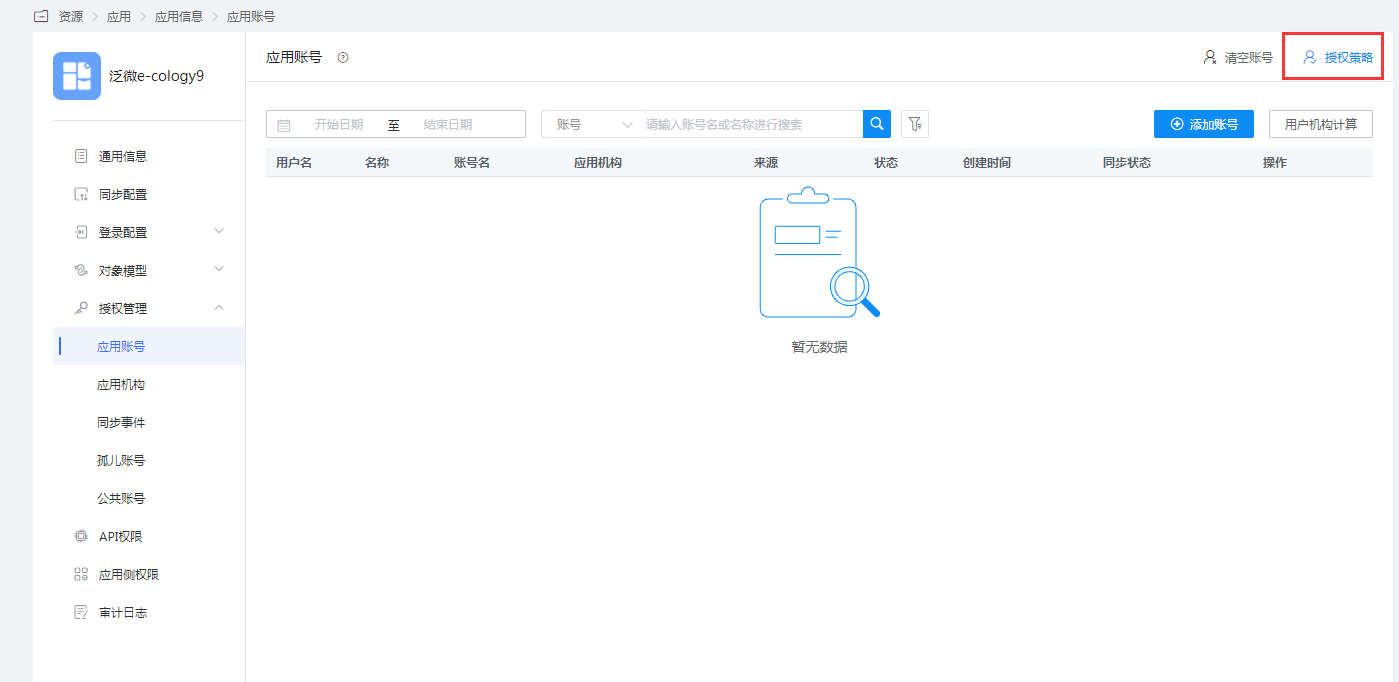
Enter "Application Account - Authorization Policy", enable automatic user authorization, select the user scope, click the Save button, and click Execute Add to see the synchronized users.
TIP
Synchronization rule description: When synchronizing user data, by default, the BambooCloud IDaaS user's Employee ID is converted to the ecology employee number, so the user's Employee ID attribute is required.
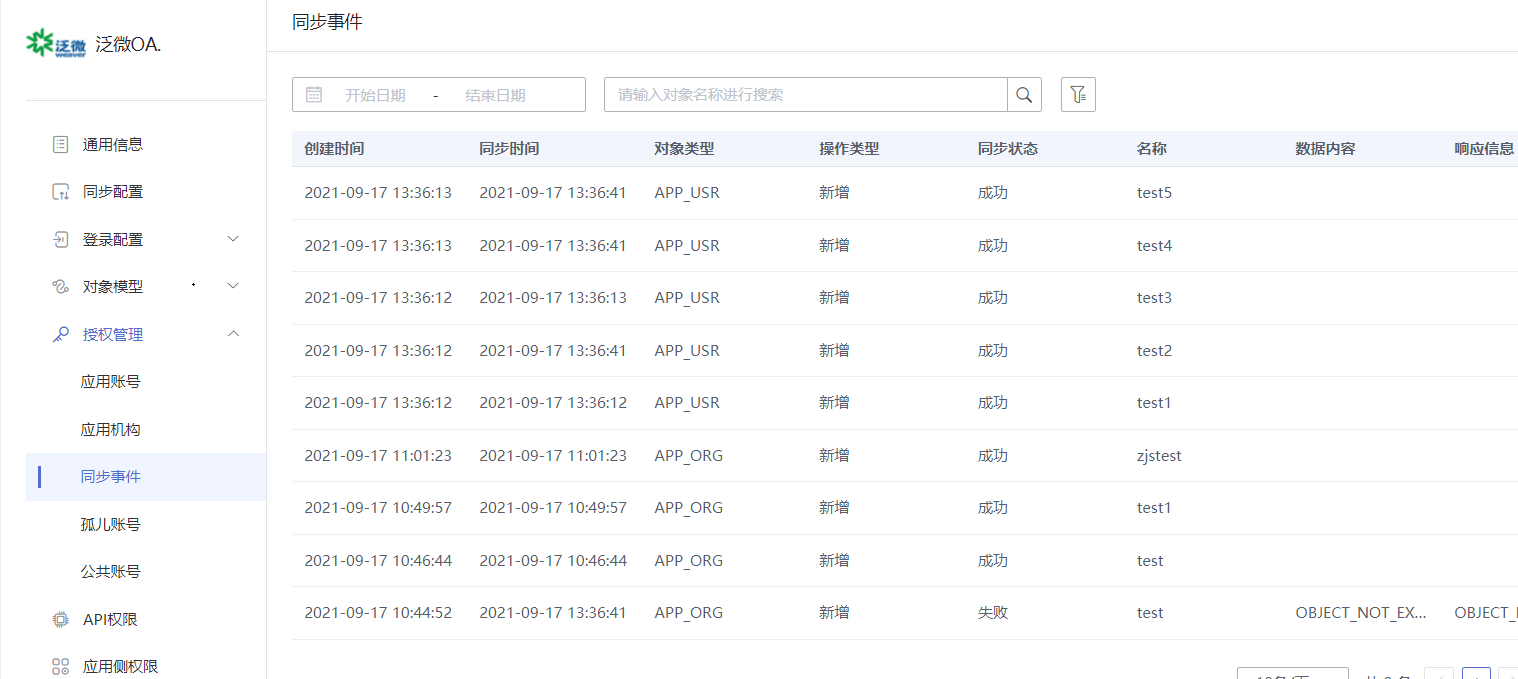
View synchronization events. Select "Authorization Management — Synchronization Events" on the left to view the above synchronization records. At the same time, editing and deleting organizations and users can also be viewed and filtered.
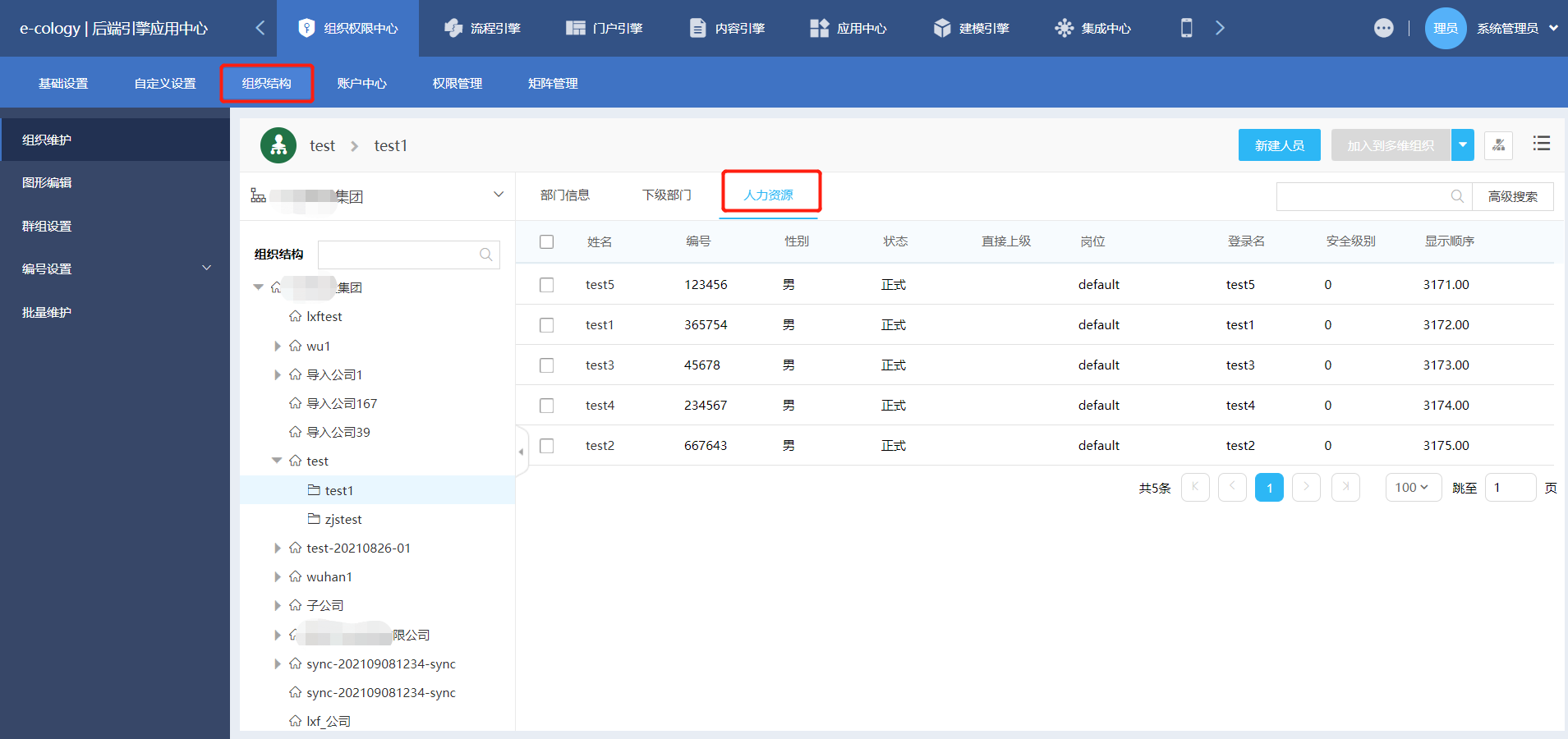
Log in to the Fanwei OA management console to view the synchronized organizations and users.