GitLab Data Synchronization
Overview
This article describes how BambooCloud IDaaS synchronizes user information through the GitLab REST API. Group and organization synchronization are not currently supported.
Synchronization Configuration
GitLab Preparation
Generate a personal access token. Log in to GitLab, enter personal settings, select Access Tokens (with
apipermission), create and save the personal access token.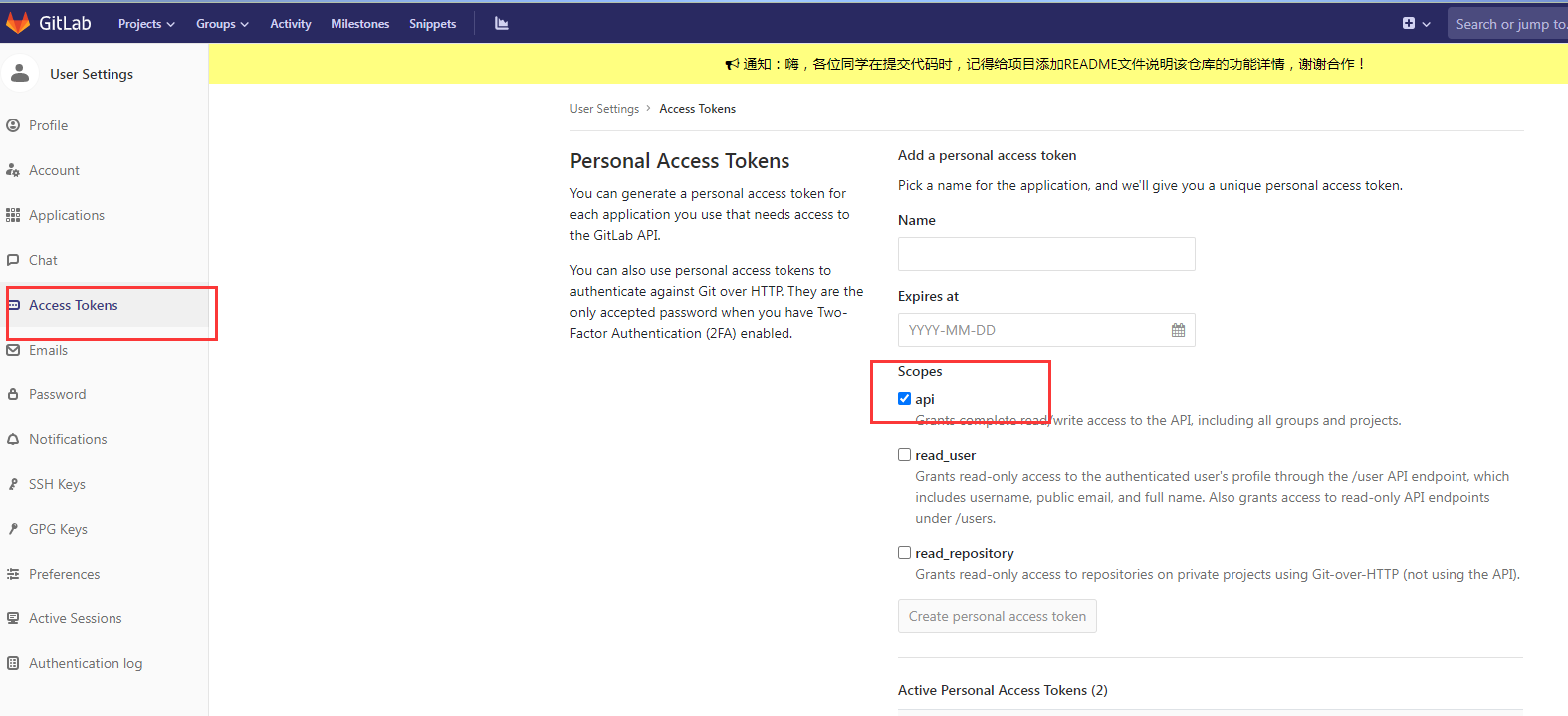
The GitLab service supports API access from BambooCloud IDaaS public cloud servers.
BambooCloud IDaaS Configuration
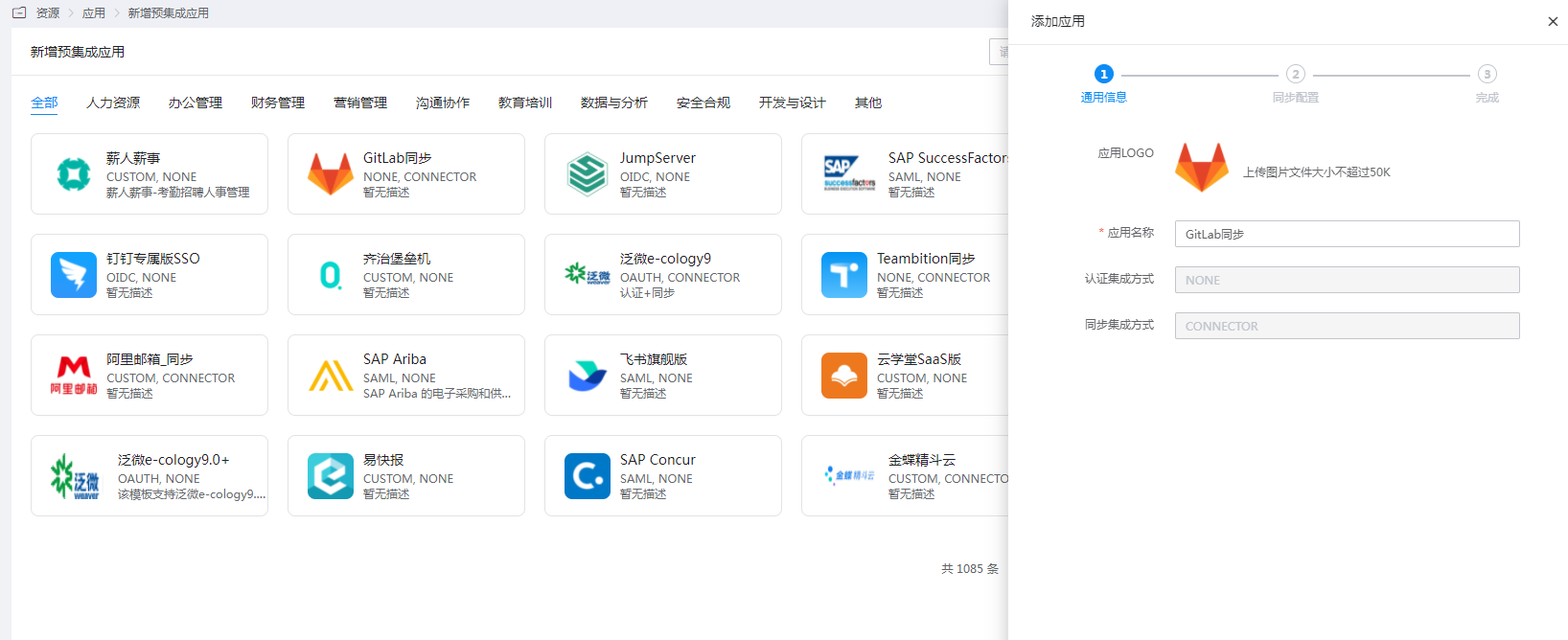
Log in to the Enterprise Center and add the GitLab synchronization pre-integrated application.
Configure authentication parameters. After the test passes, save.
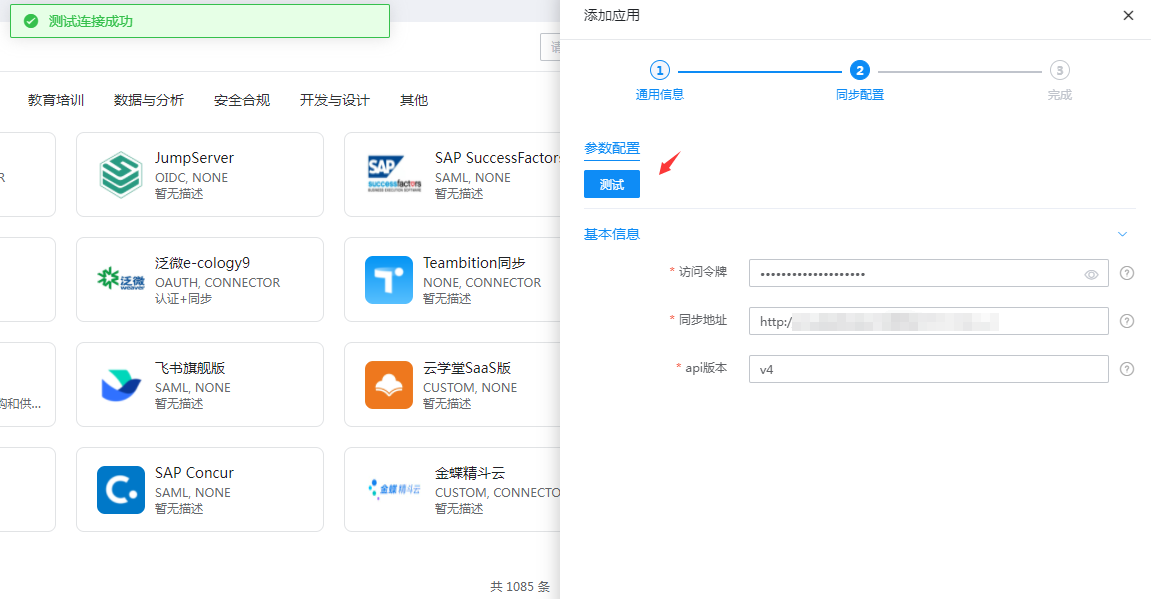
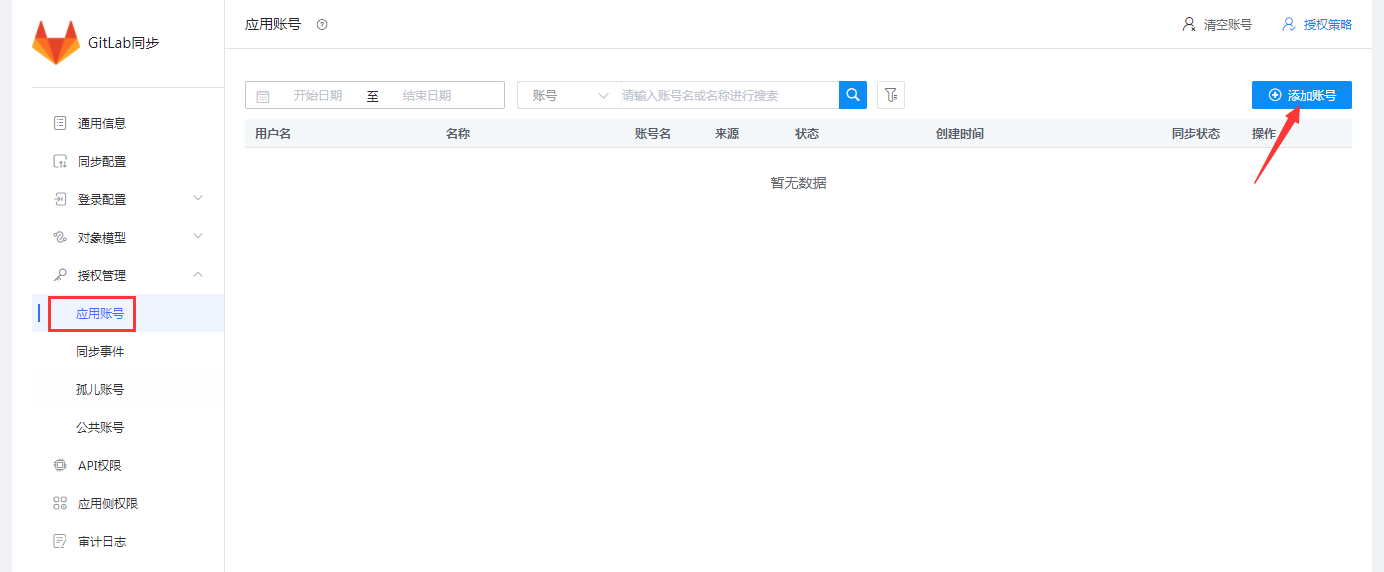
Parameter Description Access Token AccessTokens Synchronization Address GitLab service address (domain or IP + port, starting with communication protocol "http://" or "https://") API Version GitLab API version, v4 is recommended Enter the application details, Authorization Management > Application Account, and add an account.
Edit account information.
Parameter Description Account Name GitLab Username Name GitLab Name Password GitLab login password, at least 8 characters Confirm Password Same as above Personal Email GitLab Email External Provider Authentication Name Corresponds to the providerof the GitLab user, the name of another authentication method (Note: required field for SAML authentication, its value is the identifier of BambooCloud IDaaS in GitLab, configured in the GitLab configuration file)External Provider Username Corresponds to the extern_uidof the GitLab user, the username of another authentication method (Note: required field for SAML authentication, the default value should be the value ofusername)When BambooCloud IDaaS synchronizes users to GitLab, and GitLab and BambooCloud IDaaS have SAML authentication integration. To ensure that users can SSO from BambooCloud IDaaS to GitLab, the synchronized users need to provide the
providerandextern_uidfields (refer to the application document chapter). The value ofprovideris related to the SAML integration configuration between GitLab and BambooCloud IDaaS.For the SAML integration configuration between GitLab and BambooCloud IDaaS, refer to BambooCloud IDaaS Developer Platform GitLab Authentication Configuration.
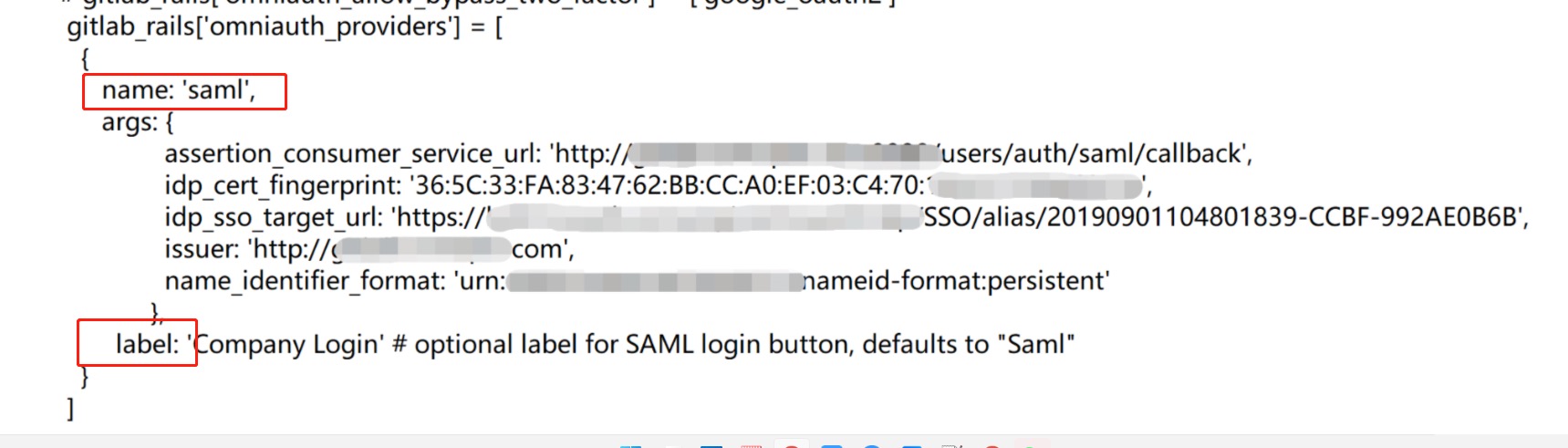
The value of
provideris ultimately composed oflabelandname.nameis fixed as the authentication protocol or method, andlabelcan be changed freely. The format is:label(name), for exampleBambooCloud IDaaS(saml).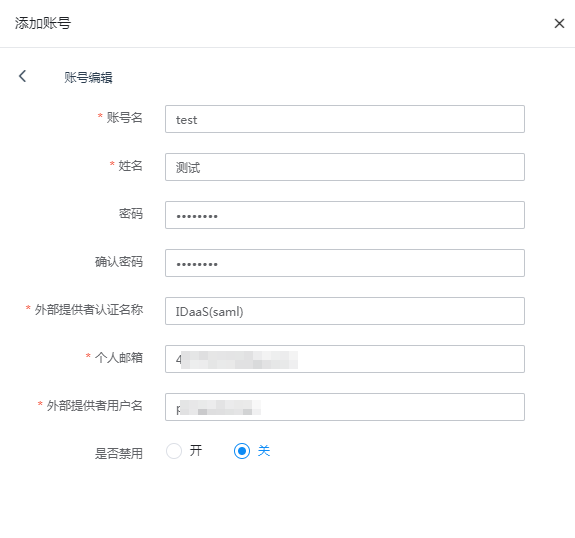
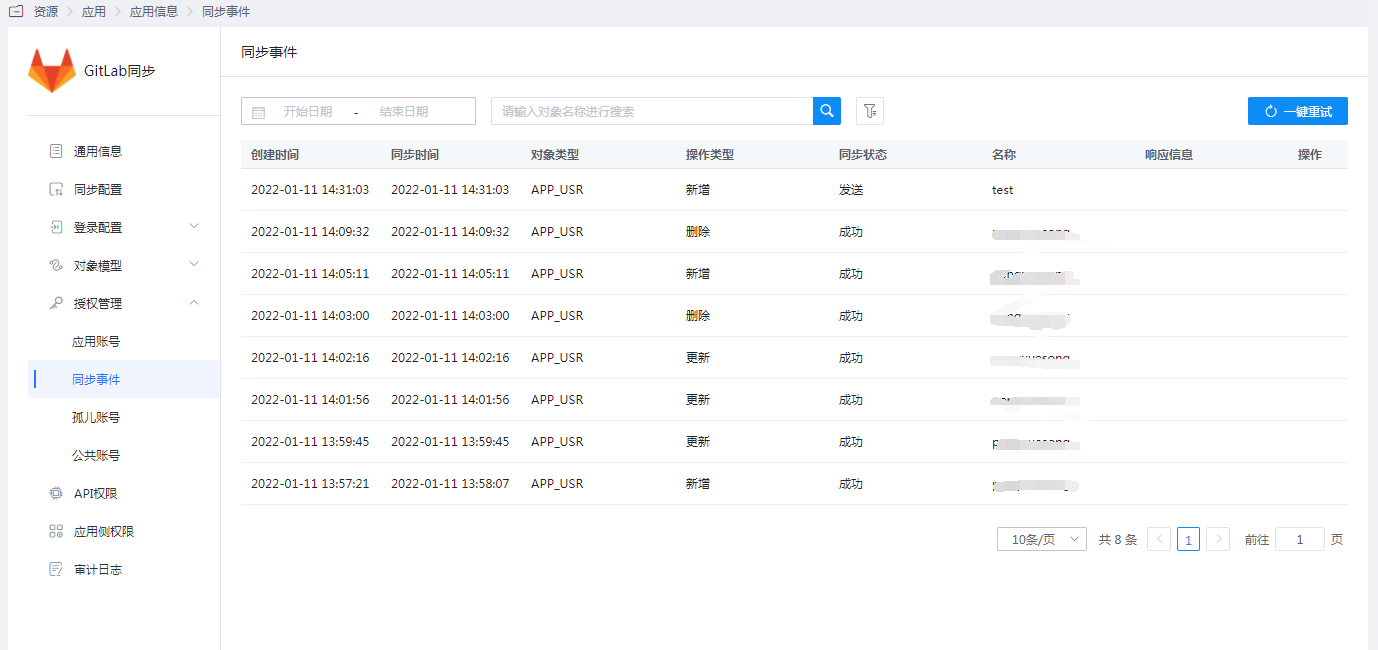
View synchronization records.
Synchronization Verification
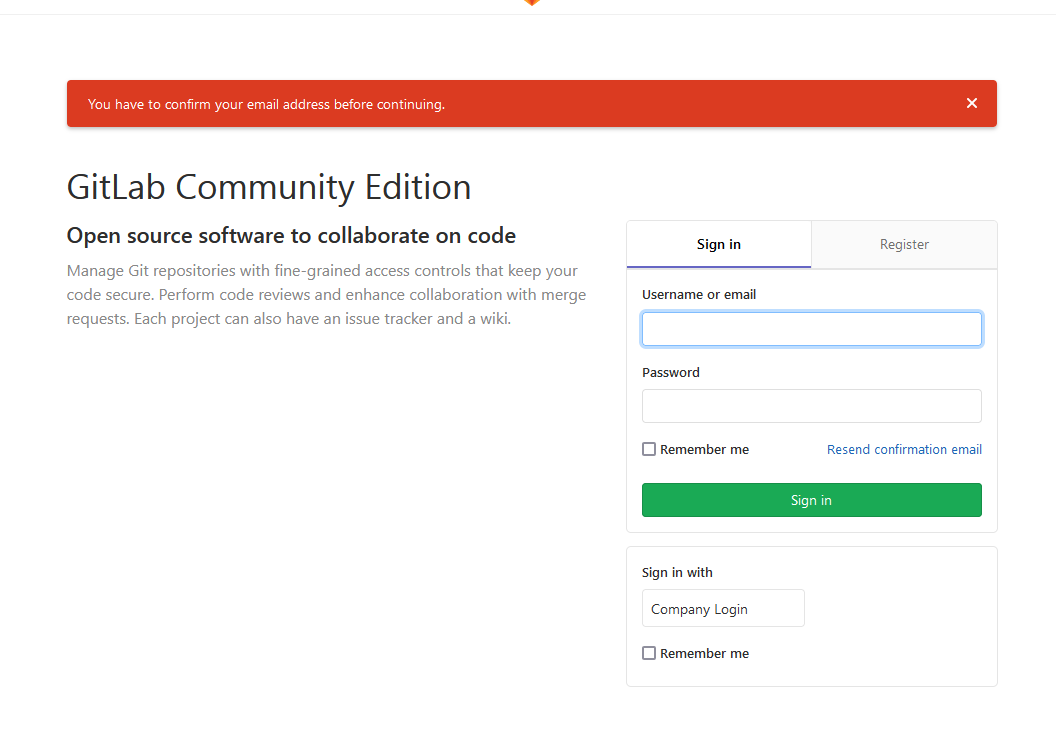
For the first login of a synchronized user, activation is required via email. If not activated, the following message will be prompted.
The administrator can also activate it.
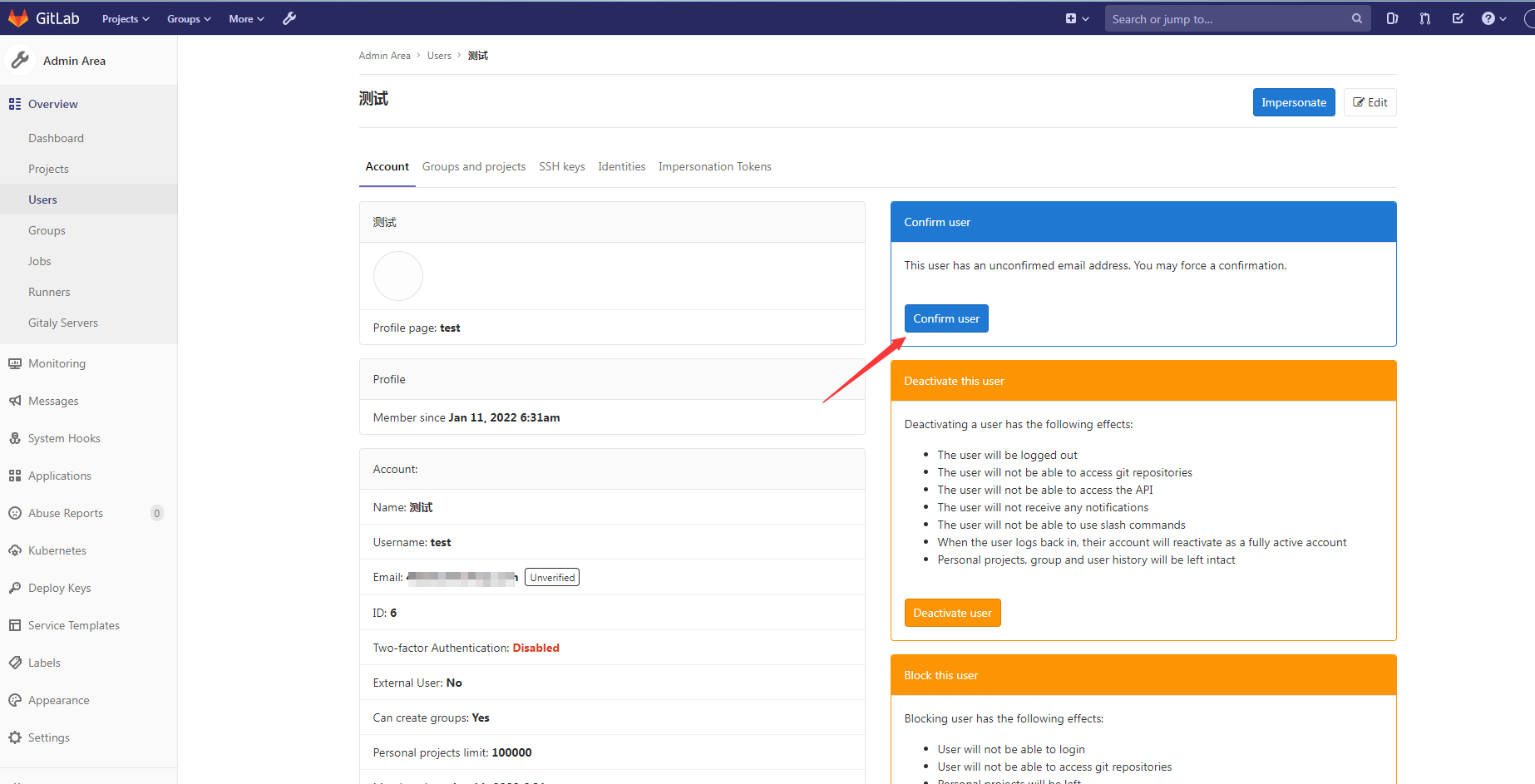
After activation, log in with username + password or SAML authentication.