
Office 365 Single Sign-On
Overview
This article describes how to configure BambooCloud IDaaS single sign-on to Office 365.
DANGER
Office 365 is divided into international and Chinese versions. There are slight differences in the configuration process, and corresponding prompts have been made in the article. Please pay attention.
Reference document: Azure AD single sign-on with SAML 2.0 identity provider (IdP)
Authentication Configuration
Office 365 Configuration
Use PowerShell to install the AAD support module
Install-Module -Name MSOnline.Connect-MsolService -AzureEnvironment AzureChinaCloud(For international version, change toAzureCloud)A login dialog box will pop up. Enter the administrator username and password.
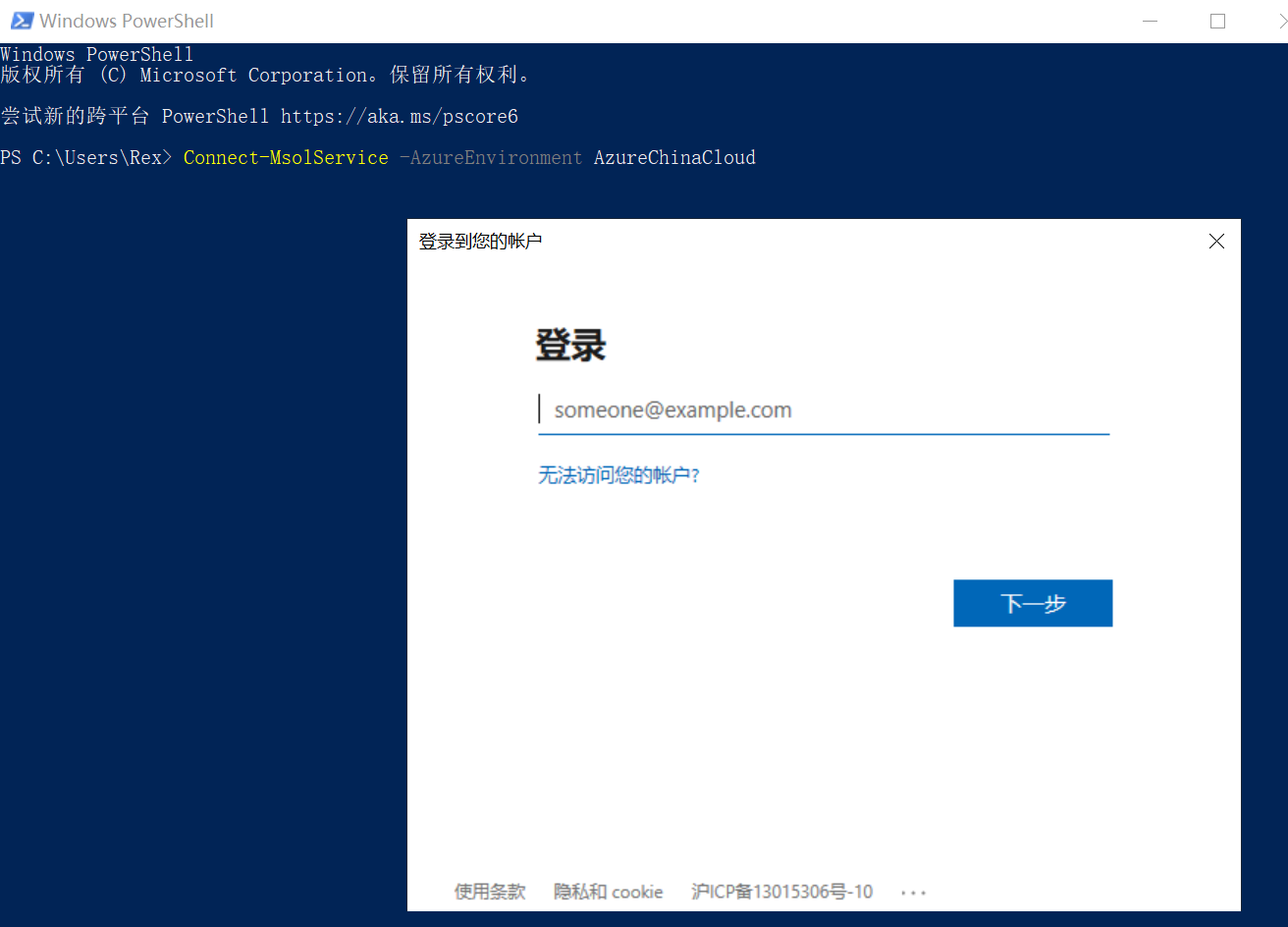
Add and verify a custom domain.
TIP
This step can also be implemented in the Azure AD Directory website. If a custom domain has already been added, please skip this step.
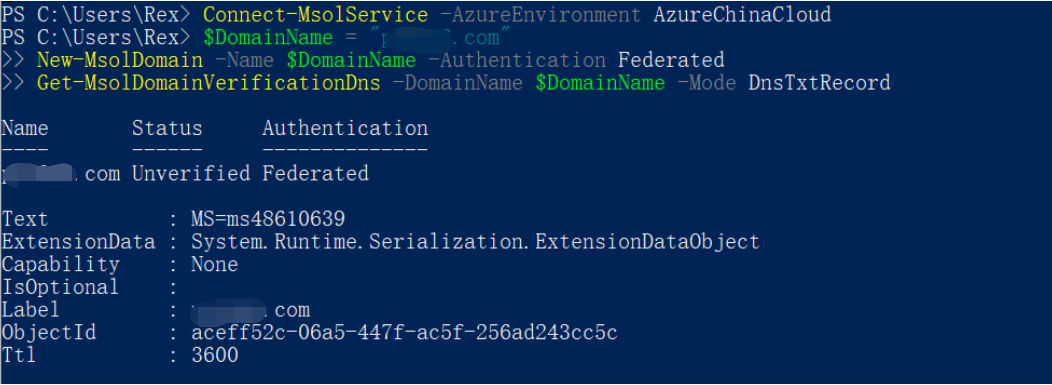 shell
shell$DomainName = "****.com" New-MsolDomain -Name $DomainName -Authentication Federated Get-MsolDomainVerificationDns -DomainName $DomainName -Mode DnsTxtRecordSet the custom domain as a federated domain.
WARNING
Currently, the primary domain of Azure AD Directory cannot be set as a SAML authentication federated domain. Please use a non-primary domain for configuration.
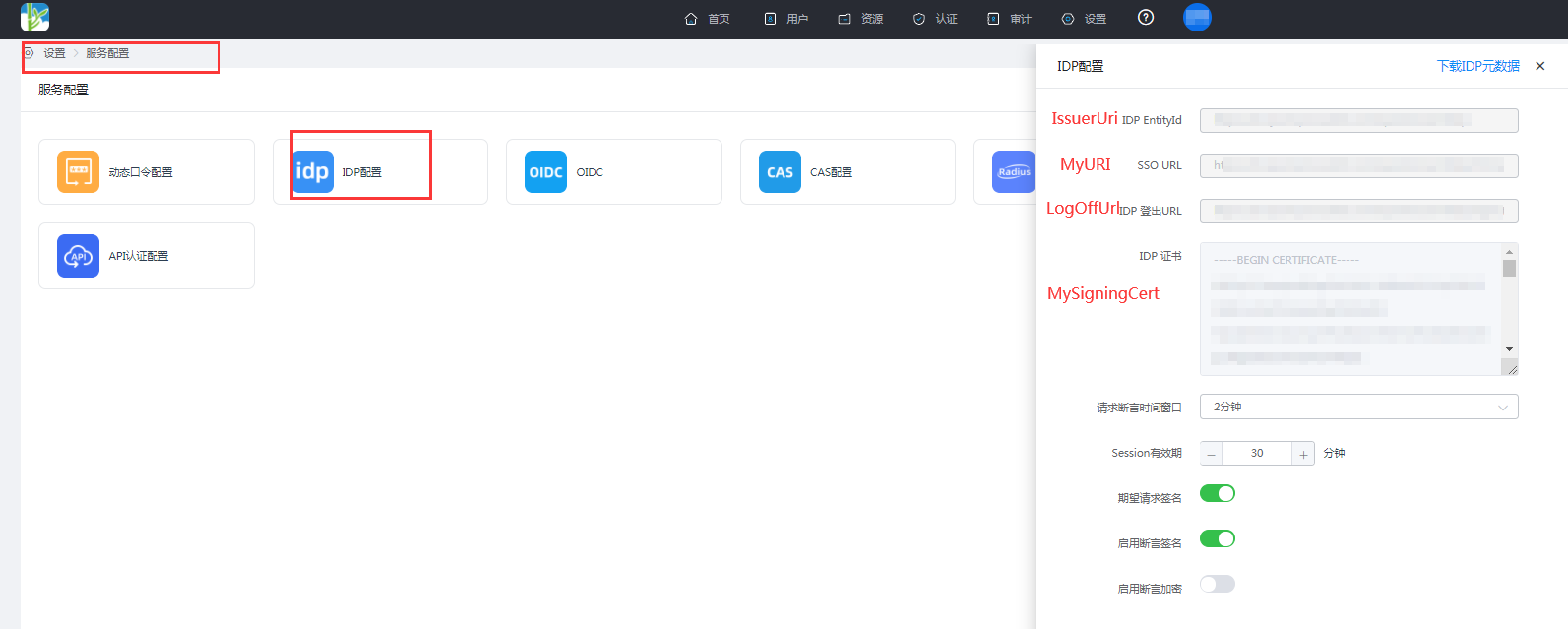 shell
shell$dom = "****.com" $LogOffUrl = "https://xxx.bccastle.com/api/ams/saml/idp/logout" $MyURI = "https://xxx.bccastle.com/api/ams/saml/idp/SSO/alias/20190901104801839-CCBF-992AE0B6B" $MySigningCert = "MIICrzCCAZcCBgFs6rjpsTANBgkqhkiG9w0BAQsFADAbMRkwFwYDVQQDDBBiMmUuYmNjYXN0bGUu Y29tMB4XDTE5MDkwMTAyNDYyMloXDTI5MDkwMTAyNDgwMlowGzEZMBcGA1UEAwwQYjJlLmJjY2Fz dGxlLmNvbTCCASIwDQYJKoZIhvcNAQEBBQADggEPADCCAQoCggEBAL6S58DymjxihIKlROY0hMtN PYtzVIbVcfOQ8UA9PrCJcs2kz9jMKMXtuZcyys/UqT0wUy5VLeG2hqjr6Ou5zKKmkDmwc+fT0lqY 2lFO1KKKNG1WmT1U3H7nAB12DAk0Jfk9PXz7TLF4dEGRJzgxNmfVx2v7BXEzAXn4rcfHNC1lgL7D yW5JoZxUsiKZclnxlgk6EB51Pkd5mWrlXx2bHTJoTan3FqpmYPqUXg5QqI6hqlyoNu3fHQC7AruU SdQhCbBXI6FQD9pRTqROo+NS6arhvhh+VVbCqhTjzm6q0QSQaglznNLD8PFsUULFZdLiDE0Q3PE4 RVJ+oK0HONFezdUCAwEAATANBgkqhkiG9w0BAQsFAAOCAQEAaxwfqQAvKTCCnTAjOR1RiNM2L9lz nPoO8KobiVCEM7hFMqly6iWleUv+CnG25qXETPTmnoA1M/WF83OUaVutb6Ln6ldqalKgPzqxHrsK bwwW5g/mUWjBl1PbKs+Sfsc4nUSTDlZ2zsZ1Z60MXEfCHq3EwMA5H8tHp0qLDu5zzC7+zNJKVOKN ax7lNoCP0+LlBrxlTNfZyq4PvqlbRaWjiTWKQN26FK/eX9RCPc4ggSJnI09l7e66fJoVmHMYcDl/ 0SNTWGFmaKWG8OK587eSucQTXXiYJEBt7yU70iZxa3f7sjoIJup3m3QDTrFLqSf1bjrojRo0167M bv54Rnk/MA==" $IssuerUri = "https://xxx.bccastle.com/api/ams/saml/idp" $Protocol = "SAMLP" Set-MsolDomainAuthentication -DomainName $dom -FederationBrandName $dom -Authentication Federated -PassiveLogOnUri $MyURI -SigningCertificate $MySigningCert -IssuerUri $IssuerUri -LogOffUri $LogOffUrl -PreferredAuthenticationProtocol $ProtocolParameter descriptions are as follows:
- dom: custom domain name
- LogOffUrl: BambooCloud IDaaS IDP logout URL
- MyURI: BambooCloud IDaaS SSO URL
- MySigningCert: BambooCloud IDaaS IDP certificate
- IssuerUri: BambooCloud IDaaS IDP EntityId
- Protocol: SAMLP
- BambooCloud IDaaS IDP parameter acquisition: Log in to BambooCloud IDaaS Enterprise Center ==> Settings ==> Service Configuration ==> IDP Configuration to view.
Add a new user.
shellNew-MsolUser -UsageLocation CN -UserPrincipalName "user1@****.com" -ImmutableId "15101122211" -FirstName "li" -LastName "song" -DisplayName "lisong"Note: UserPrincipalName is the user email, ImmutableId is the user mobile phone number, and the NameID in the SAML response message returned by the IDP requires this ImmutableId attribute.
Notes: PowerShell Operation Commands
Revoke federation authentication configuration:
Set-MsolDomainAuthentication `
  -DomainName  xxx.com
  -Authentication Managed
View federation authentication configuration:
Get-MsolDomainFederationSettings -DomainName xxx.comFind ImmutableId:
Get-MsolUser -UserPrincipalName "user1@****.com" | Select ImmutableId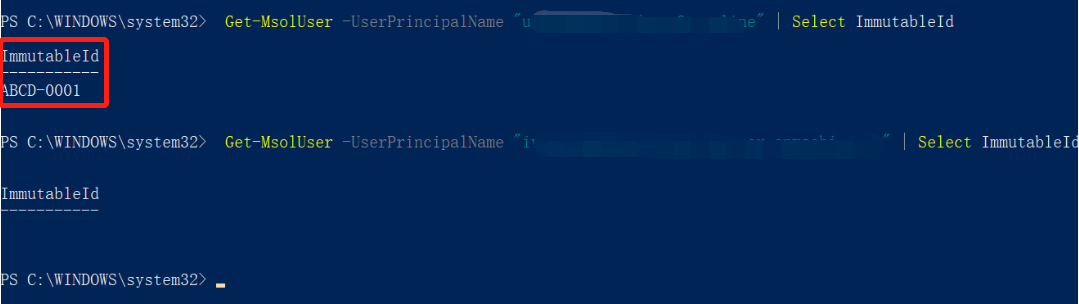
Change ImmutableId:
Set-MsolUser -UserPrincipalName "user1@****.com" -ImmutableId ""If the user logs in through SAML federation, ImmutableId cannot be changed afterwards.
BambooCloud IDaaS Configuration
Resources --> Applications --> Pre-integrated Applications, search for Office 365, and add the built-in application Office 365.
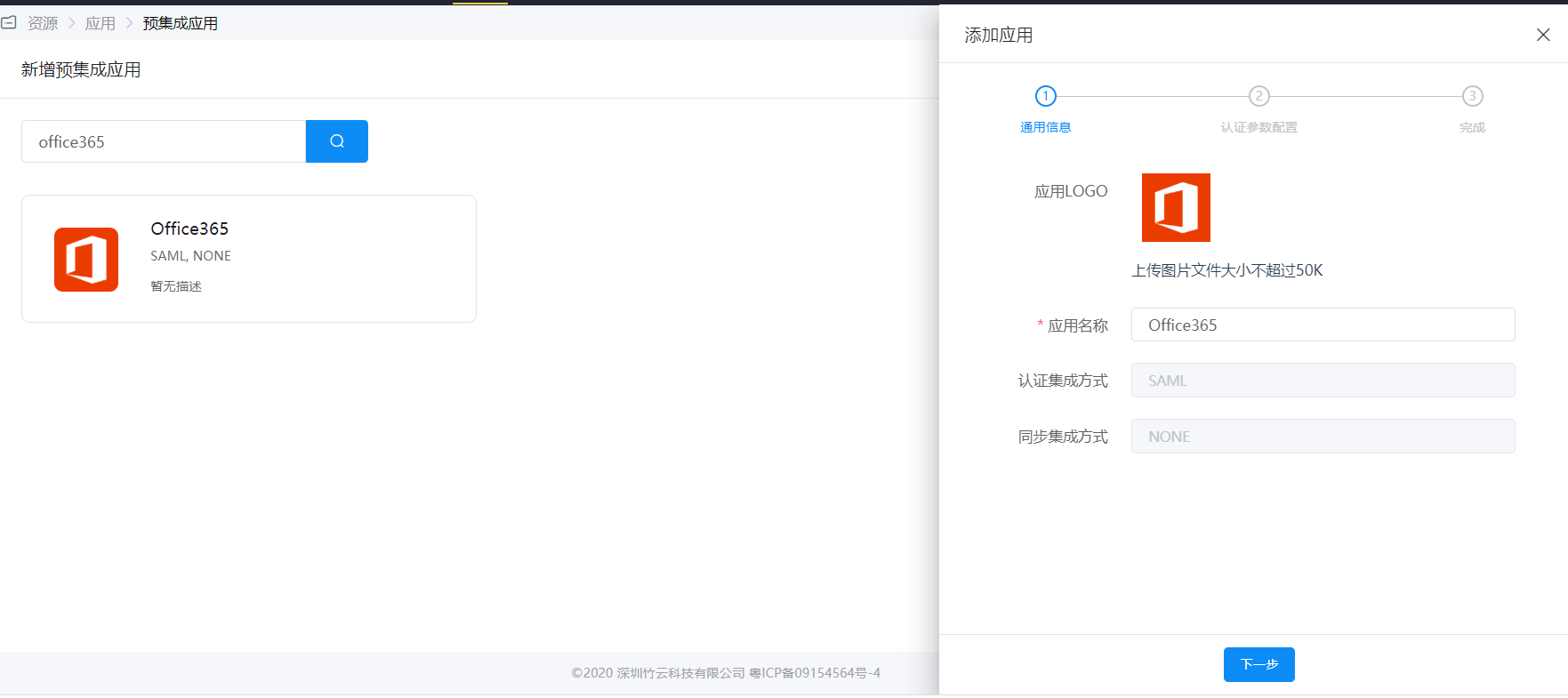
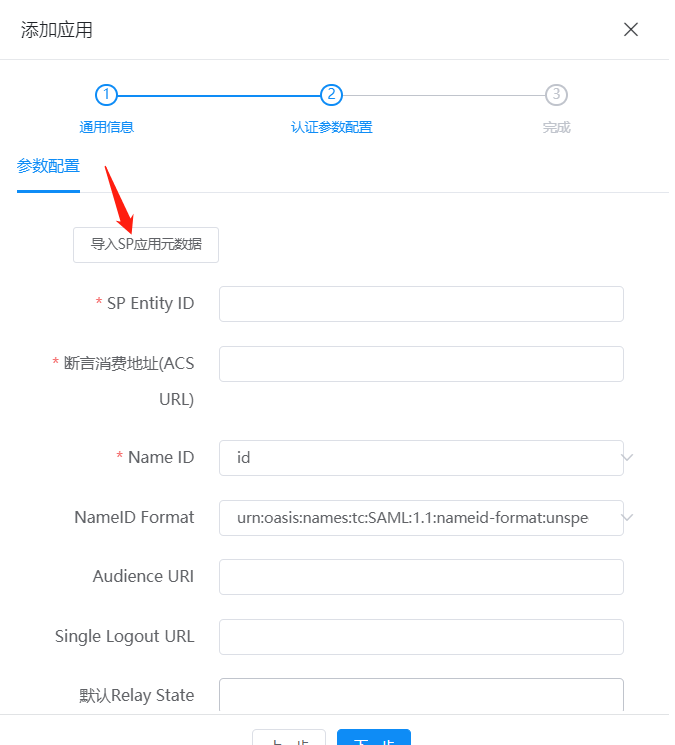
Configure authentication parameters, obtain Office 365 metadata, and import it into BambooCloud IDaaS.
TIP
- International version Azure AD metadata address.
- Chinese customers using the Office 365 Chinese version should use the following federation endpoint.
- Copy the webpage metadata content and save it as an sp.xml file.
For Name ID, select the user attribute in BambooCloud IDaaS where the Office 365 ImmutableId is stored, such as the id attribute.
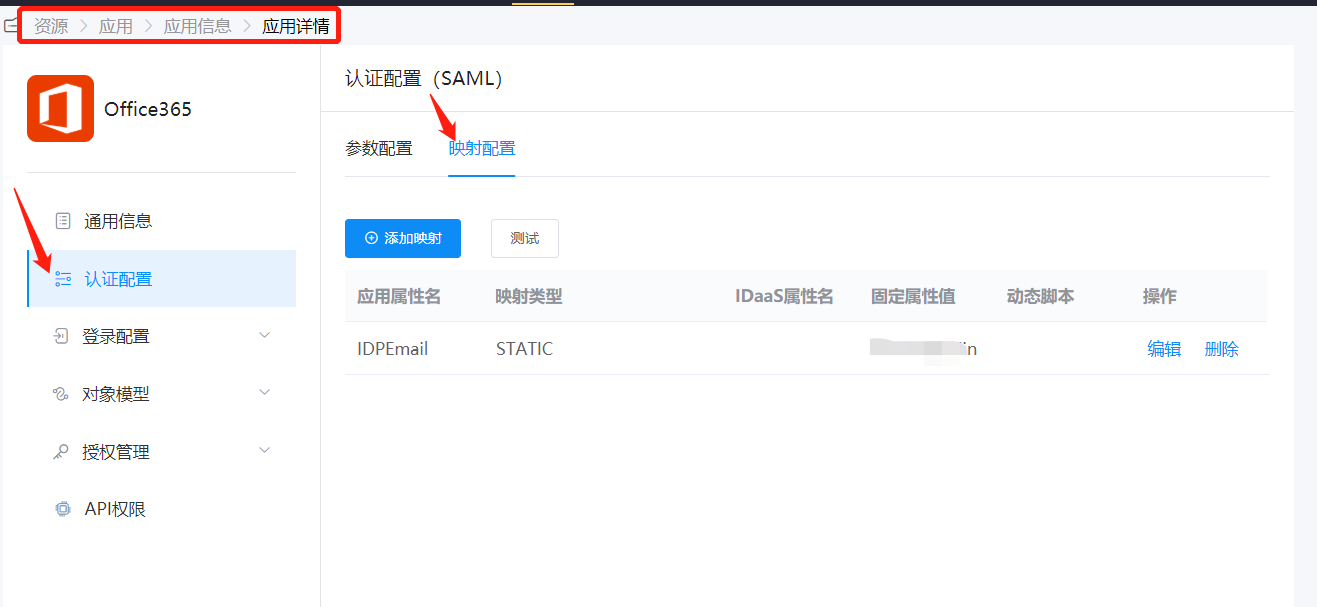
Attribute mapping: configure required Office 365 attributes.
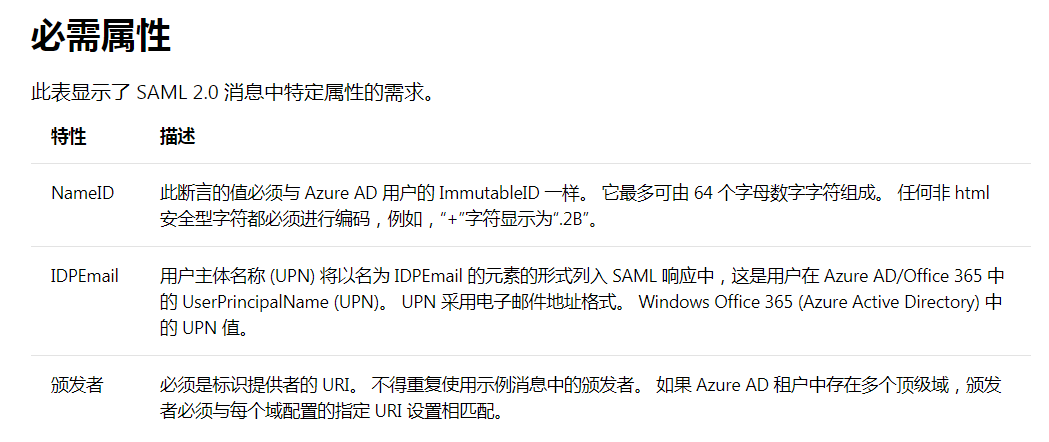
NameID and Issuer (IDP EntityID) do not need to be configured separately. You only need to add IDPEmail in the attribute mapping.
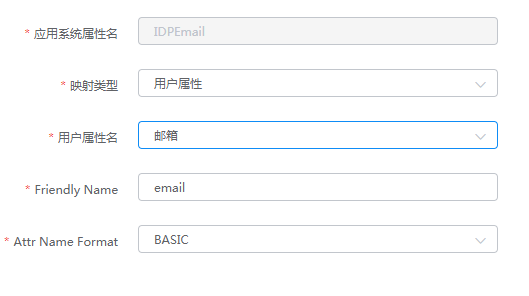
Authorize users: Authorization Management > Application Account > Add Account.
Ensure that the id attribute of the authorized user is consistent with the ImmutableId in Office 365, and IDPEmail is the UPN in Office 365.
Login Verification
Verify login using the following two methods:
Users log in to the Office 365 homepage. After entering the username, they will be automatically redirected to the BambooCloud IDaaS authentication interface. After successful authentication, they will enter Office 365.
Log in to the BambooCloud IDaaS User Center and click the Office 365 logo to enter Office 365.