
Xiaoshouyi Single Sign-On
Overview
This article describes how to configure BambooCloud IDaaS single sign-on to Xiaoshouyi.
Authentication Configuration
Xiaoshouyi Configuration
Log in to the Xiaoshouyi backend as an administrator, open Security Settings > Single Sign-On, and add single sign-on.
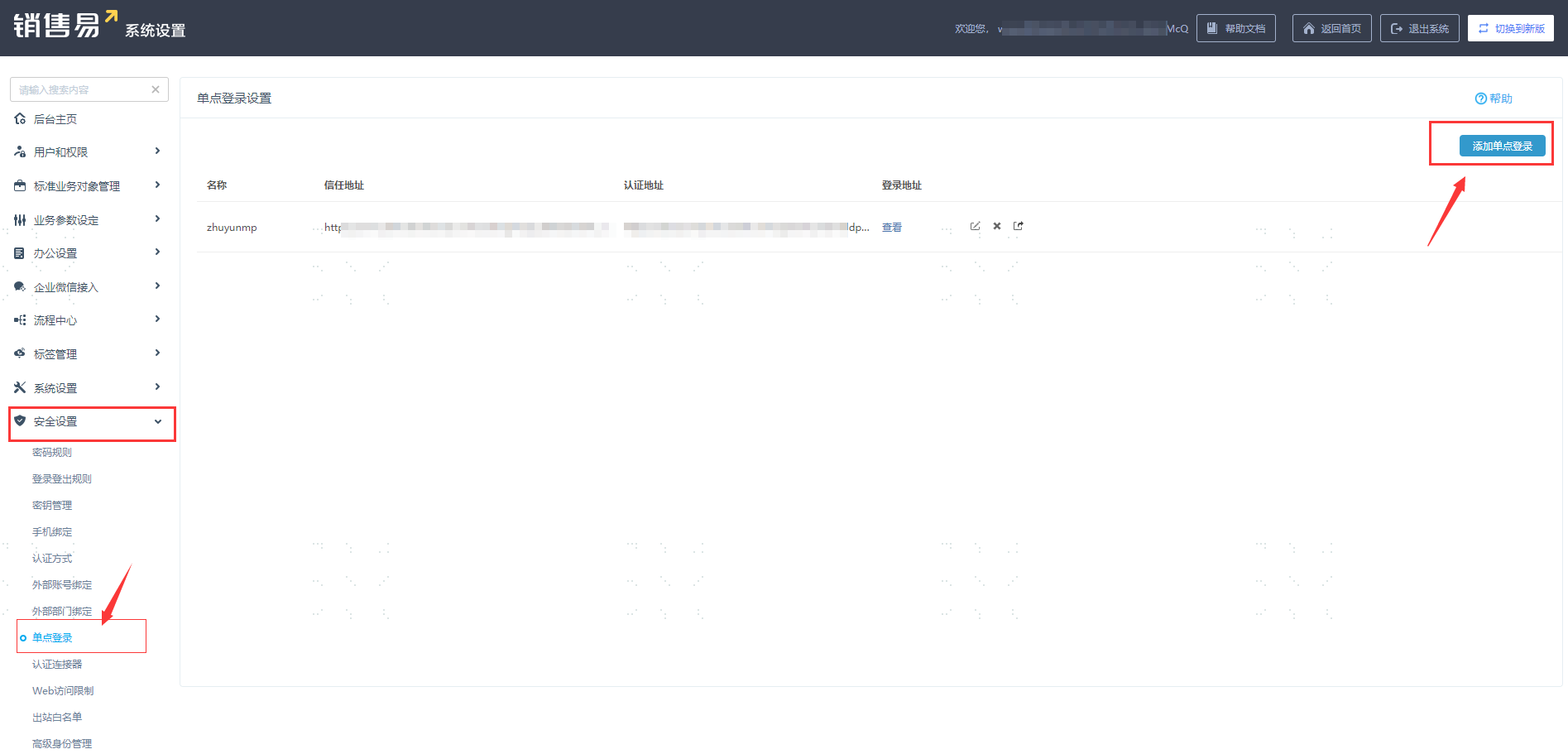
Configure authentication parameters and save. Download the Xiaoshouyi SP metadata. To download BambooCloud IDaaS IDP metadata, visit
https://{your_domain}/api/v1/saml2/idp/metadata.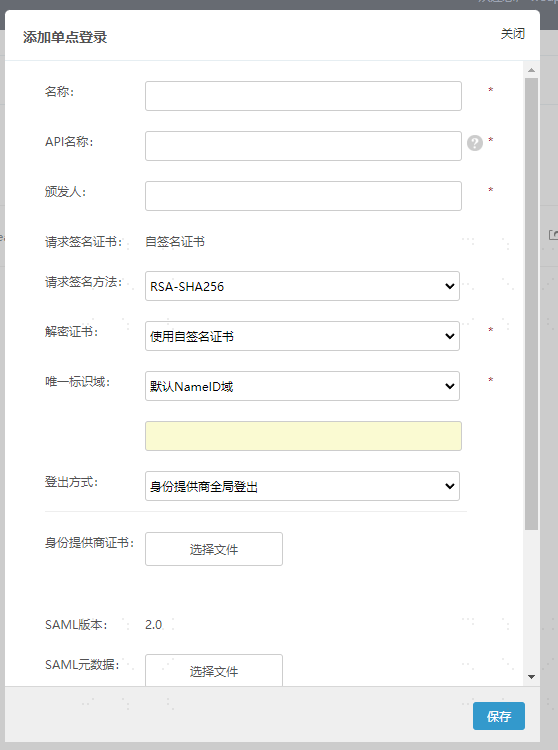
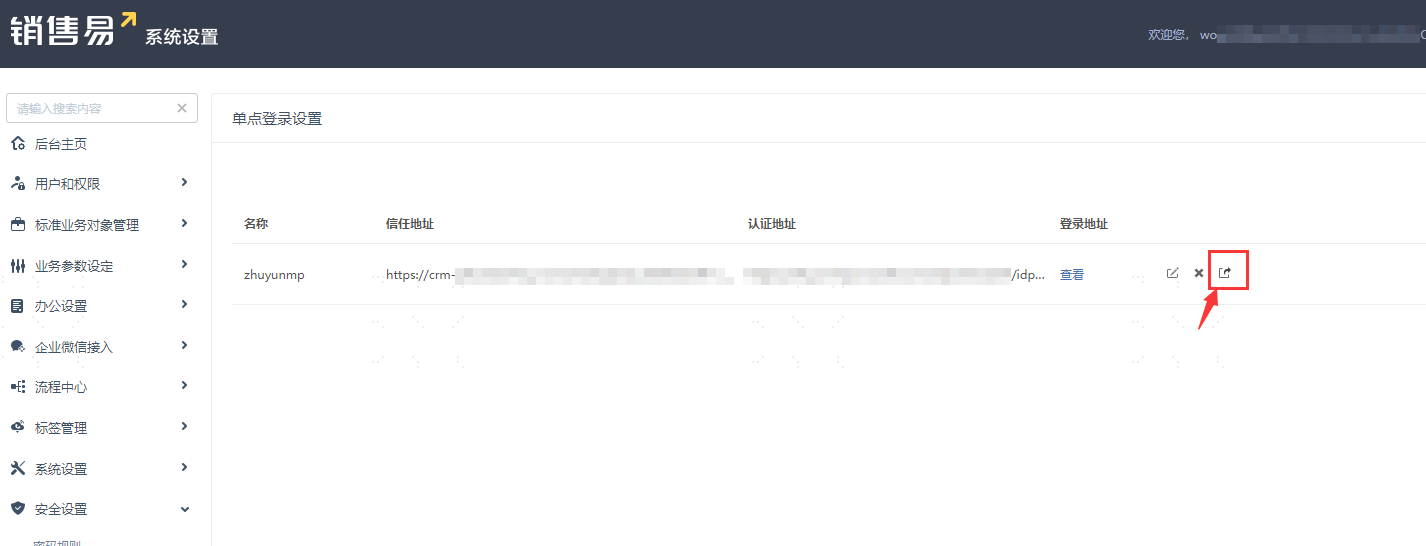
Parameter Description Name Custom API Name Custom Issuer Custom Request Signature Method RSA-SHA256 Decryption Certificate Use self-signed certificate Unique Identifier Field Default NameID field Logout Method Service provider provides local logout Identity Provider Certificate Upload the BambooCloud IDaaS IDP certificate content copied and saved as a cer file SAML Metadata Upload BambooCloud IDaaS IDP XML metadata After saving the configuration, click the Export button on the single sign-on page to download the Xiaoshouyi SAML XML metadata file.
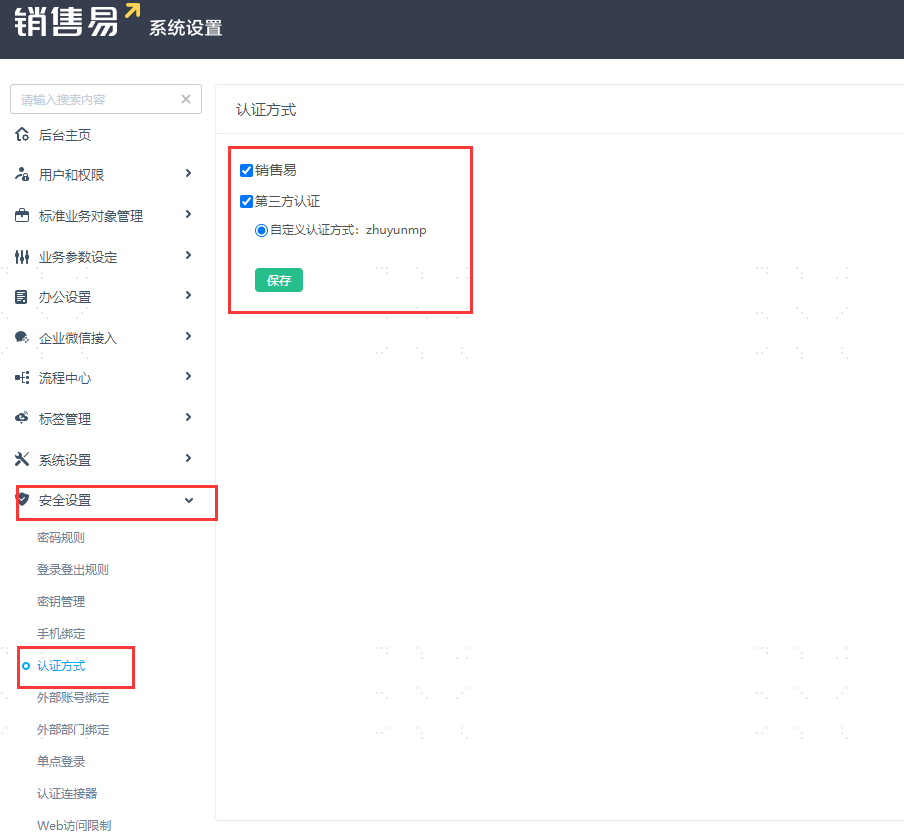
Configure the authentication method. In the left navigation menu, go to Security Settings > Authentication Method.
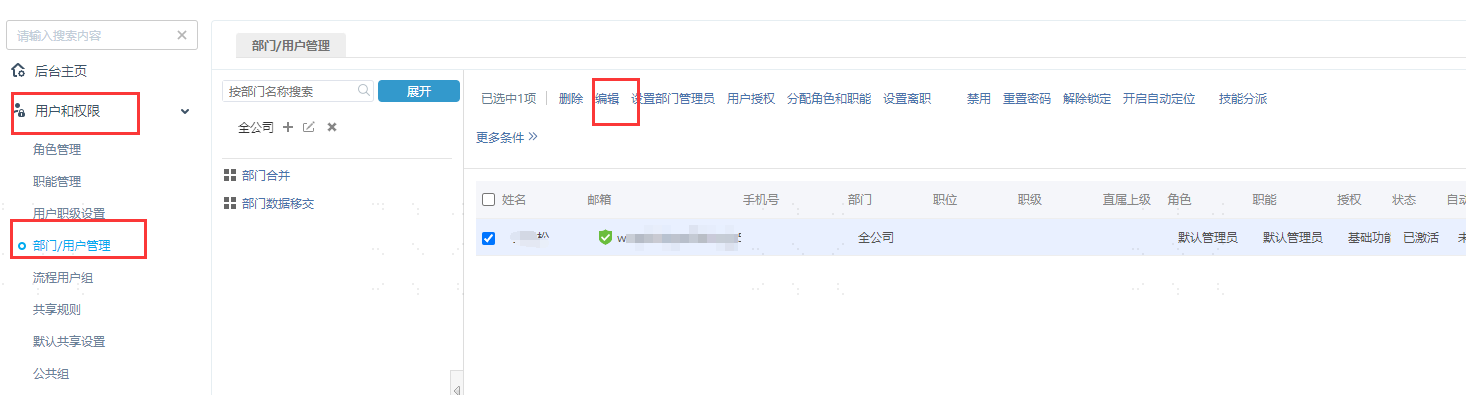
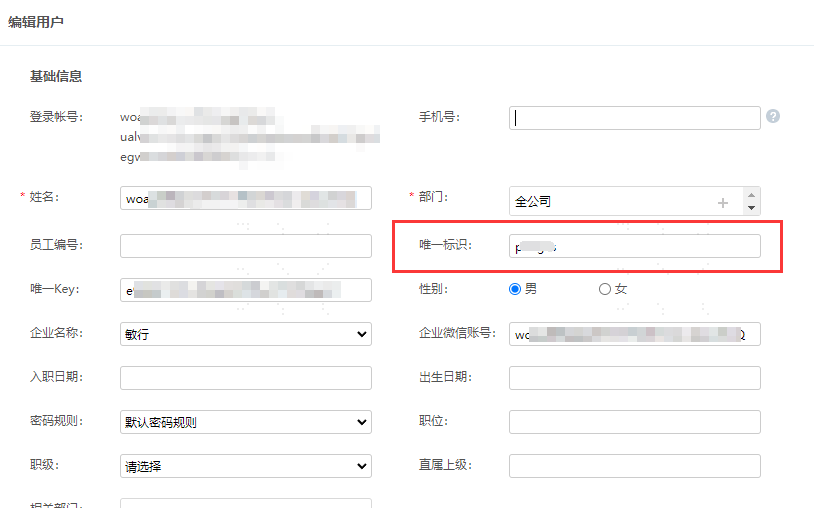
Set the user binding relationship. Go to Users and Permissions > Department/User Management, click Internal Department/User Management on the right, check the Xiaoshouyi users to be bound, and then click Edit above to set the unique identifier.
BambooCloud IDaaS Configuration
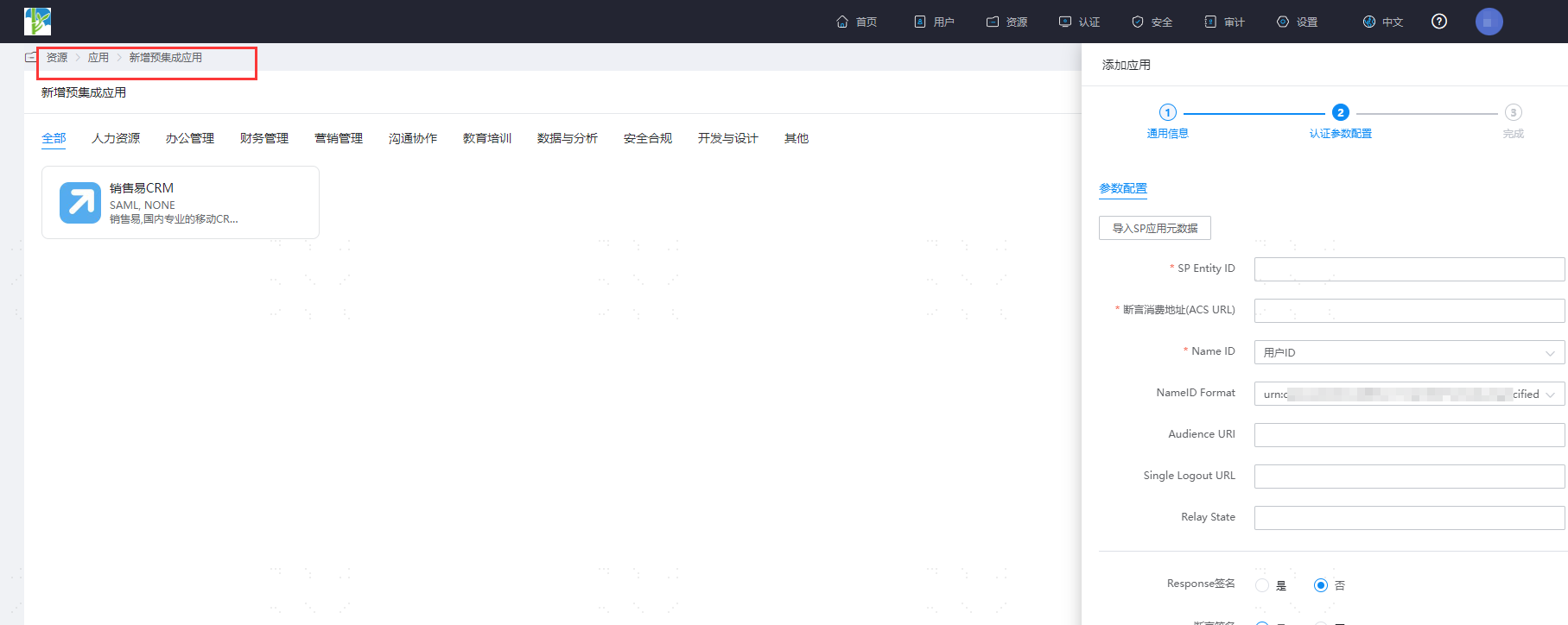
Add the pre-integrated application Xiaoshouyi, import the SP application metadata, upload the Xiaoshouyi metadata file, and save.
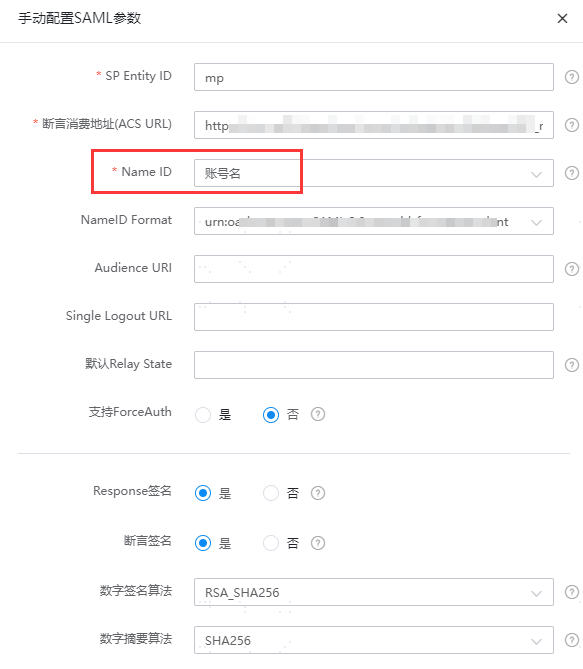
Enter the application details and edit the authentication parameters.
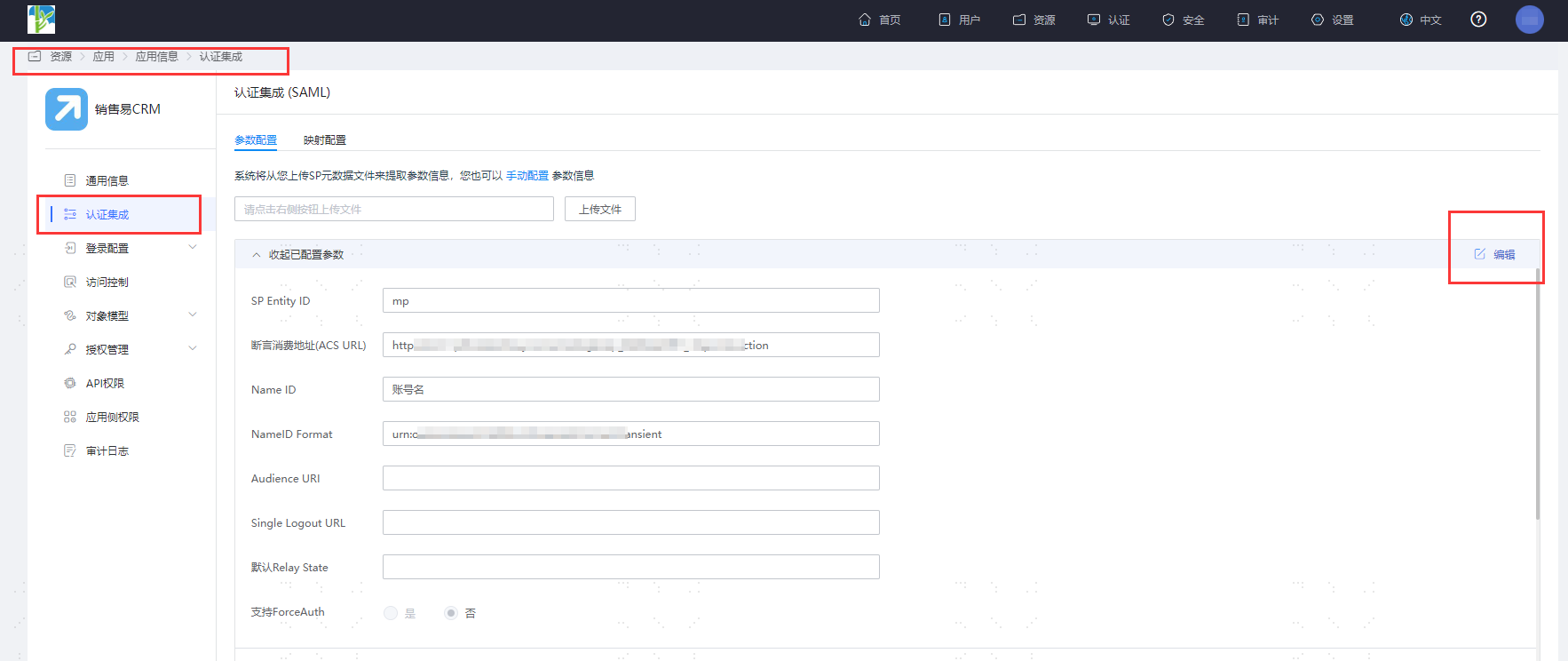
Select account name for Name ID.
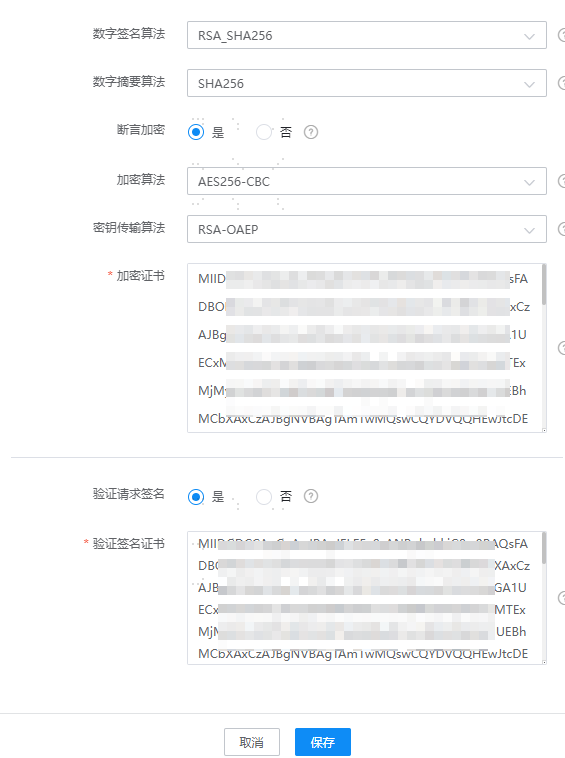
Enable assertion encryption. Select AES256-CBC for the encryption algorithm, RSA-OAEP for the key transport algorithm, and copy the signature verification certificate below as the encryption certificate.
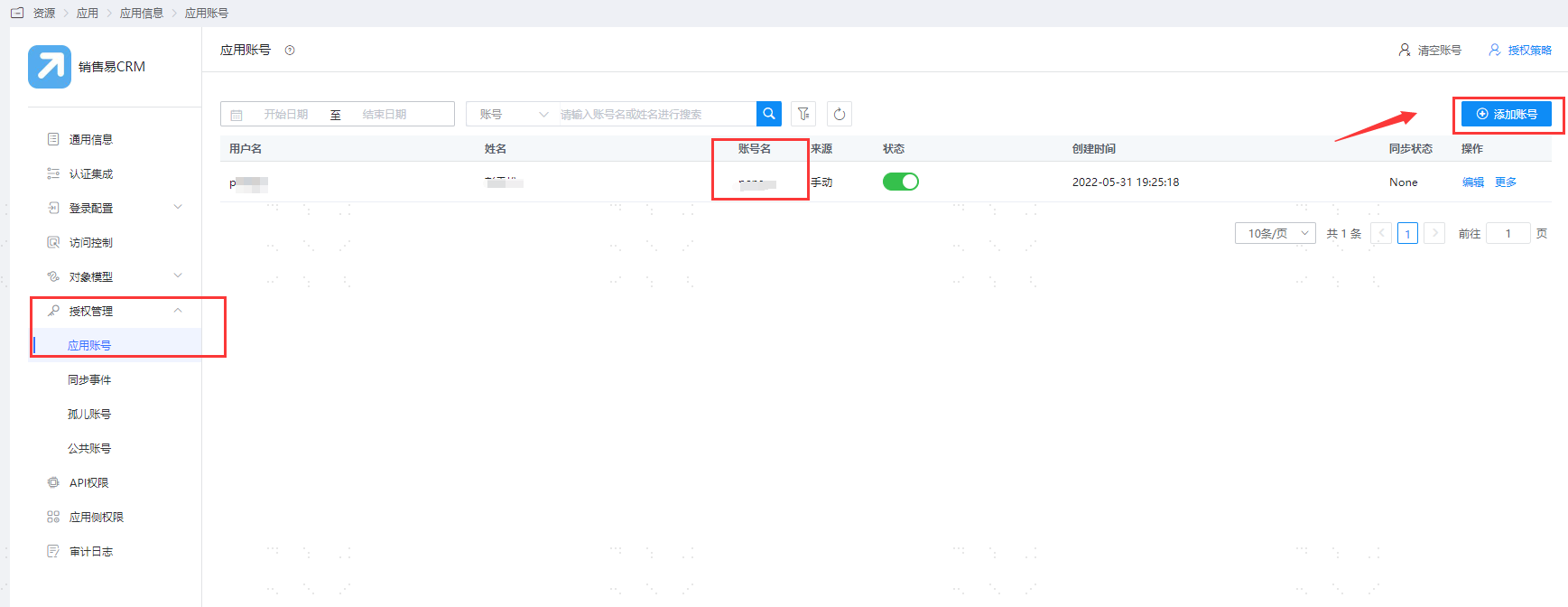
Enter the application details, Authorization Management > Application Account, click the Add Account button, and select the authorized user.
Change the account name to the unique identifier of the user in Xiaoshouyi.
Login Verification
Two login methods are as follows:
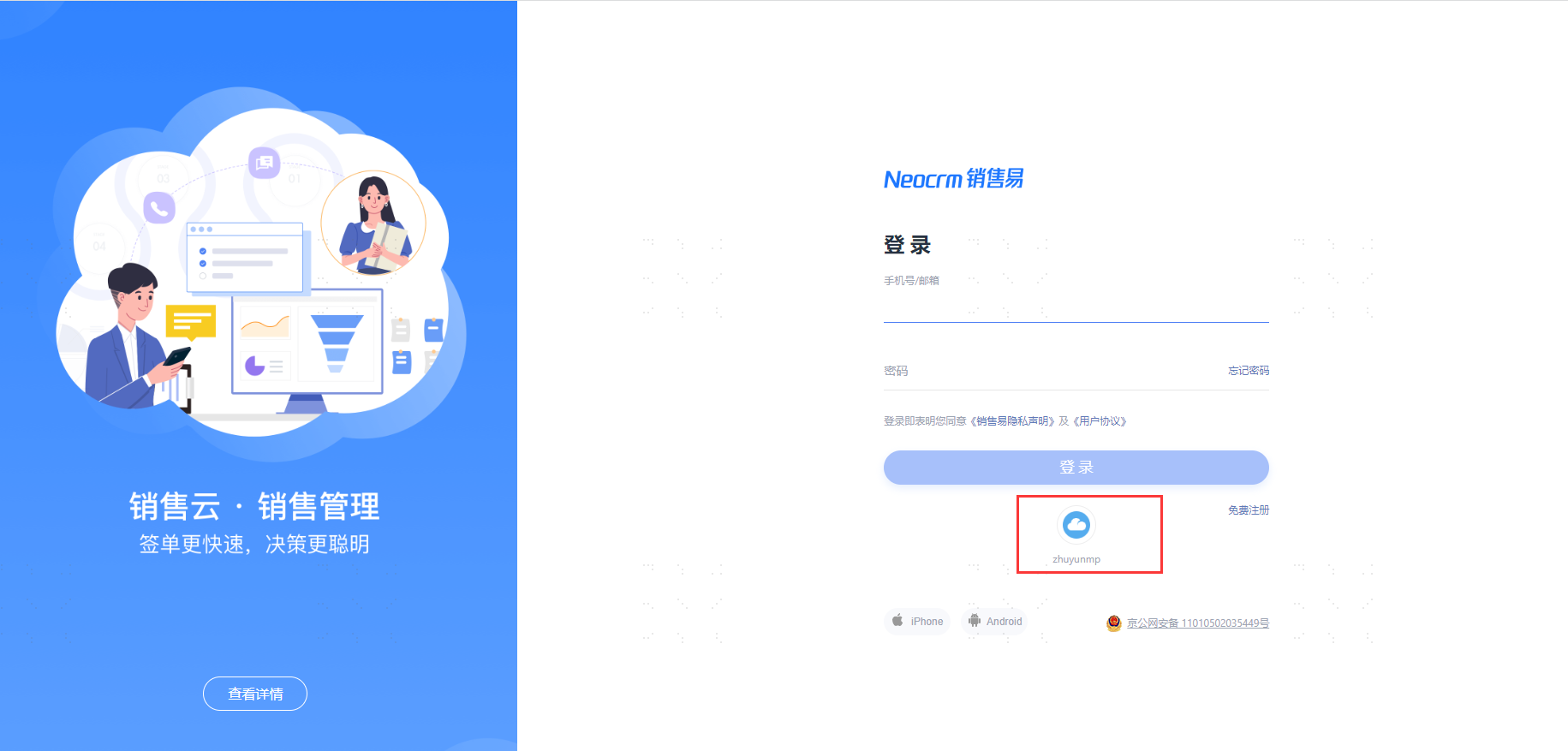
Click the third-party button on the Xiaoshouyi login page to initiate login authentication, and you will be redirected to the BambooCloud IDaaS authentication page. Enter the authorized user credentials to enter Xiaoshouyi.
Log in to the BambooCloud IDaaS User Center, click the Xiaoshouyi logo, and single sign-on to Xiaoshouyi.