
Tencent Meeting Data Synchronization
Overview
This article describes how to synchronize organization and user data from BambooCloud IDaaS to Tencent Meeting, realizing data flow from BambooCloud IDaaS to Tencent Meeting.
Synchronization Configuration
Tencent Meeting Configuration
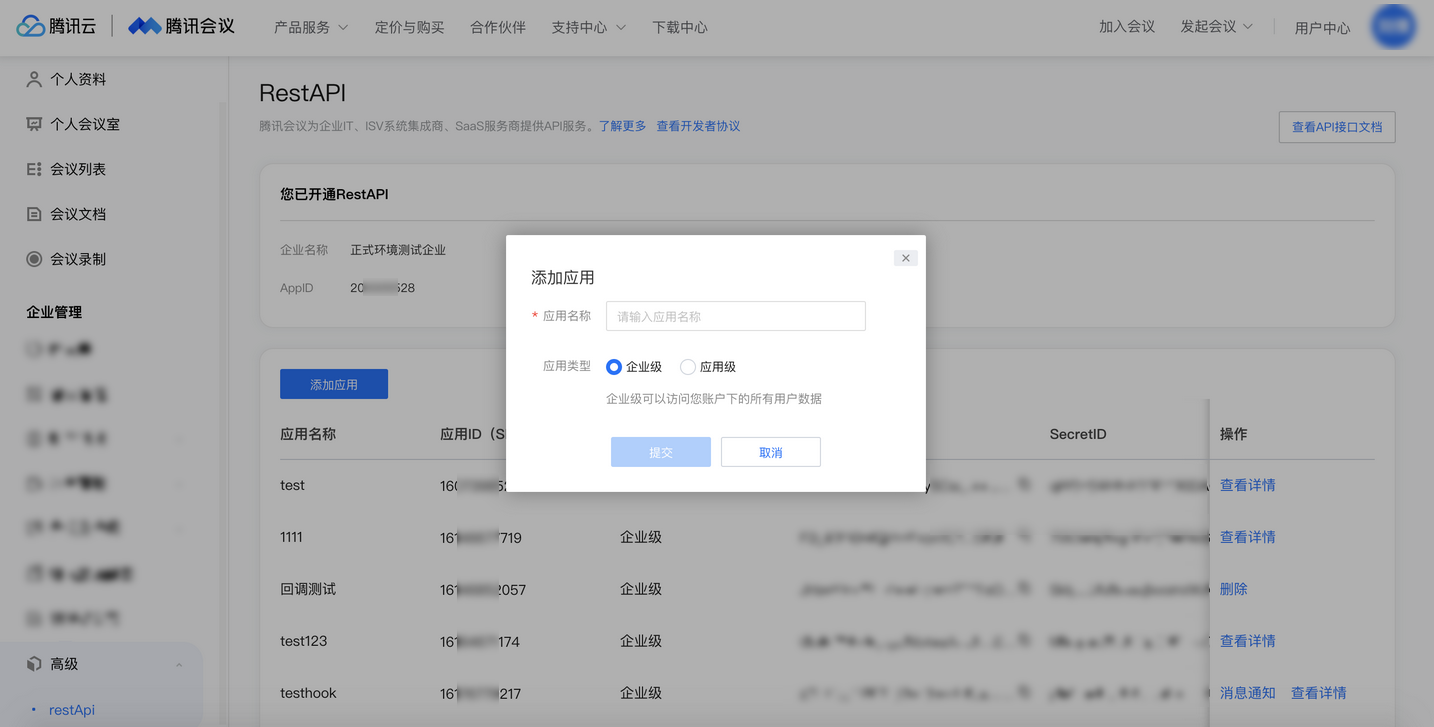
Use the administrator account to log in to the Tencent Meeting developer platform and create an enterprise self-built application.
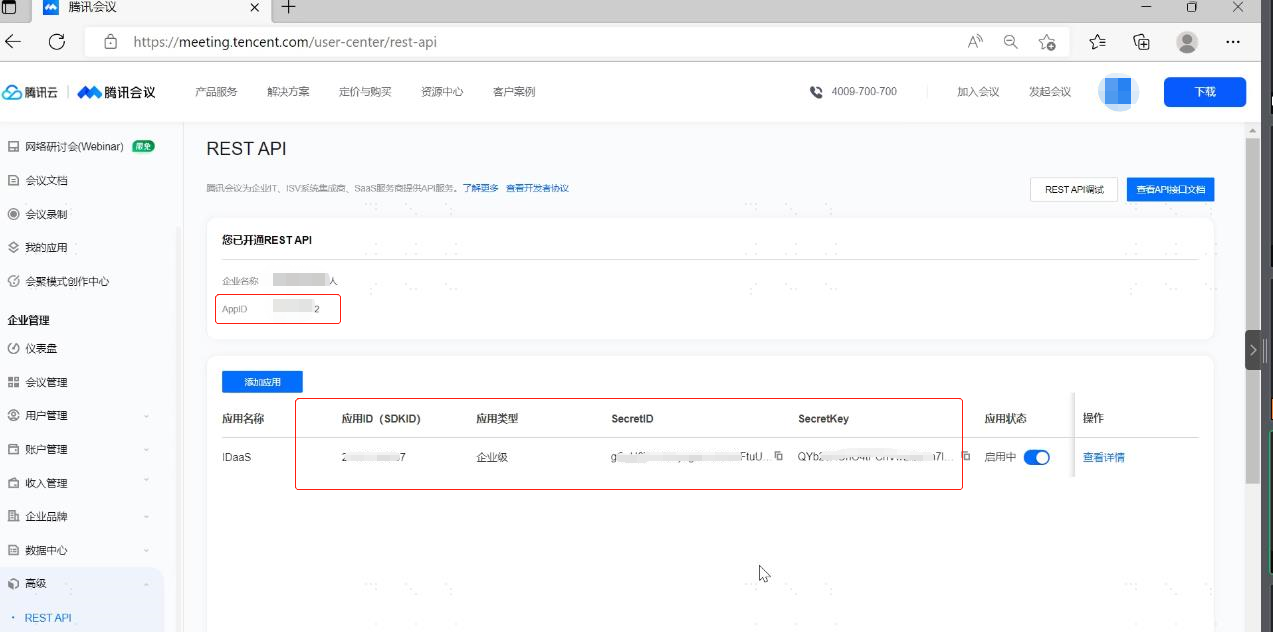
After the application is created, record AppID, SDKID, SecretID, and SecretKey.
BambooCloud IDaaS Configuration
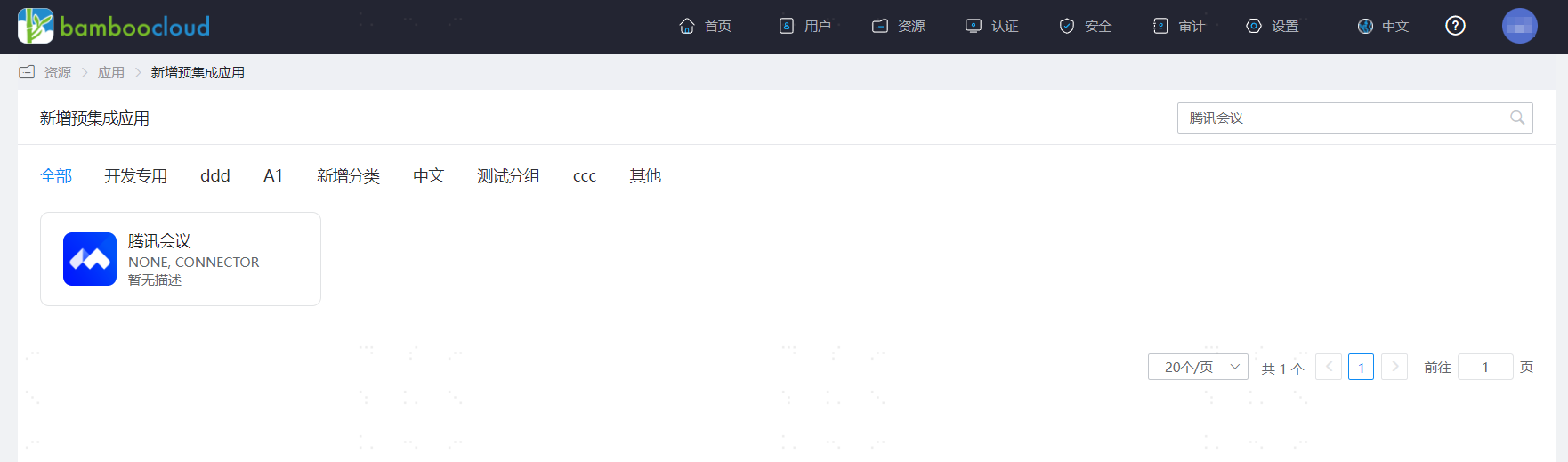
Add the pre-integrated application Tencent Meeting.
Configure synchronization parameters.
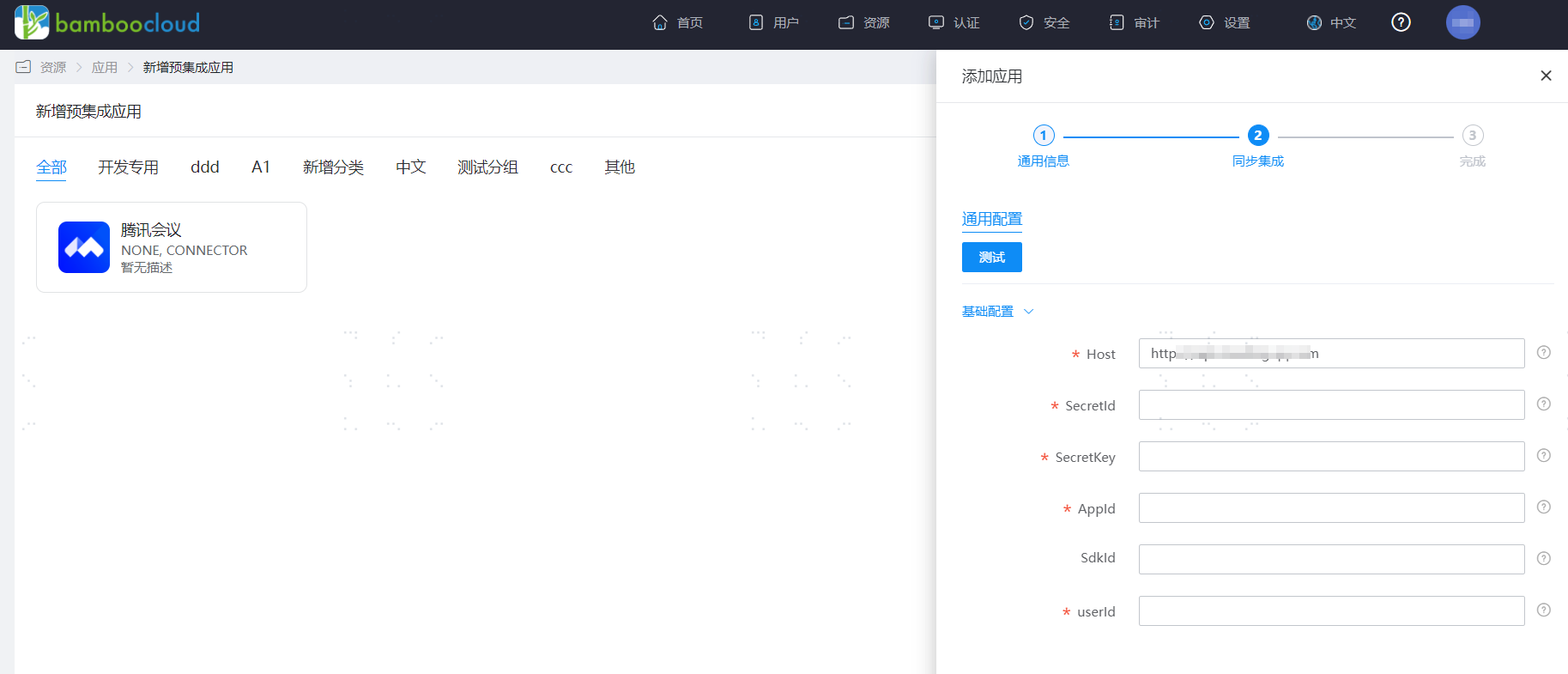
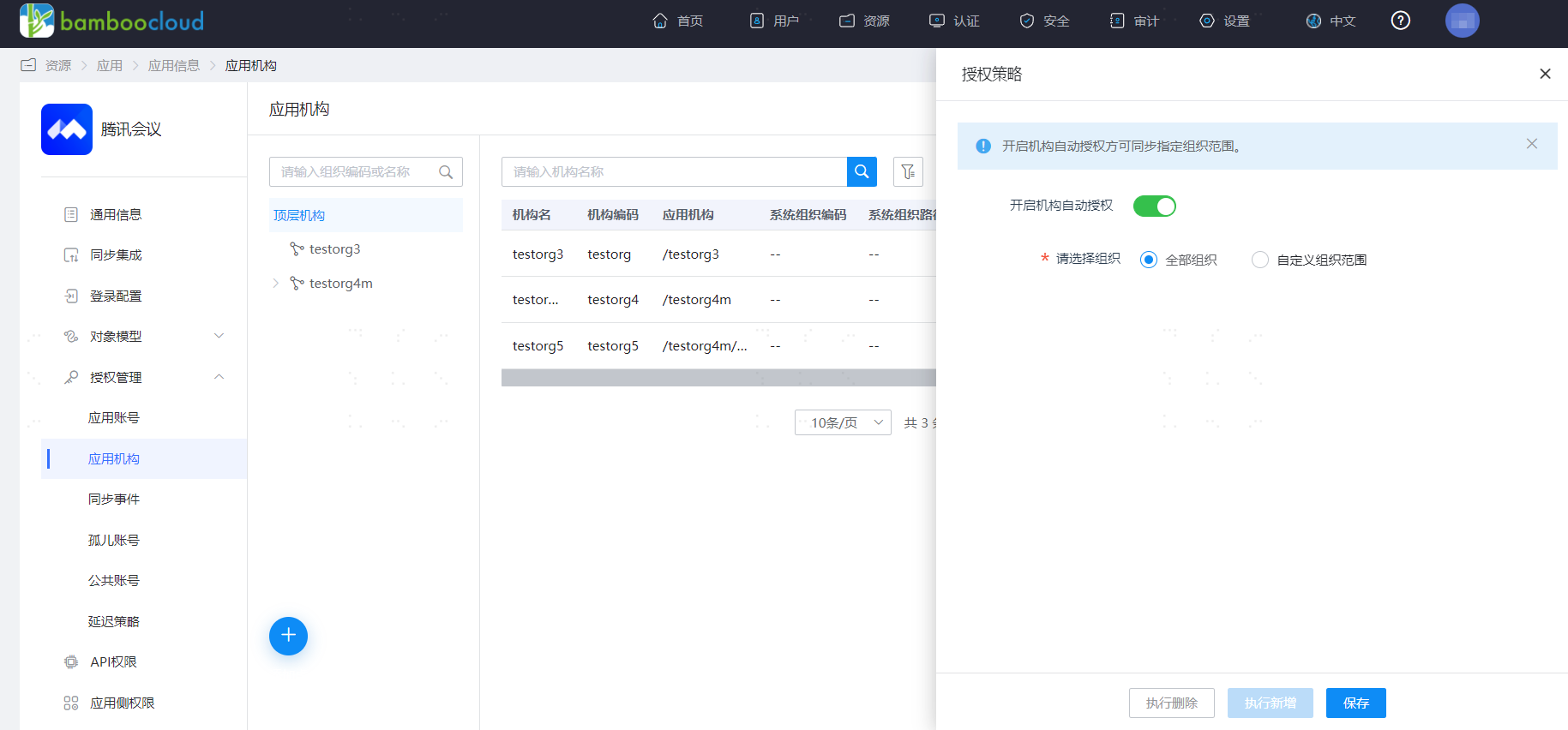
Parameter Description Host Tencent Meeting host address, default is https://api.meeting.qq.comSecretId Indicates the identity of the API caller. SecretKey Indicates the key used to encrypt the signature string and verify the signature string on the server side. AppId The App ID assigned by Tencent Meeting to third-party development applications. The enterprise administrator can log in to the Tencent Meeting official website, click the User Center in the upper right corner, and view it in Enterprise Management > Advanced > REST API in the left menu bar. SdkId The user sub-account or developed application ID. The enterprise administrator can log in to the Tencent Meeting official website, click the User Center in the upper right corner, and view it in Enterprise Management > Advanced > REST API in the left menu bar (if SdkId exists, it must be filled in; customers who applied for the API early and did not assign SdkId may not fill it in). userId The userid of the department API caller, which must be a user with department editing permissions in the enterprise. Enter the application details, Application Organization > Authorization Policy, enable automatic organization authorization, select the organization scope, click the Save button, and then click Execute Add.
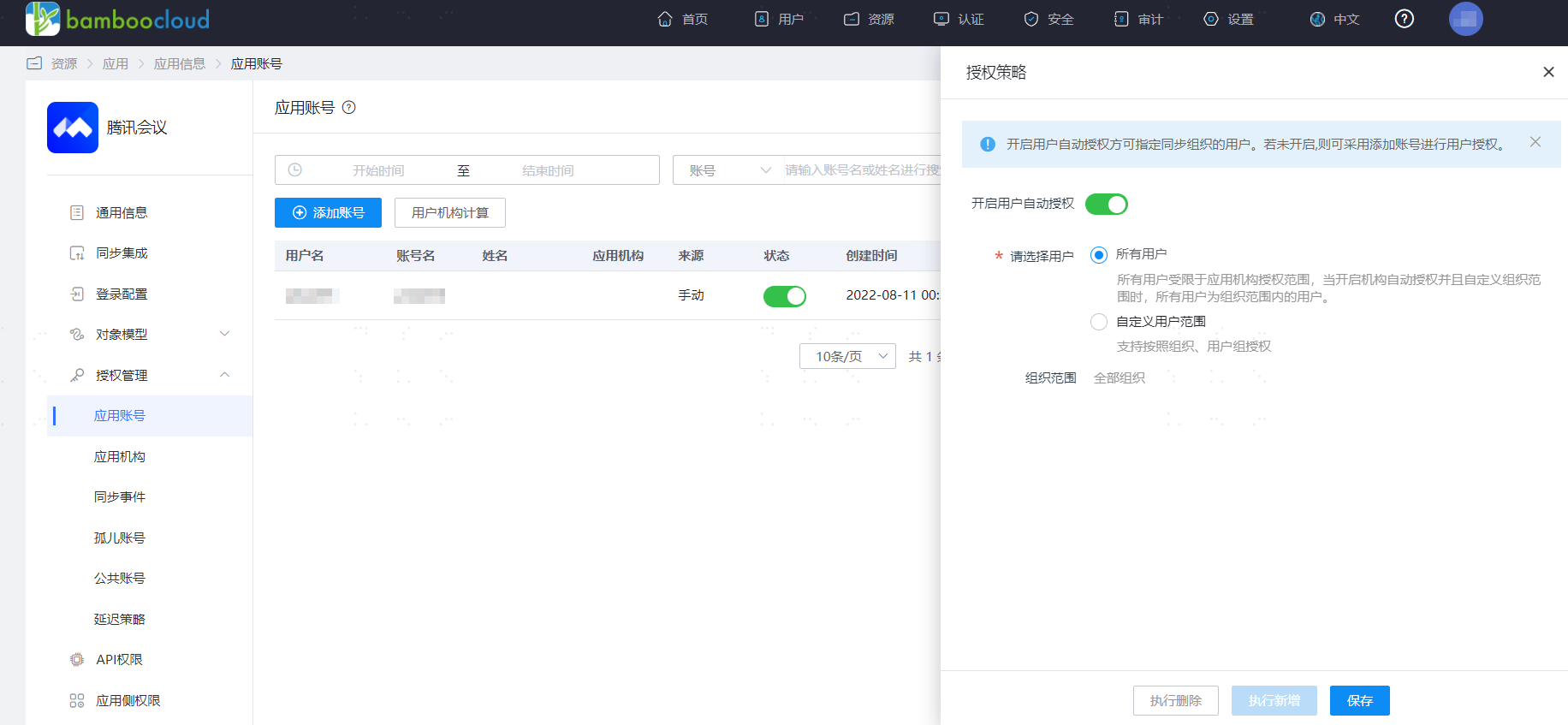
Enter the application details, Application Account > Authorization Policy, enable automatic organization authorization, select the user scope, click the Save button, and then click Execute Add.
Enter the application details, Synchronization Events, to view synchronization events.
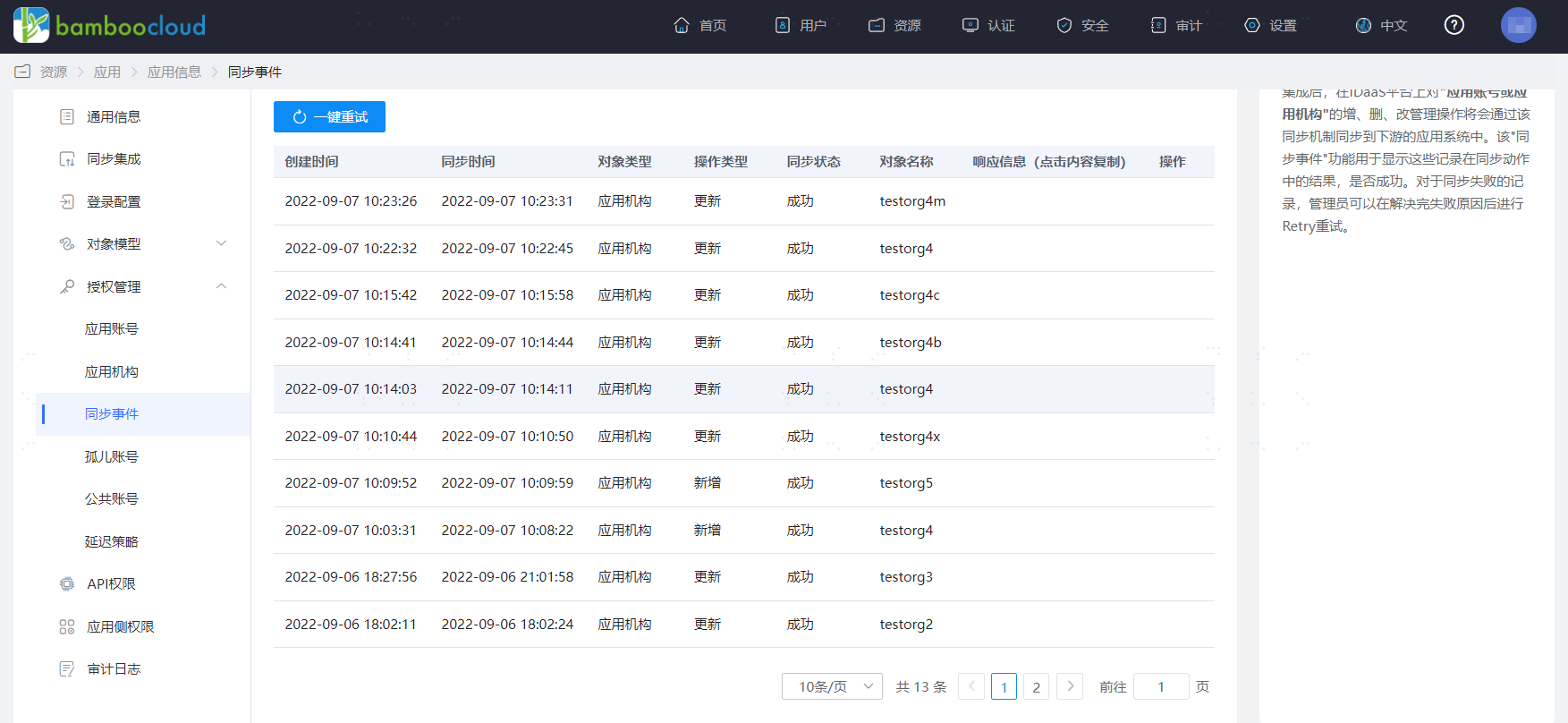
View Synchronization Results
Log in to the Tencent Meeting management backend and view the synchronized organizations and users.