
Login Flow
The implicit grant mode (implicit mode) works by attaching id_token on top of the OAuth2 Implicit Flow. The implicit grant mode can return various tokens to the browser. This mode can be used in single-page applications, where the token is managed by JS and used to access protected resources.
Login Flow
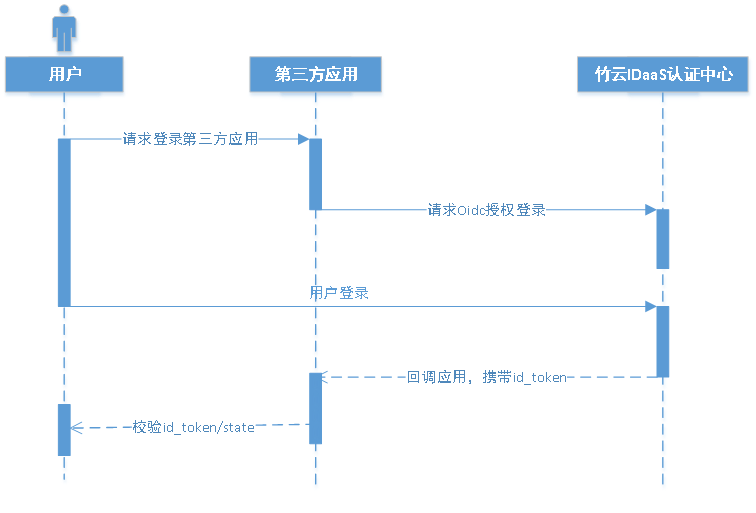
Overall implicit grant flow:
- The user accesses the third-party application, and the third-party application initiates an authorization login request to BambooCloud IDaaS. After the user allows the third-party application to be authorized, BambooCloud IDaaS redirects to the third-party application with the access token access_token and ID token id_token.
- The third-party application verifies the signature of id_token and parses user information from the id token.
Development Steps
The development process for integrating with BambooCloud IDaaS using OIDC implicit grant mode is as follows:
Step1: Implicit Grant Authorization
Click to view the implicit grant authorization API