Preparation
Prerequisites
When BambooCloud IDaaS WebHook is integrated with a third-party application, the following contents need to be prepared before configuration:
Step1: The application developer and the BambooCloud IDaaS administrator jointly agree on the security token "token". The "token" is provided by BambooCloud IDaaS or the application developer;
Step2: The application developer provides the "callback address", "encryption key", and "signature key";
Step3: The application developer and the BambooCloud IDaaS administrator jointly negotiate the event scenarios to be configured;
Step4: The BambooCloud IDaaS administrator adds the WebHook configuration and activates WebHook;
WebHook Configuration
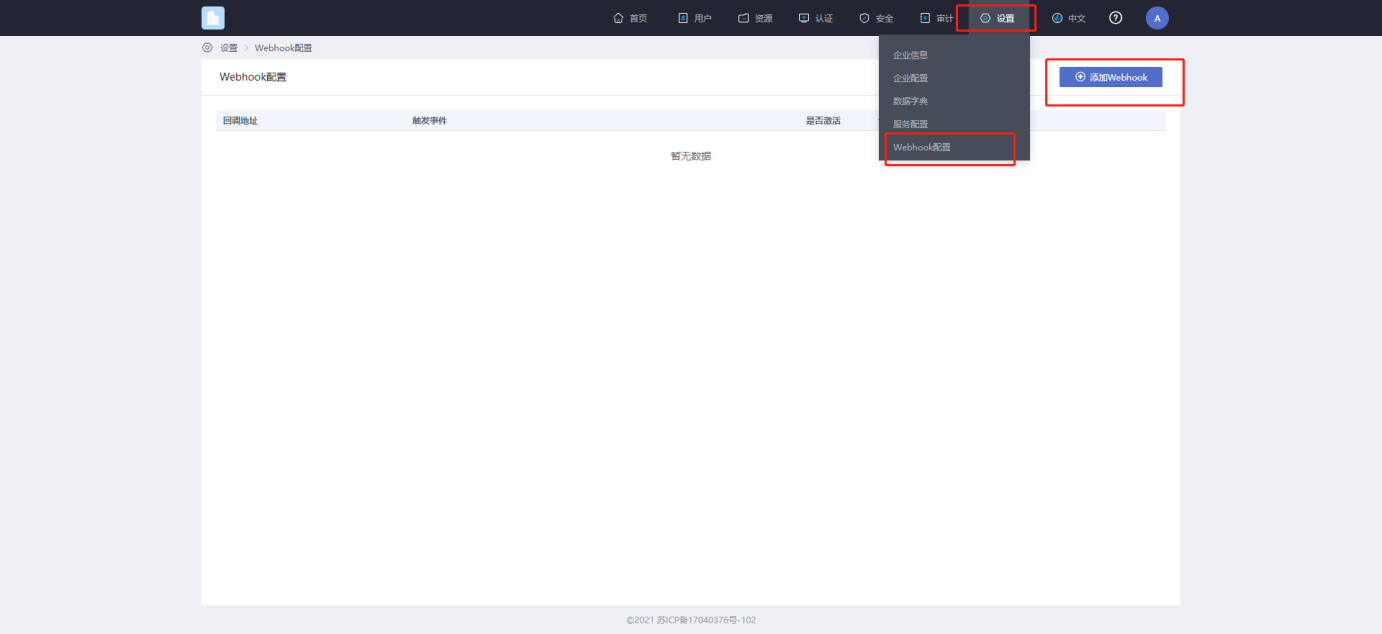
1 On the IDaaS Enterprise Center settings page, select WebHook configuration, enter the configuration page, and click the Add WebHook button.
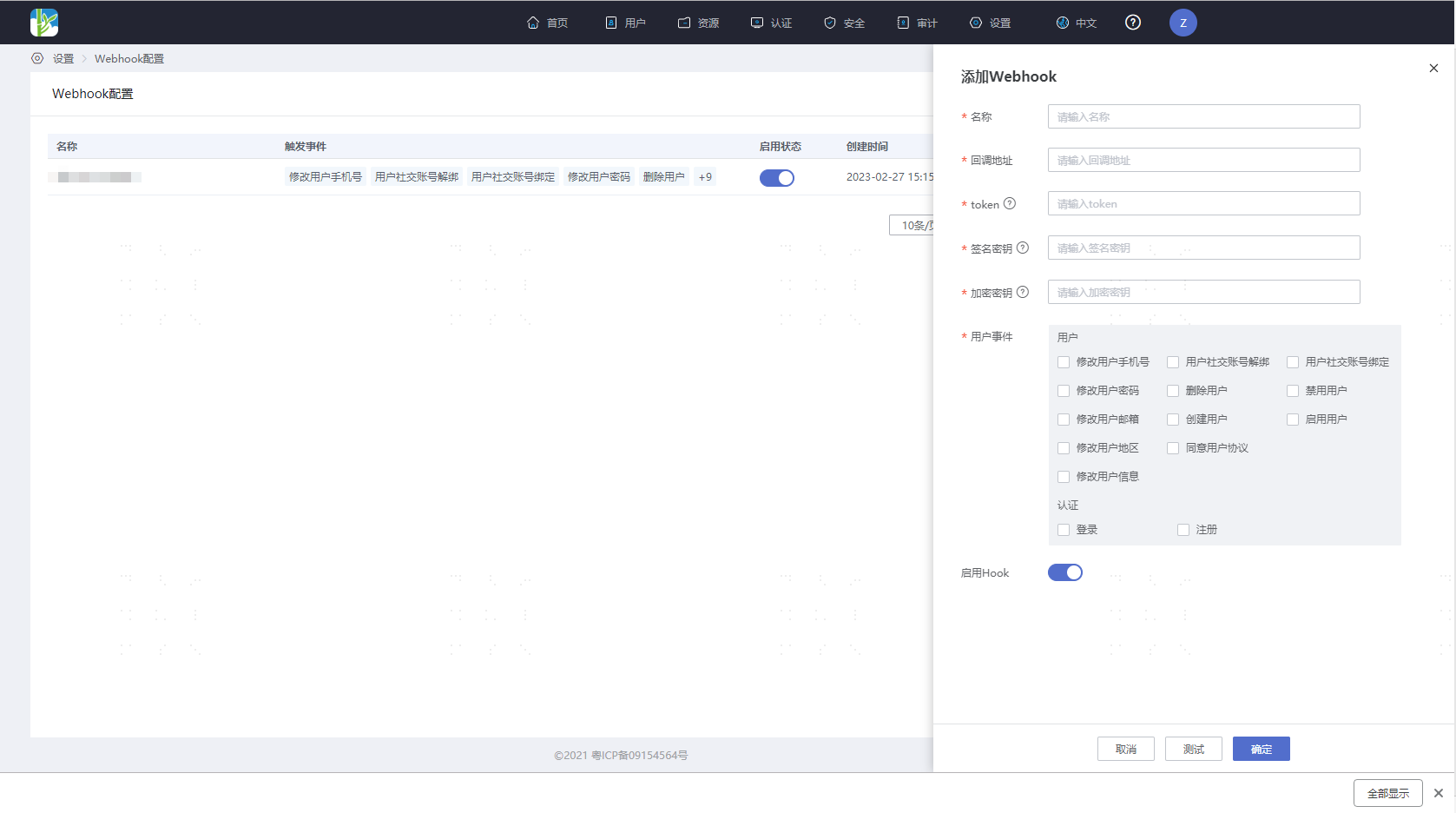
2 Fill in the configuration parameters and the synchronization events required, and select to activate this configuration.
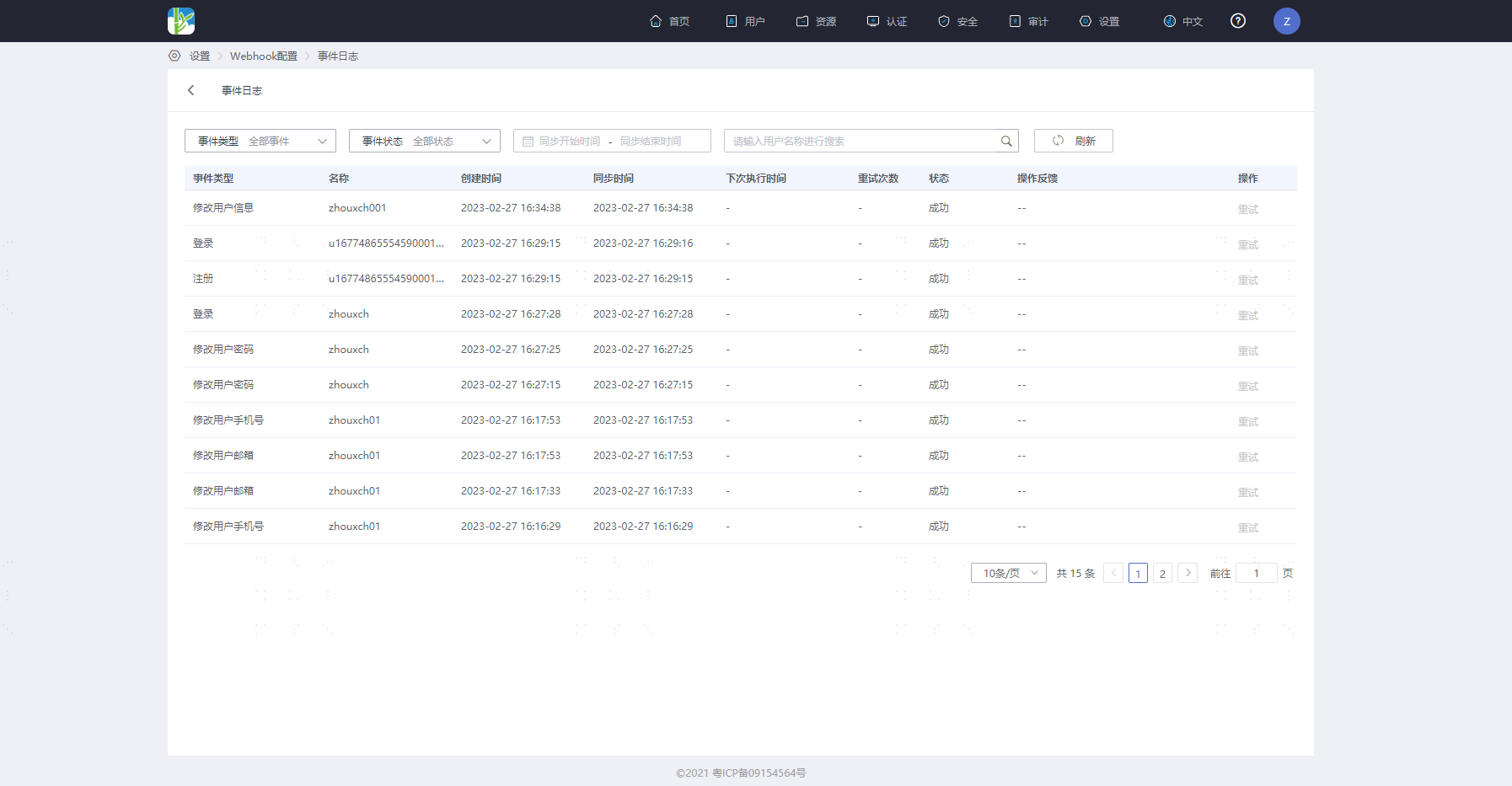
3 View WebHook event information in the event log.