
OIDC Authentication Integration
OIDC Protocol
Prerequisites
The enterprise administrator refers to Configure OIDC Protocol Application SSO to create an OIDC protocol application in the BambooCloud IDaaS Enterprise Center platform.
Development Integration
After the application configuration is complete, please refer to the corresponding mode in the OIDC Protocol to complete the subsequent integration configuration.
Demo
BambooCloud IDaaS Configuration
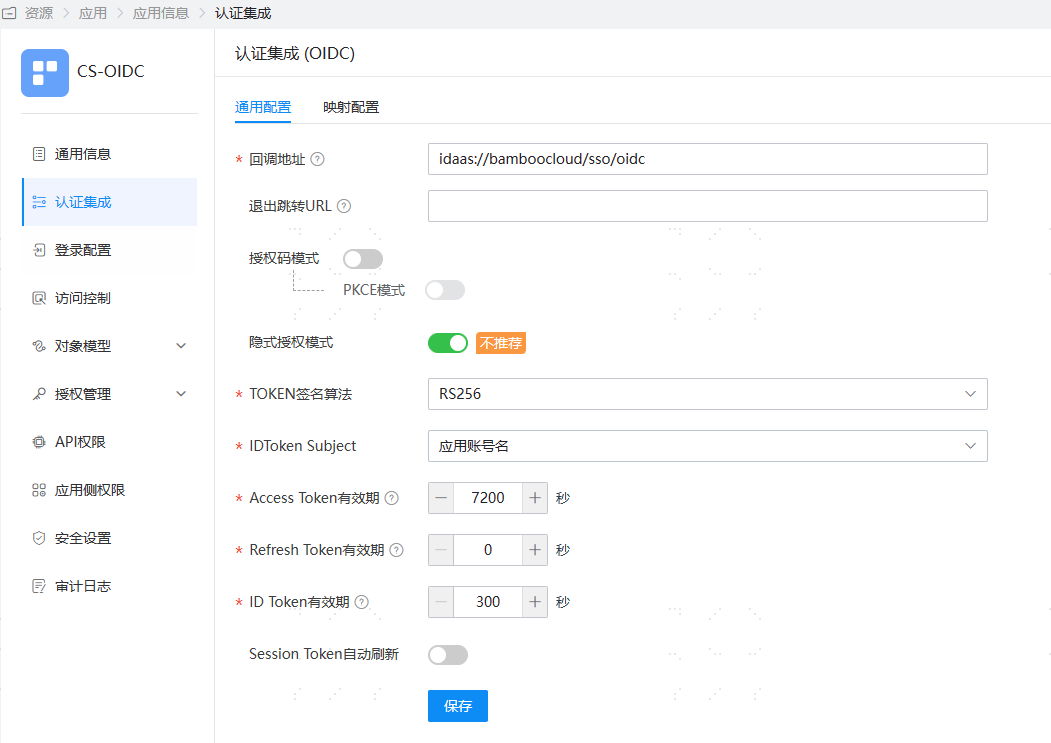
- Log in to the BambooCloud IDaaS administrator platform, add an OIDC protocol application for client application integration, and configure authentication as follows. Enable only the implicit authorization mode, with the callback address set to:
idaas://bamboocloud/sso/oidc(the idaas protocol can wake up the client application).
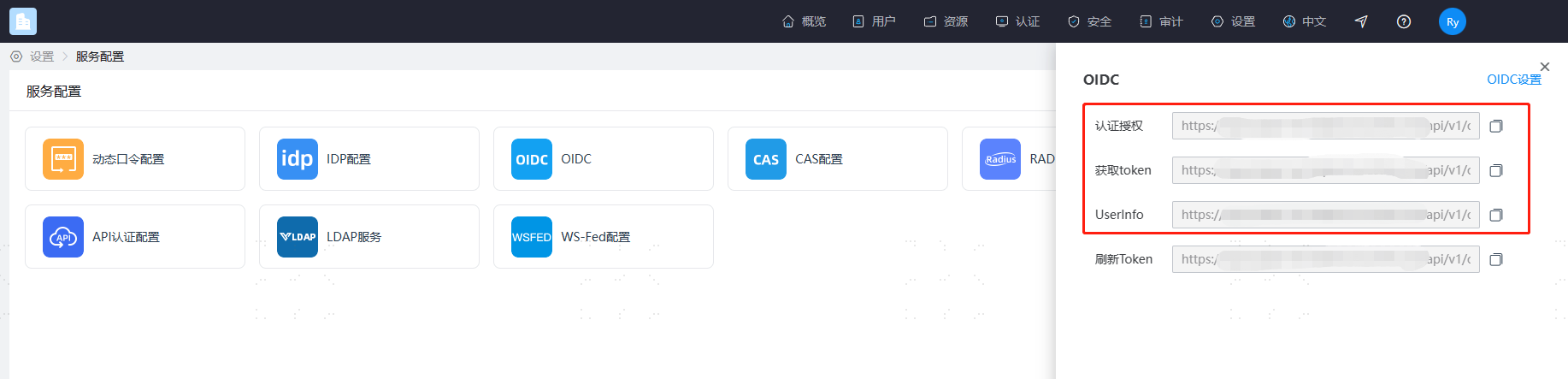
- Obtain the tenant OIDC authentication configuration. Open [Settings - Service Configuration - OIDC].
Client Configuration
- Open the client application, select OIDC, and add the OIDC authentication configuration as follows.
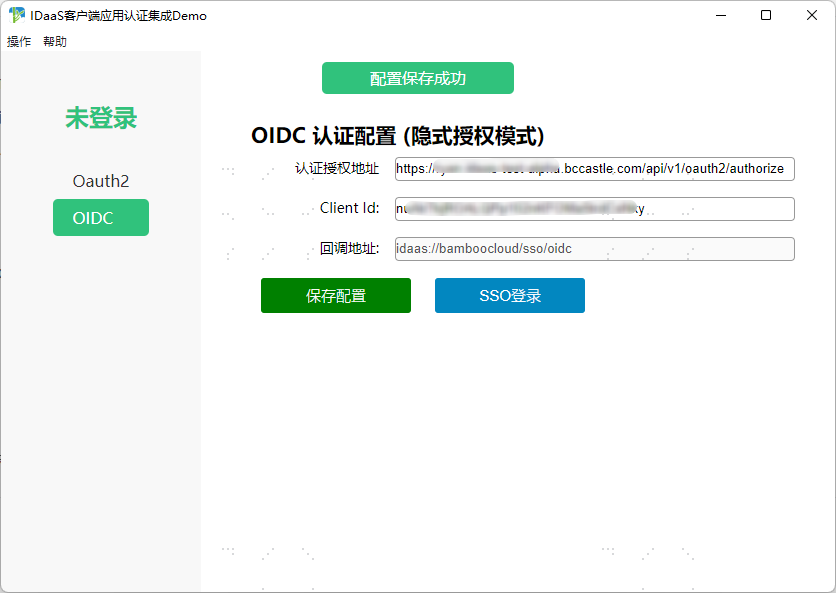
Click SSO Login to simulate an authentication request initiated from the client application.
After successful BambooCloud IDaaS login, the browser wakes up the client application.
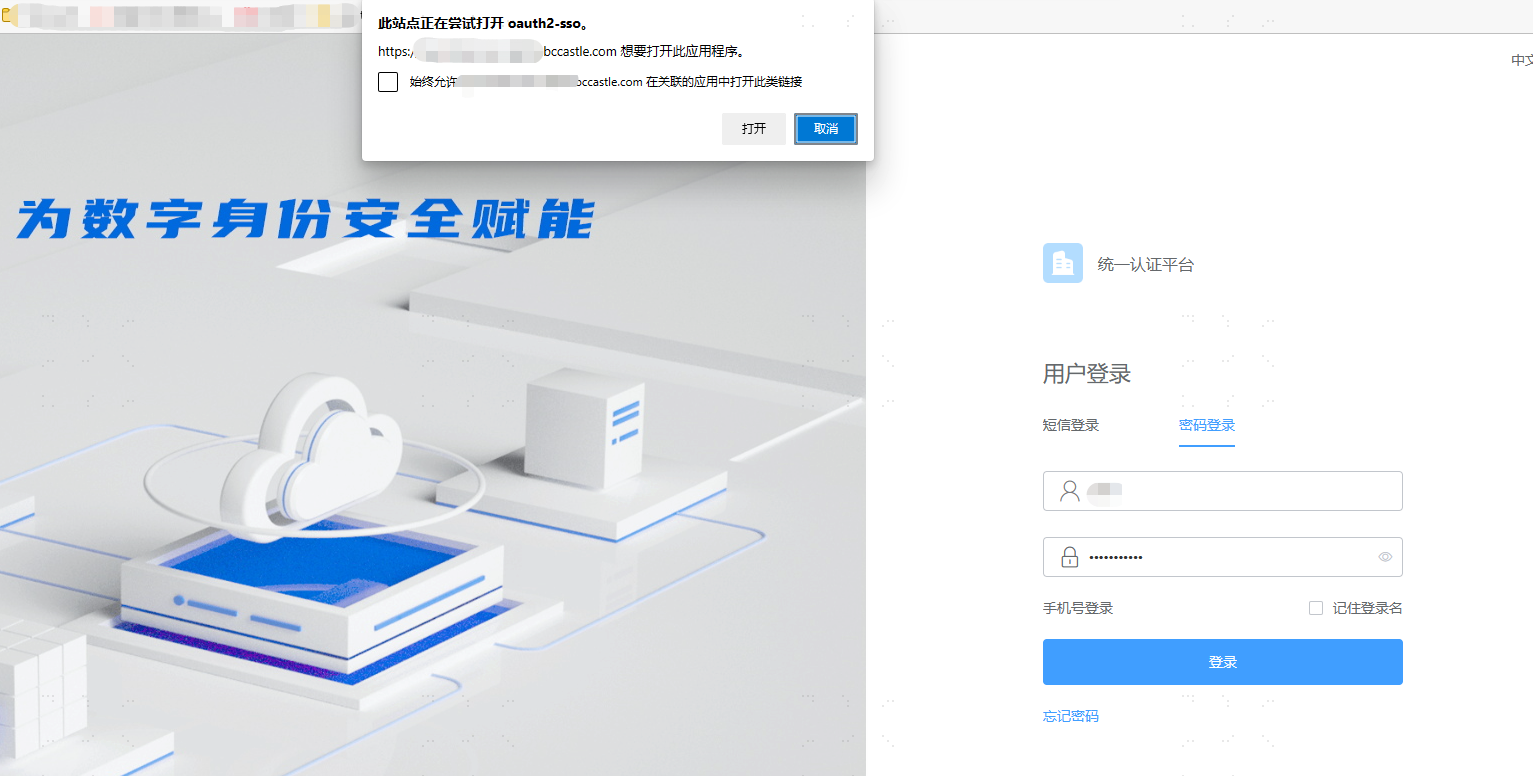
- The client application listens to the callback address and obtains the
id_token. In the demo, the ID Token signature is verified through the BambooCloud IDaaS openid-configuration, and user information is obtained to complete OIDC protocol authentication.
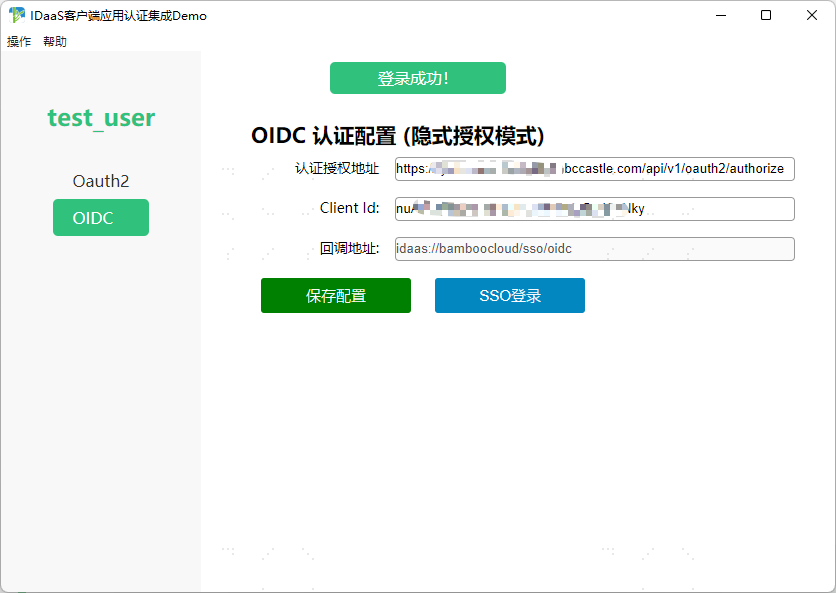
- Click the username to view user information details.
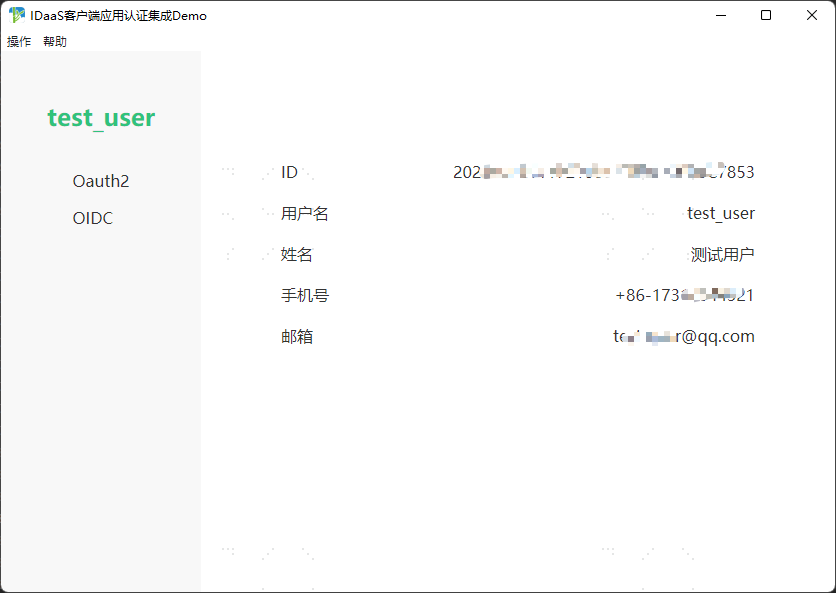
Close the client application to simulate an authentication request initiated from the browser.
Open the browser, visit the BambooCloud IDaaS user center, and access the integrated BambooCloud IDaaS client application.
The browser wakes up the client application, the client application listens to the callback address, completes OIDC authentication, obtains user information, and completes client authentication.