Overview
Description
This document mainly describes integration and demonstration in a Windows environment, focusing on how client applications, as downstream systems, implement single sign-on authentication integration with BambooCloud IDaaS. The integration protocols are consistent with the web integration solution.
Integration Solutions
| Solution | Advantages | Disadvantages |
|---|---|---|
| Embed a web component in the application for BambooCloud IDaaS login | No need to register a custom protocol | Does not support B/S single sign-on to C/S |
| System browser wakes up client application for single sign-on authentication | Supports B/S single sign-on to C/S | Requires adding custom protocol registry during application installation |
| Client application custom login interface implements BambooCloud IDaaS username/password login | Uses native application interface and supports calling other API interfaces for corresponding functions | Increased development difficulty |
Embed a Web Component in the Application for BambooCloud IDaaS Login
When the client application logs in, it invokes the embedded web browser to initiate a standard protocol authentication request and redirects to the BambooCloud IDaaS login page.
After the user completes BambooCloud IDaaS login in the embedded web browser, the browser redirects and carries the relevant parameters of the authentication protocol.
The client application needs to listen to the callback address and obtain the relevant parameters, completing user authentication through the standard protocol interface.
After successful authentication, close the embedded web browser and enter the client application system.
System Browser Wakes Up Client Application for Single Sign-On Authentication
To enable the browser to wake up the client desktop application, the client application needs to support adding a custom protocol registry during installation.
When creating the corresponding client application in the BambooCloud IDaaS Enterprise Center, the callback address in the application authentication configuration needs to be set to the client application's custom protocol address.
The client application needs to support listening to the wake-up application URL, obtaining the parameters carried in the URL, and completing user authentication through the standard protocol interface.
Client Application Custom Login Interface Implements BambooCloud IDaaS Username/Password Login
Create an SDK/API protocol application in the BambooCloud IDaaS management platform and obtain the application ClientId.
When the client application logs in, call the BambooCloud IDaaS API. Refer to the interface document Username + Password Login to complete username and password login.
After successful login, refer to the interface document Get User Information from id_token to view user information.
Demo Download
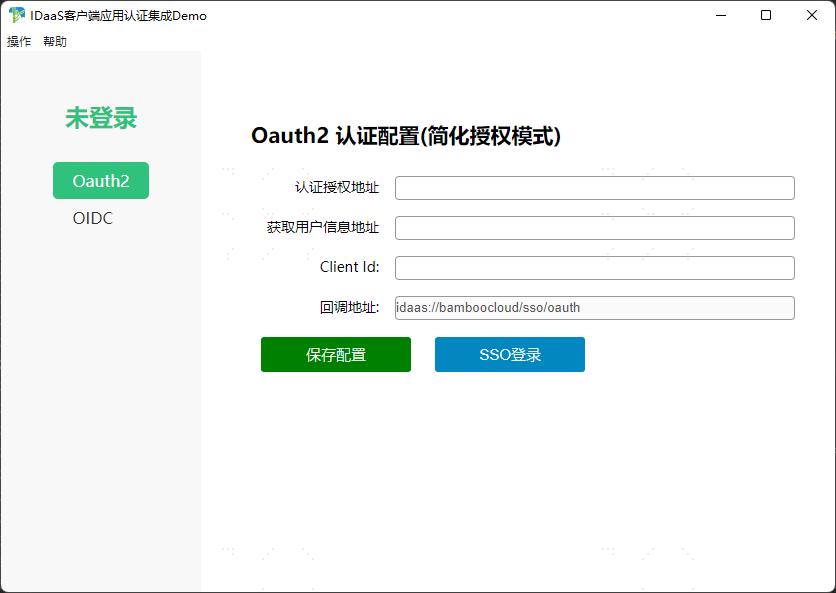
BambooCloud IDaaS provides a client application demo that implements authentication integration. Click to Download
TIP
After downloading the demo installer, click to install. After successful installation:
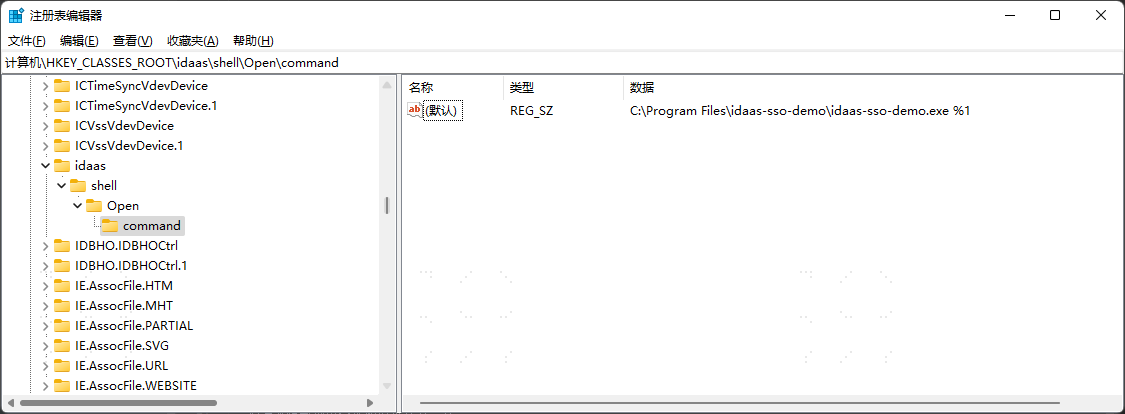
Open the Run dialog with [Win + R], enter the "regedit" command to open the registry.
Search for
Computer\HKEY_CLASSES_ROOT\idaas\shell\Open\commandto verify that the "idaas" custom protocol has been successfully registered.