Features
This document briefly introduces the various mobile app authentication features provided by the BambooCloud IDaaS platform and the flow description of each feature.
Login Features
Username/Password Login
Log in by entering an account and password. (The SDK only provides APIs; the UI is designed by the caller.)
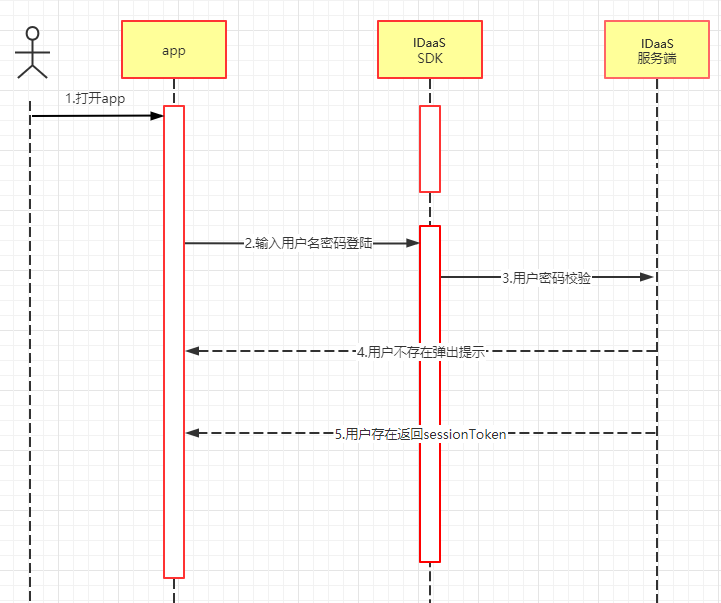
Flow Description:
- The caller designs the login page.
- Call the SDK and enter the username and password to log in.
- A
sessionTokenis returned. - After obtaining the
sessionToken, back-end service development is also required. Click "Verify Token" to learn about back-end service development. - To learn how to integrate login, see Android and iOS.
SMS Login
Log in by entering a mobile number to obtain an SMS verification code. (The SDK only provides APIs; the UI is designed by the caller.)
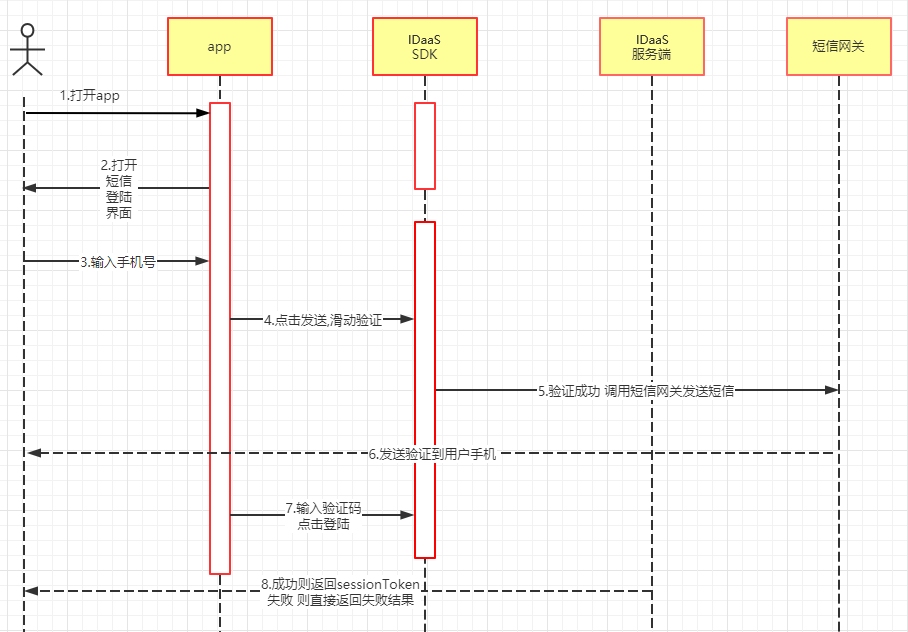
Flow Description:
- The SMS login page is built into the SDK.
- The SMS login page is designed by the caller.
- Enter the mobile number.
- Tap to send the SMS.
- The sliding-captcha module pops up for verification.
- After verification succeeds, an SMS is automatically sent to the user's mobile phone.
- Enter the verification code and tap Login.
- A
sessionTokenis returned upon success. - After obtaining the
sessionToken, back-end service development is also required. Click "Verify Token" to learn about back-end service development. - To learn how to integrate login, see Android and iOS.
TIP
The sliding-captcha module is built into the SDK and does not require user attention.
One-Tap Mobile-Number Login
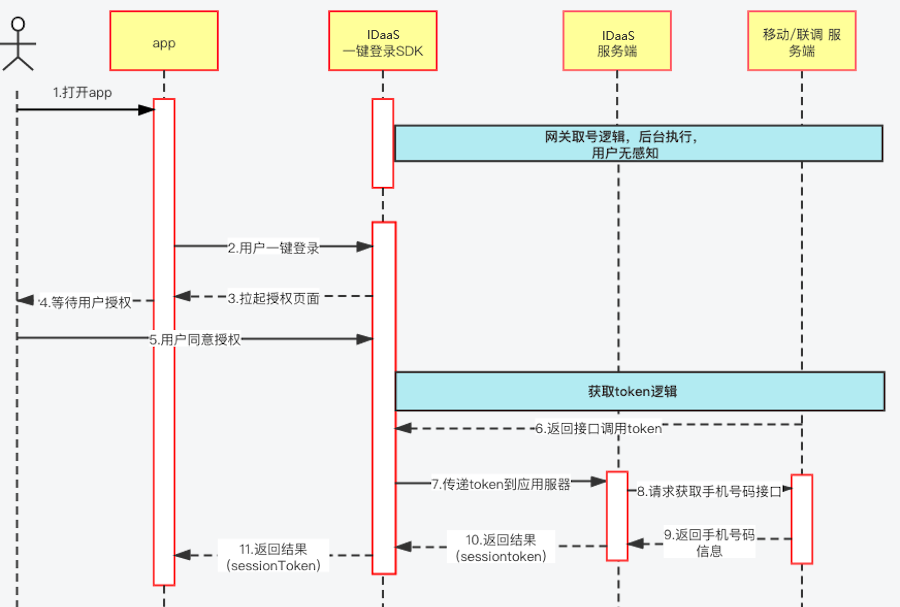
Based on the carrier's mobile data network, this feature uses technologies such as "communication gateway number fetching" and SIM card recognition to accurately identify the user's mobile number and enable password-free login.
Social Login
Social login is usually a rigid demand for users, but the entry requirements of each platform are cumbersome. In addition to connecting to each platform's SDK, you also need to maintain SDK versions and compatibility between platforms.
Regular steps:
- Register a platform account.
- Apply for an application.
- Front-end integration.
- Back-end integration.
- Service joint debugging.
- Troubleshoot errors and compatibility issues.
- Track SDK version upgrades and changes of major platforms in the long term.
Using the IDaaS SDK requires only three steps:
- Import the IDaaS SDK.
- Configure third-party platform parameters.
- Call the API.
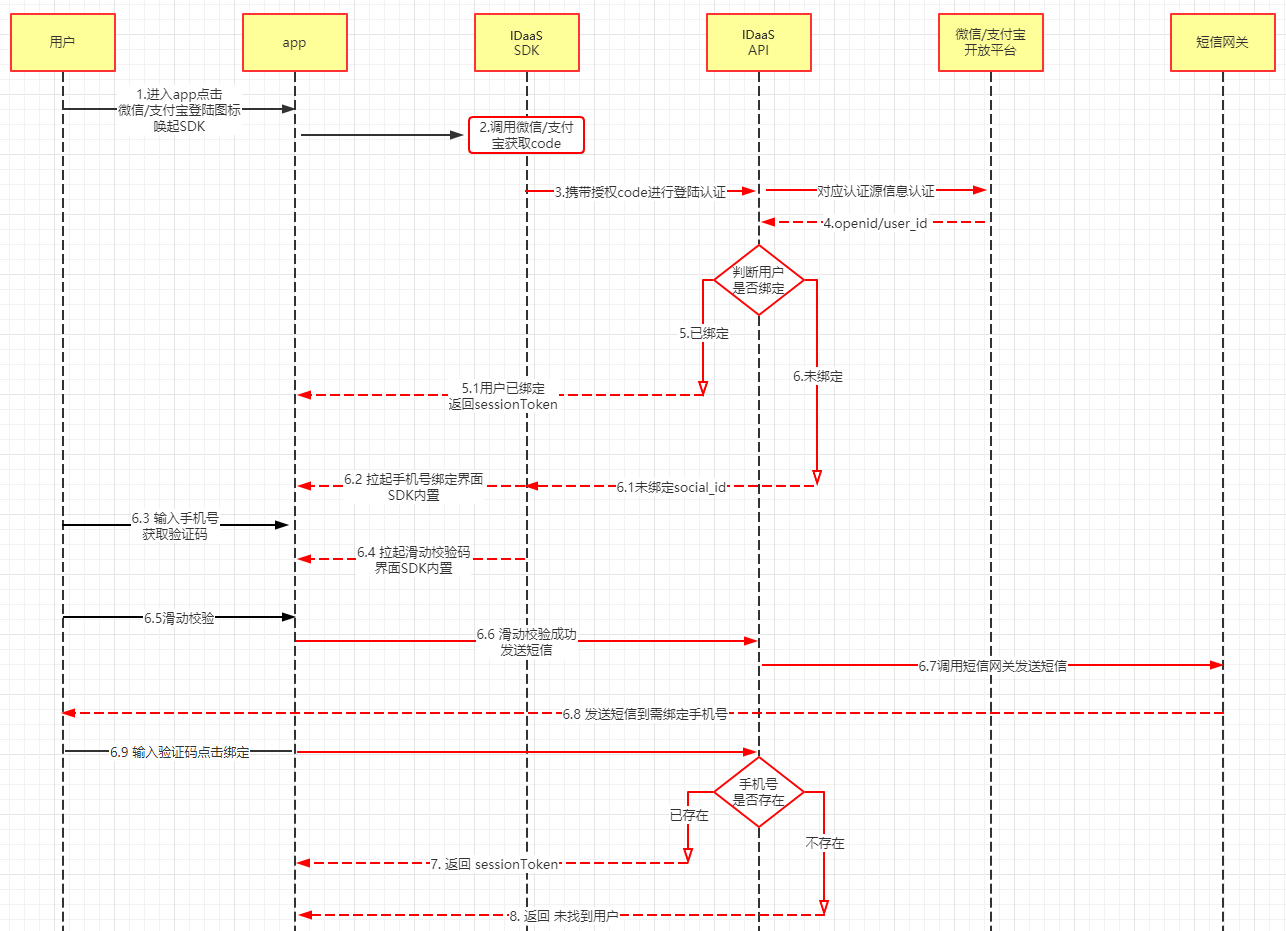
(The red parts in the figure are completed by the SDK.)
Flow Description (WeChat and Alipay flows are the same):
- The social login button on the page is designed by the caller.
- Tap WeChat login and call the SDK WeChat login method.
- The WeChat authorization page pops up; tap to authorize.
- After authorization succeeds, a temporary WeChat authorization code is returned.
- The SDK calls the IDaaS server through the authorization code to obtain user information.
- If not bound, the SDK pops up a binding page to enter the mobile number and verification code for binding and returns the
sessionToken. - Bound users directly return the
sessionToken. - After the APP obtains the
sessionToken, it needs to pass it to the back end for verification. - To integrate Alipay login, click "Android" or "iOS" to start.
- To integrate WeChat login, click "Android" or "iOS" to start.
- After obtaining the
sessionToken, back-end service development is also required. Click "Verify Token" to learn about back-end service development.
Integration Example (Using WeChat as an Example):
Tap WeChat login.
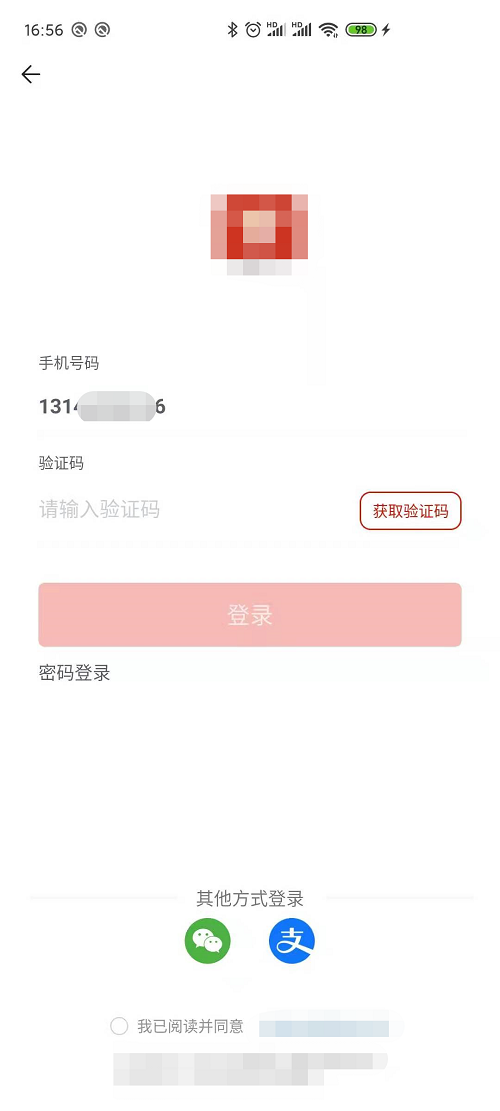
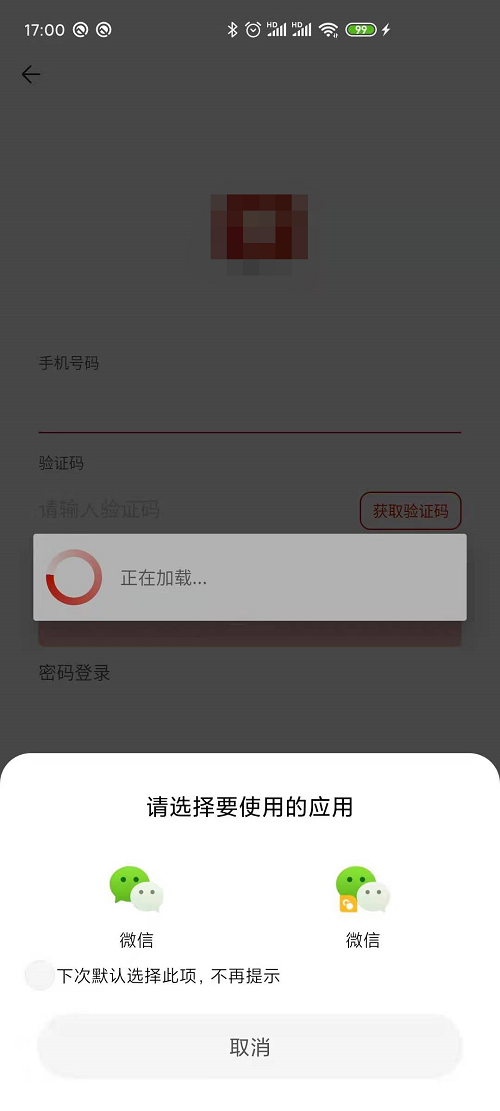
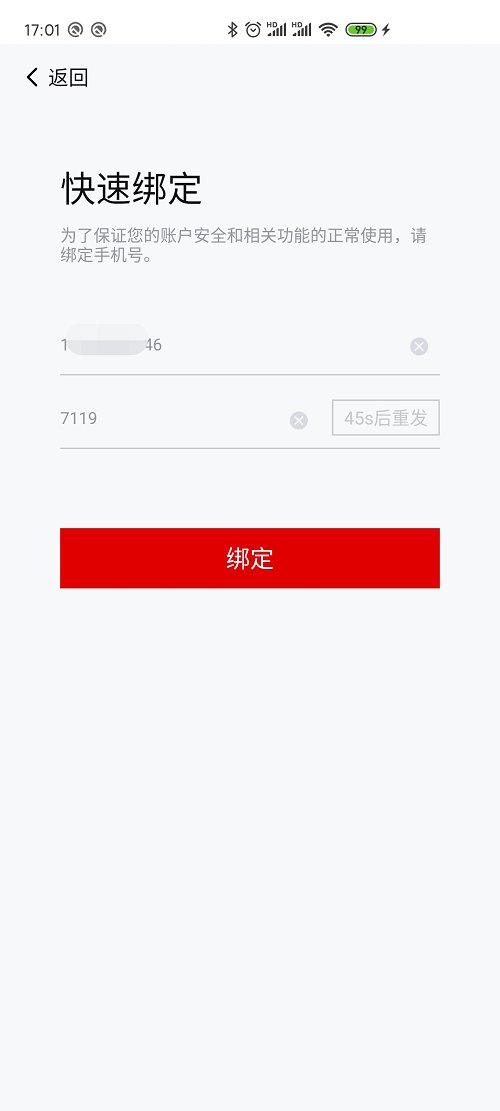
Unbound state: enter the mobile number to obtain the verification code, and the sliding verification pops up.
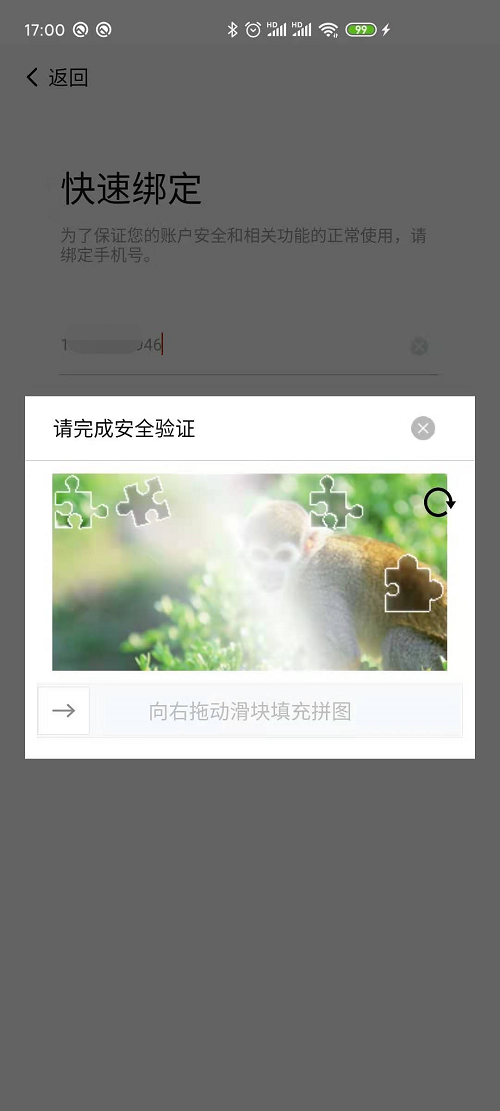
Start sliding verification.
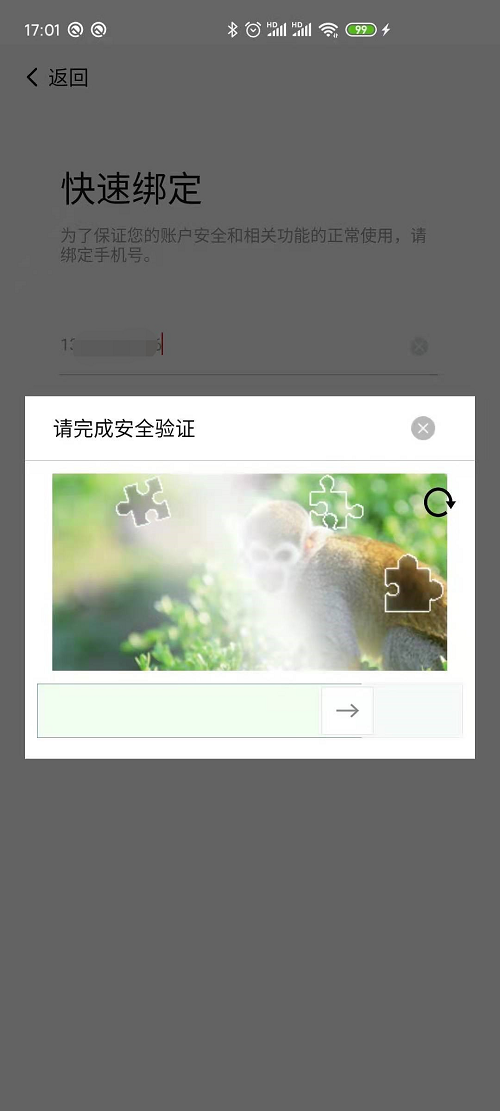
After verification succeeds, wait for the SMS verification code:
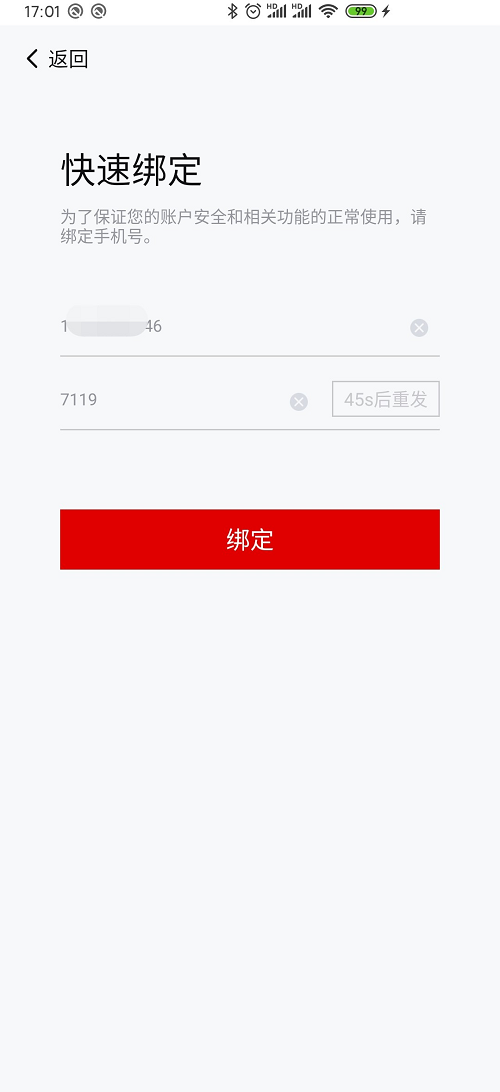
Enter the verification code and tap Bind.
Verify Token
The APP server needs to verify the sessionToken returned by the SDK and obtain user information.
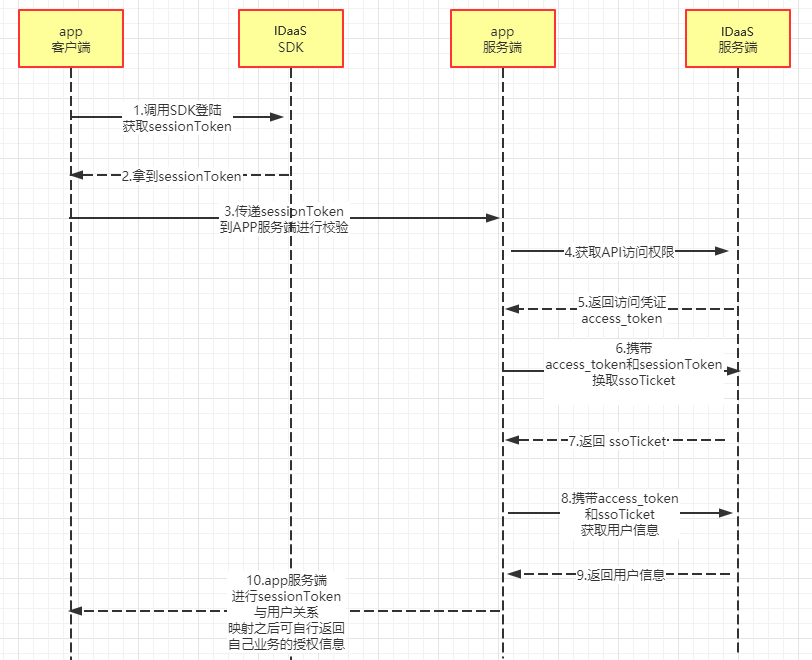
Flow Description:
- After the APP logs in successfully through the IDaaS SDK, it obtains the
sessionToken. - The APP passes the obtained
sessionTokento the APP back end. - The APP back end first needs to obtain the IDaaS server API access permission.
- The API authorization credential returned by the IDaaS server is obtained.
- Carry the
sessionTokenand the authorization credential to exchange for anssoTicket. - Obtain user information through the authorization credential and
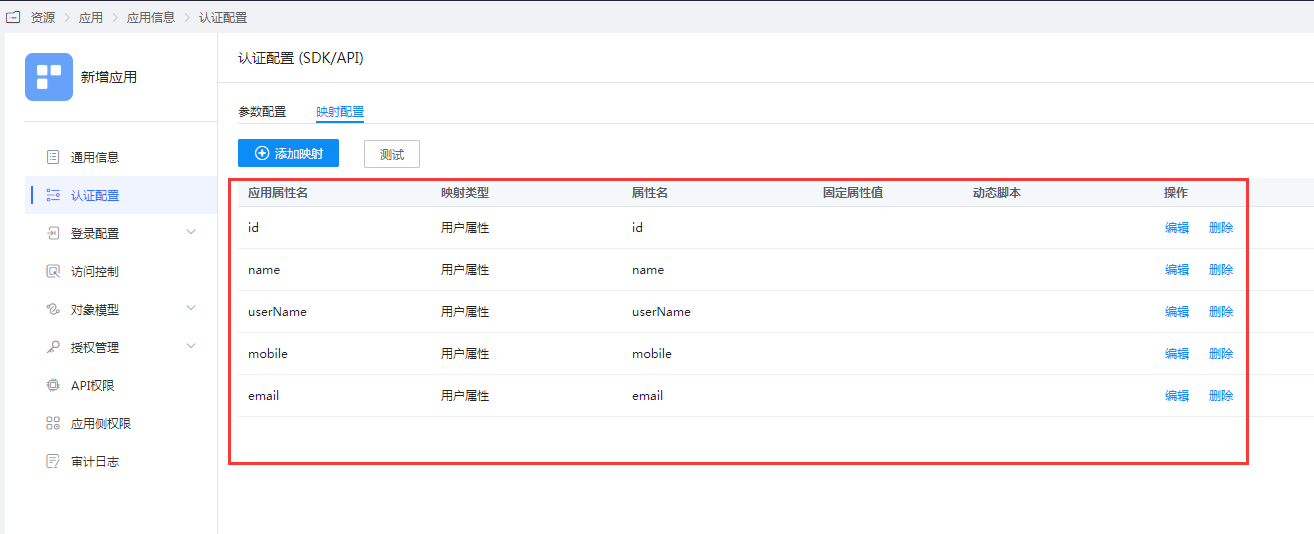
ssoTicket. - Return user information (return fields are configurable; see the figure below).
WARNING
Maintain the validity period of the sessionToken.
Next:
Learn about server-side integration APIs.
Session Persistence
How to achieve session persistence after login? Session validity period configuration is provided (please refer to step 3 in Preparation in Getting Started). After logging in successfully, the caller needs to save this user session on the server and record the configured session validity period. You can choose to refresh the session one day or one hour before it expires. In this way, the caller can achieve session persistence.
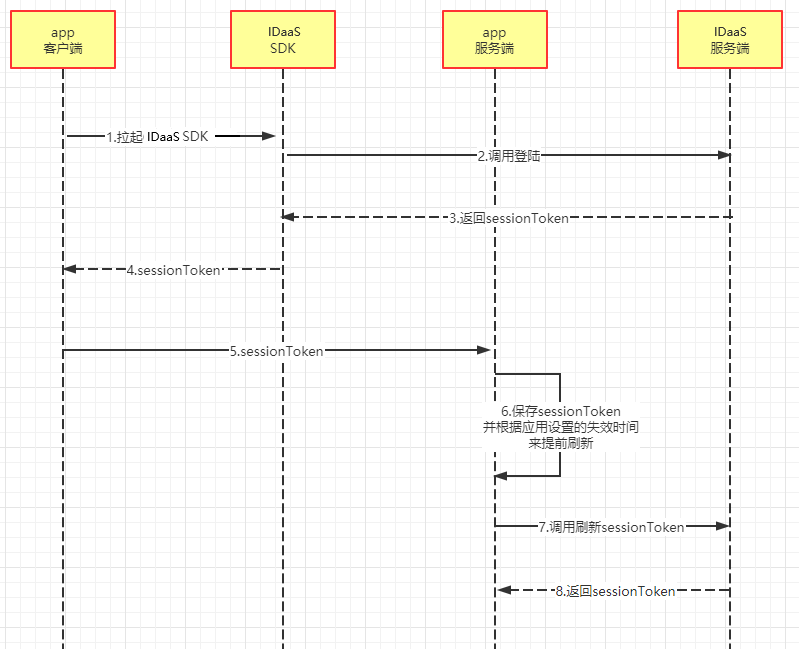
Flow Description:
- After the APP obtains the
sessionTokenreturned by the SDK, the APP server verifies thesessionToken. - After verification succeeds, the APP server saves it and stores the expiration time.
- If the
sessionTokenis found to be about to expire, call the IDaaS API to refresh it. - The latest
sessionTokenis returned.
Self-Service
Real-Name Authentication
Real-name authentication is a service that verifies and reviews the authenticity of user identity information, providing various real-name information authentication capabilities such as facial recognition, identity information verification, and bank card element verification, to address the industry's large demand for verifying the authenticity of user identity information.
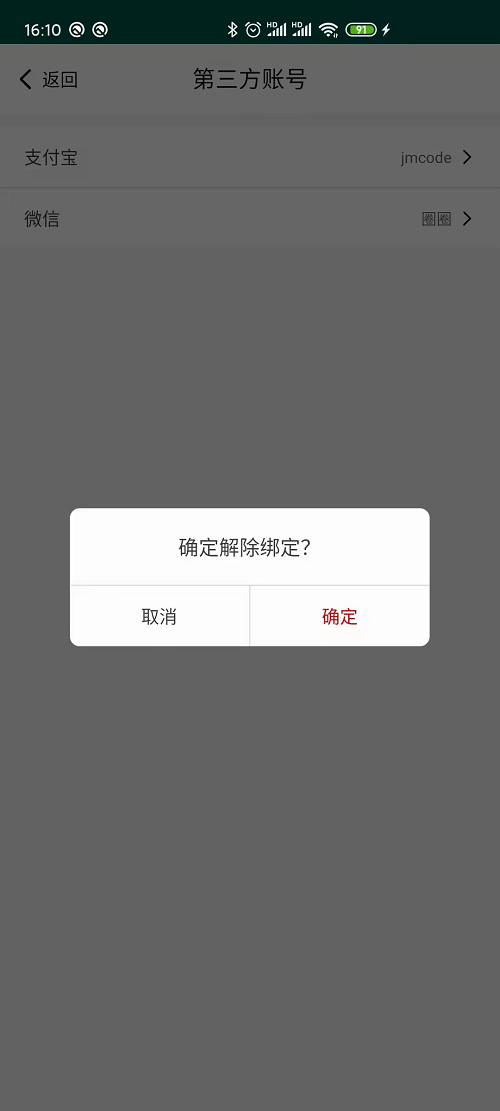
Third-Party Account Management
After a user authorizes a third-party platform account to log in, the system automatically binds and associates it with the main account. If unbinding is required, this module can be used.
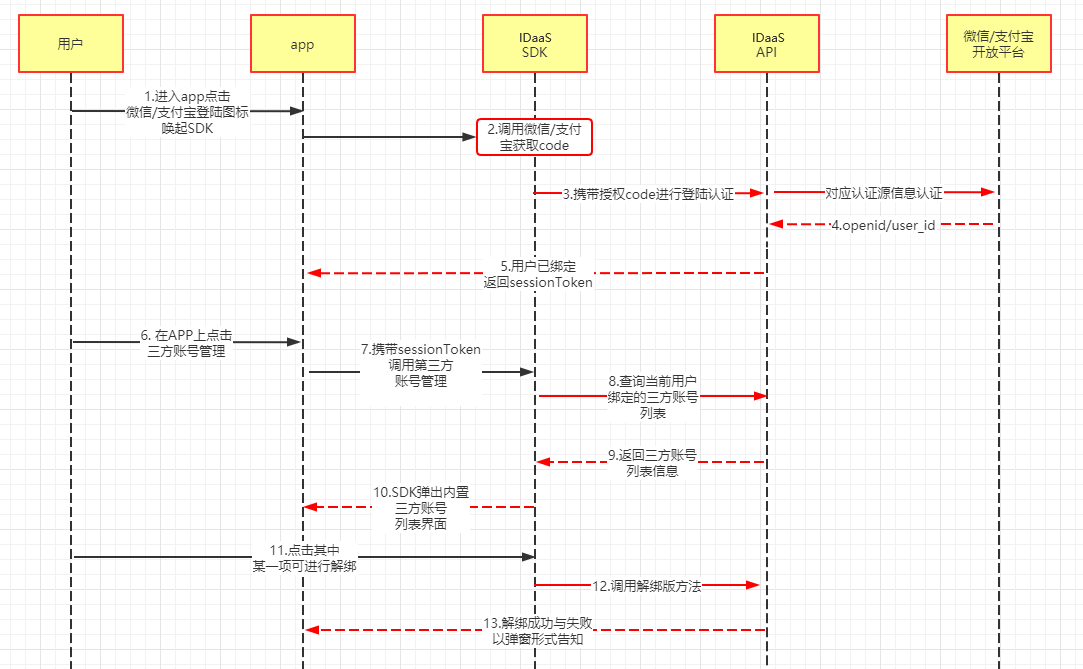
Flow Description:
- The user taps WeChat or Alipay login in the APP.
- Obtain the returned
sessionToken. - The APP calls third-party account management by passing the
sessionToken. - The SDK requests the back end to obtain the list of third-party accounts already bound to the current account.
- The SDK pops up the built-in management page.
- The user can view or tap an item to unbind.
Integration Effect (as shown in the figure):
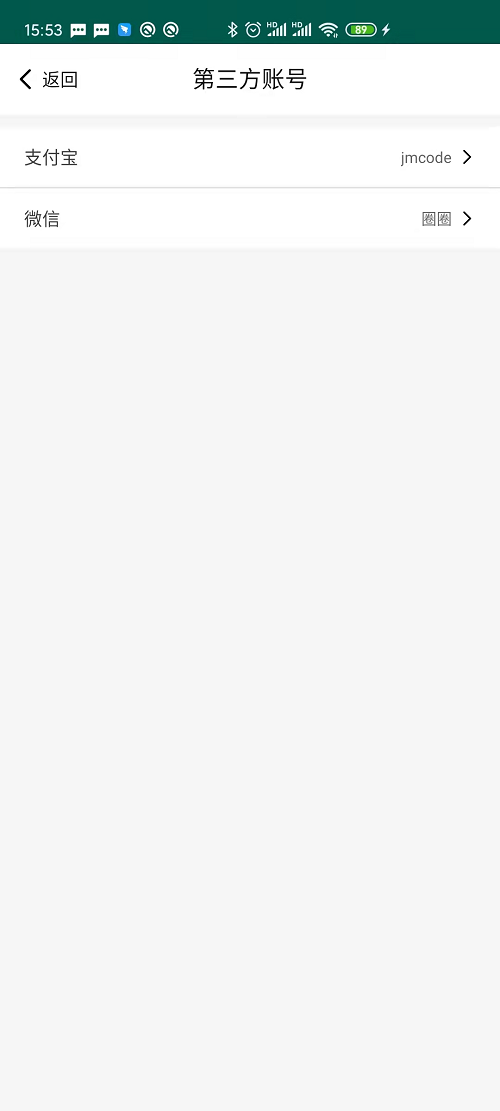
Tap an item to perform the unbinding operation.
UI Customization
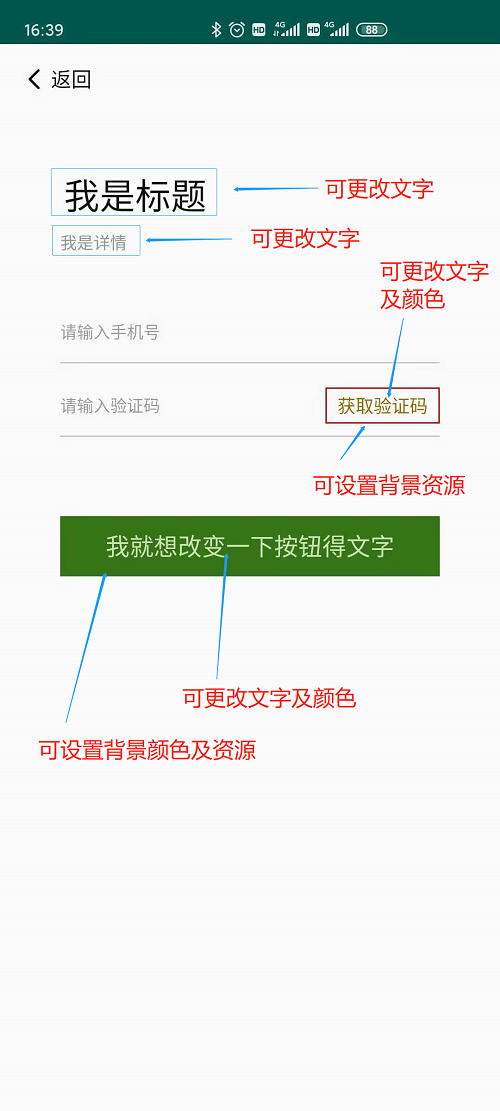
The IDaaS SDK supports lightweight customization of some page UIs (as shown in the figure).