
OTP Authentication
Document Description
This document describes how the Android client can integrate OTP authentication. The OTP feature allows users to obtain a dynamic password on a mobile APP or mini-program after activating it in the user center, ensuring account security.
In an OTP scenario, the user logs in to the user center, goes to Account Settings > Account Security > OTP Settings, and activates the dynamic password according to the page prompts. At the next login that requires OTP secondary authentication, the user can complete authentication by entering the dynamic password in the APP or mini-program.
Flow Description
Integration Flow Description
The App client builds the scan page, scans the string, passes it to the IDaaS SDK to add, and returns to the OTP list after successful addition.
The App client builds the OTP password list and uses the IDaaS SDK to obtain the currently added OTP password list.
In the OTP list, the App client queries the current dynamic password of a single OTP from the IDaaS SDK every 30 seconds or 1 minute, and then refreshes the single OTP password in the list.
In the OTP list, the App client builds the delete animation for a single OTP password. In the response event, call the IDaaS SDK method to delete the single OTP password and refresh the UI.
Preparation
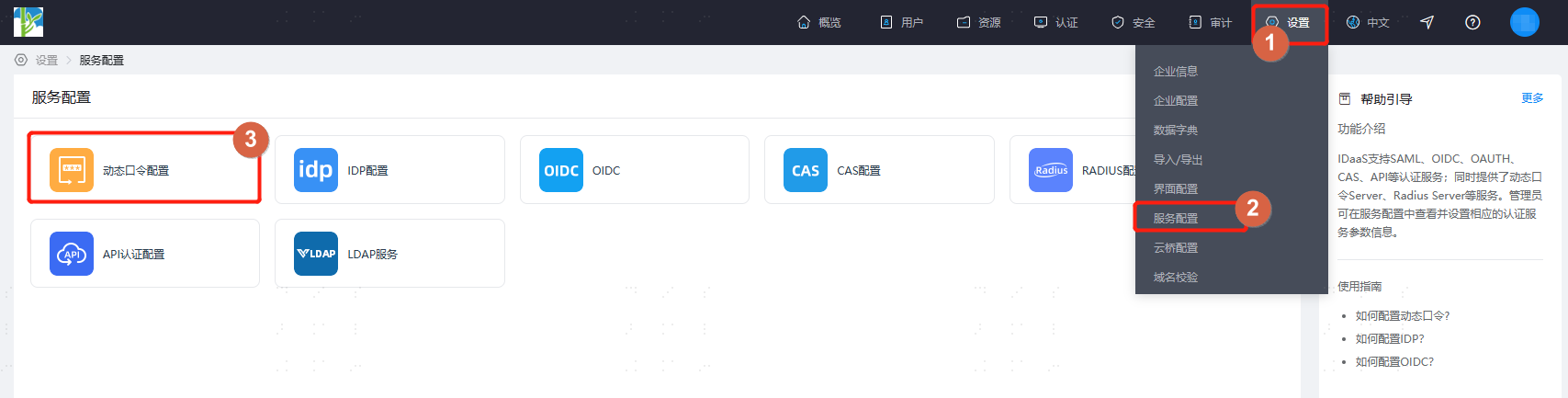
Log in to the IDaaS Enterprise Center, click Settings > Service Configuration > OTP Configuration, and configure the password encryption algorithm, digits, and time interval. Currently the SDK supports HMACSHA1, HMACSHA256H, and MACSHA512.
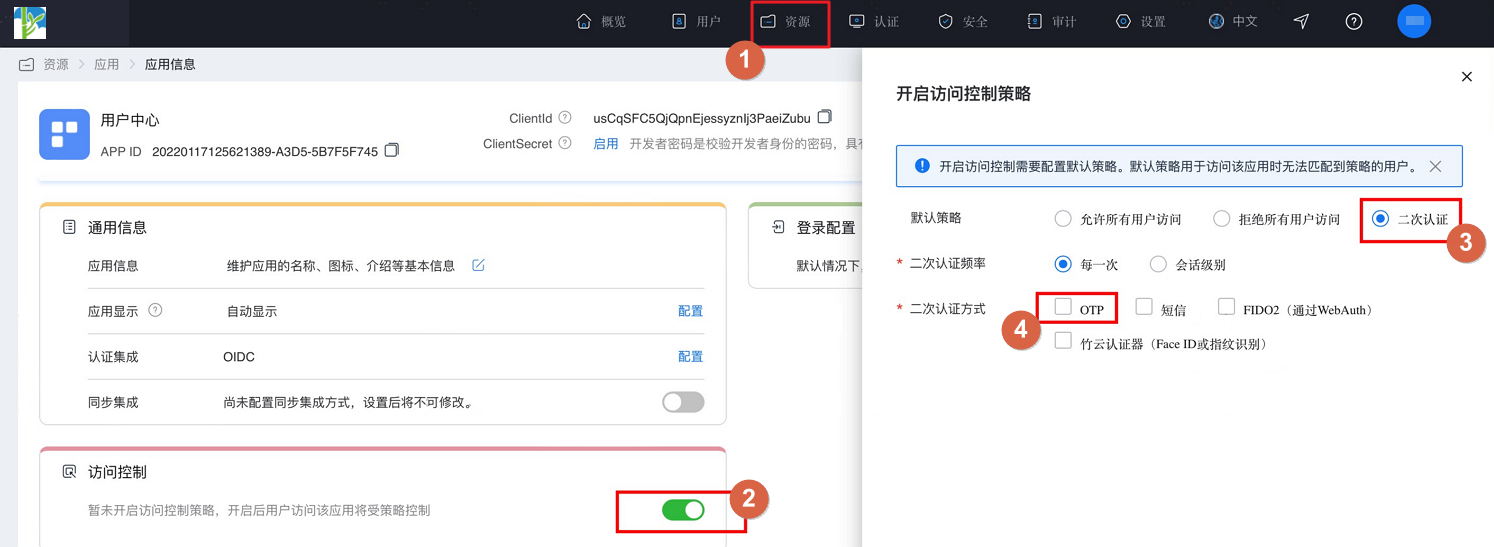
After configuration, click Resources > Applications, find the enterprise application and enter the application panel, turn on the Access Control switch. In the pop-up settings page, select secondary authentication and check OTP as the secondary authentication method.
Import Dependency Packages
AuthnCenter_Common-1.5.3.aar // Common package
AuthnCenter_MFA_OTP-1.5.3.aar // OTP SDK
Import the aar package into lib, as shown below: 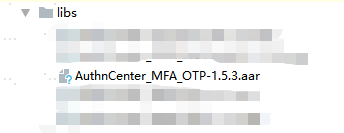
Configure build.gradle
implementation 'AuthnCenter_MFA_OTP:1.5.3'
implementation 'com.google.zxing:core:3.5.1'
implementation 'com.google.code.gson:gson:2.10'
implementation 'com.squareup.picasso:picasso:2.8'
implementation 'io.fotoapparat.fotoapparat:library:1.4.1'
Configure AndroidManifest
  <!--Permissions-->
    <uses-permission android:name="android.permission.INTERNET" />
    <uses-permission android:name="android.permission.WRITE_EXTERNAL_STORAGE" />
    <uses-permission android:name="android.permission.READ_EXTERNAL_STORAGE" />
    <uses-permission android:name="android.permission.CAMERA" />
    <uses-feature android:name="android.hardware.camera" android:required="false" />
    <uses-feature android:name="android.hardware.camera.autofocus" android:required="false" />
Development Integration
SDK Initialization
AuthnCenterSDK.Builder()
                .init(this)
                .setBaseUrl("https://xxx.xxx.com")      // Tenant domain
                .setClientId("xxxx") // Tenant console application client-id
                .isCheckSSL(false) // Whether to check SSL certificate
                .logEnable(false).build(); // Whether to enable HTTP request logging. It is recommended to disable it after going live.
API Call Instructions
Generate random code
        TokenPersistence tp = new TokenPersistence(this.getContext());
        Token token = tp.get(position);
        TokenCode codes = token.generateCodes();
        new TokenPersistence(this.getContext()).save(token);
        codes.getCurrentCode();// Get code