
Configure Alipay Authentication Source
Alipay authentication login allows users to securely log in to third-party applications or websites using Alipay as the authentication source. To facilitate enterprise user authentication login, the IDaaS platform supports configuring Alipay as an authentication source. Users can authenticate and log in to various application systems through Alipay, bringing enterprise users a simpler and more convenient login method and better user experience.
This guide explains the related operations for configuring an Alipay authentication source.
Prerequisites
- Administrator permissions for the Alipay Open Platform.
- Administrator permissions for the IDaaS Enterprise Center.
Procedure
Create Application and Obtain Parameters on Alipay Open Platform
Select and create the corresponding application according to the actual Alipay authentication method required.
Configure Alipay Scan Code or Account Password Login:
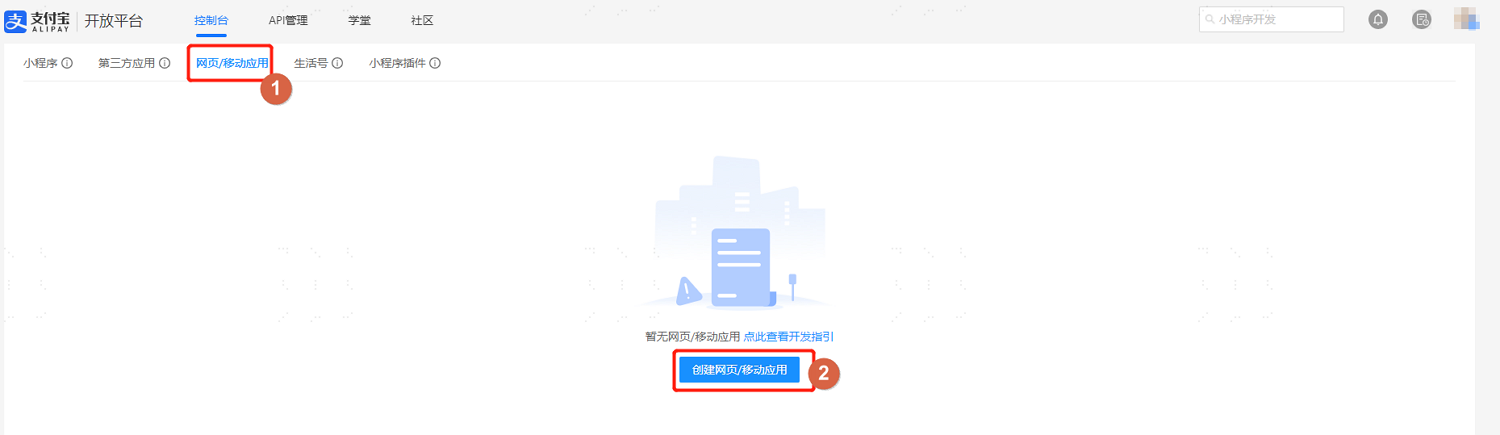
Log in to the Alipay Open Platform, enter the console, choose Web & Mobile Apps, click Create Web/Mobile App, and create a web application.
TIP
The website URL is the IDaaS tenant callback address, obtained from the Alipay authentication source parameters in the IDaaS Enterprise Center under Authentication > Authentication Source Management.
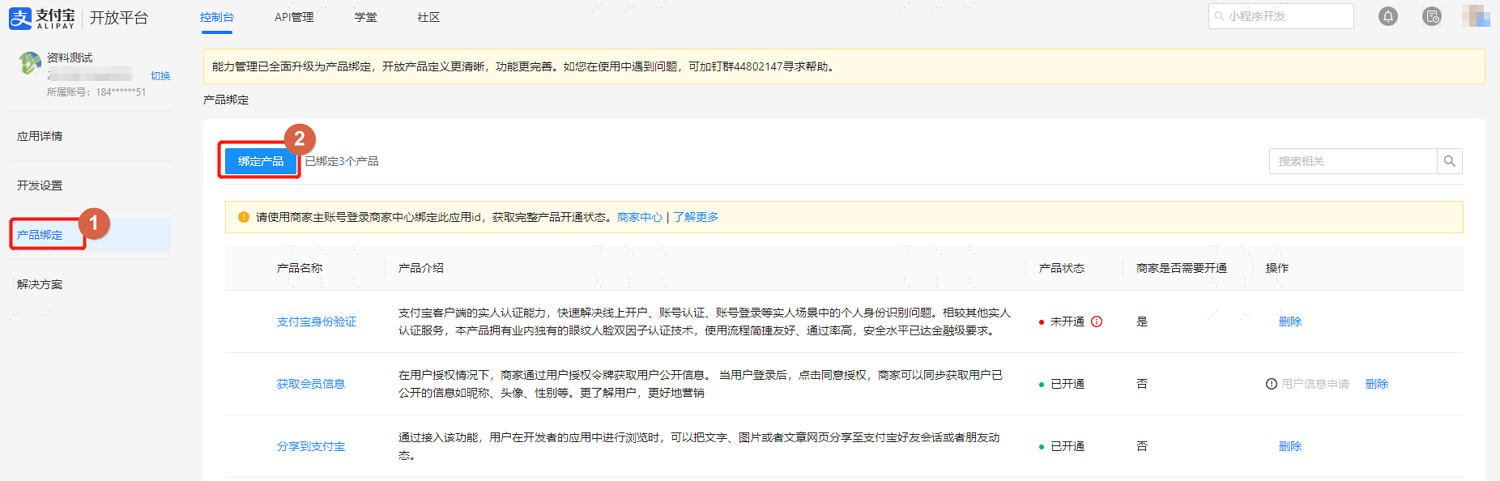
After basic information is set, switch to the Product Binding tab, and add the following authorization information for the application.
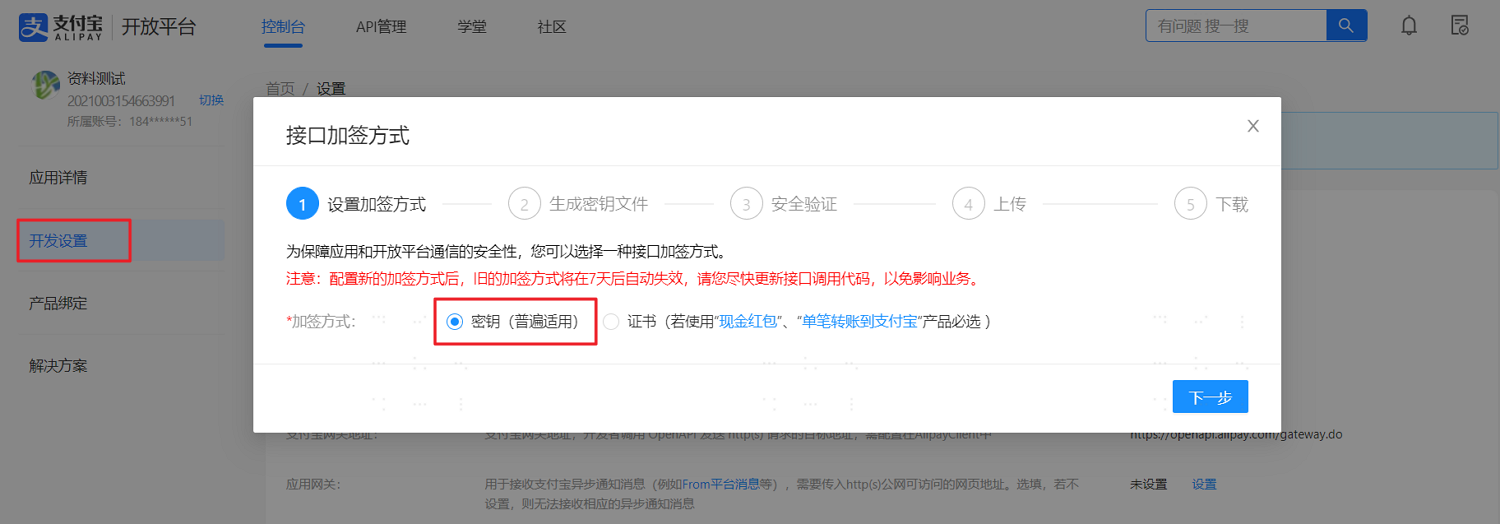
Switch to the Development Settings tab, and set the interface signature method under Development Information.
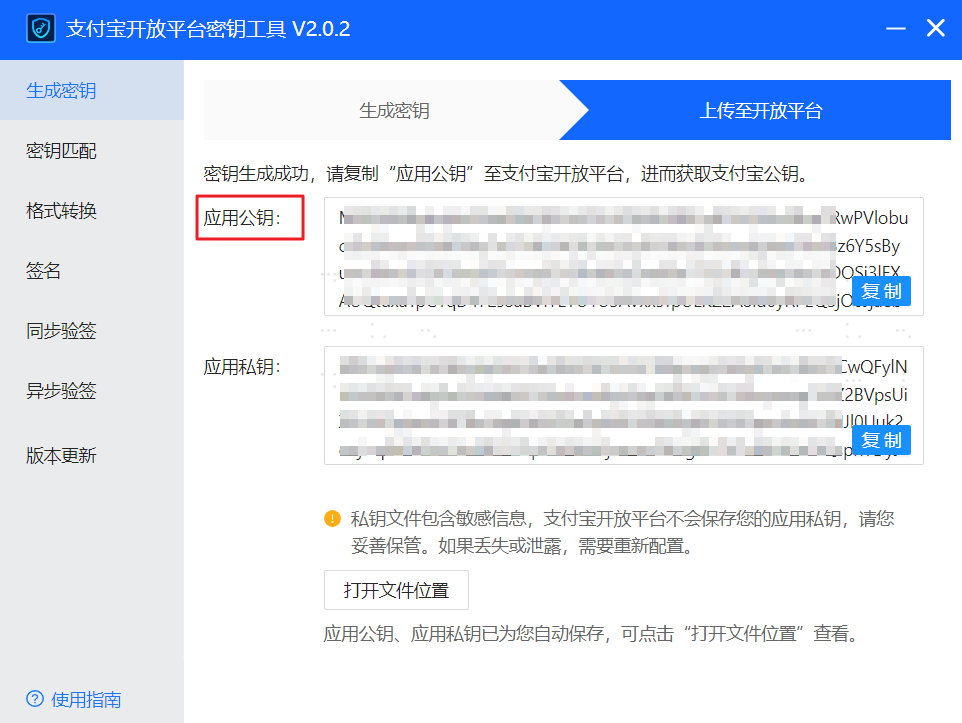
Generate a key through the tool as prompted, and copy the application public key.
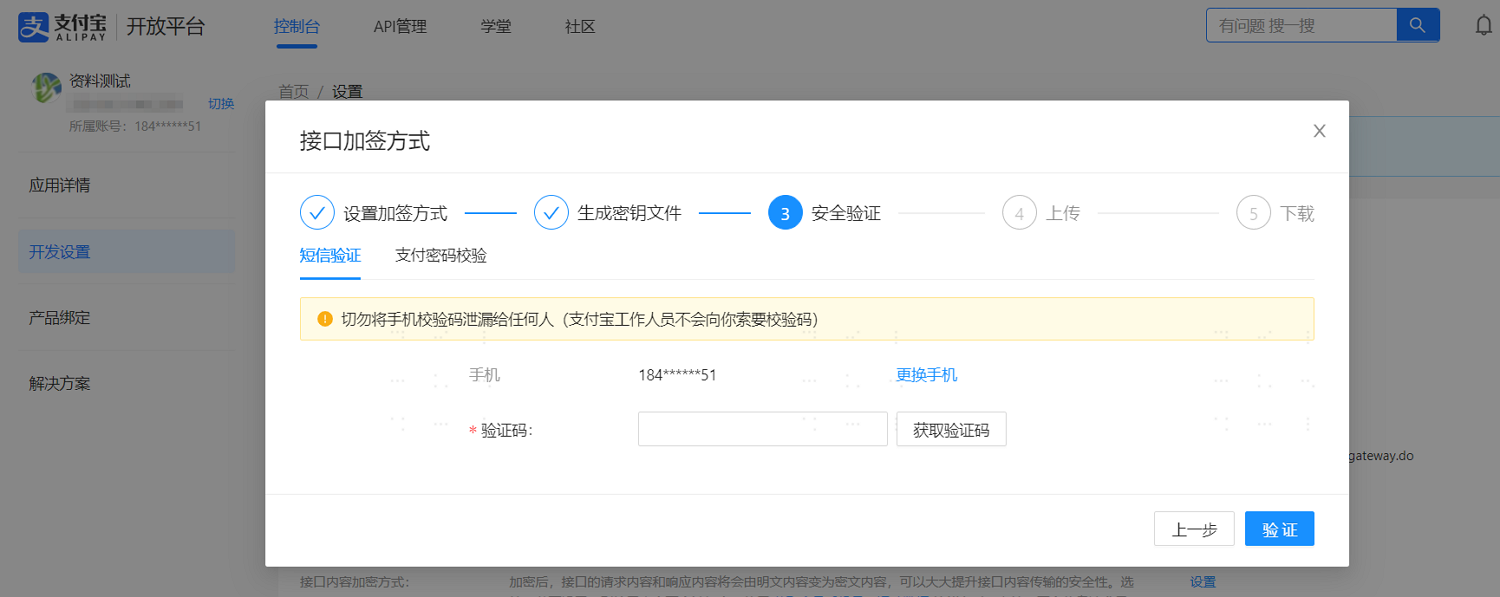
Perform security verification via SMS or payment password.
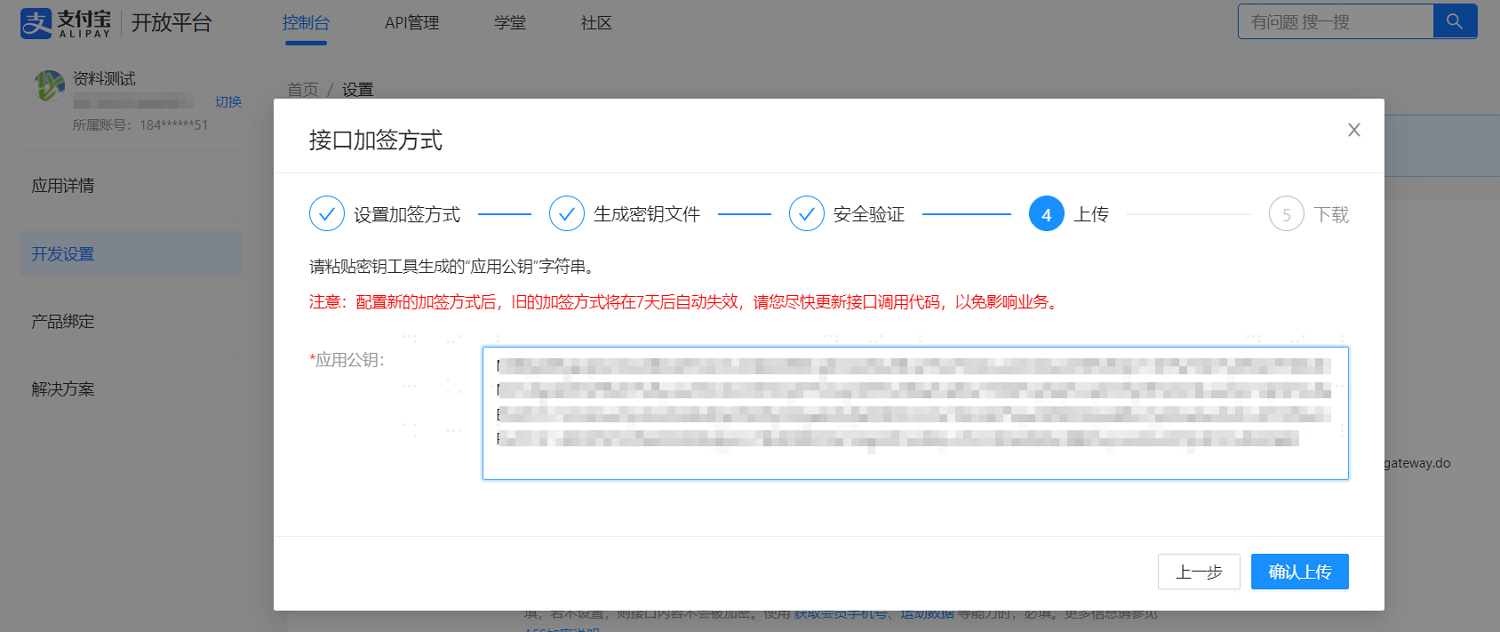
Paste the application public key copied from the tool into the corresponding text box, upload the public key, and then download the Alipay public key to save locally.
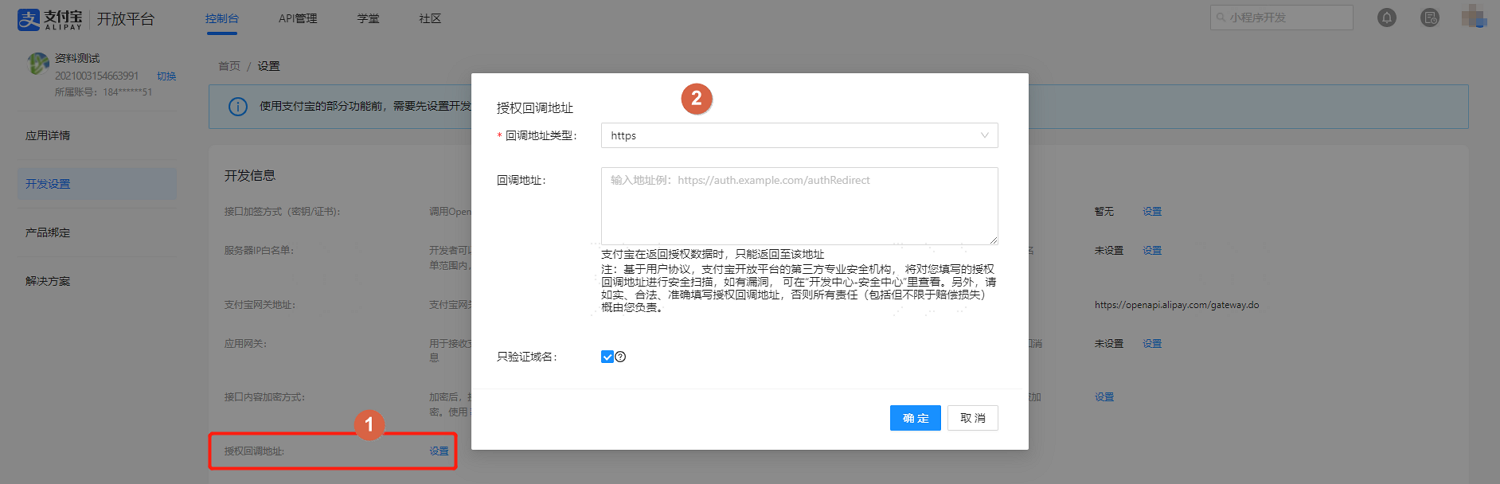
After configuration, set the authorization callback address.
TIP
The callback address is the IDaaS tenant address callback after Alipay authorization, obtained from the Alipay authentication source parameters in the IDaaS Enterprise Center under Authentication > Authentication Source Management.
Obtain the application's
AppIdparameter and save it locally. Submit for review. After approval, the application configuration is complete.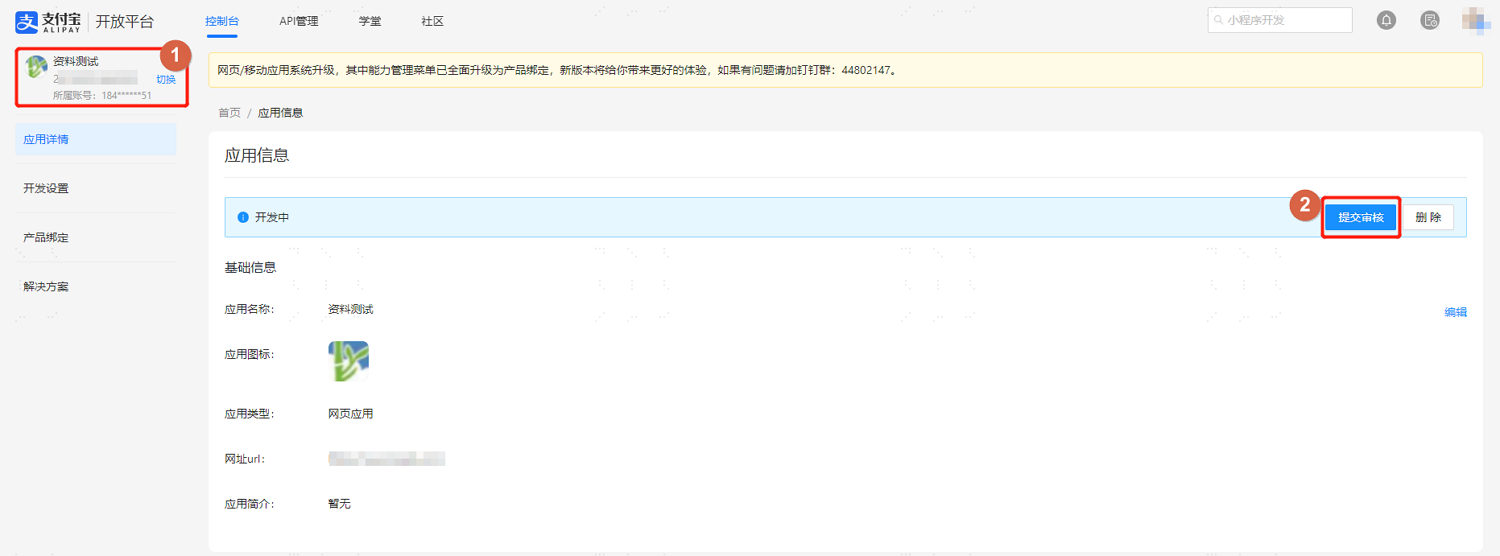
Configure Alipay Mobile APP Authorization Login:
Log in to the Alipay Open Platform, enter the console, choose Web & Mobile Apps, click Create Web/Mobile App, create a mobile application according to the page instructions, obtain the application's
AppIdparameter and save it locally, submit for review, and the application can only be used after approval.
Configure Alipay Mini Program Authorization Login: Currently only supported in 2C scenarios.
Log in to the Alipay Open Platform, enter the console, choose Mini Program, click Create Mini Program, complete the mini program creation according to the page instructions, obtain the application's
AppIdparameter and save it locally, submit for review, and the application can only be used after approval.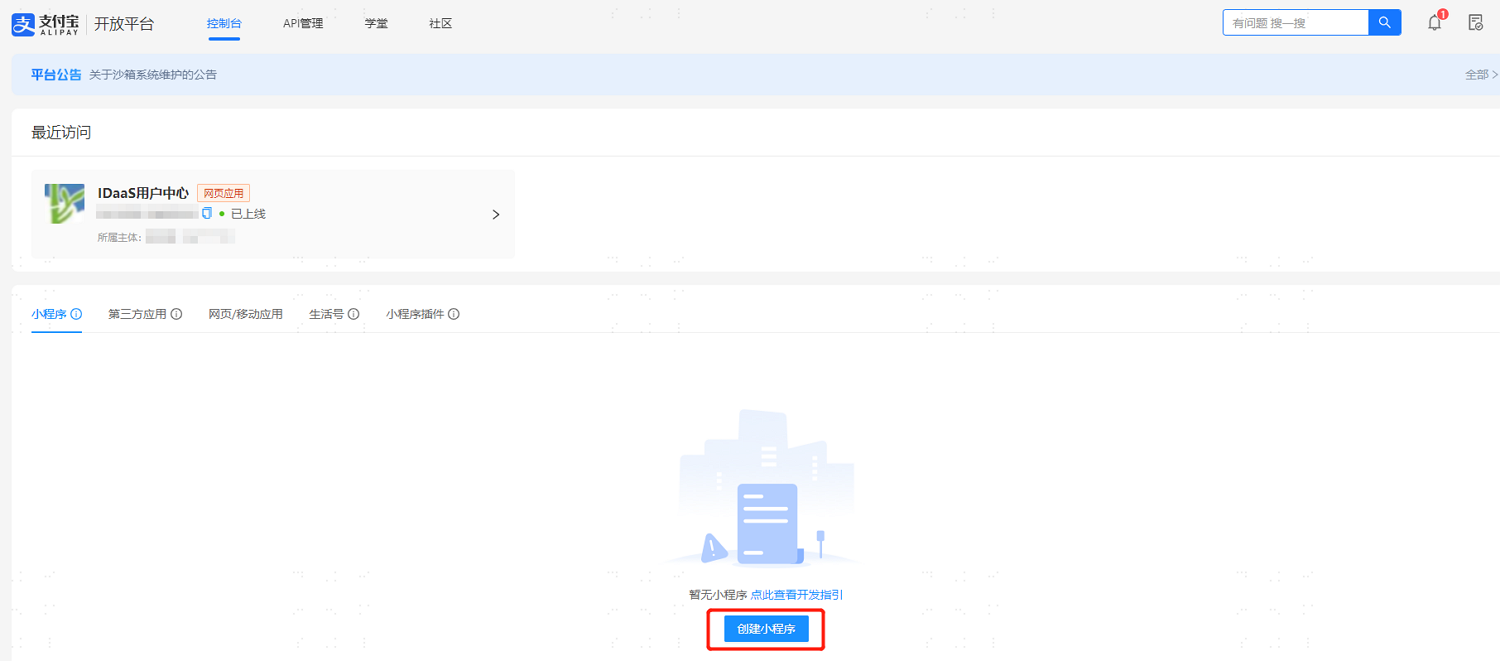
Configure Alipay Authentication Source in IDaaS
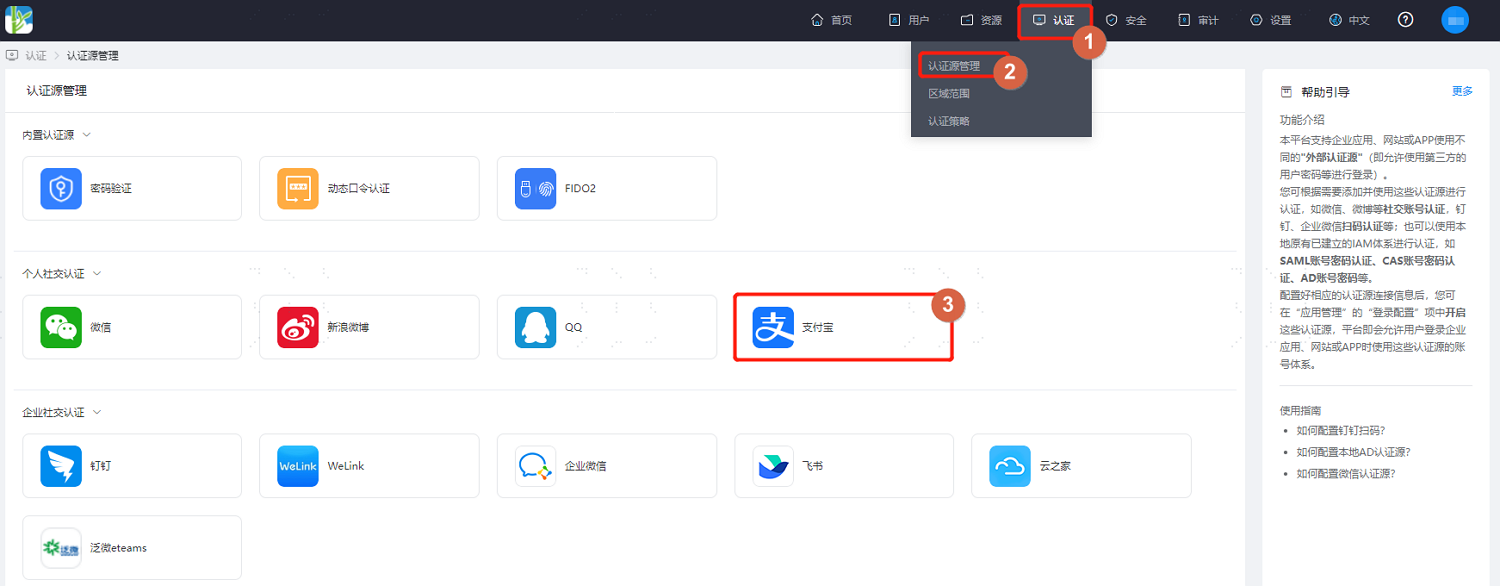
Log in to the BambooCloud IDaaS Enterprise Center, choose Authentication > Authentication Source Management > Alipay from the top navigation bar, enter the Alipay authentication source page, and click Add Authentication Source.
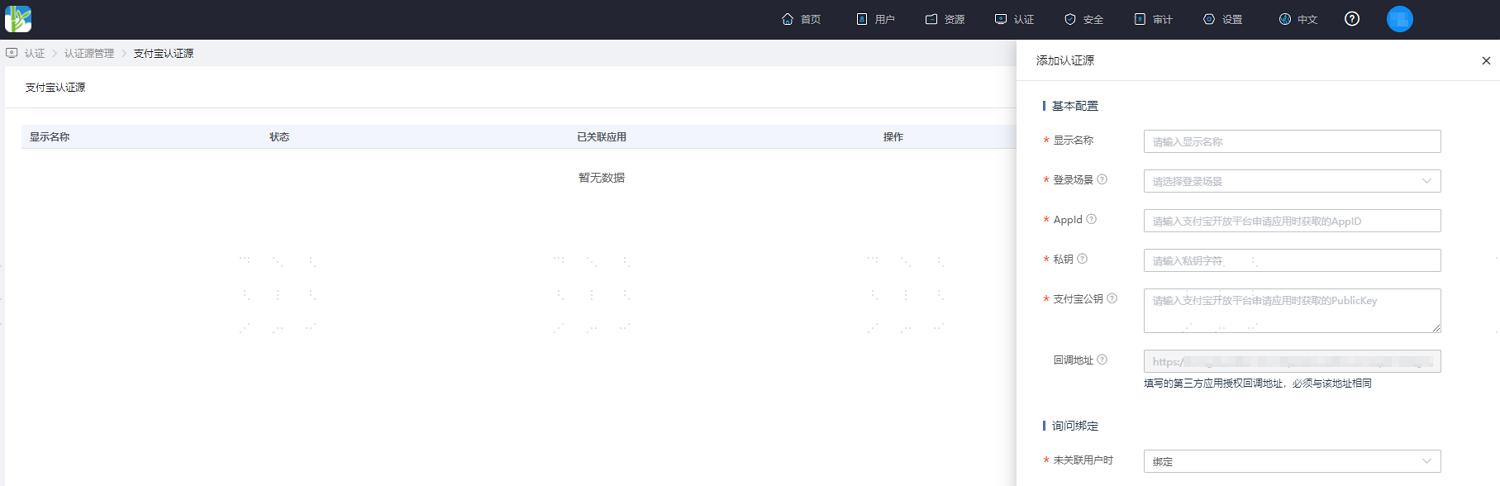
Configure the Alipay authentication source parameters as prompted. Key parameters are described below.
TIP
- Login Scenario: Select the login scenario according to the Alipay authentication type, including PC Browser Scan Code Login, Mobile APP Authorization Login, and Mini Program Authorization Login, corresponding to Alipay scan code login, Alipay mobile APP authorization login, and Alipay mini program authorization login methods respectively.
- Private Key: The application secret key registered on the Alipay platform.
- When User Not Associated: When the authentication source attributes of the user information returned by the WeChat platform do not match the associated user attributes in IDaaS, and no system user is associated, the optional configurations are as follows.
- Bind: Set to Bind. When no user is associated, the page redirects to mobile number or email verification. Enter an existing IDaaS mobile number or email, and after successful verification, the user passes authentication.
- Bind or Register: Set to Bind or Register. When no user is associated, the page redirects to mobile number or email verification. Enter an existing IDaaS mobile number or email, and after successful verification, the user passes authentication. If the mobile number or email does not exist in IDaaS, an IDaaS user is created based on the mobile number or email and passes authentication.
Notes
- Newly added applications on the Alipay Open Platform now use
openidas the unique identifier for user identity, but IDaaS has not yet adapted to applications usingopenidas the unique identifier. If you need to use Alipay scan code functionality in IDaaS, you need to first appeal to revert the application on the Alipay Open Platform touserid, and then configure the application. - For more information about appealing to revert to
userid, please refer to the official documentation.