
Configure Weibo Mobile Authorization Login
This section describes how to configure Weibo mobile authorization login. After integrating the Weibo authentication source in the IDaaS platform, follow the instructions in this module to configure Weibo mobile authorization authentication login for each application system.
Prerequisites
- You have administrator permissions for the IDaaS Enterprise Center platform.
- You have created a mobile application on the Weibo Open Platform.
- The application has been integrated into the IDaaS platform.
- You have configured a Weibo authentication source with the login scenario Mobile APP Authorization Login in the IDaaS platform.
Configuration Process

Procedure
Configure Weibo Mobile Authorization Authentication for an Application
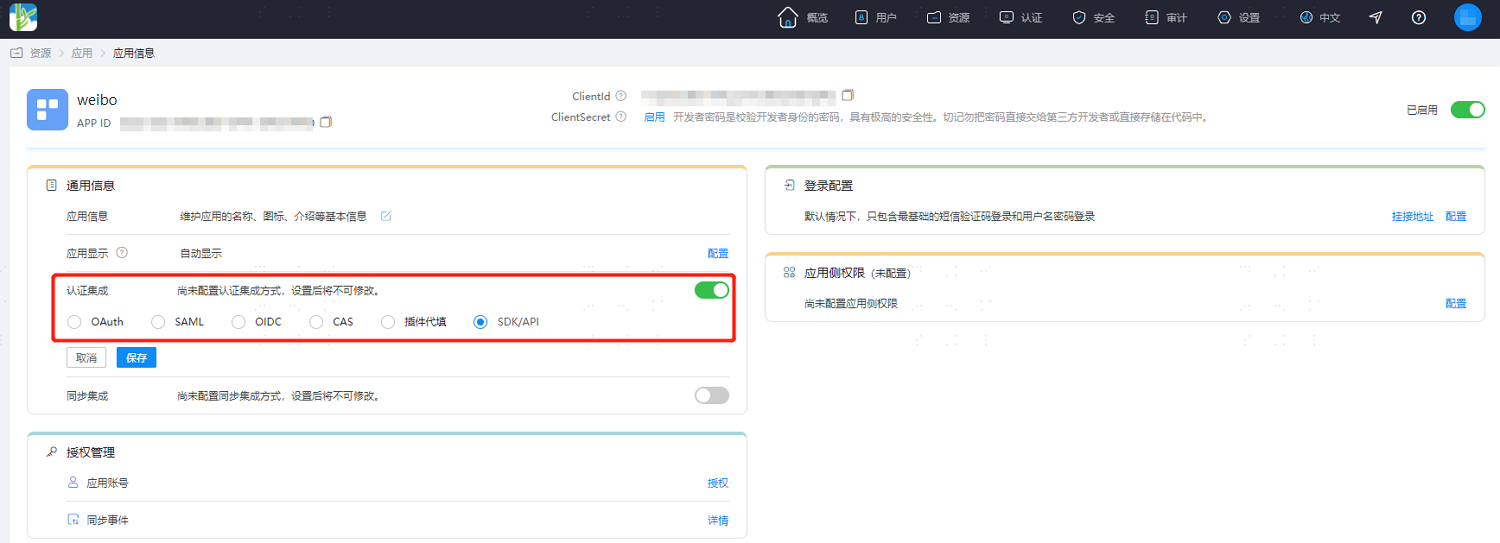
Log in to the IDaaS Enterprise Center platform. In the top navigation bar, choose Resources > Applications. After creating a self-built application, enter the application details page. In the Authentication Integration configuration, be sure to select SDK/API, then save and enable the application.
TIP
Authentication integration can only be configured once and cannot be changed again.
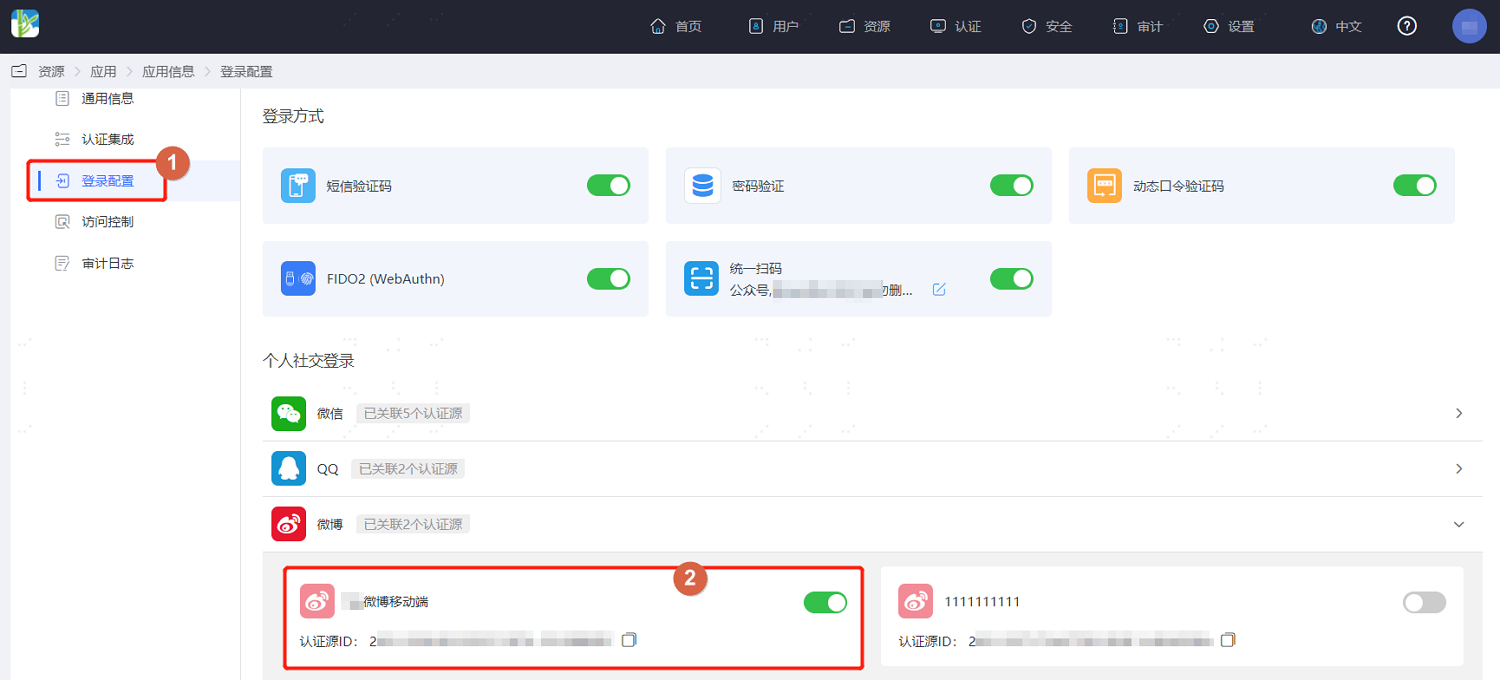
Switch to the Login Configuration tab, expand Weibo, and enable the Weibo authentication source with the login scenario Mobile APP Authorization Login that you added earlier.
Development Integration
After configuration on the IDaaS platform is complete, client development integration is also required. Only after development is complete can users use Weibo mobile authorization login for the application.
- If your enterprise users' mobile APP uses the Android operating system: refer to Bamboo Cloud IDaaS Mobile Android SDK Weibo Login to complete the subsequent client development integration.
- If your enterprise users' mobile APP uses the iOS operating system: refer to Bamboo Cloud IDaaS Mobile iOS SDK Weibo Login to complete the subsequent client development integration.