
Configure WeChat Work Authentication Source
WeChat Work authentication login allows users to securely log in to third-party applications or websites using WeChat Work as the authentication source. To facilitate enterprise user authentication login, the IDaaS platform supports configuring WeChat Work as an authentication source. Users can authenticate and log in to various application systems through WeChat Work, bringing enterprise users a simpler and more convenient login method and better user experience.
This guide explains the related operations for configuring a WeChat Work authentication source.
Prerequisites
- Administrator permissions for the WeChat Work Open Platform.
- Administrator permissions for the IDaaS Enterprise Center.
Procedure
Create Application on WeChat Work Open Platform
Log in to the WeChat Work Open Platform, and obtain the
corpIDparameter under My Enterprise.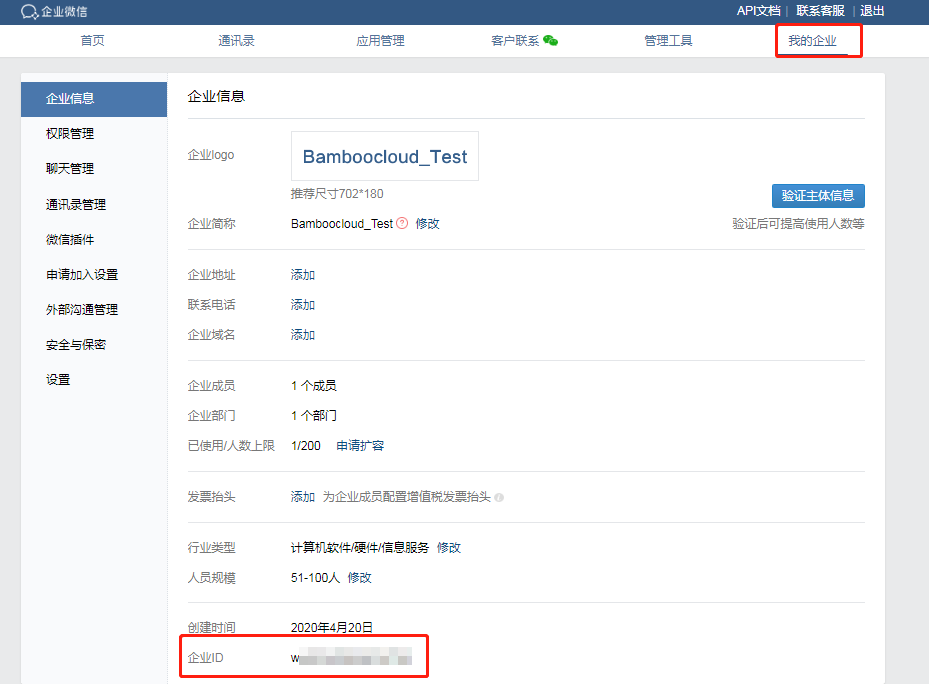
In the top navigation bar, choose App Management, select Apps on the left, and click Create App to fill in the form information.
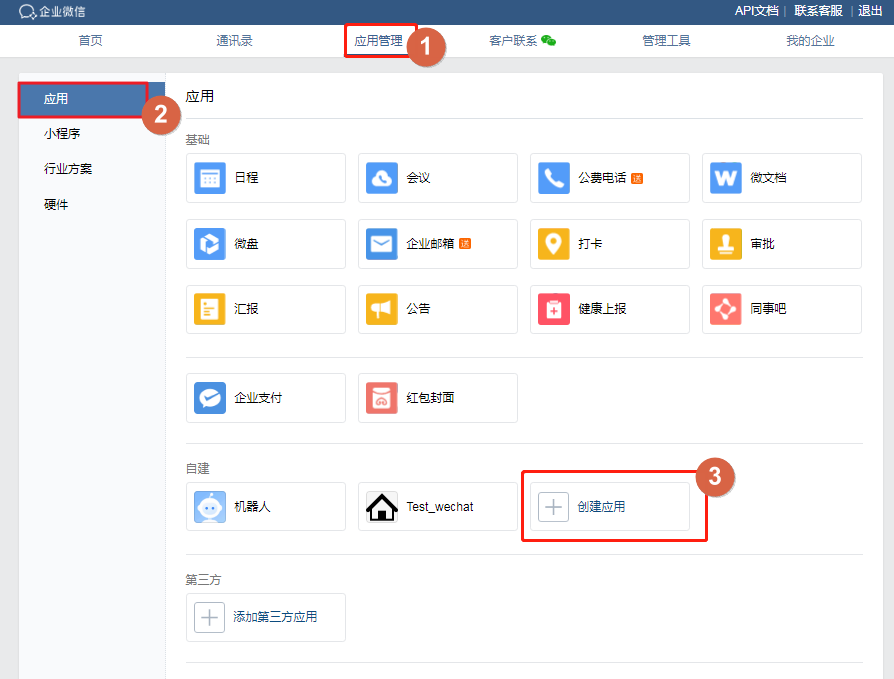
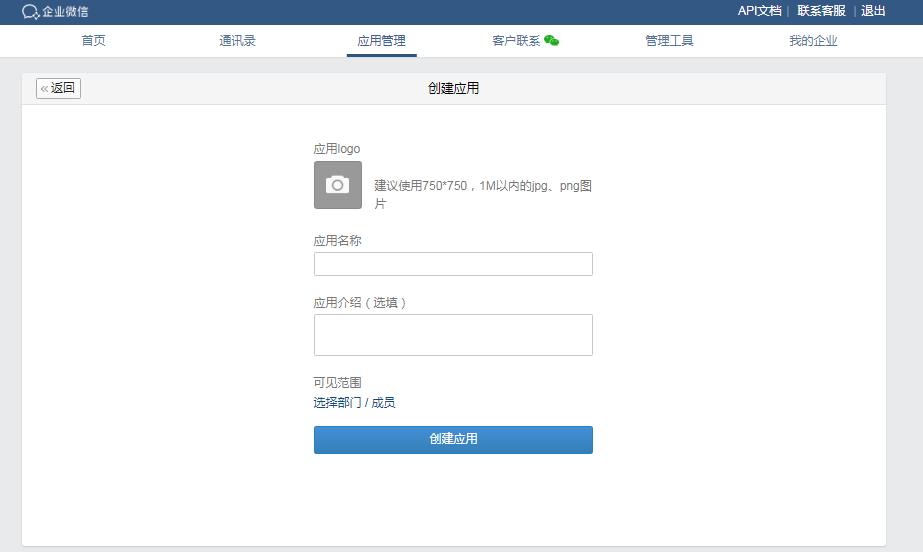
After creation, click the application icon to obtain the
AppKeyandAppSecretparameters.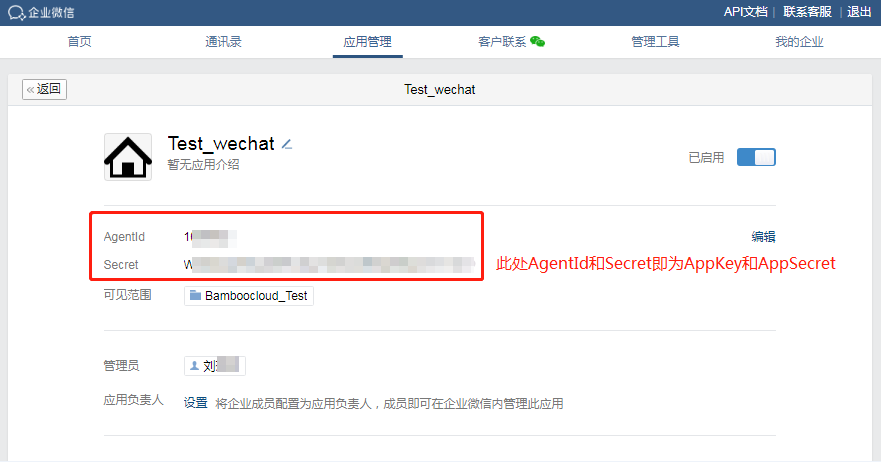
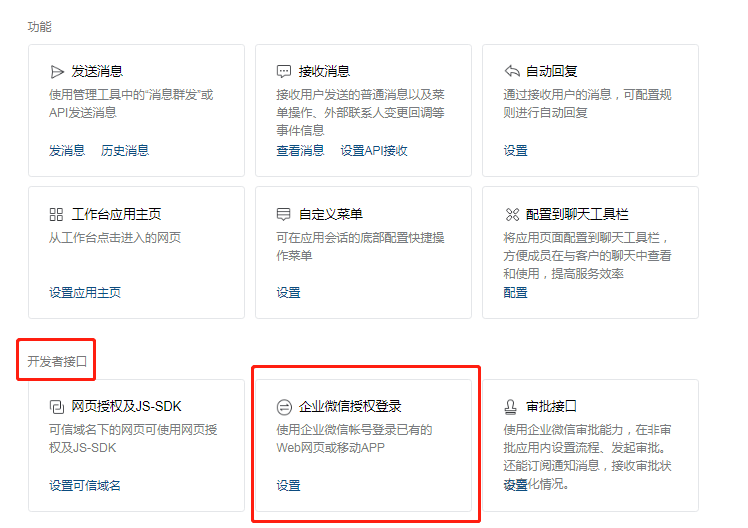
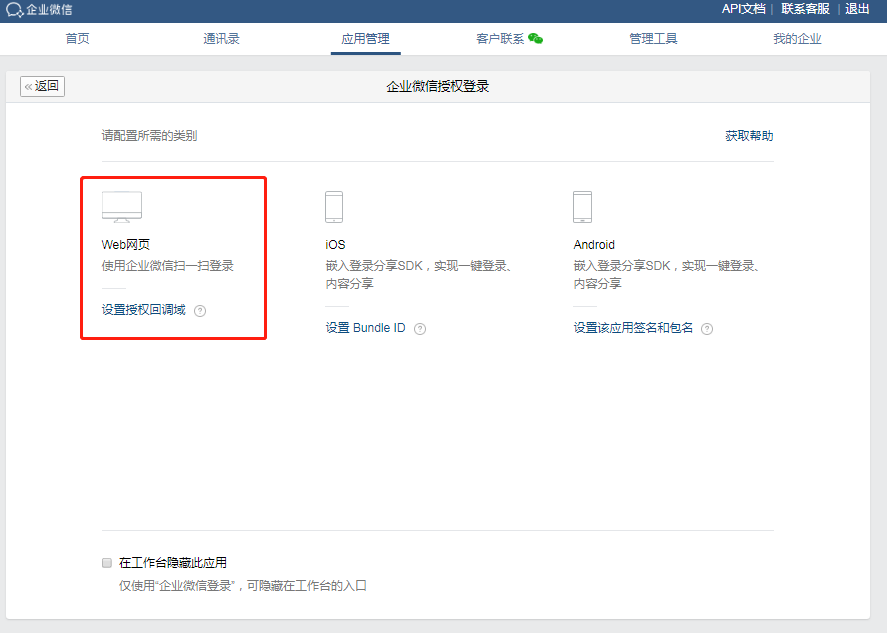
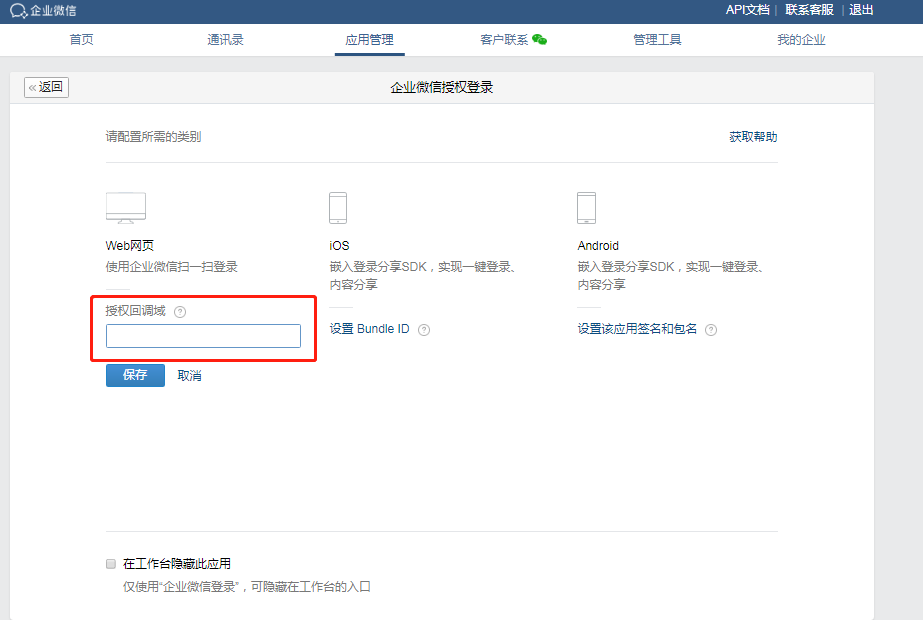
In the Developer Tools section below, set WeChat Work Authorization Login, select Web Application, and configure the authorized callback domain.
TIP
The authorized callback domain must be consistent with the IDaaS tenant domain, obtained in the IDaaS Enterprise Center under Settings > Enterprise Info.
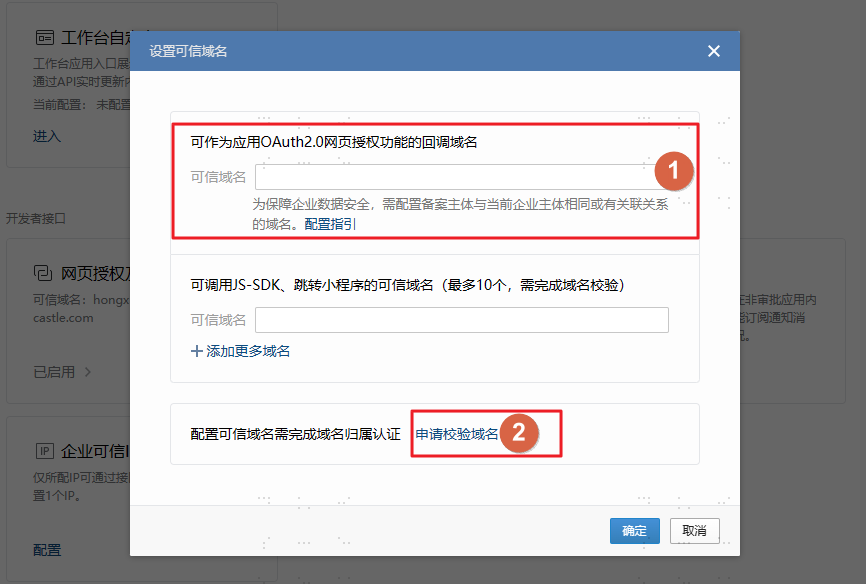
After configuration, in the Developer Tools section below, choose Web Authorization & JS-SDK, set the trusted domain, fill in and click Apply to Verify Domain to download the domain verification file, and then refer to Upload Domain Verification File to complete domain verification.
TIP
- The trusted domain is the IDaaS tenant domain, obtained in the IDaaS Enterprise Center under Settings > Enterprise Info.
- When configuring WeChat Work external browser password-free login, the Trusted domain names for JS-SDK calls and mini program redirects (up to 10, domain verification required) also needs to be filled in as the IDaaS tenant domain.
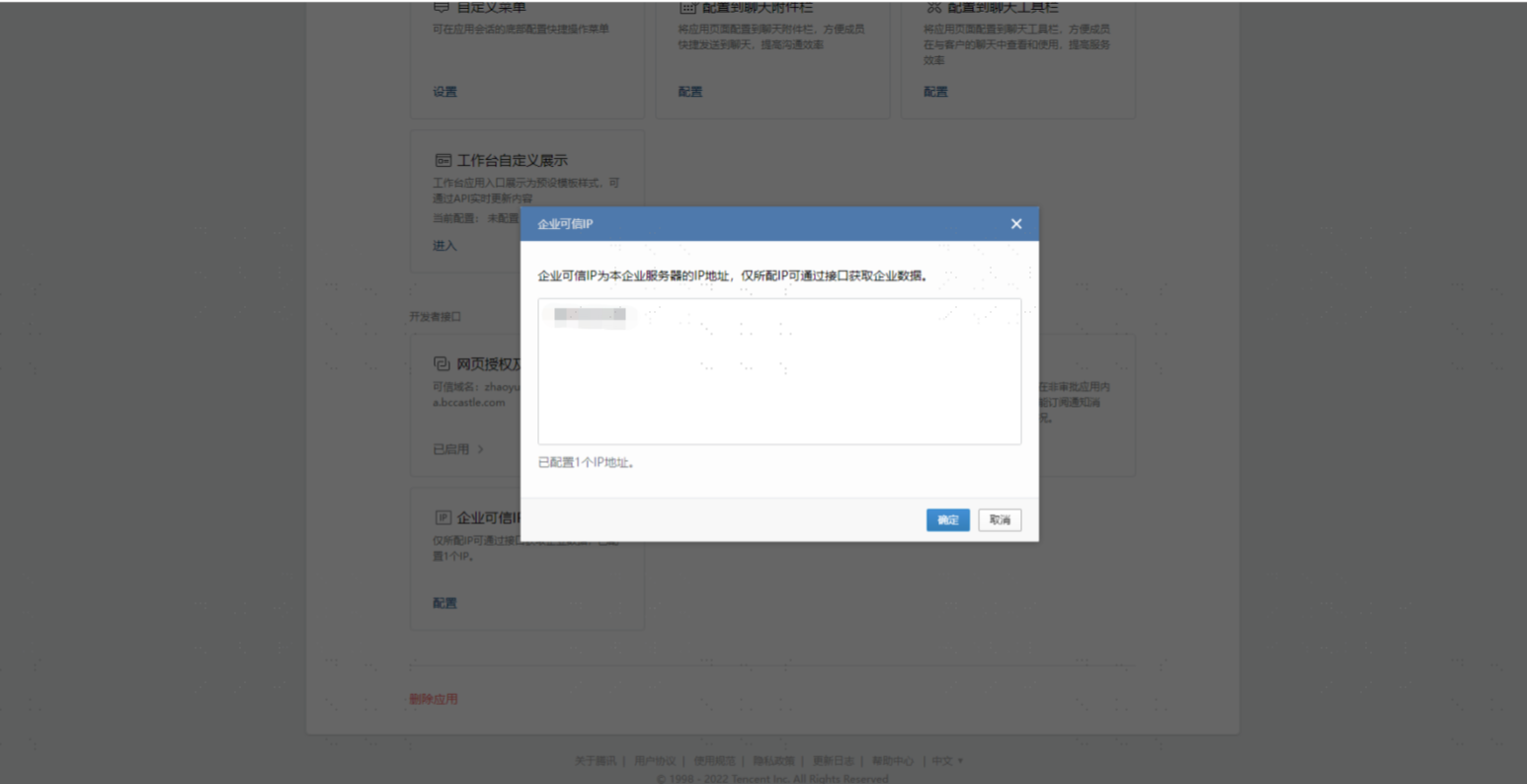
After configuration, in the Developer Tools section below, choose Enterprise Trusted IP, and set the customer-provided enterprise IP.
Configure WeChat Work Authentication Source in IDaaS
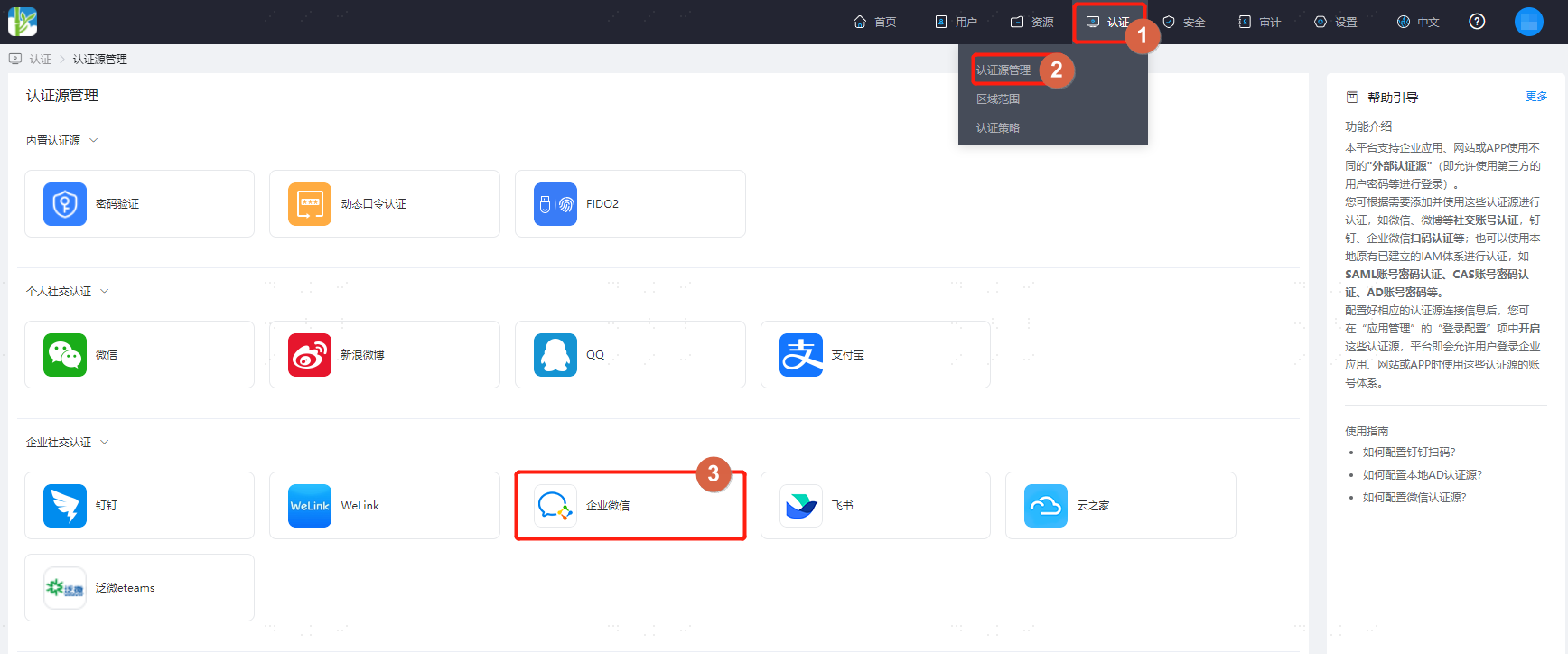
Log in to the IDaaS Enterprise Center, choose Authentication > Authentication Source Management from the top navigation bar, enter the WeChat Work authentication source page, and click Add Authentication Source.
Configure the WeChat Work authentication source parameters as prompted. Key parameters are described below.
WARNING
Before saving the WeChat Work authentication source, please ensure that the trusted domain has been saved in the WeChat Work backend application.
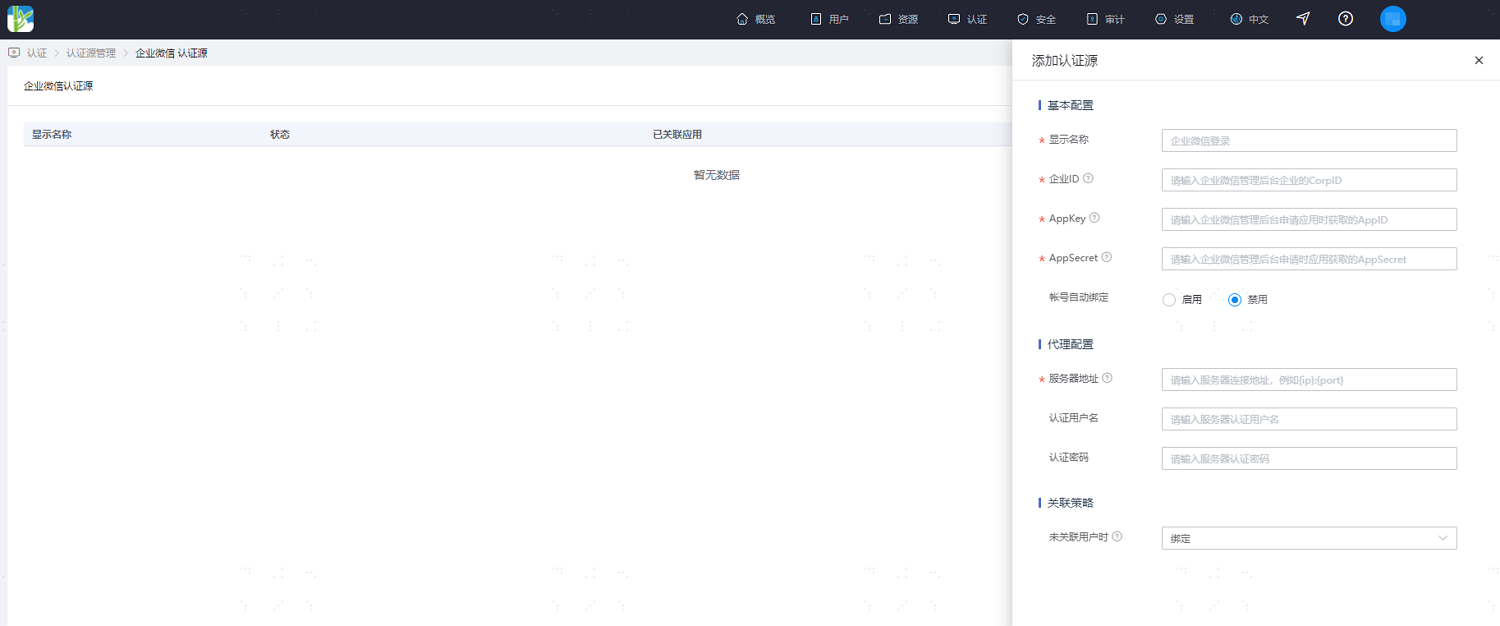
Parameter Description Account Auto Bind Sets whether to enable the account auto bind function. Whether binding succeeds depends on the configuration item for When User Not Associated. It is recommended to disable.
When enabled, the first login through WeChat Work can automatically obtain the WeChat Work "Account" attribute and bind it with the IDaaS user. This attribute is automatically generated by the WeChat Work system and can only be modified once.
When disabled, the first login through WeChat Work requires the user to manually enter the mobile number or email for binding.Account Association User Attribute This configuration is available when the account auto bind function is enabled. It sets the IDaaS user attribute associated with the WeChat Work "Account" attribute. Server Address The customer's proxy server address, supporting HTTP proxy. No more than 3 addresses are allowed. Multiple addresses are separated by commas. Authentication Username Set the server's authentication username. Authentication Password Set the server's authentication password. When User Not Associated When the authentication source attributes of the user information returned by the WeChat Work platform do not match the associated user attributes in IDaaS, and no system user is associated, the optional configurations are as follows.
Set to Bind. When the user is not associated, the page redirects to the mobile number or email verification page. Enter an existing IDaaS mobile number or email, and after successful verification, the user passes authentication. If the mobile number or email entered does not exist in IDaaS, a prompt indicates that the associated user was not found.
Set to Bind or Register. When the user is not associated, the page redirects to the mobile number or email verification page. Enter an existing IDaaS mobile number or email, and after successful verification, the user passes authentication. If the mobile number or email entered does not exist in IDaaS, an IDaaS user is created based on the mobile number or email and passes authentication.
Set to Fail. When the user is not associated, a prompt indicates binding failure. This option is only available when account auto bind is enabled.