Configure Douyin Authentication Source
Douyin authentication login allows users to securely log in to third-party applications or websites using Douyin as the authentication source. To facilitate enterprise user authentication login, the IDaaS platform supports configuring Douyin as an authentication source. Users can authenticate and log in to various application systems through Douyin, bringing enterprise users a simpler and more convenient login method and better user experience.
This guide explains the related operations for configuring a Douyin authentication source.
Prerequisites
- Administrator permissions for the Douyin development platform. [The Douyin Open Platform requires binding enterprise qualifications before creating applications.]
- Administrator permissions for the IDaaS Enterprise Center.
Procedure
Create Application on Douyin Development Platform
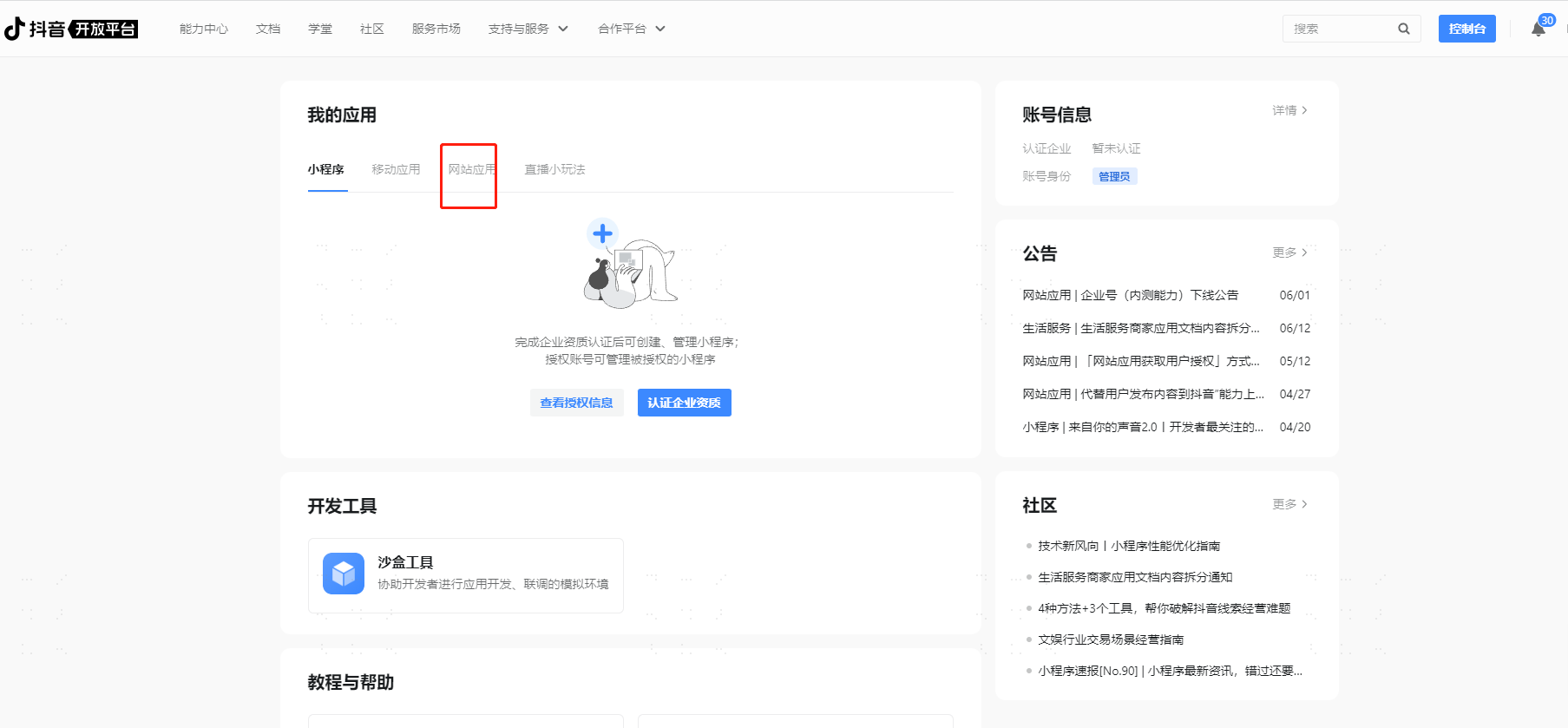
- Complete the enterprise qualification certification process provided by the Douyin Open Platform.
- Log in to the Douyin Development Platform, log in to the Douyin account, create an application, select Web Application, and configure the basic application information.
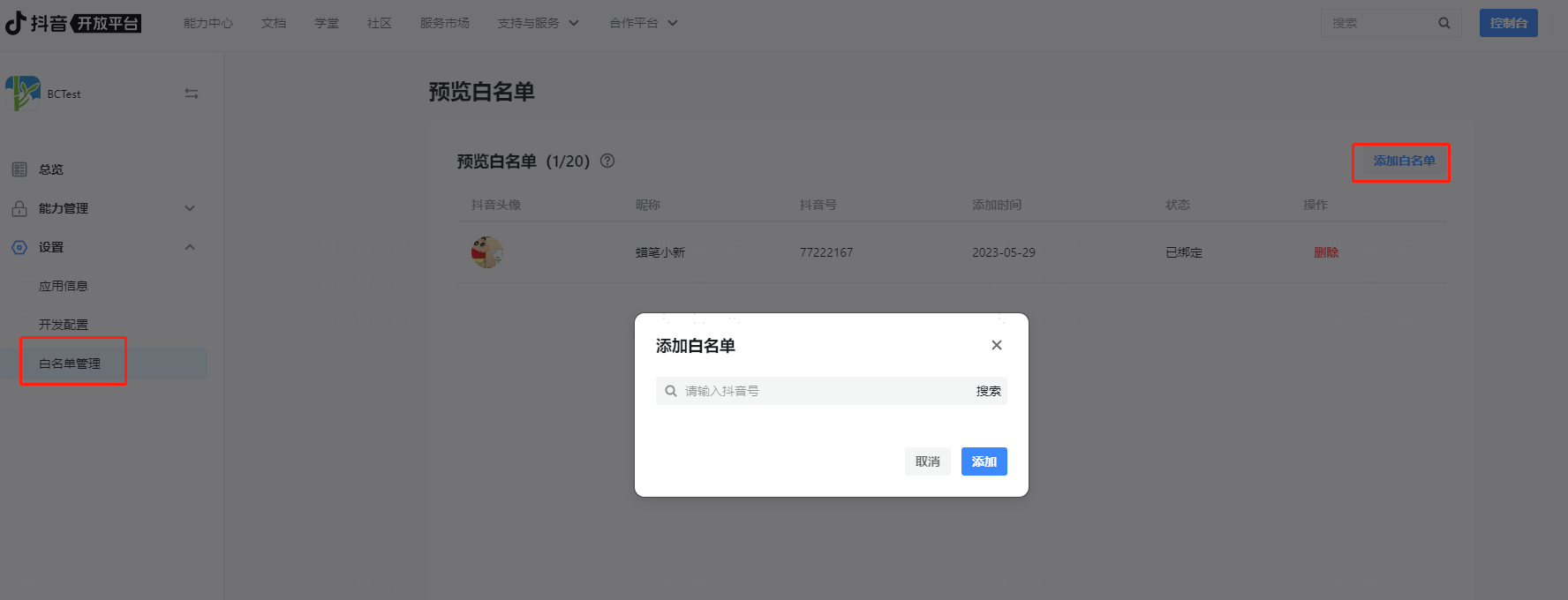
Add test user whitelists for the newly added application.
Obtain the application's
Client KeyandClient Secret.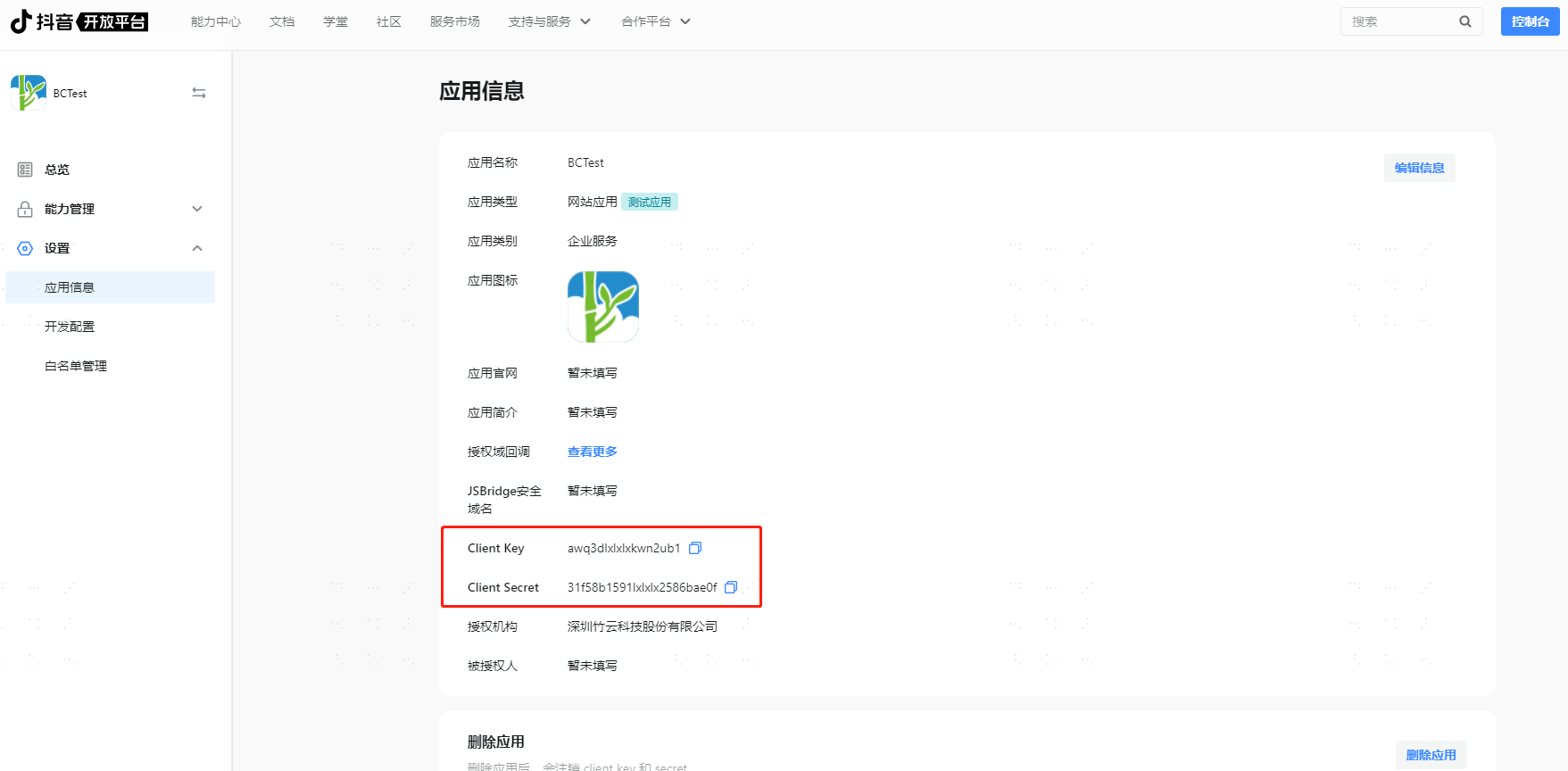
Configure Douyin Authentication Source in IDaaS
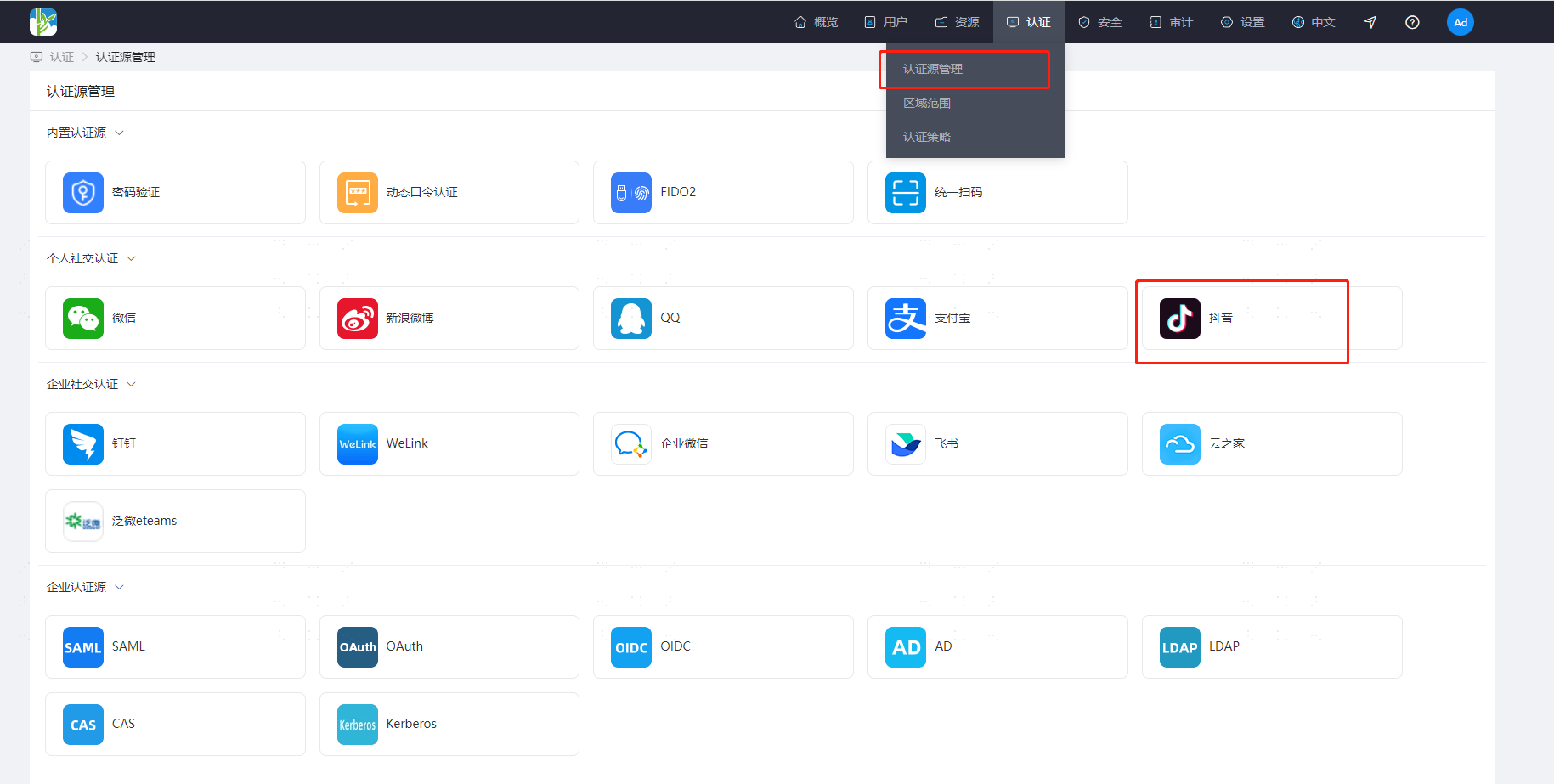
Log in to the IDaaS Enterprise Center, choose Authentication > Authentication Source Management from the top navigation bar, enter the Douyin authentication source page, and click Add Authentication Source.
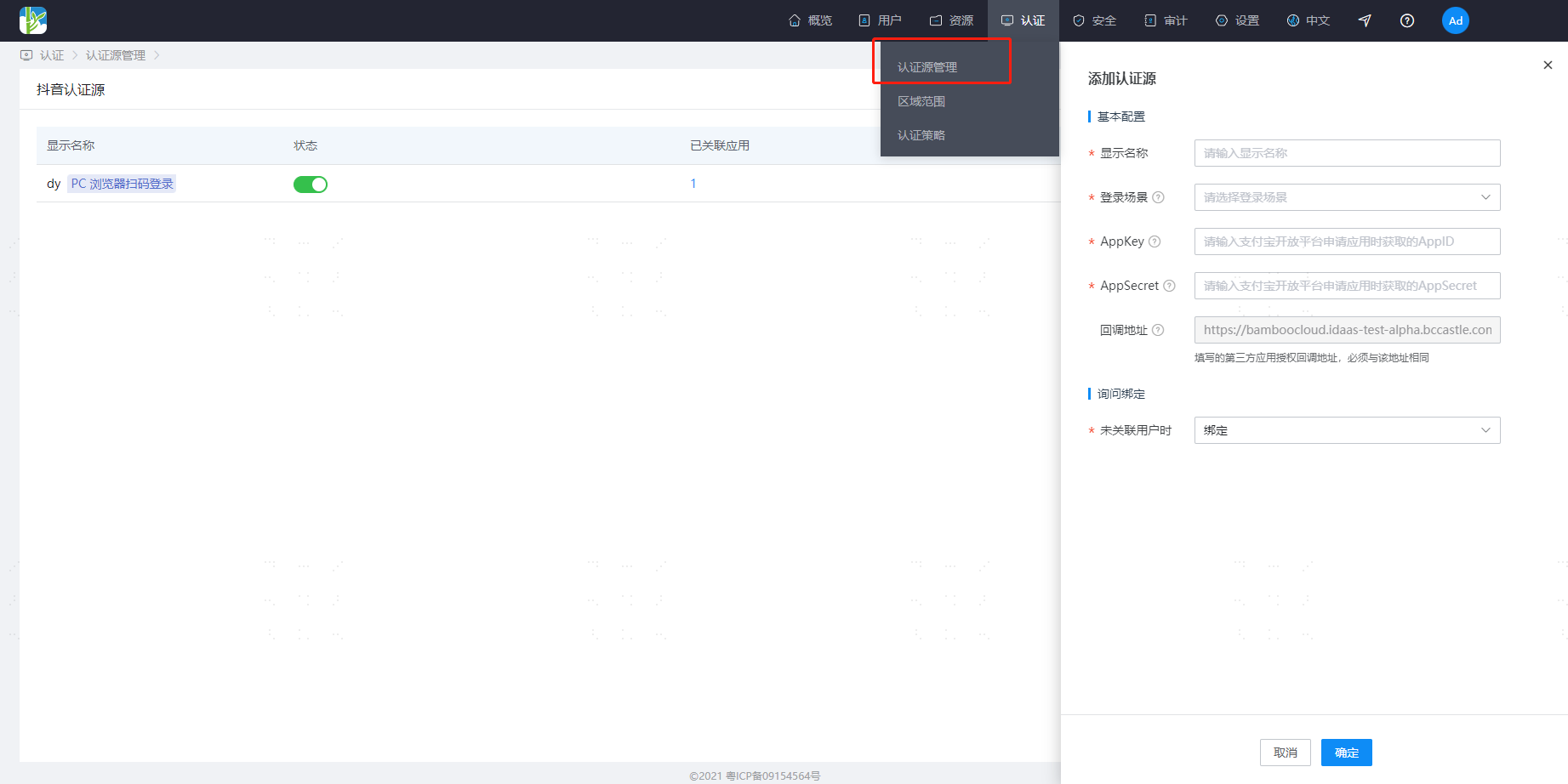
Configure the Douyin authentication source parameters as prompted. Key parameters are described below.
TIP
When User Not Associated: When the
openIdin the user information returned by the Douyin Open Platform is not associated with a system user in IDaaS, the optional configurations are as follows.- Bind: When no user is associated, the page redirects to the corresponding verification page through the set binding method. After entering the SMS verification code successfully, the corresponding existing user can be bound.
- Bind or Register: When no user is associated, enter the SMS verification code. After success, if the mobile number does not exist, enter the registration process, complete the registration information, and then pass authentication and log in.
Obtain the callback address generated by the Douyin authentication source (example:
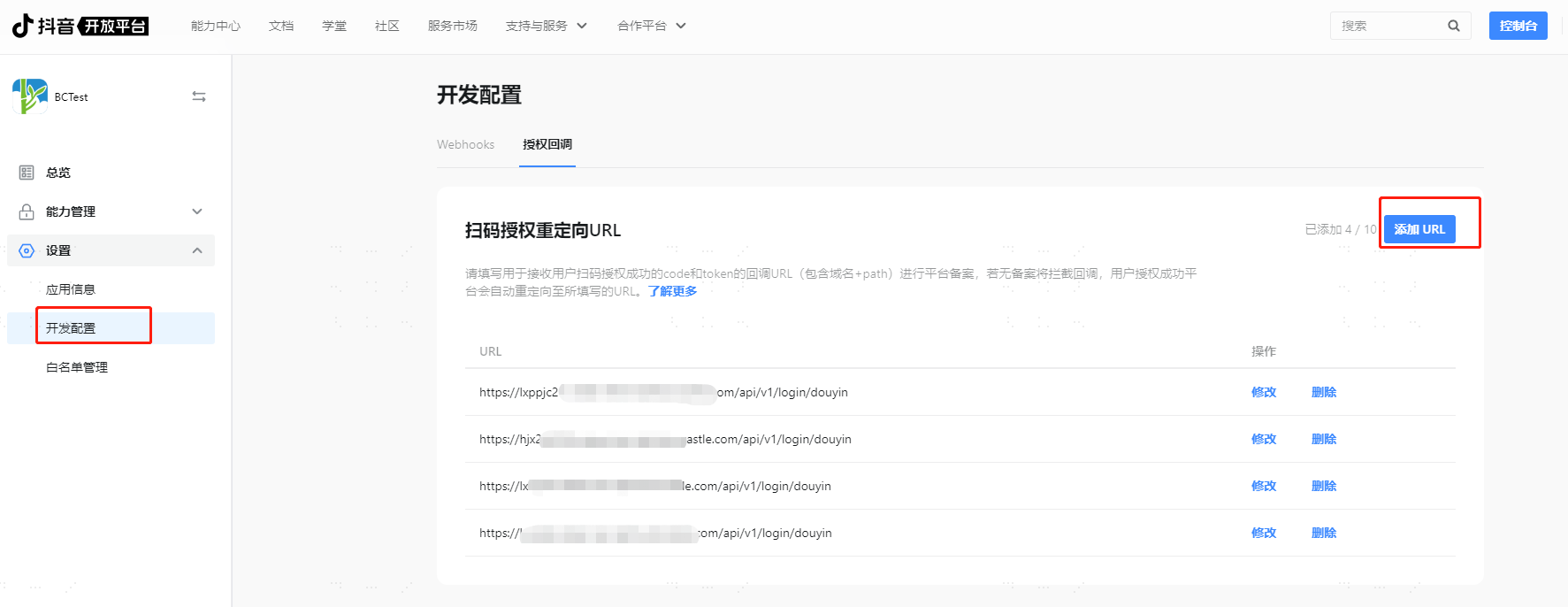
https://xxx.bccastle.com/api/v1/login/douyin), return to the Douyin Open Platform, and choose XX Application > Settings. Fill in the callback address in Development Configuration - Authorization Callback.