Cross-Origin Configuration
If there is a scenario where your own application frontend page calls IDaaS interfaces, and the application domain and IDaaS domain do not belong to the same site, a cross-origin problem will occur. In this case, you can add the specified domain through Enterprise Center - Security Configuration - Cross-Origin Configuration to resolve the cross-origin issue.
TIP
- For cross-origin issues, refer to Cross-Origin Resource Sharing (CORS)
- For best practices on cross-origin issues, refer to Custom Enterprise Domain Access to IDaaS
Prerequisites
You have administrator permissions for the IDaaS Enterprise Center platform.
Procedure
- Log in to the IDaaS Enterprise Center platform. In the top navigation bar, choose Settings > Enterprise Configuration, select the Security Configuration option on the left, and select Cross-Origin Configuration.
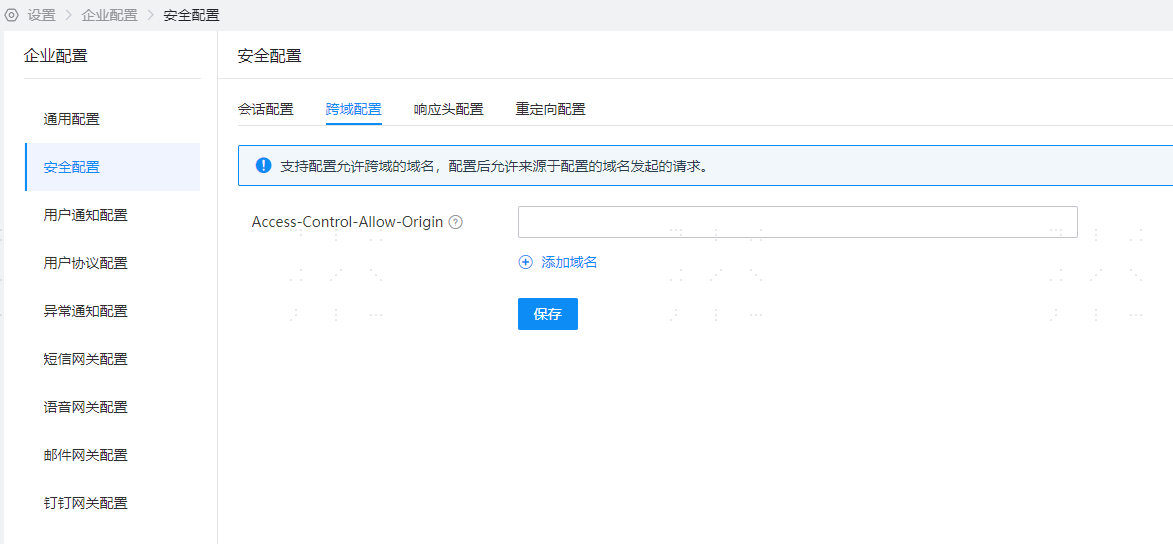
Parameter Description
TIP
- The maximum number of allowed cross-origin domains is 10.
- Domains support wildcard configuration. For example, configuring
*.domain.comsupportsxxx.domain.com,xxx.yyy.domain.com.
Function Verification
- During cross-origin access, if the allowed cross-origin domain is not configured, the interface returns a 403 Forbidden status code.
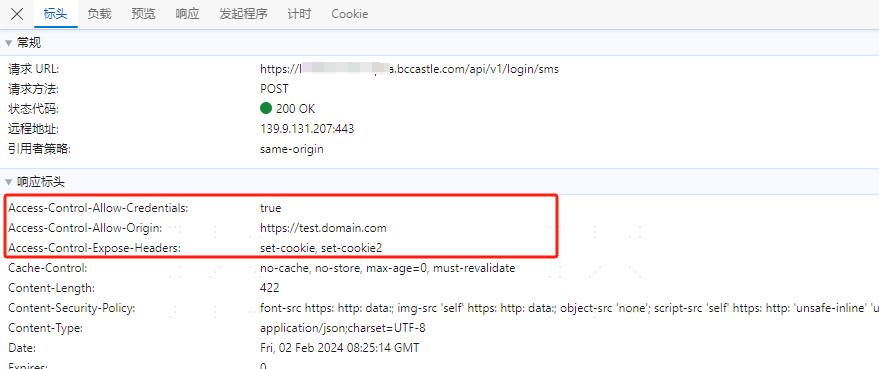
- During cross-origin access, if the allowed cross-origin domain is configured, the interface call is successful, and the response header returns
Access-Control-Allow-Origin.