
Plugin Auto-Fill - Chrome Browser Extension Installation or Update
Please click the link below to download the plugin package first.
Download Chrome Browser Extension
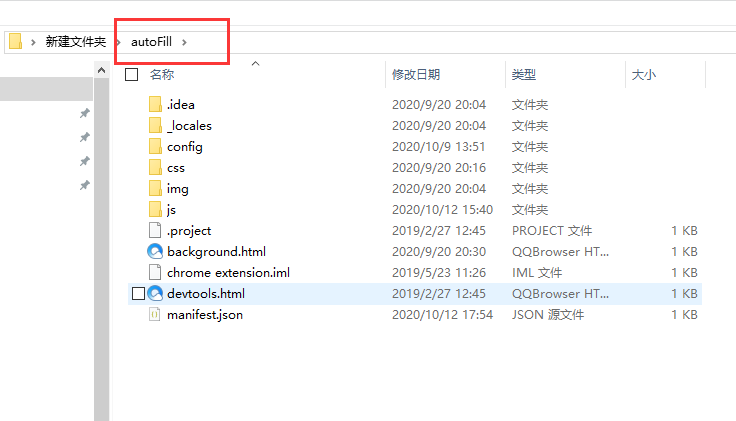
(1) Extract the Plugin Package
Extract the downloaded compressed package to a new folder. Open the autoFill directory, and you will see the files as shown below:
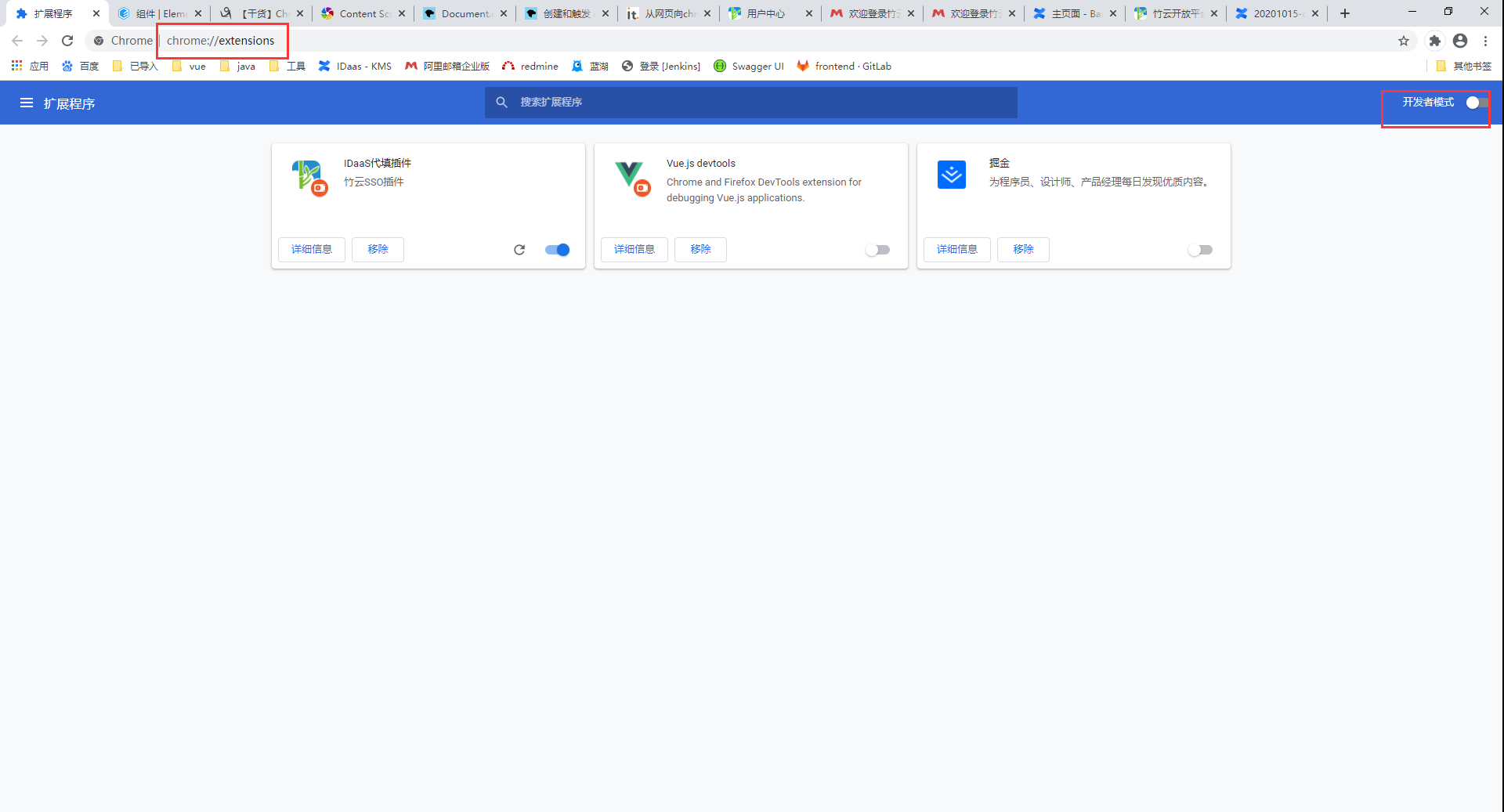
(2) Enable Developer Mode
Use the Chrome browser to visit chrome://extensions/, and enable Developer mode.
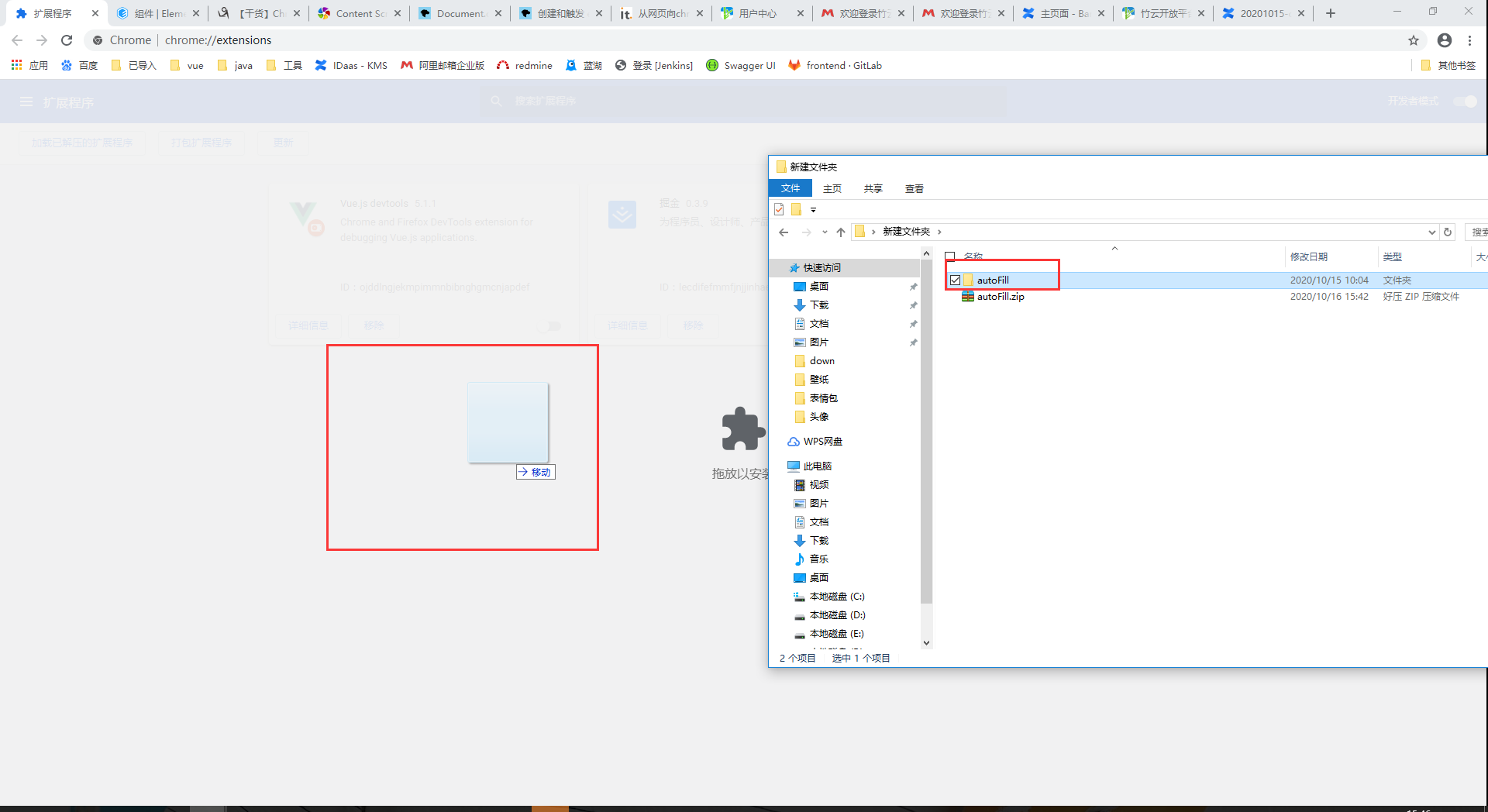
(3) Import/Update the Plugin
Drag the autoFill folder to the blank area and release.
(4) Complete
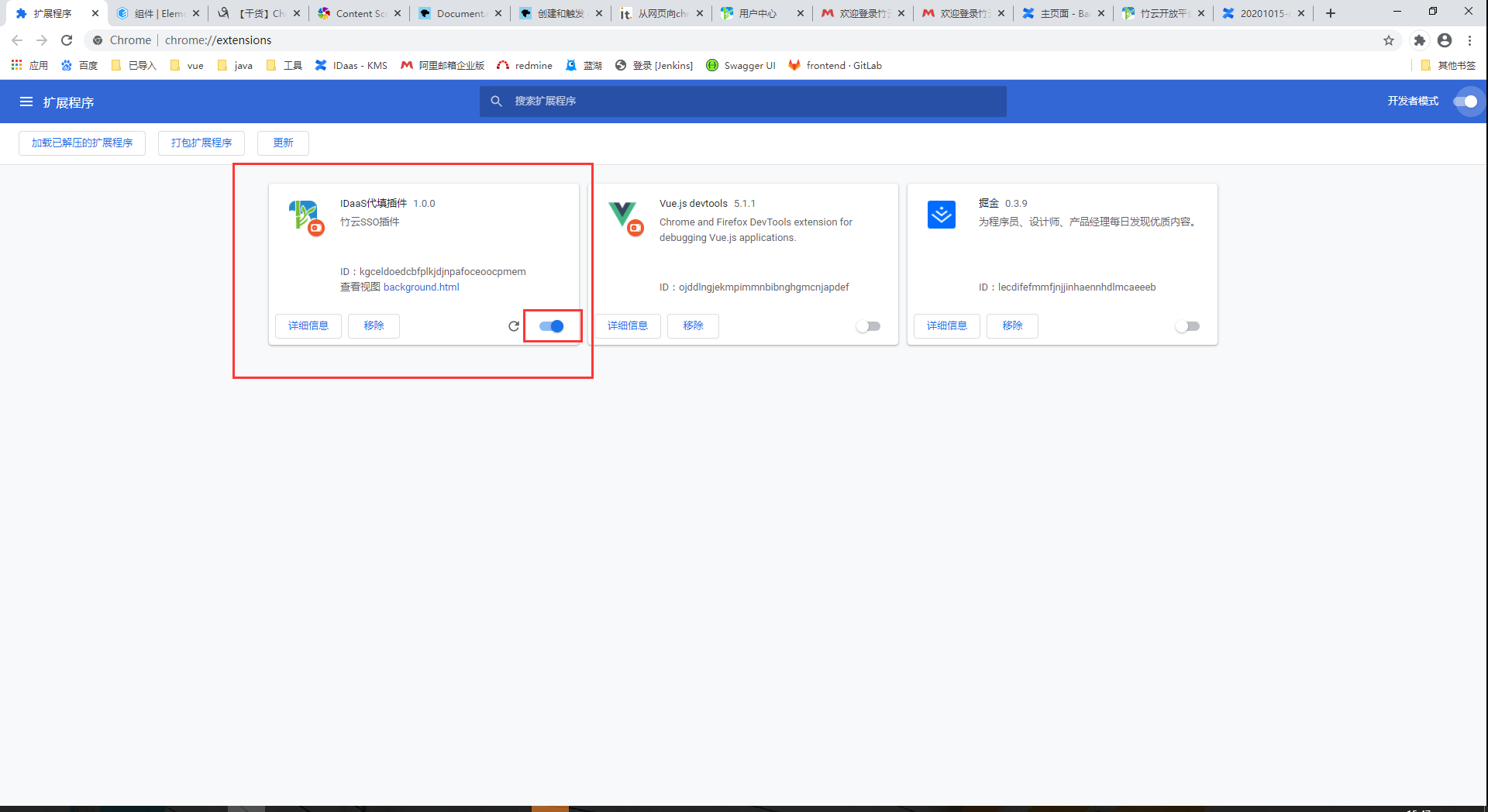
After all operations are completed, return to the User Center homepage and refresh the page.