Manage One User in Multiple Organizations
In actual personnel management, an employee may be affiliated with more than one organization, such as holding multiple positions. Therefore, most OA systems support users being mounted under multiple organizations, and HR systems with part-time functions also allow users to be mounted under multiple organizations.
To ensure the integrity of enterprise employee data after migration to the IDaaS platform, IDaaS also provides the configuration function for a single user in multiple organizations.
Basic concepts are as follows:
- Belonging: User A takes Organization 1 as the primary organization. This relationship is called belonging.
- Affiliation: User A takes Organization 2 as the secondary organization. This relationship is called affiliation.
Procedure
Set Multiple Organizations
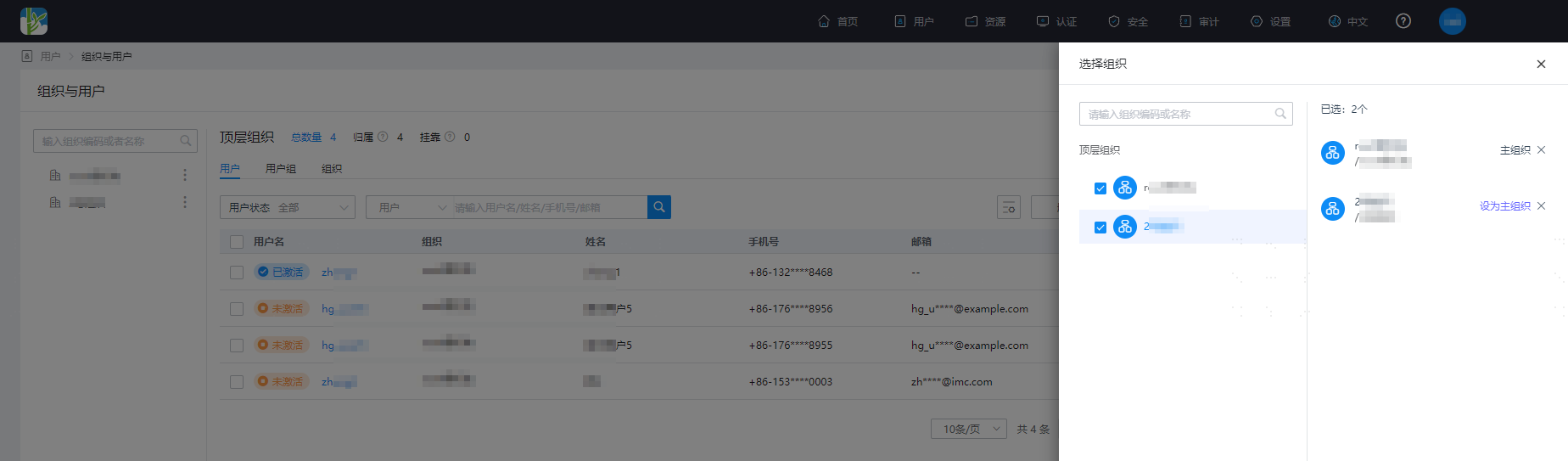
Log in to the IDaaS Enterprise Center, choose Users > Organizations and Users from the top navigation bar. When managing users, you can set multiple organizations for a user.
TIP
- A user can select up to 10 organizations (including belonging and affiliated organizations).
- Administrators can only select organizations within their permission scope.
- Administrators can modify the user's primary organization. After the primary organization is deleted, the next organization becomes the primary organization.
View Multi-Organization Users
Log in to the IDaaS Enterprise Center, choose Users > Organizations and Users from the top navigation bar. Above the user tab, the number of users under each organization is supported. Where:
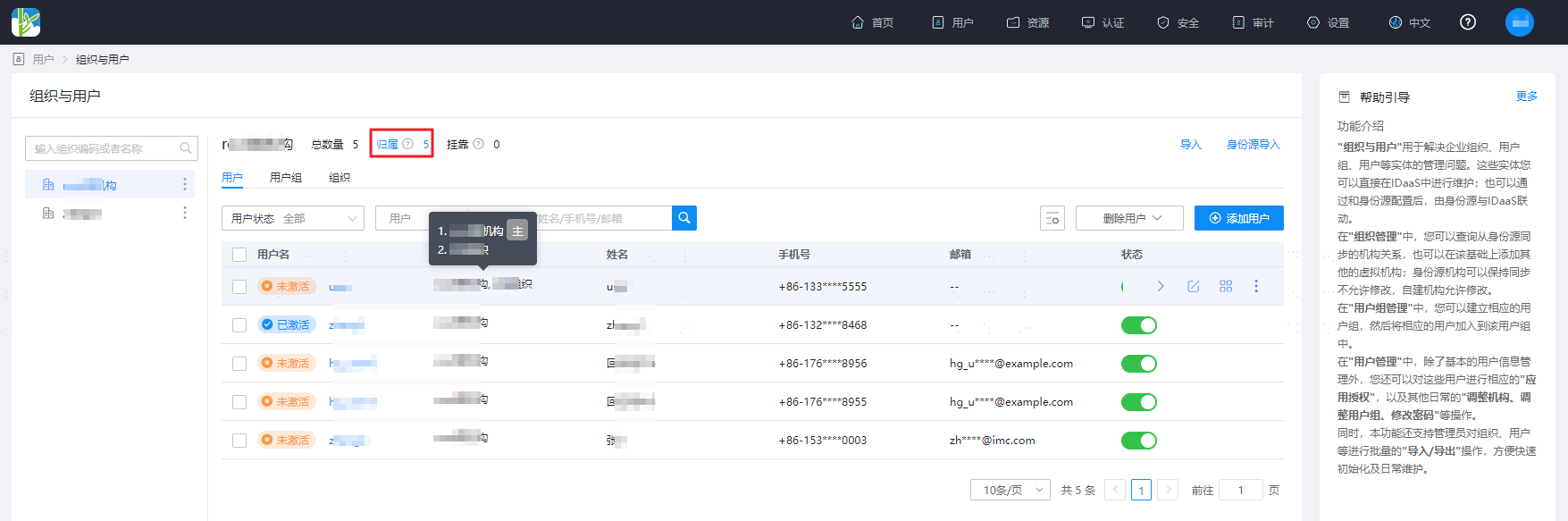
- Number of belonging users + Number of affiliated users = Total number.
- The user list page displays all organizations of the user. When the mouse hovers over the user's organization, the user's primary organization will be marked as Primary.
Select an organization on the left, and click Belonging on the right to display all users belonging to the selected organization.
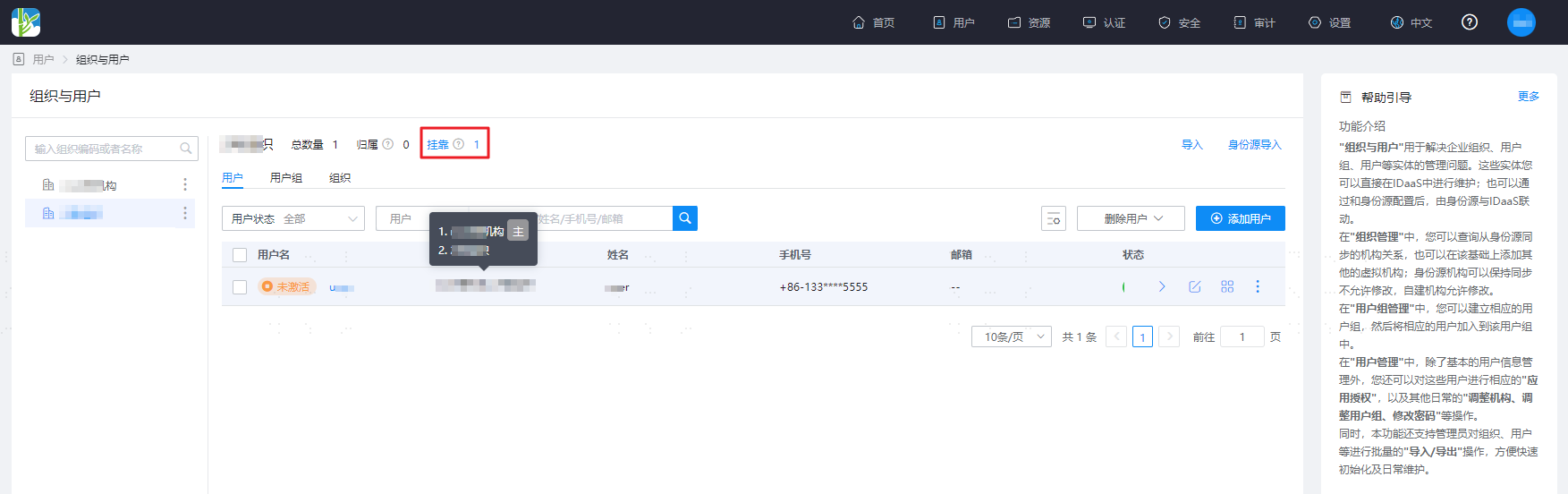
Select an organization on the left, and click Affiliation on the right to display all users affiliated with the selected organization.
Add Multi-Organization Users to User Groups
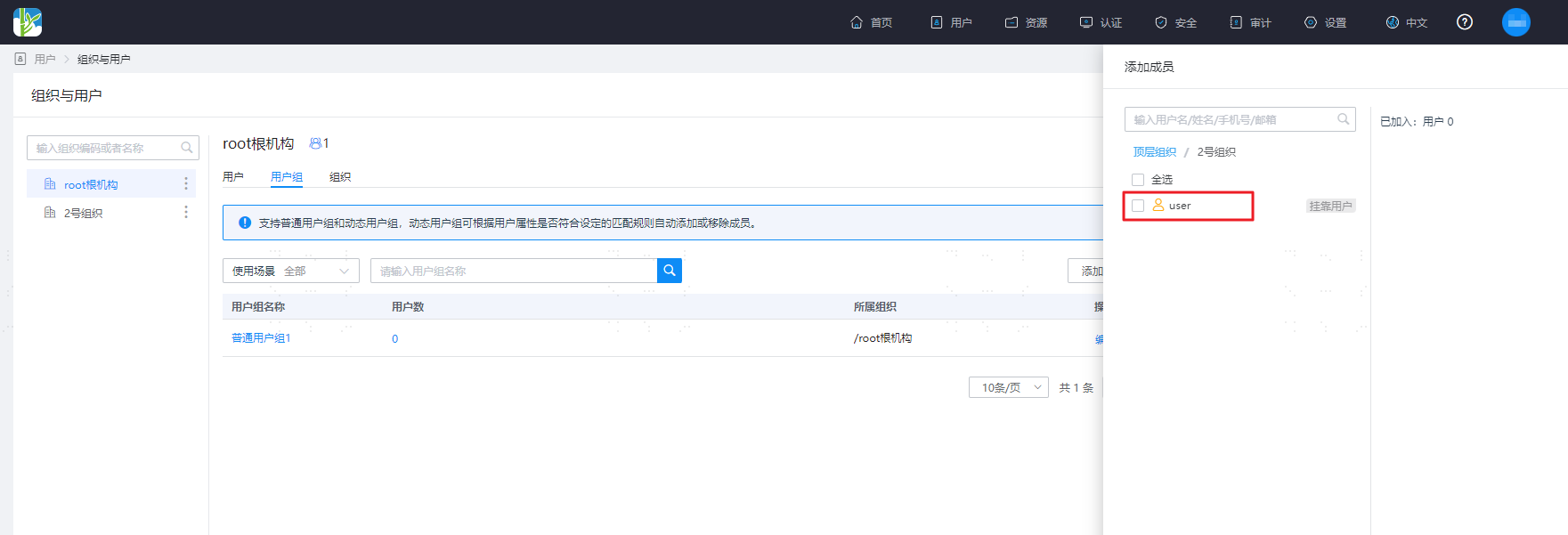
The figure shows adding members within a user group. The
useruser is a multi-organization user.
You can add the belonging user user from the root organization to a static user group.
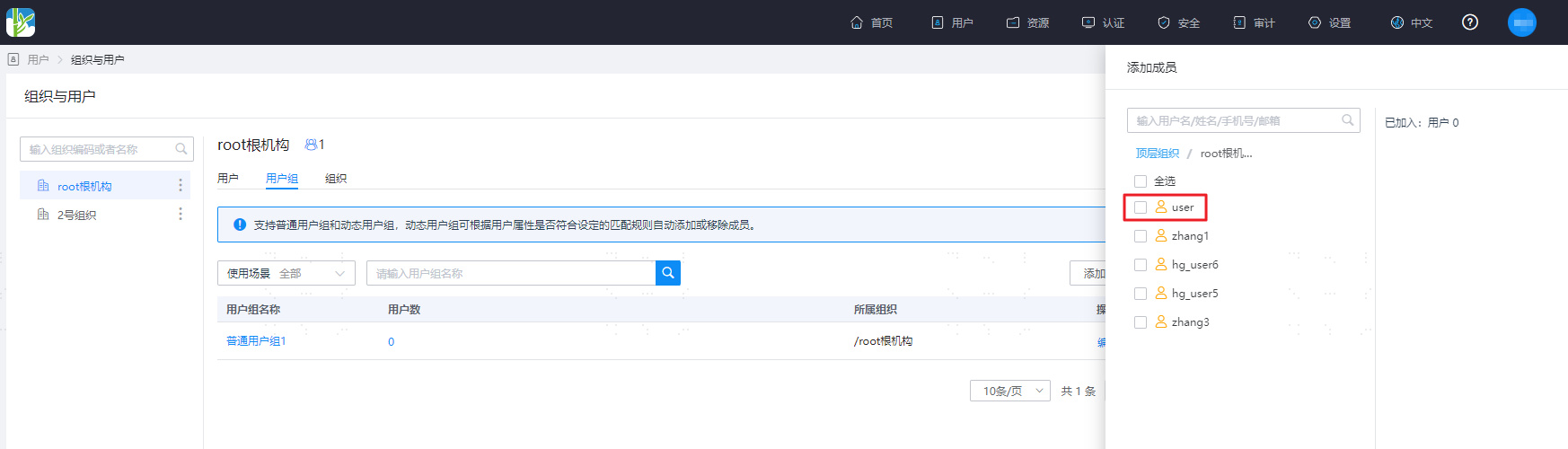
You can also add the affiliated user user from Organization 2 to a static user group.