
Configure Region Scope
When IDaaS configures Global Authentication Policy and Access Control Policy for applications, access control rules can be set around "regions". For example, set different IP segments for office floors or corresponding departments to define these regions. Then, in access control, set that only access to enterprise applications requiring special protection within these regions is allowed.
Prerequisites
You have administrator permissions for the IDaaS Enterprise Center platform.
Procedure
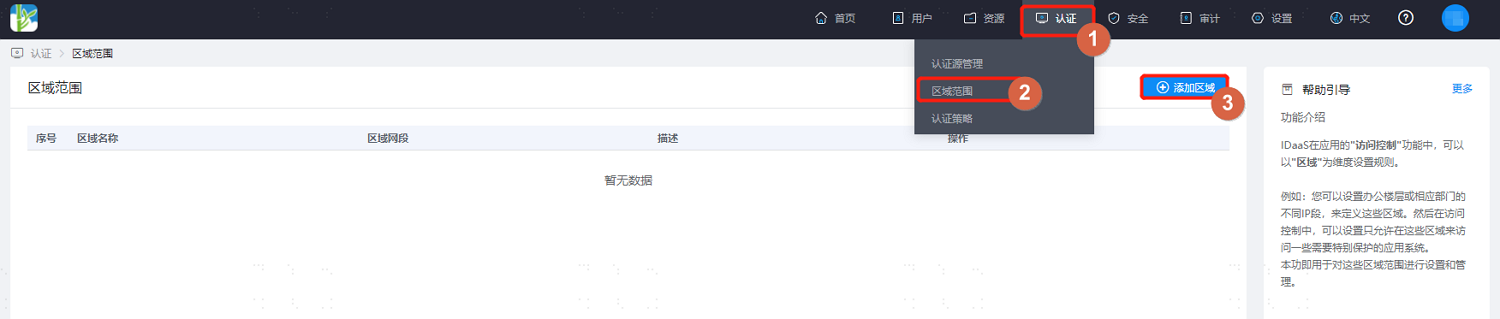
Log in to the IDaaS Enterprise Center platform. In the top navigation bar, choose Authentication > Region Scope, click Add Region, and configure the region name and network segment. Multiple regions are supported.
TIP
The region network segment format must be in CIDR format, for example, 192.168.0.1/24.
When configuring authentication policies later, you can choose to set rules around this region scope.