
Configure WeCom Approval Engine
This chapter explains the WeCom engine configuration process.
Prerequisites
- You have WeCom backend administrator permissions.
- You have administrator permissions for the IDaaS enterprise center platform.
Procedure
Configure the WeCom Approval Engine in the IDaaS Platform
Log in to the IDaaS enterprise center platform, and in the top navigation bar select "Settings > Approval Flow Settings > Enable WeCom Approval Flow".
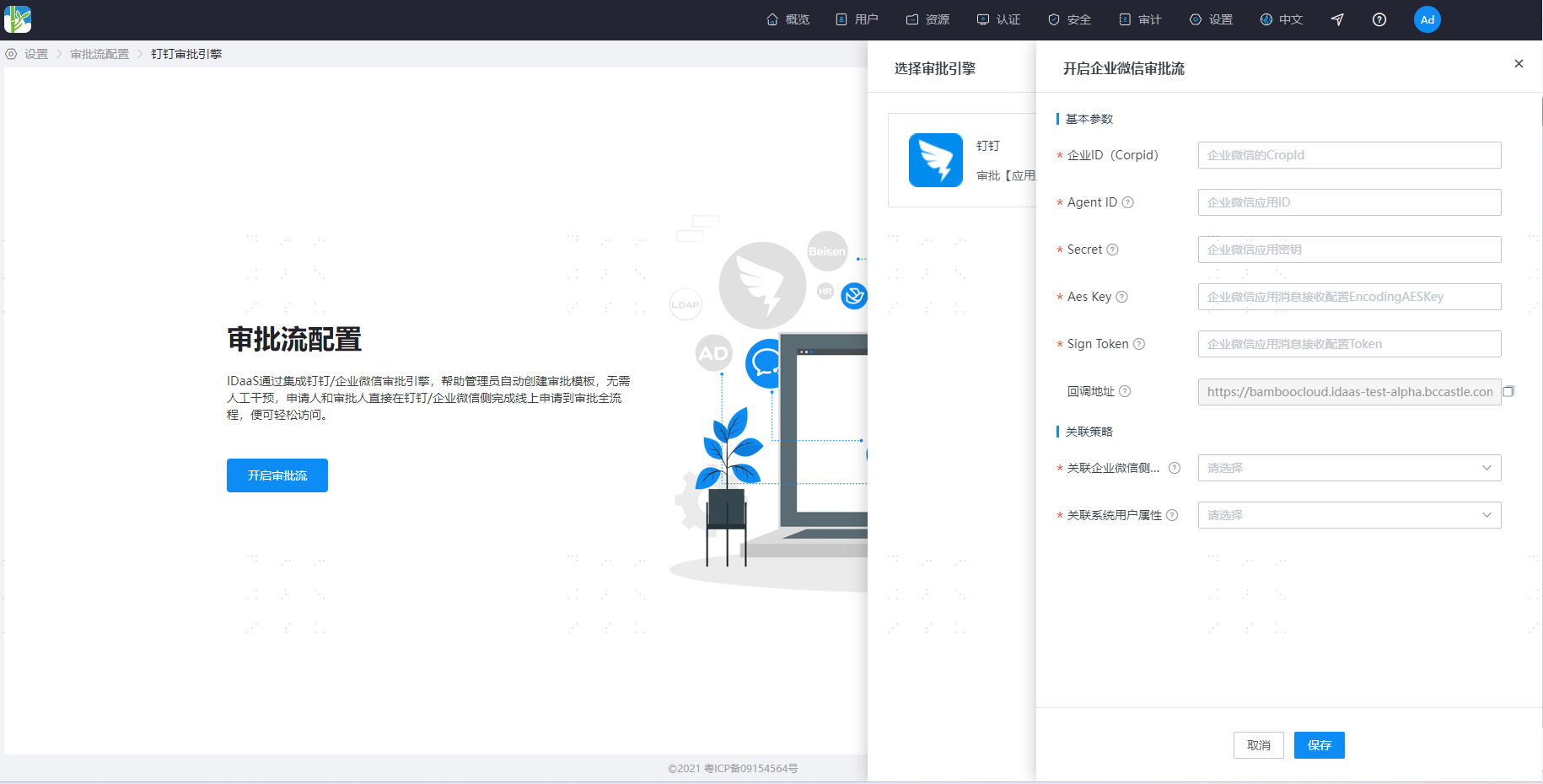
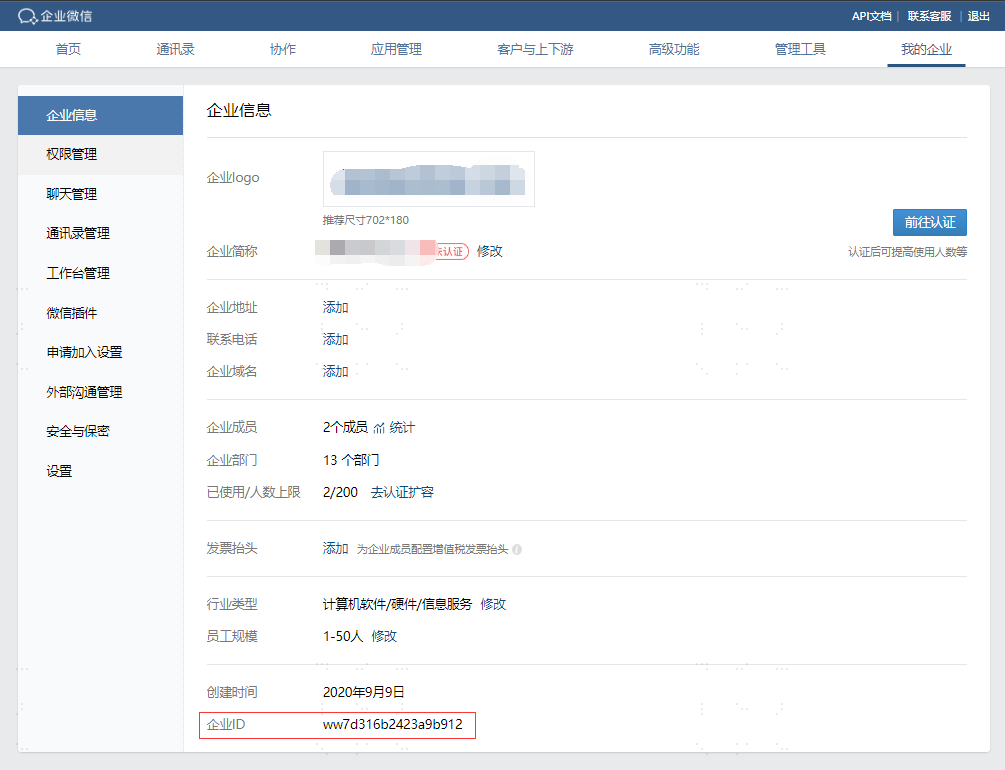
Enterprise ID (CorpId): Log in to the WeCom Admin Backend, and obtain the WeCom enterprise ID at the bottom of the "My Enterprise > Enterprise Information" page.
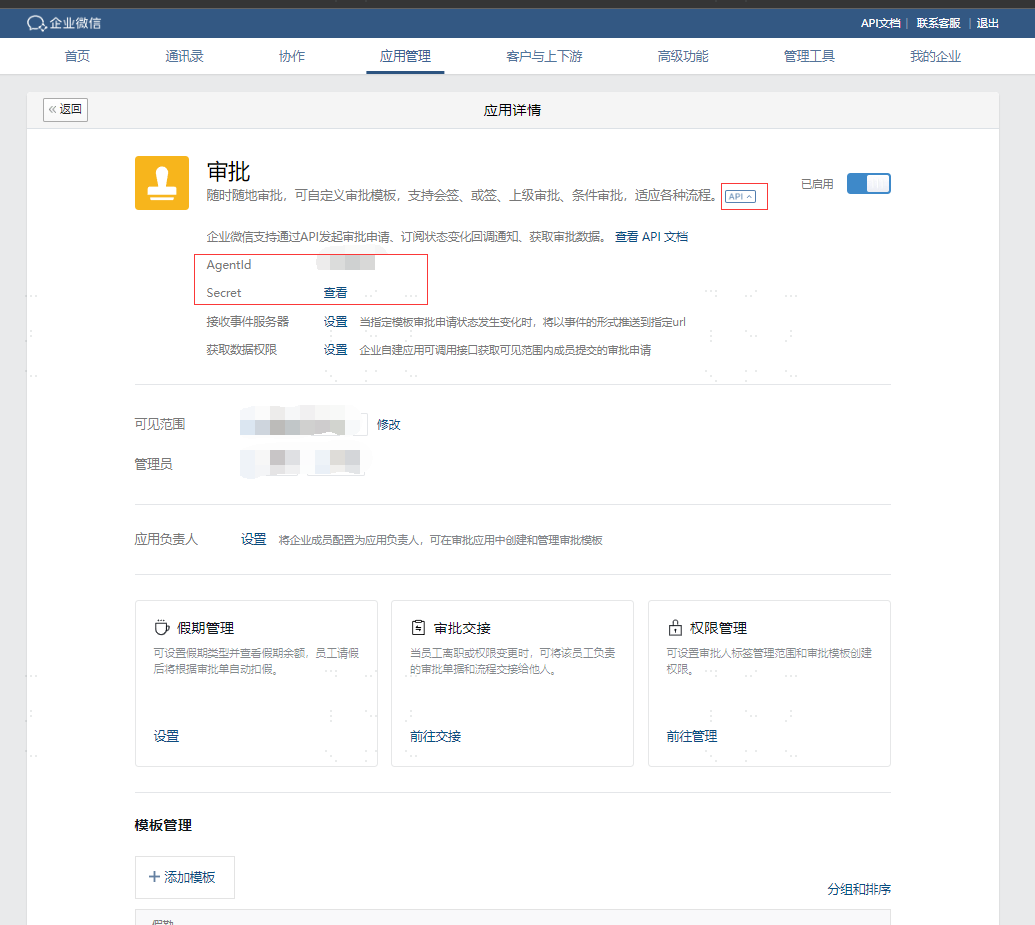
Agent ID, Secret: The WeCom "Approval" application ID. In the WeCom admin backend, go to "Application Management > Applications > Approval" application details page, click "API" to display the Agent ID and secret parameters. The Secret parameter needs to be viewed inside the WeCom client.
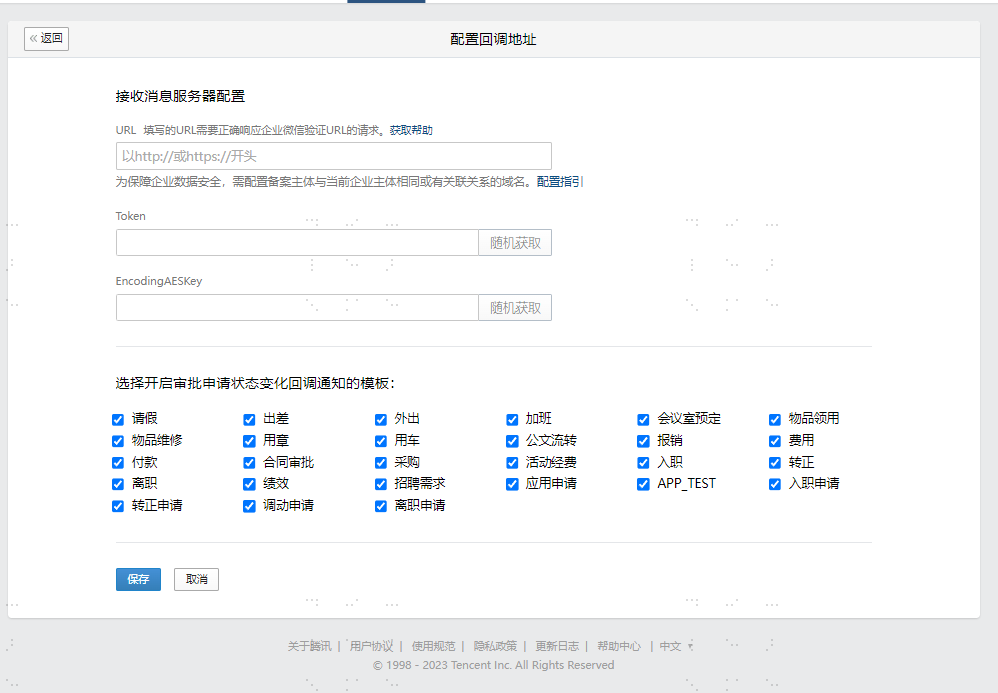
Aes Key, Sign Token: On the WeCom "Approval" application details page, click "Receive Event Server Settings" to enter the callback address configuration interface. Click the "Random Get" button next to the "Token" and "EncodingAESKey" parameters to generate the corresponding parameters.
Callback URL: The address where IDaaS receives WeCom approval callback notifications. It needs to be configured into the "Approval" application's receive message server configuration URL in WeCom. You need to complete the IDaaS configuration before configuring this parameter in the WeCom admin backend.
Associated WeCom Attribute: When IDaaS users are associated with WeCom, this is the user field on the WeCom side. Only userId can be configured.
Associated System User Attribute: When IDaaS users are associated with WeCom, this is the user field on the IDaaS side. Administrators need to configure the WeCom user ID on this field for IDaaS users in advance, either by importing or by keeping it consistent with the WeCom user ID when creating users. The WeCom user ID can be obtained from the "Account" field on the member details page in the WeCom admin backend under "Address Book > Member Details".
Configure Callback URL in WeCom
Log in to the WeCom Admin Backend, go to "Application Management > Applications > Approval Application > API > Receive Event Server" to enter the callback address configuration interface. The callback URL is displayed in the general configuration of the IDaaS WeCom approval settings; you can copy it directly and paste it into WeCom, then save.