Access IDaaS with a Custom Enterprise Domain
This guide explains how to use a custom enterprise domain to replace the tenant domain assigned by IDaaS.
WARNING
Top-level domains are not currently supported. Second-level and lower domains are supported, such as xxx.xxx.com.
Prerequisites
- The enterprise has prepared the SSL certificate file (base64 PEM format with
.crtextension) and key file (.keyformat) for the domain to be replaced. - The domain has completed real-name authentication and has a validity period of more than three months. Some regions require the domain validity period to be more than 45 days, and the real-name authentication subject must be consistent with the filing subject.
Procedure
Domain Filing
If you have already completed certificate filing on Alibaba Cloud, ignore this step.
Domain Replacement
Since the IDaaS service is currently deployed on Alibaba Cloud, replacing the personalized domain requires pointing the domain resolution to IDaaS's Alibaba Cloud service IP. Please contact technical support to obtain the IP.
TIP
The following uses Alibaba Cloud DNS resolution configuration as an example. The domain is idaas.work, and the personalized domain is set to sso.idaas.work.
Log in to the Alibaba Cloud DNS console, select the domain, and add a CNAME record. Key parameters are configured as follows.
Host Record Record Type Record Value sso CNAME IDaaS tenant domain. bccastle.com.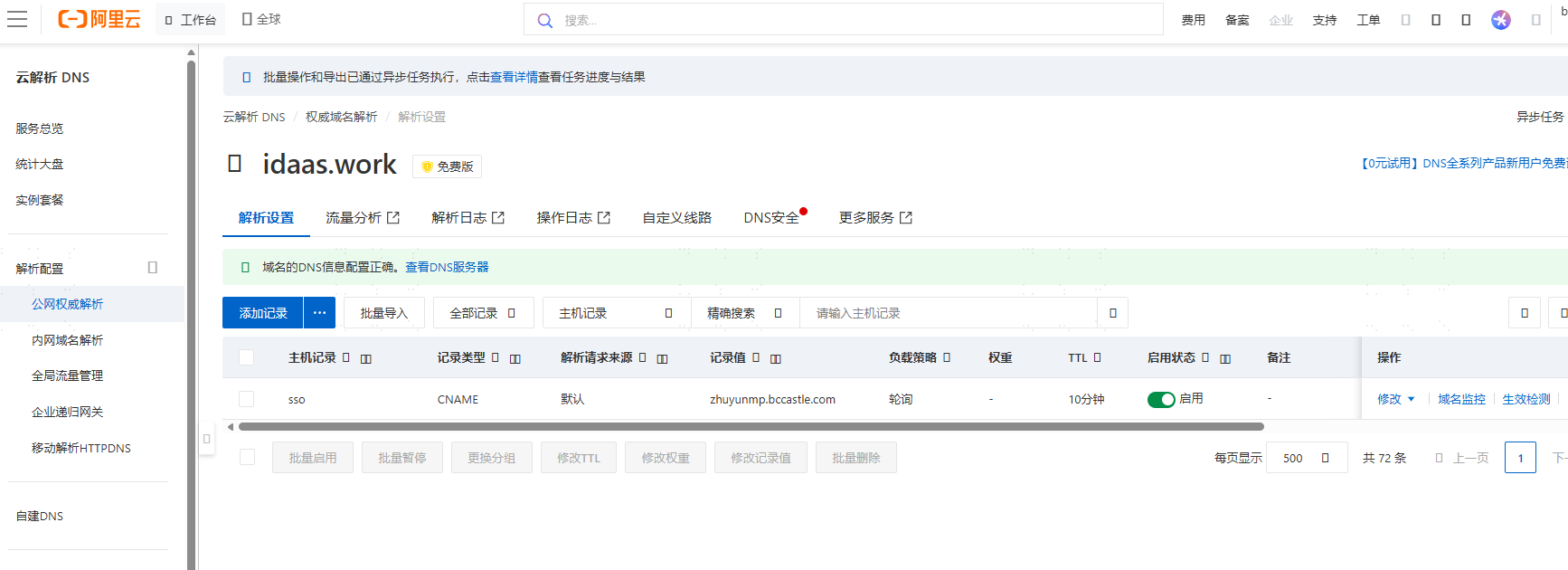
Use the ping command to check whether the personalized domain is resolved to the correct CNAME and IP address. The CNAME is
zhuyunmp.bccastle.com, and the IP address is39.100.248.219.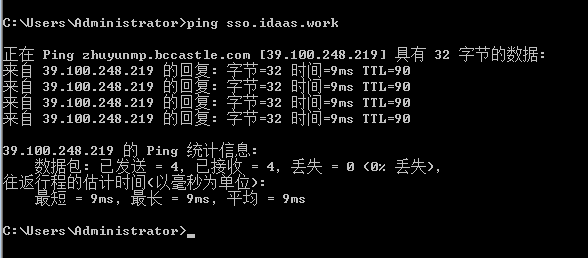
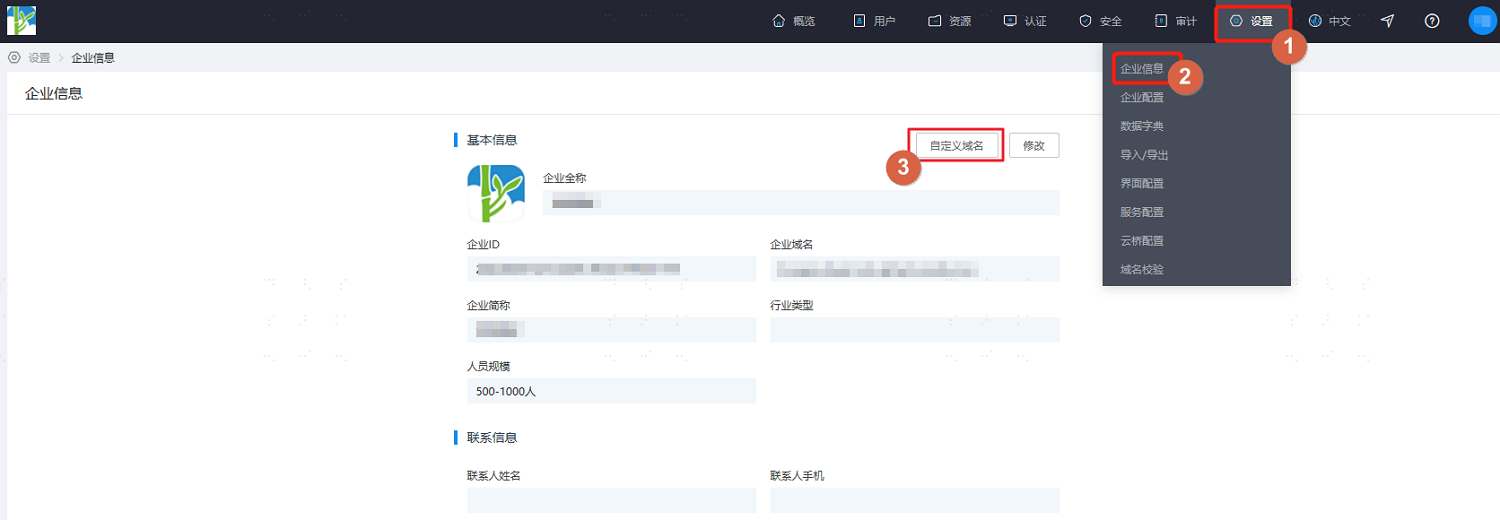
Log in to the IDaaS Enterprise Center, choose Settings > Enterprise Info from the top navigation bar, and select Custom Domain.
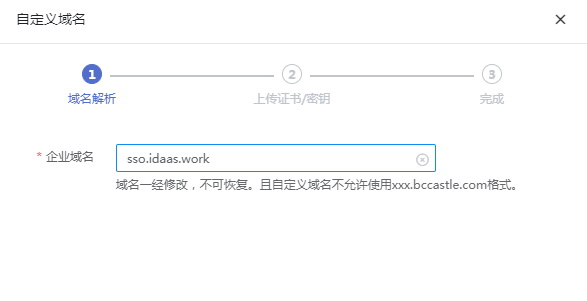
Fill in the domain and click Next.
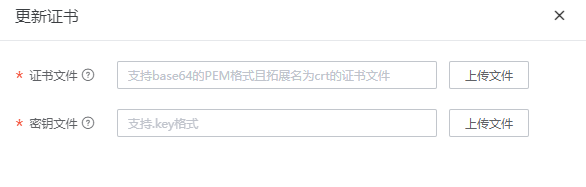
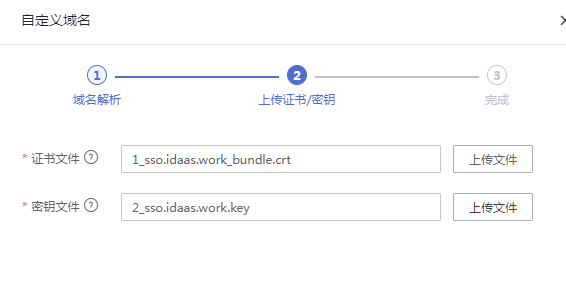
Upload the certificate file and key file, then click Save.
TIP
The certificate file extension is
.crt. RSA and EC algorithm PEM certificates are supported. The file content starts with-----BEGIN CERTIFICATE-----and ends with-----END CERTIFICATE-----. Generally, the certificate file contains multiple certificates, including intermediate CAs.The key file extension is
.key. PKCS1 and PKCS8 formats are supported. The file content starts with-----BEGIN [RSA/EC/] PRIVATE KEY-----and ends with-----END [RSA/EC/] PRIVATE KEY-----, as shown below.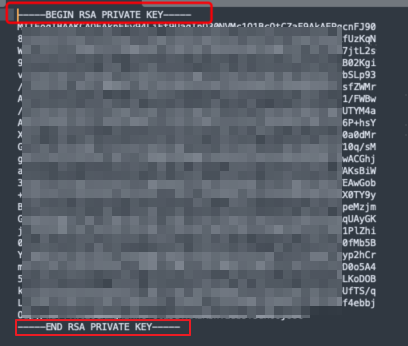
After saving, you will be automatically logged out of the IDaaS Enterprise Center, and a message indicating that the domain was not found will be displayed.
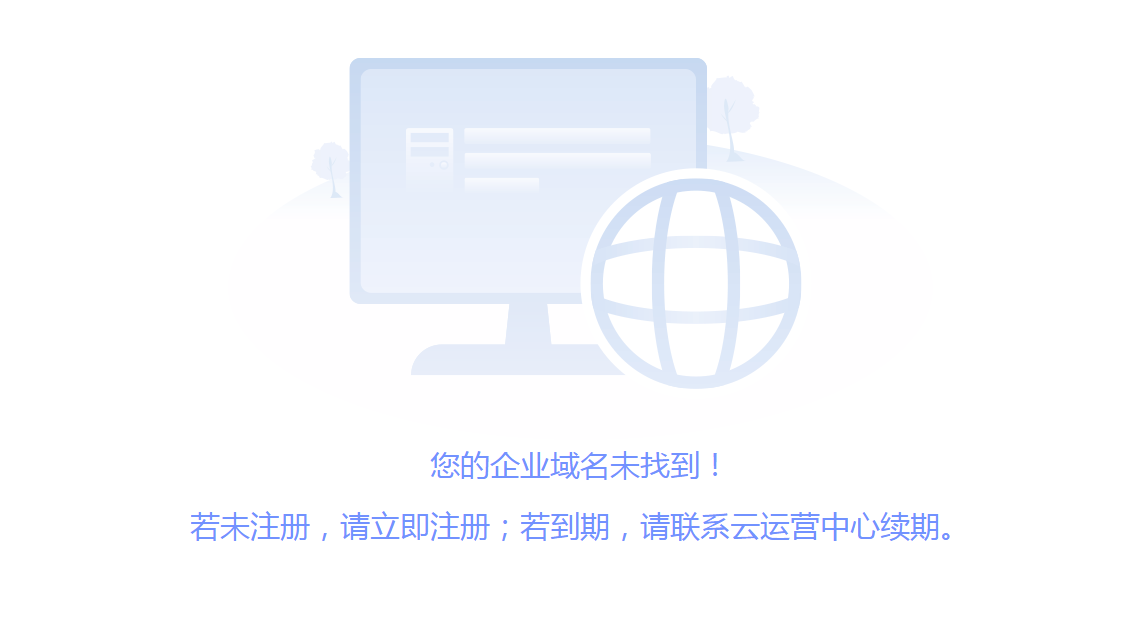
Wait 5-10 minutes for the domain to take effect, then you can access the IDaaS Enterprise Center and User Center through the new domain. If the new domain access fails, please contact BambooCloud technical support.
Update Certificate
Domain certificates are usually valid for one year. The IDaaS Enterprise Center will prompt you to update the certificate before it expires. Please refer to the following content to update the certificate.
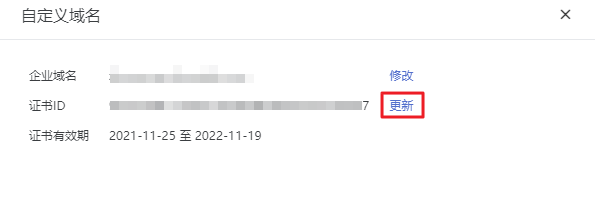
In the IDaaS Enterprise Center, go to the Settings > Enterprise Info page, and click Update Now in the prompt at the top of the page to enter the custom domain page.
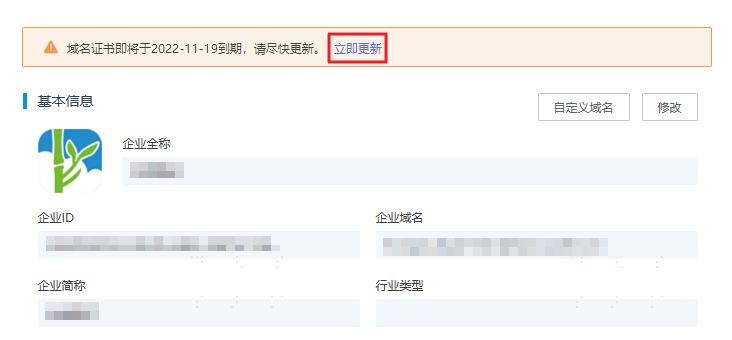
On the custom domain page, click Update behind the certificate ID, and upload the latest certificate file and key file as prompted.