
Configure Anomaly Notifications
During background task execution, abnormal situations may occur. If not detected and resolved in time, customer data may be affected.
The IDaaS platform provides anomaly notification functions for multiple task scenarios. Enterprises can choose notification methods and recipients according to their own needs. The system proactively alerts when tasks encounter abnormal situations, reducing the daily management pressure on enterprise administrators.
Prerequisites
Administrator permissions for the IDaaS Enterprise Center.
Procedure
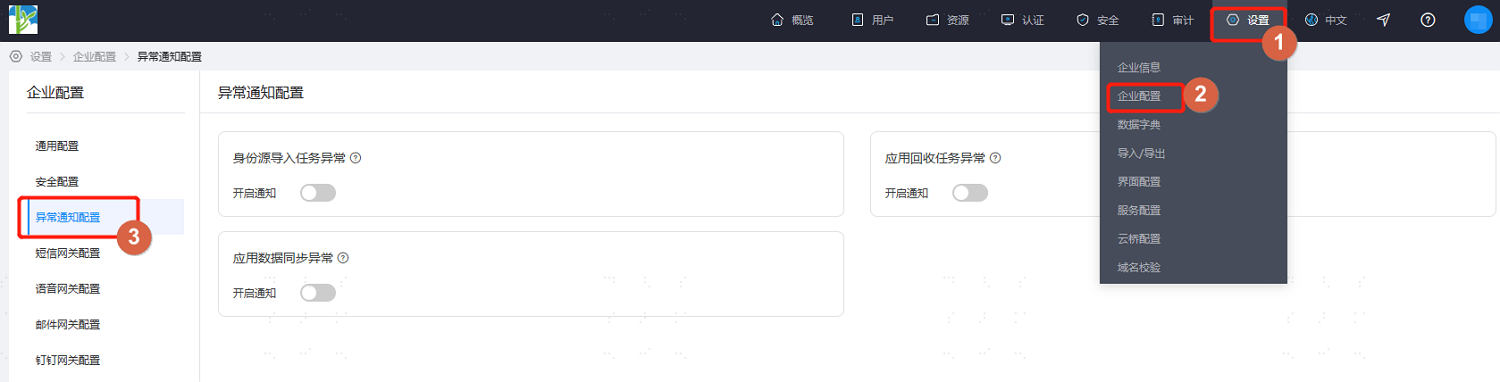
Log in to the IDaaS Enterprise Center, choose Settings > Enterprise Configuration from the top navigation bar, and select Anomaly Notification Configuration.
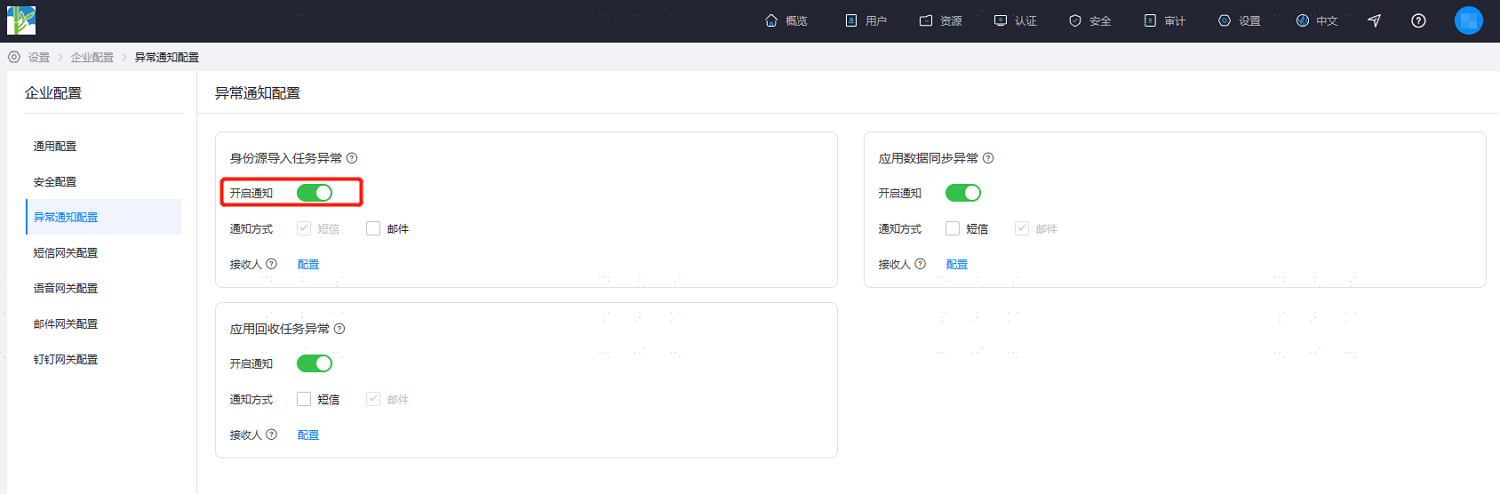
According to project requirements, enable the corresponding notification switches, set the notification method, and configure message recipients.
TIP
If no recipient is set, the system will notify all super administrators by default.